



Click-to-call and click-to-dial buttons
Enable seamless communication with LiveAgent's click-to-call feature, allowing real-time in-browser calls by clicking a phone number link. Essential for improvi...
6 min read
Click-to-call
Click-to-dial
+2

LiveAgent’s call buttons enable easy in-browser calls, enhancing the customer experience by reducing effort. By placing a customer service button on your website, visitors can easily connect with your support team. Businesses can choose pre-made or custom buttons, facilitating PC to PC or mobile to PC calls, boosting relationships and sales.
A call button is a click-to-call feature that enables website visitors to call your business. When they click the HTML call button, their computer or phone will automatically execute the call, utilizing HTML click-to-call functionality. This customer assistance call button helps streamline the communication process, making it easy for customers to get in touch with your team.
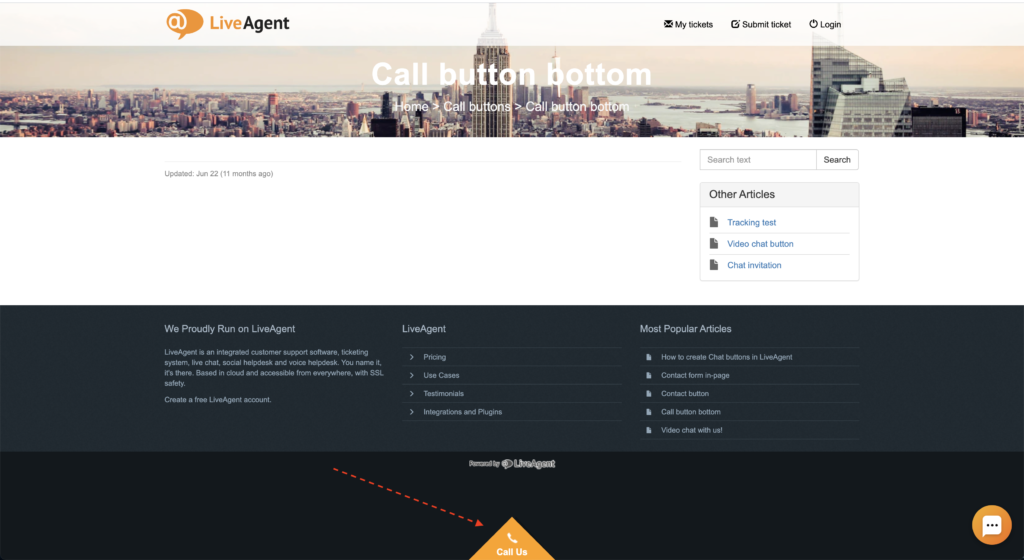
Adding call buttons to your website is an excellent tactic for reducing customer effort. Instead of writing down or manually inputting your phone number, your customers can simply click and call. But why is it so important? Well, reducing customer effort is a surefire way to increase customer satisfaction, improve their experience with your business, and establish a good relationship that can lead to more sales and repeat business. Moreover, positive customer experiences can lead to positive word-of-mouth referrals, bringing you even more new customers.

Start your free trial today and see results within days.
LiveAgent’s call center application software gives you two options. You can pick from a gallery of pre-made call buttons, or you can create a custom button using an image or your own click to call HTML code.
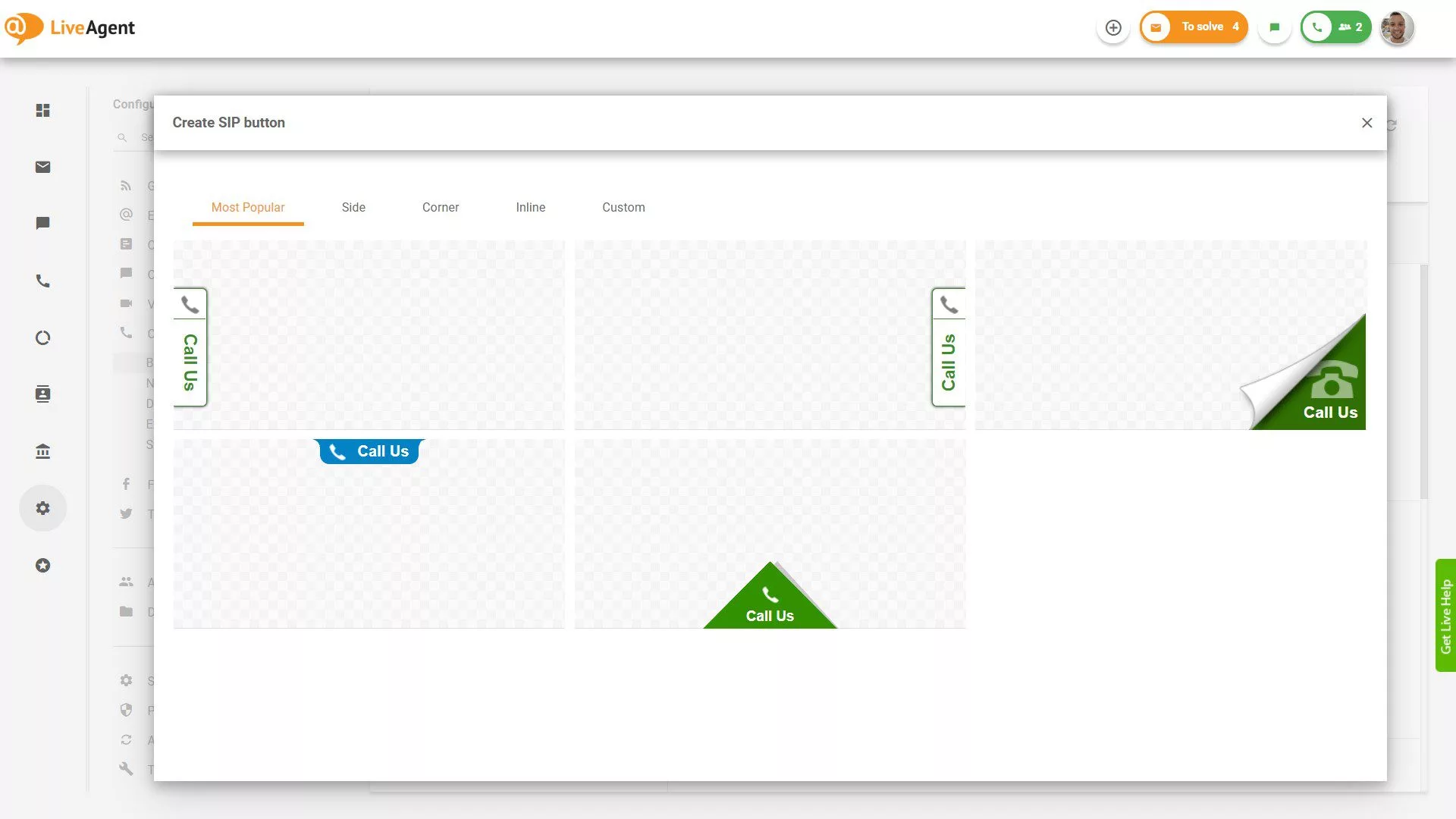
The pre-made call buttons have different alignment options, including side, corner, or inline. Once you select a button, you can customize its background color, text, Z-index, animation, and positioning. LiveAgent also allows you to preview and test each button before implementing it on your website.
The call button enables you to establish:
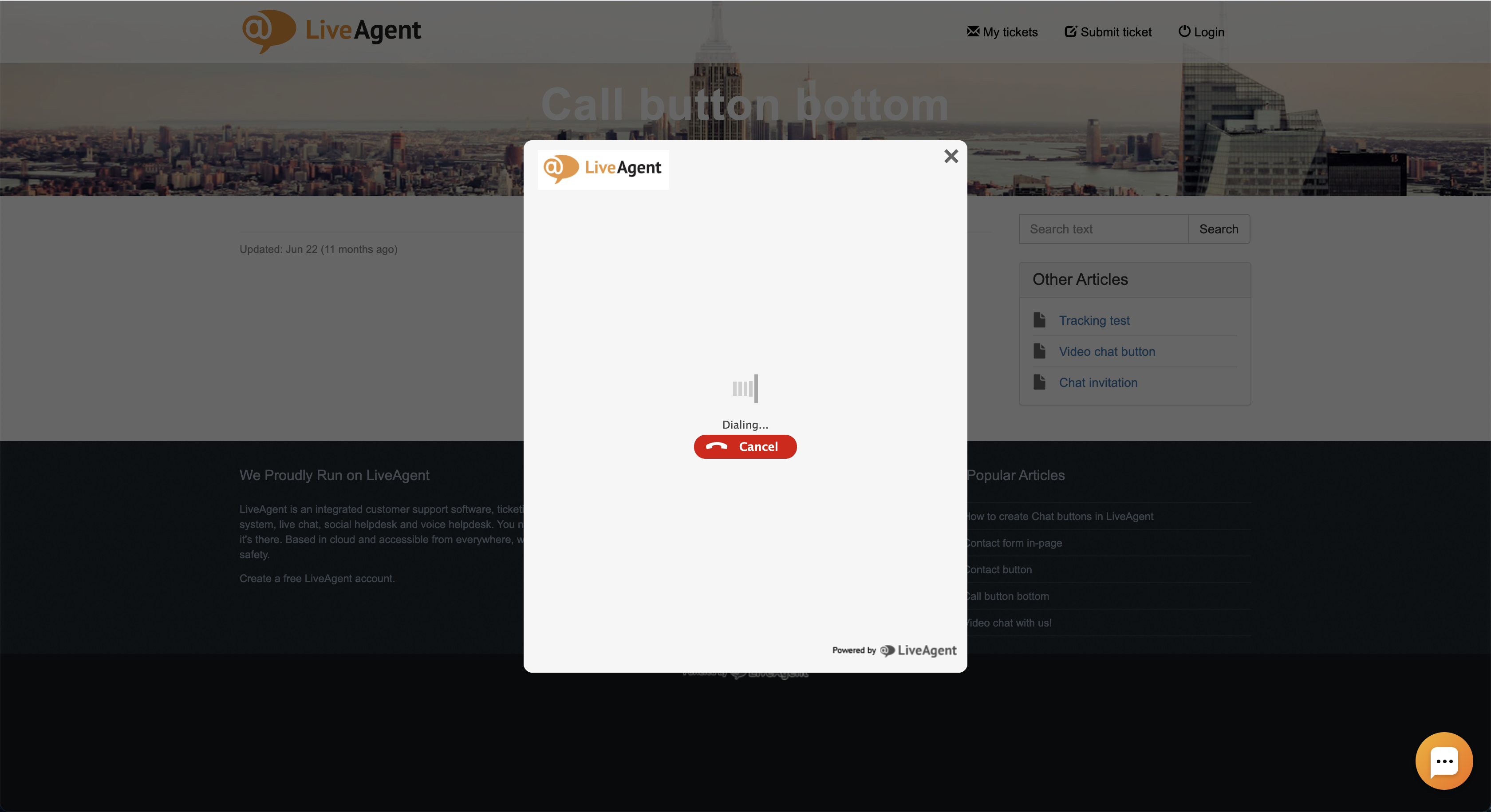
Regardless of whether the customer clicks on the call button on their computer or mobile phone, the computer will start an in-browser call. Your support agents will be able to answer the call directly inside of their LiveAgent call center software.
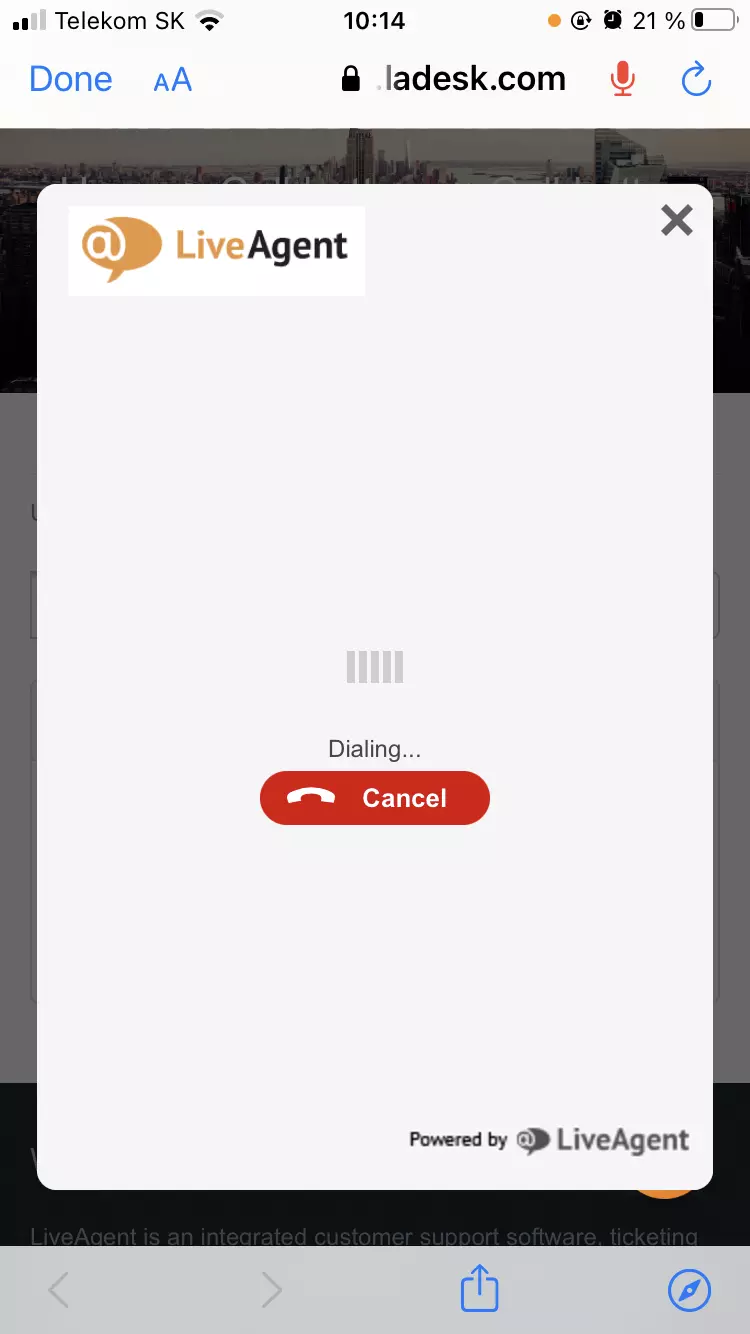
Please note that before the call is executed, the device you’re using might ask for permission to use your microphone.
The latest tips and deals delivered straight to your inbox.
Follow these simple steps:
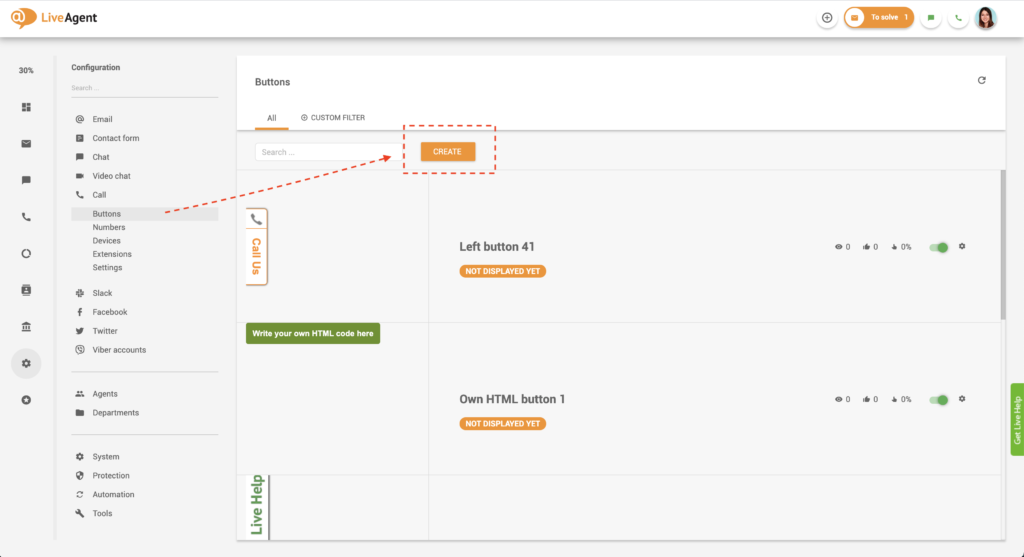
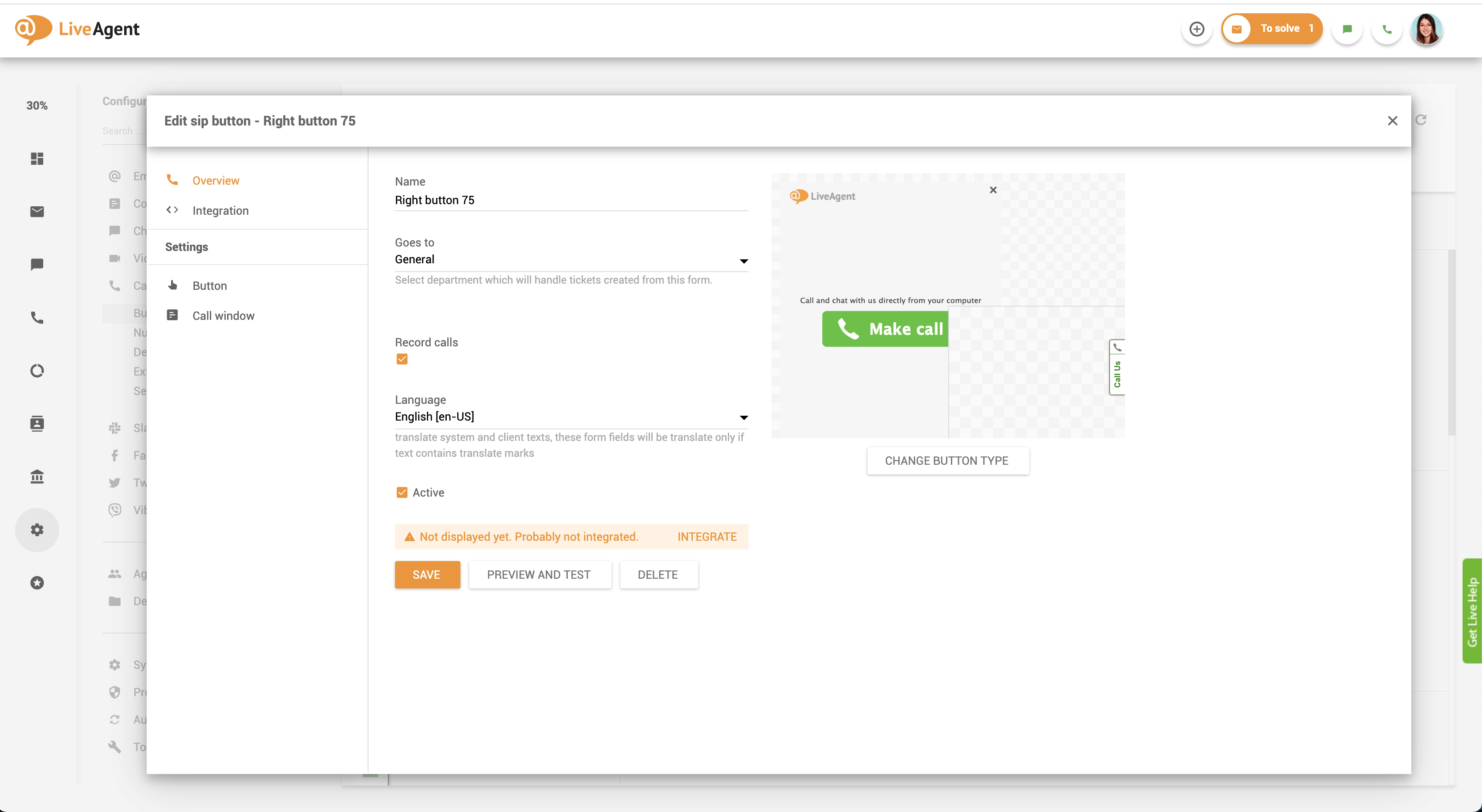
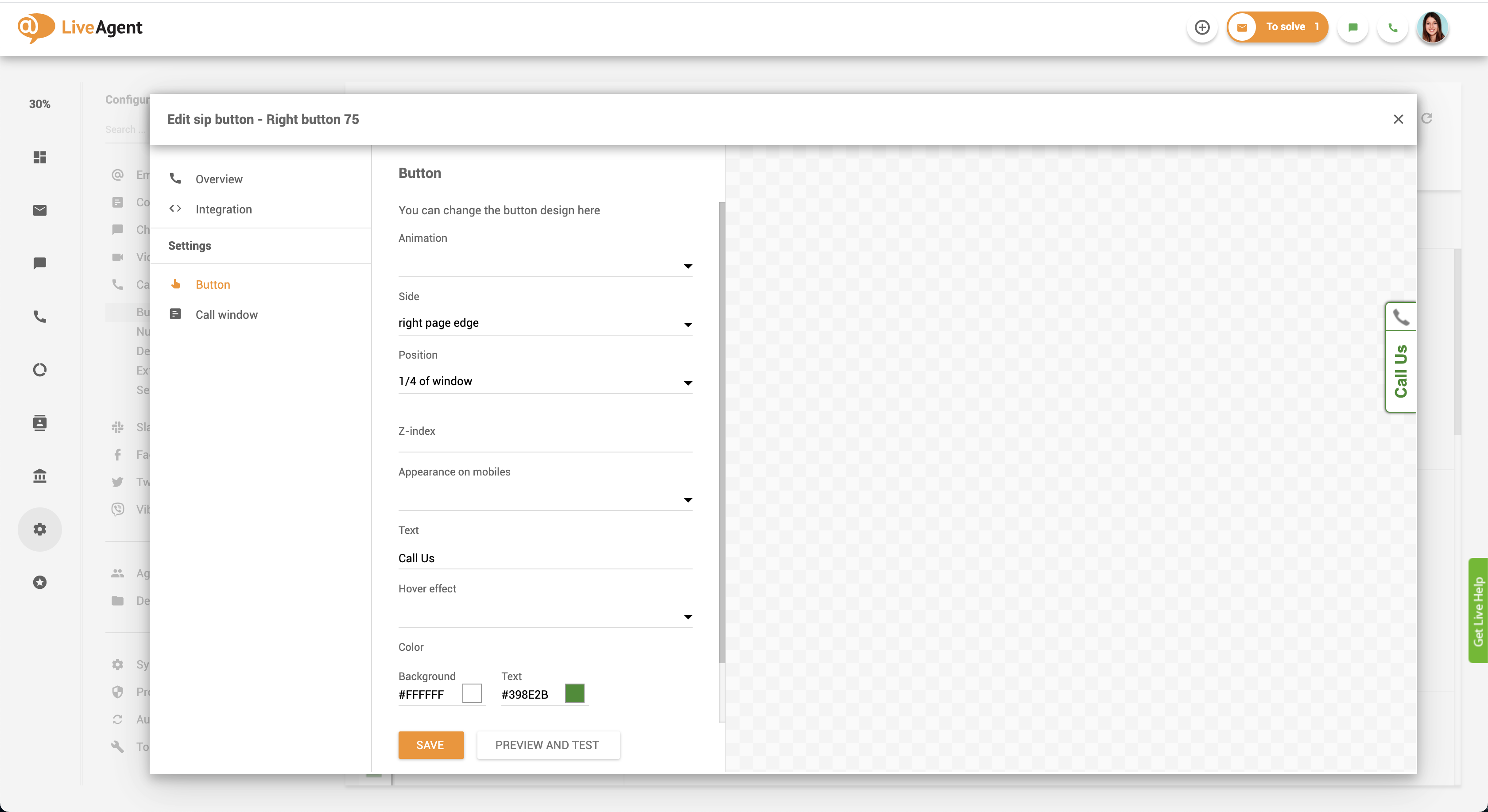
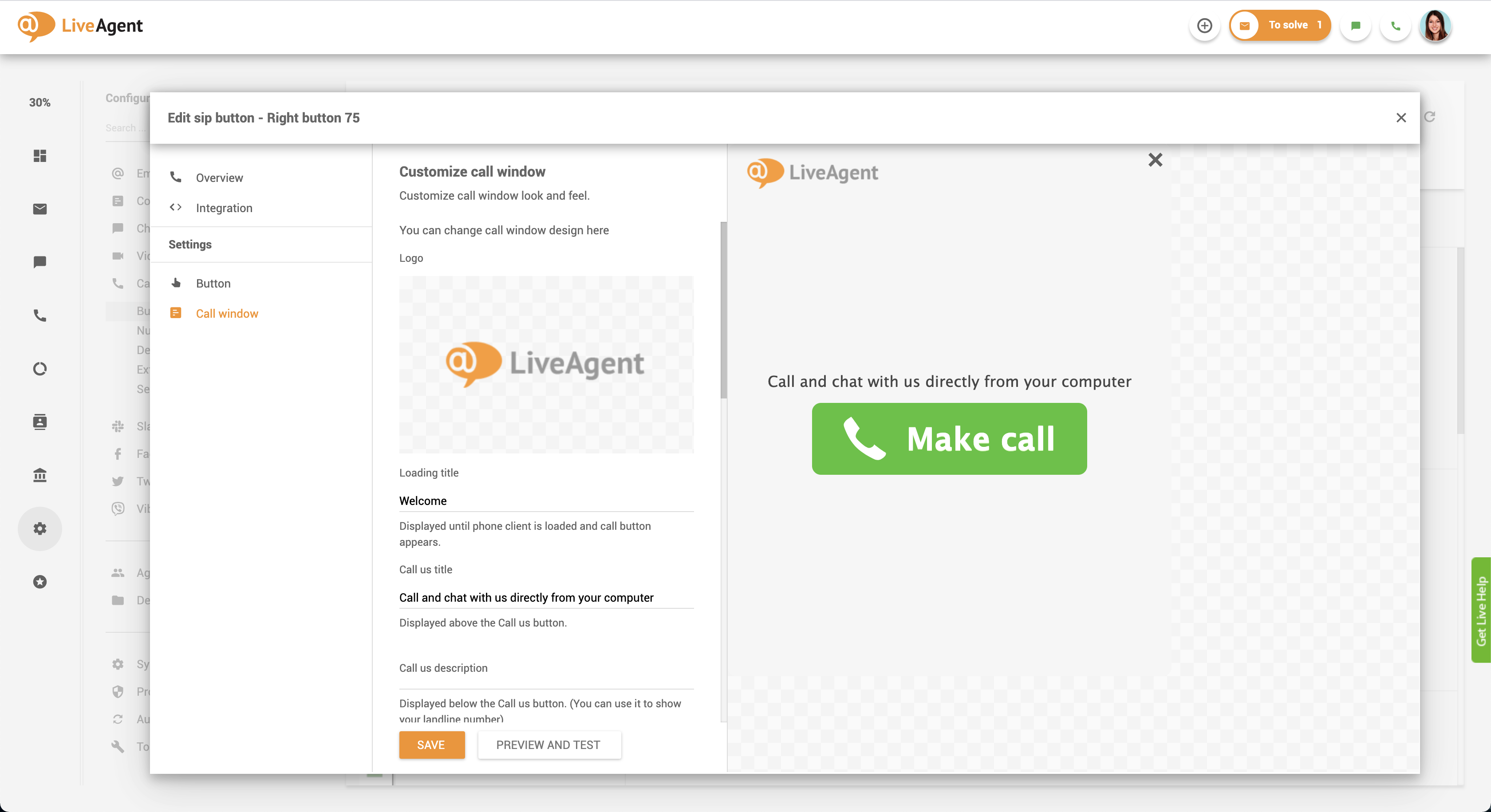
</body> tag of your website code, or ask your web admin to do it for you.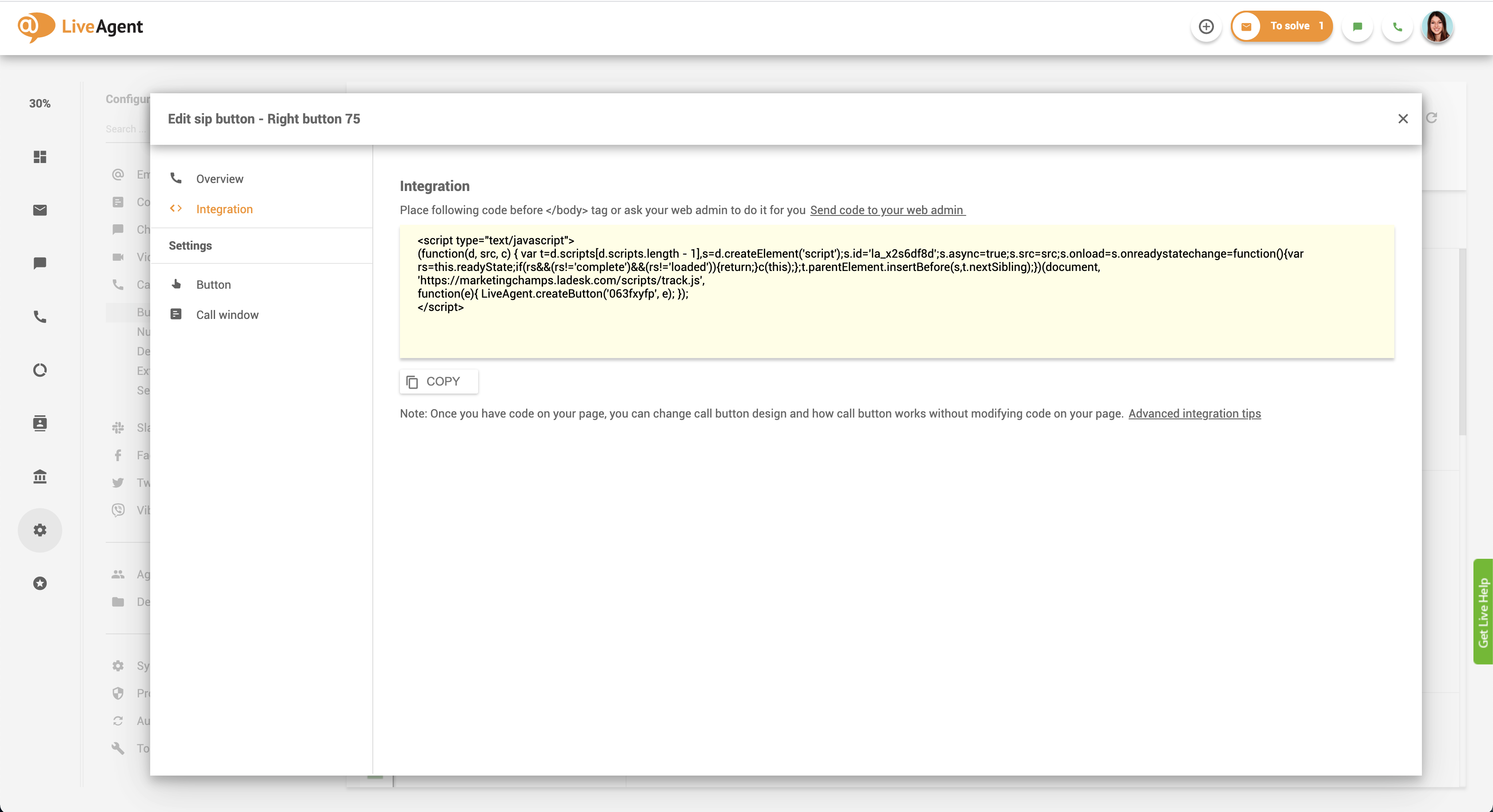
Please note: Once you have the code on your website, you can change the call button design and how the website call button works without modifying the code on your page.
To create a custom call button, you’ll need to upload a custom image or modify the existing HTML code.
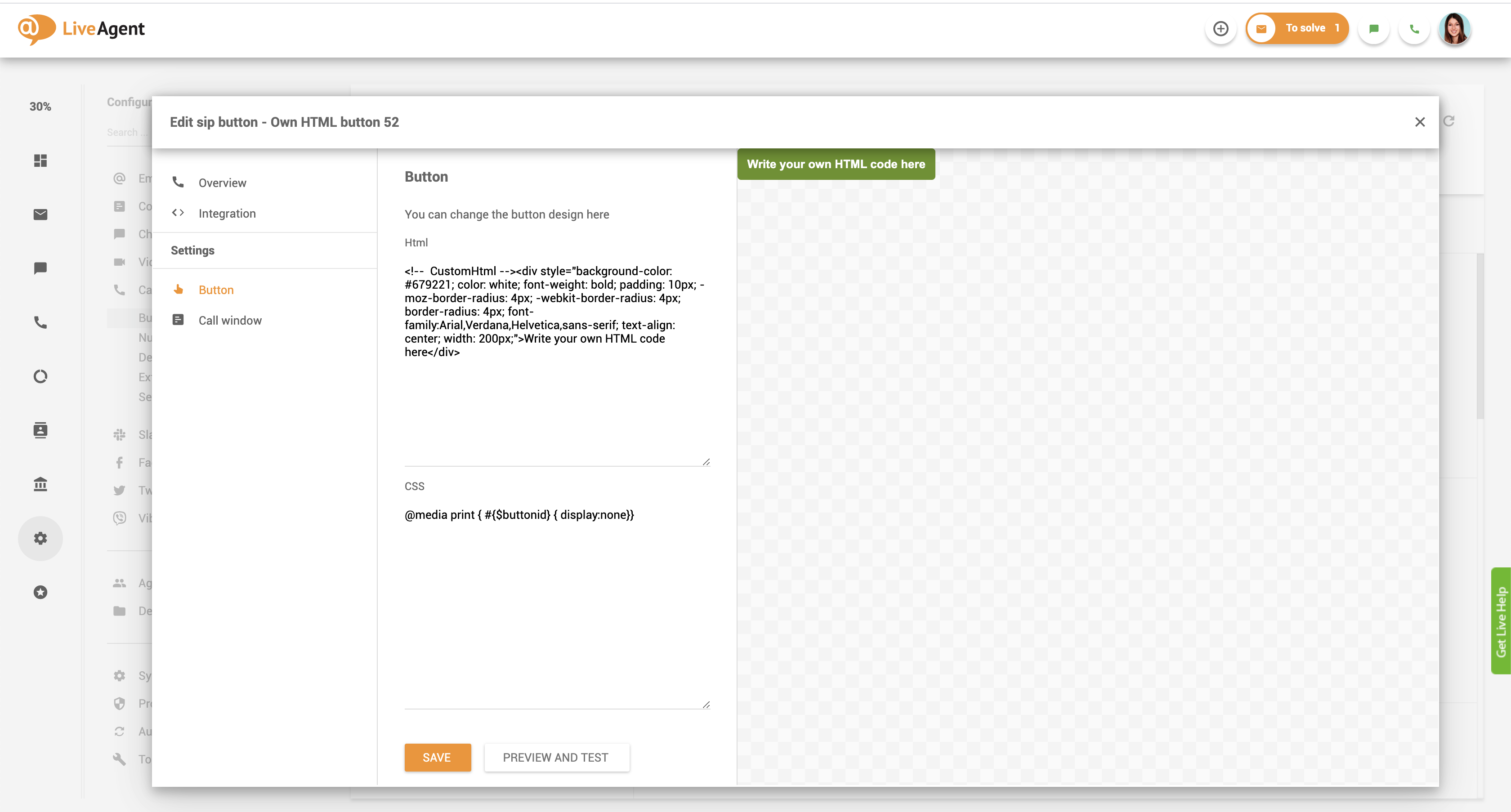
</body> tag of your website code, or ask your web admin to do it for you.Placing a customer service button on your website ensures that your customers don’t have to search for your contact information. An integrated customer assistance call button offers convenience and saves time, enhancing the overall customer experience.
Having an integrated call button on your site ensures that your customers don’t have to scourge your website or look up your phone number on Google. It might seem like looking up a phone number isn’t a big deal. However, when you’re in a rush and need to contact a business, do you want to waste time looking for their contact information? If it was readily available on their site, and you could simply click a button to initiate a call, wouldn’t you be thankful for how hassle-free and convenient it is?
By creating a call button, you’re doing your customers a tiny favor and showcasing that you value their time. Not only will this improve their perception of your business, but it will also improve their customer experience. As you already know, happy customers are the cornerstone of every business. In essence, they’re what keeps businesses afloat. A satisfied customer is likely to make repeat purchases, spend more, and remain loyal to your brand.
Satisfied customers are also happy to share their positive experiences with others. By creating a hassle-free experience, you can be sure that if your business comes up in future conversations with friends, colleagues, or family, they will remember their positive experience and recommend your company. This type of brand advocacy is priceless, as most consumers trust recommendations from friends above all else. These positive recommendations lead to more new and repeat business, resulting in more sales and revenue. As long as you keep your customers happy, you can keep repeating this loop and enjoy more customer engagement and revenue growth.
To learn more about call buttons or related topics, please check out our knowledge base, glossary, academy articles, videos, or blog posts.

Discover just how easy it is to provide hassle-free support with LiveAgent. Start your 30-day free trial today. No credit card is required.
Discover just how easy it is to provide hassle-free support with LiveAgent. Start your free 30-day trial today. No credit card is required.
Enable seamless communication with LiveAgent's click-to-call feature, allowing real-time in-browser calls by clicking a phone number link. Essential for improvi...

Boost customer satisfaction with LiveAgent's customizable chat button for real-time support. Learn about features, implementation, and best practices.

LiveAgent's live chat software enhances customer service with real-time communication, customizable chat buttons, proactive invitations, and integration with ex...
Join our community of happy clients and provide excellent customer support with LiveAgent.

Cookie Consent
We use cookies to enhance your browsing experience and analyze our traffic. See our privacy policy.