


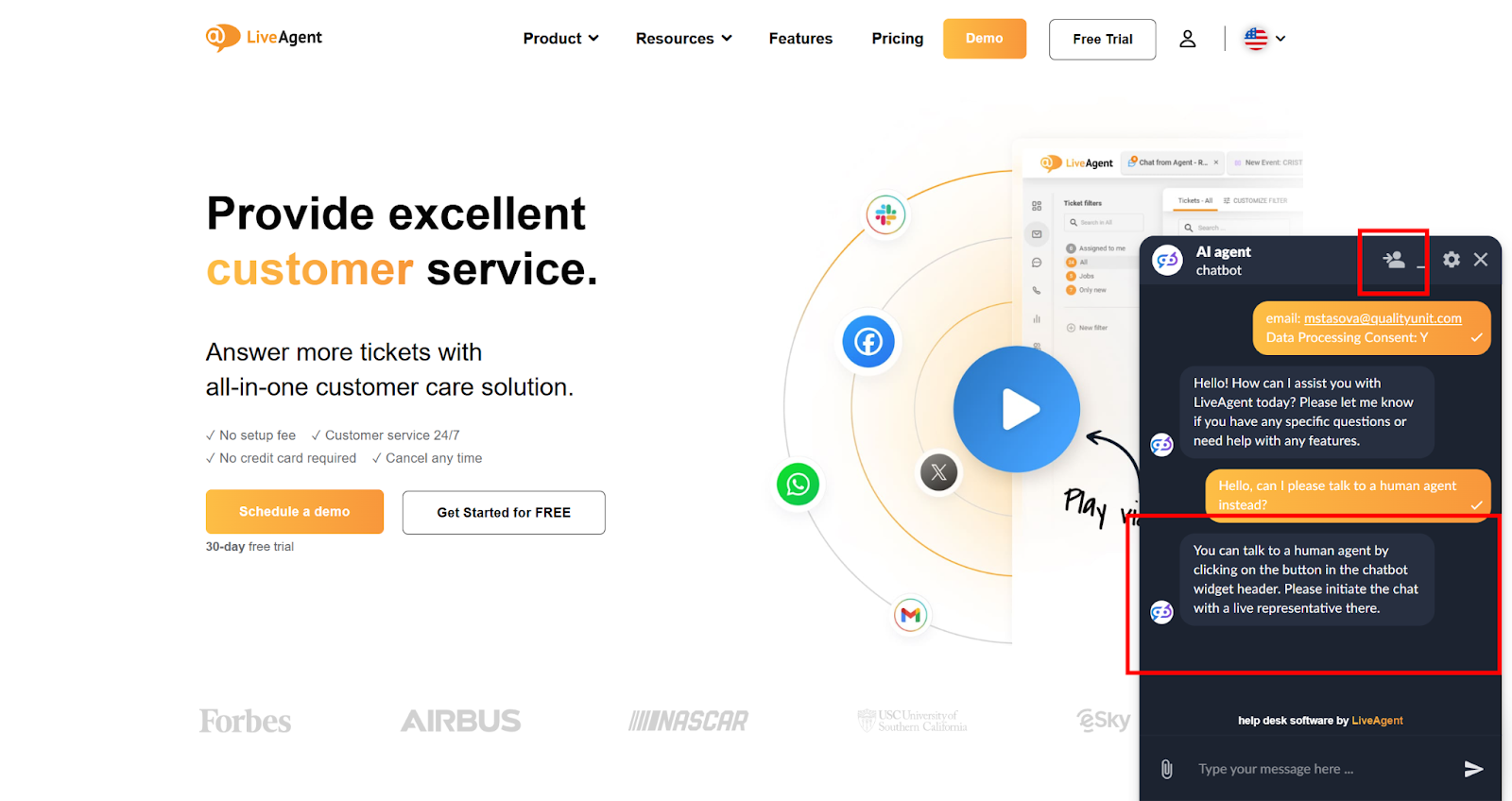
AI Chatbot features
LiveAgent's AI-powered chatbot automates customer interactions, improves response times, and reduces agent workload. Integrated with FlowHunt, it handles FAQs, ...
6 min read
AI Chatbot
Automation
+2

LiveAgent’s AI Human Handover feature enables seamless transitions from chatbot to human agents. Agents can take over conversations while maintaining full chat history, and visitors can request human support when needed.
The AI Human Handover feature enables seamless transitions from AI chatbot conversations to human agents, ensuring uninterrupted customer support. All support agents can view and review chatbot chats in the Chats overview section, allowing them to intervene whenever necessary. Visitors also have the option to request transfer to a human agent at any time. The handover process is smooth and maintains continuity, with both parties retaining access to the complete conversation history within the same chat window or ticket.
To get this AI Agent up and running, you need to integrate LiveAgent with an AI Agents provider. The AI functionality of LiveAgent is currently provided exclusively by FlowHunt . Quality Unit develops both LiveAgent and FlowHunt. This allows us to keep your data safe, as well as provide priority support to LiveAgent users.
Based on the context of the conversation, two scenarios are possible with AI Human Handover feature:
Support agents can access the selected chatbot conversation ticket in the Chats overview section via the View (eye icon) button. After opening the ticket, the agent can click on the “Stop chatbot and join” button. Upon joining the chat, the conversation continues as a regular chat with a human agent.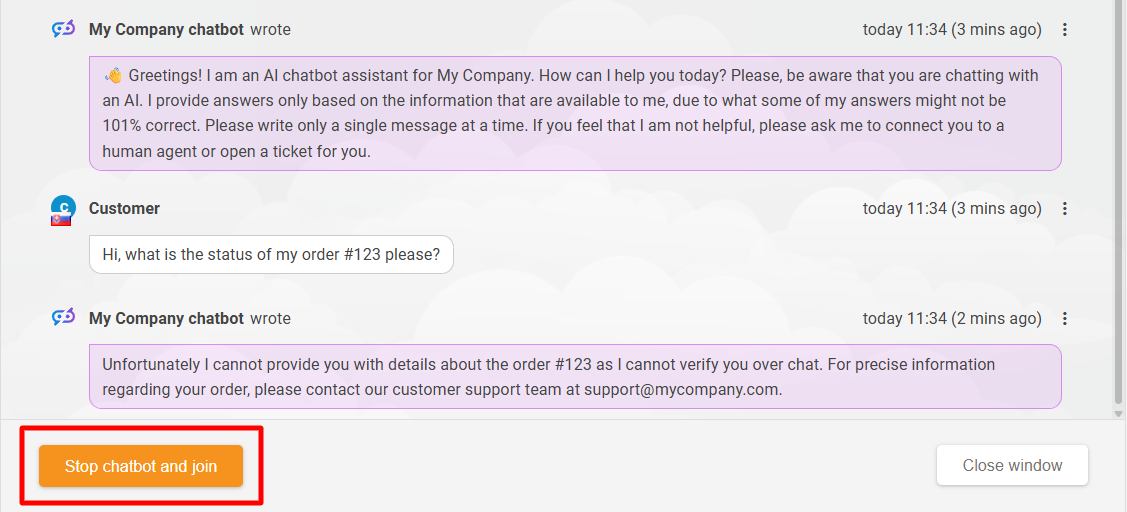
When a support agent joins a chat, the visitor is notified about that via a system message.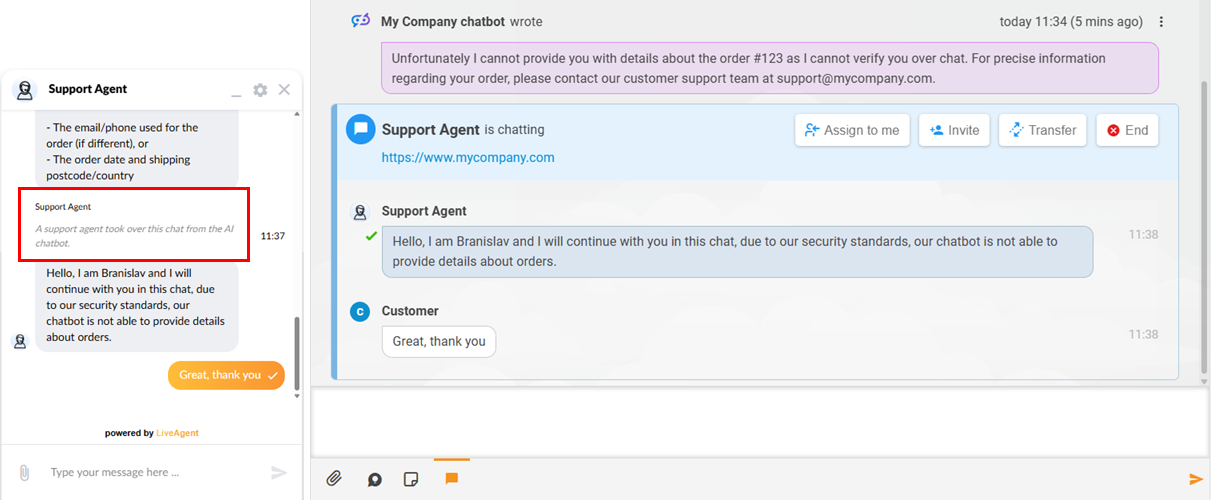
The visitor can also choose to be connected to a human agent instead of chatting with the chatbot. While engaging with the bot, the visitor has the option to click on the “Request chat with human agent” button to be transferred to an available support agent. If all available support agents are busy, the visitor would need to wait in the queue like in a regular chat session.
The “Request chat with human agent” button is displayed only after the chatbot provides a certain number of responses, defined in the chatbot’s settings in the “Required answers to initialize chat with human agent” field.
If there is no agent available for chats in the chat button’s department, the button to “Stop chatbot and leave offline message” is displayed instead.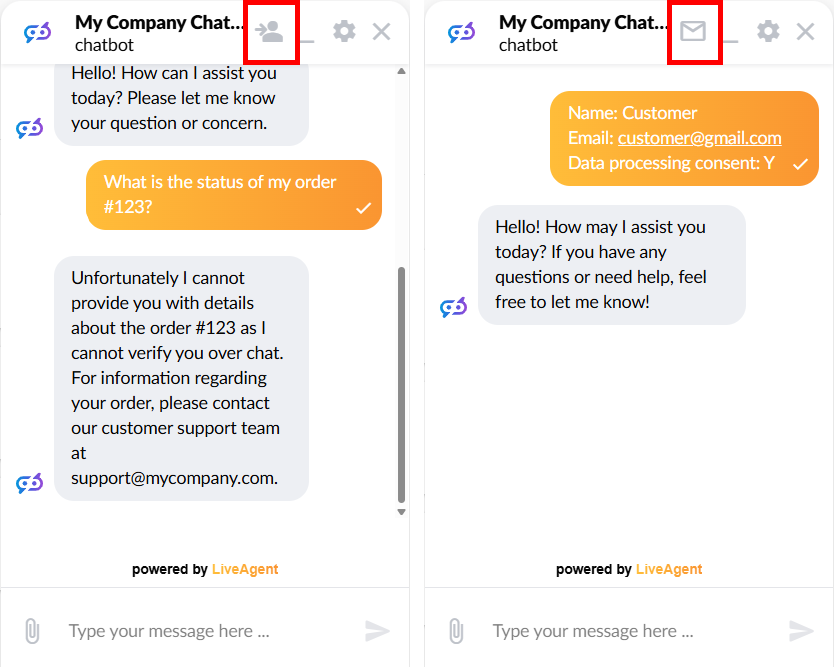
The visitor also has the option to ask the chatbot to be connected to a human agent directly in the chat. This opportunity is allowed by default in our template AI agent, but it can be restricted in the agent’s configuration by editing the system message of the “AI Agent” component.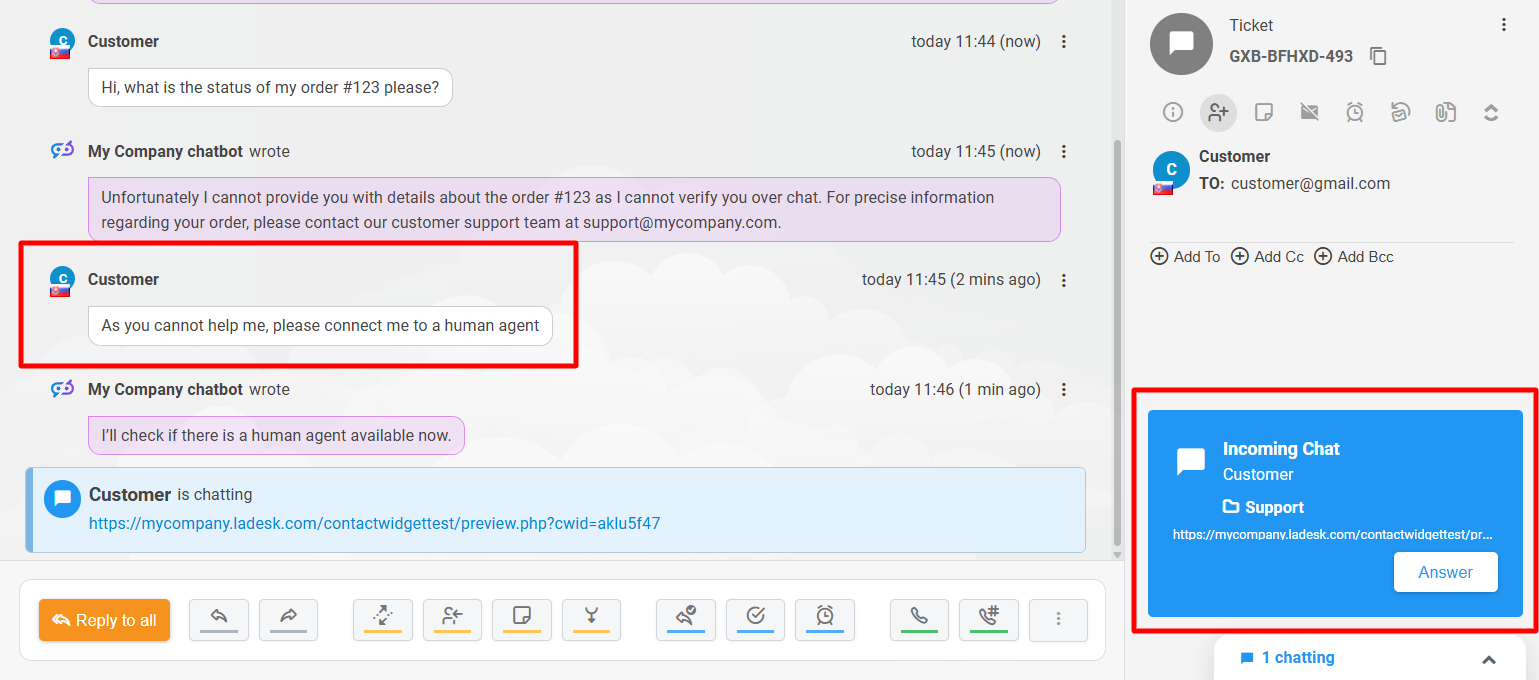
LiveAgent does not charge any additional fees for setting up this feature. Usage is billed through FlowHunt’s credit-based pricing model, and the cost per ticket processed is generally low since each run involves a single, focused classification task. Your overall expenses will depend on ticket volume and the AI model selected. You can use this guide to estimate your AI costs.
LiveAgent's AI-powered chatbot automates customer interactions, improves response times, and reduces agent workload. Integrated with FlowHunt, it handles FAQs, ...

FlowHunt is a no-code platform for creating AI-driven applications and chatbots. Integrate with LiveAgent to automate customer queries, generate leads, and prov...
Step-by-step guide to enabling and configuring AI features in LiveAgent — AI Chatbot, Answer Assistant, escalation rules, and performance monitoring. No develop...