



FlowHunt
FlowHunt is a no-code platform for creating AI-driven applications and chatbots. Integrate with LiveAgent to automate customer queries, generate leads, and prov...
3 min read

Learn how AI credits power LiveAgent’s AI features, how much they cost, and how to track and control your spending.
LiveAgent’s AI features are powered by FlowHunt, an AI automation platform developed by QualityUnit — the same company behind LiveAgent. To use any of LiveAgent’s AI capabilities, you will need an active FlowHunt subscription.
FlowHunt uses Credits to make AI pricing transparent and easy to manage — a simple unit that covers all of LiveAgent’s AI features, including the AI Chatbot, AI Answer Assistant, AI Human Handover, Self-Learning Loop: Ticket to Memory, Ticket Validation & Autoresponder, AI Ticket Triage & Categorization, Ticket Summary, Spam & Irrelevance Filter, and Spam Prevention for Responding Tickets.
This guide explains what Credits are, how they work, and the tools available to track and control your spending.
For you to better understand FlowHunt Credits and how they translate to real costs, we need to cover how API calls to AI models are priced and what that means for you.
AI uses Tokens to process language. It’s hard to translate what a single token really is, as it might be one word, only a part of the word, or even a single character. Also, remember that both input and output cost tokens.
Grasping how much a single token costs isn’t any easier. Models are usually priced in millions of tokens. For example, the lowest model of ChatGPT-3.5 can cost as little as $0.30 for 1 million input tokens and $1.50 for 1 million output tokens, while ChatGPT-4o can go up to $15.
The nature of a task can also significantly affect the pricing. That’s why several Flow Components let you limit the maximum number of tokens used, and the LLM OpenAI component lets you pick your preferred model. This can save you a small fortune in the long run.
The mysterious AI tokens convert into easy-to-understand FlowHunt Credits. A single FlowHunt credit is slightly less than a dollar, which is also reflected in our pricing. However, most of your AI calls will cost much less than a dollar, and some just fractions of a cent.
Think of 0.010 of Credit as approximately a single cent.
For example, if you see a charge for 0.056, you are paying 5.6 cents for that action. If you see one for just 0.006, you pay less than a cent.
The priciest task you’ll likely do is a crawling schedule of entire domains. While a single URL crawl costs just 0.01 credit (one cent), larger domains (100+ pages) already cost more than a credit.
We recommend you do extensive schedules less frequently and create separate schedules for single URLs that require daily or weekly crawling.
Let’s put the numbers into perspective. Imagine you run a smaller e-commerce site, and you need a simple customer service chatbot. Let’s see how much it would cost to train the Chatbot and have it handle an average number of monthly messages.
On average, a smaller online shop will have about 200-400 pages. Let’s say yours has 300. To provide reliable answers based on your unique context, FlowHunt needs to crawl all of these URLs at least once. A single URL crawl costs just 0.01 credit, or in other words, about one cent:
300 (number of domains) x 0.01 (price of crawling one URL) = 3 credits (≈ $3)
That’s an initial investment of $3 for the bot to learn your website. Don’t forget to consider all the documents and other files you will upload. Indexing one document source usually costs a cent or less.
Of course, your website will change, and you’ll have to update this knowledge regularly by setting up periodic crawling schedules. You will not be charged for crawling existing content again. FlowHunt will consult the sitemap and only crawl the new and updated content for all future crawling schedules. The recurring price then depends on the frequency of crawling and amount of changes to your website.
Let’s move to the star of the show — the Chatbot. How many customers will engage with it depends on several factors, such as your number of monthly visitors and type of audience. All we can do is estimate based on industry averages.
According to Wix and other notable sources, anywhere between 1K-10K monthly visitors is good for small and medium businesses. About 10-20% of these visitors are likely to engage with the Chatbot.
Let’s calculate the number of chatbot sessions your website is likely to get if we assume that your monthly visitor count and chatbot engagement are somewhere in the middle:
15% of the 5,000 monthly visitors is 750 chatbot sessions.
Each session will cost differently based on the number and difficulty of user queries. On average, users post four queries per session:
750 (likely number of monthly sessions) x 4 (average number of queries per session) = 3,000 queries per month
But here’s the catch — each query is different. Processing “hello” and returning an answer costs as little as 0.024 of a cent (0.00024 of credit). In other words, you need 40 people to come and say hello for you to pay a single cent. That’s not always the case.
The good news is that most customer queries, no matter how complicated, are unlikely to cost more than 2 cents. Most queries will be somewhere around half a cent. Let’s add the benefit of the doubt and inflate the price per query to 1 cent.
3,000 (number of queries per month) x 0.01 of credit (high price per query) = 30 credits (≈ $30)
We’ve calculated that a small to medium-sized e-commerce website will fit into the Pro subscription plan with enough wiggle room for the busier months.
Note: You can always check how much you’re actually spending by seeing the comprehensive Cost Reporting screen. For a more detailed look into specific tasks and queries, see Transactions or History.

The latest tips and deals delivered straight to your inbox.
FlowHunt lets you create hundreds of automation tools with varying degrees of complexity. This makes calculating the costs much trickier than with customer service chatbots. You must first understand which tools you will use and how often.
Imagine you intend to use FlowHunt to automate blog content. Let’s see how much it would cost you to only generate content without any SEO analysis or other tools:
The average price of generating 1,500-2,000 words of content is between 0.05-0.15 credit — five to fifteen cents.
Let’s add an SEO analysis tool. You’ll use it to search the competition, providing the resulting brief as a better and more informed prompt for the content writing Flow:
The average price for crafting a SEO brief is 0.03-0.08 credit (3-8 cents).
A basic content writing workflow usually contains creating a meta description, too:
Generating a meta description from text or URL is usually between 0.01-0.03 credit (1-3 cents).
Let’s add it all up. Performing SEO analysis, writing content based on the brief, and summarizing it as a meta description might cost as little as:
0.05 + 0.03 + 0.01 = 0.09 credit.
You can have an SEO-optimized article ready to publish for just 9 cents! At the top end, you’re unlikely to pay more than 25 cents.
Note: We offer pre-made Flows that combine several content tools into comprehensive workflows. These average out around the same price as using the tools separately.
Suppose you want to post 3 times a week, making your weekly expenses 27–75 cents, meaning less than $3 monthly.
We’ve calculated that you can keep a small blog running with the $10 starter subscription. Of course, there’s no limit to the tools you can add to your workflow. For example, you can add a DALL-E tool to generate pictures or a readability checker to see if it reads well. You can also create articles from your YouTube videos or turn existing articles into video scripts.
With a professional workflow, including picture generation, readability checking, and several iterations of an article, you can expect one article to cost $0.50–$1. The type of tools and their complexity is entirely up to you.
Note: You can always check how much you’re actually spending by seeing the comprehensive Cost Reporting screen. For a more detailed look into individual tasks, see Transactions or History.
All of these features and tools are accessible by clicking your account profile in the bottom left corner of the app.
The Transactions screen gives you insights about individual charges and activities. It lets you better understand, track, and improve your AI usage.
No matter the length of a chat session, each action shows as a separate transaction. It is a detailed receipt where every task, such as a single Chatbot message or workflow execution, shows as a separate transaction. You can filter by date, type, cost, and more to find exactly what you’re looking for.
Cost Reporting provides a summarized view of your usage, grouping the transactions by type and date. This lets you easily track spending patterns and resource allocation over time, making managing your budget a breeze. It’s perfect for identifying trends and understanding where your credits go.
My Subscription is your central hub for billing and plan management. From here you can review your active plan and remaining credits, update your billing information and payment method, and download invoices.
You can also purchase one-off credit packs to top up when needed, or subscribe to recurring credit add-ons to permanently increase your monthly allowance. Plan changes are available at any time and take effect at the start of your next billing cycle.
FlowHunt gives you granular control over credit usage at the workspace level via Settings > Credits.
Every dispatch rule that connects a department to an AI agent is tied to one of your AI budgets, so a department’s AI-handled tickets draw from a pool you control instead of your account-wide balance.
FlowHunt is a no-code platform for creating AI-driven applications and chatbots. Integrate with LiveAgent to automate customer queries, generate leads, and prov...
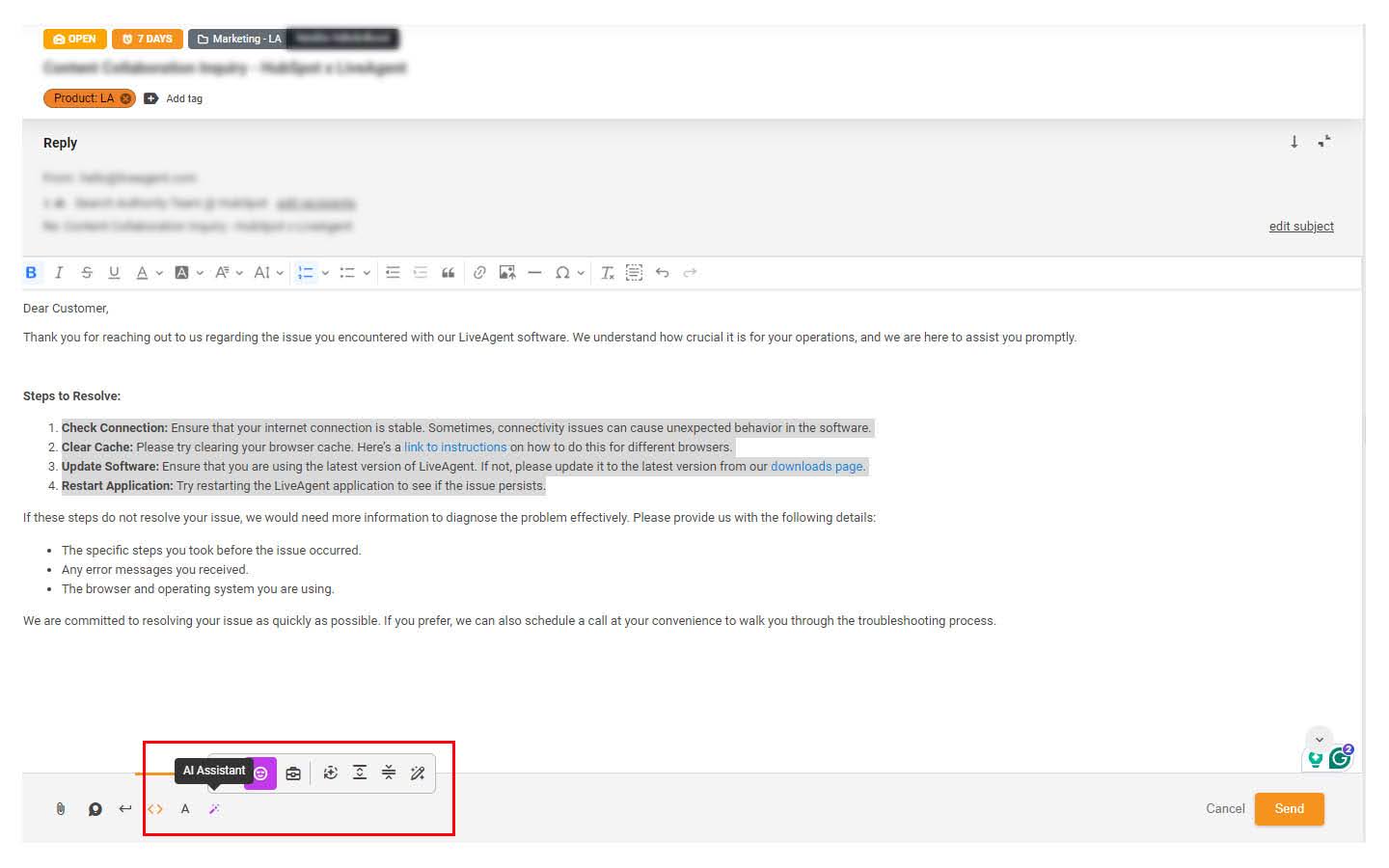
Discover LiveAgent's AI Answer Assistant, designed to streamline customer service with smart, AI-generated responses. Enhance your team's productivity, reduce c...
Discover how LiveAgent AI, powered by FlowHunt, transforms support operations through automated chatbots, intelligent filtering, and categorization.