The 10 best ticketing systems in 2026: pricing, pros & cons compared
We compared 10 ticketing systems on price, features and real drawbacks — from free open-source tools to enterprise ITSM. Side-by-side pricing table and a framework for picking the right one.
Published on Aug 23, 2026 by Daniel Pison.Last modified on Aug 14, 2026
We compared 10 ticketing systems on published pricing, channel coverage, automation depth and the drawbacks that show up in user reviews rather than in marketing copy. There is no single best ticketing system — the answer changes depending on team size, whether you are supporting customers or your own employees, and whether email is your only channel.
The short version: Zoho Desk is the cheapest credible starting point at $7 per agent per month, Freshdesk is the safe SMB default at $19, LiveAgent covers email, chat and phone in one tool from $15, Freshservice and Jira Service Management are the picks for internal IT, Zendesk is the enterprise omnichannel benchmark, and osTicket is the answer when the data has to stay on your own server. Prices below are annual-billing list prices verified in August 2026.
Quick comparison: 10 ticketing systems at a glance
Per agent (or seat) per month on annual billing. Paying monthly costs more everywhere, but by wildly different amounts - from about 11% on HubSpot Professional to over 50% on Freshservice Starter - so check the tier you actually want. At most vendors AI is billed separately on top; the individual reviews below have the full tier list and the add-ons.
A note on deployment, because it comes up constantly: all ten of these run in the browser. There is nothing to install on Windows or any other desktop, and there is no meaningful distinction left between “online”, “web based” and “cloud” ticketing in 2026 — it is all the same thing. osTicket is the one exception in the other direction: it is software you host on your own Windows or Linux server, with a managed cloud option if you would rather not. Spiceworks retired its on-premise version at the end of 2021, and Atlassian stopped selling new Data Center subscriptions in March 2026, so the self-hosted field is genuinely narrowing.
How we evaluated these ticketing systems
Seven things, and none of them is “does it have a knowledge base” — every tool here does. What separates them is where the cost hides and what breaks after a year.
Real cost, not the sticker price. We priced the tier that actually contains CSAT surveys, round-robin routing and multiple SLA policies, then added the AI, voice and onboarding fees billed on top of it.
Where features are gated. For each tool we recorded which tier the commonly-assumed features sit in, because the gap between the advertised plan and the usable plan is where support budgets break.
How AI is billed. Per seat, per credit, or per resolved conversation — and whether overages are capped. This is the biggest change in the category since 2024 and it is not visible on any pricing table.
Native channels versus bolted-on ones. Which channels are in the product, which are paid add-ons, and which route through a third-party vendor you have to contract separately.
What integrations really cost. Native connectors versus marketplace apps that carry their own subscription — and in one case, apps that bill on your total user count rather than your agent count.
What long-term reviewers complain about. Drawbacks are drawn from G2 and Capterra, weighted toward reviews from people who have run the tool for a year or more rather than onboarding impressions.
How this was researched. Features and pricing come from each vendor’s own documentation and public pricing pages, checked in August 2026. The drawbacks come from user reviews on G2 and Capterra, not from hands-on testing of all ten platforms. Where a vendor does not publish a number - Zendesk’s per-resolution AI rate, several enterprise tiers — we say so instead of estimating.
The 10 best ticketing systems compared
A note on what these tools are called. Search demand still splits between ticketing system, help desk software and the older trouble ticket system — and in telecom and network operations, trouble ticket management remains the standard phrase for exactly this software category. Every tool below is a trouble ticket system in that older sense: it takes a reported fault, turns it into a tracked record with an owner and a deadline, and keeps the history. We use the current term for the rest of this article.
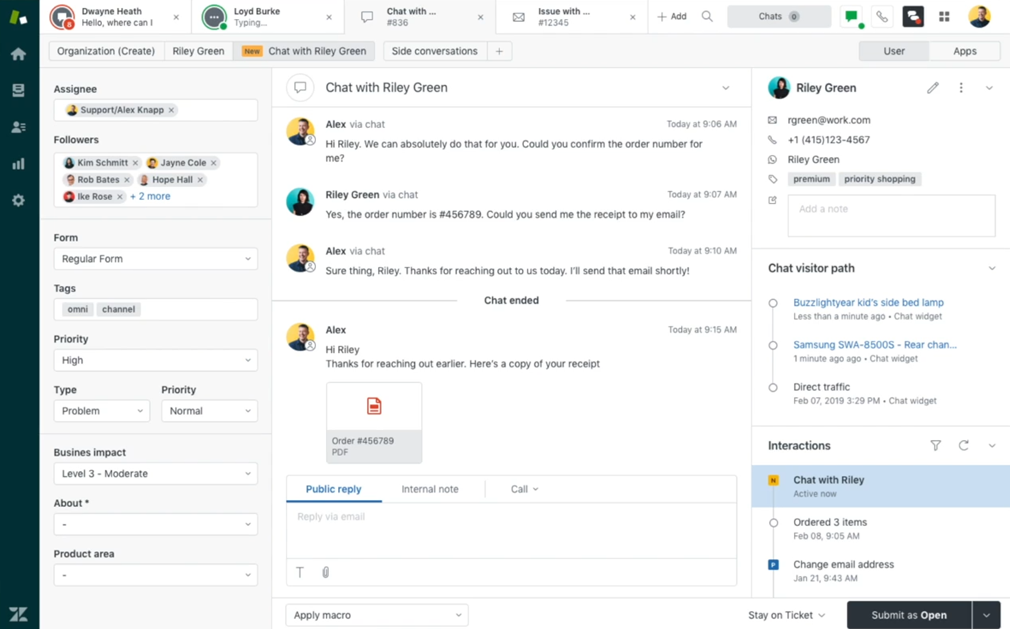
1. Zendesk - the enterprise omnichannel benchmark
Zendesk is the tool everything else gets compared against, and the one most enterprise procurement teams have on the shortlist by default. It is genuinely deep. It is also the most expensive way to run a support team in 2026, because the parts that used to be included are now billed separately.
Key features
Single agent workspace across email, chat, voice, messaging and social
Skills-based routing and IVR from Suite Professional up
Multi-brand help centre, up to 300 brands on Enterprise
AI agents for automated resolution, Copilot for agent assist
Workforce management and quality assurance as separate modules
1,000+ marketplace apps and a mature API
Zendesk pros and cons
The deepest platform in the category, and the one where the headline price sits furthest from the real one.
Pros
Cons
Deepest feature set in the category — very little that a large support organisation needs is missing
The $19 plan is email and ticketing only. Omnichannel starts at Suite Team, $55 per agent — nearly 3× the headline number, and it is the plan most teams end up on
Multi-brand and multi-region support that no SMB tool here matches — up to 300 brands on Enterprise
Copilot is a separate $50 per agent per month, almost the price of Suite Team itself. Quality Assurance is another $35, the workforce engagement bundle $50, the voice bundle $83
Reporting you can run a support org from without adding a separate BI layer
AI agents bill per automated resolution and the rate is not published. Since January 2026 resolutions above your committed volume are charged automatically, and the meter is uncapped
Largest partner and app ecosystem, so migrations and custom work are easy to staff
No free plan at any tier - a 14-day trial is all you get before committing to a seat count
Mature API and 1,000+ marketplace apps for anything not native
It needs a dedicated owner. Reviewers consistently report that without a full-time admin the configuration drifts and much of the paid feature set goes unused
The AI meter is the line item to settle before you sign. Zendesk treats the per-resolution rate as a negotiated commercial term rather than list pricing, so it appears nowhere public - third-party reporting puts it somewhere around $1.50 to $2.00. Because the counter has no ceiling, a successful deflection programme raises the bill rather than lowering it. Get the number, and a cap, into the contract.
Pricing per agent per month on annual billing. Monthly billing runs 20–30% higher, and add-ons stack on top of any tier.
Support Team $19 - email and ticketing only
Suite Team $55 - adds messaging, live chat, voice, knowledge base
Suite Professional $115 - adds skills-based routing, IVR, advanced analytics
Suite Enterprise quote only; third-party trackers put list near $169
AI resolutions - metered, rate unpublished, roughly $1.50–$2.00 by third-party estimates
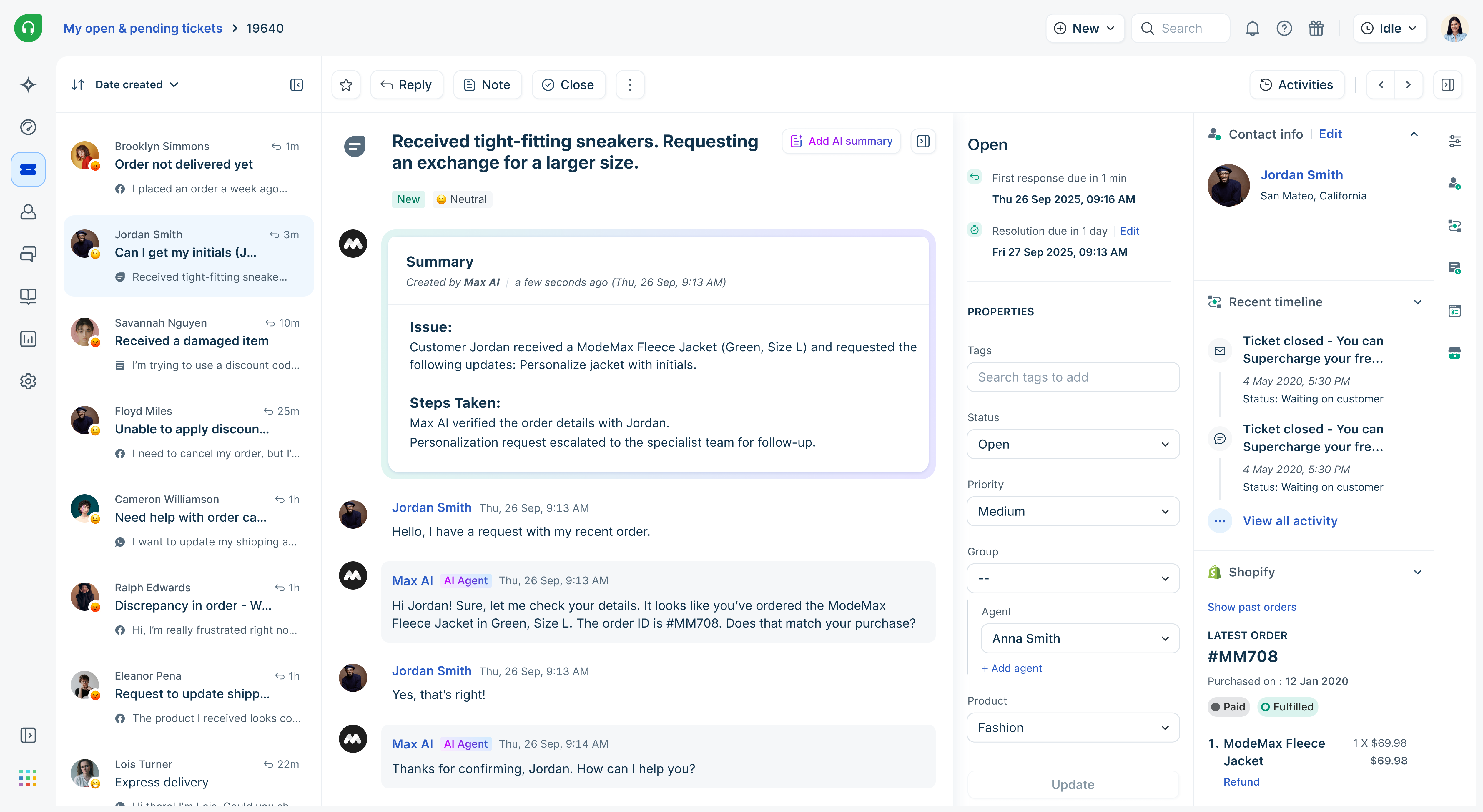
Freshdesk is the tool most small teams end up measuring everything else against, because $19 per agent for real ticketing is hard to argue with. The complication in 2026 is that Freshworks sells two different products under the Freshdesk name, and the cheap one is email-only.
Key features
Email ticketing with knowledge base and self-service portal
Round-robin and skills-based routing (Pro and above)
Freddy AI Copilot for agent assist, Freddy AI Agent for deflection
Multi-SLA policies, custom dashboards, multilingual support (Pro and above)
Marketplace with several hundred apps
Freshdesk pros and cons
Strong value at the entry tier, provided you check which tier your must-haves actually live in.
Pros
Cons
Undercuts Zendesk Suite substantially on comparable core ticketing
The free plan is a 6-month program for 1–2 agents, not the open-ended free tier Freshdesk used to have. Any article from 2023 saying otherwise is out of date
Fast onboarding — small teams are usually productive in days rather than weeks
CSAT surveys, round-robin routing and multi-SLA policies sit at Pro ($55), not Growth. For a 15-agent team that upgrade is roughly $6,480 a year, for features many buyers assume are standard
Requesters are unlimited and free — you pay only for agents who work tickets
Freddy AI Copilot is not available on Growth at all, and costs $29 per agent per month on Pro and Enterprise
Clean upgrade path to Freshservice when internal IT eventually needs its own desk
Freddy AI Agent is session-based — 500 sessions included once per account, then $49 per 100. High-deflection teams watch the AI line overtake the seat line
Two product lines muddy every comparison. Email & Ticketing starts at $19; the actual omnichannel product, Freshdesk Omni, starts at $29 and has no free program
Pricing per agent per month on annual billing. Monthly billing runs about 20% higher.
Freshdesk Omni - Growth $29 · Pro $79 · Enterprise $119
Add-ons — Freddy AI Copilot $29 per agent · Freddy AI Agent $49 per 100 sessions
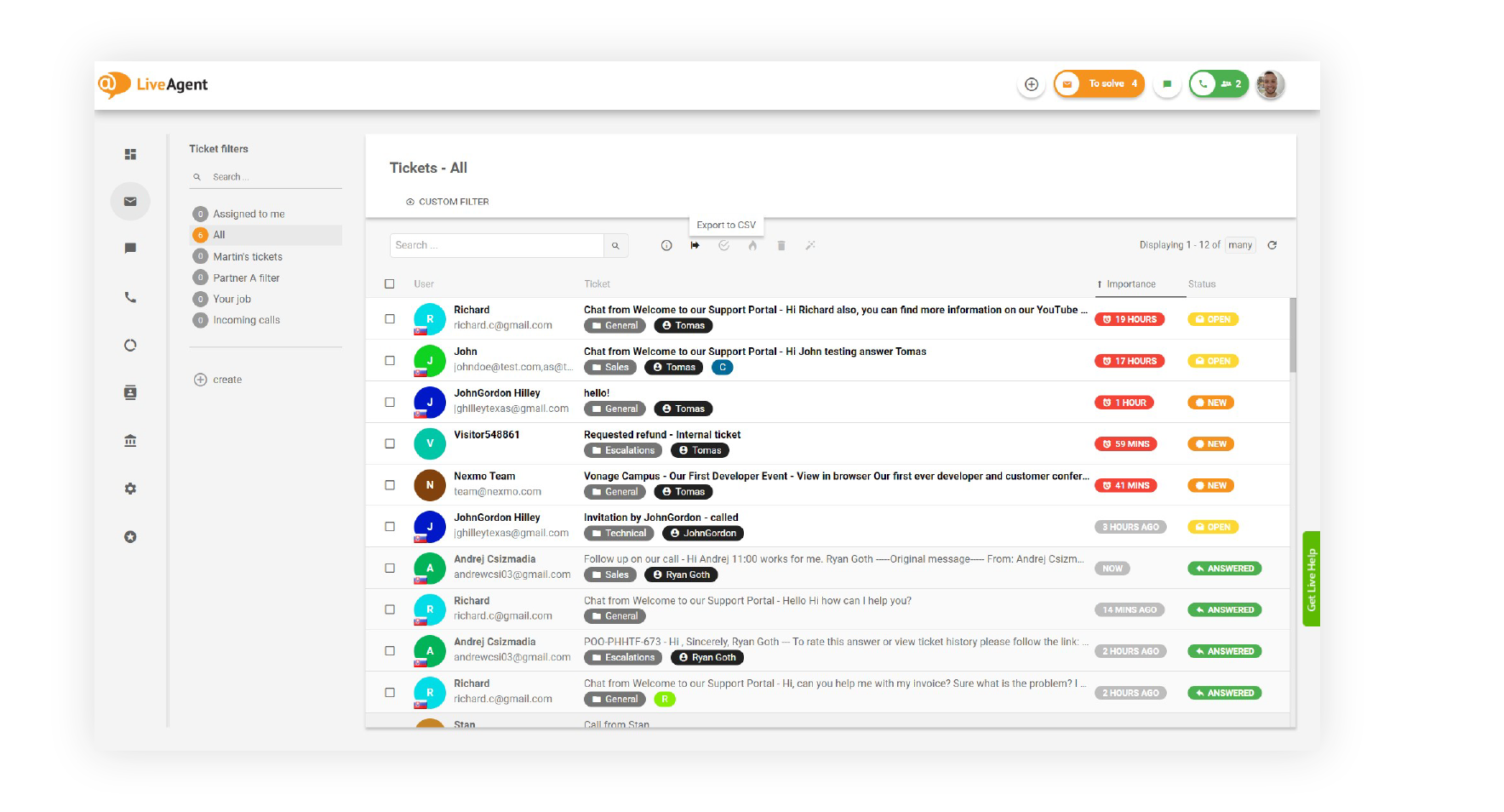
3. LiveAgent - all-in-one, including the phone
LiveAgent’s argument is narrow and specific: it is one of very few tools at this price point where email, live chat and a full call center
sit in the same queue instead of being three separate subscriptions. For a small or mid-sized team that answers the phone, that consolidation is usually worth more than any individual feature on the list.
Full disclosure, since it changes how you should read this section: this is our product. The drawbacks below are the ones our own reviewers raise most often, and the recommendations further down point at competitors wherever they fit better.
Key features
Universal inbox with hybrid ticket streams - one thread follows a customer across channels
Built-in call center with IVR, routing and unlimited call recordings
Live chat with proactive invitations
Automation via smart rules
, SLAs, tags and time rules
Knowledge base, customer portal and contact forms
AI Answer Assistant included on every plan
LiveAgent pros and cons
Built for teams that need voice in the same queue as everything else, and priced for teams that cannot buy three separate tools.
Pros
Cons
Voice is in the platform, not bolted on — a full call center with IVR and unlimited recordings from $29 per agent
Social channels are add-ons on the lower plans. Third-party pricing reviews put this at roughly $39–$58 a month extra, which in practice pushes social-heavy teams onto the Large plan
AI Answer Assistant included on every plan, not sold as a per-seat add-on — unusual in 2026
WhatsApp runs through Twilio or 360dialog rather than a native connection, which means a second vendor and a second invoice
Four flat tiers with no per-resolution meter — the bill is predictable month to month
The free plan is one agent with a 7-day ticket history. It is for evaluating the product, not for running a team
Hybrid ticket stream keeps one thread as a customer moves between email, chat and phone
The interface is dense on first contact because of the feature count, and reviewers describe a real learning curve in the first week
30-day trial with no card required
No CMDB, asset discovery or change management. For an internal IT service desk this is the wrong category of tool — see Freshservice and Jira Service Management below
One piece of buying advice: if social media is a primary channel rather than a nice-to-have, price the Large plan from the start. Adding social as an add-on to Small or Medium usually costs more than the upgrade would.
Pricing per agent per month on annual billing. Monthly billing runs up to 23% higher.
Free $0 - 1 agent, limited channels, 7-day ticket history
Small $15 - ticketing, live chat, knowledge base, customer portal, automation rules
Medium $29 - adds call center, IVR, SLA, reports, proactive chat invitations
Large $49 - adds social channels, video calls, advanced reporting, audit log
Enterprise $69 - adds multi-brand, custom roles, priority support
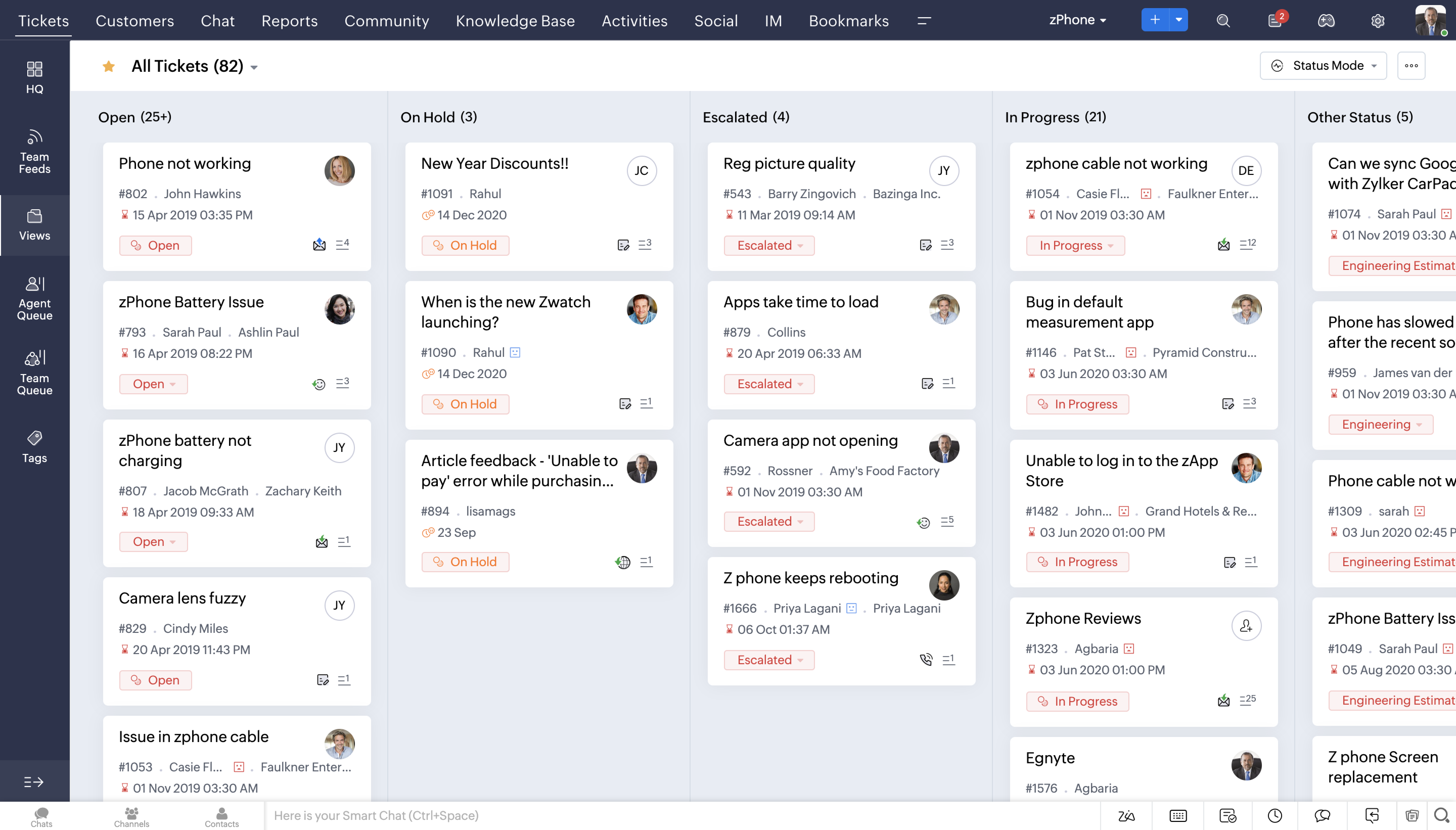
4. Zoho Desk - the lowest entry price
Zoho Desk has the cheapest paid plan in this comparison and a permanent free tier for three agents. The catch is that the $7 plan caps at five agents, so the realistic entry point for a growing team is Standard at $14 — still the cheapest unlimited-agent plan here.
Key features
Multi-channel ticketing: email, social, web forms, chat, telephony on higher tiers
Blueprint process automation and round-robin assignment (Professional)
Zia AI for sentiment analysis, anomaly detection and reply suggestions (Professional)
Multi-department and multi-brand help centres
Light agent licences for stakeholders who only need visibility
Native integration with Zoho CRM and the wider Zoho suite
Zoho Desk pros and cons
The best price-to-capability ratio here, as long as you check what each tier withholds.
Pros
Cons
Best price-to-capability ratio in this comparison, by a clear margin at the entry tiers
Express at $7 caps at five agents. Past that you are on Standard at $14, so treat $7 as an introductory price rather than a scaling one
A permanent free tier for three agents with no time limit — genuinely rare in 2026
Light agents are not unlimited. Beyond the included allowance they run around $6 per agent per month on Standard and Professional, which erodes the cheap-read-access argument
Light agent licences give managers and product owners read access cheaply
Telephony and multi-department support start at Professional ($23), and live chat arrives via Zoho SalesIQ — a separate product to configure
Native Zoho CRM context on every ticket rather than an integration to maintain
The integration marketplace is noticeably thinner outside the Zoho ecosystem than Zendesk’s or Freshdesk’s
Blueprint process automation is unusually capable for the price
The public pricing page renders in local currency and does not break out monthly rates cleanly. Confirm the figure and local tax at checkout rather than trusting any USD table, including ours
Pricing per agent per month on annual billing. Monthly billing runs 35–40% higher on the mid tiers.
Free $0 - up to 3 agents, email ticketing, help centre, basic reports
Express $7 - five-agent maximum, social capture, CSAT, basic dashboards
Standard $14 - unlimited agents, SLAs with escalation, instant messaging, light agents
Professional $23 - Blueprint automation, Zia AI, telephony, multi-department
Enterprise $40 - live chat, multi-brand portals, sandbox
5. Jira Service Management - ITSM wired into development
If your engineering team already lives in Jira, this is the ITSM tool with the shortest distance between a reported incident and the developer who has to fix it. That handoff is the entire reason to choose it, and it is a good one.
Key features
ITIL-aligned templates for incident, problem, change and release management
Queues and request types with SLA tracking and approval workflows
On-call scheduling and alerting, absorbed from Opsgenie
Assets and CMDB (Premium and above)
Rovo AI agents for search, chat and service (Premium)
Native linking between service tickets and Jira Software issues
Jira Service Management pros and cons
The strongest choice for IT teams already inside Atlassian — and a platform rather than a product.
Pros
Cons
Tightest dev-to-service-desk link available — a reported incident becomes engineering work without a sync tool
Configuration complexity is the single most common reviewer complaint. This is a platform, not a product you switch on — budget admin time or a partner
A free tier for three agents that is genuinely usable, not a time-limited trial
Assets and CMDB, major incident management and the AI features all sit on Premium at roughly $51 per agent, about 2.5× Standard
ITIL process depth at a fraction of ServiceNow’s cost
Marketplace apps commonly add 50–100% to the total, and some bill on your total Jira user count rather than your JSM agent count — unpleasant if Jira Software is deployed widely
Atlassian volume discounts keep it competitive at high agent counts
New Data Center subscriptions ended on 30 March 2026, with end of life for affected products in March 2029. Self-hosted is no longer a forward-looking option here
On-call scheduling and alerting built in, absorbed from Opsgenie
Weak as a customer-facing tool. It is built for structured service requests, not conversational omnichannel support
One thing no pricing table will tell you: Atlassian prices per agent on a sliding scale by seat count, which is why published figures disagree so widely — sources put Standard anywhere from $19 to $24 and Premium from $47 to $53. Get a quote for your actual seat count rather than budgeting from any list.
Pricing per agent per month.
Free $0 - up to 3 agents, 2 GB storage, 500 automation runs a month, no Atlassian support
Standard ~$20 - custom help centre, audit logs, data residency
Premium ~$51 - adds assets and CMDB, major incident management, Rovo AI, 24/7 support
Enterprise custom pricing, annual contract only - Atlassian does not publish a number; you have to ask sales
6. HubSpot Service Hub - CRM-first support
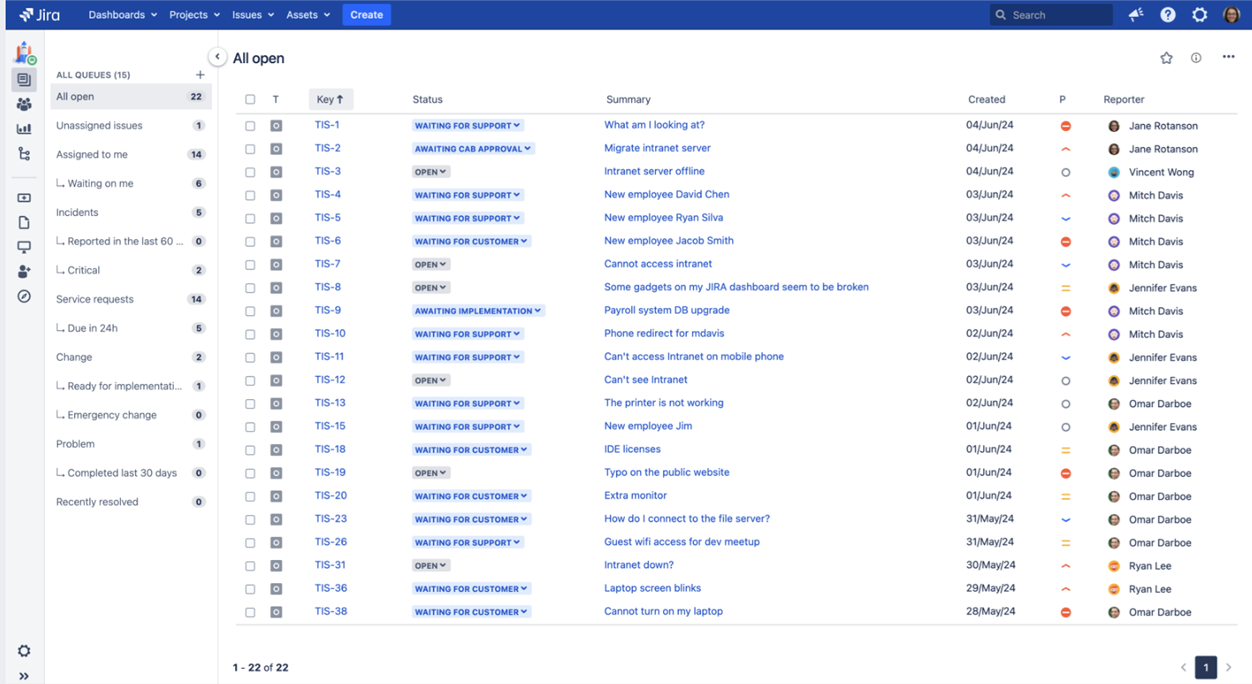
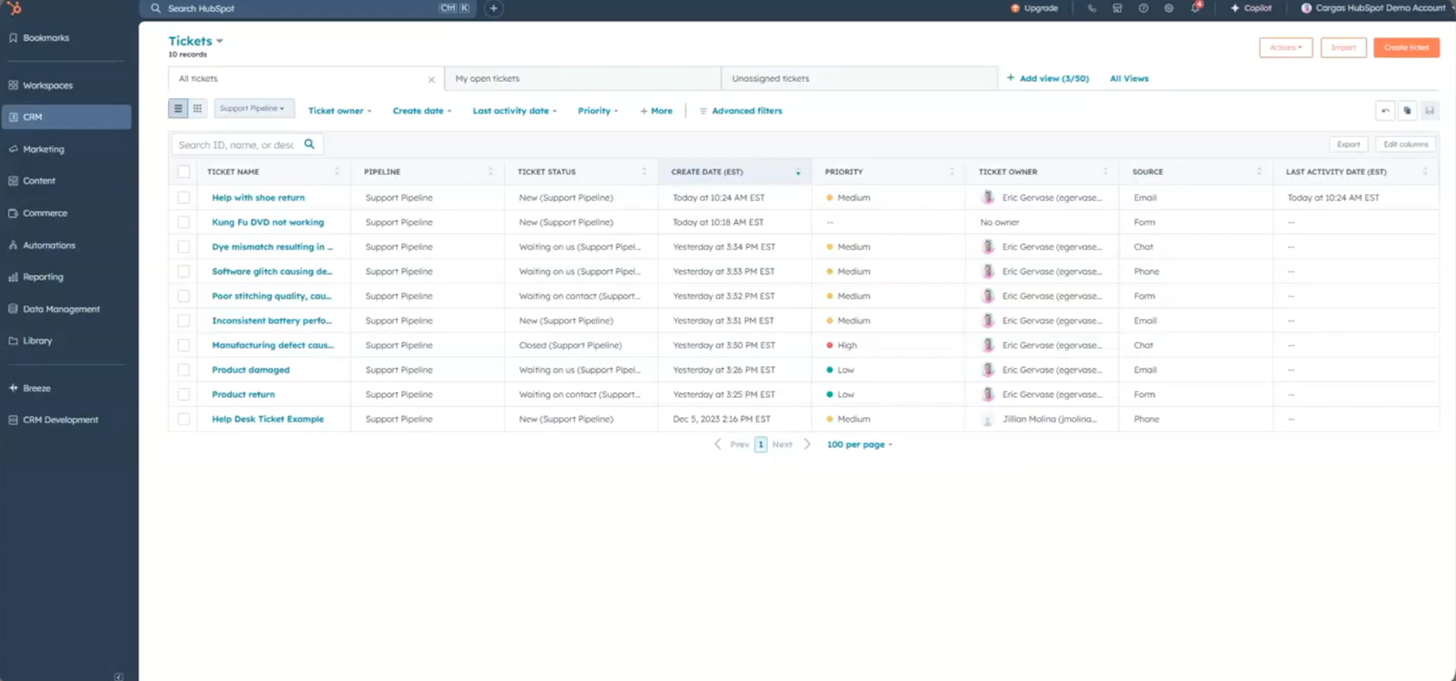
Service Hub makes sense for one specific buyer: a team already running HubSpot CRM that wants support tickets attached to the same customer record as the deals and the marketing history. As a standalone ticketing tool it is expensive for what it does.
Key features
Help desk workspace with ticket pipelines attached to CRM records
Shared inbox across email, chat and forms, plus calling
Knowledge base and customer portal
Feedback surveys covering CSAT, NPS and CES
Breeze AI for drafting, summarising and automated resolution
1,500+ app integrations
HubSpot Service Hub pros and cons
Unbeatable customer context if you are already on HubSpot, and hard to justify if you are not.
Pros
Cons
Full CRM context on every ticket without building or maintaining an integration
The Starter-to-Professional jump is brutal — roughly $15–20 per seat to $90 per seat, plus a mandatory one-time $1,500 onboarding fee ($3,500 at Enterprise)
Breeze AI is billed on outcomes rather than per seat, which suits low-volume teams
Both paid tiers carry seat minimums — 3 on Professional, 5 on Enterprise — so the real entry cost is $270 or $750 a month plus onboarding, whether or not you fill those seats
Free view-only seats on paid portals, so stakeholders cost nothing to add
Starter list pricing moves with promotions. Published 2026 rates range from about $7 to $20 per seat depending on billing term and whatever promo is live — verify at checkout
A free tools tier for up to two users with basic ticketing and chat
Breeze runs on metered credits on top of seats, which makes forecasting harder than a flat per-agent price
Feedback surveys built in — CSAT, NPS and CES without a separate tool
No native voice at contact-centre depth, and social support is thin next to a dedicated help desk
If you are not using HubSpot CRM, you are paying platform prices for a ticketing tool. The CRM context is the entire value case
Pricing Per seat per month on annual billing. The monthly premium varies sharply by tier — about 11% on Professional but a third more on Starter — and Enterprise is annual-only.
Free tools $0 - up to 2 users, basic ticketing and chat
Starter ~$15 - promotional rates as low as $7–9 seen in 2026
Professional $90 - 3-seat minimum, plus a one-time $1,500 onboarding fee
Enterprise $150 - 5-seat minimum, plus a one-time $3,500 onboarding fee
Breeze AI - metered credits on top of seats
7. Help Scout - email-first, with the best tone of voice
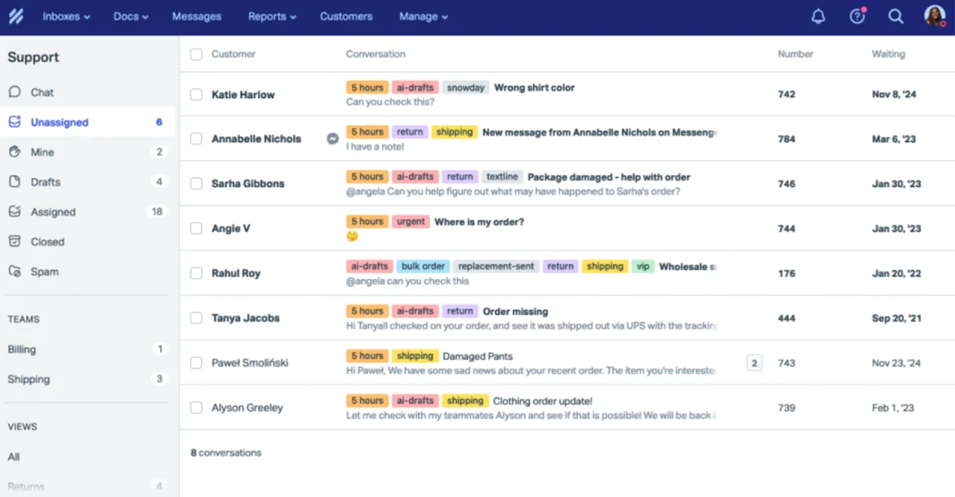
Help Scout is built on a deliberate premise: support should read like a person wrote it, not like a ticket system generated it. There are no visible ticket numbers, the interface is a shared inbox, and Docs is one of the best knowledge bases in the category. If email is 80% of your support, this is the most pleasant tool here to work in.
Key features
Shared inbox with conversation threading rather than ticket numbering
Docs knowledge base with strong search, public and private sites
Live chat and in-app messaging via Beacon
Workflows, saved replies and one SLA on Standard
AI Answers for deflection, AI Drafts and AI Summarise for agent assist
WhatsApp as an inbound support channel
Help Scout pros and cons
The nicest tool here for thoughtful email support, with several specific thresholds that move the price.
Pros
Cons
Cleanest agent experience in this comparison — onboarding measured in hours, not weeks
Standard to Plus is a steep jump ($25 to $45 per user), and adding a 26th user forces the upgrade whether or not you want the features
Docs is a genuinely good knowledge base, not a checkbox feature bolted on
Docs costs an extra $10 per user per month on Standard, so the real Standard price for a team that needs a knowledge base is $35
AI Answers bills per resolution — easy to model and fair at low volume
Pro has a 10-user minimum, which prices SSO and HIPAA out of reach for exactly the small teams that need them for compliance
Startup and nonprofit programs — six months free on Plus, discounts up to 100%
Two billing models are in the market at once — per-user for new accounts, legacy contact-based for older ones. Confirm which one you are on in-app before comparing quotes
Conversation threading rather than ticket numbers, which changes how customers experience support
No native voice channel — calling means the Aircall add-on and another vendor relationship
Two numbers worth modelling before you commit. AI Answers at $0.75 per resolution scales with success, so 1,000 resolutions a month is $750 — more than the seat bill for a 10-agent Standard team. And be careful with third-party pricing articles here: several still quote $22, $50 and $65 per user, which no longer matches anything Help Scout sells.
Pricing per user per month on annual billing. Monthly billing runs about 16% higher.
Free $0 - up to 5 users, 1 inbox, 1 Docs site, 100 contacts a month
Standard $25 - 2 inboxes, basic workflows, 2 years of reporting
Plus $45 - 5 inboxes, advanced integrations, full reporting
Pro $75 - 10 inboxes, SSO, HIPAA, 10-user minimum
Add-ons - AI Answers $0.75 per resolution · extra inboxes $10 · extra Docs sites $20
8. Freshservice - the internal IT service desk
Freshservice is what you compare against Jira Service Management when the requesters are employees rather than customers. It is more opinionated and considerably faster to stand up, and less tied to a development workflow. Note that it is a different product from Freshdesk with a different price sheet — the two get confused constantly.
Key features
Incident, problem, change and release management — full ITIL at Pro
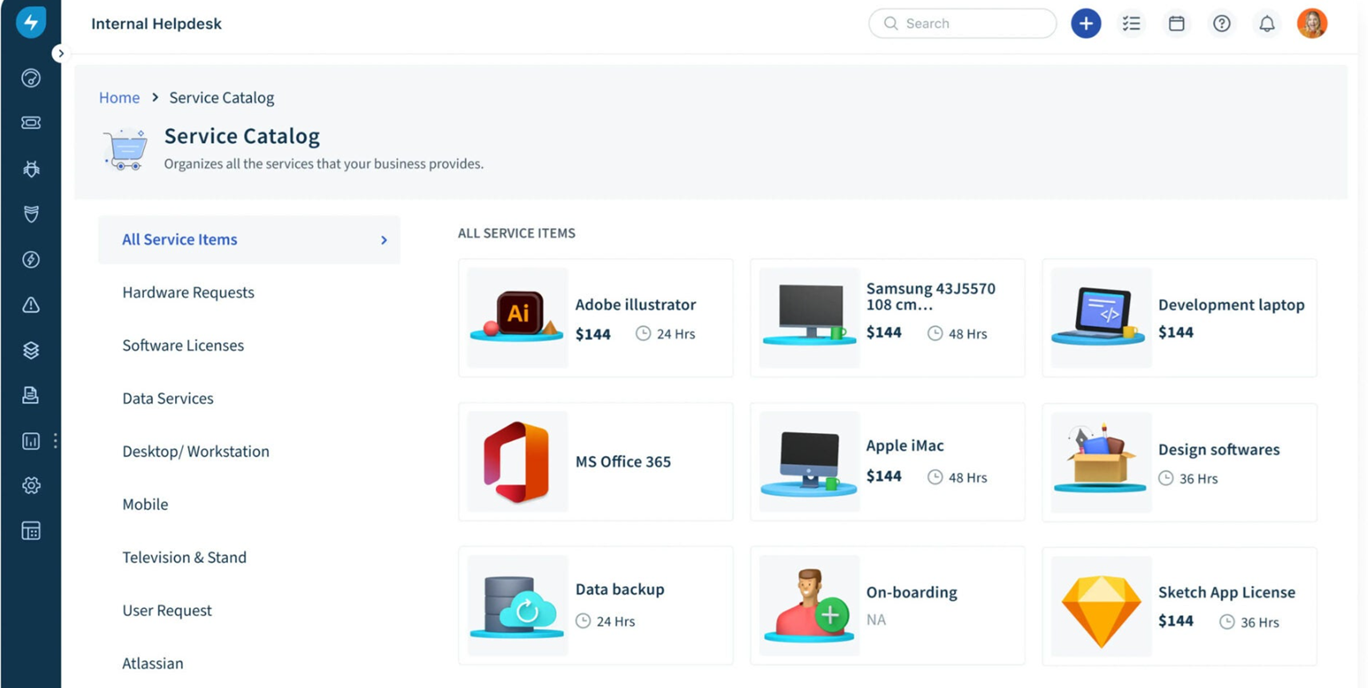
Service catalogue with approval workflows
Asset management and discovery, with a CMDB
Orchestration Center for cross-tool automation
Freddy AI Copilot and AI agents (add-ons)
Employee portal plus Microsoft Teams and Slack intake
Freshservice pros and cons
ITIL coverage you can deploy in weeks, with asset and automation metering to watch.
Pros
Cons
Deployable in weeks rather than months — the main practical argument against both ServiceNow and JSM
No free plan at all, only a 14-day trial. Every agent is a paid seat from day one
Requesters are unlimited and free at every tier — only IT staff consume paid seats
Full ITIL — change, problem and release — starts at Pro, roughly 5× the Starter price
One licence covers enterprise service management, so HR, finance and facilities can share the platform
Asset management is metered beyond the plan allowance at around $75 per 500 assets, and orchestration transactions are capped per tier
Substantially cheaper than ServiceNow for comparable ITIL coverage
Freddy AI Copilot is a $29 per agent add-on available only on Pro and Enterprise — the Starter and Growth tiers have no AI option at all
Teams and Slack intake so employees never have to learn a portal
Implementation on Pro and Enterprise is commonly quoted at $5,000–$20,000+, and it is not optional for a complex migration
There is no AI on the lower half of the price sheet. Freddy AI Copilot is sold as an add-on to Pro and Enterprise only, so on Starter and Growth the answer is not “it costs extra” but “you cannot buy it.” And where you can, $29 per agent adds nearly 30% to the per-agent cost for drafting and summarising that several competitors now include in the base plan. If AI-assisted ticket handling is part of your business case, Freshservice sets your floor at Pro plus the add-on — roughly $128 per agent per month — not at the $19 headline.
Pricing Per agent per month on annual billing. Paying monthly costs about 20% more on Growth and Pro, but over half again on Starter ($29 instead of $19) — the smallest teams are penalised hardest for staying flexible.
Growth $49 - service catalogue, asset management, approvals, workflow automation
Pro $99 - change, problem and release management, project management, advanced analytics
Enterprise custom pricing, contact sales - adds sandbox and IP whitelisting
Add-ons - Freddy AI Copilot $29 per agent · asset packs ~$75 per 500 assets · Orchestration Center by usage
9. osTicket - open-source and self-hosted
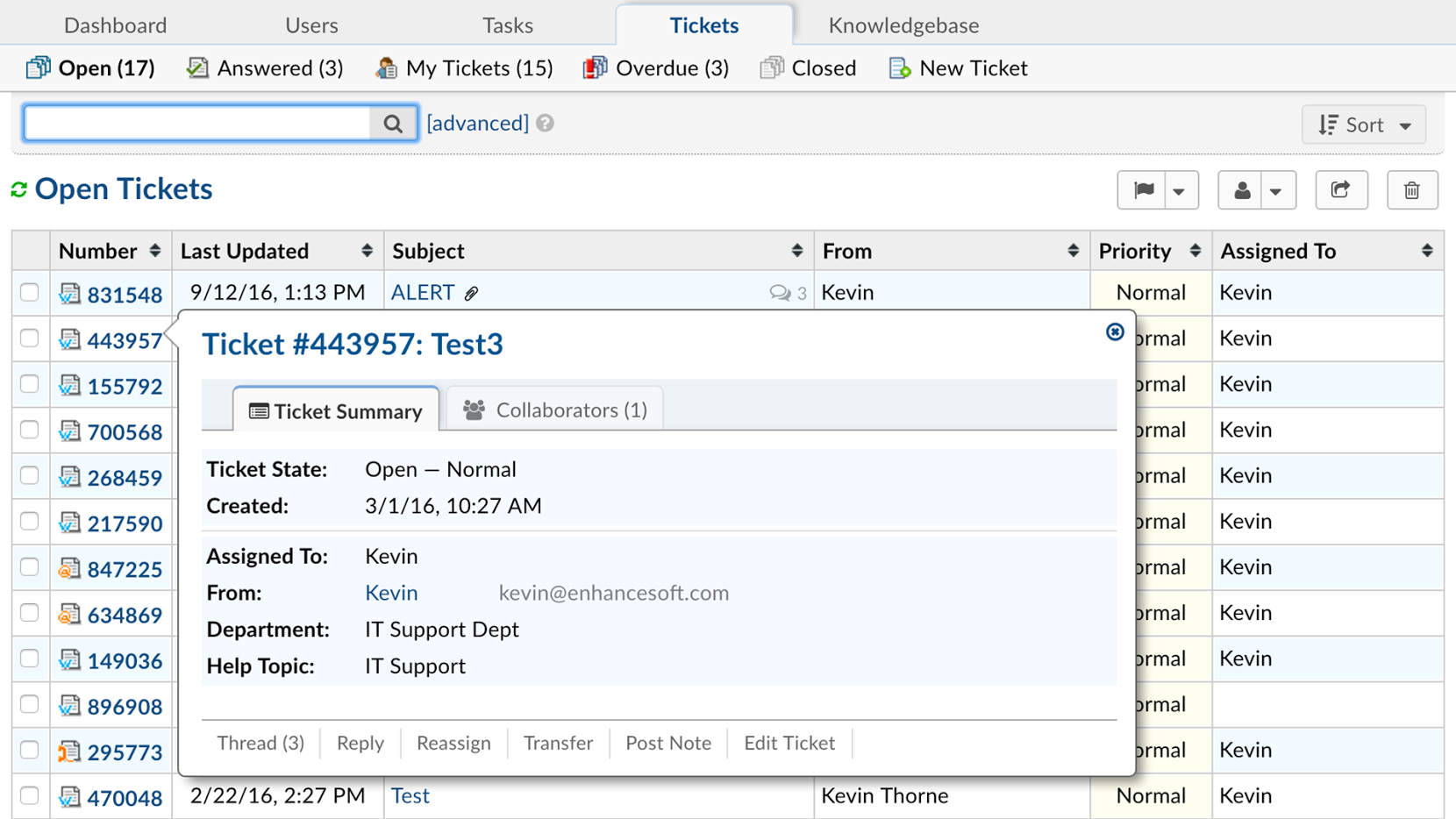
osTicket answers one question: what if the ticket data cannot leave our infrastructure? It has been in production somewhere since 2003, it is genuinely free to download, and Google still treats it as the canonical answer for legacy trouble ticket system queries - which tells you how long it has been the default open-source pick.
Key features
Custom fields, forms and lists to model your own ticket data
Ticket filters with rule-based routing to departments and agents
Task management inside tickets, with completion gating
Customer portal with ticket status lookup
Agent collision avoidance and a full audit trail
osTicket pros and cons
Free software with real infrastructure costs behind it. The trade you are making is money for control.
Pros
Cons
Genuinely free with full source access — no per-agent fee and no agent ceiling, ever
Free software is not a free system. You supply a web server, PHP 8.2–8.4, MySQL or MariaDB, an SSL certificate, SMTP configuration and someone to patch all of it
Complete control over data location, retention and backups — the reason most teams choose it
The interface is dated, and agents arriving from a modern SaaS help desk notice within minutes
Code-level customisation that no SaaS tool allows at any price
No native live chat, no social channels, no meaningful AI. It is a ticket system, not an omnichannel platform
A managed cloud option at $12 per agent if you want the product without the server
Support is the community forum unless you buy a commercial support contract
Custom fields and forms let you model ticket data around your own process
Upgrades are manual and a well-known source of breakage on heavily customised installs. Plan a staging environment from the start
Put a number on that first drawback before choosing this. Independent estimates for a 50-agent self-hosted deployment land around $2,800–$8,400 a year once maintenance labour is counted alongside infrastructure - still cheaper than most SaaS at that headcount, but a long way from zero.
Pricing
Self-hosted Core $0, open source - you pay for infrastructure and maintenance
osTicket Cloud / SupportSystem from $12 per agent/month, higher tier around $24, 30-day trial
Virtual appliance - on request
Commercial support - flat annual fee per organisation rather than per agent
10. Spiceworks Cloud Help Desk - free, ad-supported
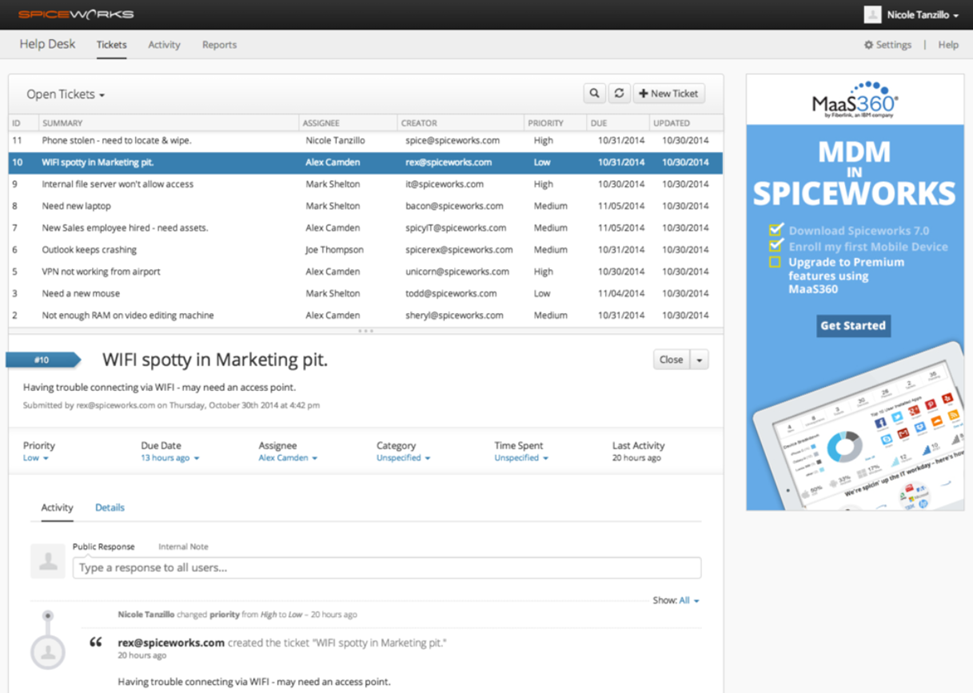
Spiceworks has funded free IT tools with advertising since 2006, and the cloud help desk is the most useful of them. For an internal IT team with literally no software budget it does the job: tickets from email or a user portal, basic routing, asset tracking and a knowledge base.
Key features
Ticket intake by email, user portal or direct entry
Custom ticket attributes and rule-based routing
Basic SLA targets with breach flagging
Asset and inventory tracking with network monitoring
Unlimited end users
Active Directory, Microsoft 365 and Google Workspace integration
Spiceworks Cloud Help Desk pros and cons
The zero-budget option for internal IT, with a free tier worth verifying before you build anything on it.
Pros
Cons
Genuinely free for up to 5 agents, with unlimited end users and no time limit
Ad-supported — banner advertising sits inside the agent interface, and removing it means moving to the paid tier
Cloud deployment in minutes, with no infrastructure to provision
The on-premise version was deprecated on 31 December 2021 and the installer is gone. If you are still running it, it has been unpatched for years
The user portal cuts repetitive email requests almost immediately
Reporting and customisation are minimal. Reviewers cite single-image uploads, no rich text, no ticket linking and limited portal and field customisation
Asset and inventory tracking included, with basic network monitoring
The free-to-paid boundary has moved since 2025 and long-time users are vocal about it. Verify what the free plan includes today before building a workflow on it
One of the largest IT peer-support communities anywhere
Built for internal IT, with no meaningful customer-facing omnichannel story
Pricing
Core — $0, ad-supported, 1-5 Seats
Premium — $5 per agent/month — removes ads, adds workflow features, live chat
Which ticketing system is right for your team?
The comparison table tells you what these tools cost. This is the part that tells you which one to shortlist.
A small team of up to 5 agents on a minimal budget → Zoho Desk. The free tier covers three agents permanently and Express is $7. If it is an internal IT team specifically, Spiceworks at $0 does asset tracking too. Neither will still fit at 15 agents, and that is fine — migrate then. If free is the constraint rather than a bonus, our guide to free help desk software
goes tier by tier.
A growing SMB that needs email, chat and phone in one place → LiveAgent. This is the case we are built for: voice in the platform from $29 rather than a separate contact-centre subscription, and no per-resolution AI meter. If social media is a primary channel rather than a nice-to-have, price the Large plan rather than the Small one.
Internal IT or ITSM → Freshservice if you want ITIL processes running in weeks, Jira Service Management if your engineers already live in Jira and incidents need to become development work. Both are better at this than any customer-support help desk, including ours. If you are already an Atlassian shop, JSM’s free tier for three agents is the cheapest way to find out whether the model fits.
An enterprise with cross-departmental processes and multiple brands → Zendesk for customer-facing support at scale; ServiceNow if the requirement is genuinely enterprise ITSM with heavy process governance, asset management and compliance workflows across departments. ServiceNow is quote-only and an order of magnitude more expensive to implement, and for organisations under roughly 500 agents Freshservice usually delivers the same ITIL coverage for less.
Open-source, self-hosted, data sovereignty → osTicket if you want the long-established option and can live with a dated interface; Zammad if you want a modern UI with the same self-hosting freedom. Zammad’s self-hosted edition is free, cloud starts around €5 per agent per month, and commercial support for self-hosted installs runs €2,999–€9,999 a year. Budget the server and the maintenance either way.
Email as the main channel, and tone of voice matters → Help Scout. Nothing here is nicer to work in for a small team doing thoughtful email support, and Docs is a better knowledge base than most tools three times the price. Watch the 26-user threshold that forces a Plus upgrade.
Support tickets that need to sit next to deals and marketing history → HubSpot Service Hub, but only if you are already on HubSpot CRM. If you are not, the Professional tier plus a mandatory $1,500 onboarding fee is a lot to pay for ticketing.
Whichever way you go, run the trial with your real ticket volume and your real channel mix rather than a demo dataset. Every vendor in this list looks good with twelve tickets in the queue. If you want to start with ours, the ticketing software
trial is 30 days and does not need a card.
Join our newsletter
The latest tips and deals delivered straight to your inbox.
What is a ticketing system (and what people mean by “trouble ticket system”)
A ticketing system turns incoming requests - from email, chat, a web form, a phone call or a social message - into tracked records with one owner, a status and a deadline. That is the whole idea: a shared mailbox loses track of who is handling what, and a ticket does not.
Trouble ticket system is the older name for the same thing. It comes from telecom and network operations, where a trouble ticket is the formal record of a reported fault, and it survives today mainly in that industry and in contract and SLA documentation. Some vendors still use trouble ticket management in their enterprise materials. The mainstream term is ticketing system, and help desk software is used for the same category with more emphasis on the customer-facing side. If you are comparing a “trouble ticket system” against a “ticketing system”, you are comparing two names for one product category - the difference is vocabulary and vintage, not capability.
Two distinctions do matter. A customer support ticketing system optimises for channels and volume. An IT service desk or ITSM tool optimises for assets, approvals and ITIL processes such as change and problem management. Choosing across that line is the most common expensive mistake in this category.
For a fuller definition, see our glossary entry on the ticketing system
.
Share this article
Daniel oversees marketing and communications at LiveAgent as a member of the inner product circle and company top management. He previously held various managerial positions in marketing and client communication. He is recognized as one of the experts on AI and its integration into the customer service environment.
Daniel Pison
Marketing and Communication Strategy Lead
Frequently asked questions
They describe the same category of software. Trouble ticket system is the older term, still common in telecom, network operations and in contract documentation, where a trouble ticket is the formal record of a reported fault. Ticketing system (or help desk software) is what most vendors and buyers call it today. If a vendor sells a ticketing system, it will do what a trouble ticket system does.
Entry plans run from $7 to $25 per agent per month on annual billing, mid-tier plans from roughly $23 to $55, and tiers labelled Enterprise anywhere from $40 to $169 — plus the quote-only tiers that publish nothing at all. Two things move the real number more than the tier you pick: AI is increasingly billed separately (per agent, per credit or per resolved conversation), and features most teams assume are standard — CSAT surveys, round-robin routing, SLA policies, knowledge base — are often gated one tier above the entry plan. Budget for the plan that has your must-haves, not the headline price.
It depends on what free has to cover. Zoho Desk has a permanent free tier for up to 3 agents, Jira Service Management for up to 3, HubSpot's free tools for up to 2 users, and Help Scout for up to 5 users with a 100-contact monthly cap. Spiceworks is free and ad-supported but caps the free plan at 5 seats, and the free-to-paid boundary has moved before, so verify what is included today. If you need unlimited agents, self-hosted osTicket is free as software, though you pay for the server and the maintenance. We compare the free tiers in detail in our guide to free help desk software.
Cloud is the default in 2026 and most vendors sell only cloud — Spiceworks retired its on-premise version at the end of 2021 and Atlassian stopped selling new Data Center subscriptions in March 2026. On-premise or self-hosted still makes sense for one reason: you keep the data and the deployment under your own control, which matters for regulated industries and for data residency requirements. The trade-off is that you own the server, the upgrades and the security patches. osTicket and Zammad are the usual self-hosted picks.
A shared mailbox works until two things start happening: two people reply to the same message, and nobody can tell how long a customer has been waiting. A ticketing system fixes both — one owner per request, a visible queue, and a record of what was promised. If you are a team of two answering a handful of emails a day, a shared inbox is fine. Past roughly three agents or a few dozen requests a day, the cost of not having a ticketing system is measured in duplicate replies and missed messages.
Some can, but the two use cases pull in different directions. Customer support tools optimise for channels and volume — email, chat, phone, social. Internal IT service desks optimise for assets, approvals and ITIL processes such as change and problem management. Freshservice and Jira Service Management are built for the internal case; Zendesk, Freshdesk, LiveAgent and Help Scout for the customer-facing one. Running both on one tool works best when one of the two is low-volume.
10 Best Free Help Desk & Ticketing Systems in 2026 (Tested)
We tested 14 free help desk and ticketing systems. 10 that are genuinely free - with agent limits, ticket caps and what each one costs when you outgrow it. Upda...
Explore 15 Zendesk alternatives for 2026 to enhance customer service with options like LiveAgent, Freshdesk, and HubSpot Service Hub. These solutions offer flex...
26 min read
Zendesk
Alternatives
+3
Cookie Consent We use cookies to enhance your browsing experience and analyze our traffic. See our privacy policy.