


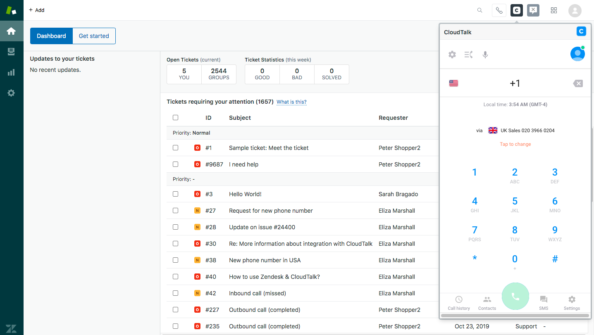
The 15 Best Zendesk Alternatives for 2026
Explore 15 Zendesk alternatives for 2026 to enhance customer service with options like LiveAgent, Freshdesk, and HubSpot Service Hub. These solutions offer flex...
26 min read
Zendesk
Alternatives
+3

Zendesk’s AI looks affordable until seat tiers, add-ons, and per-resolution billing stack up. Here’s what a 5-agent small business team actually pays with LiveAgent vs Zendesk in 2026.
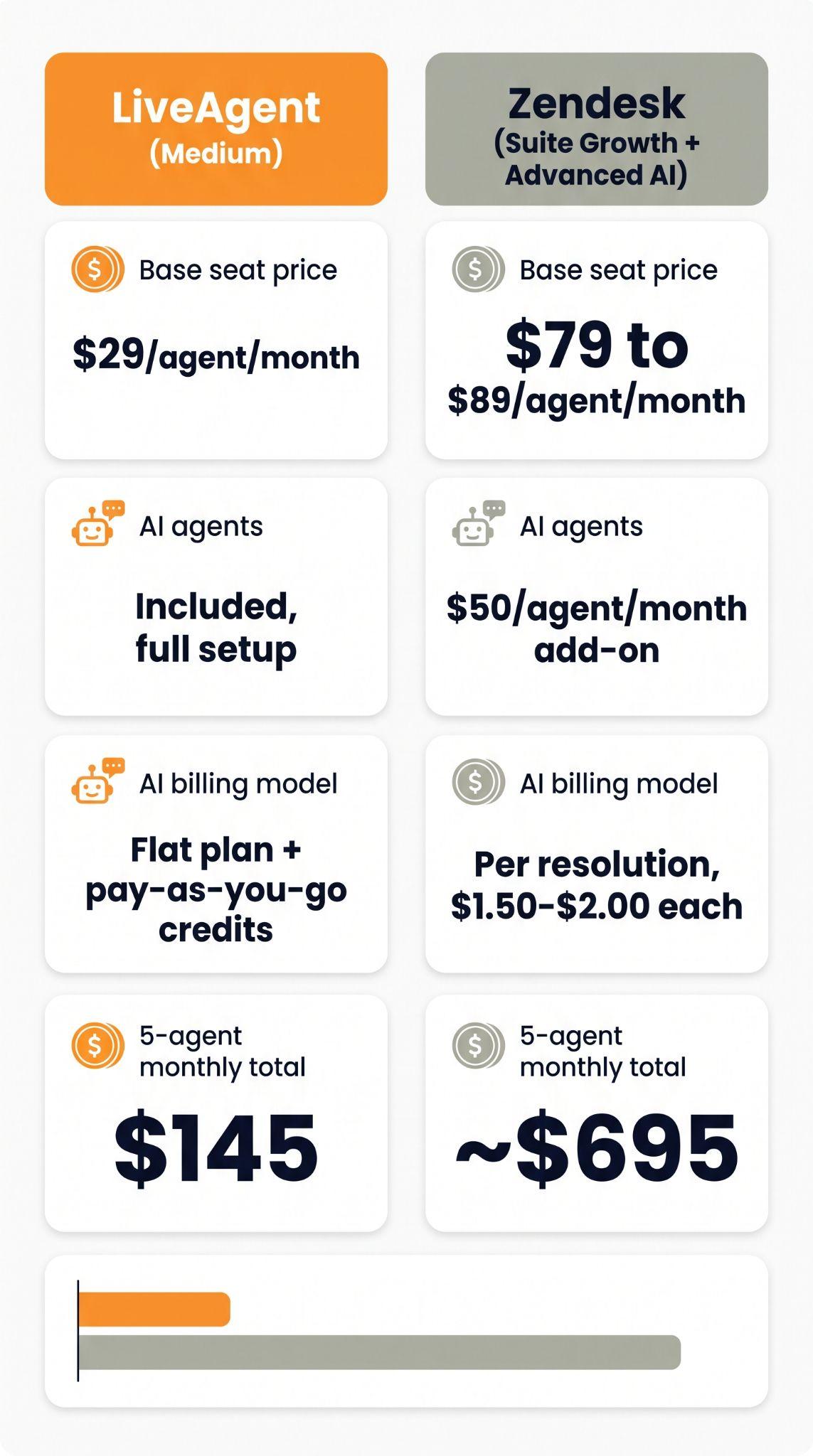
Quick answer: For a 5-agent small business team, LiveAgent costs $75 a month on the Starter plan, or $145 a month on the Team plan with call center and social channels, billed annually and with all AI features included. A comparable Zendesk setup with AI (Suite Growth plus the Advanced AI add-on) runs about $695 a month, once seat tiers and the AI add-on are factored in.
Zendesk is the name most small businesses default to when they start comparing help desks, and its AI is genuinely capable. But its pricing was built around seat tiers, per-agent add-ons, and AI billing that’s metered per resolution rather than flat. LiveAgent’s pricing works differently: AI features are included in every plan and LiveAgent charges $0 for AI. You pay your AI provider for usage. Here’s the actual math, plus what each approach gets you.
| LiveAgent (Team) | Zendesk (Suite Growth + Advanced AI) | |
|---|---|---|
| Base seat price | $29/agent/month | $79 to $89/agent/month |
| AI agents | Included on every plan | $50/agent/month add-on |
| AI billing model | Flat plan, LiveAgent charges $0 for AI, you pay your AI provider | Per resolution, $1.50 to $2.00 each, after a 5 to 15/agent allowance |
| 5-agent monthly total | $145 | ~$695 |
| 5-agent annual total | $1,740 | ~$8,340 |
Zendesk’s own published entry point, Support Team at $19 per agent, sounds competitive, but it ships with no AI agents at all. To get AI into a Zendesk plan you need Suite Team or higher, and to get past a five-to-fifteen-resolution monthly cap per agent, most small teams end up on Suite Growth with the Advanced AI add-on, which is where the $695 figure for a 5-person team comes from in independent 2026 pricing reviews. Past the included allowance, every additional resolved conversation is billed on top, with no ceiling since Zendesk removed its billing grace period in January 2026.
LiveAgent’s Team plan includes all AI features at no extra license fee. The only variable cost is AI usage, which you pay to your AI provider (FlowHunt, OpenAI, Anthropic Claude or Google Gemini). If you use FlowHunt, usage is billed in credits, not per resolution.
Three things compound for a small business on Zendesk in 2026:
LiveAgent’s AI Answer Assistant, AI chatbot and AI agents can use FlowHunt, Quality Unit’s own automation platform, or OpenAI, Anthropic Claude or Google Gemini. This is why the pricing model looks different from a bolt-on AI vendor:
“Usage-based” is a vague promise until you see the unit economics. If you use FlowHunt, it prices usage in credits, where one credit is worth roughly $1 and covers up to 100 flow interactions, though the exact number depends on how complex each interaction is. A simple exchange, like answering “hello” or a one-line FAQ, costs a small fraction of a cent. A longer, multi-step interaction that pulls from a knowledge base or calls an external tool costs more, but still typically a fraction of a credit. In practice, this means:
This is the practical difference between credit-based and per-resolution pricing: a credit is spent on the interaction itself, not on a vendor’s definition of what counts as a “resolution.”
Rather than taking either vendor’s marketing at face value, a small business can estimate its likely AI spend in about four steps:
Running this exercise on your own numbers, rather than a generic team-size table, is the only way to know which pricing model actually favors your specific ticket mix.

The latest tips and deals delivered straight to your inbox.
No pricing comparison is complete without naming where each vendor’s list price doesn’t tell the whole story.
On Zendesk: the seat price is the floor, not the ceiling. Beyond the Advanced AI add-on, Copilot, quality assurance, and workforce management modules are each separate line items, commonly $50 or more per agent per month apiece. Multi-brand support and enhanced data privacy sit behind higher tiers as well.
On LiveAgent: the base plan covers ticketing, live chat, knowledge base, and AI, but social media channels (Facebook, Instagram, and similar) start with the Team plan. The Starter plan has no social channels. WhatsApp support runs through a third-party provider (Twilio or 360dialog) rather than a native integration.
On both: monthly billing runs meaningfully higher than annual, typically 20 to 30% more, so list prices quoted annually understate the cost for a team not ready to commit to a yearly contract.
The affordability story doesn’t stop at small teams. LiveAgent’s call center, included from the Team plan up, comes with the same routing depth that’s usually sold as a separate enterprise product elsewhere: multi-level IVR with custom greetings and business hours, skills-based routing paired with automatic call distribution, and unlimited call recording. Growing teams get this natively, as one universal inbox alongside email, chat, and social, rather than adding a separate telephony vendor and billing relationship.
Security and compliance scale the same way. LiveAgent includes GDPR compliant data handling, encryption, and role-based access controls across its plans, and at sign-up you choose where your data is stored: the EU (Germany and Ireland), the US (Northern Virginia and Northern California) or Singapore.
For a 20-agent team, that combination (native voice, skills-based routing, and included AI) keeps the per-agent economics in the same range shown above rather than introducing a new pricing model as the team grows, which is exactly where competitors that treat calling or advanced routing as a paid add-on start to pull ahead on cost.
Cheap AI only matters if it actually works. A few concrete results:
For a small business, that combination, materially lower fixed cost plus a chatbot that resolves the majority of routine questions on its own, is what actually moves the ROI needle, not just a lower sticker price.
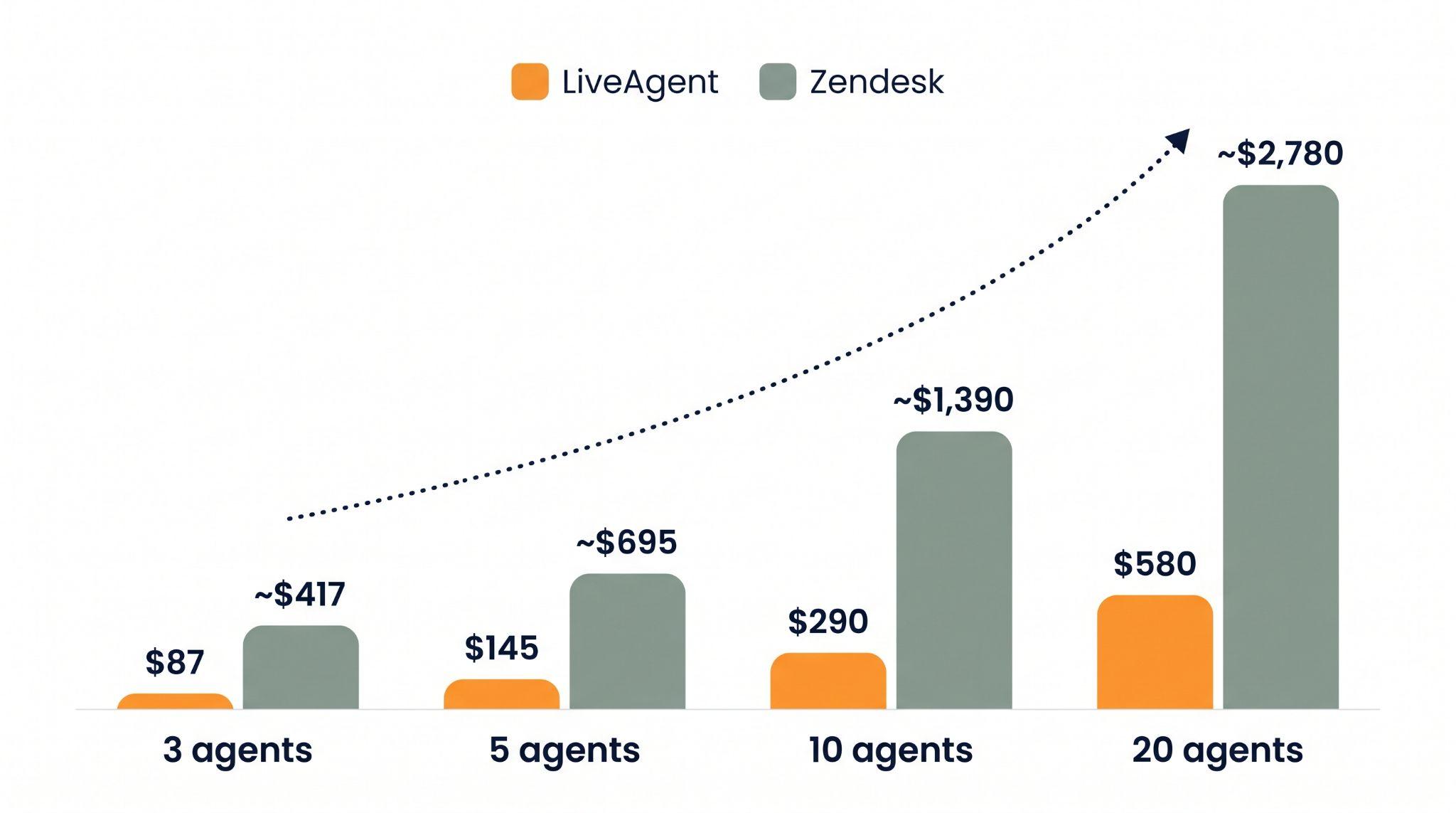
| Team size | LiveAgent (Team, AI included) | Zendesk (Suite Growth + Advanced AI) |
|---|---|---|
| 3 agents | $87/month | ~$417/month |
| 5 agents | $145/month | ~$695/month |
| 10 agents | $290/month | ~$1,390/month |
| 20 agents | $980/month (Business) | ~$2,780/month |
Figures use published list pricing for both platforms as of mid-2026, billed annually. Zendesk’s AI resolution overage is excluded from these totals and would widen the gap further for any team exceeding its monthly resolution allowance.
Share this article
Lilia is a content manager at LiveAgent. Passionate about customer support, she crafts engaging content that highlights the power of seamless communication and exceptional AI-powered service.

Explore 15 Zendesk alternatives for 2026 to enhance customer service with options like LiveAgent, Freshdesk, and HubSpot Service Hub. These solutions offer flex...

LiveAgent, Intercom Fin, and Zendesk AI chatbots compared on setup time, training, escalation logic, and total cost for a 20-agent team in 2026.
Comparing LiveAgent, Zendesk, and Freshdesk call center features: built-in calling, IVR, reporting, and pricing for teams of 10-100 agents. Which is the best va...