What is the LiveAgent AI ticket triage and categorization?
When tickets come in, someone has to figure out what each one is about before it can be routed to the right place. That sorting step is repetitive, time-consuming, and easy to get wrong when the queue is busy. The LiveAgent AI ticket triage and categorization does it automatically.
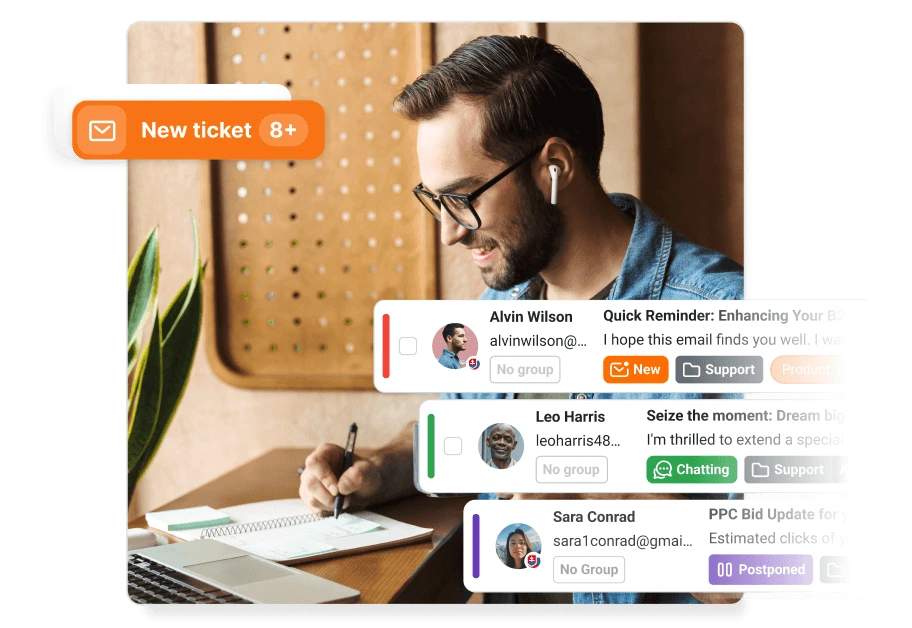
AI ticket triage agent reads each new ticket, understands what the customer is actually asking or reporting, and assigns the correct category tag in LiveAgent. Your team opens the queue and already knows whether they are looking at a bug report, a general question, a cancellation request, or a piece of spam.
It is designed to fit into a larger automation flow. The agent takes a ticket ID as input and returns a specific tag ID that can be used to apply the correct tag to the ticket in LiveAgent via API, making it easy to chain with other automated steps.
How does the AI ticket triage and categorization work?
The agent is triggered automatically when a new ticket arrives, based on a rule you configure in LiveAgent. To get this AI Agent up and running, you need to integrate LiveAgent with an AI Agents provider. The AI functionality of LiveAgent is currently provided exclusively by FlowHunt
. Quality Unit develops both LiveAgent and FlowHunt. This allows us to keep your data safe, as well as provide priority support to LiveAgent users.
Here are the 4 main steps of how this AI agent works:
Input: The agent receives the ticket ID.
Fetch: The agent calls the LiveAgent API to retrieve the full conversation history for that ticket.
Analyze: The AI reads the content and evaluates it against your defined category criteria to determine the correct classification.
Output: The agent returns the specific tag ID for the matched category, which is then used to apply the tag to the ticket in LiveAgent.
The cost of the AI ticket triage and categorization
LiveAgent does not charge any additional fees for setting up this feature. Usage is billed through FlowHunt’s credit-based pricing model, and the cost per ticket processed is generally low since each run involves a single, focused classification task. Your overall expenses will depend on ticket volume and the AI model selected. You can use this guide
to estimate your AI costs.
How to set up the AI ticket triage and categorization
Setup takes just a few steps across FlowHunt and LiveAgent. If you don’t have a FlowHunt account yet, you can sign up at the FlowHunt sign-up page
.
Here’s the required configuration:
- Connect your LiveAgent account: Update the URL in the tool settings to match your LiveAgent domain (e.g., yourcompany.ladesk.com) and select your valid API key from secrets.
- Customize your tags: Open the agent prompt and replace the default tag IDs (e.g., 9329, 10od) with the actual tag IDs from your LiveAgent installation.
- Review category definitions: Make sure the category definitions in the prompt match your internal support processes.
Join our newsletter
The latest tips and deals delivered straight to your inbox.
How to use the AI ticket triage and categorization: use cases and examples
Automated ticket retrieval
The agent does not just read the subject line. It fetches the full conversation history for each ticket using the ticket ID, so the classification is based on the complete context of what the customer wrote, not just a snippet.
Smart classification
The agent categorizes each ticket into one of your defined categories. The default categories are a good starting point for most support teams:
- Wrong/Invalid: Spam, misdirected emails, and issues that belong to a third party.
- Issue: Bug reports, technical failures, and anything that is broken.
- Question: General informational inquiries that need an explanation or guidance.
- Request: Actionable demands such as cancellations, changes, or account updates.
- Empty: Messages with no meaningful content, such as a chat that only contains an opening greeting.
You can replace these defaults with your own categories to match how your team actually works.
Strict output for seamless automation
The agent returns only the tag ID, nothing else. This strict output format makes it straightforward to chain the result with the next step in your automation, whether that is applying the tag, routing the ticket, or triggering a follow-up action.
Fitting into a larger workflow
The AI ticket triage and categorization is designed to be one step in a broader automated support flow. Once a ticket is tagged, you can use LiveAgent rules to route it to the right team, prioritize it, or trigger the AI ticket validation and autoresponse to send an immediate reply.
Conclusion
The LiveAgent AI ticket triage and categorization removes the manual sorting step from your support workflow. Every ticket that comes in gets read, understood, and tagged automatically before anyone on your team touches it. Your agents spend less time figuring out what a ticket is about and more time actually resolving it. Get started today with a 30-day free trial
and see how much cleaner your queue becomes.