



FAQ Page Templates
Create an effective FAQ page in 4 steps: list common questions, organize by category, keep answers concise, and update regularly. Enhance customer self-service ...
6 min read
LiveAgent
FAQ
+2

Create an effective FAQ page with 7 steps to improve customer experience. Discover templates and try LiveAgent for free!
With an increasing number of consumers preferring self-service options over traditional customer support channels, having a solid, smartly structured FAQ page design has become a must-have element of almost any business website. According to Forrester’s research , FAQs are the most frequently used self-service options available today.
When used strategically, a FAQ page design can truly add value to consumers and benefit businesses in many different ways. It’s not only one of the most efficient and cost-effective ways to reduce the burden on support teams by handling those repetitive questions about your products or services that otherwise might go to your customer support agents, taking up their time unnecessarily. FAQs can also improve your site navigation, overall SEO, and enhance the customer experience.
Fortunately, creating and maintaining FAQs has become easier with the help of FAQ builder software. With this tool, businesses can easily create a knowledge base that is visually appealing and highly informative to customers. It’s a great way to save time and resources for businesses while providing customers with quick and accurate solutions to their queries.
FAQ (stands for Frequently Asked Questions) is a section of a company’s website dedicated to answering customers’ most common questions and concerns. FAQ pages aim to make finding answers easy for customers, ideally without any need for outside assistance from a company’s representative. For e-commerce businesses, FAQs mostly cover the company’s rules and policies about order changes, payments, shipping, returns, and refunds. For SaaS businesses, FAQ’s page design mainly serves to guide customers on installing, using the product and troubleshooting common issues.
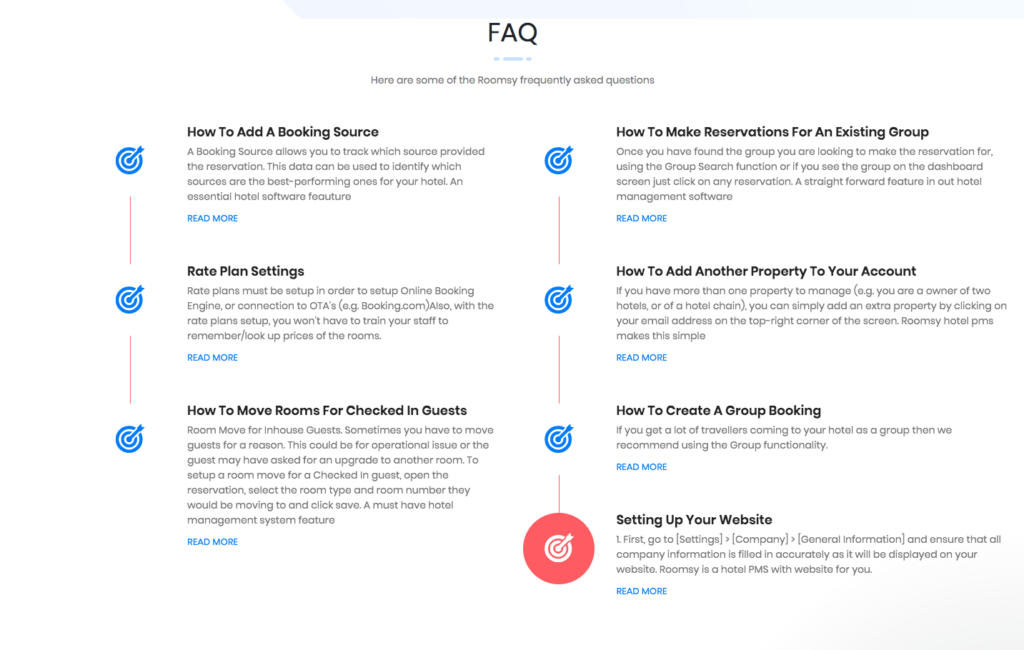
Basically, FAQs differ from knowledgebase articles in size, content, and approach. FAQs are presented in a question and answer format and are intended to be short, direct, and straight to the point. They typically answer questions in a couple of sentences or paragraphs, while knowledgebase consists of instruction-type articles giving users more detailed and in-depth information on using the company’s products or services.
Writing a FAQ page involves more than just answering the most asked questions. It’s an opportunity to build relationships with current and potential customers and ensure better customer satisfaction. When creating FAQ page design, keep the following tips, strategies, and best practices in mind:
The key to building an effective FAQ page is finding and answering real questions that your customers have. These questions can be found from a variety of sources such as your:
Inventing questions for the sake of answering them might only create customer frustration. Make sure they are relevant to your target audience and match real concerns your customers and prospects have.
If there are only a few questions to answer, put them in a single list. For longer lists of questions, it makes sense to break them down into common categories. Thus, providing a better user experience and ensuring that visitors are able to easily navigate the page and find what they are looking for.
The questions can be grouped under such categories as ‘General Information, ‘Using the Product, ‘Account Management, ‘Troubleshooting, ‘Security, ‘Billing’ etc. It’s recommended to order questions within each category from the most to the least frequent.
Write questions from a customer’s perspective, i.e. in the first person. Consider the following questions: ‘How can I integrate your product with my CRM system?’ and ‘How does your product integrate with a CRM system?’ Though both ask the same question. The first option is more customer-centered as it matches with how a user actually thinks. On the other hand, the second one is more business-centered. Therefore, when framing questions, use formats like: ‘What are my …’, ‘How do I …’, ‘Can I …’ etc.
When writing FAQs make sure the questions are clearly and simply worded. The answers should focus solely on giving the information required. Avoid providing any extra or unnecessary details that might distract a reader’s attention. The lengthier the content, the harder it is to keep the users interested in reading it. If a question requires a long answer, consider covering only the basics. After that, link it further to your knowledgebase article or a blog post that provides more detailed information.
Since FAQ page design is generally text-based, easy readability is important. Whatever the audience, write in a language they understand. Furthermore, refrain from jargon, acronyms and technical terms your users may not be familiar with. Avoid using any unnecessary design elements that can draw readers away from your page’s content. Stick with a simple layout, an easy-to-read typeface, and an appropriate contrast. To ensure better readability you can also distinguish questions from answers by color, size, or style.
Many consumers prefer a FAQ page design that presents answers visually. Adding visuals that supplement your answers is a great way to make your FAQ page look appealing, unique, and valuable. Those visuals could include screenshots of a user interface demonstrating certain processes on your website. Such as resetting passwords, changing account information, canceling orders, making returns. Moreover, flowcharts, how-to videos guiding customers through common tasks. Make sure any visual element that you add is aimed at making your answer more accurate. Thus, easily understandable for the readers.
A static FAQ page can quickly become outdated. You should regularly revise and update the FAQ page design to ensure the content stays relevant and helpful to customers and prospects. As your business is facing changes, and whenever new customer concerns come up and new questions arise; you should review and adjust your FAQ pages accordingly. Therefore, they reflect those changes and to ensure that all the answers are accurate, and the questions remain relevant. It is also advisable to evaluate the answers occasionally and rewrite them to be clearer if needed. If you keep getting the same question on your FAQ page over and over again; it’s a sign that the answer isn’t making sense to your audience and needs to be rewritten.
We have created a couple of FAQ templates to inspire you. Simply copy and paste and get started!

The latest tips and deals delivered straight to your inbox.
Knowledge is important, but only when it’s put into practice. Test out Customer Portal right inside of LiveAgent.

Create an effective FAQ page in 4 steps: list common questions, organize by category, keep answers concise, and update regularly. Enhance customer self-service ...

Optimize customer self-service with LiveAgent's FAQ software. Empower customers to find answers quickly and boost satisfaction.

Learn to create a self-service knowledge base with LiveAgent's templates, including guides, FAQs, and tutorials. Discover how to write effective knowledge base ...