






Ucraft
Ucraft is a user-friendly website builder that enables quick creation of personal and business websites, landing pages, blogs, and online stores. It integrates ...
4 min read


uKit is an intuitive website builder with a drag-and-drop editor, allowing easy customization. Integrating with LiveAgent, users can add live chat to boost customer support and satisfaction. Available in Medium and Large plans.
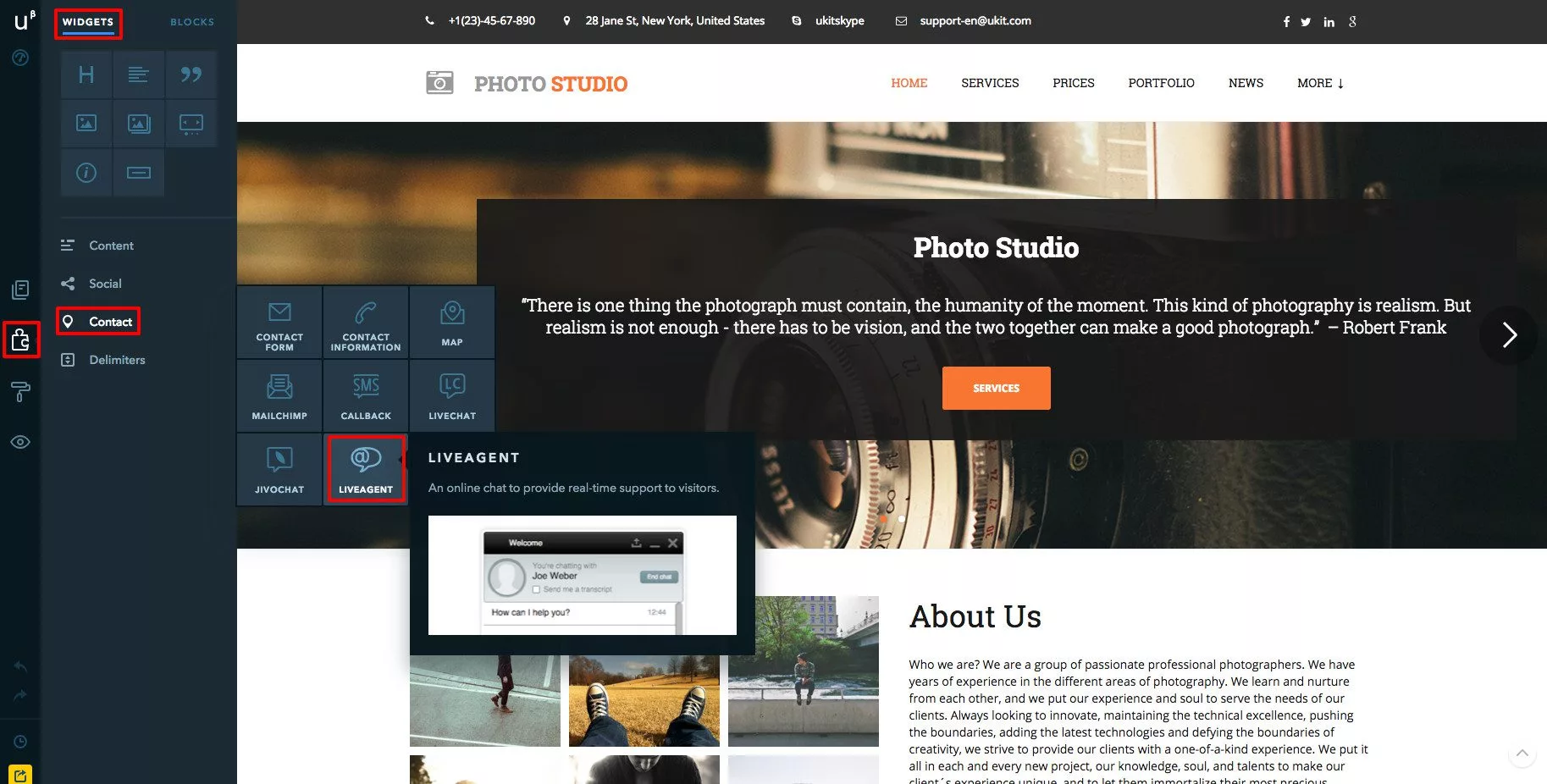
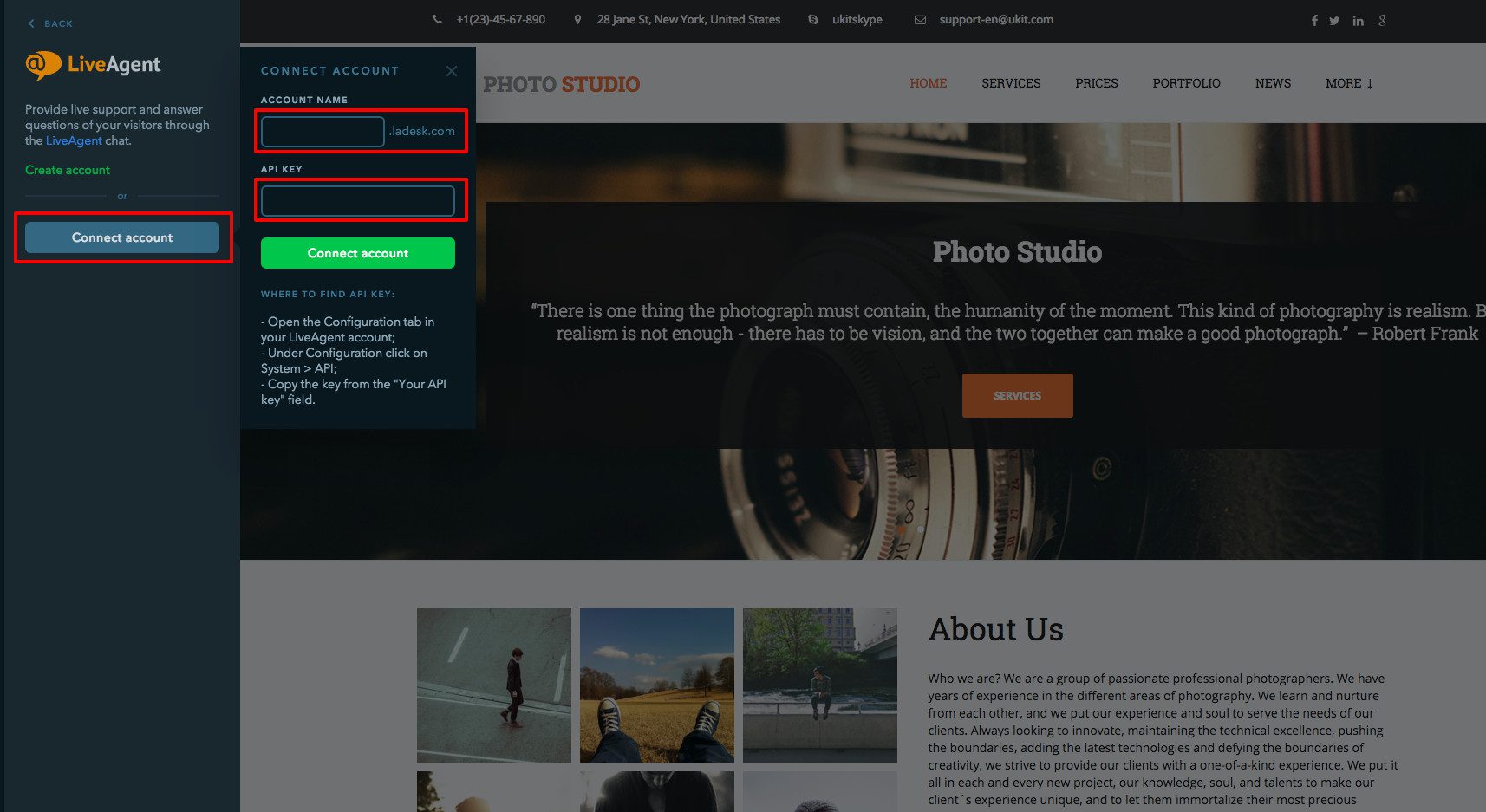
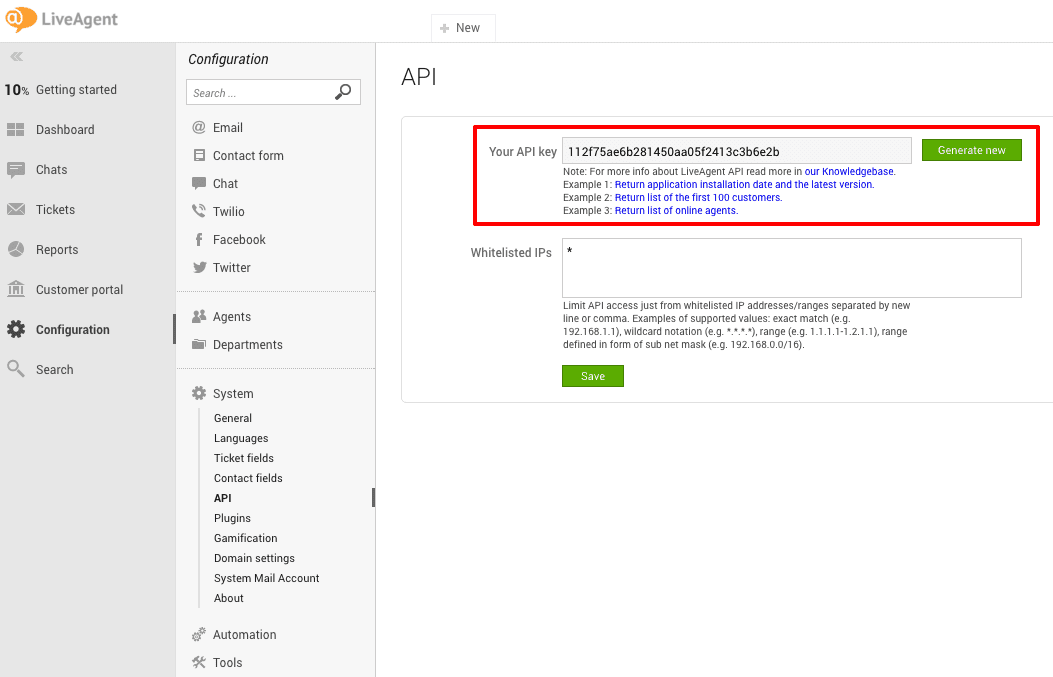
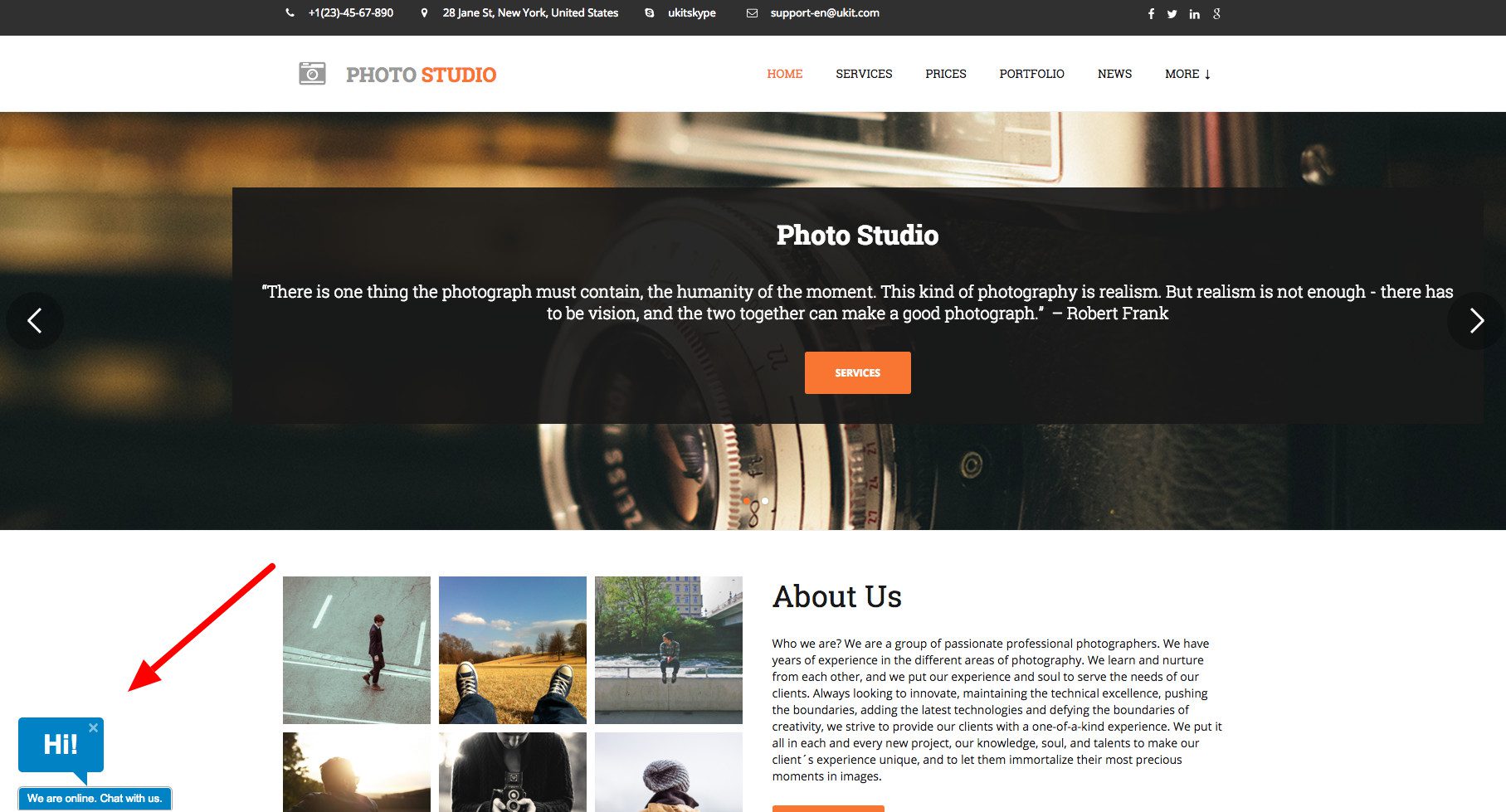
If you want to start utilizing LiveAgent’s chat button on your uKit site, please follow the step-by-step integration guide below, or simply watch the integration video.


Start your free trial today and see results within days.
uKit is a website builder that is an easy and effective way to create a functional business website. The builder is meant for those who aren’t technical. It’s easy-to-navigate, fun and modern. uKit has a sleek drag-and-drop editor that allows you to easily customize your template of choice.
LiveAgent’s uKit integration enables you to place a live chat button on your uKit store. This seamless integration allows you to:
No problem! LiveAgent offers a 30-day free trial where you can test the free uKit integration!
Ucraft is a user-friendly website builder that enables quick creation of personal and business websites, landing pages, blogs, and online stores. It integrates ...
Wix is a website builder offering templates and widgets. Integrating LiveAgent with Wix lets businesses add live chat buttons for improved customer support, enh...
Integrate LiveAgent's live chat into your Webflow site for real-time customer support, boosting sales. Webflow is a no-code platform for responsive sites. Easil...
Join our community of happy clients and provide excellent customer support with LiveAgent.

Cookie Consent
We use cookies to enhance your browsing experience and analyze our traffic. See our privacy policy.