



Live Chat Features
LiveAgent's live chat software enhances customer service with real-time communication, customizable chat buttons, proactive invitations, and integration with ex...
9 min read
Live Chat
Customer Support
+1


Joomla is a free CMS for web content. LiveAgent integration allows adding live chat buttons to Joomla sites. Ideal for businesses, NGOs, and more. Integrate via LiveAgent dashboard, copy HTML code to Joomla template, and enjoy enhanced customer interaction.
Joomla is a free and open-source content management system (CMS) for publishing web content. It is the ideal software for small businesses, NGOs, non-profits, government organizations, and large enterprises alike. Currently, Joomla hosts nearly 2 million active websites.
LiveAgent’s Joomla integration enables you to place live chat buttons on your Joomla websites. If you want to add one of our chat buttons to your Joomla site, you can do it by inserting the button code to your Joomla footer. Simply follow these steps:
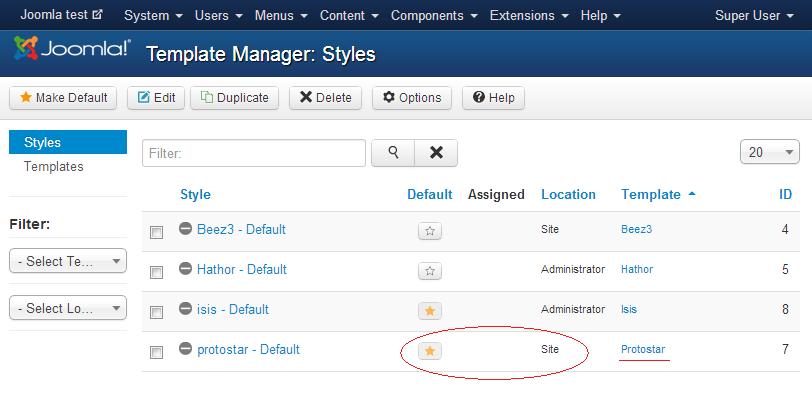
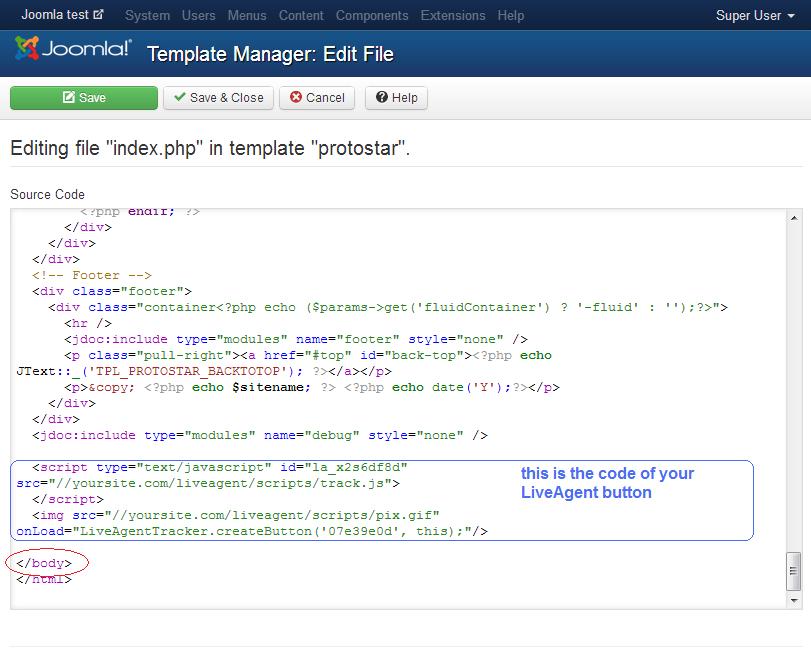
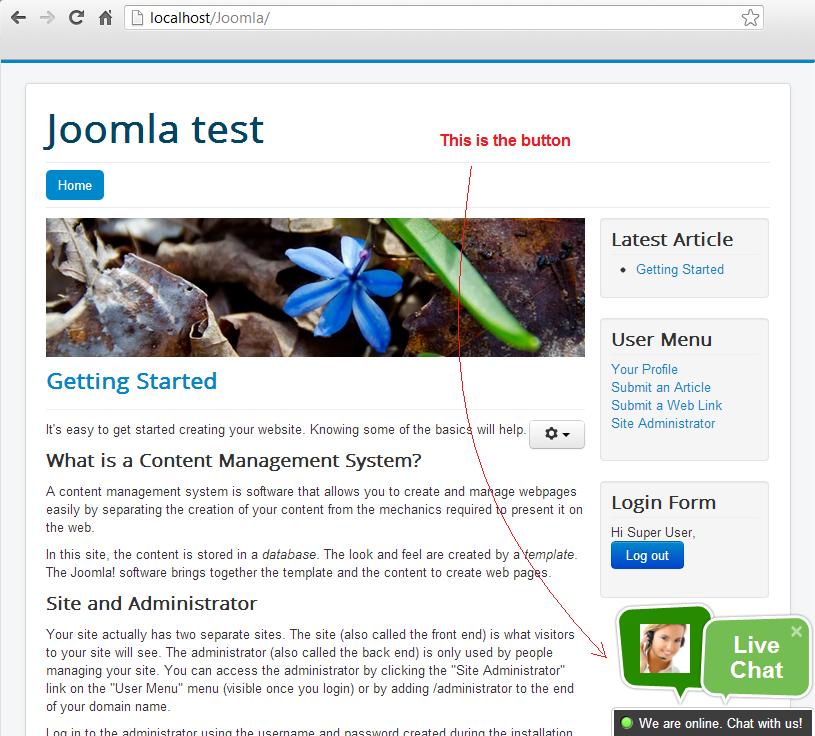
Now that your site is integrated, the LiveAgent button will show up according to its settings (left, right, bottom, offline, online):
Joomla is a free and open-source content management system (CMS) for publishing web content. It is the ideal software for small businesses, NGOs, non-profits, government organizations, and large enterprises alike. Currently, Joomla hosts nearly 2 million active websites.

The latest tips and deals delivered straight to your inbox.
LiveAgent's live chat software enhances customer service with real-time communication, customizable chat buttons, proactive invitations, and integration with ex...

Integrate LiveAgent with Drupal for real-time customer support via live chat and help desk features. Enhance your Drupal site with LiveAgent's tools for improve...
Integrate BigCommerce with LiveAgent to enhance customer support by adding a live chat button to your store. BigCommerce offers comprehensive eCommerce solution...
Cookie Consent
We use cookies to enhance your browsing experience and analyze our traffic. See our privacy policy.