



Time Report Features
LiveAgent's time tracking tool enhances team productivity by monitoring ticket resolution time and providing insights for workflow optimization. Integrated with...
3 min read
Reporting
Analytics
+2

Discover how LiveAgent’s time tracking feature can enhance productivity and efficiency for your team. Monitor ticket resolution times, optimize workflows, and boost performance with seamless TimeCamp integrations and comprehensive employee monitoring. Start your free trial today and streamline your customer support operations effortlessly!
A time tracking tool records the amount of time you spend working on tasks or projects. Time tracking tools are used across all industries, but they’re primarily used by people who get paid on an hourly basis (such as support agents).
Tracking work time is important because it gives you an overview of both your and your team’s:
With time tracking tools, it’s easy to determine whether you and your team are focusing on solving the right problems. Oftentimes, time tracking tools can showcase that many tasks that take up tons of time can be simplified or automated.
For example, if you see that your support agents spend a lot of time responding to the same kinds of questions, it could be helpful to create predefined response templates or canned responses.
Moreover, if you see that some agents take way too long to take care of basic tasks, it could be an indication that they’re being unproductive and slacking to get more hours in. This, of course, is avoidable by knowing your team’s average turnaround time.

Start your free trial today and see results within days.
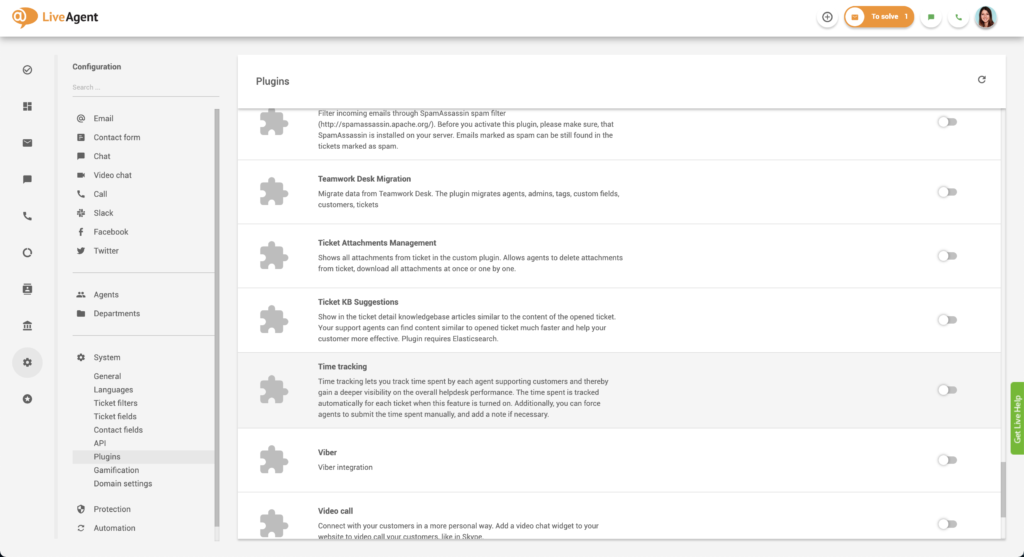
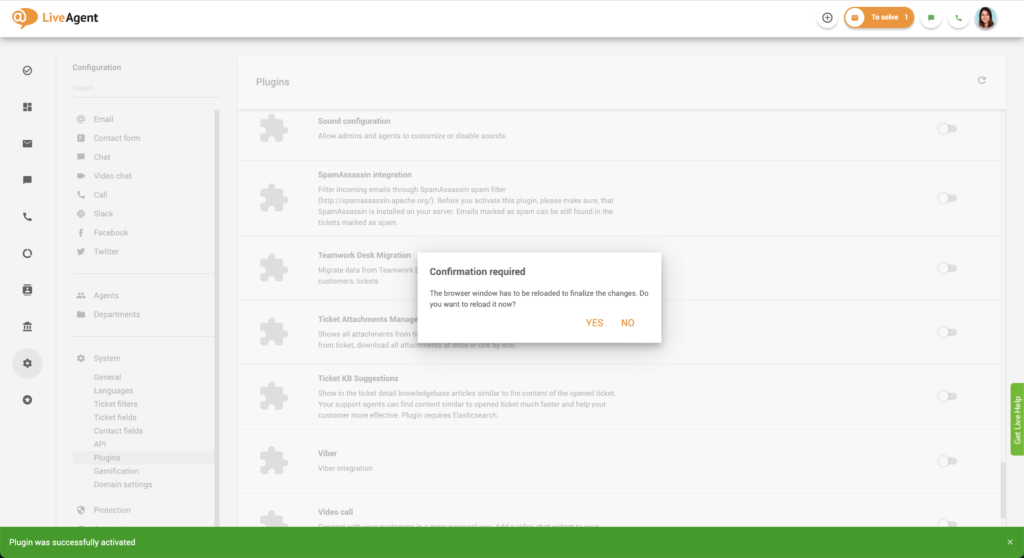
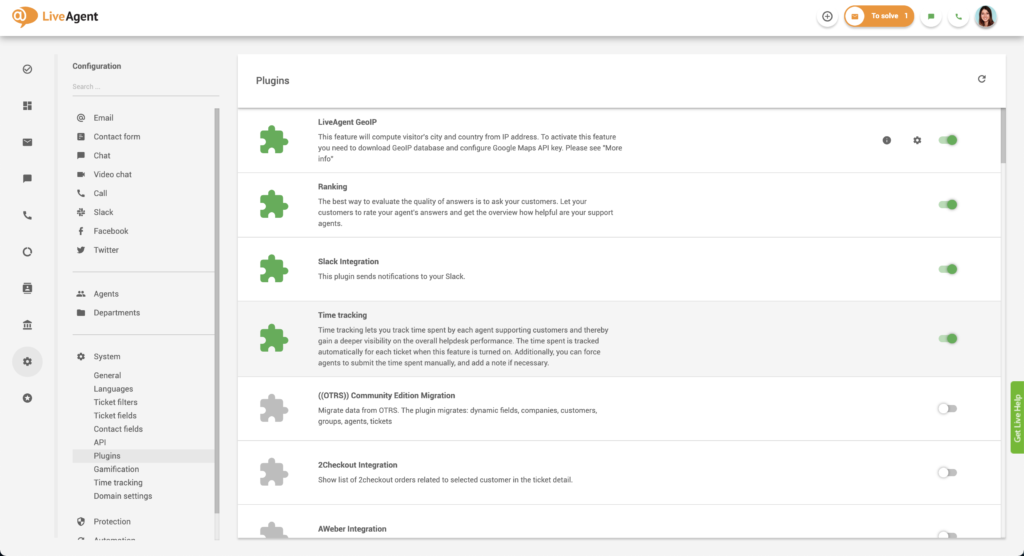
LiveAgent’s built-in time tracking tool tracks the time that your support agents spend on resolving tickets from contact forms, email, social media, customer portal submissions, live chats, and calls.

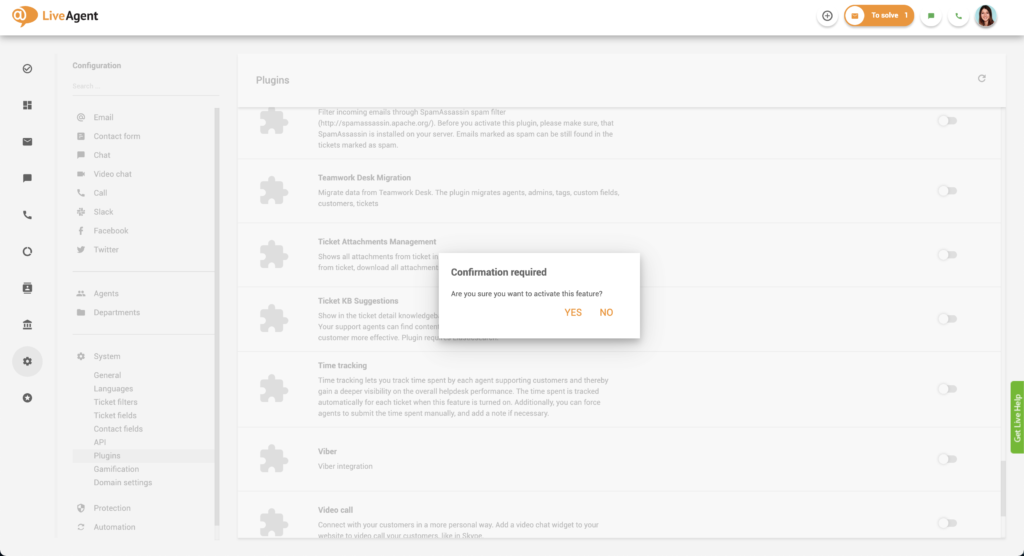
When the feature is turned on, it automatically tracks how much time each agent spent on resolving individual tickets. Please note that the system only tracks the time when an agent is actively working on a ticket. This means that the ticket has to be:
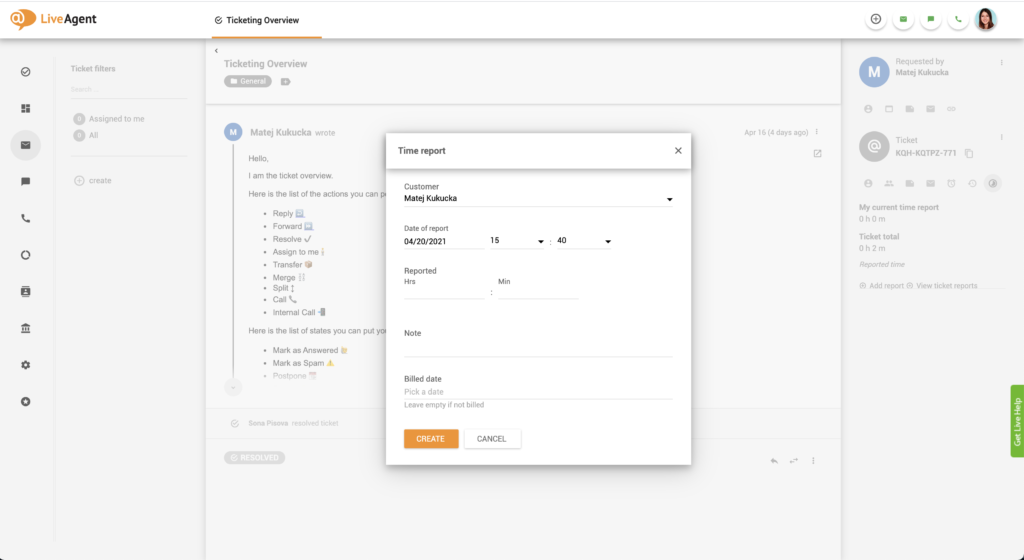
If the agent is inactive for more than 30 seconds, the time tracking stops. Moreover, if the agent switches to another ticket or to another browser tab or application then the tracking stops as well. If your agents often work in different tabs/applications, it might be best to force a manual input from your agents. If this is the case, you can turn on a setting that will force your agents to manually submit the amount of time they spent on resolving each ticket.
The latest tips and deals delivered straight to your inbox.
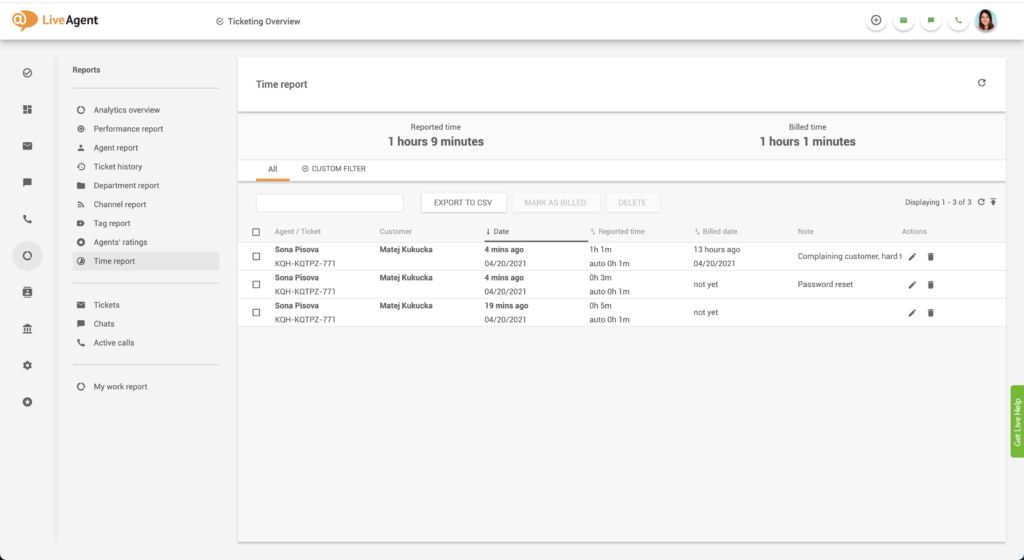
Being able to generate and study reports from your customer service ticketing system is crucial for every customer-centric business. If you want to view all the time reports that the support ticket system has tracked and your agents have submitted, you can click on Reports (in the left menu bar) and select Time report.
You can filter your report according to a specific time range, according to agent, ticket, customer, company, report date, billed date, and entry type (manual, auto). You can also export all time reports into a CSV file to make it easier to share with higher management.
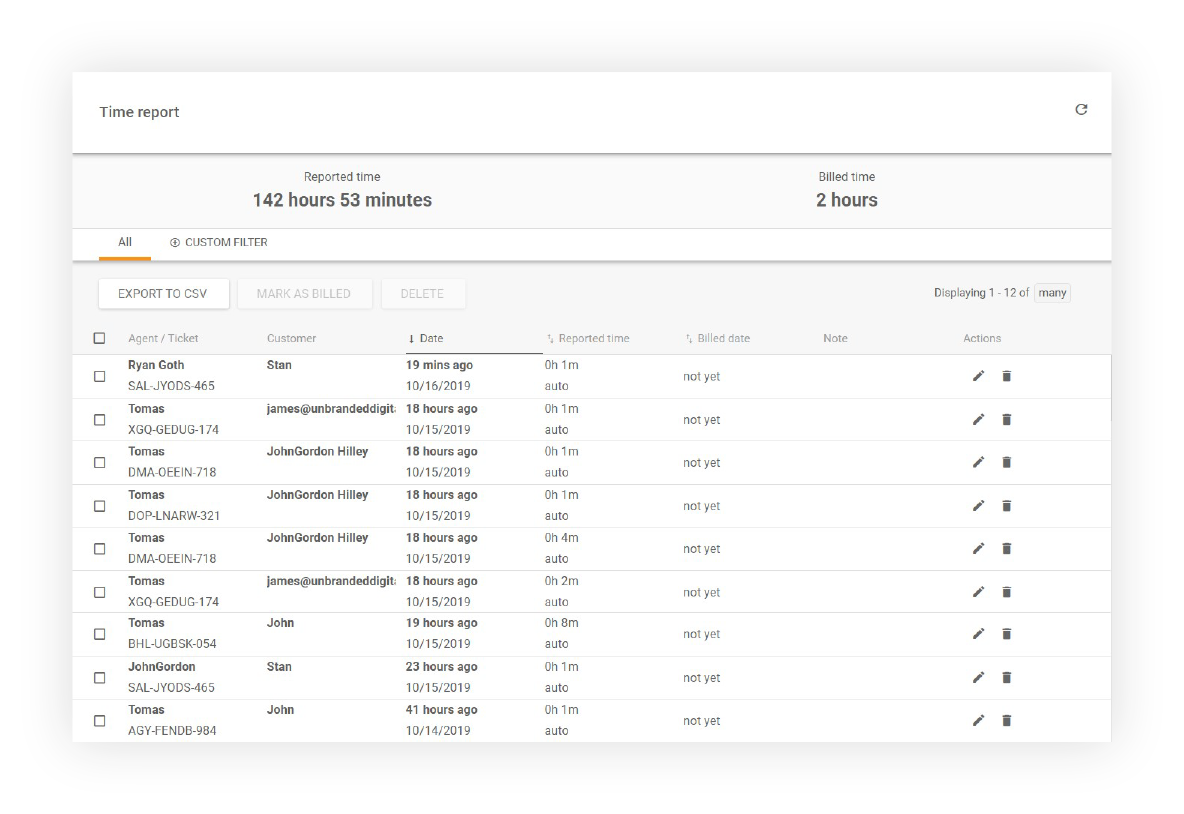
If you or your agents haven’t marked their work time as billed using manual entry, you can do so here by clicking on Edit. This is especially useful if you bill your customers for the support you provide.
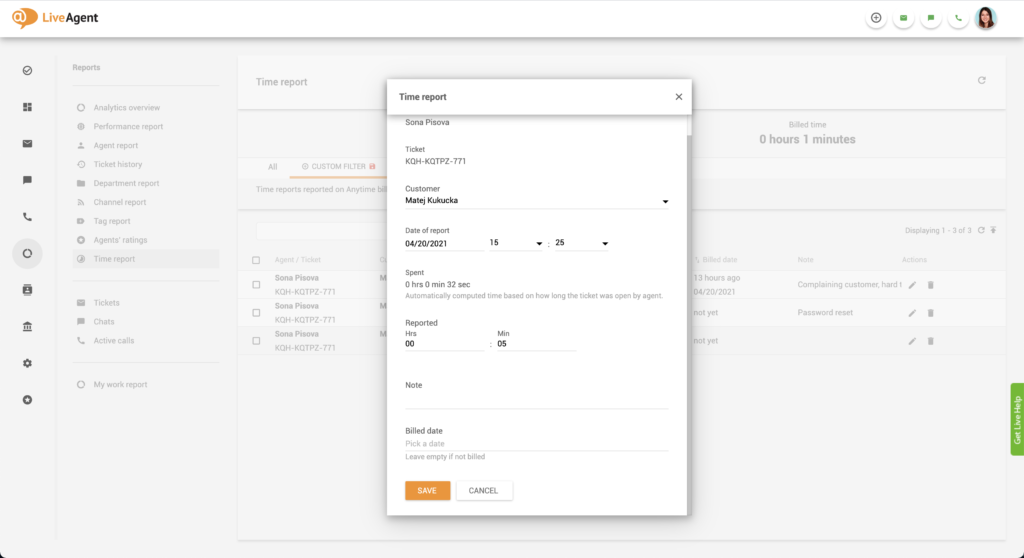
Time tracking is a great tool for improving agent productivity and efficiency. Collecting data this way can help you create actionable insights for improving support processes via automation rules or integrations. It can also help you identify agents that need more training. Improving agent efficiency and productivity is important because the more productive your employees are, the more time and money you save. Employee productivity also affects customer satisfaction and churn.
If your agents can turnover tickets at a relatively fast pace, your customers will be satisfied with your service (as nobody likes waiting for responses or problem resolution).
LiveAgent combines excellent live chat, ticketing and automation that allow us to provide exceptional support to our customers.Peter Komornik, CEO at Slido
Holding your employees accountable is important, and time tracking tools can help you with just that. If some agents take a ridiculous amount of time to answer easy questions/tickets you know you need to interview them about their performance. Alternatively, if you see that some of your agents respond to tickets too quickly, but have tons of negative ratings and feedback from customers, it can be an indication that they don’t focus on answering tickets thoroughly, and simply want to ‘get it over with’. As such, time tracking tools can give you insights into your employee’s performance.
Last but not least, time tracking tools can help you create a balanced workflow for your agents. As every agent has a different working pace, you can study their performance reports over time and adjust the number of incoming calls/chats they’ll be prioritized for receiving.
Some agents flourish in a fast-paced environment with a high ticket load while others get stressed and break down. It’s important to know your agent’s work styles and adjust accordingly.
If you want to learn more about time tracking and related topics, check out our knowledge base resources:

Track agent work time with ease. Sign up for our free 30-day trial and see just how easy it is. Start your 30-day free trial today. No credit card required.
Learn from time tracking insights starting today. Discover who needs more training, and who's excelling. Try it today. No credit card required.
LiveAgent's time tracking tool enhances team productivity by monitoring ticket resolution time and providing insights for workflow optimization. Integrated with...

LiveAgent's ticketing system brings together essential ticketing feature elements such as mass actions, audit logs, and integrated communication channels, which...

Discover the power of efficient ticket management with LiveAgent. Streamline customer support by converting issues into tickets, enhancing response times, and b...
Join our community of happy clients and provide excellent customer support with LiveAgent.

Cookie Consent
We use cookies to enhance your browsing experience and analyze our traffic. See our privacy policy.