



Live Chat Features
LiveAgent's live chat software enhances customer service with real-time communication, customizable chat buttons, proactive invitations, and integration with ex...
9 min read
Live Chat
Customer Support
+1

A live chat button on your website enables real-time customer support, boosting satisfaction and retention. Customize it with LiveAgent for better engagement. Start a free trial to enhance your customer service.

A live chat button is an icon placed somewhere on your website that allows customers to communicate with customer support in real time. It enables your agents to quickly and effectively resolve customer inquiries. The live chat button can increase a company's profit, customer satisfaction, customer retention, agent satisfaction, and many more.
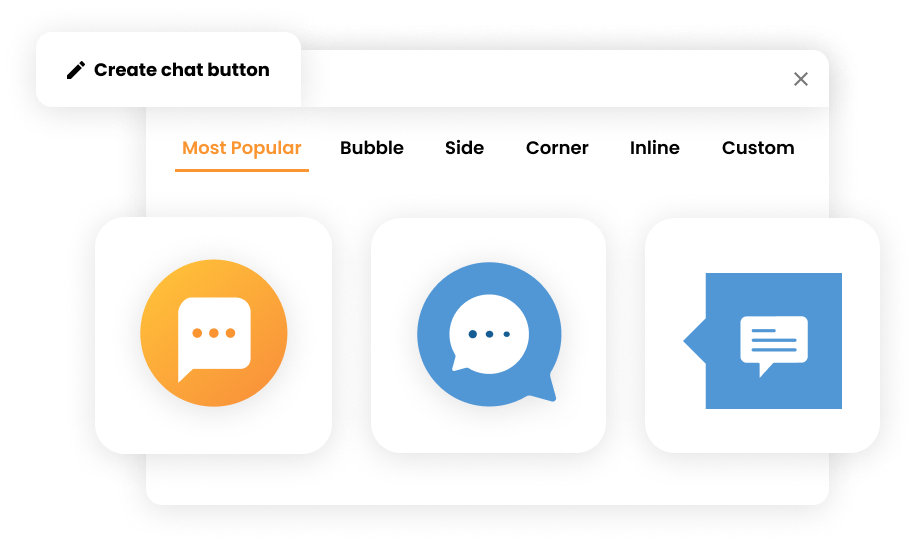
You can customize your chat button to better fit your page and overall branding. In LiveAgent, you can even set up a chat button animation to grip your website visitor’s attention right off the bat. Live chat for website users can make the most of it by customizing the chat button.
If you would like to learn about other features to improve your customer service, check out help desk software.
A chat button is an indispensable tool in the modern digital communication landscape, serving as a critical gateway for website visitors to engage in real-time conversations with a business. As an often customizable icon or feature embedded within a website, the chat button facilitates direct communication between users and customer support or service representatives. With businesses striving to enhance their online presence and offer superior customer service, understanding the nuances of chat button functionalities becomes crucial. This glossary will delve into the core aspects of chat buttons, exploring their features, implementation strategies, and the benefits they provide to both businesses and customers.
A chat button is an interactive feature strategically placed on a website that allows visitors to initiate live chat sessions with customer support or service representatives. This tool is integral to modern customer service strategies, enabling businesses to provide immediate assistance and foster more engaging interactions with their audience. By clicking on the chat button, users can quickly connect with a representative for real-time support, inquiry resolution, or guidance through purchasing decisions.
A well-designed chat button consists of several essential elements:
The chat button can be represented by an icon, such as a speech bubble, or a text label that explicitly states “Live Chat” or “Chat Now.” The design choice impacts user engagement, with clear labeling often preferred to avoid ambiguity.
Strategically positioned on a website, typically at the bottom right corner, the chat button is easily accessible to users. This placement aligns with natural reading patterns, ensuring users can find and use the chat feature without frustration.
Businesses can customize chat buttons to align with their branding and website design. Options include altering colors, shapes, and sizes to fit seamlessly within the site’s aesthetics, ensuring the chat button is a natural part of the user interface.
Beyond aesthetics, chat buttons are equipped with functionalities such as offline messaging, chat history tracking, and integration with various communication channels like WhatsApp, Facebook Messenger, and more.
The chat button is more than a mere communication tool; it is a critical component of customer experience strategy. Here’s why chat buttons hold significant value:
Real-Time Assistance: By enabling immediate communication, chat buttons allow businesses to resolve customer queries swiftly, reducing wait times and enhancing satisfaction. They provide uninterrupted 24/7 support, ensuring customers have access to assistance whenever needed.
Seamless Interaction: Integrating a chat button consolidates multiple communication channels into a single interface, providing a streamlined experience for website visitors. With mobile responsiveness, chat buttons cater to users on various devices, ensuring a consistent experience.
Increased Engagement: The availability of a chat button encourages interaction, helping transform casual visitors into engaged customers. Proactive engagement strategies, like automated chat invitations, can further increase user interaction.
Improved Customer Support: Chat buttons facilitate direct and efficient communication, allowing support teams to address issues in real-time, thus improving overall service quality. They also enable proactive customer assistance, identifying needs before they become issues.
Boosted Conversion Rates: By providing instant support during critical stages of the buying journey, chat buttons can help nudge visitors towards completing a purchase. Strategic placement of chat buttons can enhance conversion by guiding users through the decision-making process.
Data Collection and Insights: Conversations through chat buttons generate valuable data, offering insights into customer preferences and behavior, which can be leveraged to refine business strategies.
Increased Profit: The live chat button can increase a company’s profit, customer satisfaction, customer retention, and agent satisfaction. By enabling quick resolution of customer inquiries, businesses can see measurable improvements in their bottom line.
Effective implementation of a chat button requires careful planning and execution. Here’s how businesses can successfully integrate this tool:
Selecting a chat button platform that aligns with business needs is the first step. Options range from free basic versions to advanced paid solutions offering features like analytics and automation. Platforms like LiveAgent, LiveChat, or LiveChatoo provide comprehensive functionalities tailored for different business sizes and industries.
Code Integration: Adding a chat button to a website often involves embedding a code snippet provided by the chat software. This can be done manually or through platforms like Google Tag Manager for ease of use.
Plugin Utilization: For websites built on platforms like WordPress or Shopify, dedicated plugins can simplify the integration process, allowing for easy installation and management.
Customization options ensure the chat button fits the website’s design and meets business requirements. Configuration settings may include:

The latest tips and deals delivered straight to your inbox.
To maximize the effectiveness of a chat button, consider the following best practices:
Ensure the chat button is prominently placed and easily accessible across all pages of the website. This minimizes user effort in seeking assistance and enhances the likelihood of interaction.
Use clear and direct labels on the chat button, such as ‘Chat Now" or “Live Chat”, " to eliminate ambiguity and guide users towards initiating a conversation.
Adapt the chat button for seamless functionality across various devices and screen sizes, ensuring a consistent user experience on desktop and mobile platforms.
Implement proactive chat invitations triggered by user behavior, such as extended time on a page, to offer assistance without being intrusive. This can significantly increase engagement rates and customer satisfaction.
Evaluating the performance of a chat button involves analyzing key metrics to optimize its impact:
Conduct A/B tests with different chat button designs and placements to determine the most effective configuration for engaging users and achieving business objectives. Test variables such as:
The chat button is an indispensable tool for enhancing customer interaction and providing real-time support on websites. With careful implementation and strategic customization, businesses can leverage chat buttons to improve customer satisfaction, boost engagement, and drive conversions. By integrating best practices and continuously evaluating performance, businesses can ensure that their chat button remains an effective component of their customer service strategy.
This glossary has delved into the intricacies of chat buttons, highlighting their functional, practical, and strategic importance in contemporary business communication. Whether you’re just starting with live chat or looking to optimize your existing setup, understanding these fundamentals will help you make the most of this powerful customer service tool.
LiveAgent's live chat software enhances customer service with real-time communication, customizable chat buttons, proactive invitations, and integration with ex...
LiveAgent's Chat Button Gallery offers a variety of predefined live chat button styles for easy website integration. Customize your button for free and enhance ...
Enhance customer service with LiveAgent's customizable chat button. Direct inquiries, enable offline messages, and explore design options. Available in 43 langu...