
Best live chat software for small businesses: 10 tools tested
- Written by
- Andrej Harsani and Adam Khaled
- Updated
- Prices checked
- October 30–31, 2026


The best live chat software for most small businesses: tawk.to or Freshchat to start free, Zoho SalesIQ for the lowest regular price per agent, LiveAgent if chat, email, calls and social media must share one inbox, and Tidio for small online stores.
We make LiveAgent. Our team set up all ten tools the same way, ours included, and every tool gets the same facts from its vendor’s own pages and its real drawbacks; which tool fits which business is our opinion. How we tested
Our hands-on test, November 2–6, 2026
Minutes from sign-up to the first answered chat
Same test page, same question, one tester
 Crisp
4.1
 LiveAgent
4.1
 tawk.to
4.1
 Intercom
6.3
 LiveChat
6.8
AI: AI answered unaided
 Freshchat
8.3
 Zoho SalesIQ
9.2
 Tidio
10.1
AI: AI answered unaided
 Zendesk
10.6
 HubSpot
15.7
AI answered unaided
Full results
Our picks at a glance
Who each pick suits, and what it costs to start.
- tawk.to best free
Free chat with no seat limit stated; $29 a month removes its branding.
- Freshchat free for a team
Free for up to 10 agents; messaging apps from Growth.
- Zoho SalesIQ lowest regular price
Basic at $7 per operator a month on annual billing; HubSpot Starter matches it for new customers.
- LiveAgent one inbox, no AI fees
Chat and email in one inbox, phone and social media from Team; you pay only your own AI provider. We make it.
- Tidio small online stores
Priced by conversations, with a free plan; LiveChat if you sell through chat at volume.
- Intercom AI answers first
Fin AI Agent from $0.99 per outcome on top of the seat price.
Live chat software comparison: 10 tools side by side
What each tool is best for, which other channels reach the same inbox, its starting price, free plan or trial, and how it charges for AI.
How we compared. We read each vendor’s own pricing page from a US address on the dates under sources and saved it; each tool’s card below links the screenshot. Prices are what a new customer pays today, with the regular price where it differs. Then we set up every tool ourselves on a free plan or trial: how we tested. We did not buy paid plans, so we do not rate how good each tool’s AI is. The order of the tools is not a ranking. Where a page did not say something, the table says “Ask”.
In the entry plan Add-onOn a higher plan or for an extra fee Not offered
| Tool | Best for | Chat | Phone | Social | Help center | Starts at | Free plan / trial | How AI is charged | |||
|---|---|---|---|---|---|---|---|---|---|---|---|
| Crisp | Small teams that want a flat price for the whole team |
| Email In the entry plan | Chat In the entry plan | Phone Essentials | Social Essentials | Help center Essentials | Starts at $45 Mini, per workspace with 4 seats, monthly price; Essentials $95 with 10 seats | Free plan / trialFree for 2 seats · 14-day trial, no card | How AI is charged$5 of AI credits a month included | |
| Freshchat | Teams that want a free start and messaging apps later |
| Email In the entry plan | Chat In the entry plan | Phone Add-on | Social In the entry plan | Help center In the entry plan | Starts at $19 Growth | Free plan / trialFree for 10 agents · 14-day trial, no card | How AI is charged$49 per 100 AI sessions | |
| HubSpot | Businesses whose sales already work in HubSpot CRM |
| Email In the entry plan | Chat In the entry plan | Phone Starter | Social FB only | Help center Pro | Starts at $7 Starter, per seat, new customers; regular $20 | Free plan / trialFree for 2 users, no card | How AI is chargedHubSpot Credits, an allowance per plan | |
| Intercom | Software and app companies that want AI to answer first |
| Email In the entry plan | Chat In the entry plan | Phone Per use | Social Advanced | Help center In the entry plan | Starts at $19 Essential, per seat, new customers; regular $29 | Free plan / trialNo free plan · 14-day trial, no card | How AI is chargedFrom $0.99 per Fin outcome | |
| LiveAgent
We make this | Small teams that want chat, email, phone and social media in one inbox (phone and social from Team) |
| Email In the entry plan | Chat In the entry plan | Phone Team | Social Team | Help center In the entry plan | Starts at $11 Starter, up to 5 agents · Special offer until November 22, 2026, regular $15 | Free plan / trialNo free plan · 30-day trial, no card | How AI is chargedNo AI fees: you pay your own AI provider | |
| LiveChat | Online stores that sell through chat |
| Email In the entry plan | Chat In the entry plan | Phone Not offered | Social In the entry plan | Help center Ask | Starts at $19 Essential, per user | Free plan / trialNo free plan · 14-day trial, no card | How AI is charged10 AI resolutions included, then $49.50 per 50 | |
| tawk.to | Very tight budgets that can live with the vendor's branding |
| Email In the entry plan | Chat In the entry plan | Phone Not offered | Social In the entry plan | Help center In the entry plan | Starts at $0 Free; $29 a month removes the branding | Free plan / trialFree, no seat limit stated, no card | How AI is chargedAI Assist from $29 a month | |
| Tidio | Small online stores with a few chats a day |
| Email In the entry plan | Chat In the entry plan | Phone Not offered | Social In the entry plan | Help center Ask | Starts at $24.17 Starter, per workspace: 100 conversations, 10 seats | Free plan / trialFree: 50 conversations a month · 7-day trial, no card | How AI is chargedLyro: $32.50 a month for 50 AI conversations | |
| Zendesk | Growing teams that want many integrations and plan to customize |
| Email In the entry plan | Chat In the entry plan | Phone In the entry plan | Social In the entry plan | Help center In the entry plan | Starts at $55 Suite Team; Support Team ($19) has no live chat | Free plan / trialNo free plan · 14-day trial, no card | How AI is charged5 resolutions per agent included, then $1.50–$2 each | |
| Zoho SalesIQ | The lowest price per operator, and teams already on Zoho |
| Email Zoho Desk | Chat In the entry plan | Phone Enterprise | Social In the entry plan | Help center In the entry plan | Starts at $7 Basic, per operator | Free plan / trialFree for 3 operators · 15-day trial, no card | How AI is charged1 Zia AI agent included; your own AI key on paid plans |
Starting prices in US dollars per month on annual billing for a new customer, per agent unless the note says otherwise (Crisp shows monthly prices only), as each vendor’s page showed them on the day in sources. “Ask”: the vendor’s pricing page does not say. Prices change; check the vendor’s page before you buy.
- 6 of 10
have a free option: tawk.to, Freshchat, HubSpot, Zoho SalesIQ, Tidio and Crisp, each with a limit on seats, chats or branding.
- 4 ways to charge
Per agent, per workspace, per conversation, or free with paid add-ons. Compare what your team and traffic would pay, not the headline price.
- AI billed 6 ways
Per resolution, per outcome, per pack of conversations, as a flat monthly add-on, as credits, or not at all, when you connect your own AI provider and pay it directly.
How we tested: 10 live chat tools set up by hand
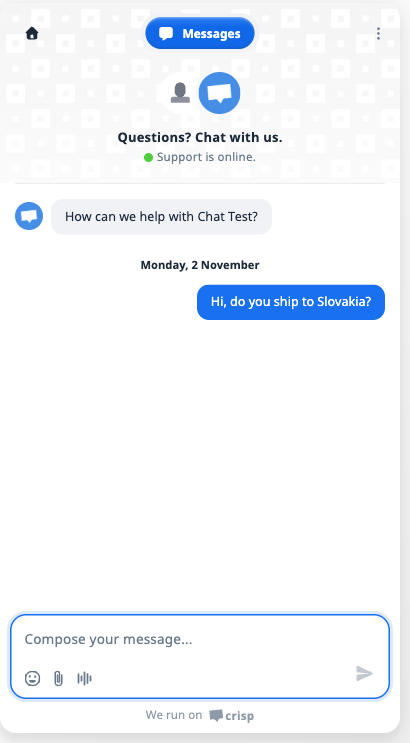
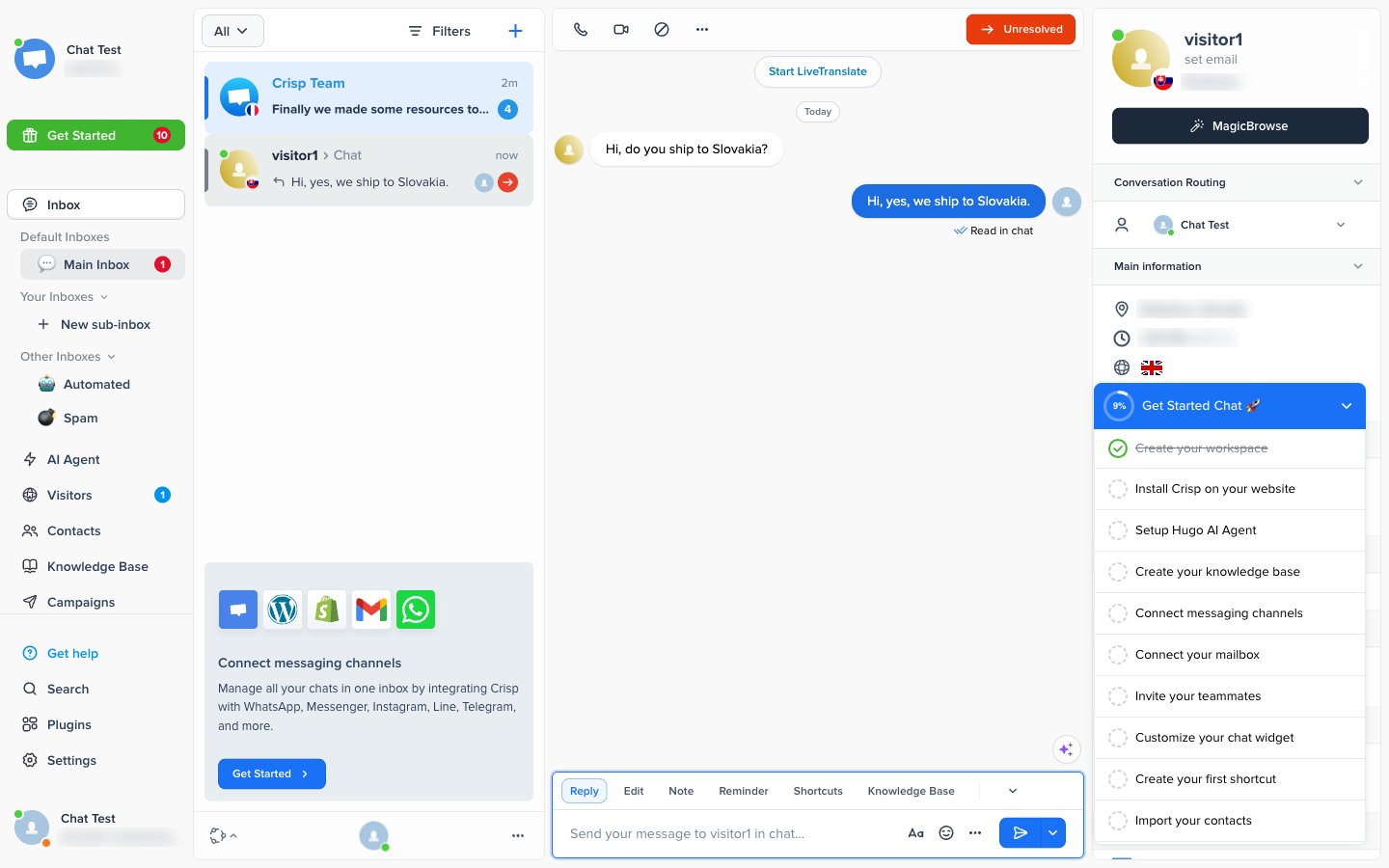
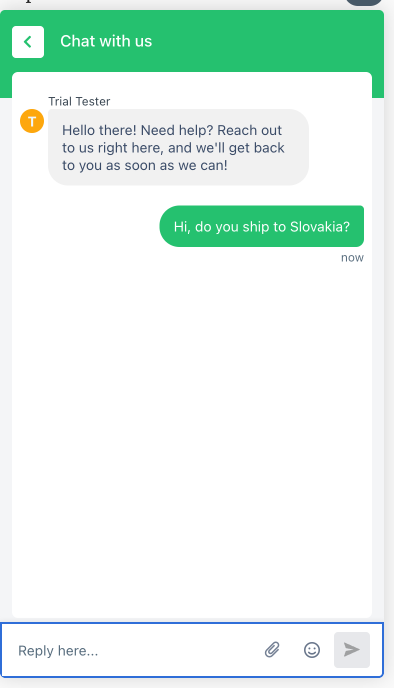
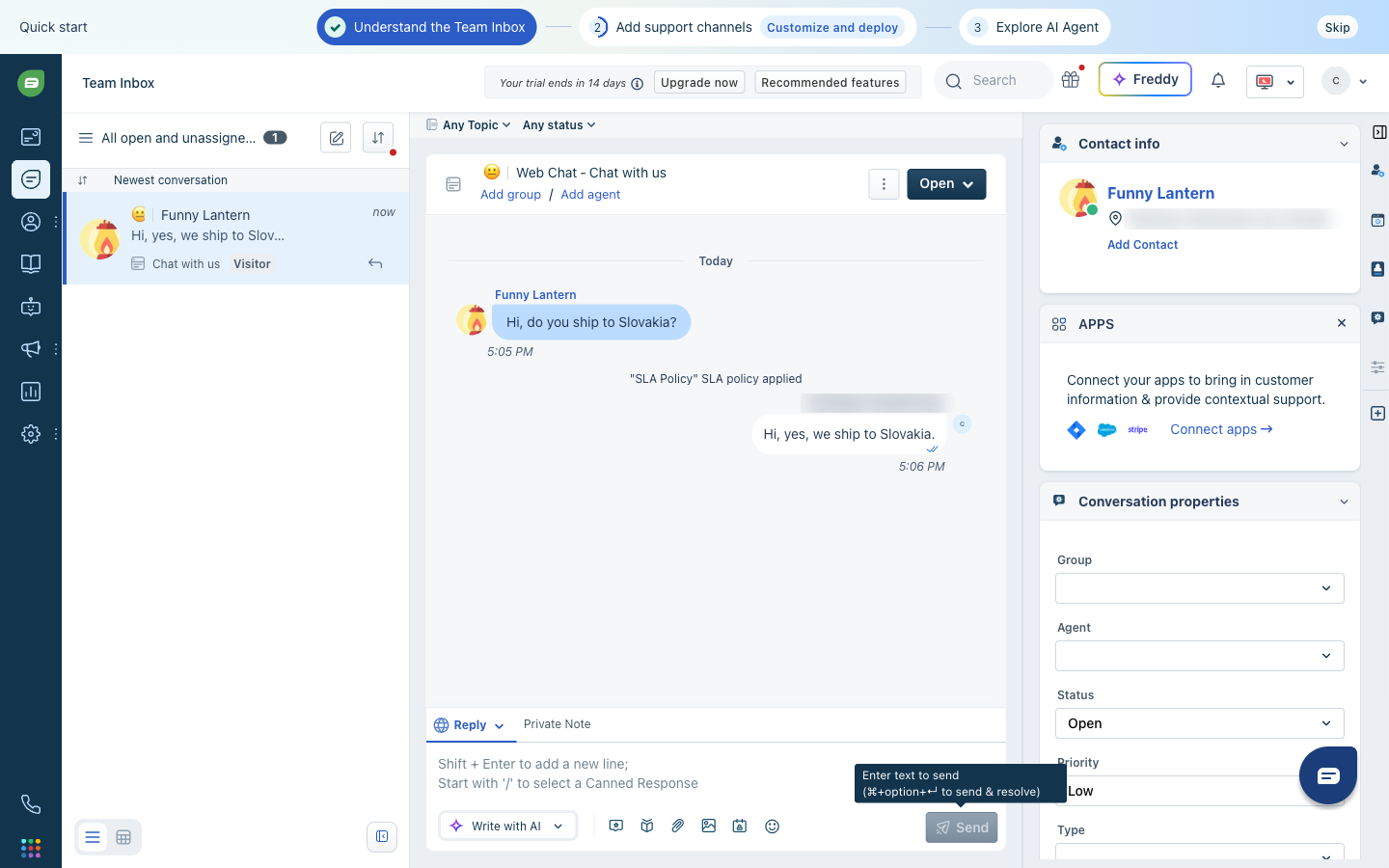
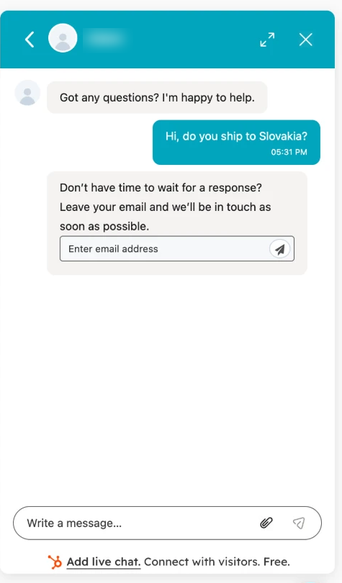
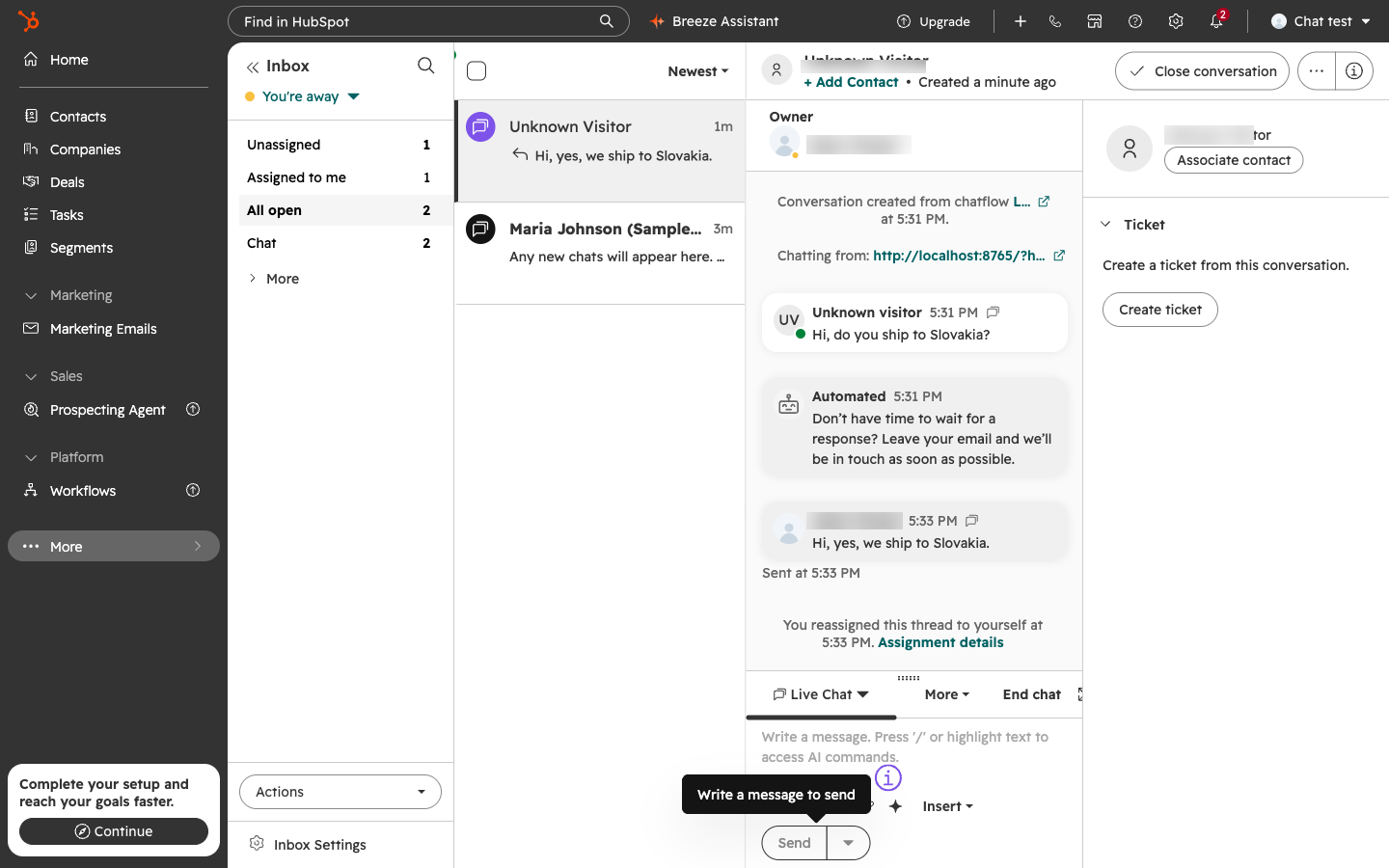
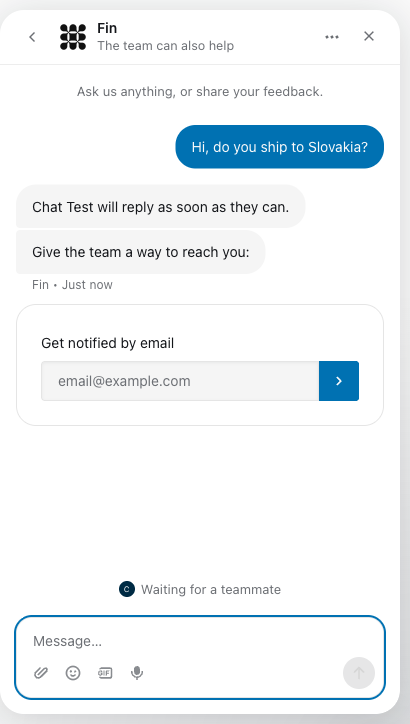
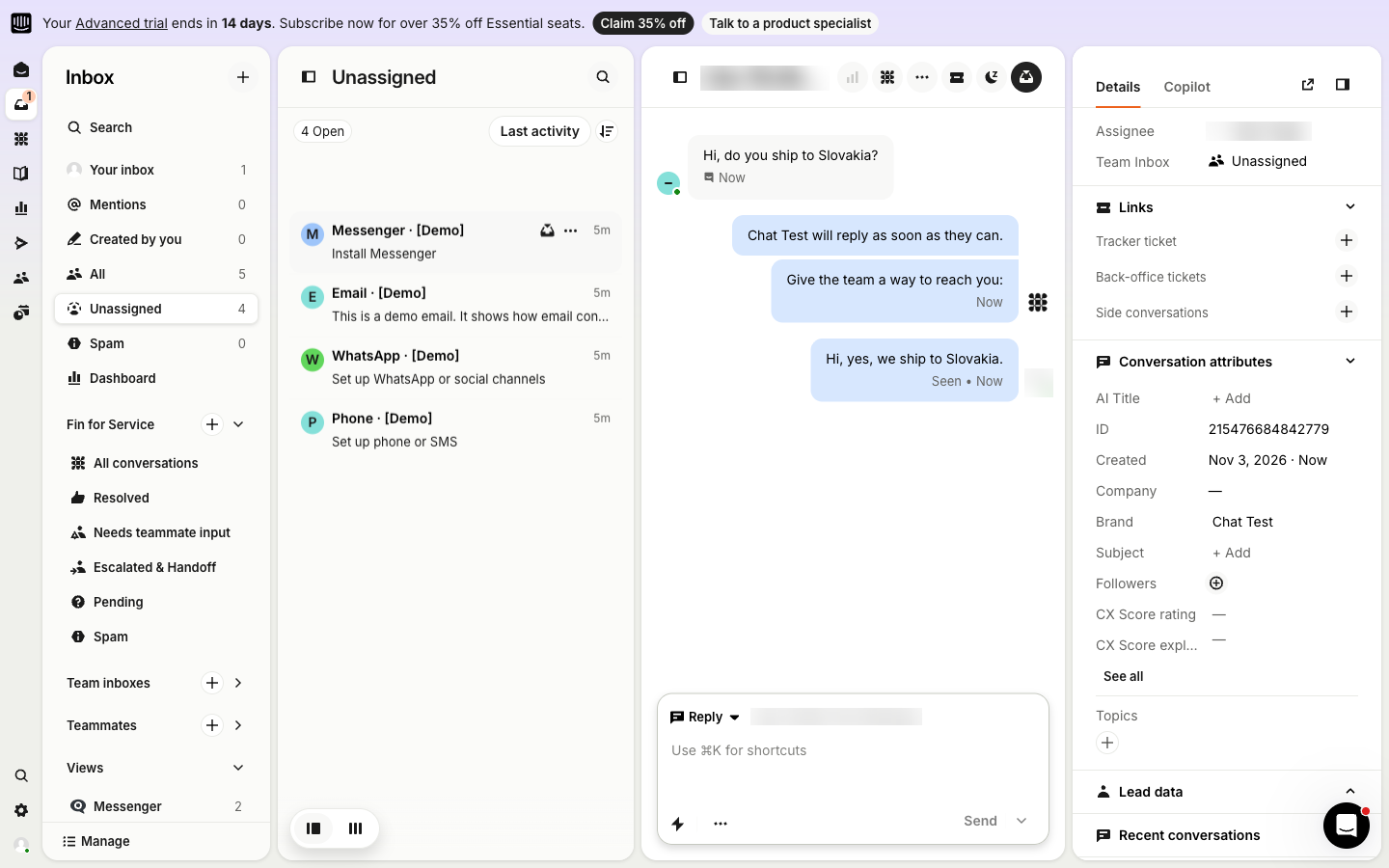
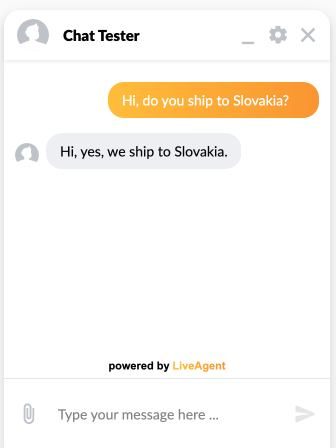
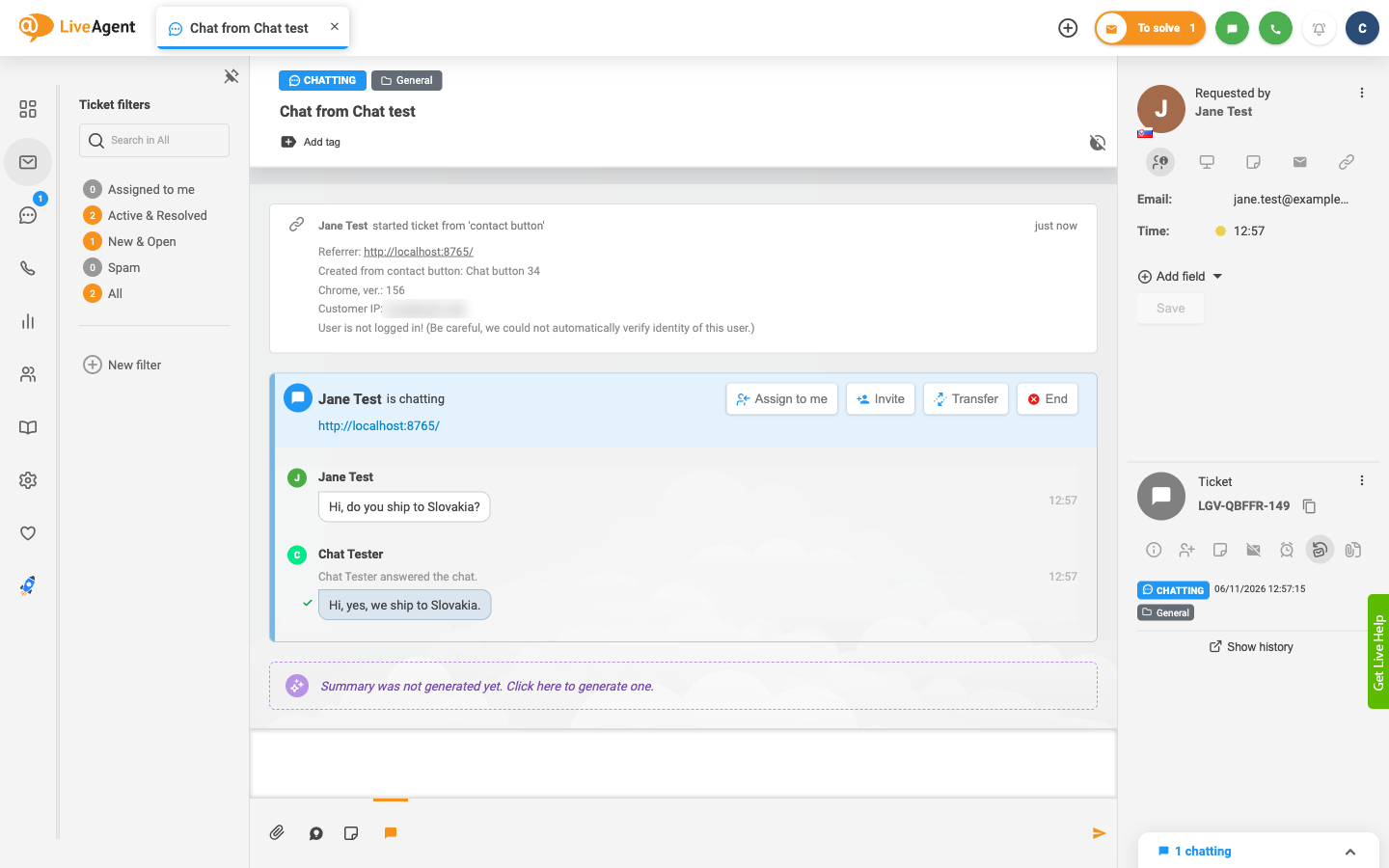
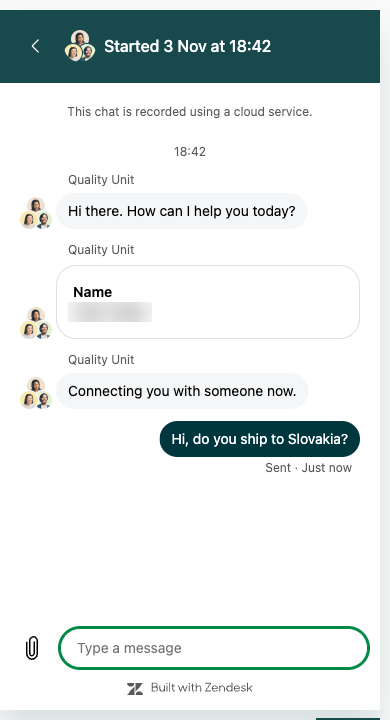
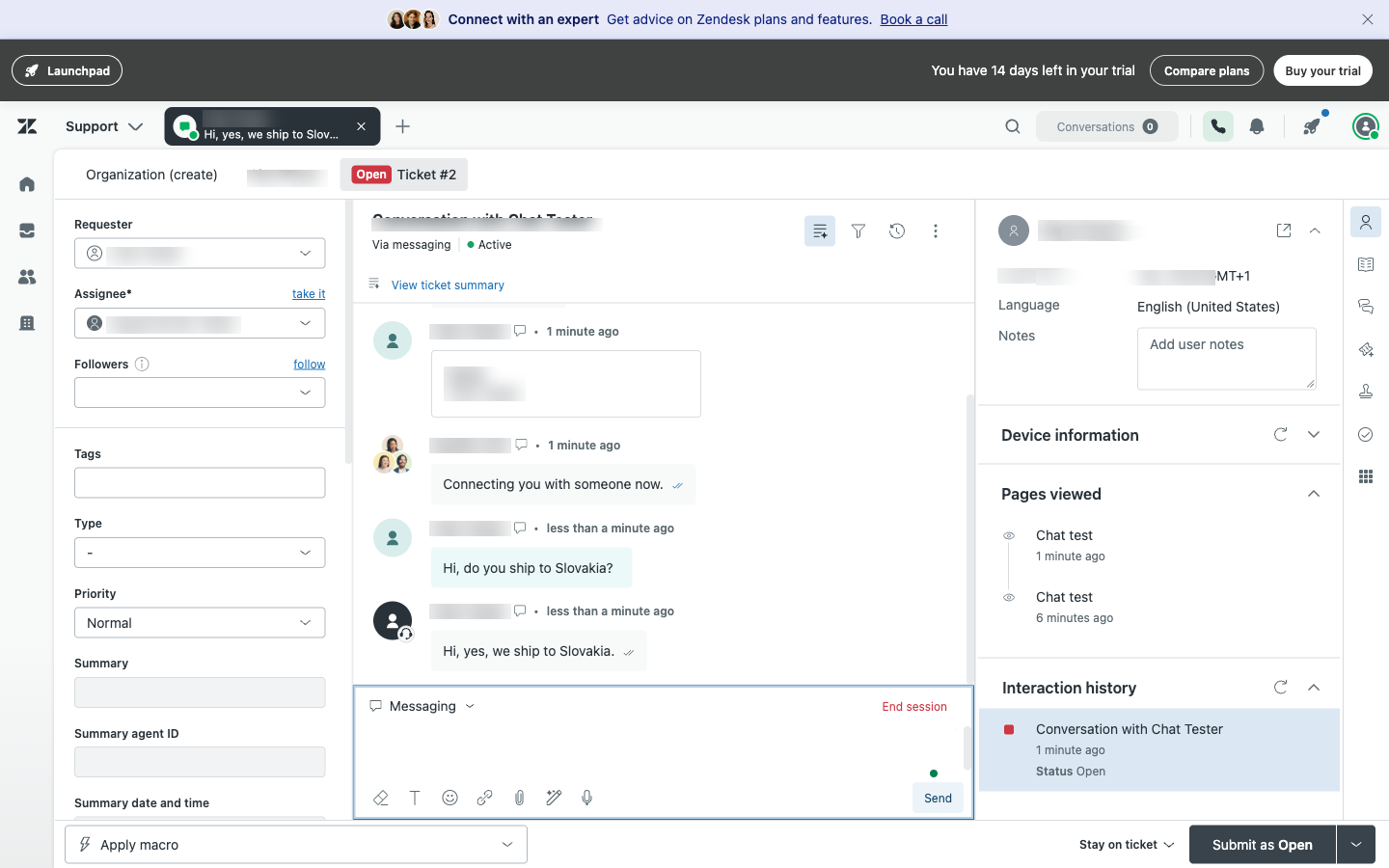
Adam Khaled from our team set up every tool himself on November 2–6, 2026: he signed up, added the chat window to a blank test page, asked “Hi, do you ship to Slovakia?” as a visitor and answered as the agent, with a stopwatch running from the first sign-up screen to that reply.
What we found. Crisp, tawk.to and LiveAgent were the quickest to a working chat, about 4.1 minutes each; Intercom and LiveChat about 6.3 and 6.8; Freshchat, Zoho SalesIQ, Tidio, Zendesk and HubSpot took about 8 to 16 minutes of work, mostly in sign-up checks and setup wizards. Only LiveChat and Tidio had an AI answer the test question with no setup. HubSpot, Zendesk and Zoho SalesIQ asked the visitor for a name or an email before an agent saw the chat. None asked for a payment card.
Tool and plan we testedMinutes to the first answered chatDid an AI answer?Branding in the chat window
14-day Essentials trial (sign-up does not start the free plan)
4.1min
No AI answer: The Hugo AI Agent needs setting up first; not tested
We run on Crisp
Details
No AI answer: The Hugo AI Agent needs setting up first; not tested
Branding in the chat window: We run on Crisp
LiveAgentWe make this
30-day trial
4.1min
No AI answer: No AI connected in this test (it needs your own AI provider)
powered by LiveAgent
Details
No AI answer: No AI connected in this test (it needs your own AI provider)
Branding in the chat window: powered by LiveAgent
Free plan
4.1min
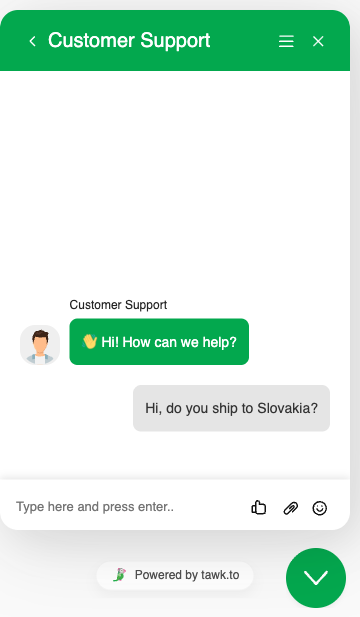
No AI answer: A fixed welcome message; the paid AI add-on not tested
Powered by tawk.to
Details
No AI answer: A fixed welcome message; the paid AI add-on not tested
Branding in the chat window: Powered by tawk.to
14-day Advanced trial
6.3min
No AI answer: Two automatic messages first; Fin not tested
None: the company name we entered
Details
No AI answer: Two automatic messages first; Fin not tested
Branding in the chat window: None: the company name we entered
14-day Growth trial
6.8min
AI answeredAI answered
On by default: answered in under a minute, saying it had no shipping info
Powered by text.com
Details
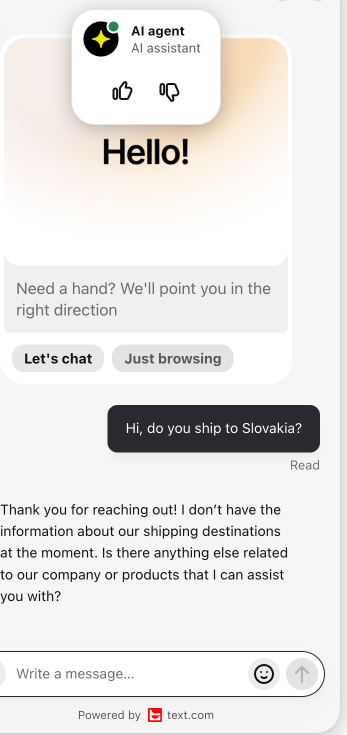
AI answered: On by default: answered in under a minute, saying it had no shipping info
Branding in the chat window: Powered by text.com
14-day trial
8.3min
38.3 min on the clock · minus a pause by our tester
No AI answer: No bot answered; Freddy AI not tested
Powered by Freshchat
Details
38.3 min on the clock · minus a pause by our tester
No AI answer: No bot answered; Freddy AI not tested
Branding in the chat window: Powered by Freshchat
15-day trial
9.2min
15.2 min on the clock · minus a step its setup wizard blocked
No AI answer: A bot form asked for name, email and phone first
Driven by Zoho SalesIQ
Details
15.2 min on the clock · minus a step its setup wizard blocked
No AI answer: A bot form asked for name, email and phone first
Branding in the chat window: Driven by Zoho SalesIQ
Free plan (starts with a 7-day full trial)
10.1min
AI answered16.1 min on the clock · minus the time our test browser hid its chat window
AI answered
Lyro at once, saying it had no shipping info
Powered by Lyro AI Agent
Details
16.1 min on the clock · minus the time our test browser hid its chat window
AI answered: Lyro at once, saying it had no shipping info
Branding in the chat window: Powered by Lyro AI Agent
14-day Suite trial
10.6min
No AI answer: The chat went to an agent as a ticket
Built with Zendesk
Details
No AI answer: The chat went to an agent as a ticket
Branding in the chat window: Built with Zendesk
Free CRM with live chat
15.7min
No AI answer: An automated message asked for an email first
HubSpot logo,
Add live chat … Free.
Details
No AI answer: An automated message asked for an email first
Branding in the chat window: HubSpot logo, Add live chat … Free.
How to read the results
- No card, one snippet. None asked for a payment card, and all ten went in with one code snippet pasted into the page; tawk.to, LiveChat and HubSpot also offer a WordPress plugin.
- What the minutes include. Waiting for sign-up emails and codes counts, because that is part of signing up. We took out only time that was not the product’s doing: a pause by our tester, a chat window our test browser kept hidden, and a step a setup wizard blocked. Where he gave a range, we took out the lower number of minutes.
- How exact they are. One person set up each tool, in a desktop browser at 1440 pixels, with times to the nearest tenth of a minute (6 seconds): the three at 4.1 finished within seconds of each other, and a minute or two either way means little. The notes on each tool’s card say what slowed him down.
- What we did not judge. How good each AI is. Every trial was cancelled or left to end on its own, and the screenshots of each chat window and agent’s view are on the cards.
- Before you choose, run your two favourites on your own site for a week: your real chats show how many need a person.
Ratings on G2 and Capterra
How each tool's users rate it on the two largest software review sites, on October 31, 2026 (LiveAgent's on October 27). Ratings say how happy existing customers are, not which tool fits you; the review count says how much the rating rests on.
Stars filled to the rating, out of 5 Reviews: 100 · 1,000 · 10,000
| Tool | G2 | Capterra |
|---|---|---|
| Crisp | 4.5 out of 5, | 4.6 out of 5, |
| Freshchat | 4.4 out of 5, | 4.2 out of 5, |
| HubSpot Service Hub | 4.4 out of 5, | 4.4 out of 5, |
| Intercom | Not listed | |
| LiveAgent We make this | 4.5 out of 5, | 4.7 out of 5, |
| LiveChat | 4.5 out of 5, | 4.6 out of 5, |
| tawk.to | 4.5 out of 5, | 4.6 out of 5, |
| Tidio | 4.6 out of 5, | 4.7 out of 5, |
| Zendesk | 4.3 out of 5, | 4.4 out of 5, |
| Zoho SalesIQ | 4.4 out of 5, | 4.4 out of 5, |
How to choose live chat software
Most tools cover the basics of a chat window, saved replies and an agent app, so the features list decides less than you expect. These six questions decide more, and legal will add a seventh: where chat data is stored and whether the vendor signs a DPA; ask every vendor on your shortlist for both. For the day-to-day, see our live chat best practices.
- How does it charge?
Per agent grows with your team, per conversation with your traffic, and a workspace fee is flat until you need more seats. Work out what your team and last month's chats would cost on each.
- What does the free plan cap?
Look for limits on conversations, seats or history, and for the vendor's branding in your chat window, before you build your routine on a free plan.
- Where do your other messages go?
If customers also email, call, or write on WhatsApp, Facebook or Instagram, a help desk with chat built in keeps every conversation with the same customer in one place. Chat-only tools are simpler.
- Can you set it up without a developer?
You want a widget you paste into your site or install as a plugin, a style that matches your brand, an agent view your team learns in an afternoon, and the integrations you already use. In our test, all ten went in with one code snippet.
- Do customers write in other languages? AI
Check whether the widget speaks their language and whether chats can be translated, so one team answers every market: which tools translate chats, and at what cost.
- How is AI billed? AI
Treat AI as a way to answer simple questions, not the reason to pick a tool, and price it: per answer, per pack of conversations, as credits, or with your own AI provider.
What live chat costs a team of three, with AI
Seat prices are only half the bill once an AI answers your chats. Each tool's plan with live chat for 3 agents, per month on annual billing at the price a new customer pays today, plus 300 chats answered by AI, before taxes.
3 agents and 300 chats answered by AI, per month
Seats from each vendor’s pricing page (Crisp monthly). AI for 300 chats answered by AI where the vendor prices it per resolution, session, pack or flat add-on. For LiveAgent we count 300 AI chats at the average cost of an AI chat in LiveAgent’s own support in October 2026, paid to your own AI provider (measured, see sources). Where AI is priced per resolution (Intercom, Zendesk, LiveChat), the bar counts half of the 300 chats as resolved, as AI that answers does not resolve every chat, and the note gives the cost if all 300 are. Rows marked “AI not priced” show seats only.
Seats AI for 300 chats
- Zoho SalesIQ Basic $21
3 × $7 per operator. AI not priced: 1 Zia AI agent included, your own AI key on paid plans.
- HubSpot Starter $21
3 × $7 for new customers (regular $20). AI not priced: HubSpot’s AI customer agent starts on Professional.
- tawk.to $0 + from $29, volume not stated = about $29
Free chat; AI Assist from $29 a month (volume not stated); $29 more without the branding.
- Crisp Mini $45
One workspace with 4 seats. AI not priced per chat: $5 of AI credits a month included; the page does not say how many chats they cover.
- LiveAgent Starter We make this $33 + about $81 to your AI provider ($33 at the median chat) = about $114
3 × $11 on the Special offer until November 22, 2026; regular $45. No AI fees from LiveAgent; phone and social media need Team, $87 a month for 3 agents, the plan to compare with Zendesk Suite Team. AI at the average cost of a chat in LiveAgent’s own support in October 2026.
- Tidio Starter $24.17 + $175 = $199.17
One workspace, 100 conversations with a person; Lyro $175 a month for 300 AI conversations (Tidio’s pricing calculator), counted separately.
- Freshchat Growth $57 + $147 = $204
3 × $19; Freddy AI $49 per 100 sessions after the 500 free once per account.
- LiveChat Essential $57 + $148.50 if half are resolved ($297 if all 300 are) = about $206
3 × $19; 10 AI resolutions included, then 3 packs of 50 at $49.50 for 150 resolutions (6 for all 300).
- Intercom Essential $57 + $148.50 if half are resolved ($297 if all 300 are) = about $206
3 × $19 for new customers (regular $29); Fin $0.99 per outcome.
- Zendesk Suite Team $165 + $202.50 if half are resolved ($427.50 if all 300 are) = about $368
3 × $55; 5 resolutions per agent included, then 135 × $1.50 on a commitment, 285 if all 300 are resolved ($2 pay as you go).
Read the small print
The cheapest option is not always the lowest-cost one
- Tidio's 100 conversations last a quiet shop a month and a busy one a week.
- Crisp Mini stops at 4 seats; the fifth person means Essentials.
- Intercom's new-customer price lasts while you stay subscribed; HubSpot's page does not say how long its new-customer price lasts, so ask.
- An AI that bills per answer grows with every question your customers ask, and phone and social media usually sit on a higher plan.
The 10 best live chat tools for small businesses, one by one
One card per tool: what our test found, who it suits, where its prices start, how AI is billed, and the catch. Under each name: the chat window on our test page and the agent's view of the same chat. Each card links the vendor's pricing page as we saw it on October 31, 2026, from a US address.
- Crisp
Best for small teams that want a flat price for the whole team
- 4.1 min to the first chat
- No AI answer
- From $45 a workspace
- Free plan

Chat window The agent's view - Our test
- Crisp took 4.1 minutes from sign-up to the first answered chat, the joint fastest; sign-up is three steps with no email check, and it starts the 14-day Essentials trial, not the free plan. The Hugo AI Agent needs setting up first, so we did not test it.
- Starts at
- Free for 2 seats (chat widget and shared inbox, no AI credits). Mini $45 a month per workspace with 4 seats adds a shared email inbox; Essentials $95 with 10 seats adds the omnichannel inbox, a knowledge base and workflows. No limit on conversations.
- AI
- AI credits included each month: $5 on Mini, $25 on Essentials.
More facts
Watch out for: The page shows monthly prices only; yearly billing is switched on in the app after you subscribe. A fifth person on Mini means moving to Essentials, and phone calls on Essentials run through your own Aircall account.
- Freshchat
Best for teams that want a free start and messaging apps later
- 8.3 min to the first chat
- No AI answer
- From $19 per agent
- Free plan
Chat window The agent's view - Our test
- Freshchat took about 8.3 minutes of work (38.3 on the clock, with a pause by our tester). The password may not contain your name or email. No bot answered, and the test chat landed under “All open and unassigned”, next to sample conversations.
- Starts at
- Free for up to 10 agents (chat widget, shared inbox, email). Growth $19 per agent ($23 monthly) adds social media messengers, text messaging and reports; Pro $49 adds routing and SLA policies.
- AI
- Freddy AI Agent: 500 free sessions once per account, then $49 per 100 sessions; the agent assistant is $29 per agent a month on Pro.
More facts
Watch out for: Freshchat is Freshworks’ chat product; Freshdesk, its help desk, is sold separately.
- HubSpot
Best for businesses whose sales already work in HubSpot CRM
- 15.7 min to the first chat
- No AI answer
- From $7 per seat
- Free plan
Chat window The agent's view - Our test
- HubSpot took 15.7 minutes, with the wait for the sign-up email code and an installation check that failed on our local test page. An automated message asked the visitor for an email before an agent saw the chat.
- Starts at
- Free live chat and a chatbot builder in the free CRM, for 2 users, no card. Starter, the Starter Customer Platform with marketing, sales and service tools, is $7 a seat on annual billing or $10 monthly for new customers (regular $20) and removes HubSpot’s branding from the chat.
- AI
- HubSpot Credits, an allowance per plan; the AI customer agent from Professional.
More facts
Watch out for: Chat is part of HubSpot’s CRM; it makes most sense if your sales and marketing work there too.
- Intercom
Best for software and app companies that want AI to answer first
- 6.3 min to the first chat
- No AI answer
- From $19 per seat
- 14-day trial
Chat window The agent's view - Our test
- Intercom took 6.3 minutes, with a 3-minute wait for the email code. The install wizard starts on NPM; Basic JavaScript is the one for a plain page. Two automatic messages went first and no AI answered; we did not test Fin. No Intercom branding in the chat window.
- Starts at
- Essential $29 per seat ($39 monthly), with Messenger live chat and a shared inbox. New customers pay $19 on annual billing for as long as they stay subscribed.
- AI
- Fin AI Agent from $0.99 per outcome, a resolved conversation or a completed handoff.
More facts
Watch out for: The AI bill grows with every conversation Fin handles, so price it at your volume. WhatsApp is billed per message; Facebook Messenger and Instagram need Advanced.
- LiveChat
Best for online stores that sell through chat
- 6.8 min to the first chat
- AI answered
- From $19 per user
- 14-day trial
Chat window The agent's view - Our test
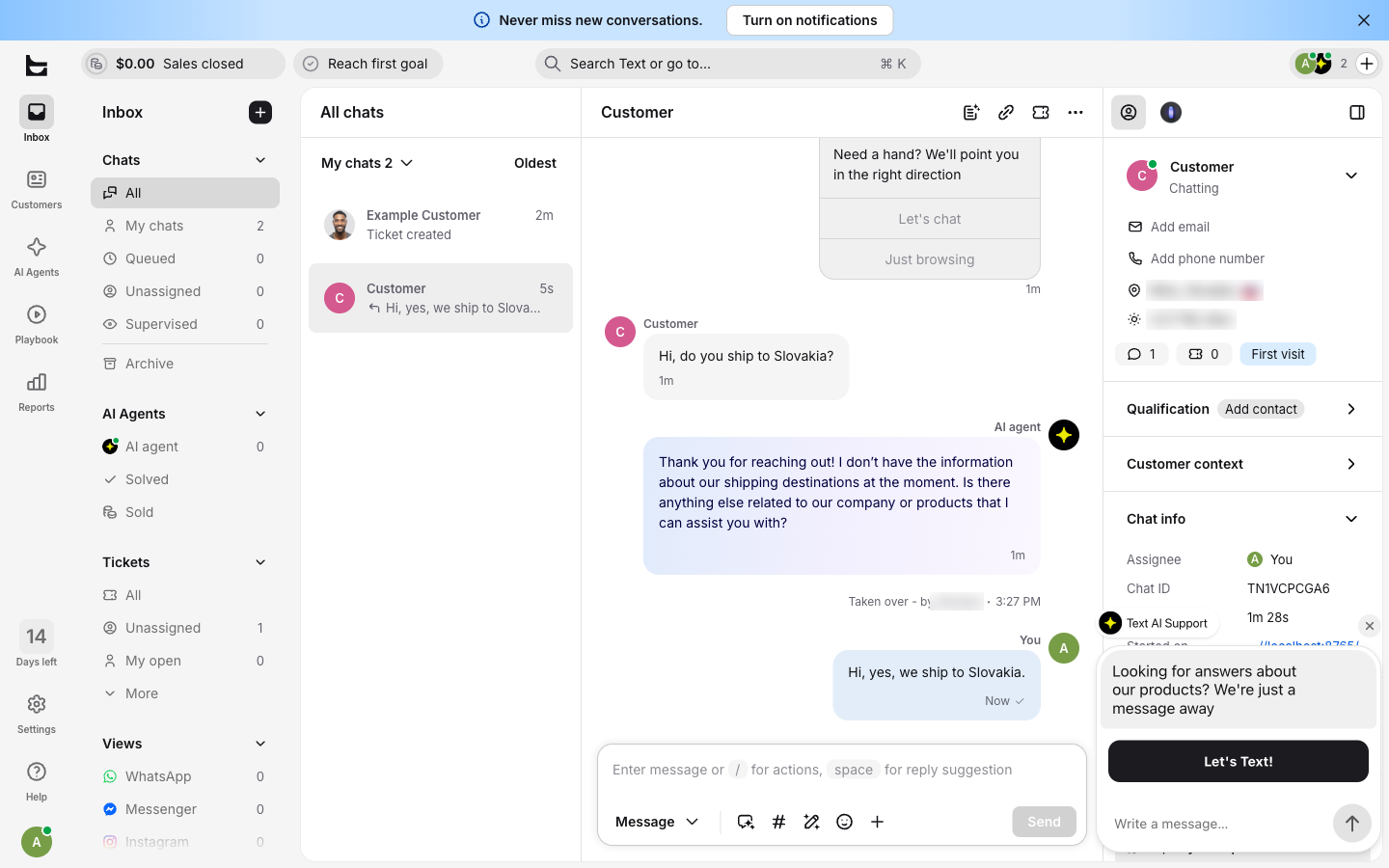
- LiveChat took 6.8 minutes. The AI agent was on with no setup and answered within a minute (it had no shipping info); a person clicks “Take over” to join. There is no self-service cancel: the trial ends by itself.
- Starts at
- Essential $19 per user ($25 monthly): website chat, WhatsApp, Messenger, SMS and email in one inbox, ticketing and selling through Shopify. Growth $79.
- AI
- 10 AI resolutions a month on Essential, then $49.50 per 50.
More facts
Watch out for: The pricing page now calls the product “Text”; existing LiveChat customers have their own pricing page.
- tawk.to
Best for very tight budgets that can live with the vendor's branding
- 4.1 min to the first chat
- No AI answer
- Free plan, no seat limit stated
Chat window The agent's view - Our test
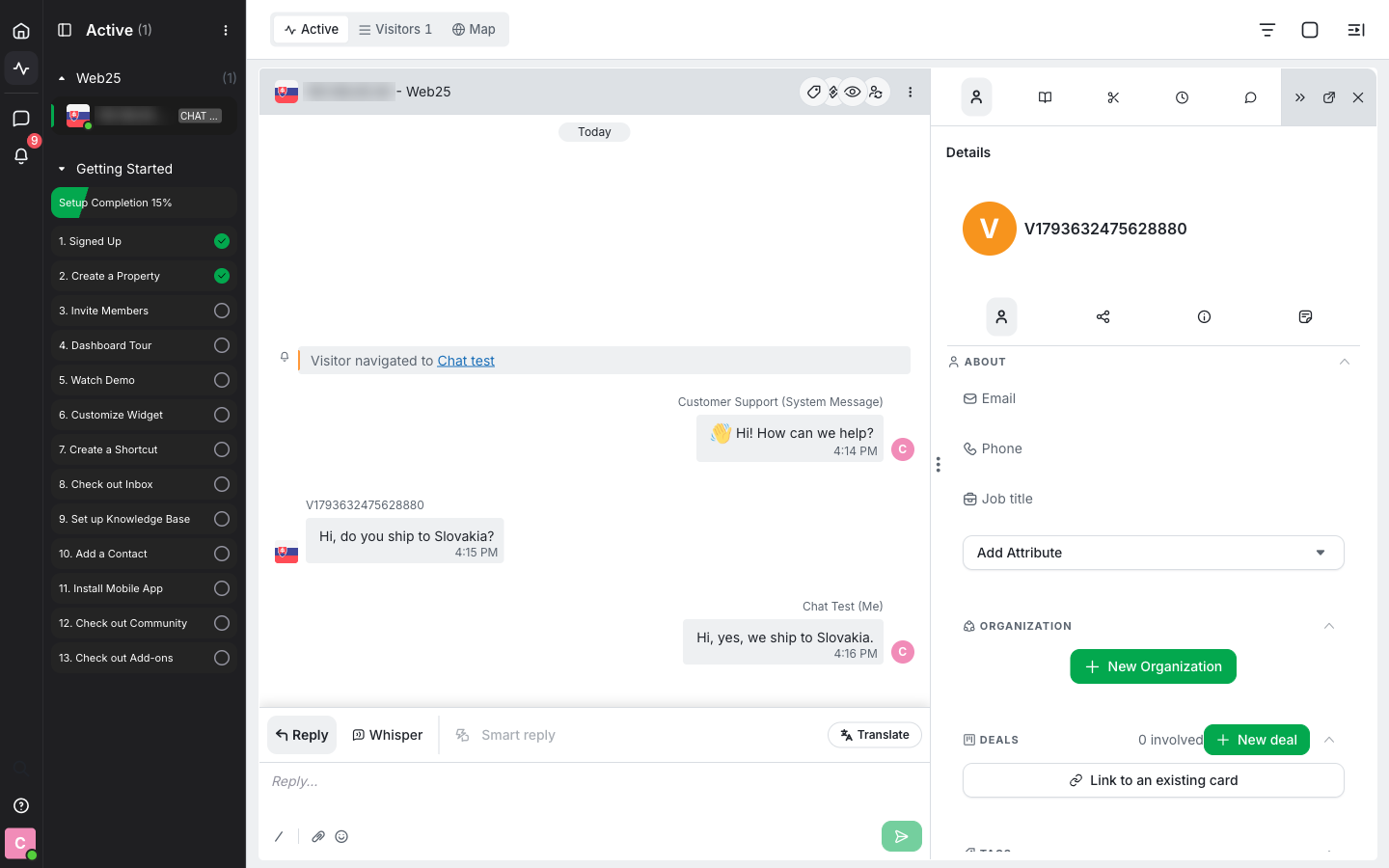
- tawk.to took 4.1 minutes, the joint fastest; the code snippet comes at the end of the setup wizard, with plugins for WordPress, Shopify and more. No AI answered: the free plan shows a fixed welcome message. The agent clicks “Join Chat” before replying.
- Starts at
- Free live chat. $29 a month removes “Powered by tawk.to”; tawk.to’s own agents answer chats for you from $1 an hour.
- AI
- AI Assist answers from your knowledge base from $29 a month, with a free plan for low chat volume.
More facts
Watch out for: No pricing table: the prices are explained on its “Why free” page, so ask what each add-on includes.
We make thisLiveAgentBest for small teams that want chat, email, phone and social media in one inbox
- 4.1 min to the first chat
- No AI answer
- From $11 per agent
- 30-day trial
Chat window The agent's view - Our test
- LiveAgent took 4.1 minutes, among the quickest: the account was ready in 2 minutes and the chat code (Configuration > Chat > Chat Buttons > Integration) was on the page in under a minute. We did not connect an AI provider in this test.
- Starts at
- Starter $11, Team $22 and Business $38 per agent a month on annual billing (Starter $15 monthly) with the Special offer until November 22, 2026 (regular $15, $29 and $49 on annual billing). Starter (up to 5 agents) has live chat with an AI chatbot, email, a help center and contact forms; Team adds phone, Facebook, Instagram, WhatsApp and proactive chat invitations.
- AI
- No AI fees: you connect OpenAI, Anthropic or FlowHunt and pay that provider at its list prices. From our own support, not this test: in October 2026 its AI chatbot answered 1,199 chats first, at a median of $0.11 a chat paid to the AI provider (how we measured).
More facts
Watch out for: Not a fit if you want a free plan or chat only. AI is a second bill, from your AI provider; Starter includes 1 AI agent, and phone, social media and proactive invitations start on Team; LiveAgent’s branding stays in the chat window on Starter and Team and can be removed from Business.
- Zendesk
Best for growing teams that want many integrations and plan to customize
- 10.6 min to the first chat
- No AI answer
- From $55 per agent
- 14-day trial
Chat window The agent's view - Our test
- Zendesk took 10.6 minutes, with the wait for the verification email. A pre-chat Name form blocked the first message we typed, the chat arrived under Tickets, and the agent had to be set to Online first. No AI answered.
- Starts at
- Live chat starts with Suite Team at $55 per agent ($69 monthly), with email, telephony and AI agents. Support Team ($19) has email and tickets only.
- AI
- 5 automated resolutions per agent a month included, then $1.50 each on a commitment or $2 pay as you go.
More facts
Watch out for: The lowest Zendesk price you see is a plan without chat. More in Zendesk pricing explained. Leaving Zendesk? 8 Zendesk alternatives compared and what moves to LiveAgent.
- Tidio
Best for small online stores with a few chats a day
- 10.1 min to the first chat
- AI answered
- From $24.17 a workspace
- Free plan
Chat window The agent's view - Our test
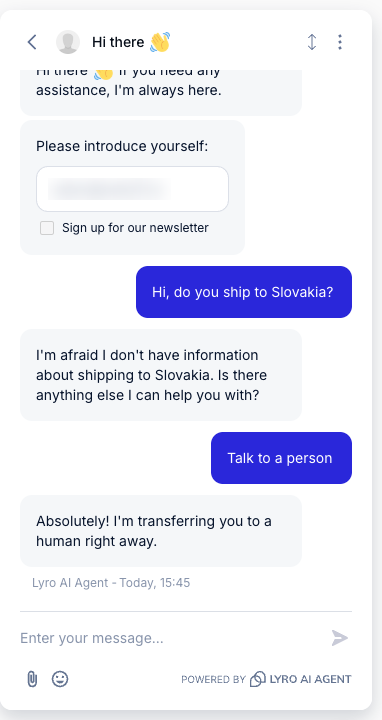
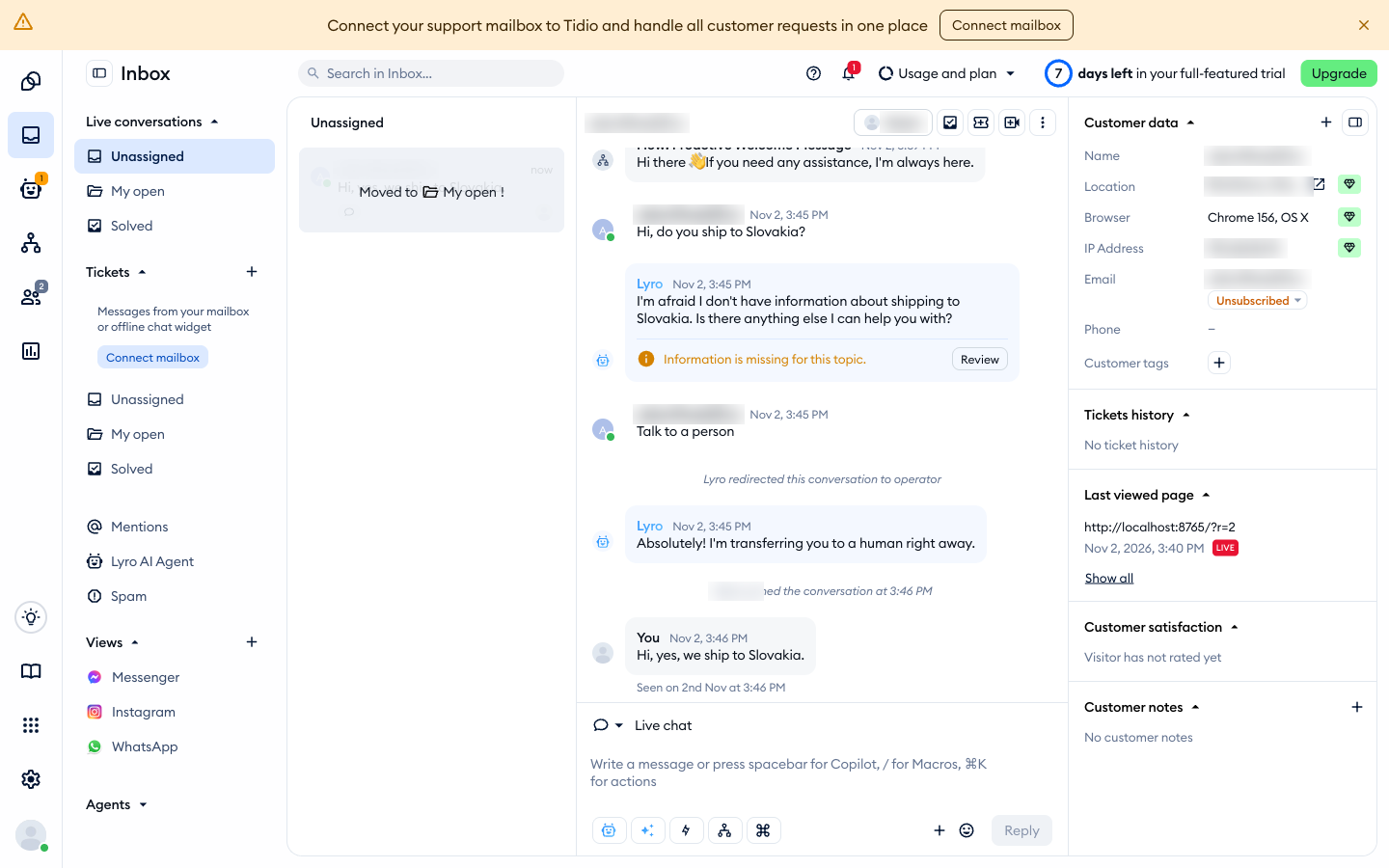
- Tidio took 16.1 minutes (10.1 without 6 lost to our test browser), after a 9-step setup questionnaire. Lyro AI answered first (it had no shipping info); the visitor clicks “Talk to a person” to reach a human, and the chat window asks for an email first.
- Starts at
- Free: 50 conversations a month. Starter $24.17 a month per workspace ($29 monthly) for 100 conversations and 10 seats; every chat, ticket, email or social message counts.
- AI
- Lyro AI Agent: $32.50 a month for 50 AI conversations ($39 monthly).
More facts
Watch out for: Conversations are the meter: a busy month moves you to a higher tier.
- Zoho SalesIQ
Best for the lowest price per operator, and teams already on Zoho
- 9.2 min to the first chat
- No AI answer
- From $7 per operator
- Free plan
Chat window The agent's view - Our test
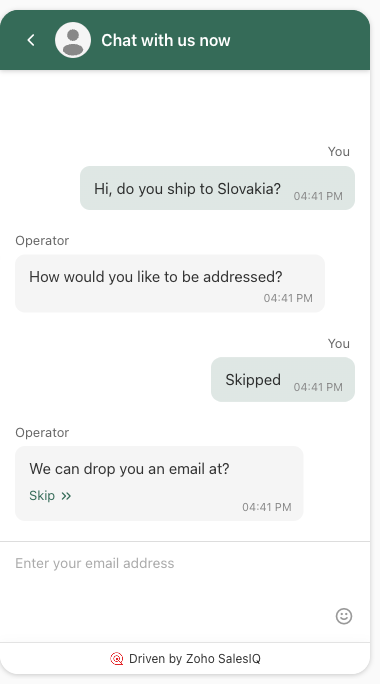
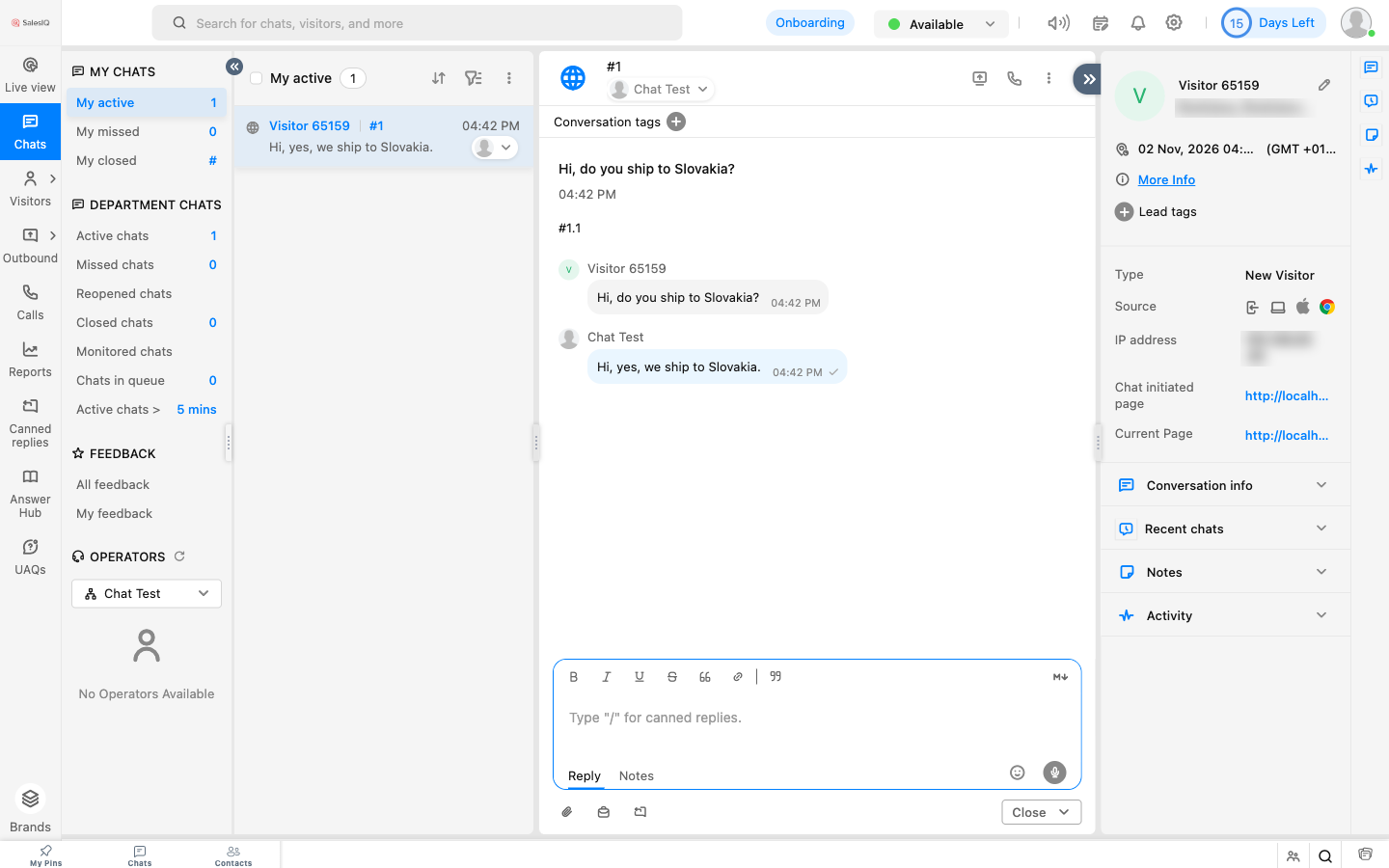
- Zoho SalesIQ took 15.2 minutes (9.2 without 6 lost when the setup wizard blocked the “Add live chat” step). Sign-up asks for a mobile number. A bot form asked the visitor for name, email and phone, each skippable, before an agent saw the chat.
- Starts at
- Free for 3 operators and 100 chat sessions. Basic $7 per operator ($10 monthly), Professional $12.75, Enterprise $20.
- AI
- Basic includes 1 Zia AI agent (Professional 3, Enterprise 10), and paid plans can use your own AI key; the pricing pages give no per-use AI price.
More facts
Watch out for: SalesIQ is a chat and visitor-tracking tool; for email tickets you add Zoho Desk, and phone integration starts on Enterprise.
Where LiveAgent fits
LiveAgent is ours, so read its card above like the other nine. It fits a team whose customers also email, call and write on social media: all of it lands in one inbox, and the AI runs on your own AI provider with no AI fee from us. How its chat works is on live chat software, what its AI does and costs on AI customer service, its plans on the pricing page, and where it stores chat data and its DPA on GDPR and data processing. Moving from Zendesk? See what moves to LiveAgent from Zendesk and 8 Zendesk alternatives compared. From Intercom or LiveChat, we move your tickets and contacts for free on a paid plan.
About the authors: Andrej Harsani is a co-founder of Quality Unit, the company behind LiveAgent, in business since 2004. Adam Khaled, Organic Growth Strategist at LiveAgent, set up and timed all ten tools for this comparison.
Free live chat software: 6 free plans and their limits
For a shop or service business with a few chats a week, a free plan is often enough, and it is the cheapest way to learn your real chat volume before you pay for seats.
| Tool | Free plan | Limit | AI on the free plan |
|---|---|---|---|
| tawk.to | Live chat | No seat limit stated; “Powered by tawk.to” until you pay $29 a month | AI Assist has a free plan for low chat volume |
| Freshchat | Chat widget, shared inbox, email | 10 agents; Freshworks branding until a paid plan | Freddy AI Agent from Growth, 500 sessions free once |
| HubSpot | Live chat and chatbot builder in the free CRM | 2 users; HubSpot branding until Starter | No AI credits on Free; rule-based bots only |
| Zoho SalesIQ | Live chat and visitor insights | 3 operators, 100 chat sessions | Ask |
| Tidio | Live chat and tickets | 50 conversations a month; Tidio branding | 50 Lyro AI conversations, once |
| Crisp | Chat widget and shared inbox | 2 seats; “We run on Crisp” until Plus ($295 a month) | No AI credits |
What you give up on a free plan: reports, routing and automation, usually the AI, and other channels, so email and social messages stay in separate apps.
Where live chat pays off: online stores answer shipping and size questions before a cart is abandoned, service businesses book appointments in the chat, and schools answer admissions questions while the applicant is on the page.
Related guides
- Live chat software with an AI chatbot: how live chat works in LiveAgent
- Chatbot vs live chat: when a bot is enough and when a person is needed
- Best ecommerce live chat software: tools for online stores
- Best live chat plugins for WordPress
- Live chat widgets for your website
- LiveChat alternative: LiveAgent next to LiveChat
- Zendesk alternatives: eight help desks compared for teams leaving Zendesk
- Best customer service software for small business: when you need more than chat
- Help desk software for small business: ten ticketing tools compared
Sources
Every competitor fact on this page comes from the vendor's own pages, read from a US address on the date shown, or from our own hands-on test.
- Crisp: pricing, October 31, 2026.
- Freshchat: pricing, October 31, 2026.
- HubSpot: Service Hub pricing, free live chat, November 7, 2026.
- Intercom: pricing, October 31, 2026.
- LiveChat: pricing, October 31, 2026.
- tawk.to: pricing (it opens the “Why free” page), October 31, 2026.
- Tidio: pricing, October 31, 2026.
- Zendesk: pricing, November 7, 2026; seat prices and pricing card rechecked October 31, 2026.
- Zoho SalesIQ: pricing, October 31, 2026.
- LiveAgent: pricing, live chat, widget languages, migration; ratings from G2 and Capterra as of October 27, 2026; 7,000+ businesses: about LiveAgent.
- Channels and free-plan branding, from each vendor’s pricing page and help center on October 31, 2026: Crisp, Freshchat, Freshchat branding, Intercom WhatsApp, Intercom Instagram, tawk.to inbox, Tidio, Zoho SalesIQ plans, HubSpot Credits.
- G2 and Capterra ratings, from each tool’s page on October 31, 2026, LiveAgent’s on October 27, 2026. G2: Crisp, Freshchat, HubSpot, Intercom, LiveAgent, LiveChat, tawk.to, Tidio, Zendesk, Zoho SalesIQ. Capterra: Crisp, Freshchat, HubSpot, LiveAgent, LiveChat, tawk.to, Tidio, Zendesk, Zoho SalesIQ.
- Chat translation, from each vendor’s help center or pricing page on October 31, 2026: Zendesk, Intercom, LiveChat, Crisp, Zoho SalesIQ, Freshchat, Tidio, LiveAgent.
- LiveAgent AI cost, measured in LiveAgent’s own support: its website chat runs on FlowHunt; FlowHunt’s transactions for October 1–31, 2026 show 1,199 AI chats for $327, a median of $0.11 and an average of $0.27 a chat, paid to the AI provider. Details on AI customer service.
- Hands-on test: Adam Khaled of our team set up each tool on its free plan or trial on November 2–6, 2026, on a blank test page in a desktop browser at 1440 pixels, with no payment card, and timed it from the first sign-up screen to the agent’s reply to one test chat. The screenshots on the tool cards are from that test; names, emails and addresses are blurred.
Changes: November 6, 2026: LiveAgent’s monthly price added to its card, and its source added to the chat translation sources. November 4, 2026: hands-on test of all 10 tools added (setup minutes, what each chat did with a test question, a screenshot of each chat window and agent’s view), Adam Khaled added as author, LiveAgent no longer listed first and given a card like the others, LiveAgent’s AI cost now measured in its own support instead of estimated. October 31, 2026: rebuilt with 10 tools (Freshchat and Zoho SalesIQ added), all prices rechecked from a US address, new-customer prices for Intercom and HubSpot, AI costs and chat translation compared. October 16, 2026: first published with 8 tools.