Skills-based routing sends customers straight to someone who can help, so they do not have to explain their problem twice or wait for a transfer. Skills-based routing, skill-based routing and skills-based distribution are names for the same method, sometimes shortened to SBR.
How does skills-based routing work?
Skills-based routing works in four steps: it finds out what the request needs, compares that with the skills of the available agents, connects the best match and widens the search if nobody matches in time.
-
Work out what the request needs
The choice in a phone menu, the language of an email, a field in the contact form or an AI classification (ticket triage) tells the system which skills the request needs, for example Spanish and billing.
-
Know each agent's skills
Every agent has a list of skills, often with a level for each, such as Spanish fluent and billing expert.
-
Connect the best match
The request goes to a free agent who has all the needed skills; if several do, a second rule such as longest idle picks between them.
Widen the search after a wait
If no matching agent is free within a set time, the request goes to agents with a lower skill level, to the whole team or to a callback.
What is an example of skills-based routing?
A customer calls about an invoice and chooses Spanish in the phone menu: skills-based routing connects the call to a free agent who has both the Spanish and the billing skill, and after 60 seconds without one, to any billing agent.
| Request | Skills | Who gets it |
|---|---|---|
| Spanish-speaking customer with an invoice question | Spanish, billing | An agent with both skills; after a wait, any billing agent |
| Bug report from a customer on the top plan | Technical, VIP | A senior technical agent |
| Chat about a product in the online store | Store products | Any agent trained on the store |
How is skills-based routing different from other routing methods?
Skills-based routing chooses the agent by the skills a request needs, while queue-based routing chooses only the team, and methods such as round robin or priority choose who in the team goes next:
| Method | How it assigns | Good for |
|---|---|---|
| Queue-based (by team) | The request goes to one team’s queue, any free agent takes it | Small teams with clear areas such as sales and support |
| Skills-based | The request goes to an agent with the needed skills, across teams | Teams whose agents differ in language or expertise |
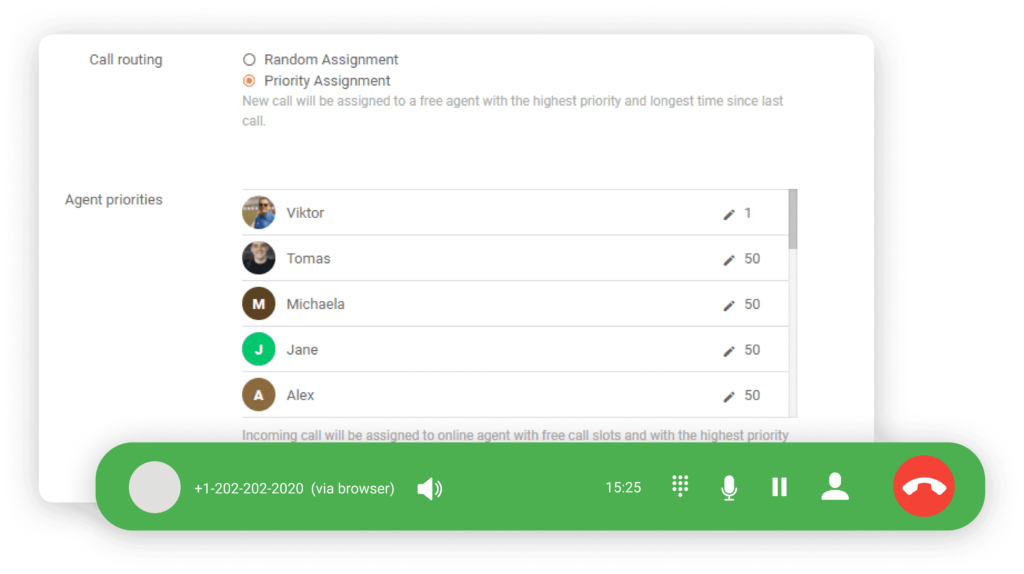
| Priority-based | The free agent with the highest priority goes first | Sending requests to experienced agents first |
| Round robin or longest idle | The next agent in turn, or the one waiting longest | Sharing work evenly in one team |
| AI or intent-based | AI reads the message and sets its topic, language or urgency, then a rule or skills match picks the agent | Email and chat where customers choose no category |
Skills-based routing is usually one of the rules of an automatic call distribution system, and an IVR menu is often where it learns which skills a call needs.
Why does skills-based routing matter?
Skills-based routing matters because a request that reaches the right person first is solved faster and does not bounce between agents.
- Fewer transfers. The customer explains the problem once, which helps first call resolution.
- The right language. Customers are served in their own language without a manual hand-over.
- Specialists on specialist work. Experts spend their time on the requests only they can solve.
- A cost to weigh. Every skill splits the team into smaller groups, so waits can grow when the few agents with a rare skill are busy.
When does a small support team need skills-based routing?
A small support team needs skills-based routing when agents in the same team really differ, most often in languages or in specialist knowledge only a few of them have; until then, one queue per team is simpler and almost as effective.
- Several languages with separate agents. Route by language, as a skill or as a team per language.
- Specialists such as technical or billing experts. Route those requests to them, with a fallback to the whole team.
- Everyone can answer everything. Skip skills and share work evenly with longest idle or round robin.
How do you set up skills-based routing?
To set up skills-based routing, define a few skills, give them to agents, decide how each request shows what it needs, set a fallback time and check the results every month:
- List three to five skills that really change who should answer: language, product, type of issue or expertise.
- Give each agent their skills, with a level where your tool supports one.
- Decide where each request’s skills come from: the phone menu choice, a form field, the language of the email or an AI classification.
- Set a fallback time, for example 60 seconds for calls and 2 minutes for chats, after which any agent in the team takes the request.
- Measure it. Compare transfers, wait time per skill and first call resolution before and after you add a skill, and remove skills that leave a queue with only one agent.
What are common skills-based routing mistakes?
The most common mistake is defining too many skills, which splits a small team into groups of one or two and makes customers wait for them.
- No fallback. Without a time limit, customers wait for an agent who may be off that day.
- Skills nobody updates. Agents learn and change roles; outdated skills send requests to the wrong people.
- Guessing the need. A vague phone menu or form leads to wrong skills on the request, however good the rule.
- Ignoring workload. The best expert gets every hard case; balance with longest idle among matching agents.
Skills-based routing in LiveAgent