Valentine's Day promotion background

Valentine deal

AI UNLOCKED
For new and existing customers for 3 months

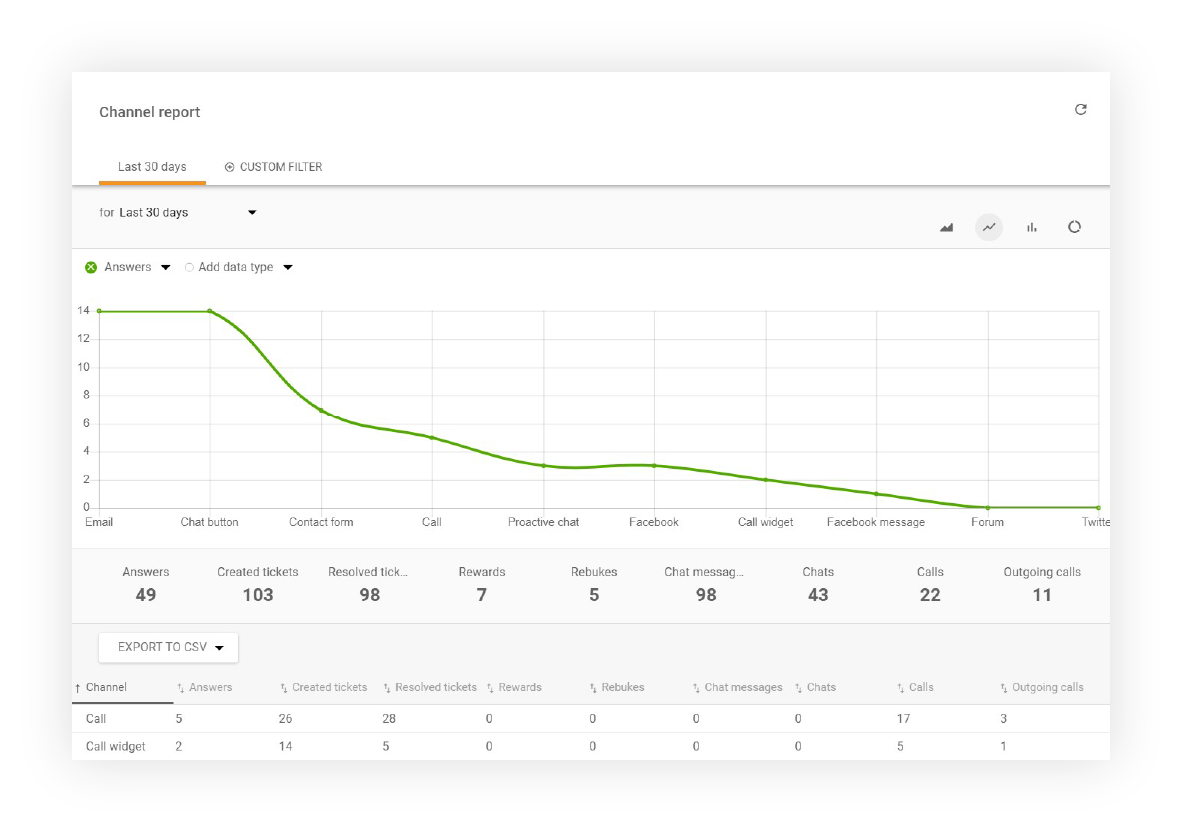
Channel report

Reporting Analytics Channels Performance

LiveAgent provides you with detailed insights into every communication channel: Email, Live Chat, Call Center, Contact Forms, Feedback Forms, Facebook messages, Tweets, and more. Forget about external tracking applications. Everything is built-in!

Channel report

Channel report display options

Individual entries can be sorted by Department, Agent, Tags, and Date. Channel reports can be exported to a CSV file.

The channel report can display the following columns:

  • Channel
  • Answers
  • New answer avg. time
  • Open answer avg. time
  • Calls
  • Missed Calls
  • Call minutes
  • Chat messages
  • Chats
  • Missed Chats
  • Chat pickup avg. time
  • Chat avg. time
  • Not ranked
  • Not ranked %
  • Rewards
  • Rewards %
  • Rebukes
  • Rebukes %
  • Incoming messages
  • Incoming Calls
  • Finished Calls
  • Incoming Chats
  • Finished Chats
  • Created tickets
  • Resolved tickets

Visualize your data with multiple chart types

Channel report can show your data in these types of charts:

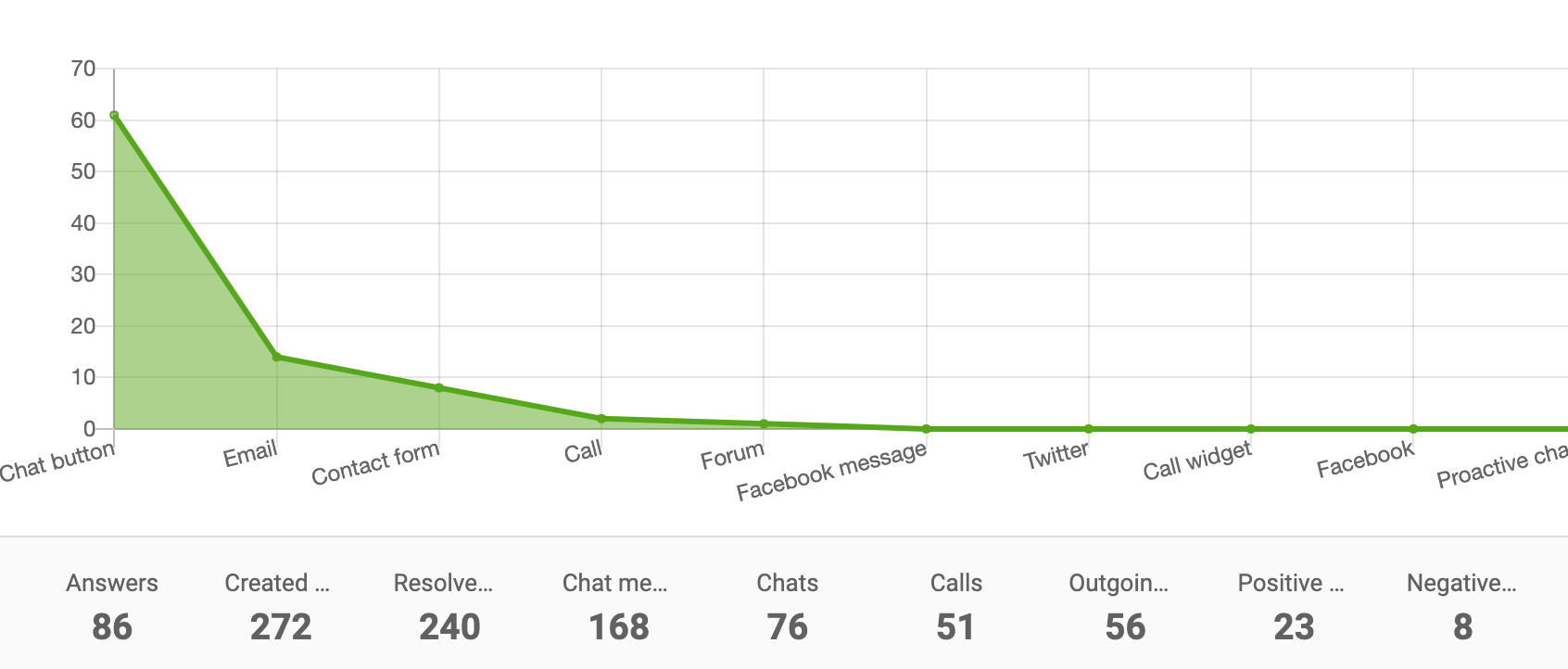
Area Chart

Channel report area chart

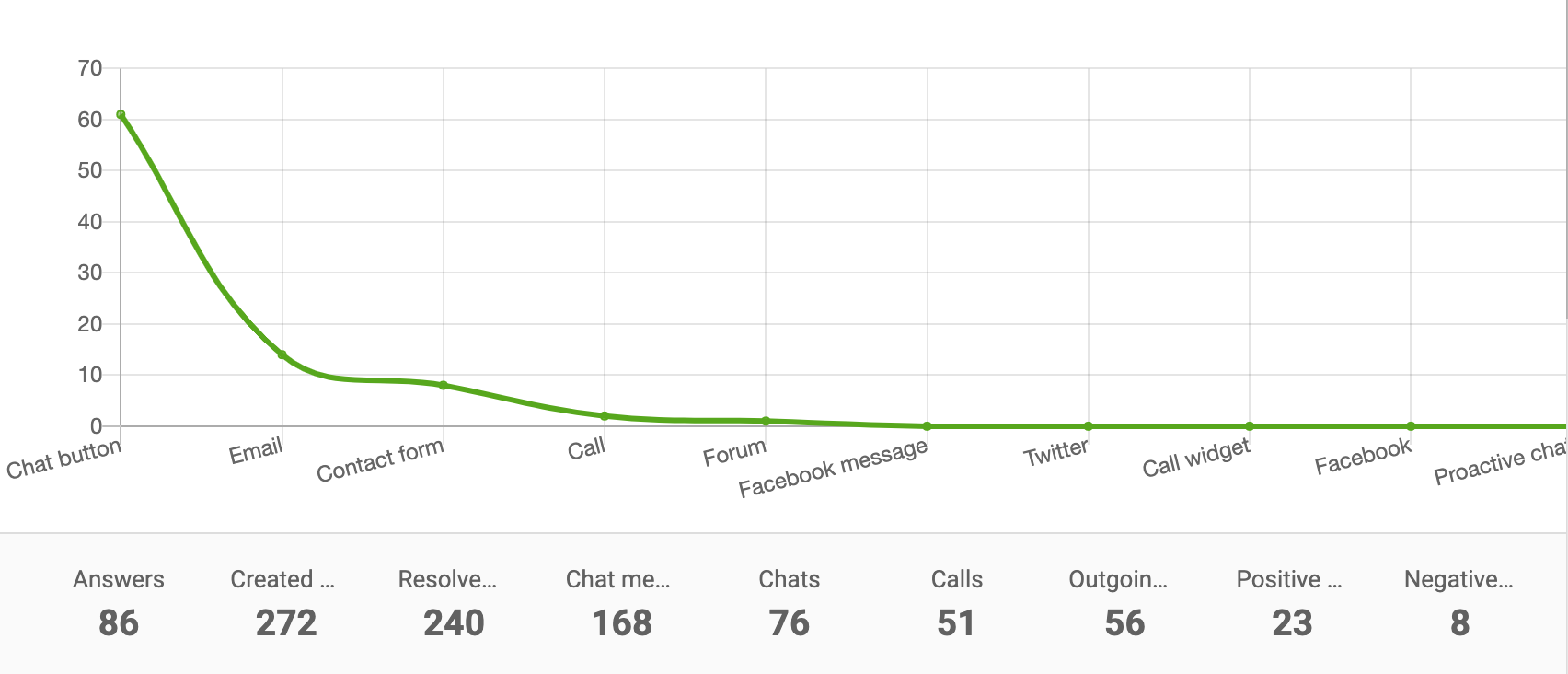
Line Chart

Channel report line chart

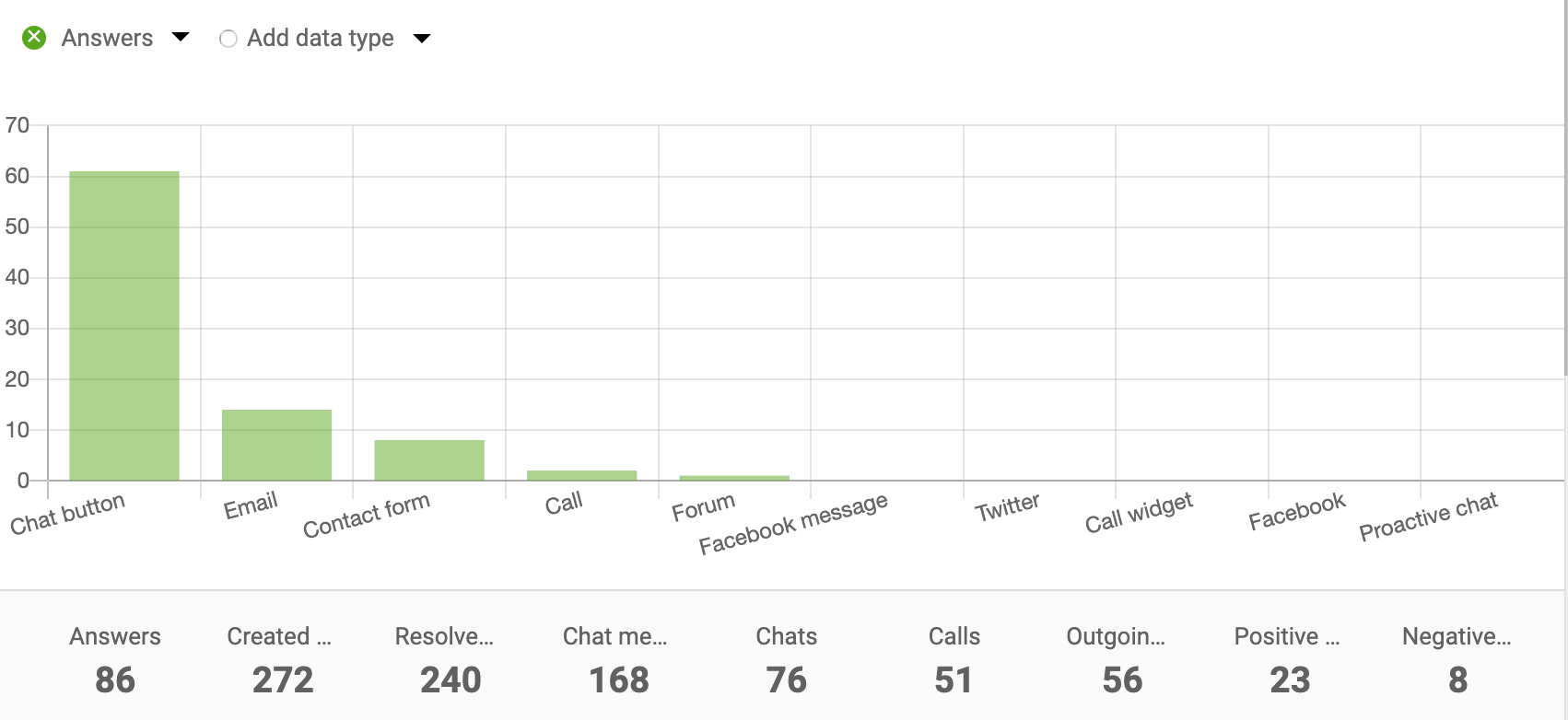
Bar Chart

Channel report bar chart

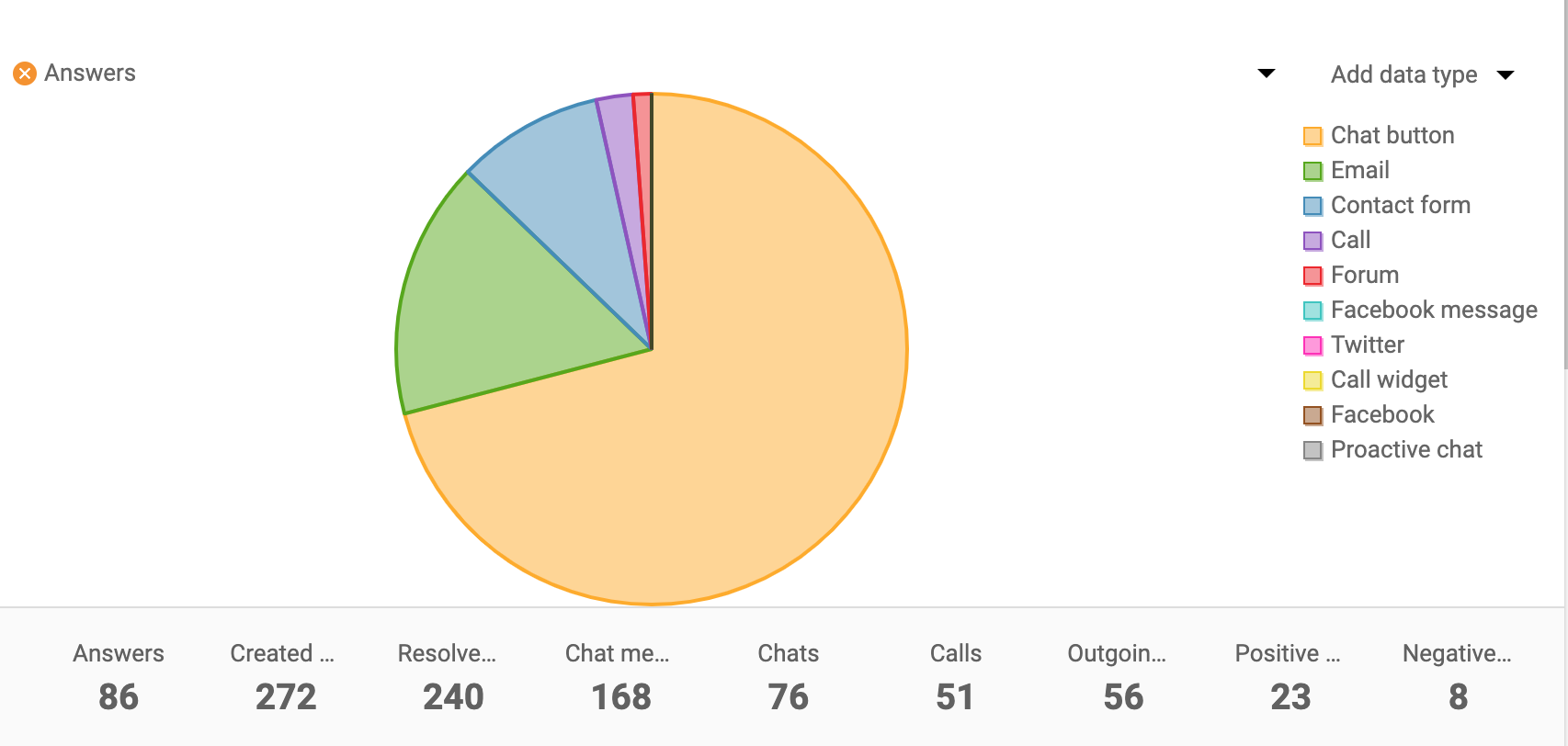
Pie Chart

Channel report pie chart

Use Channel reports with API

Use LiveAgent Rest API to call values from Channel reports. This allows you to integrate channel report data into your own applications and dashboards for advanced analytics and custom reporting solutions.

Frequently asked questions

What is a channel report?

A channel report provides detailed insights into customer communication channels like email, live chat, call center, contact forms, feedback forms, Facebook messages, and tweets. It helps you understand which channels are most popular with your customers.

What data can I view in channel reports?

Channel reports can display data including answers, response times, calls, missed calls, chat messages, chat pickup times, rewards, rebukes, incoming messages, created tickets, and resolved tickets. You can sort by department, agent, tags, and date.

Can I export channel report data?

Yes, channel reports can be exported to a CSV file for further analysis and sharing with your team.

What chart types are available for channel reports?

Channel reports support multiple visualization options including area charts, line charts, bar charts, and pie charts to help you better understand your communication data.

Identify the hardest working departments

Generate department reports to get an overview of how many tickets, calls, and chats each department answered.

Learn more

Agent Report Features

Agent Report Features

Get detailed insights into agent performance with LiveAgent's Agent report. Track work time, tickets, chats, calls, and more. Export data to CSV and use charts ...

3 min read
Reporting Analytics +1

Agent Ranking Features

Agent Ranking Features

LiveAgent's Agent Ranking feature enables customer feedback on support interactions, helping identify negative trends and reward top agents. Try it free to enha...

2 min read
Agent Ranking Performance Management +1
Agent ranking overview

Agent ranking overview

LiveAgent's Agent Ranking feature lets customers rate their interactions with support agents, helping businesses identify negative trends and top performers. Ex...

2 min read
Agent Ranking Reporting +1

You will be in Good Hands!

Join our community of happy clients and provide excellent customer support with LiveAgent.

Post Affiliate Pro Dashboard - Campaign Manager Interface