



Live Chat Features
LiveAgent's live chat software enhances customer service with real-time communication, customizable chat buttons, proactive invitations, and integration with ex...
9 min read
Live Chat
Customer Support
+1


Integrate LiveAgent’s live chat into your WordPress site to enhance customer support and satisfaction. Follow simple steps to install the plugin, create a chat button, and improve your customer experience with real-time engagement.
WordPress started in 2003 with a single bit of code to enhance the typography of everyday writing and with fewer users than you can count on your fingers and toes. Since then it has grown to be the largest self-hosted blogging tool in the world, used on millions of sites and seen by tens of millions of people every day.
LiveAgent’s WordPress integration enables you to place a live chat button on your WordPress site or blog. Turn your website into powerful WordPress HelpDesk or WordPress live chat with LiveAgent. Thanks to the WordPress live chat plugin, you will be able to engage with your visitors and customers in real-time, providing instant support and enhancing the overall user experience.
To activate your WordPress integration, please follow the steps outlined in our guide, or simply watch the video below.

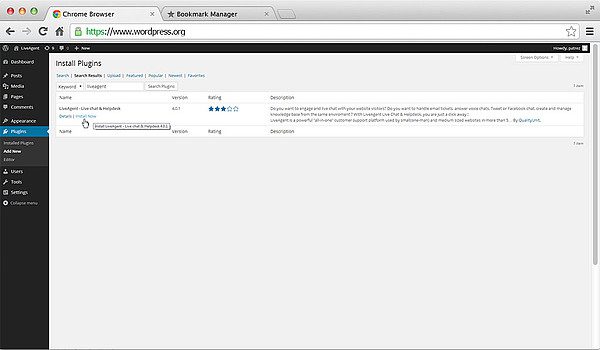
The first step is to install and activate the LiveAgent plugin in your WordPress installation. Go to your WordPress admin panel and navigate to Plugins > Install new plugin > Search for LiveAgent > Install now > Activate plugin.
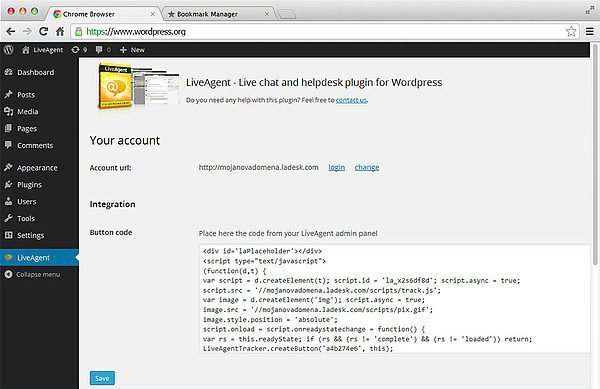
In left menu click on LiveAgent > Log in > Copy the chat button code from your LiveAgent installation to clipboard (Ctrl + C). Then navigate back to WordPress and paste the chat button (Ctrl + V) to the given box > Save
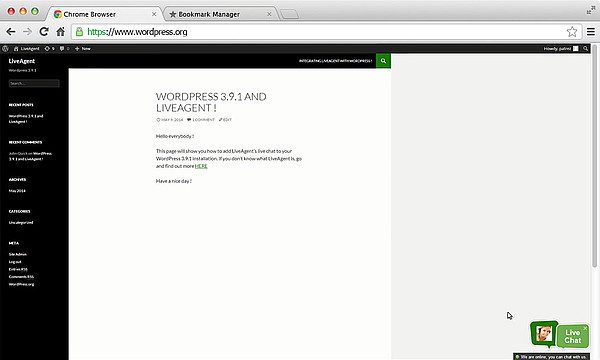
Go to your store webpage, refresh it and your chat button is ready.
LiveAgent's live chat software enhances customer service with real-time communication, customizable chat buttons, proactive invitations, and integration with ex...
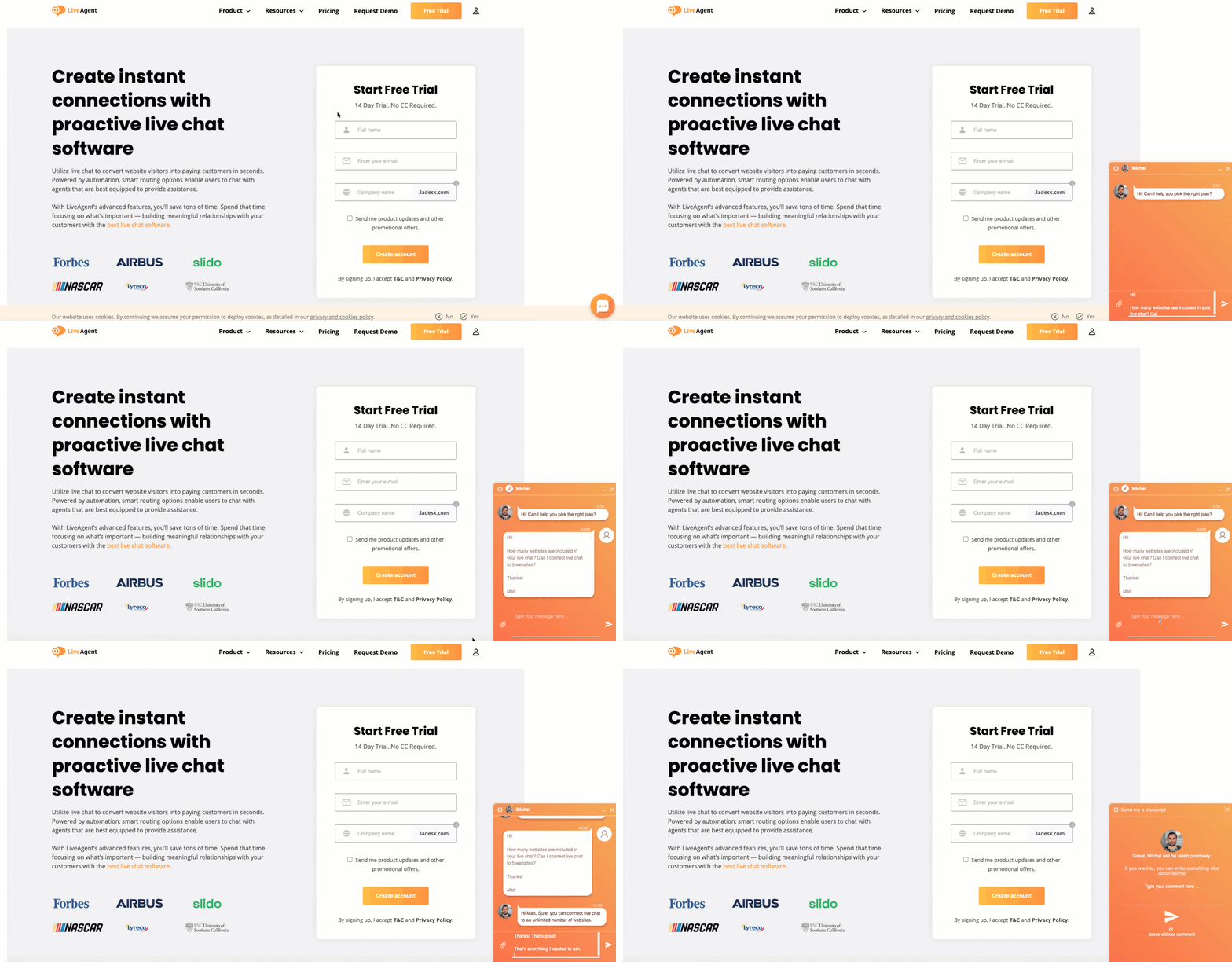
Boost WordPress engagement with LiveAgent's lightning-fast live chat! Enjoy a 30-day free trial, no credit card needed.

Learn to integrate a live chat button on your website to boost customer satisfaction and sales. Choose a provider, customize the widget, and optimize chat suppo...