



Salesforce
Integrate Salesforce with LiveAgent to enhance customer management and productivity. Create cases from tickets, track information, and manage tasks easily. Acti...
4 min read


Salesflare is a CRM for small B2B businesses, automating data collection to enhance sales efficiency. Integrating with LiveAgent streamlines workflows, allowing data transfer from chats and forms for improved customer support. Setup is quick and easy.
Salesflare is a CRM solution for small B2B businesses and startups. Salesflare allows you to sell more with less work thanks to various automations. It automatically fills up your address book, keeps track of various interactions, and gathers data from social media, email, company databases, phone, and calendar for you.
With Salesflare integration for LiveAgent, you can extract data to and from chat or form into LiveAgent. You can then display the data inside LiveAgent and keep track of what’s happening. Use this data to provide better and faster support to your customers with live chat.
LiveAgent live chat was made to help you provide fast support to your customers. It comes with a variety of useful features besides productivity integrations like Salesflare. Prepare your answers faster with a real-time typing view that shows you what the customers are typing before they hit send.
Customize your chat’s look and feel or upload custom chat button designs to match your branding. Take advantage of proactive chat invitations to get customers to contact you faster.


The latest tips and deals delivered straight to your inbox.
LiveAgent includes a Salesflare CRM integration plugin which has to be activated and configured. The process is simple and takes just a few minutes to complete. Follow the steps below to learn how to do it on your own.
Open LiveAgent and go to Configuration > Integrations. Find Salesflare integration in the list of plugins and click on the activate switch. LiveAgent will restart after this.
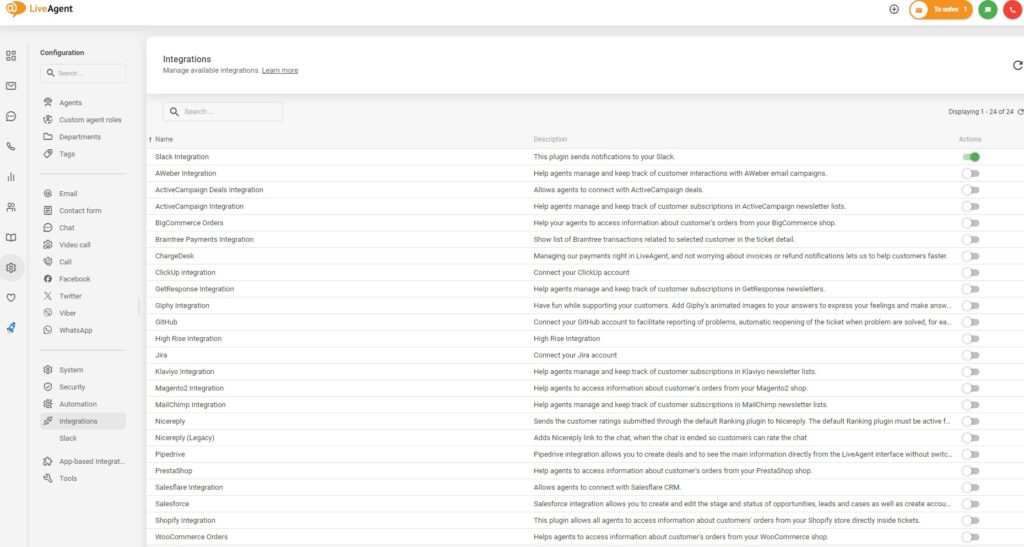
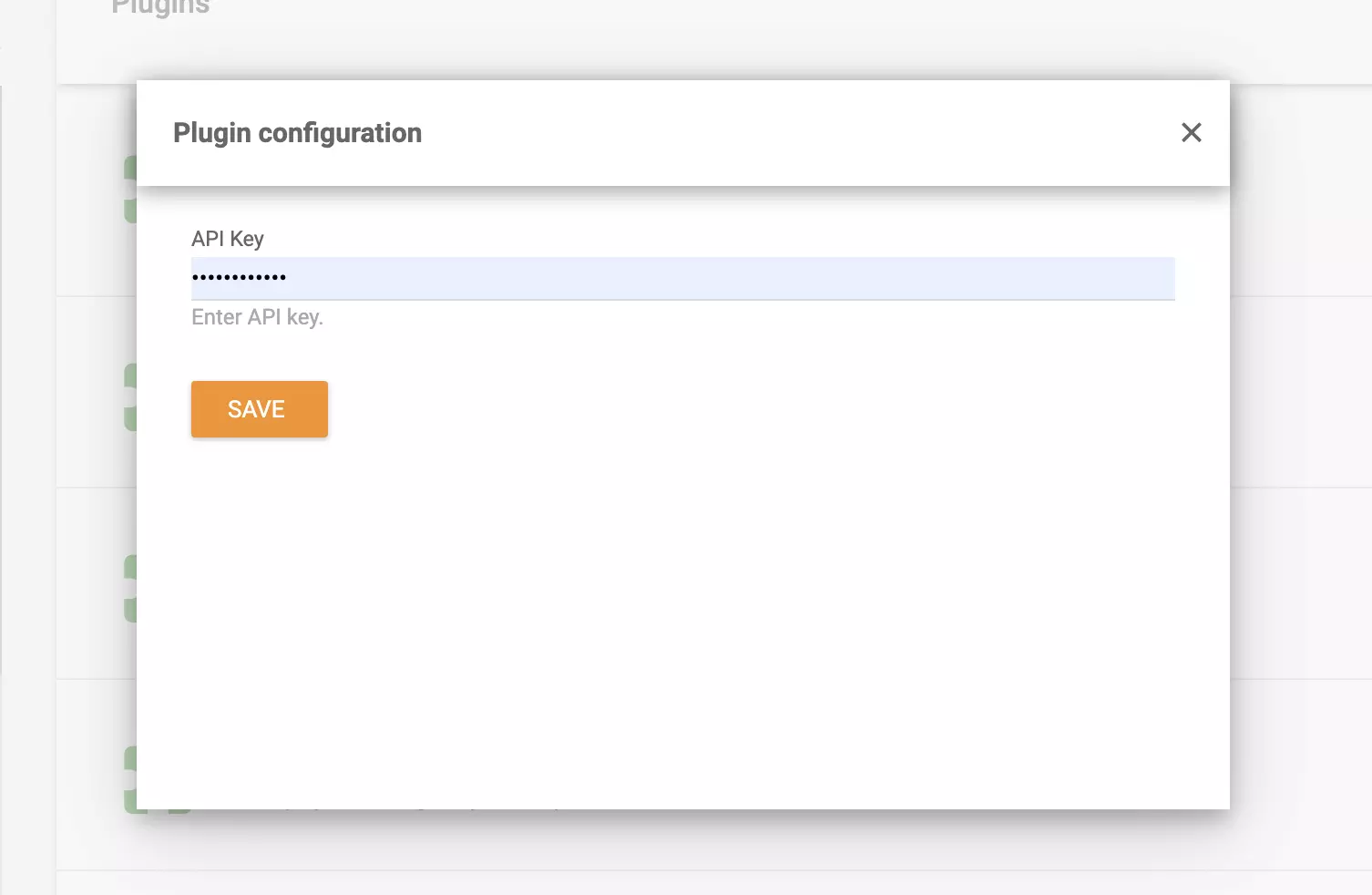
After LiveAgent restarts, find the active plugin at the top of the plugin list and click on the configuration cogwheel button. You will see an API key field. You will need to get the API key in Salesflare settings.
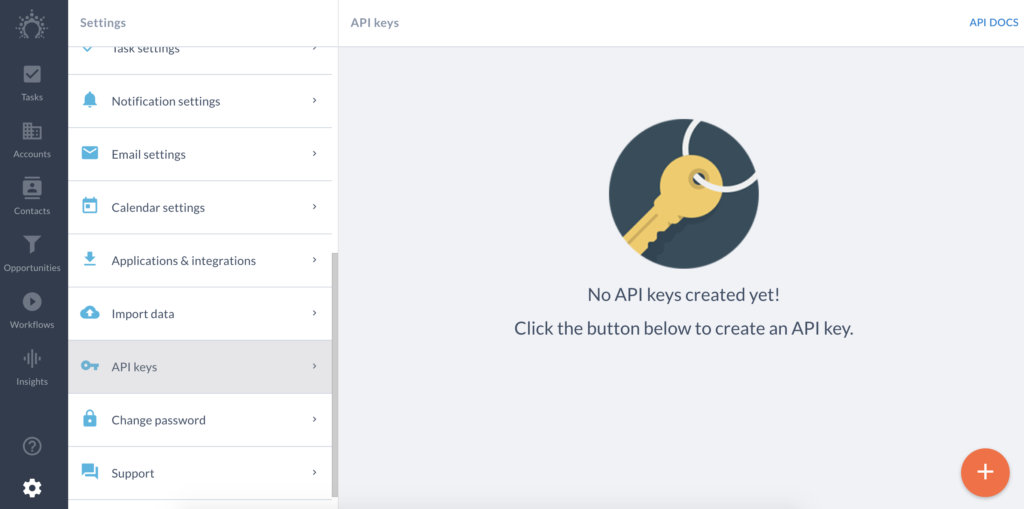
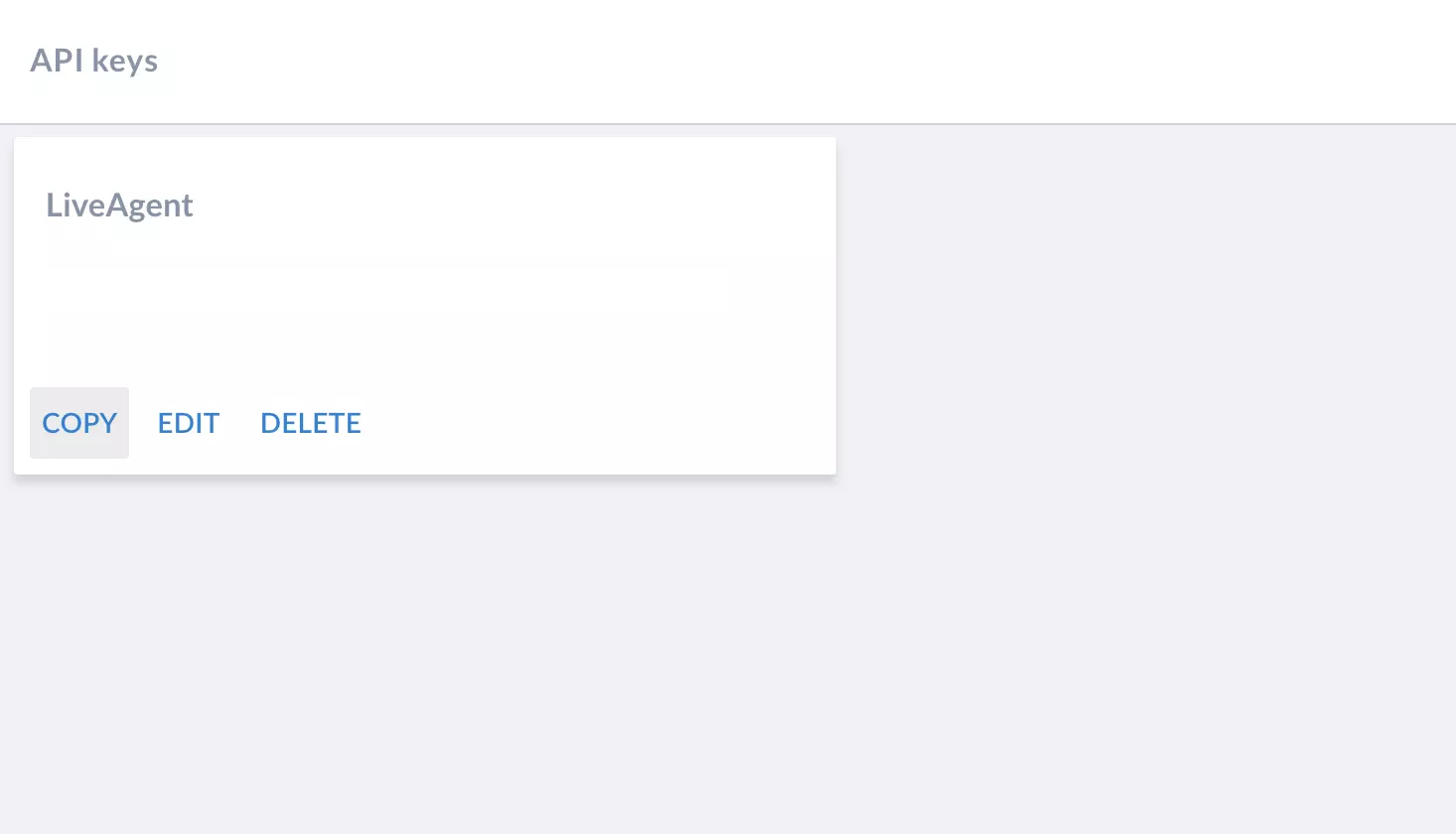
In Salesflare, go to Settings > API keys and create a new API key by clicking the Create button. Name the API key and click on Create. Copy the API key and return back to LiveAgent with Salesflare CRM integration configuration open.
Paste the API key into the LiveAgent’s Salesflare integration API key field in the configuration as shown in the previous steps. Then click on Save.
That’s it, your Salesflare integration is now active. Would you like to learn more about our live chat? Have a look at our live chat software page or browse through live chat features to see what it’s capable of.

Integrate Salesforce with LiveAgent to enhance customer management and productivity. Create cases from tickets, track information, and manage tasks easily. Acti...
Agile CRM integrates with LiveAgent to enhance customer service efficiency. It automates sales and marketing, providing business intelligence. Integration via Z...

Boost your customer support with LiveAgent's built-in CRM! Manage interactions, track leads & store data seamlessly. Try free for 30 days!