



CRM Features for Customer Support
Boost your customer support with LiveAgent's built-in CRM! Manage interactions, track leads & store data seamlessly. Try free for 30 days!
2 min read
CRM
Integration
+1


PipeDrive is an easy-to-use CRM tool that helps manage leads, track communications, and automate workflows. Integrate it with LiveAgent for seamless deal registration and customer info access. Available via native or Zapier integration.
PipeDrive is an easy to use CRM (customer relationship management software) that allows you to manage leads and deals, and also lets you track communications, and automate workflow. In addition to that, PipeDrive gives you insights into your sales people’s performance and allows you to generate reports based on the data in the pipeline.
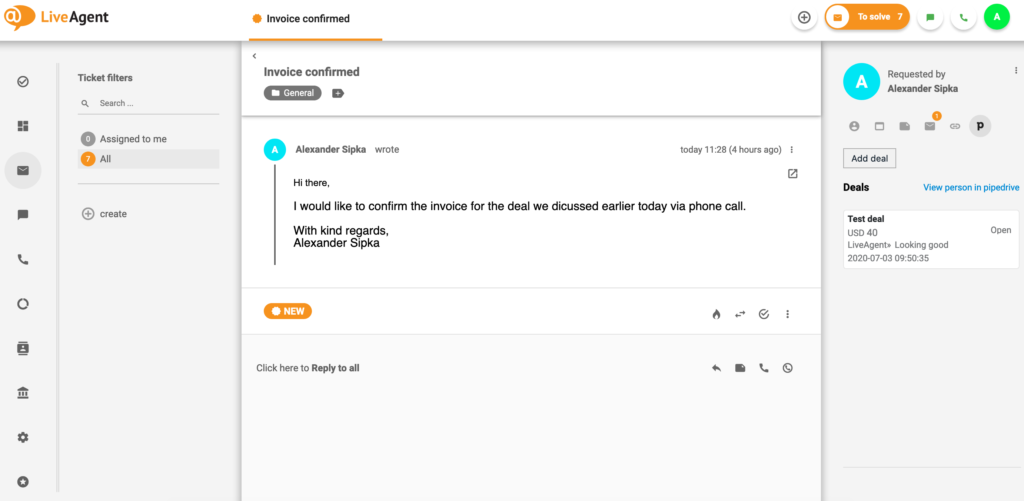
Using PipeDrive is important for sales teams because it allows them to manage and track the progress of their deals and leads through an intuitive dashboard.
Additionally, PipeDrive users can also store important lead information such as contact information, service level agreements, and deal values in their pipelines.
Users can also utilize a feature that syncs all lead communication with the software, allowing team leaders to keep an eye on all activity and progression.

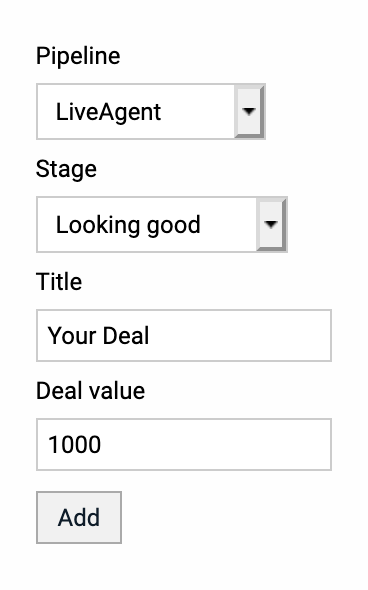
When you activate your PipeDrive plugin in LiveAgent, you will be able to register new deals and get instant access to information about existing deals pertaining to the customer you’re assisting within your LiveAgent dashboard.
When LiveAgent connects your PipeDrive account, it will run background checks on PipeDrive deals, their statuses, and values. All this information will be shown in the PipeDrive widget that is displayed in your ticket info panel. By using this plugin you can view and register PipeDrive deals directly inside your LiveAgent account while communicating with your customers.

The latest tips and deals delivered straight to your inbox.
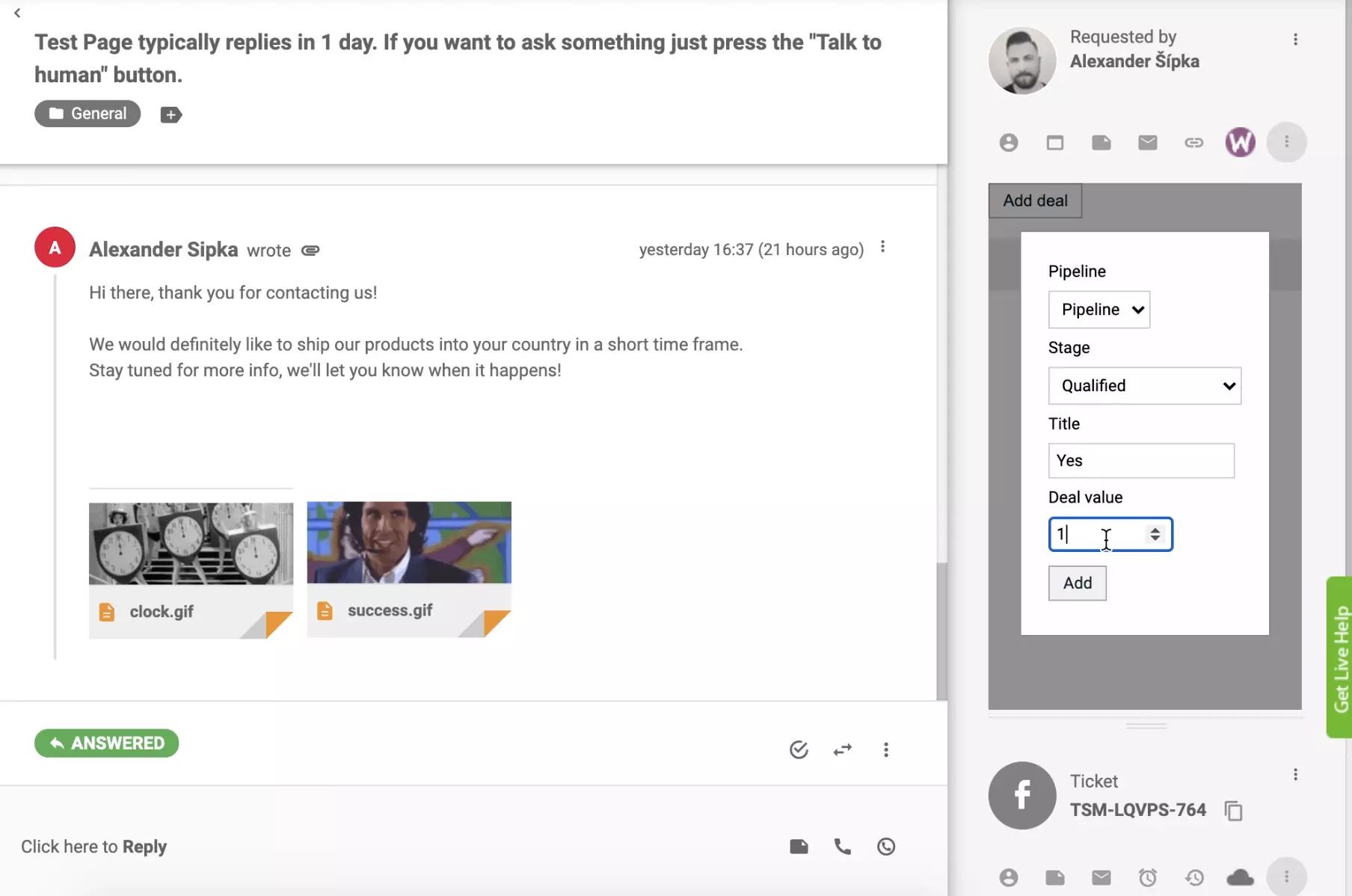
Once you click on the PipeDrive icon in your LiveAgent ticket detail panel, you’ll be able to:
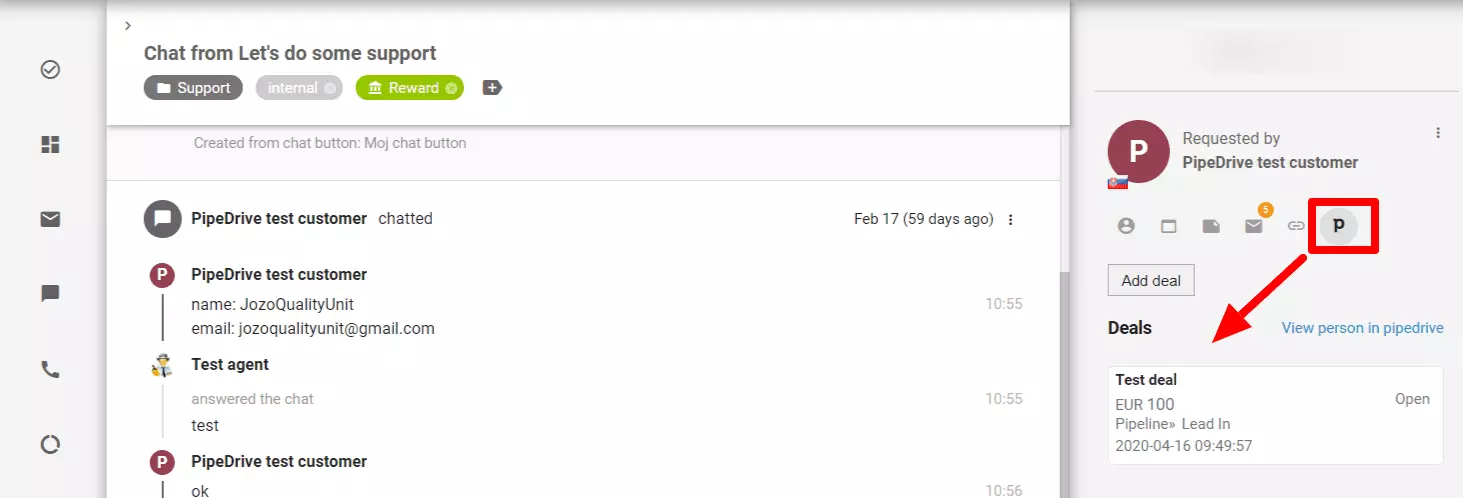
In essence, LiveAgent’s PipeDrive integration saves you time and makes you more efficient. By having this information at your fingertips right inside of LiveAgent, you can easily determine when is a good time to upsell a customer or offer a discount.
The activation of a native integration is simple. Open your dashboard and go to Configuration > Integrations and find PipeDrive Integration v2. Click on the activate switch and LiveAgent will reload after this.
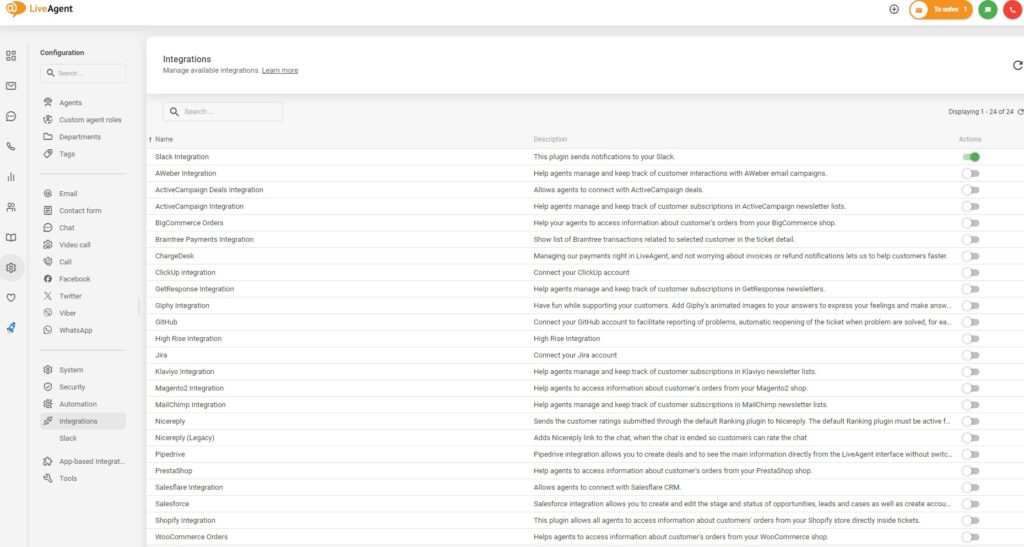
PipeDrive Integration v2 in LiveAgent
Now find the active PipeDrive Integration v2 and click on the info icon next to the switch. Click on the PipeDrive logo. An install prompt will open up so click on Allow and Install.
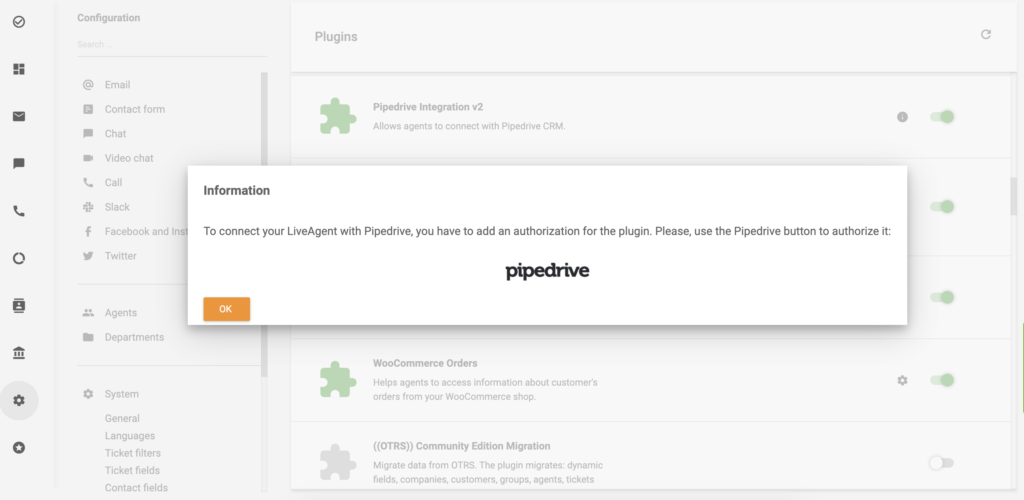
Click on PipeDrive icon
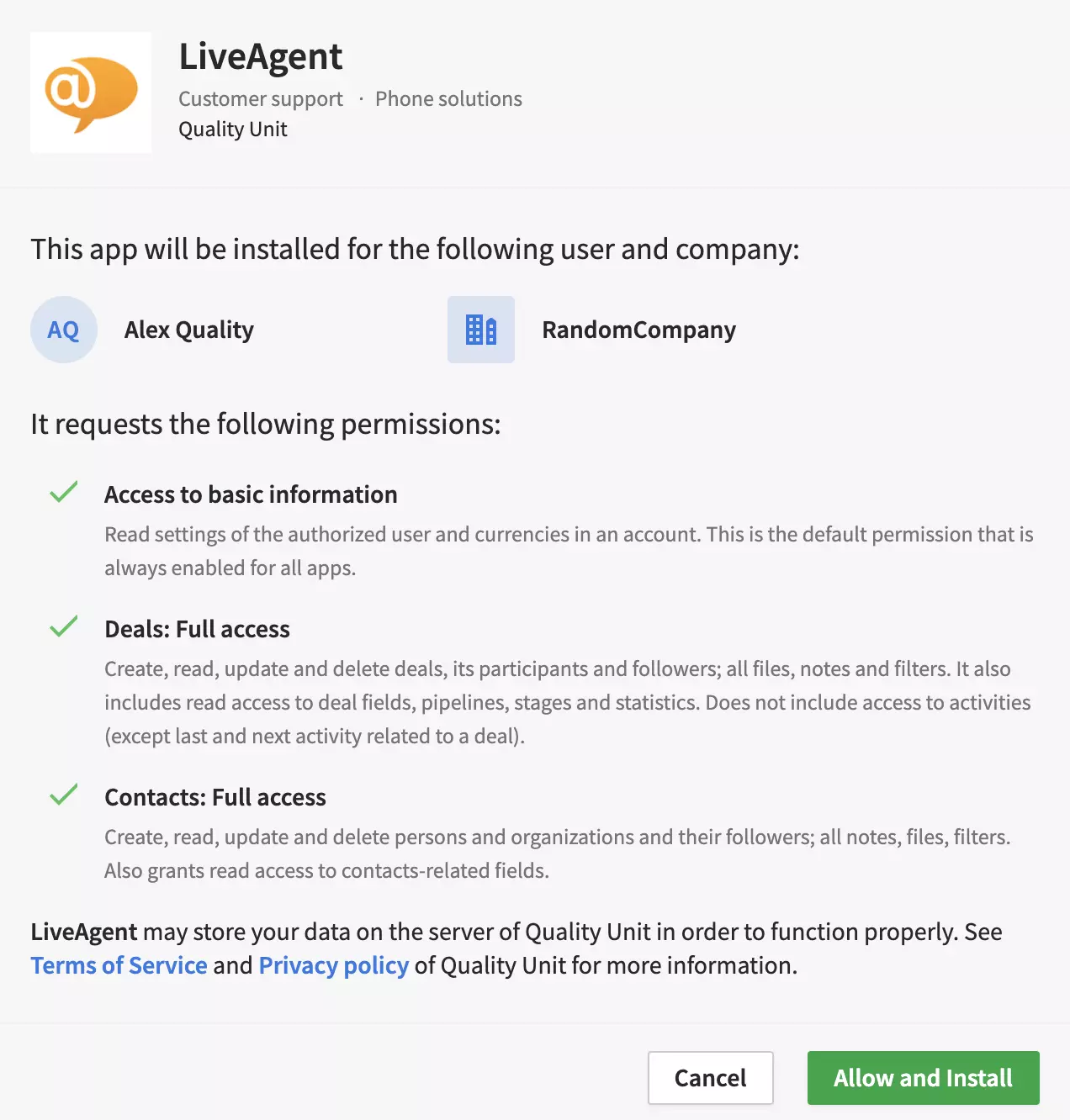
Install the app
That’s it, the integration is active and you can see it in your ticket info panel. Open it and find the active integration in the right panel.
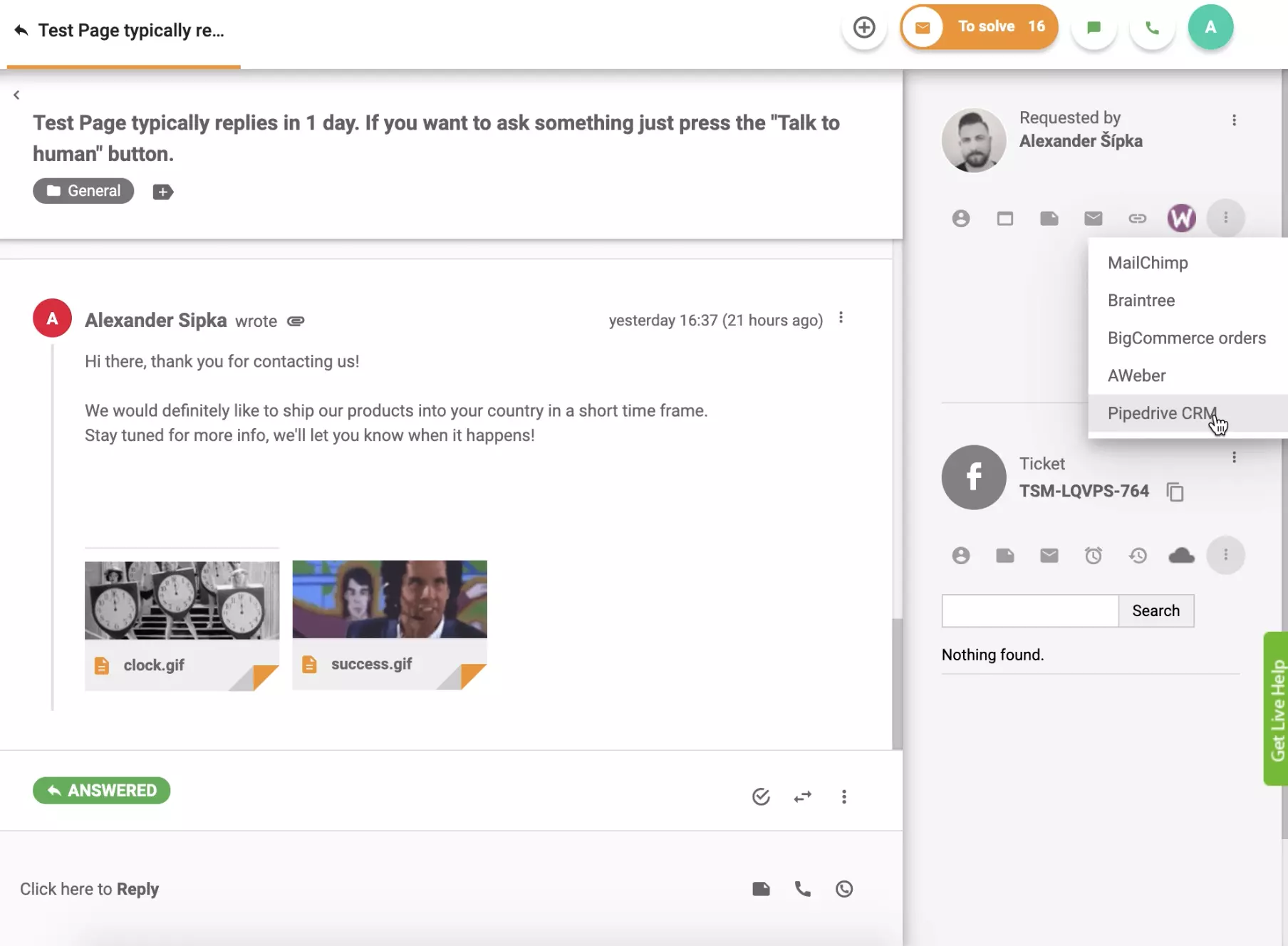
You can view, add, or edit deals from your dashboard.
You can also try an integration via Zapier service. Zapier connects two apps to create various kinds of integrations that can help you improve your workflow. In case you don’t have an account, create one at Zapier. Then go to the LiveAgent + PipeDrive integrations page.
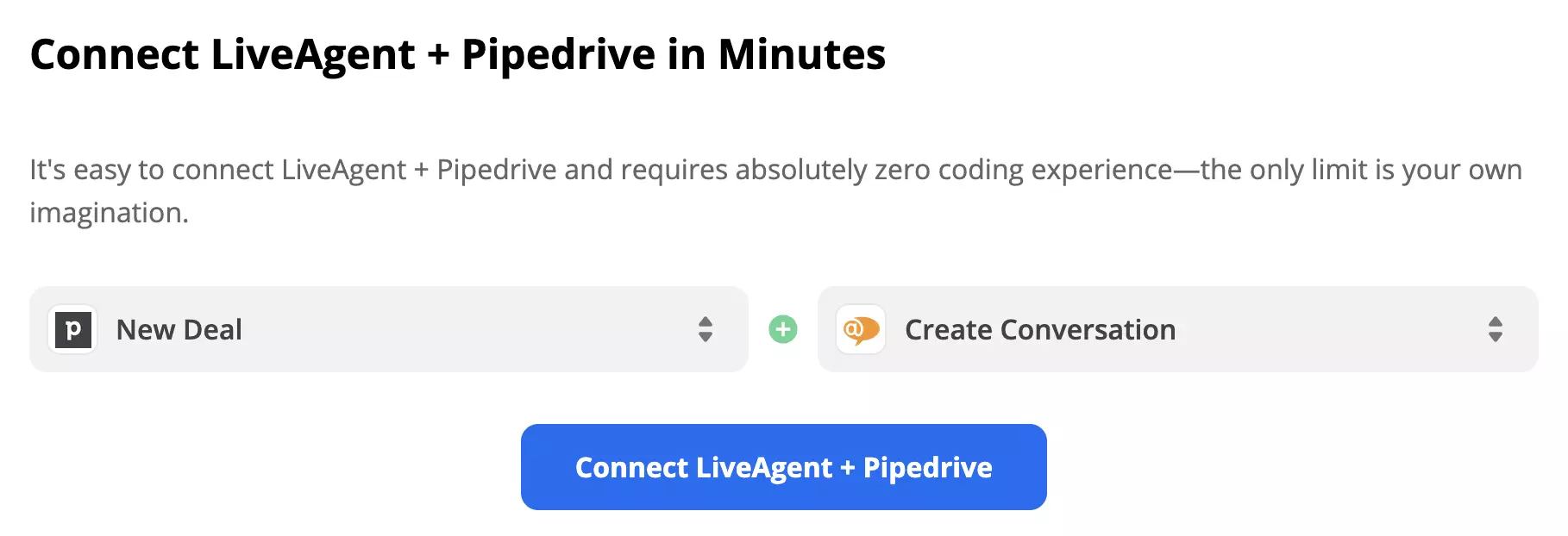
Scroll down to the Connect LiveAgent + PipeDrive section. You can combine multiple choices here, so consider what you want your integration to do. A trigger on one app will activate an action in the second app, creating an integration.
We’re going to show you an example with the options PipeDrive’s New Deal and LiveAgent’s Create Conversation. Your setup might differ from this guide but it generally stays the same except for a few detailed fields no matter what options you pick. When you’re done selecting, click on the blue continue button.
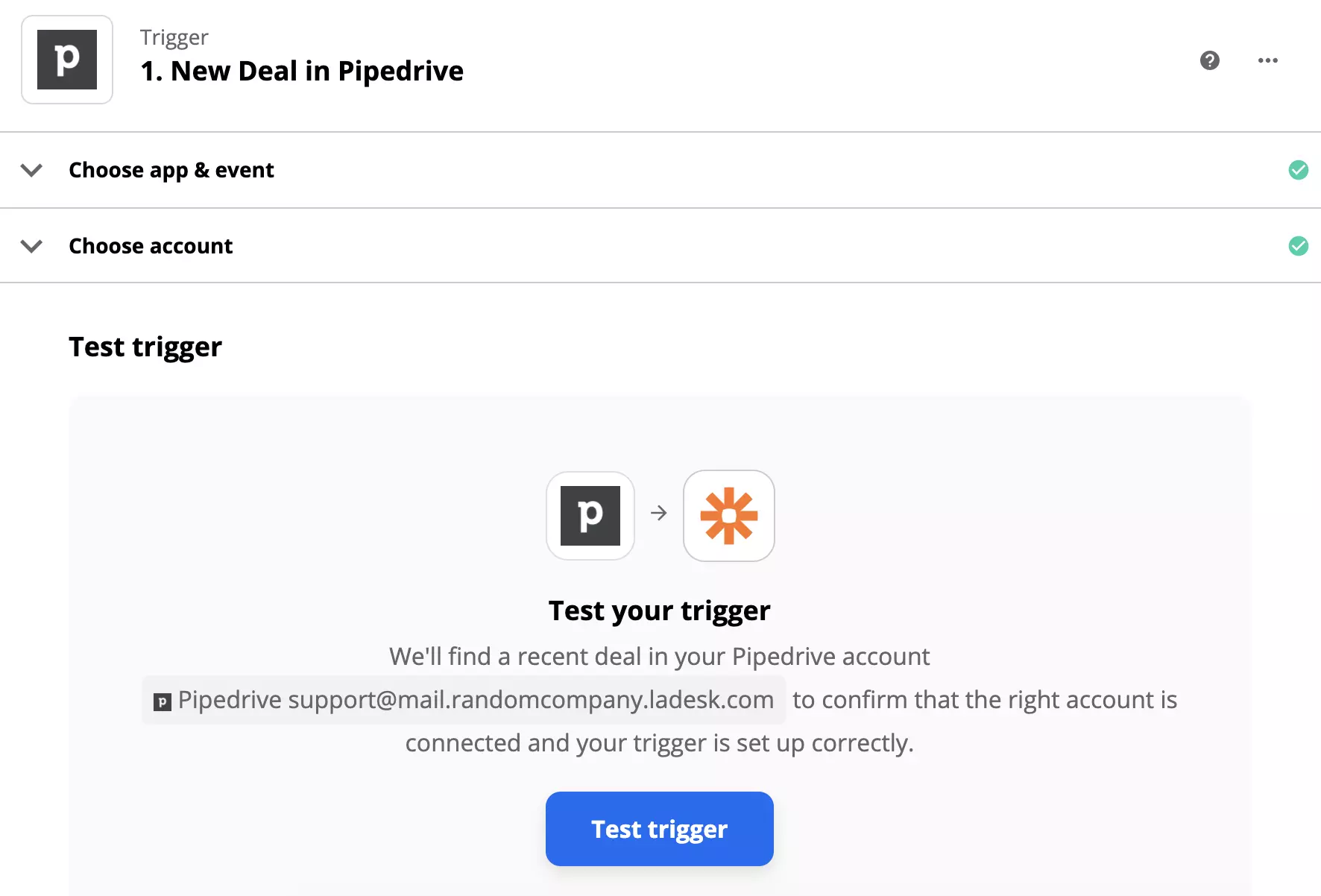
The first part of the setup is easy. You just need to log in to your PipeDrive account, confirm the selected trigger and test it.
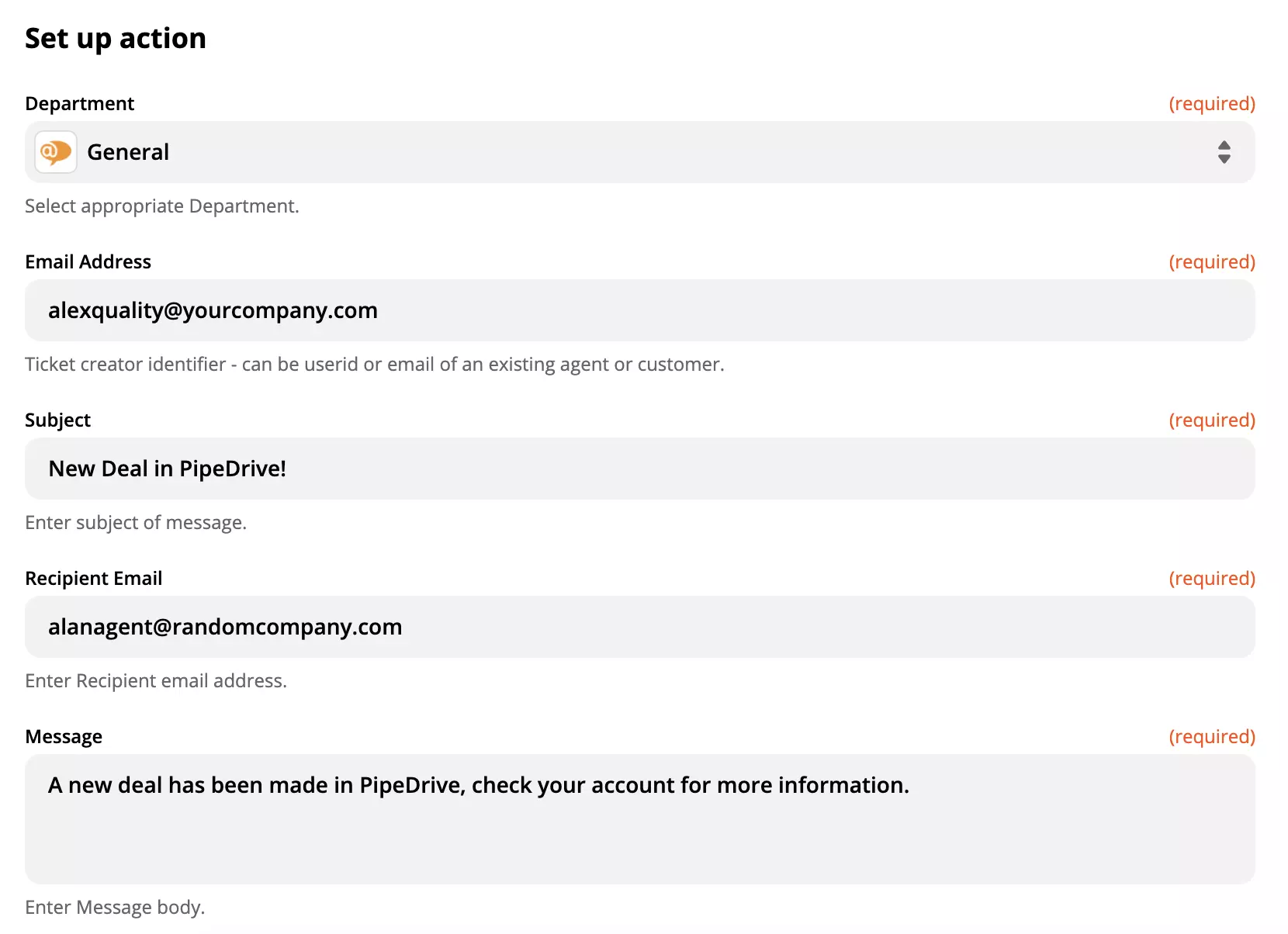
Log in and confirm the action. The setup in our integration requires us to fill in the recipient and sender email addresses, email subject and the body of the message among other fields. There are also some non-required fields but you can opt to fill them out to specify the message. Continue and test the integration when you’re done.
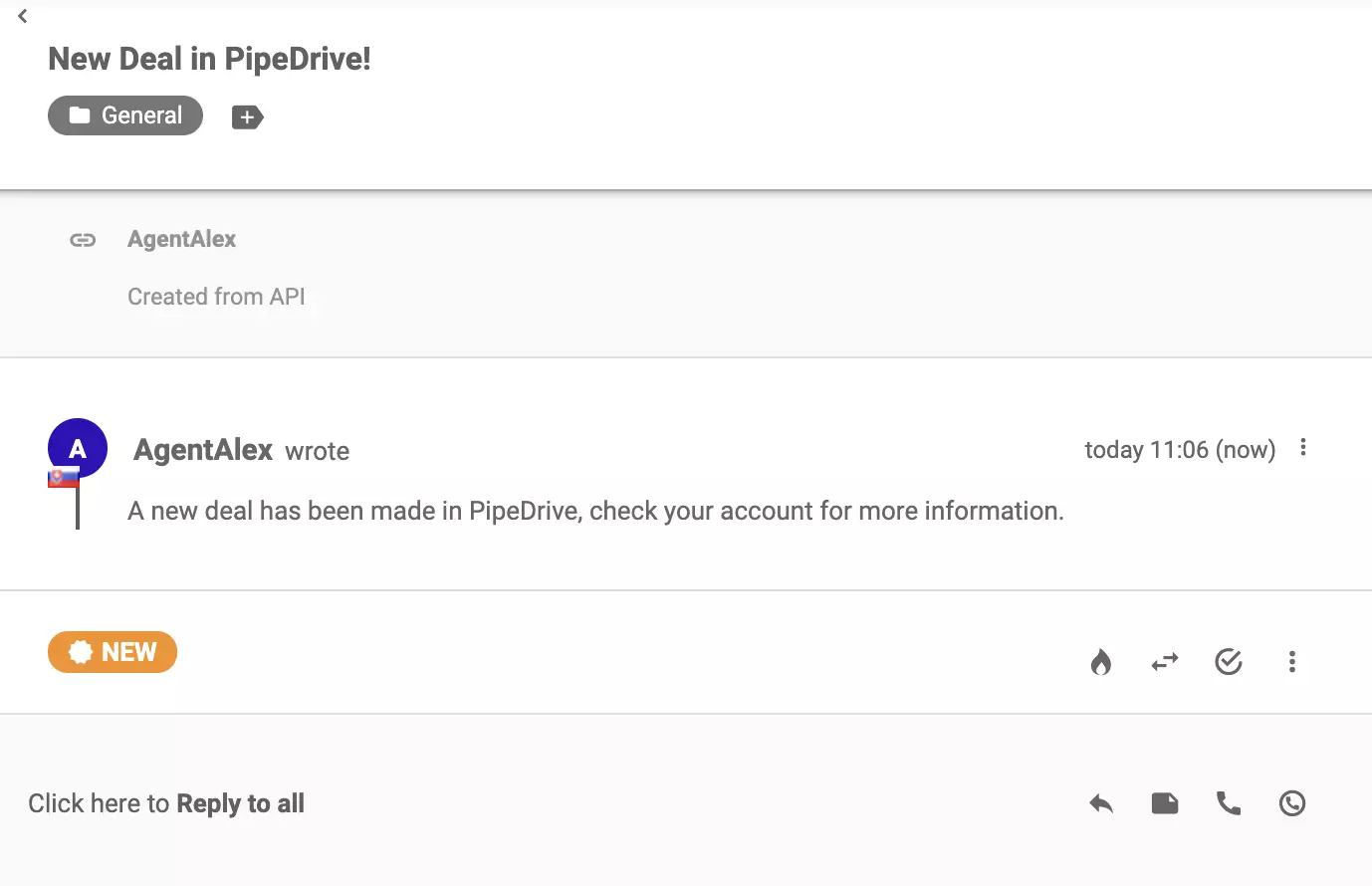
That’s it, the process is done and your integration will be active when you turn on the Zap. Check your LiveAgent for new messages from PipeDrive.
Boost your customer support with LiveAgent's built-in CRM! Manage interactions, track leads & store data seamlessly. Try free for 30 days!

Integrate Salesforce with LiveAgent to enhance customer management and productivity. Create cases from tickets, track information, and manage tasks easily. Acti...
Agile CRM integrates with LiveAgent to enhance customer service efficiency. It automates sales and marketing, providing business intelligence. Integration via Z...
Cookie Consent
We use cookies to enhance your browsing experience and analyze our traffic. See our privacy policy.