



Webflow
Integrate LiveAgent's live chat into your Webflow site for real-time customer support, boosting sales. Webflow is a no-code platform for responsive sites. Easil...
4 min read


ExpressionEngine is an open-source, flexible CMS ideal for beginners and professionals. Integrate LiveAgent’s fast live chat widget to enhance website communication without coding knowledge.
ExpressionEngine is an open-source and flexible Content Management System (CMS). It’s available for everyone who needs a great CMS for both static sites and dynamic sites that need to handle a lot of content. ExpressionEngine allows users to manage their websites without any coding knowledge, but it also has a variety of features for developers, designers, and people who want to implement custom codes on their websites. It also offers a number of plugins and modules, search engine and query tools, spam detection, traffic statistics, and other great features.
ExpressionEngine is a flexible Content Management System and that makes it ideal for both beginners and professionals. Everyone who wants to build a website with blogs, or other content hubs can do so. You can preview and edit content, manage multiple sites, or add custom codes when you want to enhance the purpose of your website. ExpressionEngine also supports plugins and integration with LiveAgent’s live chat is available if you want to add a fast communication channel to your website.
LiveAgent’s live chat widget is the fastest on the market, with chat displayed speeds at 2.5 seconds. It’s also fully integrated with our ticketing system, so you won’t miss a single message. Our live chat comes packed with useful features that get you through the day easily, help you attract customers, or solve their issues faster. Take a look at the proactive chat invitations feature that can help your chat widget get noticed on your website. Take advantage of a real-time typing view to see what your customers type before they hit send. Customize your chat buttons and your chat widget design to match your branding.


The latest tips and deals delivered straight to your inbox.
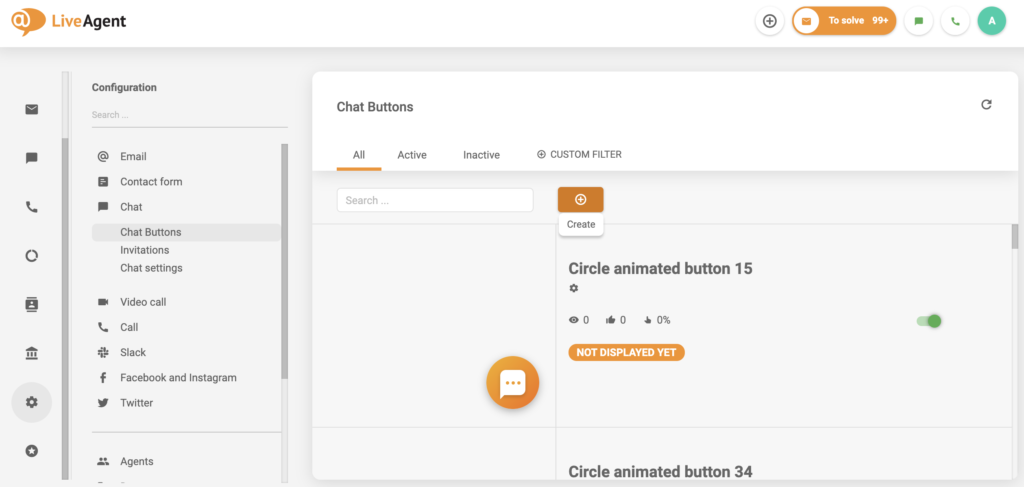
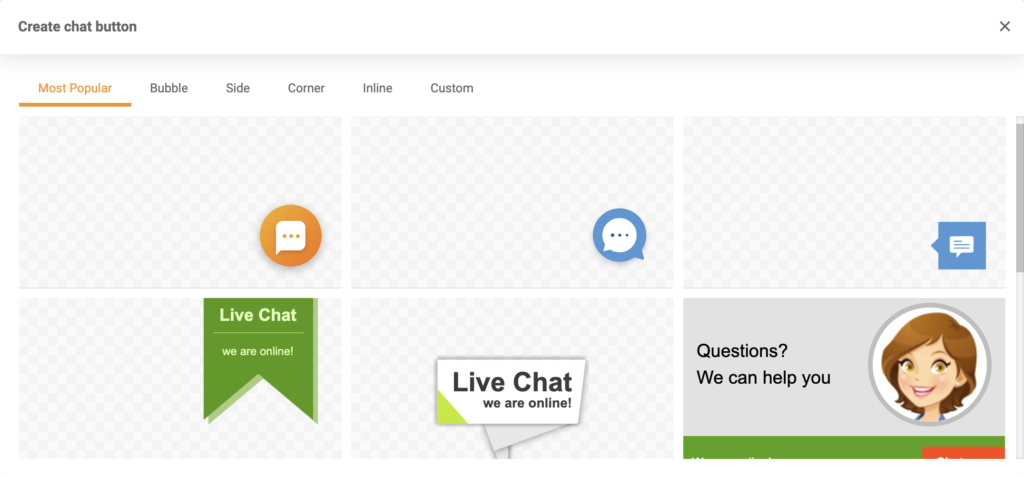
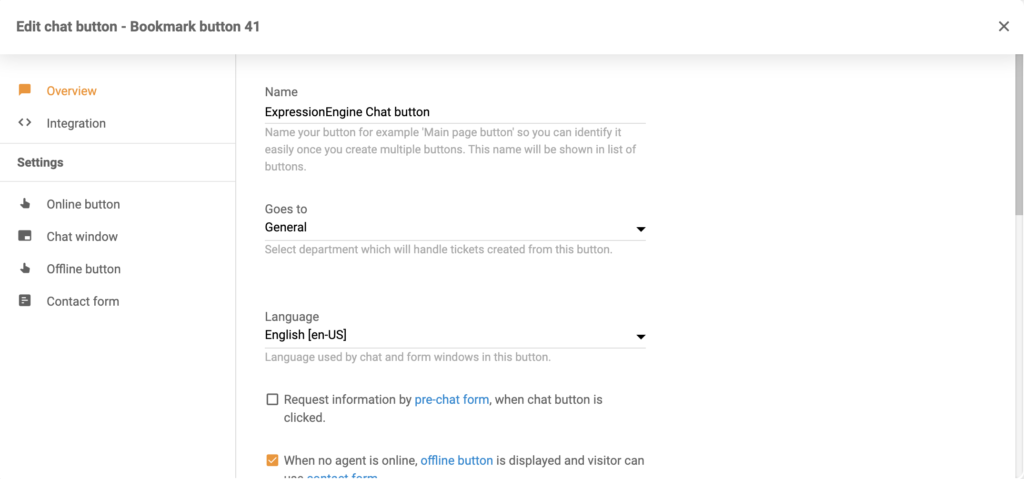
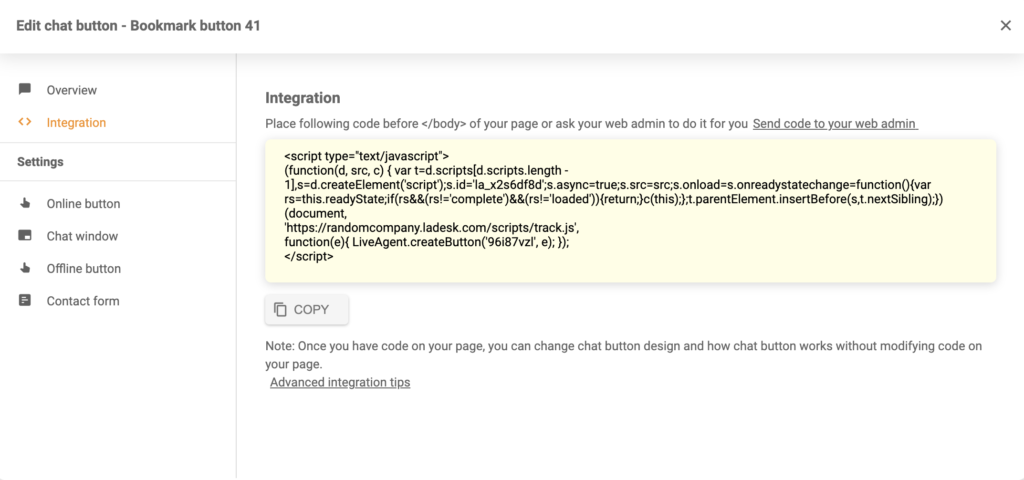
If you want to add one of your chat buttons to your ExpressionEngine, you can do it easily by inserting the button code into a global header or footer file. Follow the guide below to see how easy it is.
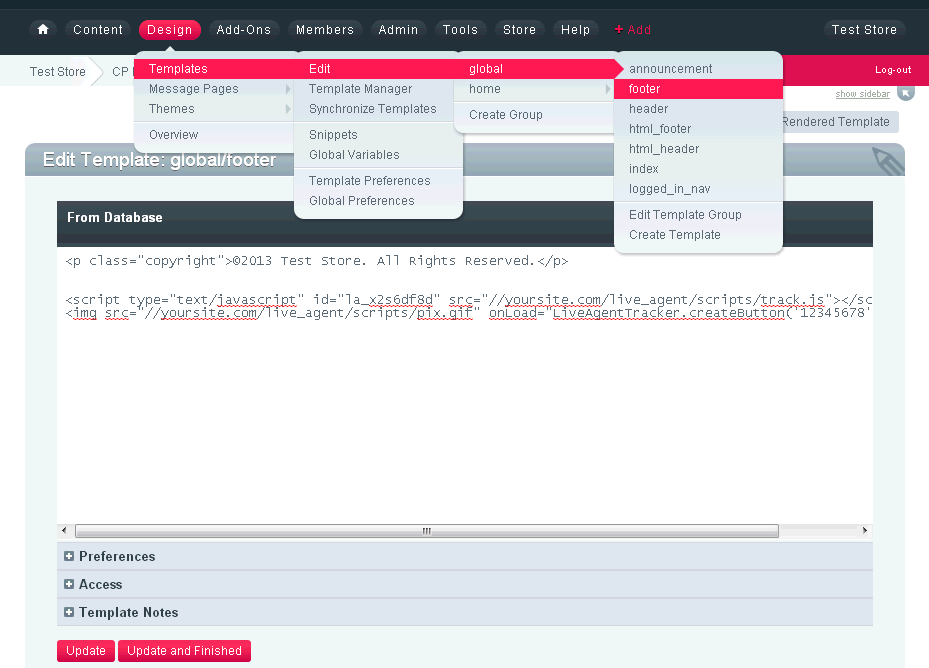
Feel free to add more chat buttons to your other pages if you need to. Make sure to browse our Academy page to learn how to deal with customers via live chat, or watch the video below to learn more about what LiveAgent can do.

Integrate LiveAgent's live chat into your Webflow site for real-time customer support, boosting sales. Webflow is a no-code platform for responsive sites. Easil...
Compare LiveAgent live chat software for websites. Add a fast chat widget, AI agents, automation, mobile apps, reporting, and 100+ integrations. Free 30-day tri...
Joomla is a free CMS for web content. LiveAgent integration allows adding live chat buttons to Joomla sites. Ideal for businesses, NGOs, and more. Integrate via...