



Asana
Asana is a tool for team collaboration and work management. Integrate it with LiveAgent via Zapier to manage projects, assign tasks, set deadlines, and communic...
3 min read


ClickUp integrates with LiveAgent to streamline task management and customer ticket handling. This integration enhances workflow efficiency by converting emails into tasks, linking tickets, and managing projects directly from LiveAgent without additional costs.
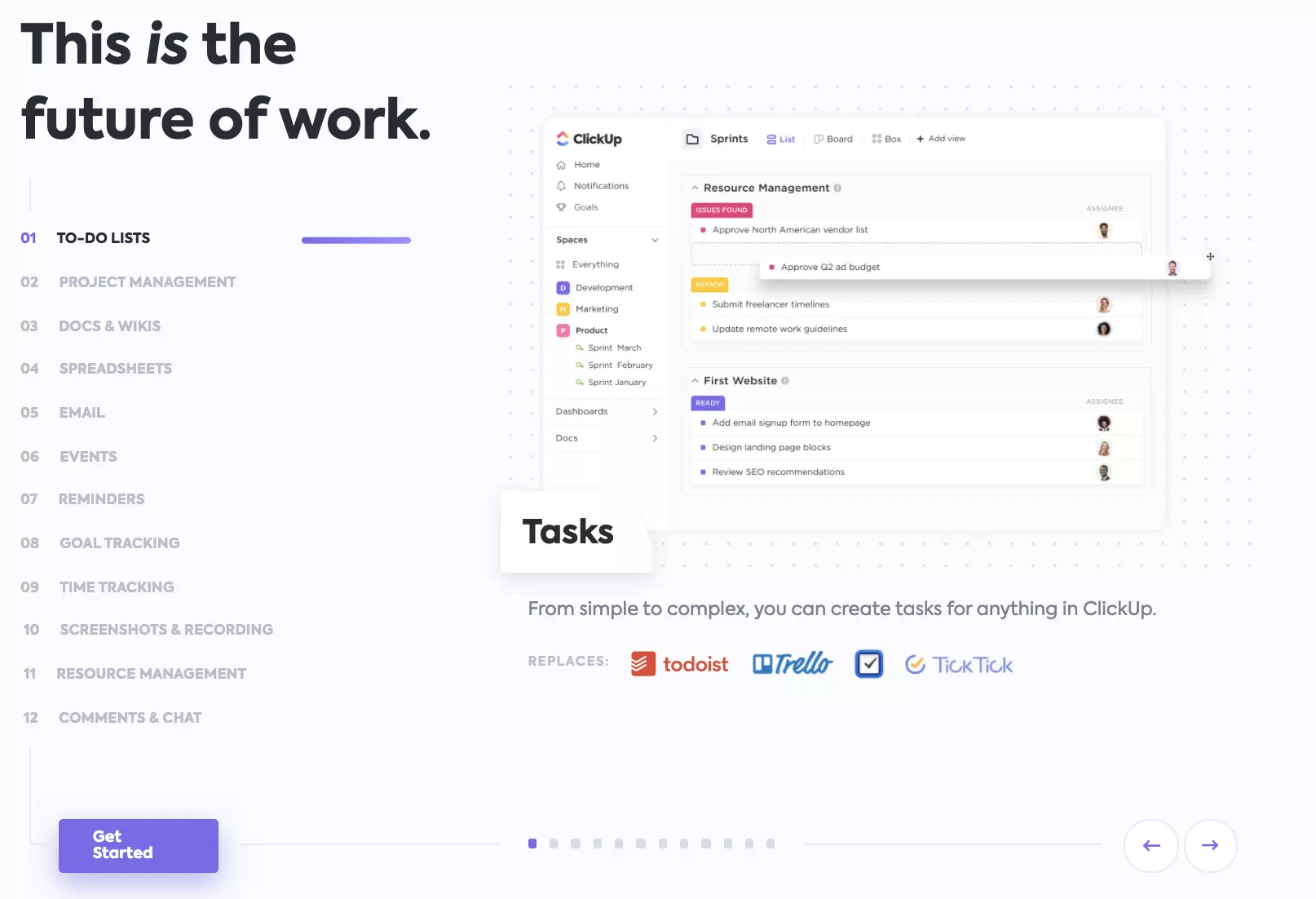
ClickUp is a cloud-based collaboration and project management solution made for businesses of all sizes and all kinds of specialization. It offers a variety of powerful features made for task management, such as alerts, task assignments, and statuses.
Connected with LiveAgent, you will be able to speed up your workflow by using one solution instead of switching between apps. With ClickUp integration for LiveAgent, you can easily manage and keep track of tasks. If you receive or send an email from LiveAgent, you can convert it into a task in ClickUp with a simple command. Furthermore, you can link tickets into already existing tasks.
While ClickUp integration keeps you informed, LiveAgent will keep track of customer tickets and organize them for you. Prioritizing and ticket management is smooth, no matter how many communication channels you use. If you want to improve your workflow and switch between tabs much less, take advantage of integrations like ClickUp. Keep track of what’s going on in other tools you use to do your job better and faster. LiveAgent supports over 150 integrations with other software so you can focus on helping your customers.

The latest tips and deals delivered straight to your inbox.
ClickUp and LiveAgent have separate pricing. However, ClickUp also offers a free plan with no charges. LiveAgent offers the integration for free as a part of a plan, so there are no extra charges for integrating ClickUp with LiveAgent.
LiveAgent has a ready plugin for ClickUp integration so the process is very simple. Follow the guide below to see how you can do it on your own.
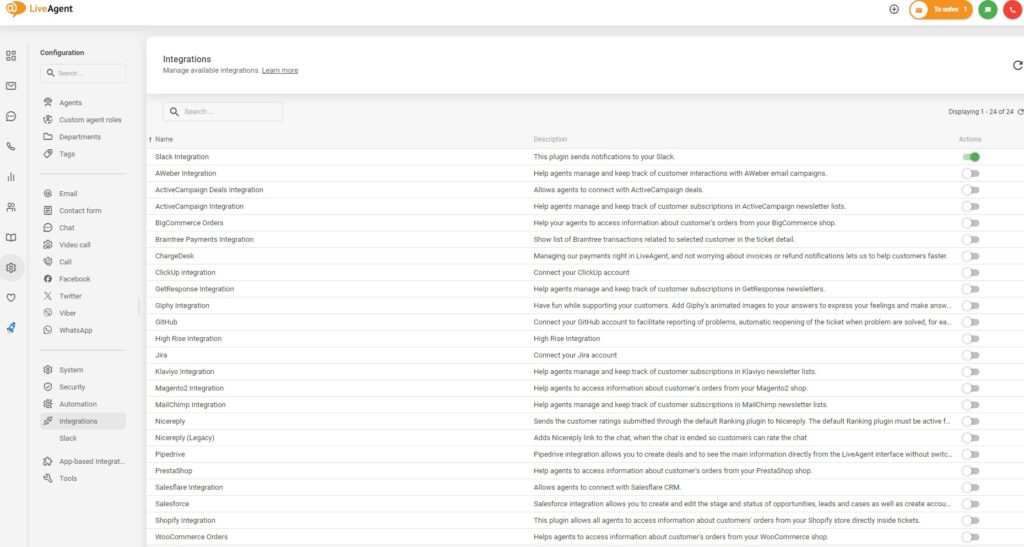
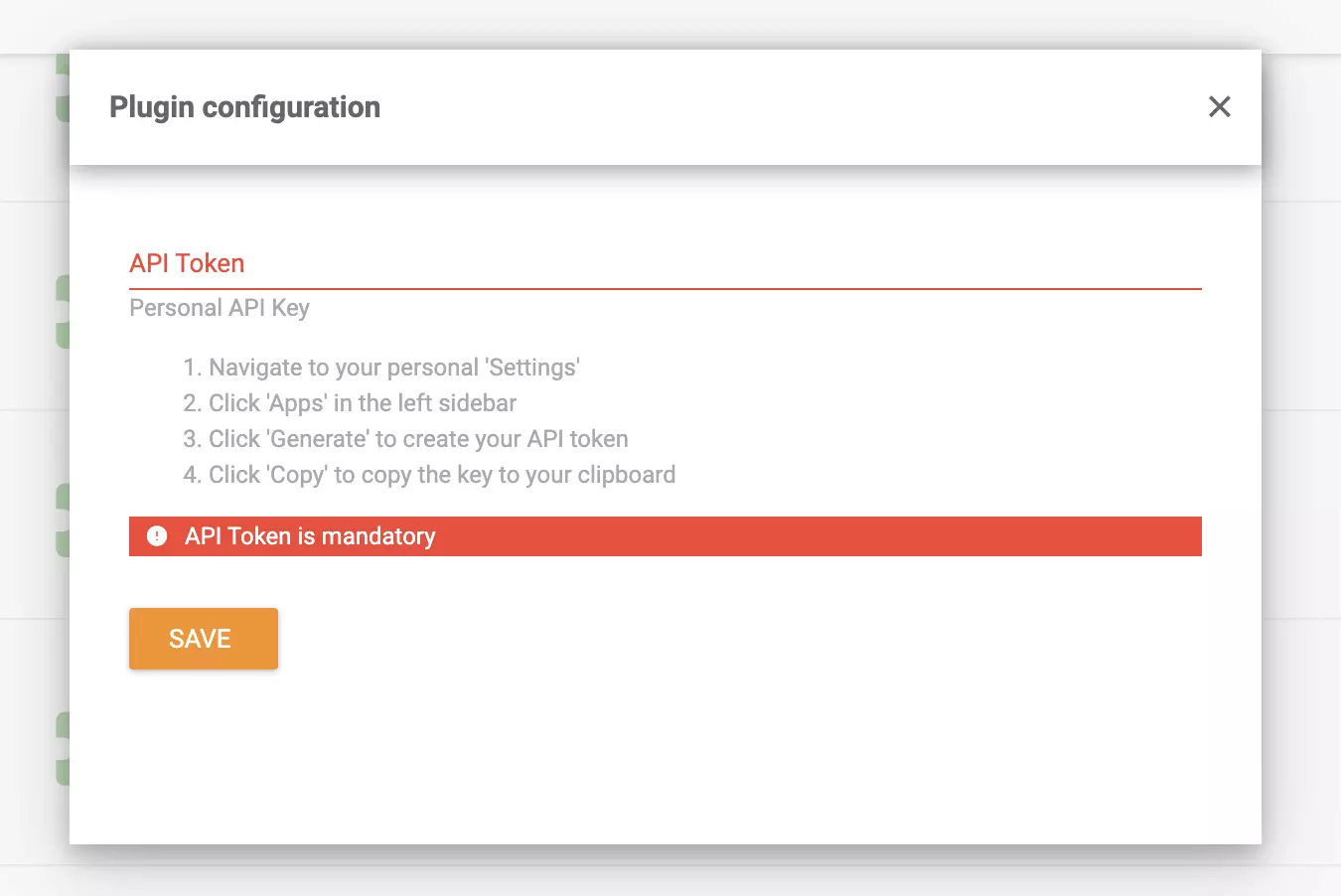
The integration is finished and you can start managing your tasks while still keeping track of customer tickets. Have a look at our Tour video below to see what else you can do with LiveAgent.

Asana is a tool for team collaboration and work management. Integrate it with LiveAgent via Zapier to manage projects, assign tasks, set deadlines, and communic...

Boost workflow efficiency with LiveAgent's help desk integrations like Slack, Zapier, and API. Automate processes, share data, and enhance customer service. Try...
Zapier seamlessly integrates LiveAgent with 200+ apps, enhancing workflow automation without coding. Benefit from quick, intuitive connections with tools like S...