



Chat Tool
Boost customer support with LiveAgent's advanced chat tool! Enjoy real-time communication, screen sharing, and a free 30-day trial today.
3 min read
Customer support
Live Chat
+2

LiveAgent’s Chat history feature enhances customer service by storing previous communications, enabling quick access to past inquiries and solutions. It supports efficient ticket resolution, boosts customer satisfaction, and offers a free trial.
Have you ever had a customer who was frustrated because your agent was unaware of the previous conversation?
Well, this happens more often than you think.
LiveAgent is a customer service software solution for any company that is looking to improve its daily customer support activities. Thus, it helps you process customer inquiries from multiple-channels in a time-efficient way. It is basically everything under one roof. All the information you need is right inside the ticket/ chat conversation.
Chat history is one of many features of LiveAgent. It can be referred to as a chat log or conversation history of previous communication with customers. It is pretty self-explanatory, and it can be extremely useful in various scenarios. You can use it to check previous customer inquiries, check for data and information, search for previous solutions to an issue. The limit is only in your creativity.
To be specific, you can view customer service chat history and all current chats on one screen. Moreover, you are able to directly access and filter chat communication according to your preferences. For instance, you can filter your chats by Tags, Departments, date, name, and more.
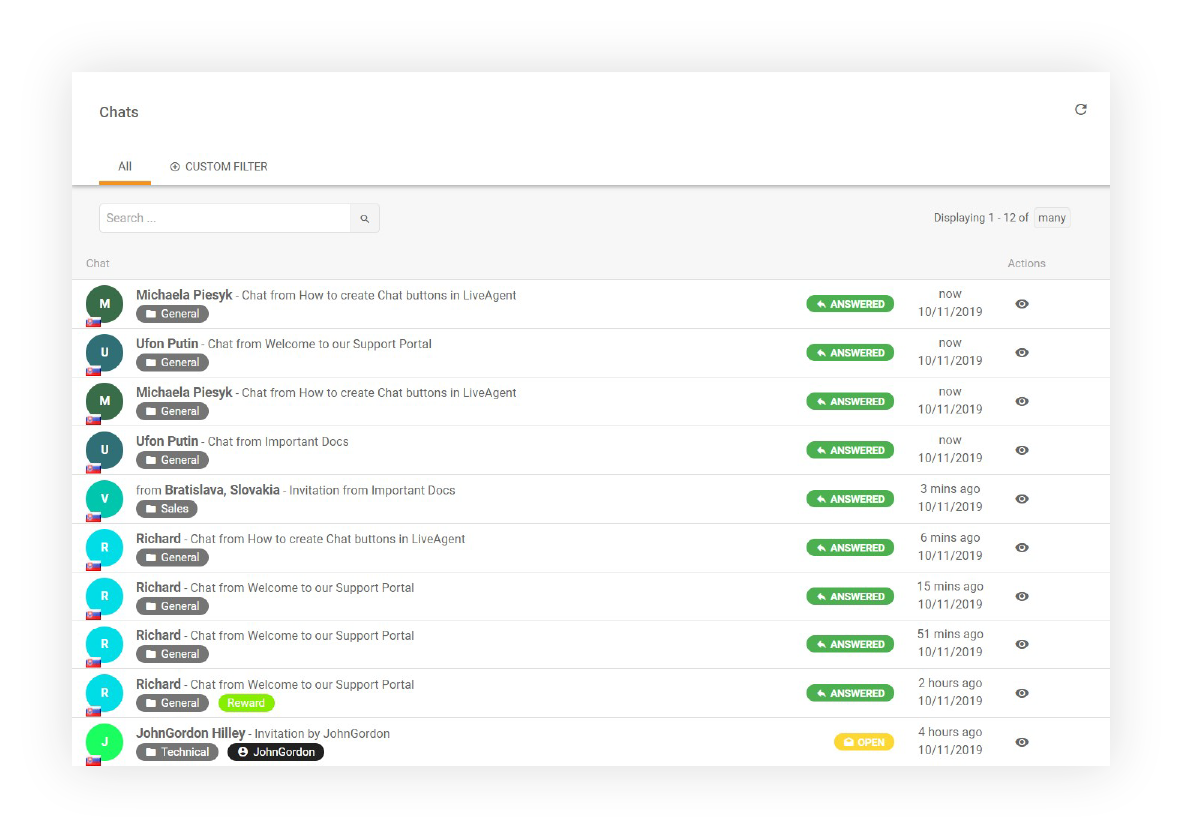
We’ve probably all been there. Explaining the previous issue to the new customer representative. Do you remember how frustrating it was? Customer satisfaction decreases the longer your customer has to explain the issue. Overall this creates pretty stressful and unnecessary heated chat conversations.
To prevent this, LiveAgent has created a customer conversation history feature where you can easily search chats. A website chat feature can significantly improve customer communication by allowing real-time interaction directly on your site, enhancing both engagement and satisfaction.

Start your free trial today and see results within days.
In LiveAgent, exporting the conversation log of your chats is a straightforward process that allows you to save important customer interactions for documentation, analysis, or compliance purposes. Whether you need to export a conversation in PDF or HTML format, LiveAgent makes it easy.
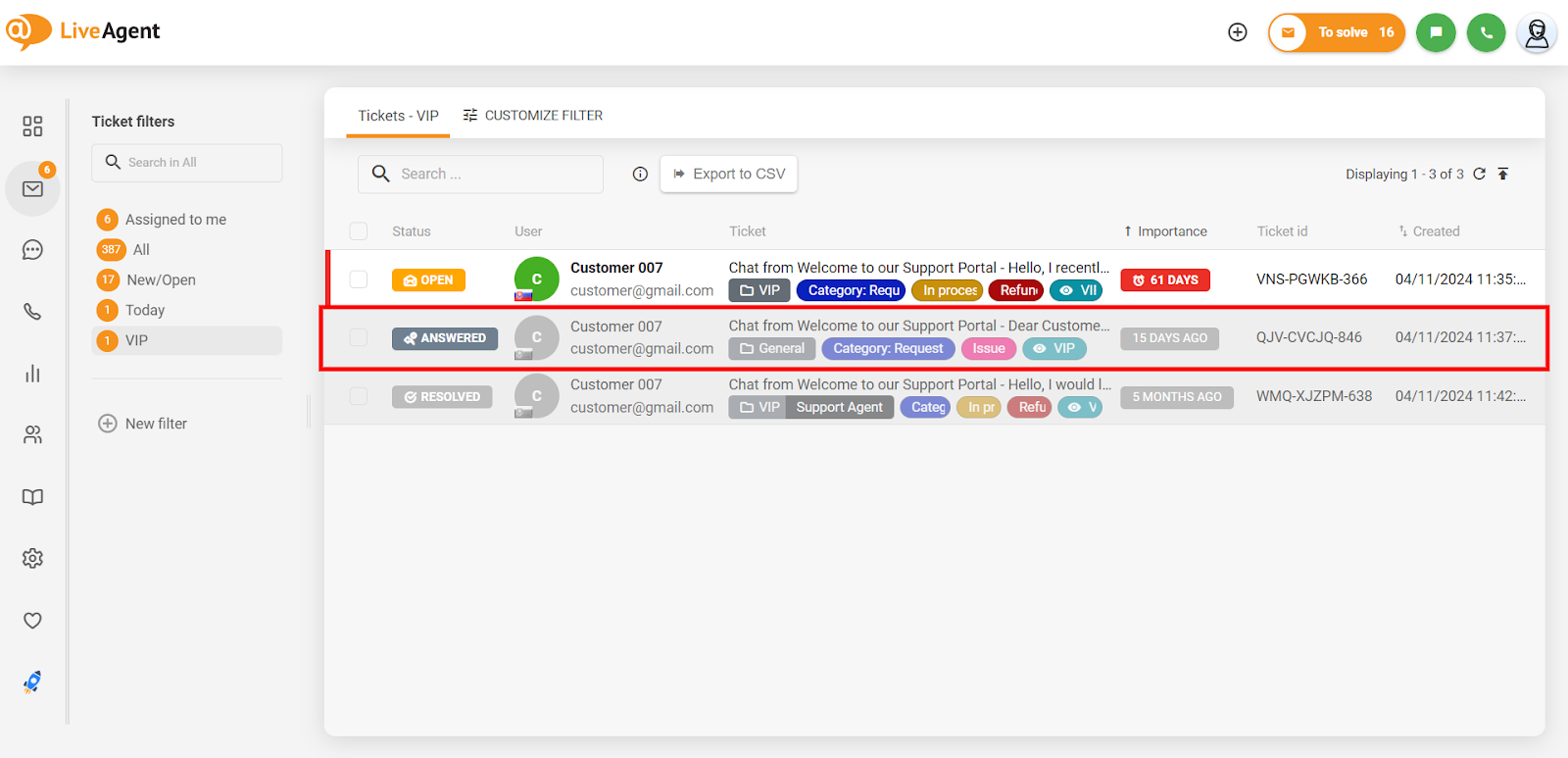
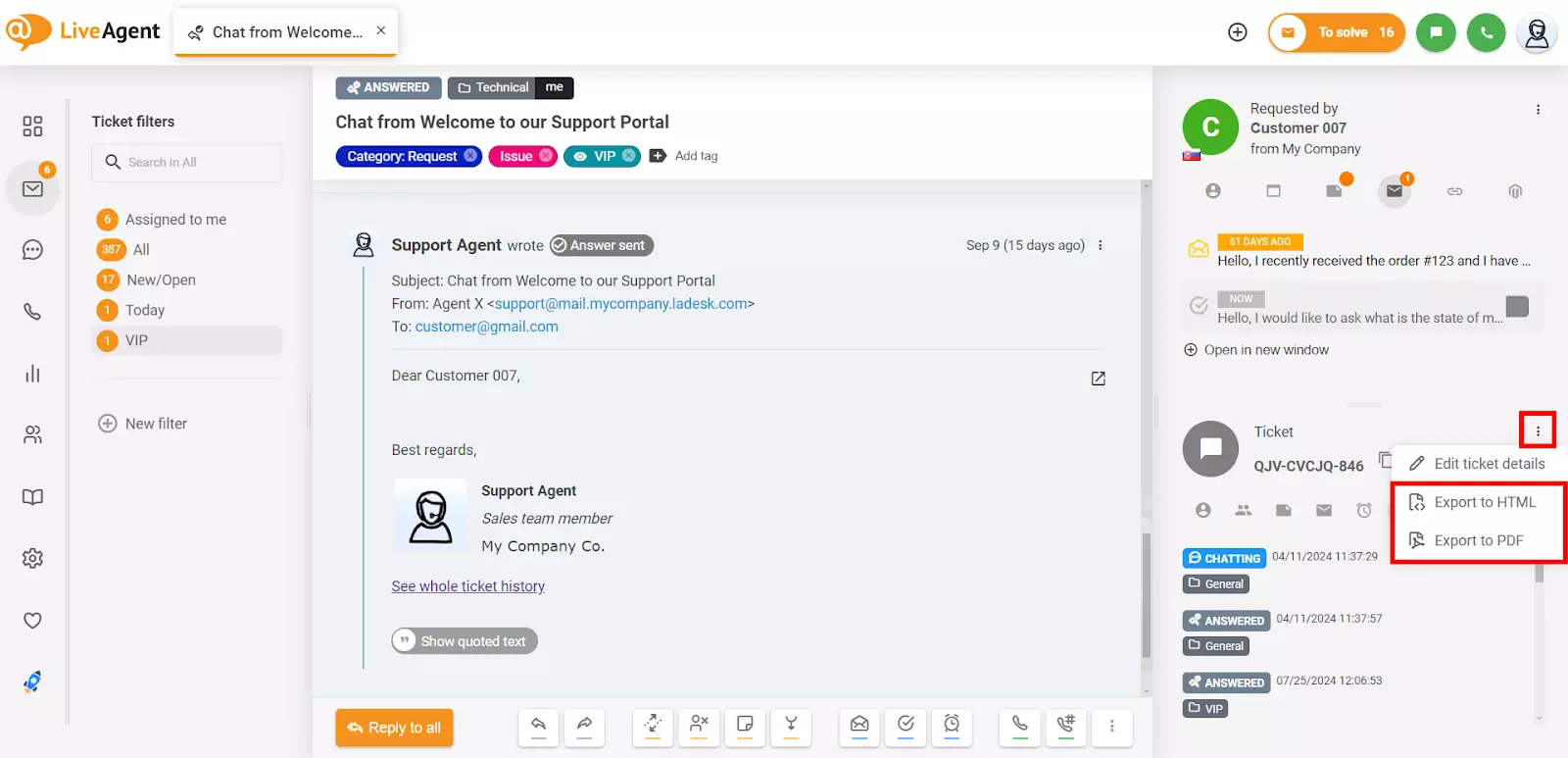
This simple process ensures you can efficiently manage and archive customer service conversations for future reference.
The latest tips and deals delivered straight to your inbox.
Let’s say that Wendy wants to ask a live chat agent about an issue she experienced a month ago. It was solved, but it happened again. The live chat agent can have a quick look at the previous chat conversation. As a result, see what the solution was and why it wasn’t permanent. With this information at their disposal, the agent can suggest a different approach. Or on the other hand, explain what needs to be done differently. Therefore, this issue won’t occur in the future.
Quickly find out what website the customer is researching. This feature allows you to be ready to provide appropriate information and prevents unnecessary customer frustration.

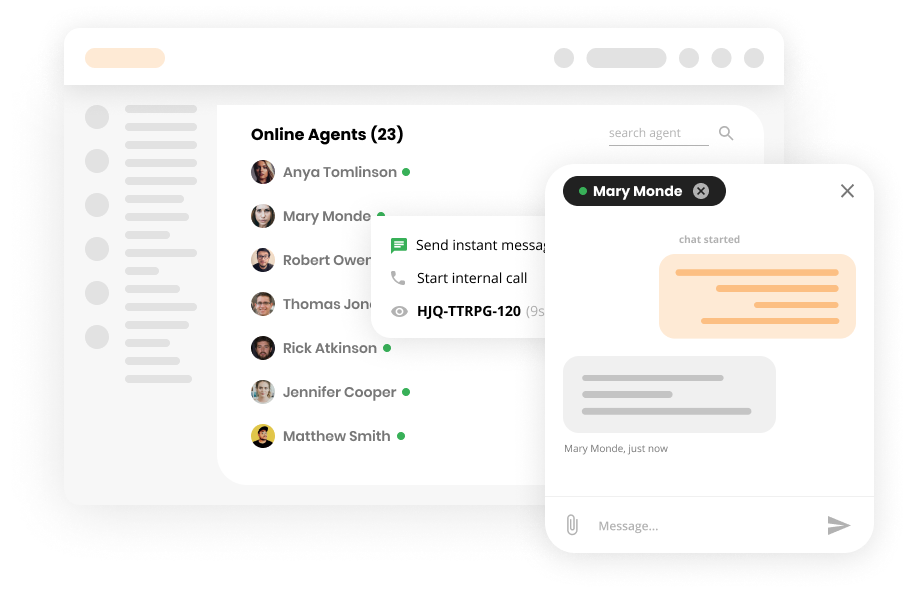
Internal chat is a chat for your agents inside LiveAgent. But how does this tie to CX? Well, the internal chat was created to help improve your agents’ daily tasks. If they need to reach out to another agent, they can simply do it via LiveAgent without changing interfaces. As a result, the agent can provide the needed help faster. The more you improve your customer representatives’ workflows, the better your service can be.
This feature allows you to preview what the customer is writing in real-time. As a result, in the meantime, you can try to understand the customer’s issue or search for needed information.

Need more help with chat history? Check out these detailed guides:
Discover LiveAgent's powerful features that streamline communication, increase efficiency, and boost customer satisfaction.
Boost customer support with LiveAgent's advanced chat tool! Enjoy real-time communication, screen sharing, and a free 30-day trial today.
Discover LiveAgent's free chat client for instant messaging. Manage all inquiries from one interface with automation & real-time chat. Try free!

LiveAgent's real-time chat tool enhances customer interaction with instant responses, boosting satisfaction and conversions. Features include mobile chat, file ...
Join our community of happy clients and provide excellent customer support with LiveAgent.

Cookie Consent
We use cookies to enhance your browsing experience and analyze our traffic. See our privacy policy.