



RSVP Email Templates
Discover effective RSVP email templates to ensure attendance at your events. Learn key elements, best practices, and explore customizable templates for invitati...
4 min read
LiveAgent
Email Templates
+3


Boost your webinar attendance with LiveAgent’s engaging email templates, including invitations, confirmations, and reminders. Enhance awareness, ensure participation, and maximize ROI with effective email marketing strategies. Try LiveAgent’s 30-day free trial!
So you’ve spent a long time planning and organizing a great webinar, and everything is in place for the day of the event. Your presentation has been prepared and practiced, speakers have been arranged, you’ve created an event page, and the streaming equipment and software have been tested. The most important points have all been covered, right? Wrong. If the best webinar in the world takes place but there’s no one there to watch it, did it even happen?
As such, one of the most important aspects of webinar prep is encouraging people to register their attendance and then ensuring as many of them as possible actually attend the webinar when it takes place. There are countless ways to promote your webinars, including paid advertising and posts on social media platforms.
However, email marketing remains one of the most popular and most cost-effective advertising solutions. Thus, webinar sneak peek emails are one of the best ways to promote your upcoming online conference or talk.
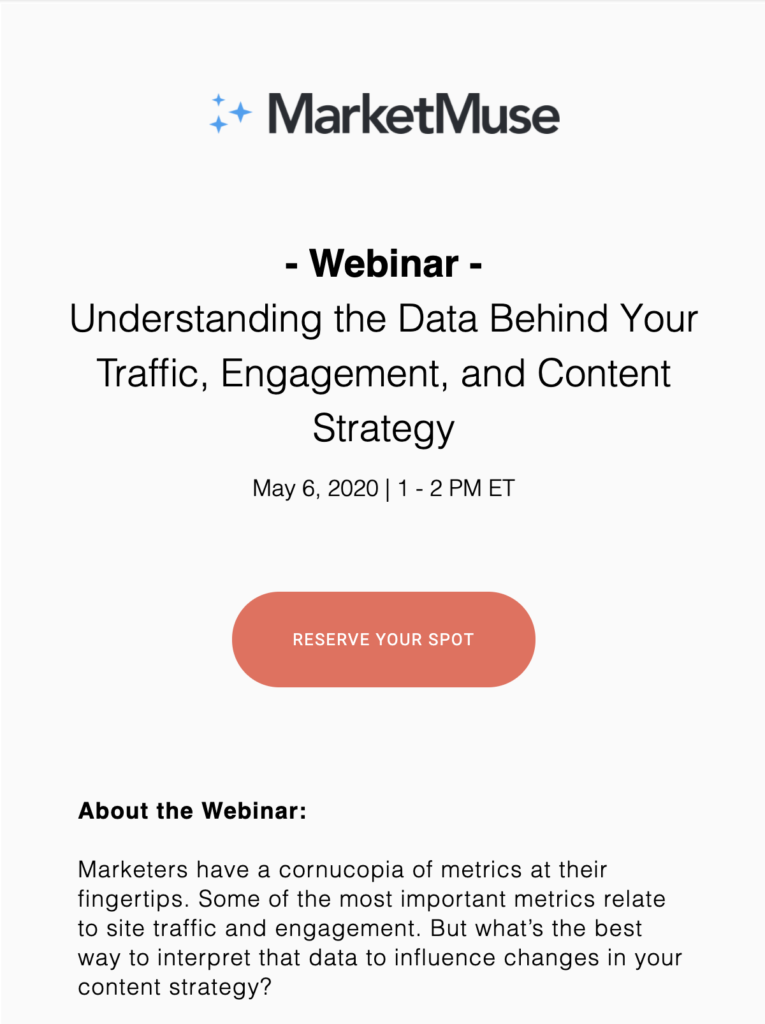
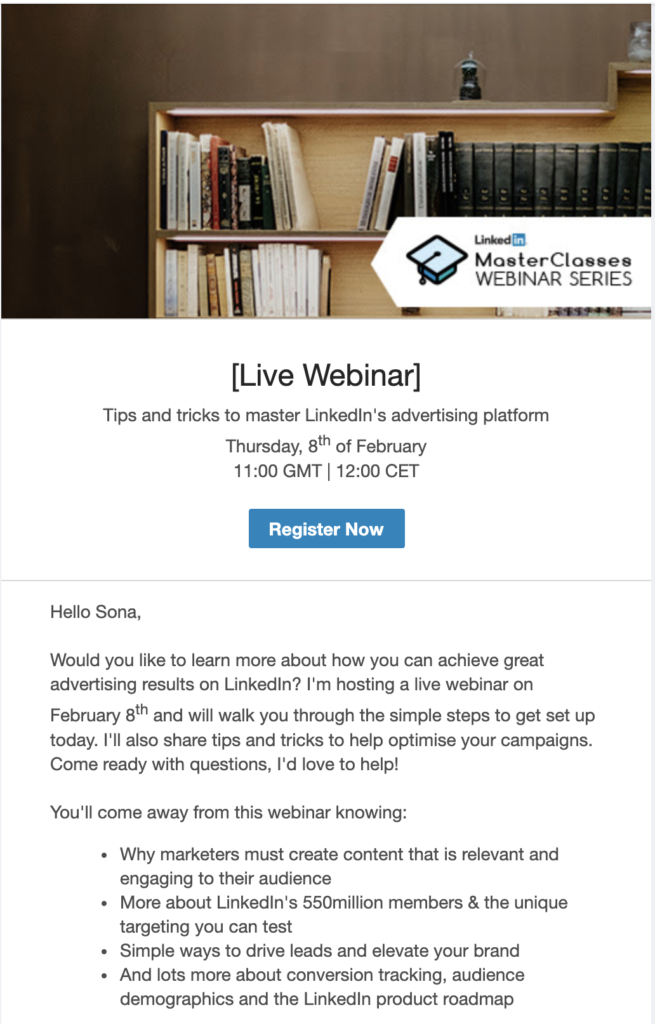
Before your webinar takes place, it’s advisable to send out a series of messages to the people in your email database. For people to attend webinar conferences, they have to be aware of it even happening. Start with an invitation email, follow it up with a registration confirmation email, and finish strong with one or more reminder emails close to the webinar date. Most of these emails should include the following snippets of information to give your email recipients a preview of what they can expect:
Hello,
We wanted to provide you with additional info about our upcoming webinar, [title], which will be taking place at [time including zone] on the [date].
We’ve secured [X] speakers that will cover a wide range of topics in the [subject] area, including:
Speaker and presentation 1
Speaker and presentation 2
Speaker and presentation 3 …
…
You can find more information about the speakers and the event here [link]. Click on the button below to save your spot.
[Sign up]
Best, [Name] from [company]
Dear [name],
Thank you for registering for our upcoming webinar, [title].
You’re all signed up, and you’ll be able to watch the live stream on the day of the event by following the link below:
[View the webinar]
Here are just a few of the things you’ll be able to learn by watching the live broadcast:
Insight 1
Insight 2
Insight 3 …
…
Check out the website [link] for more info or reply to this email if you have any questions.
Kind regards, [Name]
Hi [name],
We’re just letting you know that the [title] webinar that you registered for is taking place [today/tomorrow/this week] at [time including zone].
Below you can watch a sneak peek of the event to get a taste of what you can expect.
[Video trailer]
More information about the webinar can be found on our website.
[Find out more]
See you soon! [Name], [position] at [company]
When crafting your webinar sneak peek emails, keep these best practices in mind to maximize engagement and attendance:
Send emails at the right time – Plan your email sequence strategically. Send the invitation email as soon as your event is fully planned, follow up with a confirmation immediately after registration, and send reminders one week and one day before the event.
Make your subject lines compelling – Your subject line is the first thing recipients see. Use action-oriented language and create a sense of urgency or excitement about the upcoming webinar.
Personalize your messages – Use recipient names and tailor content based on their interests or past interactions with your company.
Include clear CTAs – Make it easy for recipients to take action with prominent, clearly labeled buttons like ‘Sign up," “Register now”, " or “Reserve my seat.”
Highlight speaker credentials – People are more likely to attend when they know who will be speaking. Include speaker names, titles, photos, and links to their professional profiles or past work.
Provide clear event details – Always include the date, time, and timezone. Consider adding a calendar invite or link to add the event to their calendar.
Focus on value – Clearly communicate what attendees will learn and how it will benefit them. Outline specific topics, takeaways, or problems the webinar will help solve.
Keep it mobile-friendly – Many people check emails on mobile devices. Ensure your templates are responsive and easy to read on smaller screens.
Feel free to send the invitation as soon as your event has been fully planned. A registration confirmation should be sent as soon as a user has RSVP'd, to ensure they know that the sign-up process was successful. Finally, you should send out an email reminder one week before the event takes place, and another reminder 1 day before the event.
You should always include a CTA button in an invitation email to make it as easy as possible for recipients to register for your webinar. Your CTA could feature phrases like 'Sign up', 'Register now', or 'Reserve my seat', just to give a few examples. You could even include multiple CTAs, such as a 'Read more' button that links to a page with more information about the event.
The possibility to connect with potential clients is perhaps the main advantage of webinars, which is why you want to attract a large audience with well-written sneak peek emails. Successful webinars can: Increase customer engagement, Bring in new, relevant leads, Create a high ROI
LiveAgent is the most reviewed and #1 helpdesk software for small to medium-sized businesses. Try it today with our free 30-day trial. No credit card required.
Discover effective RSVP email templates to ensure attendance at your events. Learn key elements, best practices, and explore customizable templates for invitati...

Create effective Zoom invitations with our templates to boost attendance and make a great impression. Personalize with compelling text, craft engaging subject l...
Discover effective new blog post email templates to engage your readers. Learn how to entice subscribers with sneak peeks, gather feedback, and choose between p...
Join our community of happy clients and provide excellent customer support with LiveAgent.
