



Zapier Integration for LiveAgent
Zapier integrates over 200 apps with LiveAgent to automate tasks and streamline workflows, enhancing customer service. Connect apps like Slack and Trello effort...
3 min read
Zapier
Integration
+2



Zoiper is a softphone app that integrates seamlessly with LiveAgent, offering easy navigation and reliable functionality. It is available in both free and paid versions and supports LiveAgent’s call center features like IVR and unlimited call recordings.
Zoiper is a softphone app that can be a great all-rounder application for calling. The feature set is different in each available plan. The free version offers essential but great functionality. The paid plan offers extra options such as HD calls and encryption. The third option is a custom solution where the user gets to pick the design and the available feature set.
Zoiper is a reliable softphone application that can be used to handle customer calls. Even better, thanks to the easy implementation and integration with LiveAgent, you can use it as your main softphone app to cooperate with LiveAgent’s call center features. It works perfectly with LiveAgent’s call center and you can utilize it with features such as IVR, unlimited call recordings, internal calls and more.
It’s easy. All you need to have to get started is download Zoiper, and have your VoIP service number already connected to LiveAgent. Once you get started with the setup of Zoiper, you need to create a new device in LiveAgent with your VoIP number.
Step 1: Create a new SIP device in LiveAgent
Go to Configuration > Call > Devices and create a new SIP phone. Include the number you have from your VoIP service and name the phone however you like. Once you save this device, you will see a screen with your login information.
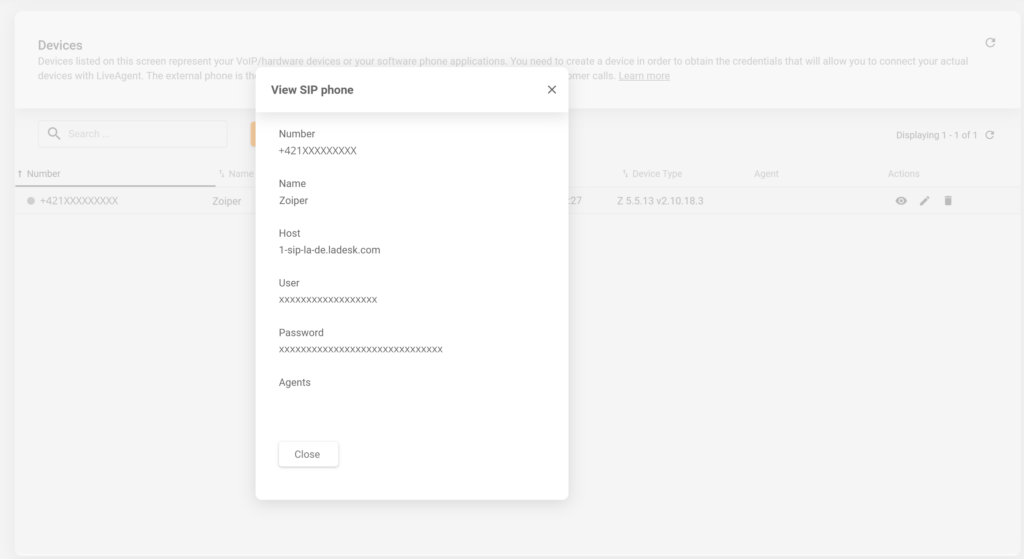
Step 2: Connect your VoIP account in Zoiper
Now, during the setup of Zoiper, you have the option to connect your VoIP account. Use the credential information from the previous step. Provide the login information in this format user@host and then provide your password.
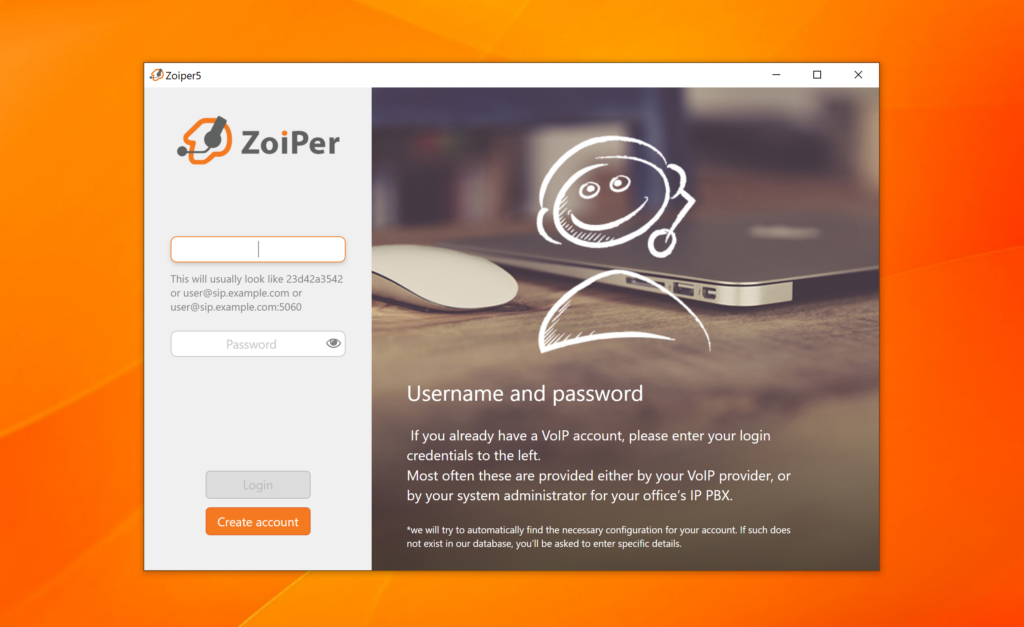
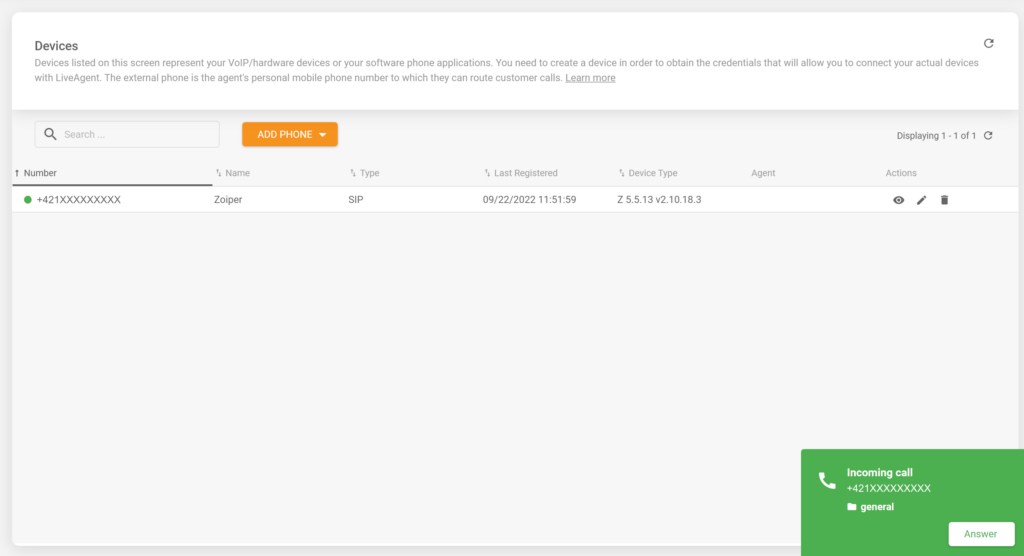
Step 3: Start receiving calls
That’s it, you successfully connected your Zoiper softphone with LiveAgent. You can now start receiving and handling customer calls in your LiveAgent call center.
Handle customer queries over phone with LiveAgent. LiveAgent offers a variety of useful call center features that can help you handle any incoming calls and keep them stored in the system.
Zapier integrates over 200 apps with LiveAgent to automate tasks and streamline workflows, enhancing customer service. Connect apps like Slack and Trello effort...

Zapier seamlessly integrates LiveAgent with 200+ apps, enhancing workflow automation without coding. Benefit from quick, intuitive connections with tools like S...
Xero is an accounting platform that integrates with LiveAgent to manage bills, payments, invoices, and more. The integration via Zapier simplifies billing manag...
Join our community of happy clients and provide excellent customer support with LiveAgent.
