



Twitter Integration for Customer Support
LiveAgent's Twitter integration helps businesses manage customer support by monitoring brand mentions and keywords, responding to inquiries, and tracking public...
6 min read
Twitter
Social Media
+2


Enhance your customer support with LiveAgent’s seamless Twitter (X) integration. Monitor brand mentions, track public comments, and respond to inquiries all from one platform. Try it free for 30 days and improve customer satisfaction, workflow efficiency, and brand presence effortlessly.
Twitter (now known as X) is a microblogging and social media website used by millions of people worldwide. Users interact via short messages called tweets (posts), where they can share text and various media to interact with their followers. It is a great platform for spreading information quickly, keeping up with current events, reaching new audiences, seeking feedback, contributing to discussions, and expressing yourself.
Twitter (X) is also used by businesses to promote their products, interact with customers or provide them with support. It can increase customer satisfaction and your agents can provide help in real-time, instead of just handling emails or phone calls.
LiveAgent’s integration with Twitter (X) allows businesses to monitor brand mentions and keywords, respond to customer inquiries, and track public mentions with ease. After integrating Twitter (X), your team inbox will monitor messages and tweets (posts) from your account.
Twitter (X) has over 187 million daily active users worldwide. Many of these users use Twitter (X) to share their opinions about products and businesses, ask questions, and provide feedback by sharing both positive and negative experiences.
Because Twitter (X) is considered to be an ‘always-on" channel, customers expect to be acknowledged on the platform when attempting to contact a business. Oftentimes, businesses that fail to respond promptly or in a way that is satisfactory to the customer, face public backlash.
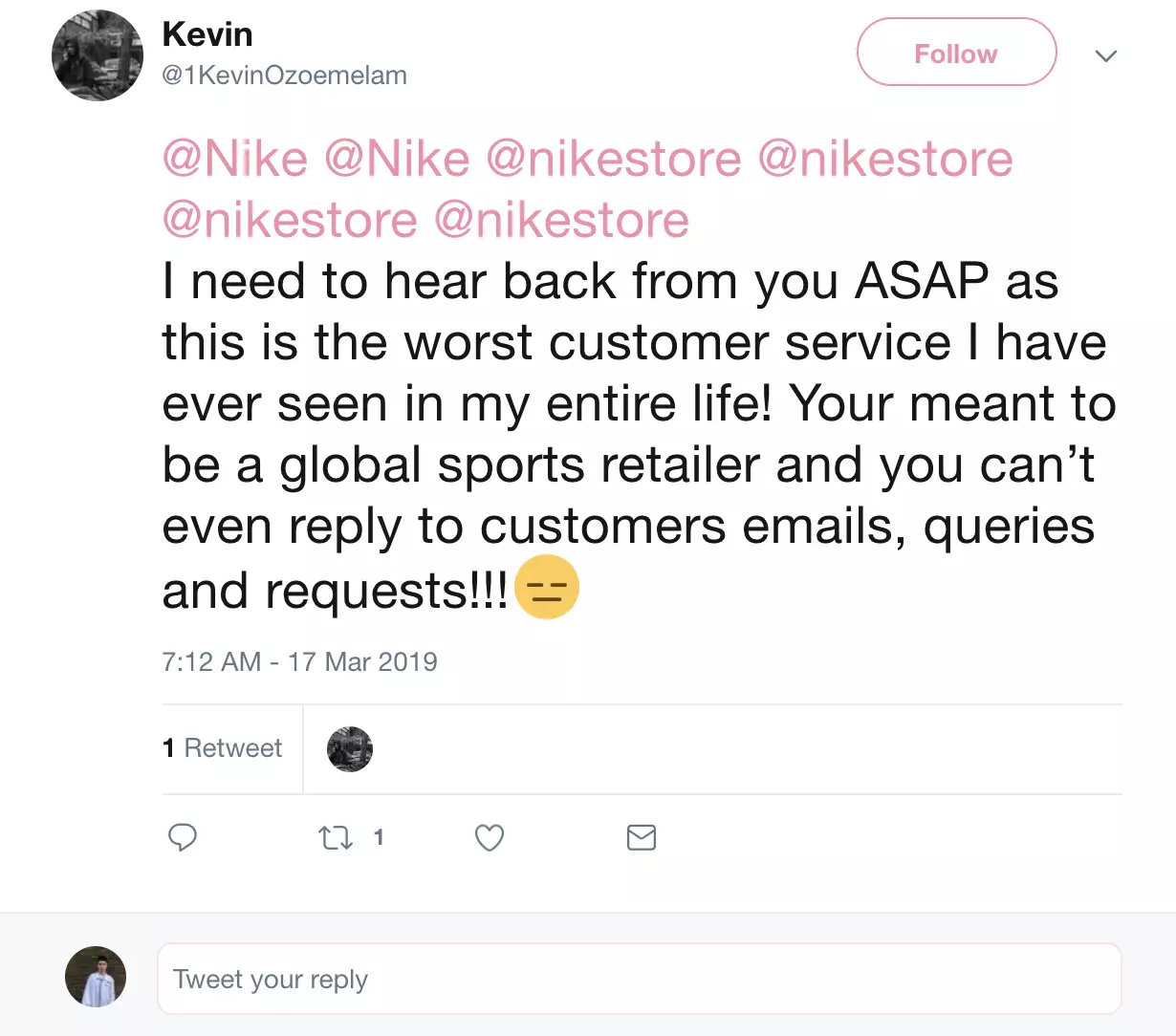
Because of Twitter’s (X’s) nature, these negative experiences can spread like wildfire, with thousands of people jumping on the bandwagon. As such, it’s extremely important to be active on Twitter (X) in addition to being well versed in proactive customer service .
To ensure you’re notified about every tweet (post) that’s coming your way, you’ll have to use an advanced social media customer service software like LiveAgent.
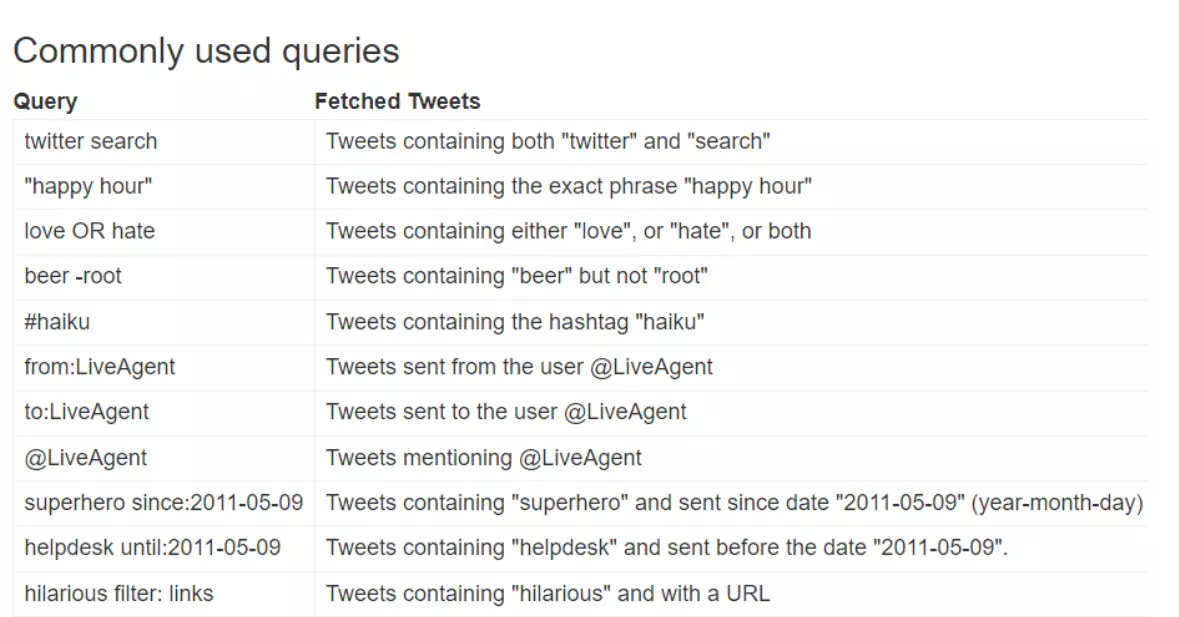
By using our Twitter (X) integration, you can monitor your brand and respond to tweets (posts) and comments that require action in a timely manner. The system will notify you and convert each tweet (post) containing your tracked keywords, comments, and mention into a ticket.


The latest tips and deals delivered straight to your inbox.

LiveAgent offers a native integration with Twitter (X), which is available in the Large subscription plan. However, if you are on the Small or Medium plan, you can still add this feature to your customer support arsenal for an additional fee. To learn more about integrating LiveAgent and Twitter (X), simply follow the steps below.
Note: In order to integrate your LiveAgent account with Twitter(X), you will first need to have a Twitter (X) developer account for access to the Twitter API v2, and create a Twitter (X) application.
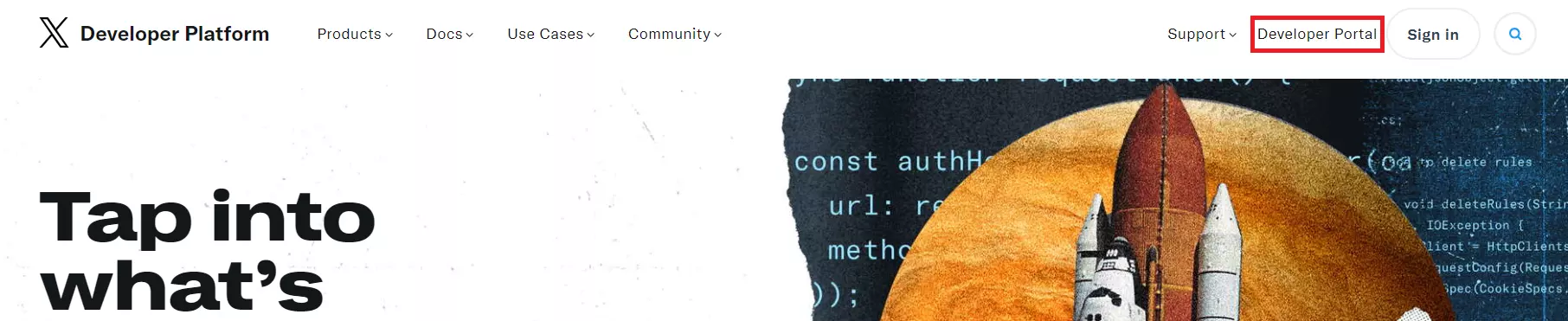
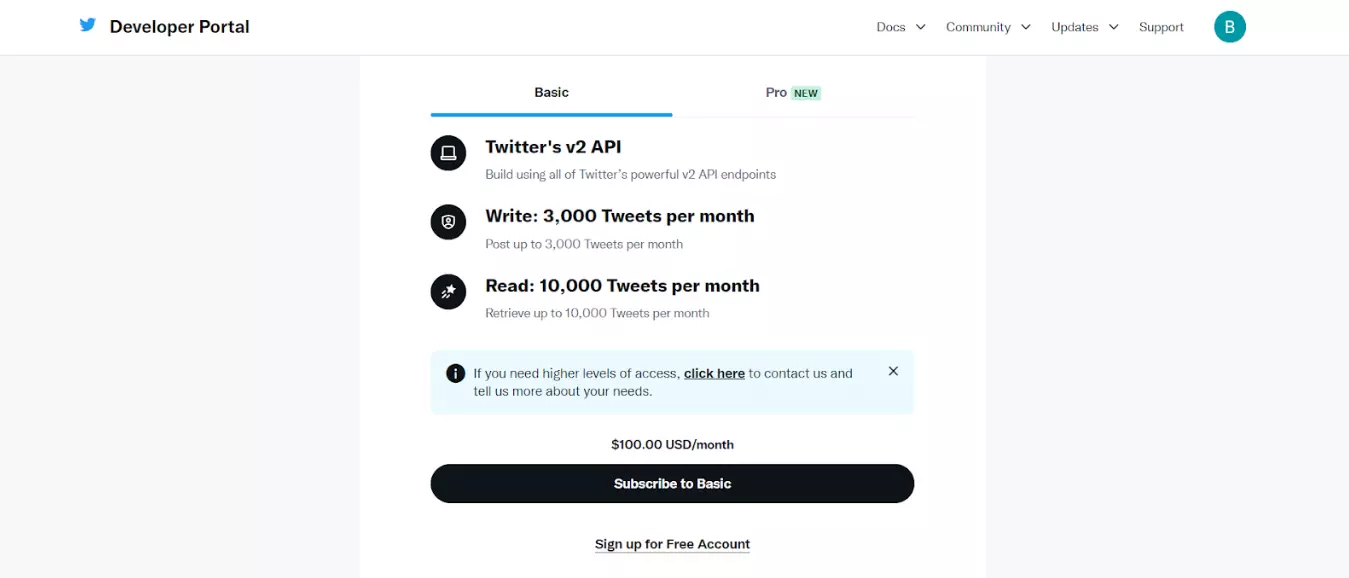
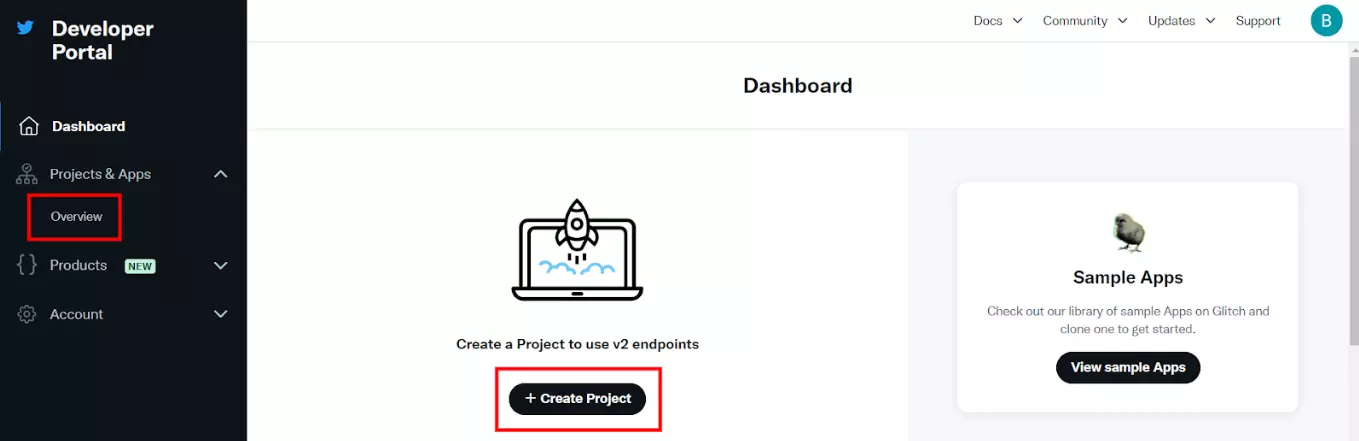
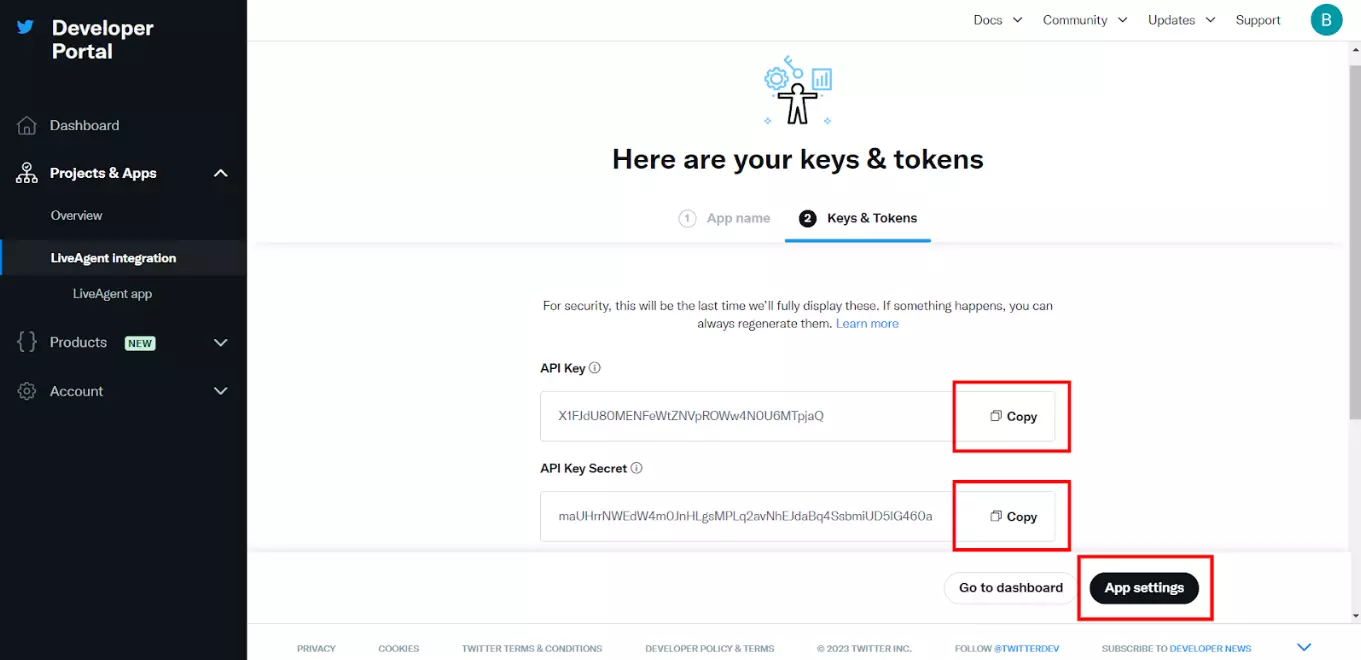
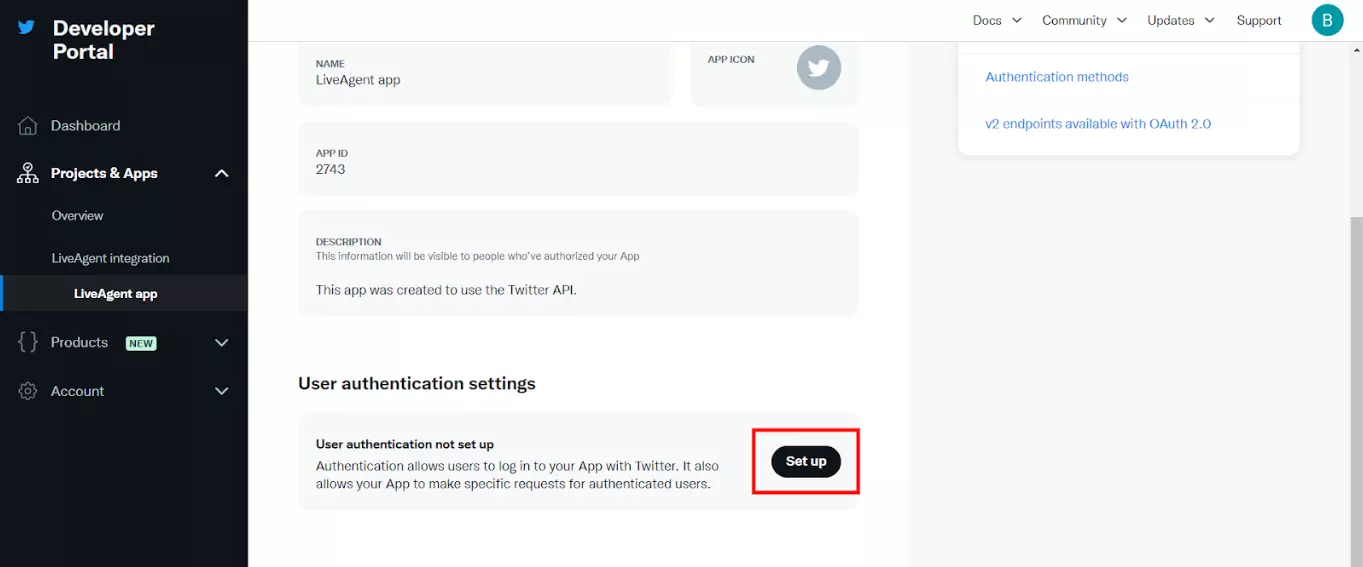
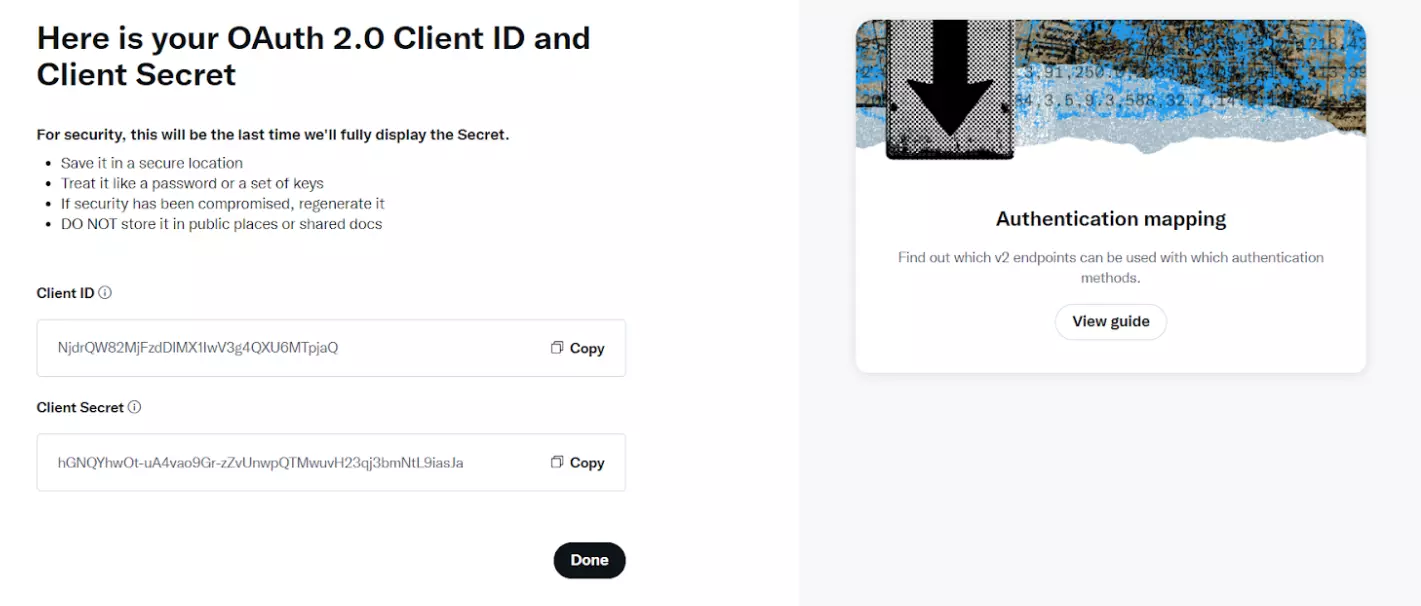
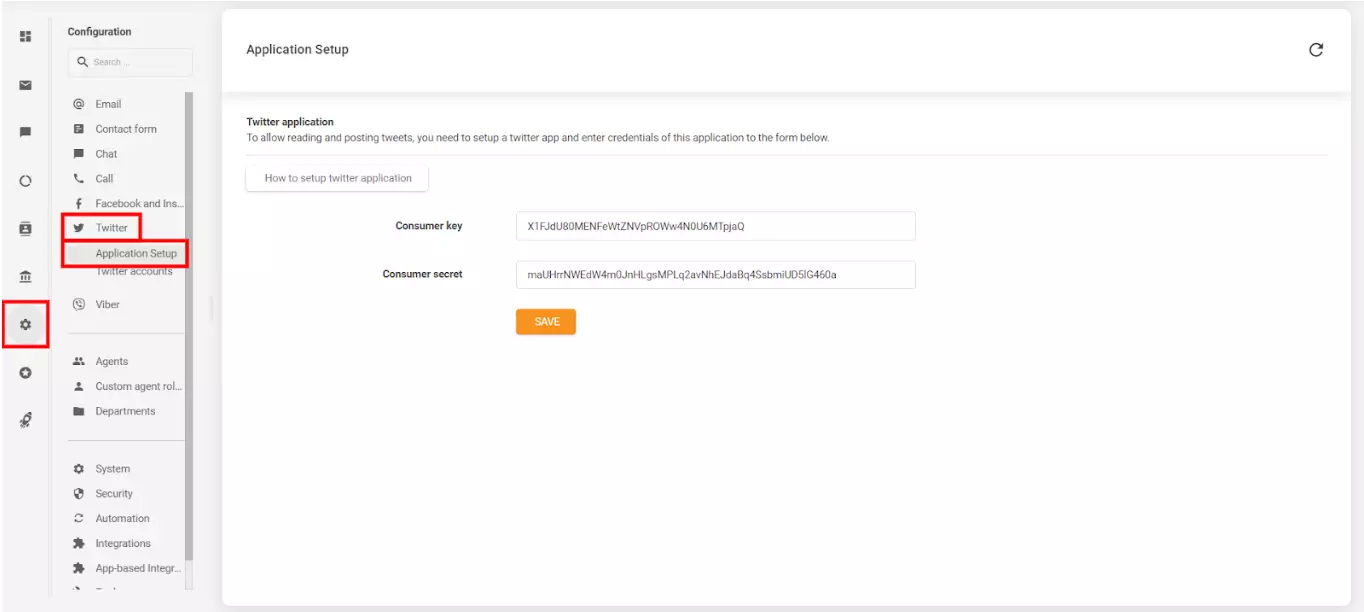
Now that you have set up your Twitter (X) application, you can link it to your LiveAgent account. In your LiveAgent account, go to Configuration → Twitter → Application setup.
Paste the API Key value into the Consumer key field, and the API Key Secret value into the Consumer secret → and click on Save. Your Twitter application is now integrated with your LiveAgent account. The next step is to connect your Twitter (X) account to your LiveAgent account.
Now, let’s look at how to connect your Twitter (X) account to your LiveAgent account:
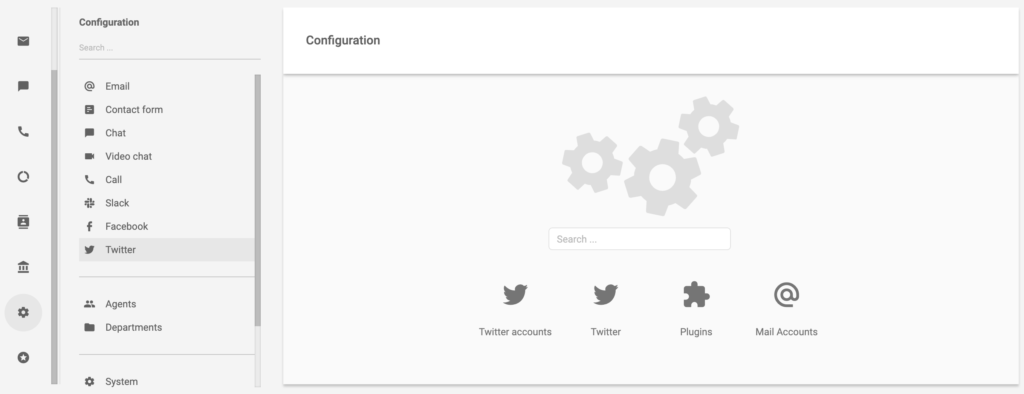
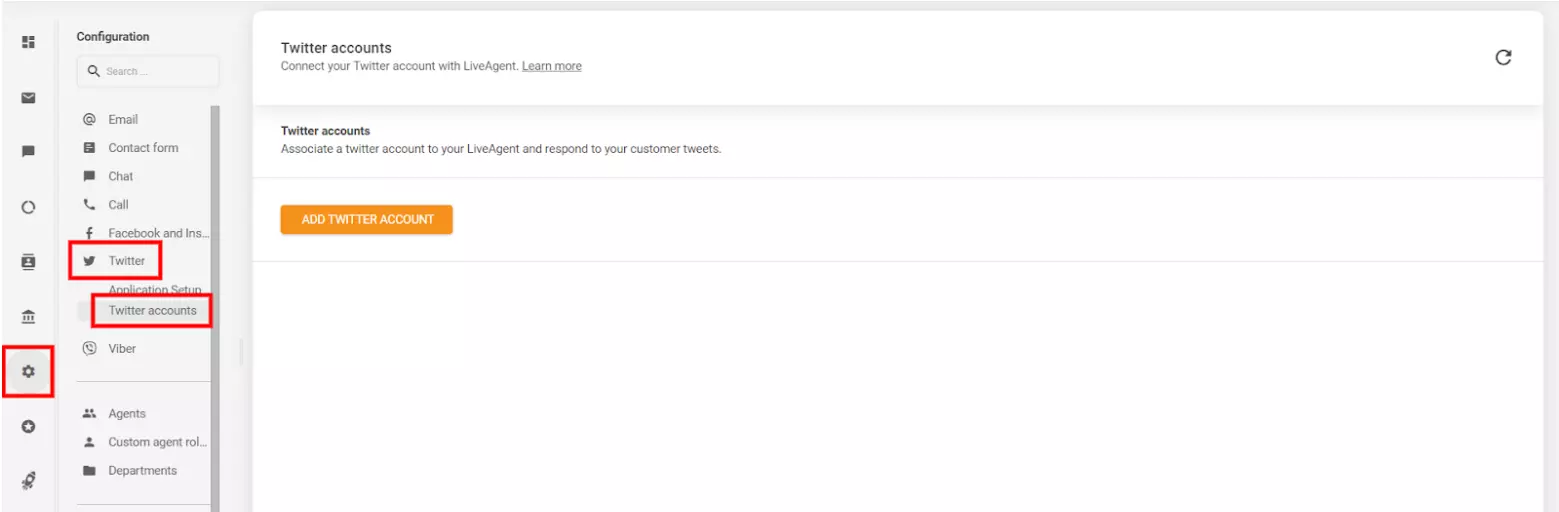
Twitter needs to be enabled first. You can do so by clicking the orange button in the section. LiveAgent will restart after this.
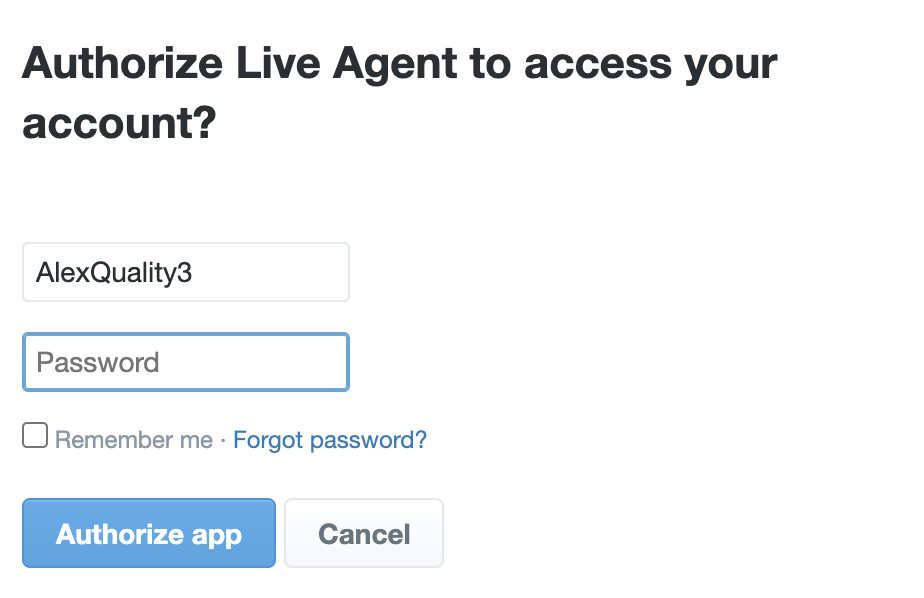
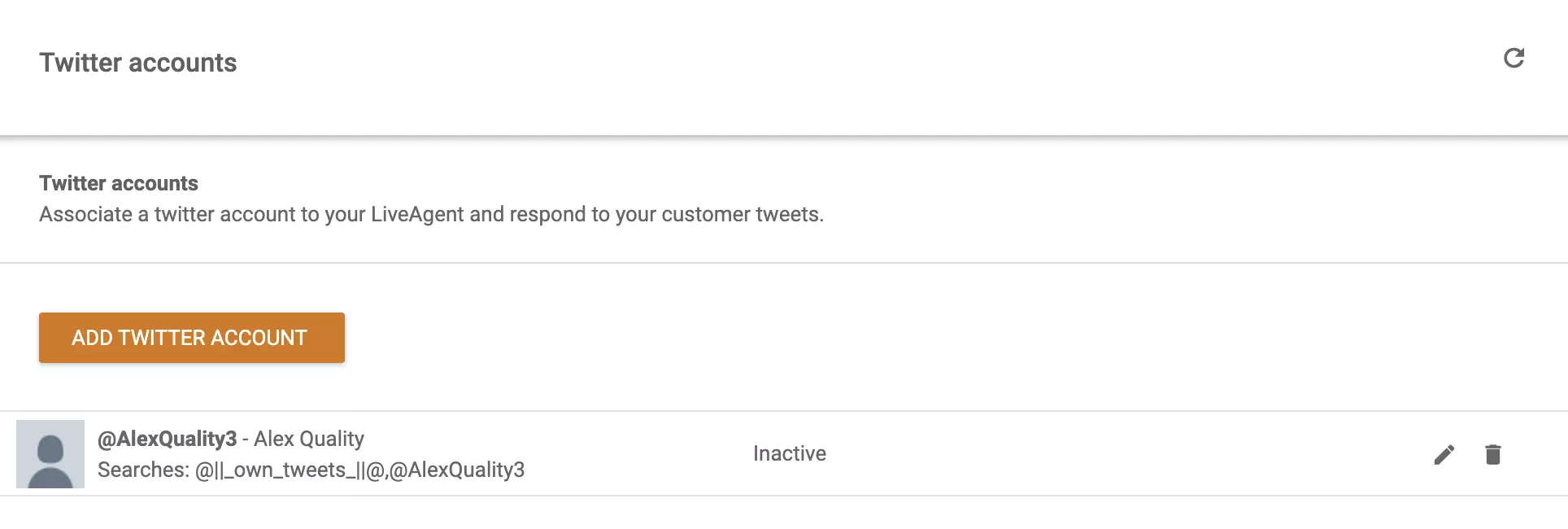
Your Twitter (X) account has been connected, and you should see it available in the section.
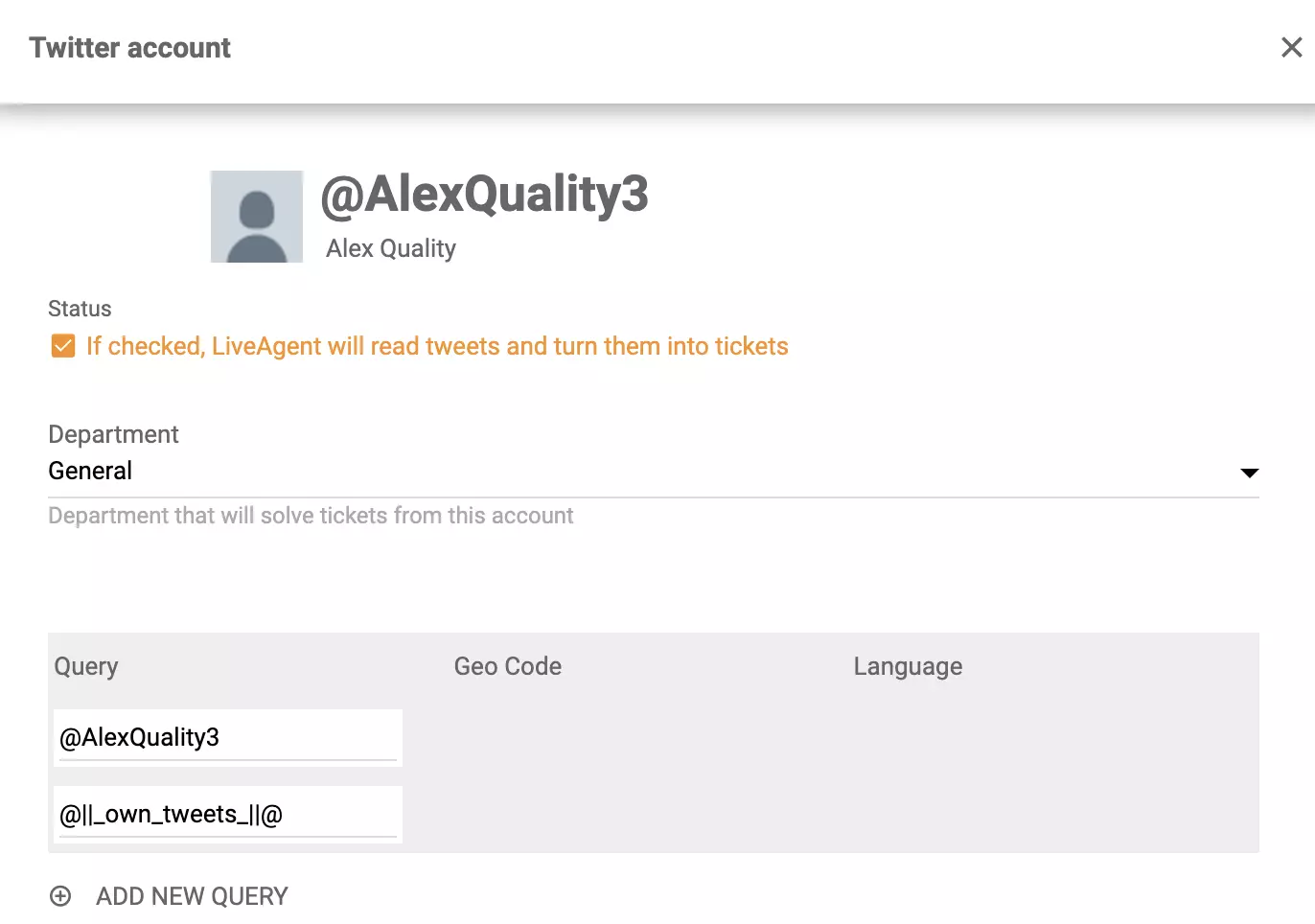
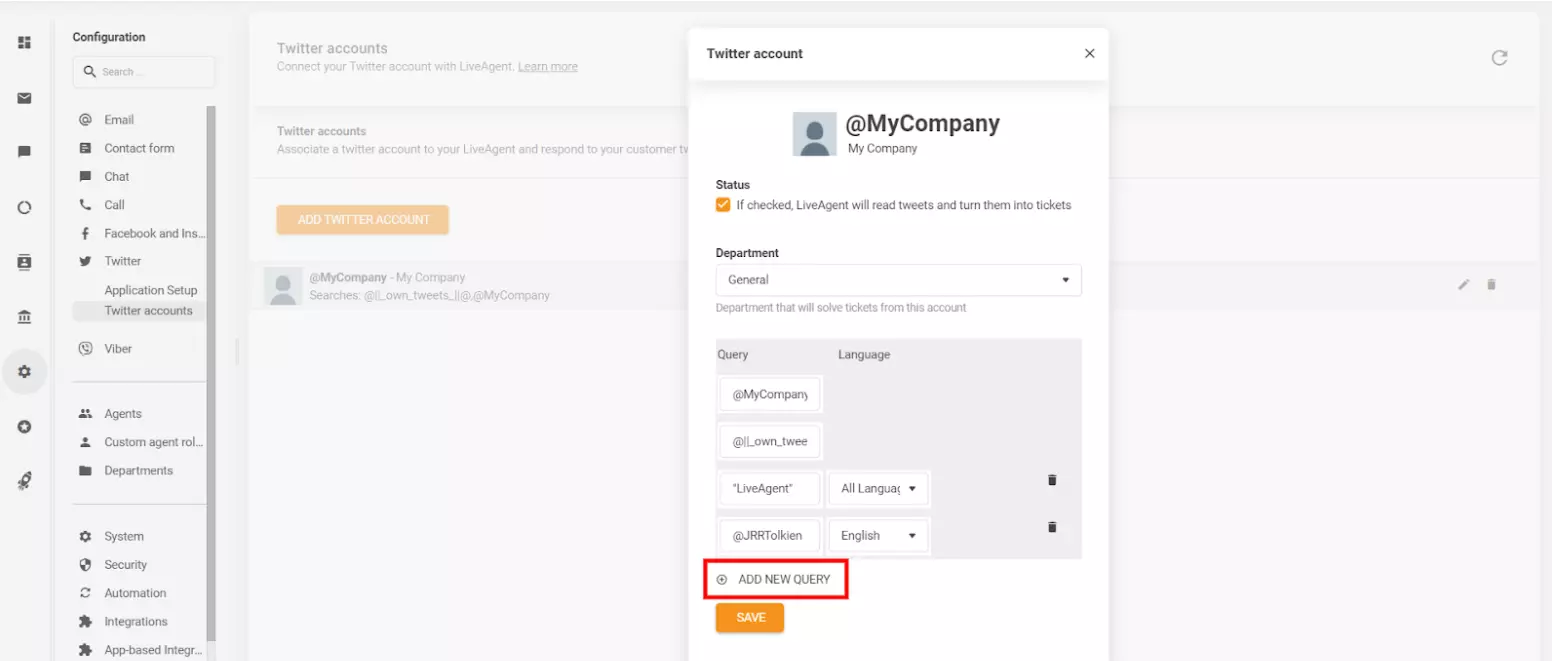
To start fetching tweets (posts) and comments and reply to them, click on the “Edit button” (pencil icon) → enable the “If checked, LiveAgent will read tweets and turn them into tickets” option.
With our integration in place, you will no longer have to monitor your Twitter (X) accounts and mobile devices like a hawk. You’ll be able to join ongoing conversations with ease.
Being involved in discussions that your customers have about you or your competitors will showcase that you care and listen to what they have to say.
Moreover, with all past Twitter (X) tickets stored in your archive, you can easily impress your clients with your knowledge of their past queries, purchase details, and more. This can help you boost their loyalty towards your brand and increase customer lifetime value, and customer satisfaction.
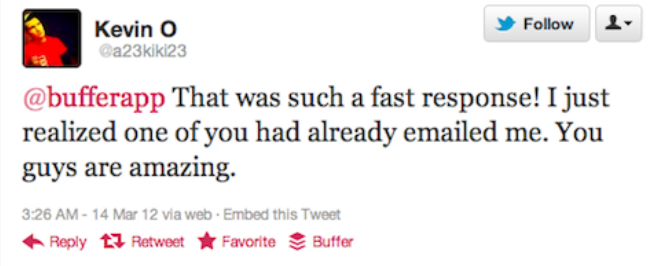
Offering a great product at a great price isn’t enough anymore. Customers expect personalized support and prompt answers to their questions/issues. If your customers reach out on Twitter (X) but don’t get an answer within an hour, they’re more likely to churn and share their negative experiences online.
You can give your customers what they are looking for with LiveAgent . Our help desk software will notify you every time you receive a new Twitter (X) ticket, making it effortlessly easy to answer all customer questions, and making sure that no message goes unanswered.
Using LiveAgent to respond to customer questions can also increase the efficiency of your agents . This is how:
When people are scrolling through your Twitter (X), chances are they’re researching your brand as well as your products/services. Why not win them over by showcasing that you answer all customer questions in a timely manner, and with a little bit of flair?

LiveAgent also makes the whole process more secure by storing all Twitter (X) tickets in a shared universal inbox that can be accessed by authorized support agents. This means that you no longer have to worry about:
Insert your own Twitter API to maintain connections and enhance customer support without high expenses — this solution ensures seamless utilization, empowering you to continue using Twitter integration successfully for customer support!
Even though Twitter (X) support is becoming more and more popular, there are still many businesses that aren’t providing it. Gain a competitive advantage today, by simply connecting your Twitter (X) account with LiveAgent.
Let us take care of the heavy lifting so you can focus on providing smooth and reliable support for all of your customers. Start your free 30-day trial today . No credit card required.
LiveAgent's Twitter integration helps businesses manage customer support by monitoring brand mentions and keywords, responding to inquiries, and tracking public...
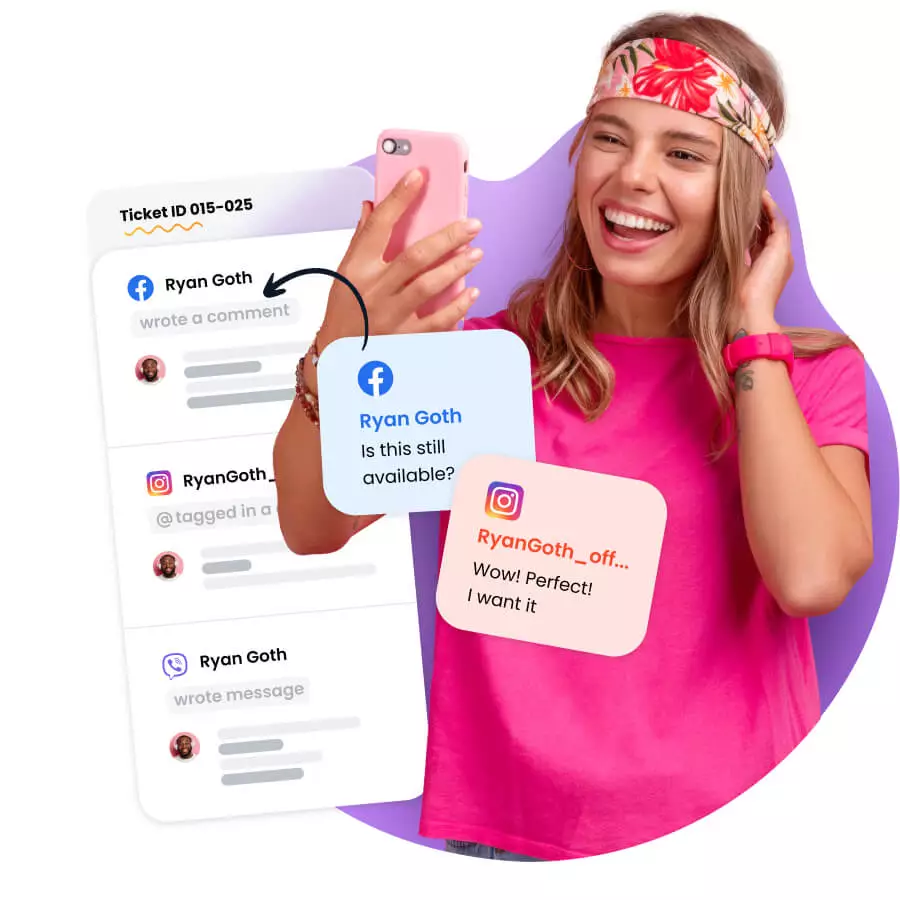
Streamline social media support with LiveAgent! Manage Facebook, Instagram, Twitter & more in one inbox. Start a 30-day free trial today!

Monitor brand mentions, engage with customers, and gain insights with LiveAgent's social listening tools. Try a 30-day free trial today!
Cookie Consent
We use cookies to enhance your browsing experience and analyze our traffic. See our privacy policy.