



Nicereply
Integrate Nicereply with LiveAgent to measure customer satisfaction through customized CSAT surveys and analytics. Collect real-time feedback from customers, tr...
4 min read



Simplesat integrates with LiveAgent to manage customer feedback via customizable NPS and CSAT surveys. It offers easy integration for ticket email notifications, survey branding, and helps improve customer service.
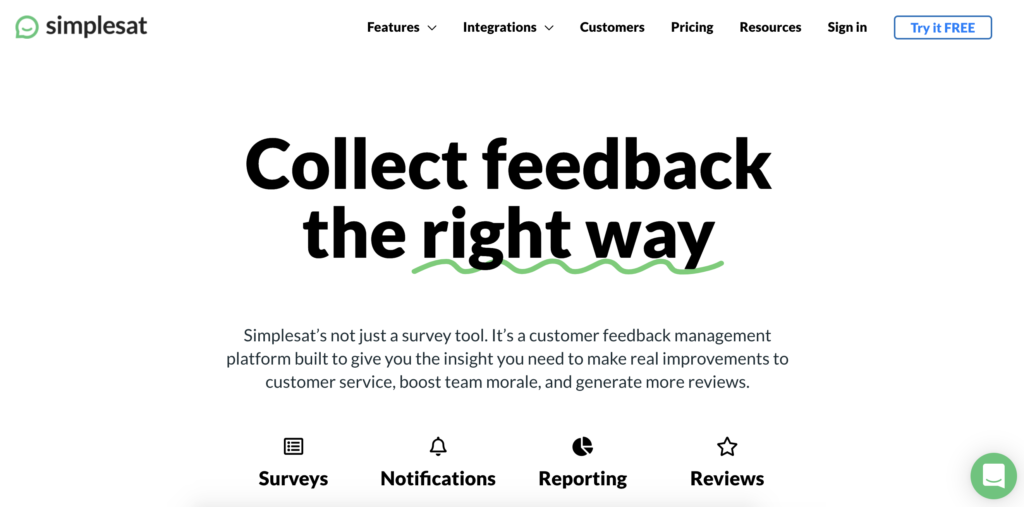
Simplesat is software for customer feedback management. Businesses use it to collect and analyze feedback from customers. Simplesat allows you to create and customize NPS and CSAT surveys into already existing systems you use.
Effective surveys should be made for specific purposes. One size fits all survey solutions are much less effective. Simplesat can be used to create custom NPS and CSAT surveys to get relevant customer feedback.
You can use this data to improve your business, your products and services, and most importantly your customer service. To benefit the most from Simplesat, you can use it to embed your NPS and CSAT surveys in LiveAgent tickets.
The usability of feedback data can benefit you in multiple ways. You can use the gathered data to improve your help desk, learn what your customers like or dislike, which communication channels they prefer, or more.
It’s simple. Once you start using Simplesat you can create a custom survey for your LiveAgent contacts. Then you just have to embed it into your ticket templates and send it to your contact list. Follow the guide below to learn how to do it.
Go to the Simplesat webpage and start your free trial. Once you have your account, create a new survey in the dashboard. You can choose from NPS or CSAT surveys to measure customer satisfaction or customer loyalty.
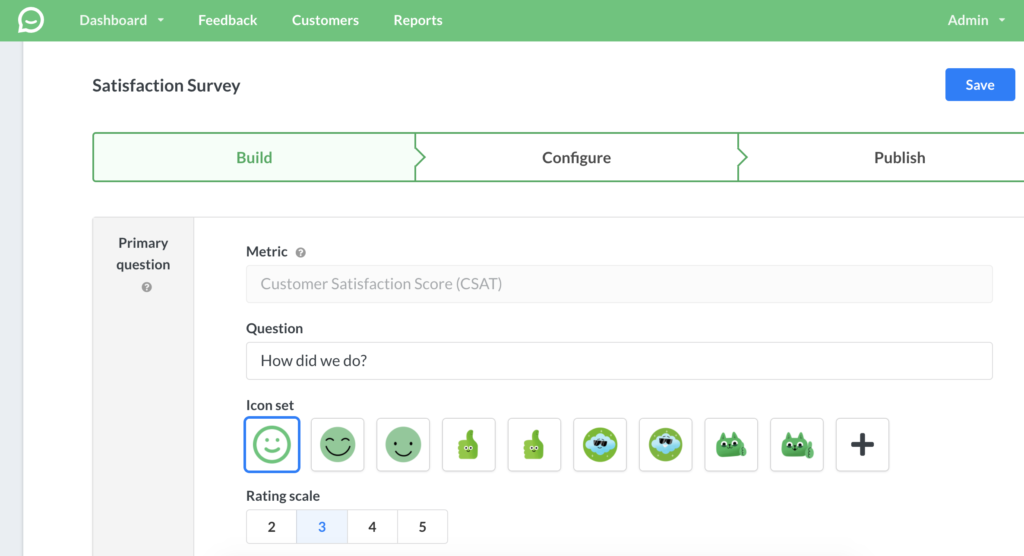
Simplesat allows you to customize everything such as the introductory question, icon sets and answer choices. You can also choose a follow-up question and choose if the question is required to answer. When you’re done switch to the Configure tab.
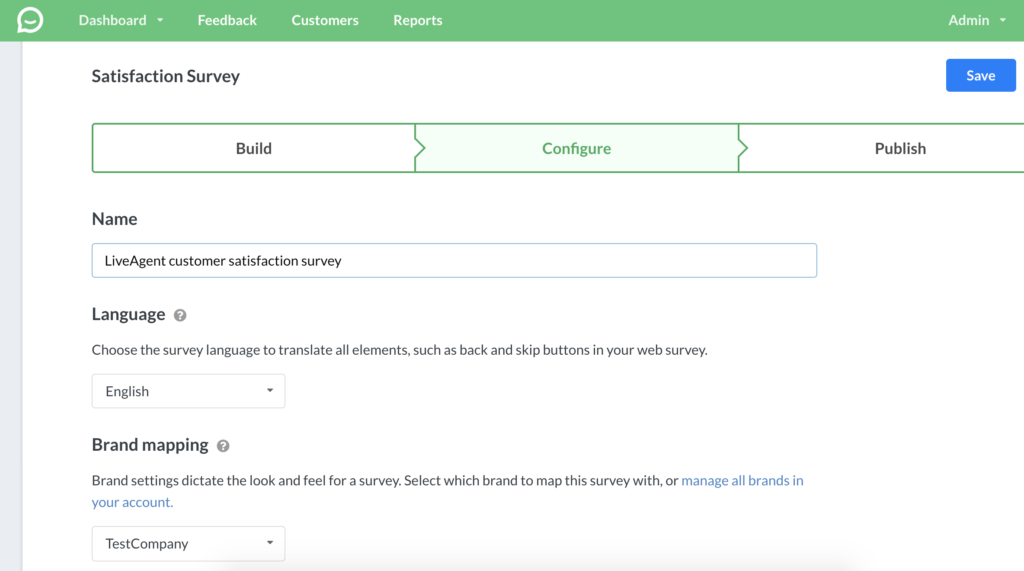
Here you can choose the language of the survey, name it or choose a custom branding according to your company. You can also add call to action buttons and add a link to your LiveAgent help desk to gather the feedback. When you’re done, click on the Publish tab.
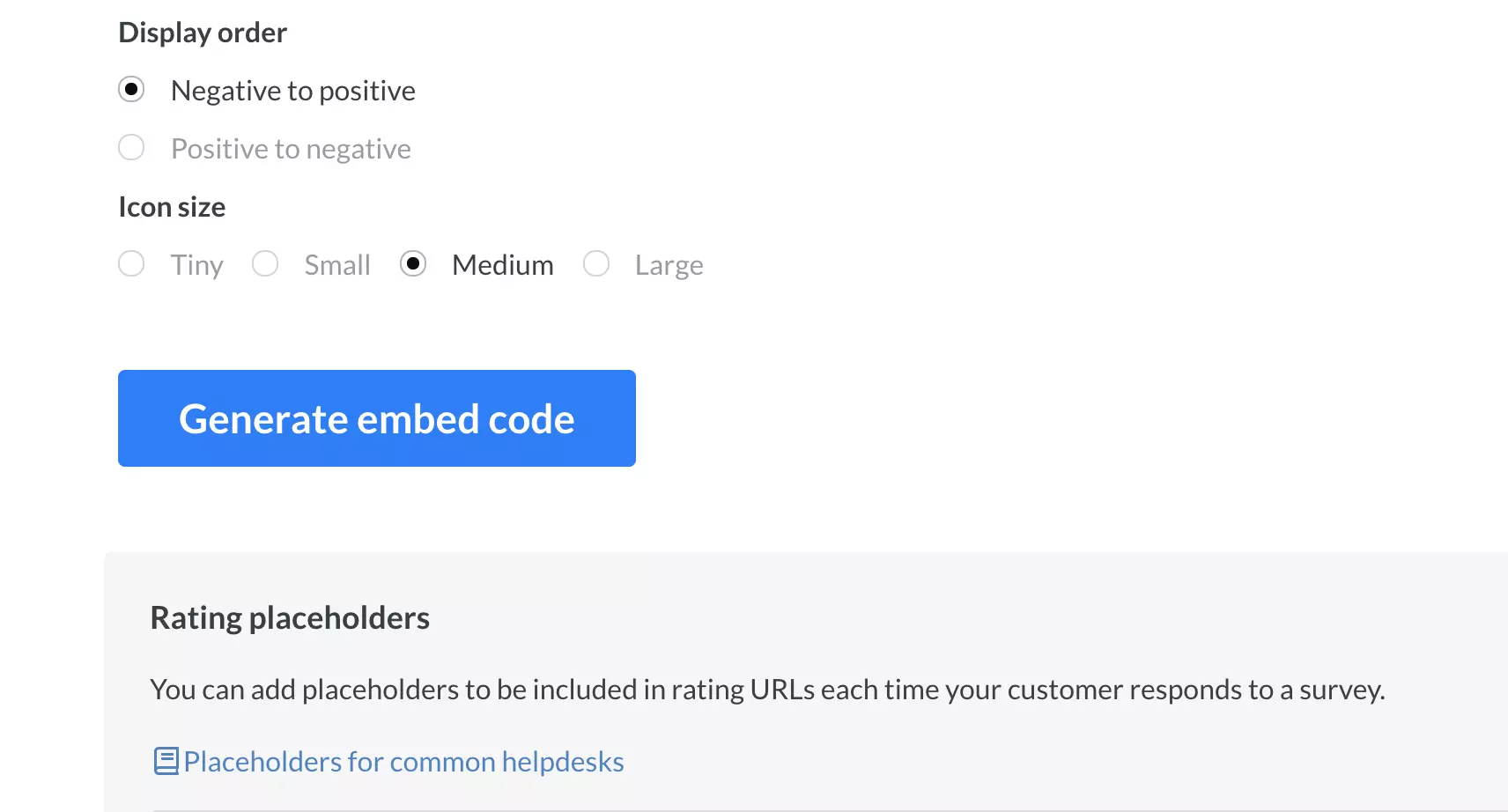
Select Integrate with another tool > Generic Embed. There also multiple options regarding rating icon types and display order. You can also choose icon size. When finished, click on Generate embed code.
A new window will pop up. Click on the HTML tab and Copy survey. Then switch to your LiveAgent account and go to Configuration > Email > Customer templates and select Ticket resolved from the list. You can alternatively choose a different option.
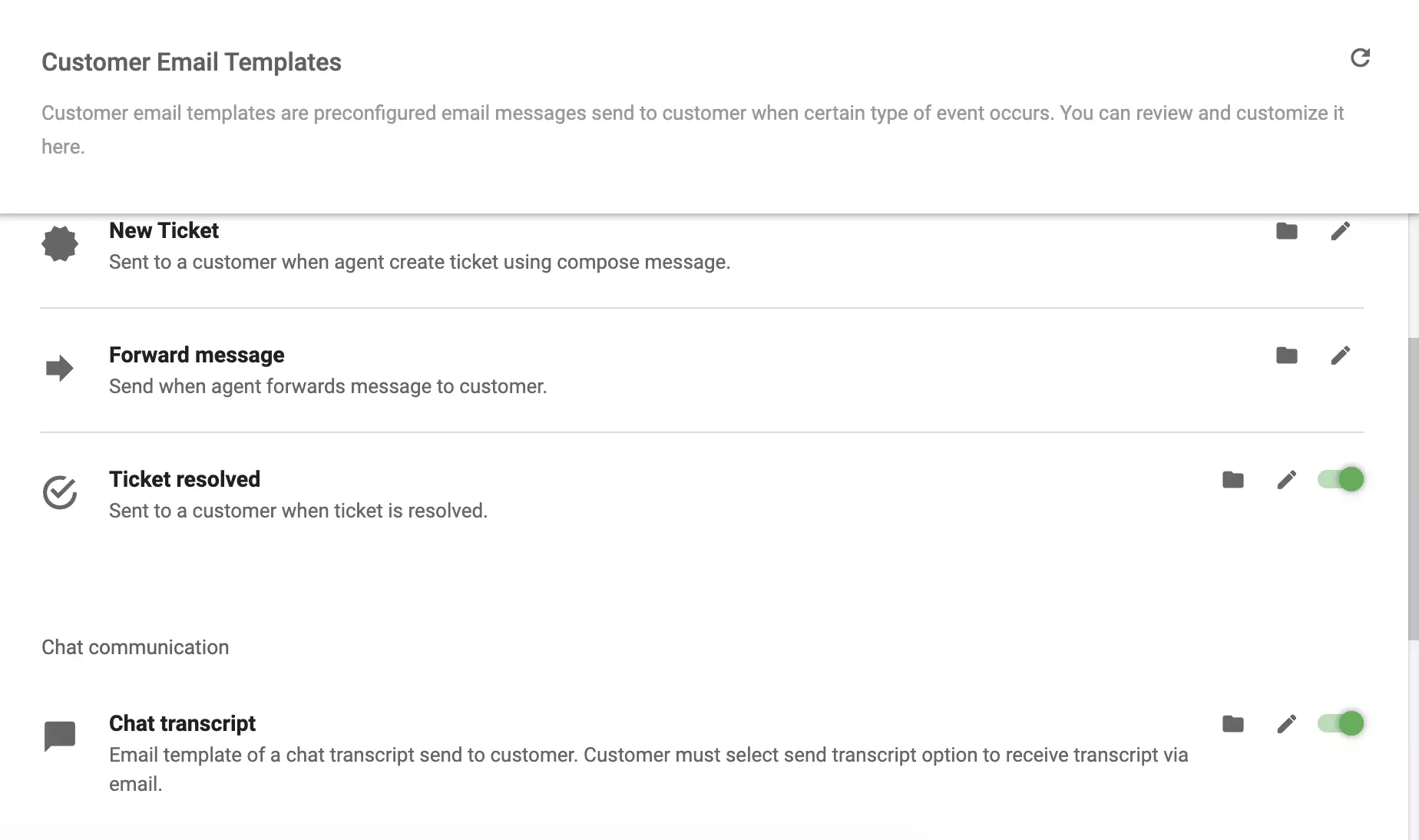
When you pick an option, you get to change the contents of email templates for your customers. So, write a text about gathering feedback and then click on Source. Paste the survey into the field in place according to your preference. Click on Save and you’re done. You can also test the template and send it to your inbox to see how it looks.
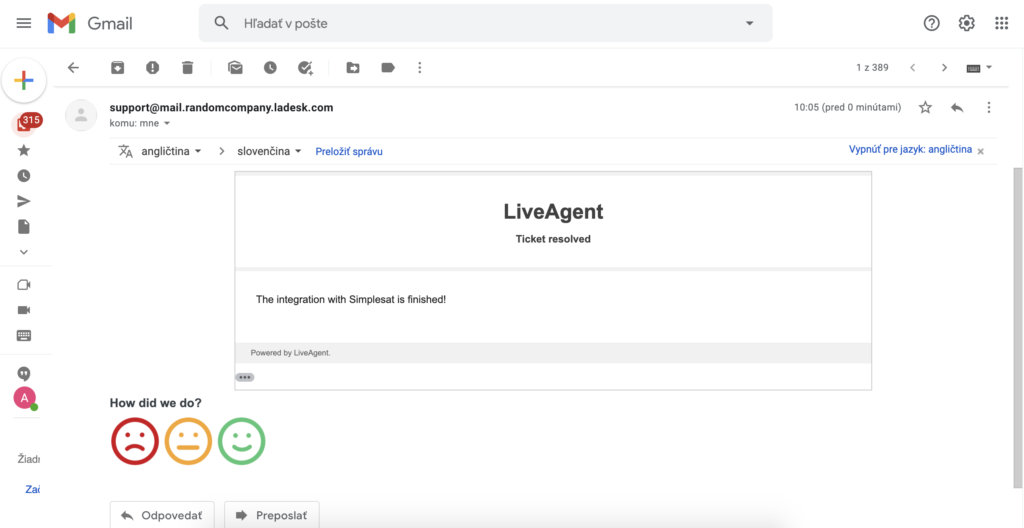
Your integration with Simplesat is finished and you can start gathering feedback from your customers.

Ready to provide better customer support? Try LiveAgent with our free 30-day trial and get access to our multi-channel help desk.
Integrate Nicereply with LiveAgent to measure customer satisfaction through customized CSAT surveys and analytics. Collect real-time feedback from customers, tr...

Discover how to effectively create, measure, and use CSAT surveys to enhance customer experience and drive business success. Learn best practices, formulas, and...

Discover the importance of customer satisfaction surveys to assess satisfaction, improve loyalty, and reduce churn. Learn best practices, smart targets, and eff...
Join our community of happy clients and provide excellent customer support with LiveAgent.
