



Call center features
LiveAgent's call center streamlines operations with features like automatic call distribution, recording, and transfers. Easily set up a built-in system, connec...
14 min read
Call Center
Device Scheduling
+2



SendMyCall is a VoIP provider offering virtual and toll-free numbers, PBX systems, and call management. It integrates with LiveAgent for efficient call center management, enhancing customer support with affordable pricing plans and global coverage.
SendMyCall is a business phone system and VoIP provider. Their services include virtual numbers, a PBX phone system for companies, toll-free numbers, and call management.
LiveAgent’s ticketing system also handles customer calls. Thanks to this feature, you can easily set up your call center and start answering calls. SendMyCall can be selected as a VoIP provider for your LiveAgent call center.
Solve any inquiry by phone with LiveAgent and start providing great customer support. Our call center features make sure that your customer management will be smooth. Take advantage of video calls, IVR trees, custom call buttons, and much more.

The SendMyCall integration for LiveAgent is included in one of the plans, so there are no additional charges for it. Simply connect your SendMyCall number, set up your call center, and start making and answering customer calls.
The integration process is simple and takes just a few minutes. There is no need to activate plugins or rely on third-party services to finish integrating SendMyCall with LiveAgent. Follow the steps below to learn how to complete the integration process.
Step 1: Purchase a SendMyCall number
First of all, go to the SendMyCall website and buy your new virtual number. You can do so by clicking on a Buy now button at the top right corner of their homepage.
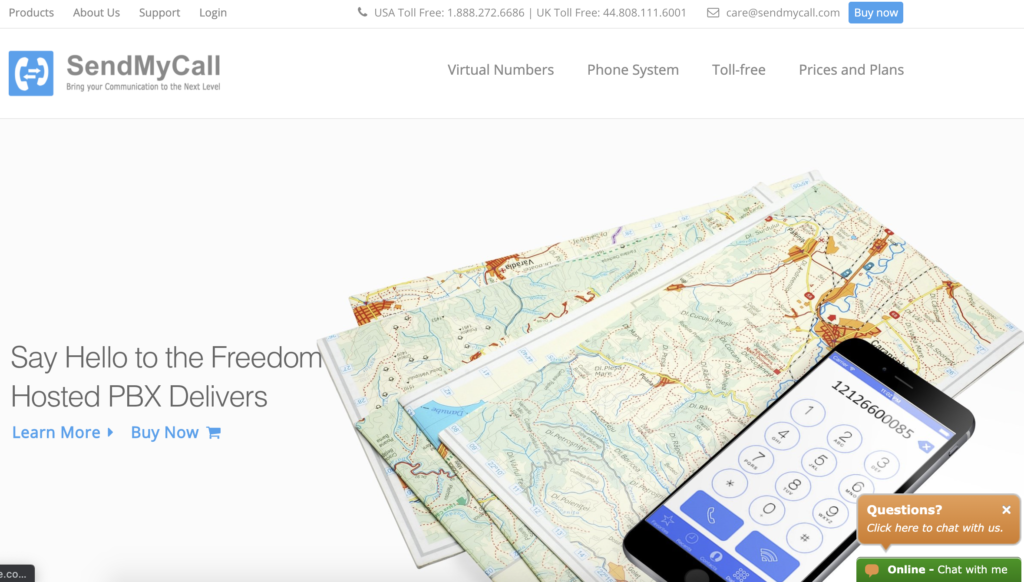
Step 2: Select your number and forwarding destination
In this section select a country and area where you want the number to be based. Select VoIP in the Select Forwarding Destination section and then enter Host and Details. When you’re done, click on Continue.
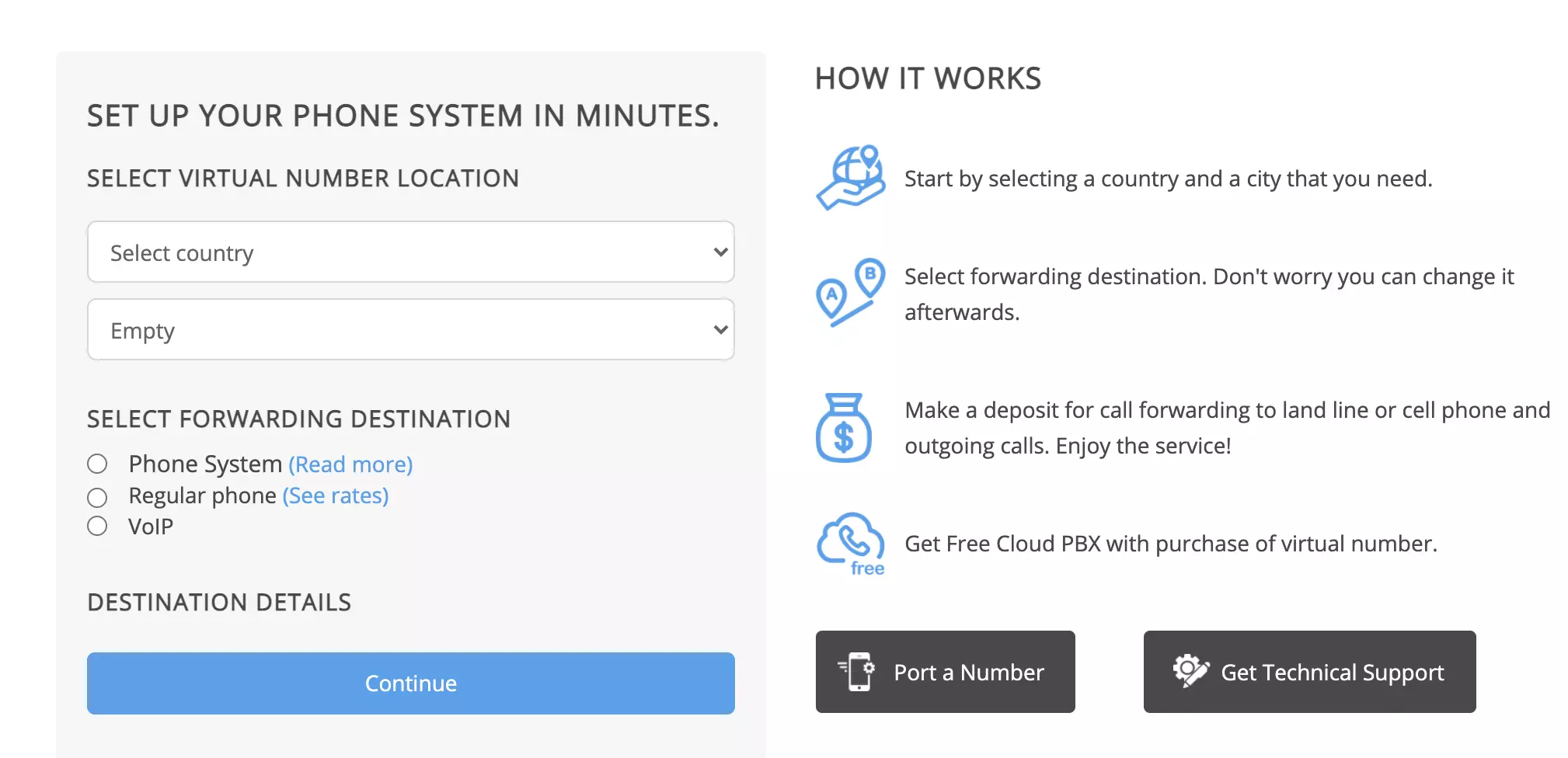
Step 3: Register and complete payment
You will be required to register before payment. Once you finish the registration process, have your username, password and virtual number ready for the next steps.
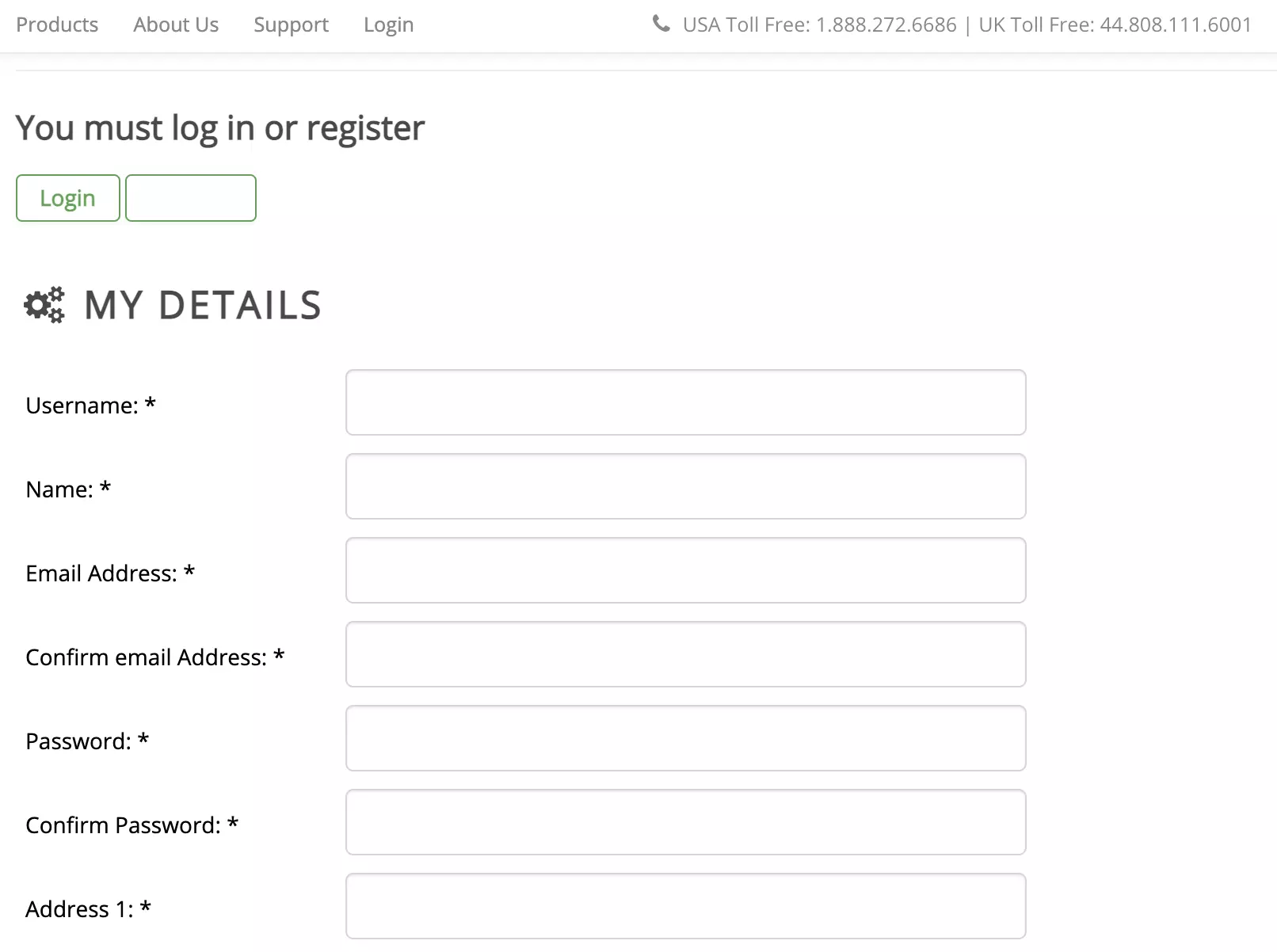
Step 4: Configure SendMyCall in LiveAgent
Now open LiveAgent and go to Configuration > Call > Numbers. Click on the orange Create button at the top and select SendMyCall from the list of VoIP providers.
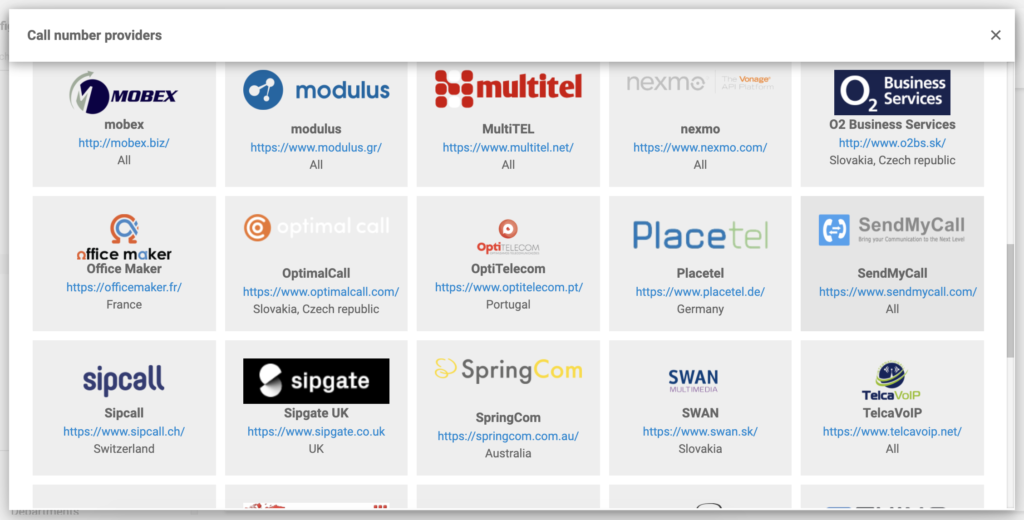
Step 5: Enter your SendMyCall details
Provide your details, such as username, password and your SendMyCall phone number. You also have to select the respective department, dial out prefix, host, the option to record calls and name the number. When you’re done, click on Save.
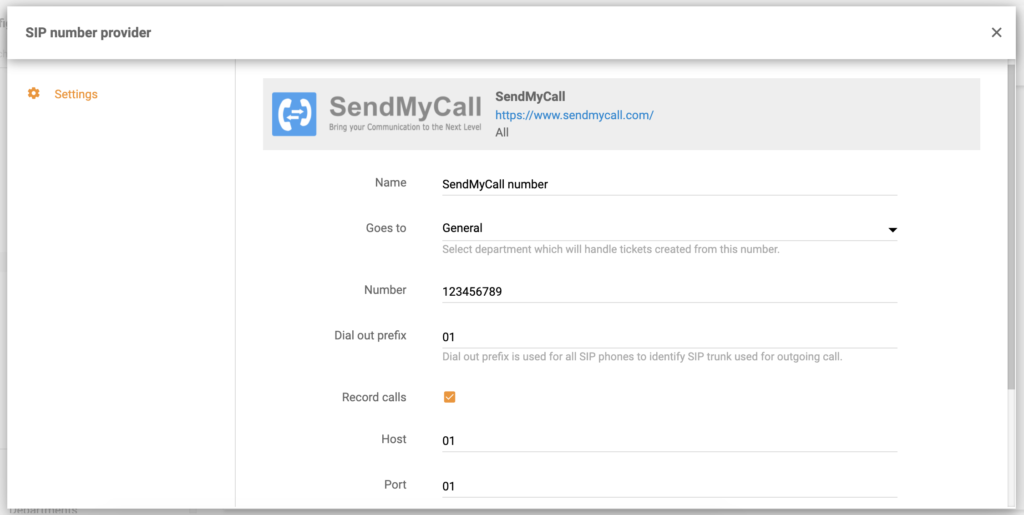
You’ve successfully added your SendMyCall number into the LiveAgent call center. You can now use it to make and answer customer calls. Want to learn more about providing customer support over phone? Check out our Academy articles to learn new tips and tricks.

Start providing better phone support with LiveAgent's call center and SendMyCall integration.
LiveAgent's call center streamlines operations with features like automatic call distribution, recording, and transfers. Easily set up a built-in system, connec...

RingCentral is a call center software offering voice, fax, text, conferencing, and web meetings. It integrates with LiveAgent via Zapier for enhanced call suppo...

Discover LiveAgent's top-rated softphone software for B2B & B2C businesses, offering SIP-based VoIP support for seamless, reliable communication from anywhere. ...
Join our community of happy clients and provide excellent customer support with LiveAgent.
