



Sendy
Sendy is an email newsletter application for sending bulk trackable emails. It integrates with LiveAgent via Zapier for efficient email campaign management, sub...
1 min read



Integrate Sendmail with LiveAgent for secure, efficient email routing and enhanced customer support. This open-source solution supports various mail-transfer methods, offering seamless integration with LiveAgent’s advanced ticketing features.
Sendmail is an internetwork email routing facility for general purposes. It’s a free and open-source software project that has gained fame as both free and closed-source software. It supports a large number of mail-transfer and delivery methods, including Simple Mail Transfer Protocol.
Secure emails like Sendmail can help you stay clear of common mail viruses, unwanted mails, or annoying emails from spammers or scammers. This is especially important for busy help desks that cannot afford to waste time on unsolicited communication.
Sendmail can be used as a dedicated customer support email for people who require the use of an internal email server. This allows users to have higher flexibility when it comes to email configuration and it also provides higher security for email communication.
Sendmail can also be easily integrated with the LiveAgent help desk as your dedicated customer support email. Handling customer support via an email client can work wonders for small companies, but the process might get chaotic when dealing with a large number of customers. Connecting Sendmail with LiveAgent lets your help desk take advantage of many useful features and it can help you improve your workflow.
LiveAgent ticketing system supports many features, such as the universal inbox that gathers all communication coming from your emails, live chat, call center, customer portal, or social media – Facebook, Twitter, Instagram, WhatsApp and Viber. Set up rules, filters, or add tags to organize your work, or divide agents into departments responsible for different kinds of issues.
You can also set up business hours, prepare predefined answers to common questions and use them as quick replies, or take advantage of gamification features to encourage your agents to become the best. There’s plenty of other features that can be utilized with LiveAgent, have a look at them on our features page.
All you have to do to complete the integration process is connect your Sendmail with the LiveAgent ticketing system. The entire process takes just a few minutes to complete. Follow the guide below to see how to do it.
Need to set up Sendmail first? Head over to their website and set it up . The site provides an FTP download link as well as more information about Sendmail features and security. You will need to configure IMAP/POP3 to continue. Once you get it done, head over to the next step.

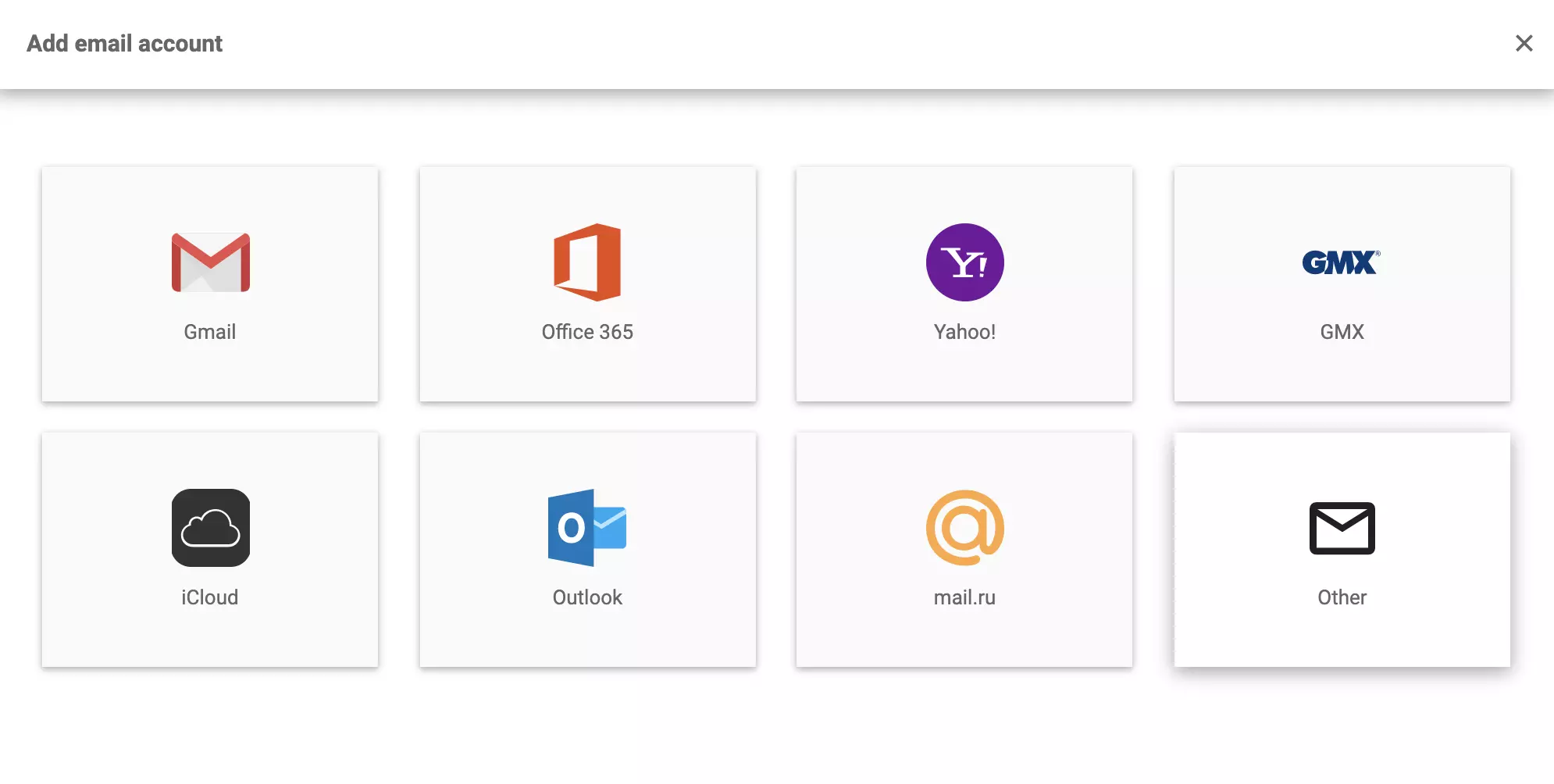
Now open your LiveAgent account and go to Configuration > Email > Mail Accounts and click on the Create button to add your Sendmail email account. Click on Other in the next section and select IMAP/POP3 in the next section.
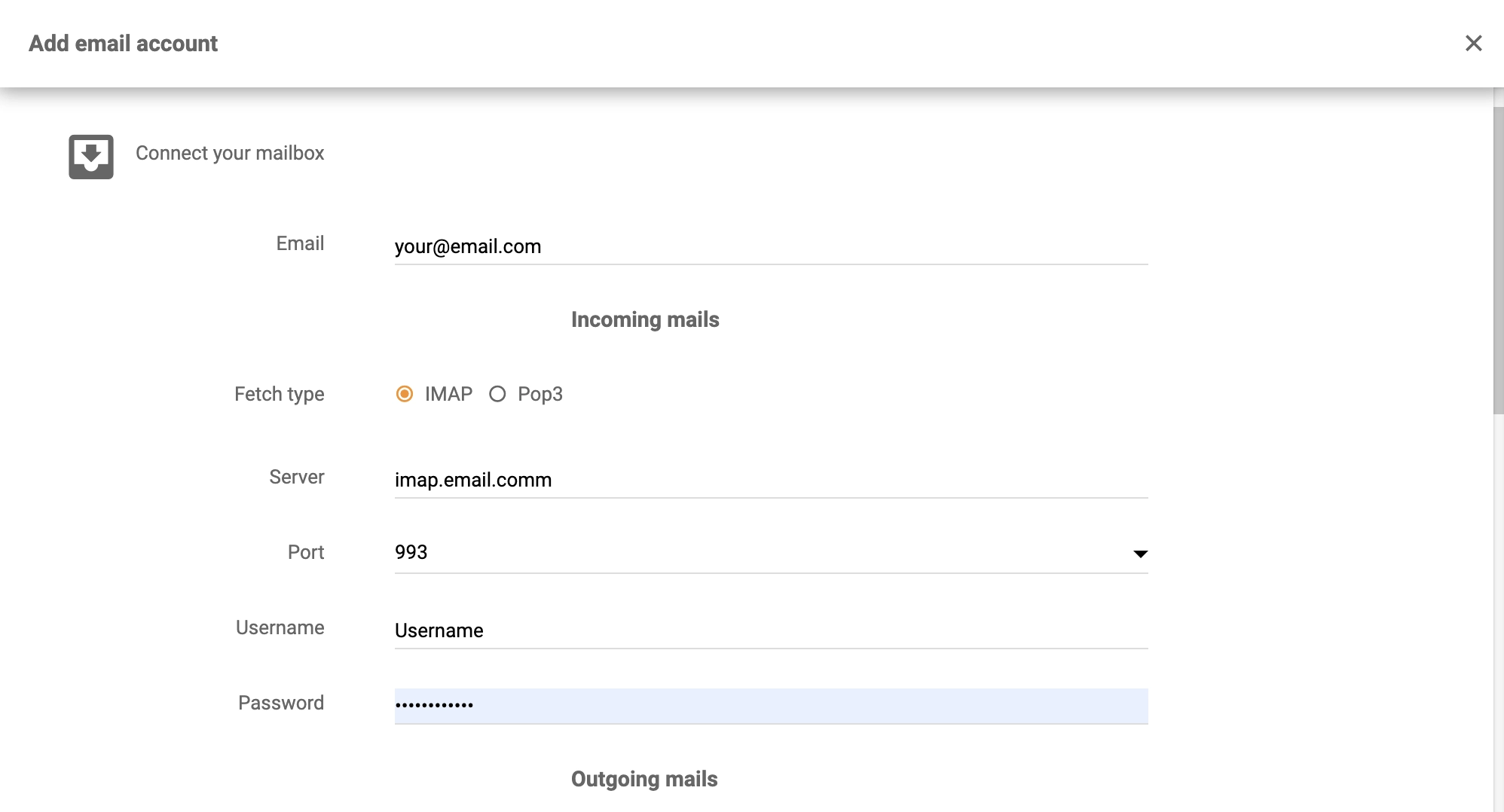
The next step is to enter your details – email, username, password, and select the type, server, and port of the fetch. Additionally, you need to select an authentication method and select the department who will handle tickets coming from that email address. After you’ve finished, click on Save at the bottom.
That’s all there is to it, your Sendmail is integrated with the LiveAgent ticketing system. Return to this guide in case you need to add more email accounts. Now with your email set up and ready, feel free to browse through LiveAgent pages. There’s the Academy, where you can learn a lot about customer support, or features page where you can learn about our product features.
No problem! LiveAgent offers a 30-day free trial where you can test the free Sendmail integration!
Sendy is an email newsletter application for sending bulk trackable emails. It integrates with LiveAgent via Zapier for efficient email campaign management, sub...
Zentyal is a Linux-based email server and groupware solution for SMBs, offering Microsoft Active Directory compatibility, antivirus/antispam protection, and int...
Exim is a flexible, free mail transfer agent for Unix-like systems. Integrating it with LiveAgent enhances email support and tracking. Ideal for users needing c...
Join our community of happy clients and provide excellent customer support with LiveAgent.
