



Optimal Call
Optimal Call is a Slovak VoIP provider offering services like call centers, CRM integration, and SIP trunking. It integrates with LiveAgent for an omnichannel h...
3 min read



OptiTELECOM is a Portuguese VoIP operator offering IP solutions integrated with LiveAgent’s call center for efficient communication. They provide 24/7 support and innovative services. Integration with LiveAgent is free, enhancing call management with advanced features.
OptiTELECOM has been operating since 2008 focused on IP solutions, namely for Telephone Exchanges and IP Telephones. OptiTELECOM are constantly striving to offer the most innovative yet stable solutions for our customers, with a spectacular combination of commercial and technical functions in order to always offer the best solutions.
It has a specialized technical support team available 24 hours a day to support the operation of your company’s Virtual Telephone Exchange, because the operation of your business is our concern. The Virtual Telephone Exchange service, as well as associated communications, are provided by a national reference operator duly registered and authorized to operate in Portugal.
If you’re looking for a VoIP provider to connect with your call center, OptiTELECOM is a great choice. LiveAgent’s call center will handle your calls and tickets, while OptiTELECOM will provide the rest. Laptop or smartphone microphones and speakers are everything you need to establish a starter call center. You might require other hardware if you want to improve your call quality later on.
LiveAgent makes managing and running a call center easier for businesses with the help of its advanced features. For example, you can create custom IVR (Interactive Voice Response) trees, that will automatically route your customers to the right departments and agents. The best part? LiveAgent’s IVR feature does all the work and creates a hassle-free experience for your customers. All they have to do is listen to the IVR menu, and press the appropriate dial pad key (like press 1 for sales) to be connected with the right person for the job.
Did your customer connect to the wrong department by accident? The solution is simple, use call transfers to route the customer to one of your colleagues and save their time. Have a hard time remembering what your customers said? No worries, LiveAgent records all incoming and outgoing calls and stores them inside the system. If you need to refresh your memory, simply locate the ticket and listen to the full call recording. Call recording can also be used for training new agents and showing them the correct responses to customer calls. Want more information about our call center’s features? Check out our Call Center feature page that has all the information about LiveAgent’s call center capabilities.
If you want to create your LiveAgent call center with OptiTELECOM as your VoIP provider, follow this simple guide.
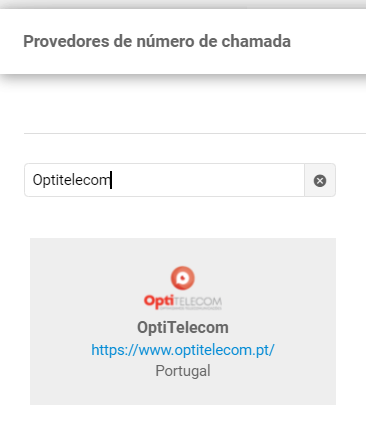
Select OptiTELECOM from the list of VoIP providers
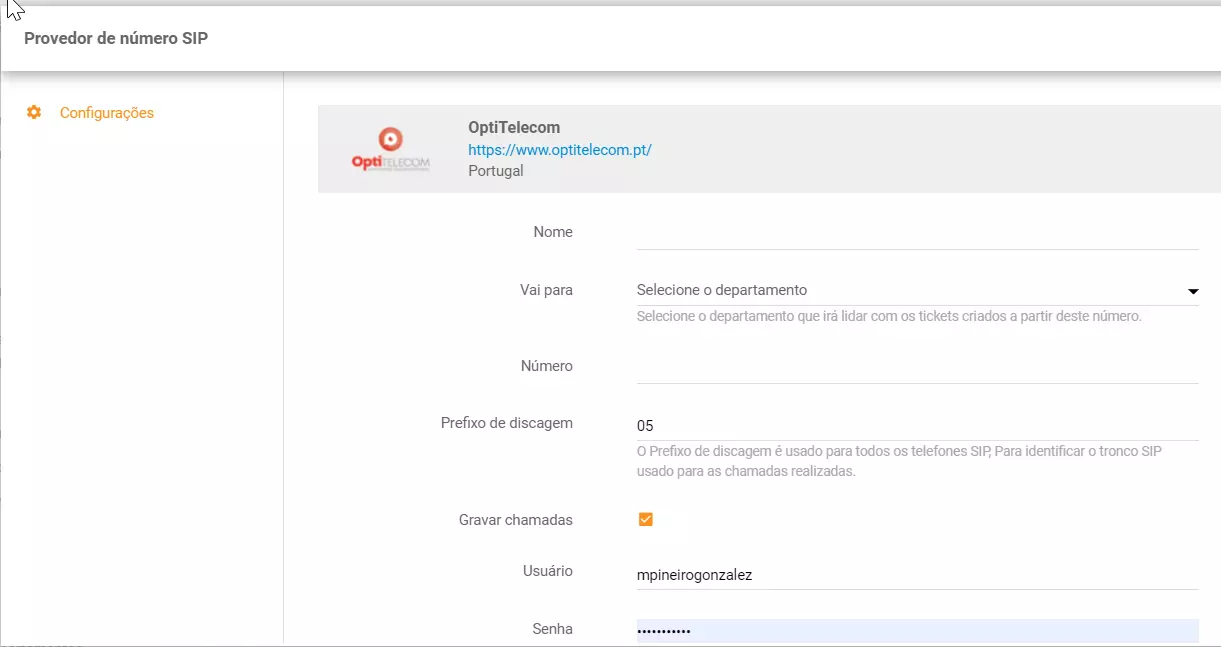
Insert a name and the number, select a department, enter your login details and select your dial-out prefix number. You can also check or uncheck the option to record all phone calls received and made from this number. When you want to finish, click the Add button at the bottom.
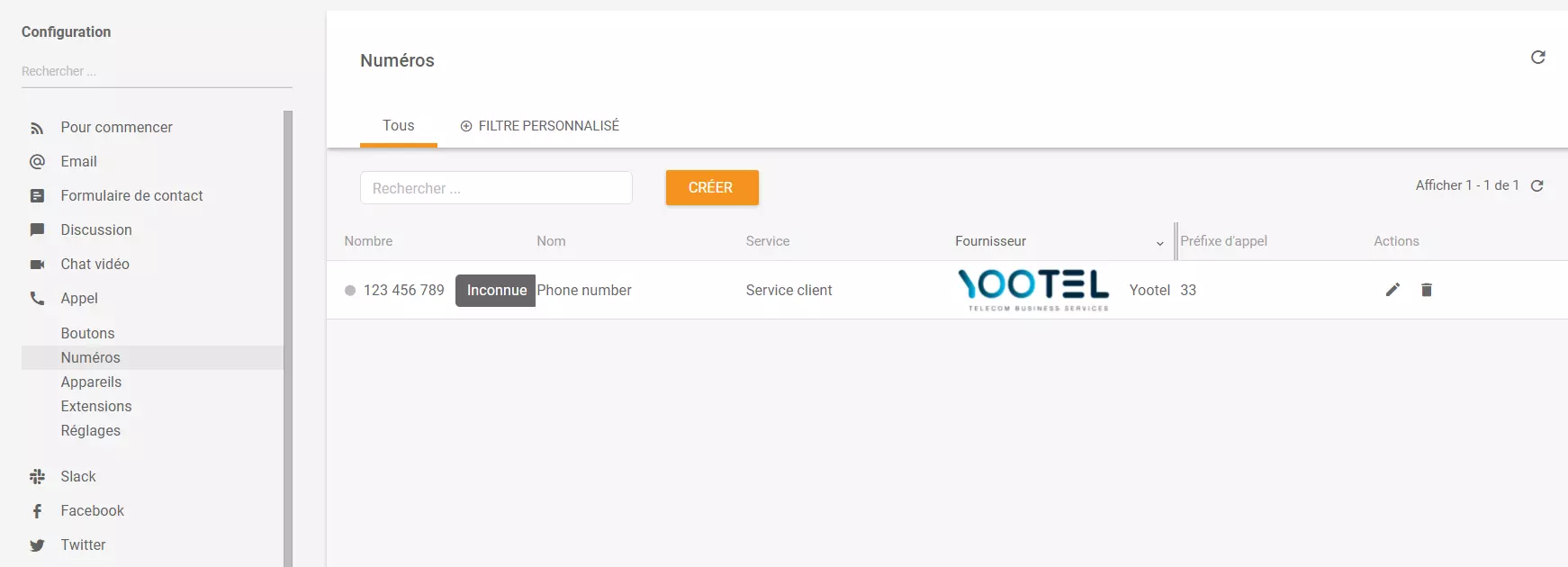
The phone number is in LiveAgent and ready for use. If you prefer, you can add more OptiTelecom phone numbers or add numbers from other VoIP providers.
Are you looking for more information about establishing and running a call center? If you’re interested have a look at the LiveAgent academy for more information regarding call centers and other topics from the world of customer support.
Curious about what else can LiveAgent do? Check out the video below to see the full tour of our customer support software.

OptiTELECOM is a Portuguese operator specialized in VoIP since 2008, focused on IP solutions, namely for Telephone Exchanges and IP Telephones.
LiveAgent has already integrated OptiTELECOM inside. Thus, integration is free of charge. However, keep in mind that OptiTELECOM charges for its services.
As we mentioned previously, OptiTELECOM is already a part of LiveAgent. Simply log in and follow this guide: Navigate to Configurations > Call > Numbers > OptiTELECOM. Add the VoIP number and use right away.
No problem! LiveAgent offers a 30-day free trial where you can test the free OptiTELECOM integration!
Optimal Call is a Slovak VoIP provider offering services like call centers, CRM integration, and SIP trunking. It integrates with LiveAgent for an omnichannel h...
Teletek, a Swedish VoIP provider, offers cloud-based phone exchanges with mobile MEX extensions. LiveAgent users can integrate Teletek for free to boost product...
TelcaVoIP, a global VoIP provider from Italy, offers easy integration with LiveAgent for seamless virtual call center access on multiple devices. Enjoy reliable...
Join our community of happy clients and provide excellent customer support with LiveAgent.
