



Zapier
Zapier seamlessly integrates LiveAgent with 200+ apps, enhancing workflow automation without coding. Benefit from quick, intuitive connections with tools like S...
3 min read


ManyChat integrates with LiveAgent via Zapier for seamless workflow automation. Create chatbots for Facebook Messenger and SMS to streamline sales, marketing, and customer service without coding.
ManyChat is a service that allows businesses to create chatbots for text messaging and Facebook Messenger. These can be used to make sales, marketing, and customer service automated and easier to handle for many businesses. Facebook and Messenger are getting more popular as customer service channels, making ManyChat an essential tool for modern businesses looking to communicate with people more easily.

Start your free trial today and see results within days.
ManyChat is a platform that allows you to create a chatbot for your Facebook page to help your company grow sales, ROI, and ultimately revenue. With ManyChat, you can automate responses on Facebook Messenger and SMS, handle commonly asked questions with ease, and keep track of new customers, purchases, and subscriptions.
Combined with ManyChat, you can more easily automate your responses on Facebook Messenger and SMS, and handle commonly asked questions with ease. You can keep track of new customers, purchases, subscriptions, and tags. You can also manually handle sending text or Messenger messages, send content, subscribe or unsubscribe customers, handle tags, or find people.
The latest tips and deals delivered straight to your inbox.
Integrating ManyChat with LiveAgent is simple and requires no coding experience. Follow these steps to set up the integration:
The first step is to log into your Zapier account. If you don’t have one, you can create it at Zapier’s sign-up page .
Once logged in, proceed to the LiveAgent + ManyChat integration page .
Scroll down on the page and you will see a trigger and action selection. A trigger works as a trigger for your chosen action. That means if something happens in one software, a trigger will occur and activate the action happening in the second integrated software.
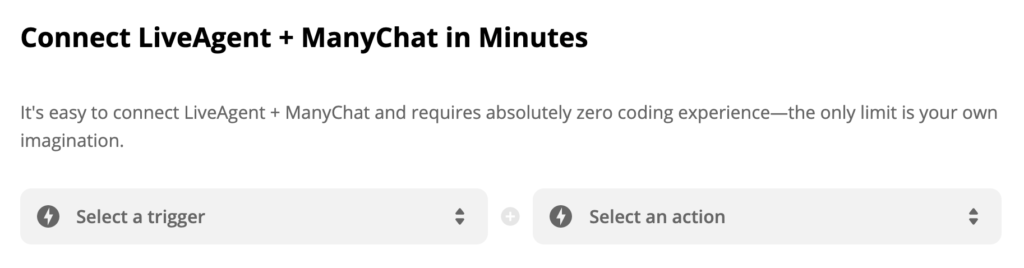
Decide which trigger and action you would like to set. As a showcase, we picked ManyChat to trigger “New Tagged User” and LiveAgent action “Create Conversation”. Any user that gets tagged on Facebook will trigger a conversation action in your help desk. You can create more connections when you need to, so pick your first one and click the blue button “Connect LiveAgent + ManyChat”.
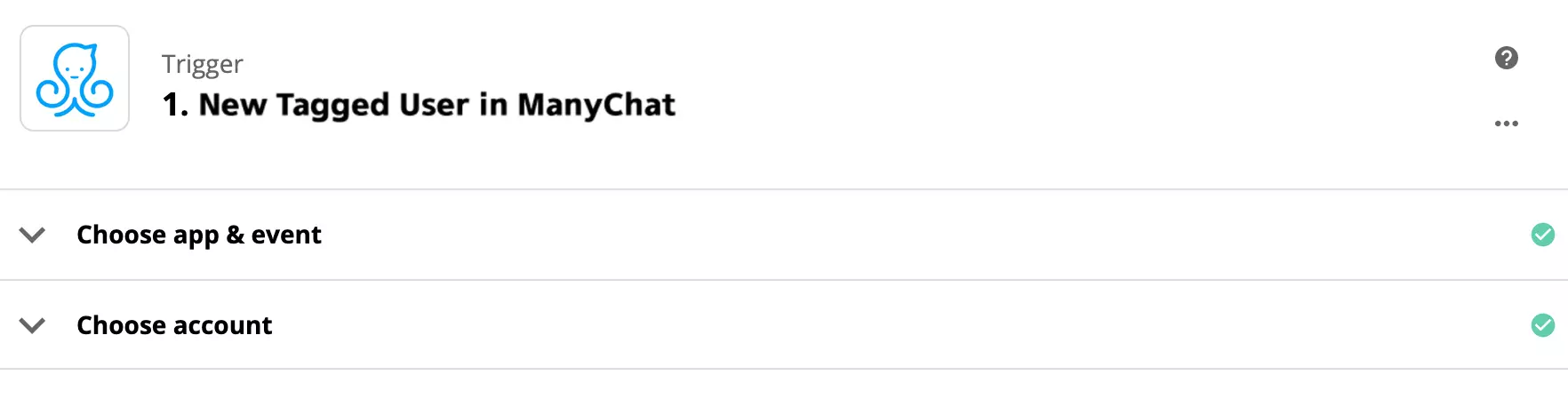
A configuration of your ManyChat trigger will open up. You need to select your account and fill out the details to make sure the trigger will work. When you’re done, we recommend you test it out to see if it works.
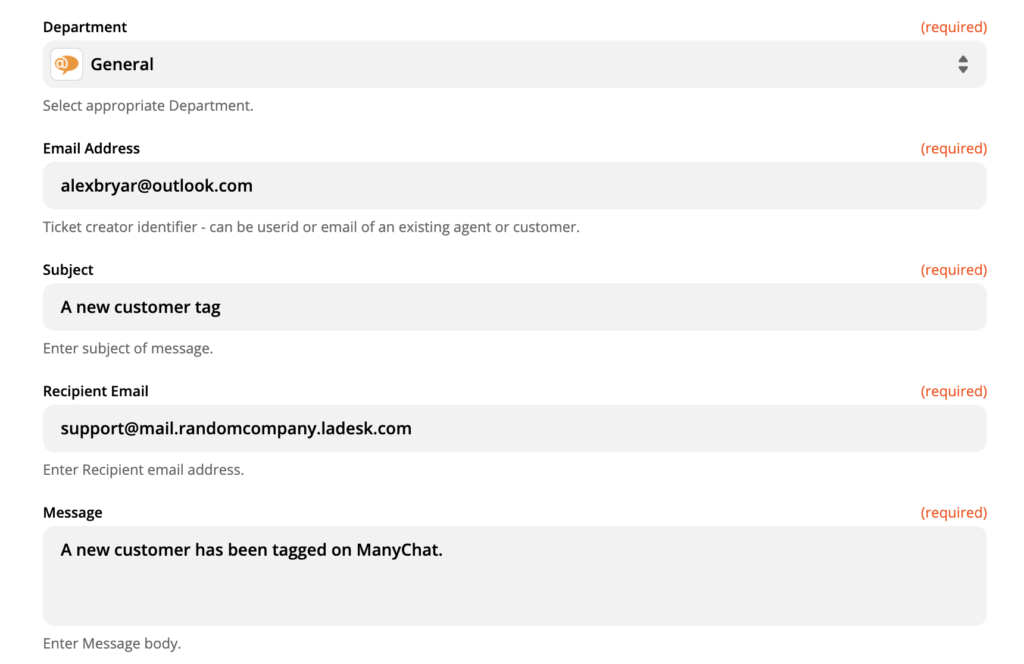
When you’re done with ManyChat, all that’s left to do is to set up an action. Make sure you fill out the required fields. In case you want to specify the action even further, there is an option to fill out non-required fields too.
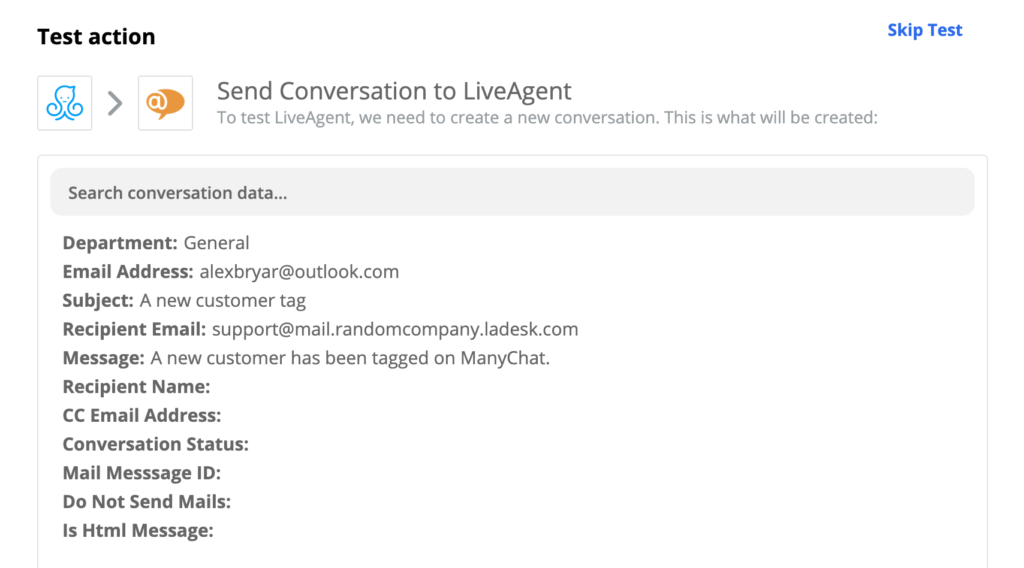
Now all you have to do is make a final test and see if the integration works. In case you run into some trouble, Zapier will offer you a handy troubleshooting guide that will help you solve the problem. If the test runs successfully, your integration is ready and you can test it live.
What is ManyChat?
ManyChat is a platform that allows you to create a chatbot for your Facebook page to help your company grow sales, ROI, and ultimately revenue.
How can you integrate ManyChat with LiveAgent?
Log in to your Zapier account and navigate to Zapier - LiveAgent + ManyChat. Choose an action > Connect. Fill in the necessary information > Test and Use immediately from LiveAgent.
No problem! LiveAgent offers a 30-day free trial where you can test the free ManyChat integration!
Zapier seamlessly integrates LiveAgent with 200+ apps, enhancing workflow automation without coding. Benefit from quick, intuitive connections with tools like S...
Intercom integration with LiveAgent allows businesses to manage customer messages efficiently, track updates, and improve workflow without switching apps. Integ...
Integrate LiveAgent with Facebook to manage inquiries, posts, and comments from one platform, boosting agent productivity and customer satisfaction. Streamline ...
Join our community of happy clients and provide excellent customer support with LiveAgent.

Cookie Consent
We use cookies to enhance your browsing experience and analyze our traffic. See our privacy policy.