



Sendmail
Integrate Sendmail with LiveAgent for secure, efficient email routing and enhanced customer support. This open-source solution supports various mail-transfer me...
3 min read



Integrate Mail.ru with LiveAgent to streamline your customer support! Easily organize inquiries with a multi-channel ticketing system, enhancing communication and efficiency. Perfect for Russian-speaking markets, this integration offers faster responses and better email management. Start your free trial today and transform your customer service experience!
Mail.ru is a Russian internet company and email service. It became one of the major email providers in Russia and the Russian-speaking segment of the internet. Mail.ru also owns a large number of popular websites focused on this segment.
Mail.ru is one of the largest email providers in Russia and the Russian-speaking segment of the internet. They also run multiple popular websites.
Being a popular email service in Russia, you can use Mail.ru to set up a customer support email address where you can receive customer inquiries. However, this way of solving issues might be effective when working with a low volume of emails received. To avoid clutter and confusion, you can connect your Mail.ru email with the LiveAgent ticketing system and keep customer tickets organized.
LiveAgent’s ticketing system fully supports multiple email inboxes from various providers, including Mail.ru, Gmail, Outlook, Yahoo, and countless others. Furthermore, it’s fully supported by a variety of features that make sure your email communication will stay organized and directed to the right people.
Take a look at features such as departments or automated ticket distribution that ensures each ticket will be delivered to an available support agent . You can also use tags to make various topic groups, or set your own business hour to let customers know when you’re available to reply.
What’s best about LiveAgent’s ticketing system is its multi-channel capabilities. Besides Mail.ru and other email providers, it also handles live chat , call center , customer portal , and social media – Facebook , Instagram , Twitter , and even WhatsApp and Viber .
The integration process with Mail.ru and LiveAgent is simple and it can be finished in just a few minutes. All you have to do is add your Mail.ru email account into the LiveAgent ticketing system. Follow the guide below to learn how to do it.
Step 1: Create a Mail.ru account (if you don’t have one)
If you don’t have an account yet, go to Mail.ru and create your new email account by clicking on Create mail at the top of the left panel on Mail.ru homepage. Provide your information and create your account. If you already have an account you can skip this step.
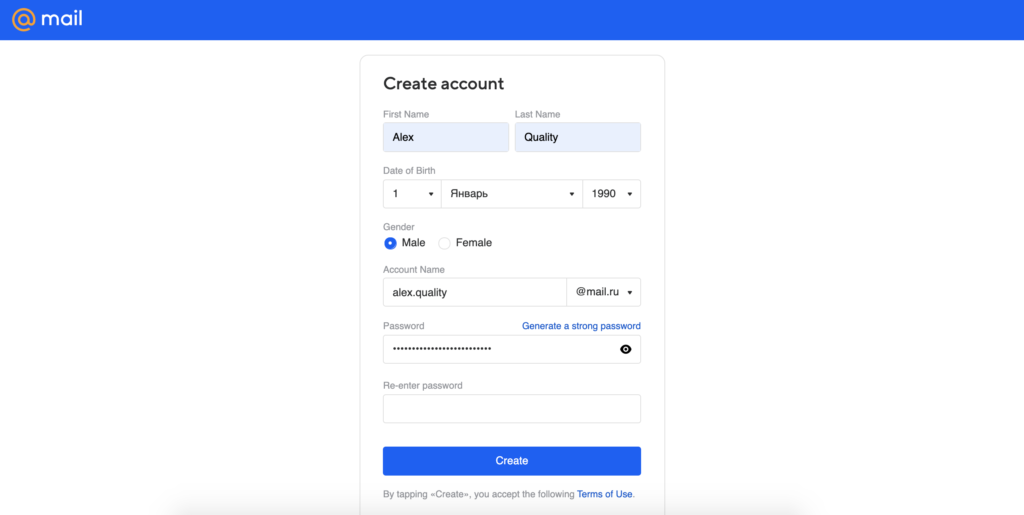
Step 2: Access LiveAgent Configuration
Once you have your account ready, open LiveAgent and go to Configuration > Email > Mail accounts. Now click on the orange Create button at the top and select Mail.ru from the list of email address providers.
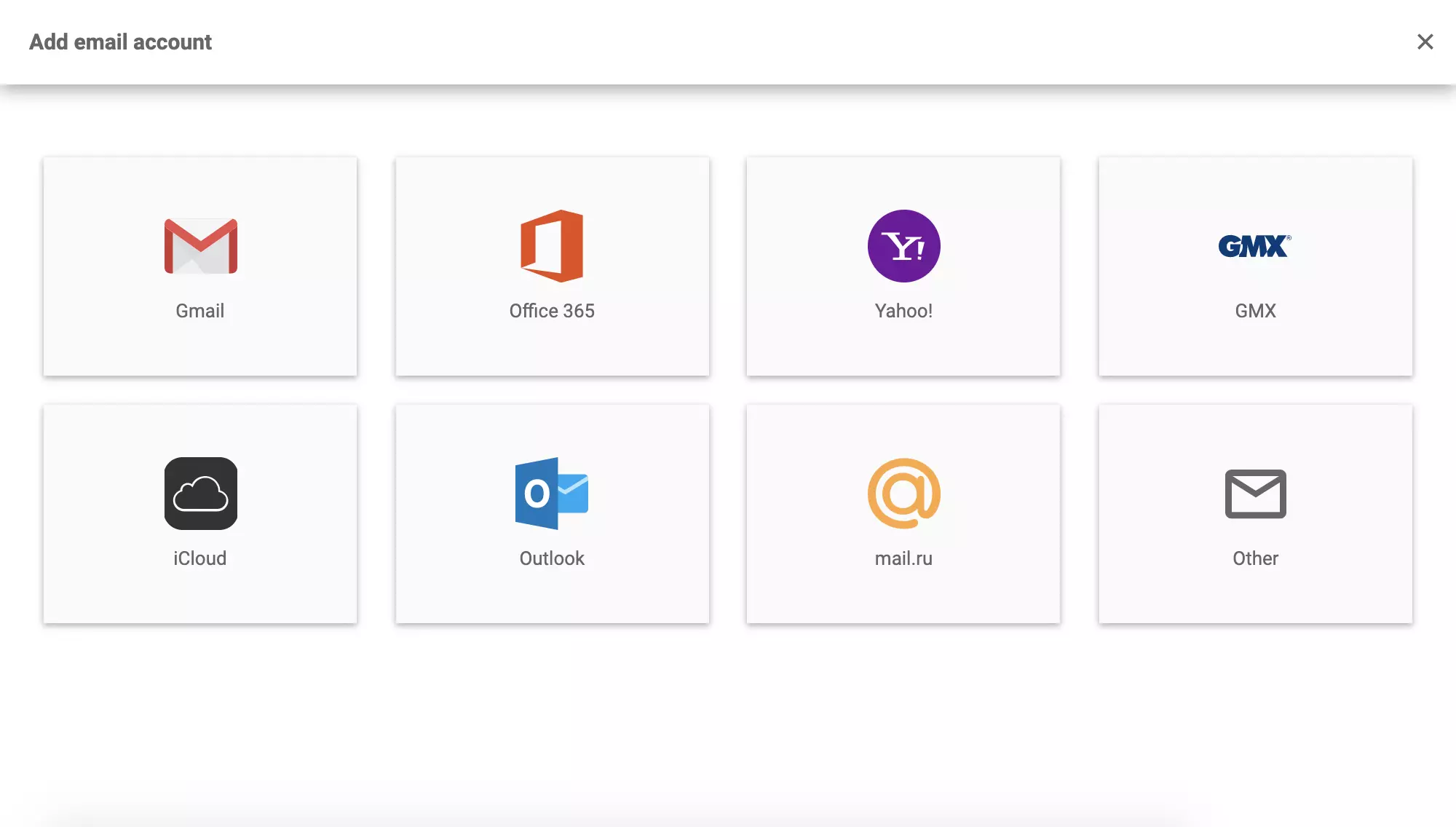
Step 3: Configure Mail.ru Details
Next provide your details, such as login name, password and select the department where the emails will route to. When you’re done, click on Save and your Mail.ru email address will be added to LiveAgent.
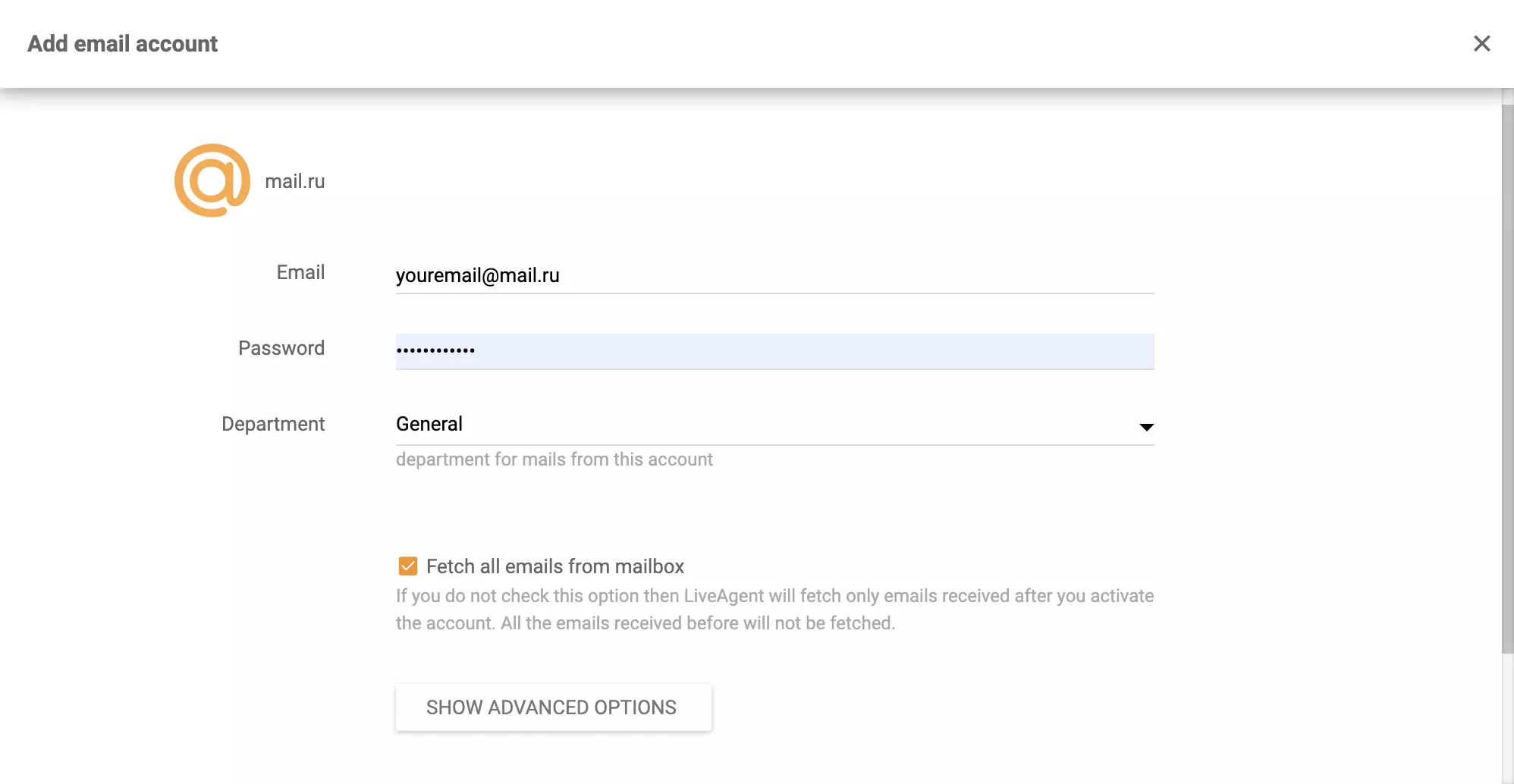
Your Mail.ru integration is complete and now all customer emails from your Mail.ru will redirect to your LiveAgent ticketing system.
Curious to find out more about LiveAgent’s ticketing system? Have a look at our ticketing system features or have a look at use cases to find out how you can use LiveAgent to improve your customer support.

No problem! LiveAgent offers a 30-day free trial where you can test the free Mail.ru integration!
Integrate Sendmail with LiveAgent for secure, efficient email routing and enhanced customer support. This open-source solution supports various mail-transfer me...
Integrate Gmail with LiveAgent for seamless customer service via a multi-user dashboard. Easily set up and manage emails through native or Zapier integration, e...
MailEnable is a leading Windows email server offering secure IMAP, POP3, and SMTP support, with seamless integration with Microsoft Outlook and LiveAgent for en...
Join our community of happy clients and provide excellent customer support with LiveAgent.
