Valentine's Day promotion background
14.Feb - 13.Mar 2026

Valentine deal

AI UNLOCKED
For new and existing customers for 3 months

Google Analytics

Google Analytics integration

Google Analytics is a free web analytics service that provides statistics and basic analytical tools for search engine optimization (SEO) and marketing purposes. By integrating Google Analytics with LiveAgent, you can track live chat events, measure their impact on conversions, and gain valuable insights into customer behavior.

What is Google Analytics?

Google Analytics is a powerful tool that allows you to track valuable marketing information. It provides comprehensive statistics and analytical tools designed for search engine optimization (SEO) and marketing purposes, helping businesses understand their website visitors and optimize their marketing strategies.

How can you use it?

With LiveAgent’s Google Analytics integration, you can:

  • Track website visitors and [live chat](/live-chat-software/ ‘Discover the best live chat software for 2025 with LiveAgent! Fast, feature-rich, 24/7 support, no setup fees, and a free 30-day trial!") sessions in Google Analytics
  • Evaluate the impact of live chat on conversions of your website visitors to customers
  • Measure agent performance and its impact on your company’s sales
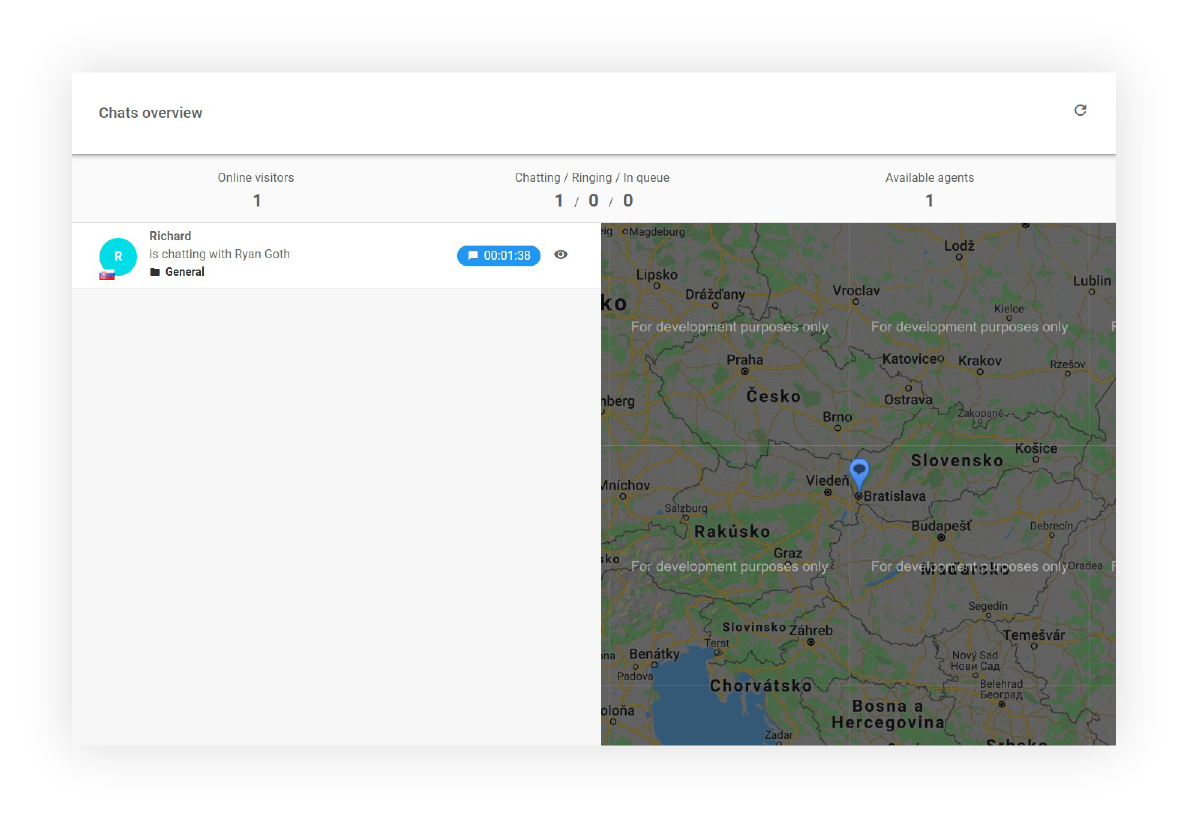
  • Generate JavaScript commands directly into your webpage when a chat is started
  • Signal chat events to your web application and start specific JavaScript functions based on running chat sessions

Integration setup

Please follow the below outlined integration guide to start using Google Analytics with LiveAgent:

  1. Login to your LiveAgent [dashboard](/customer-support-glossary/ ‘Discover LiveAgent’s comprehensive glossary of customer service and help desk terms. Perfect for beginners and pros to boost knowledge!’) and click Configure
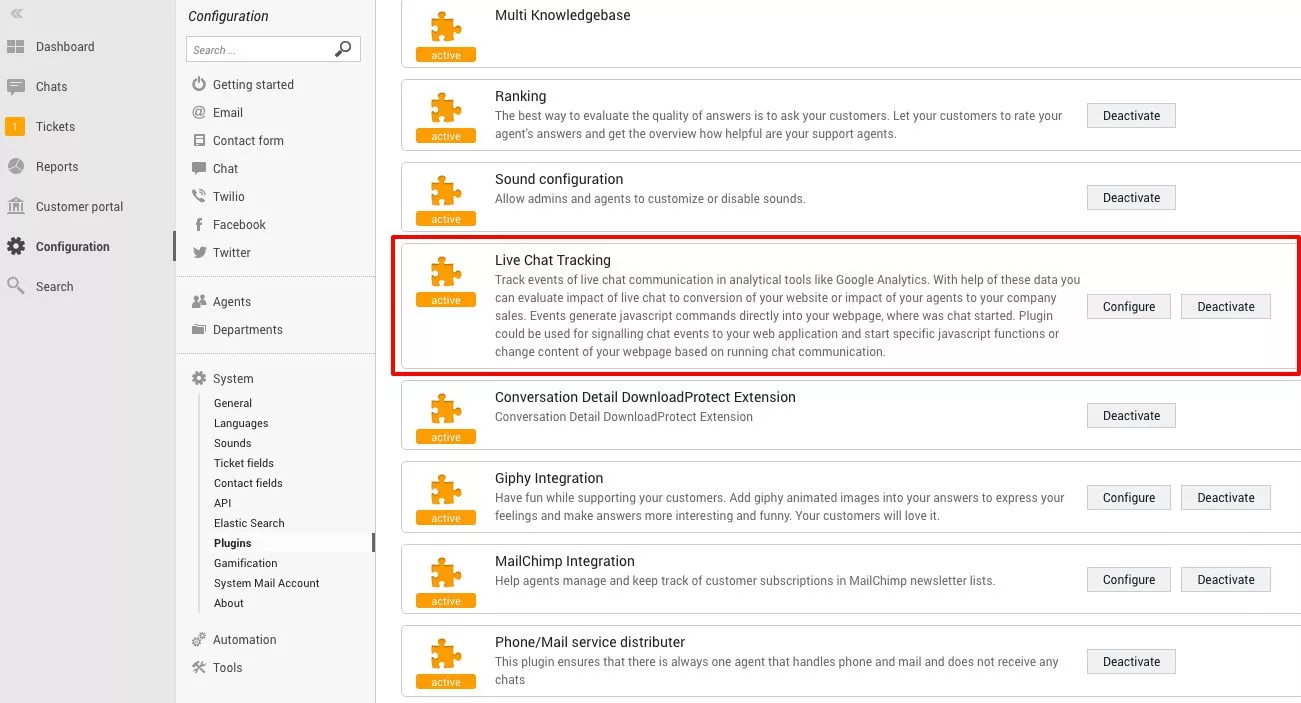
  2. Click System and Plugins
  3. Find “Live Chat Tracking” and activate it by clicking the slider
LiveAgent chat tracking

Options to track

The Google Analytics integration with LiveAgent allows you to track the following events:

  • Start chat - When a visitor initiates a live chat session
  • End chat - When a live chat session is completed
  • Every agent message - Track individual messages sent by support agents
  • Every customer message - Track individual messages sent by customers

These events generate JavaScript commands directly into your webpage where a chat is started. The plugin can be used for signaling chat events to your web application and starting specific JavaScript functions or changing the content of your webpage based on running chat sessions.

Frequently Asked Questions

What is Google Analytics?

Google Analytics is a tool that allows you to track valuable marketing information and understand your website visitors’ behavior.

How do I integrate Google Analytics with LiveAgent?

Here is a quick step-by-step guide:

  1. Log in to your [LiveAgent](/login/ ‘Log in to your LiveAgent account to access top-notch customer service solutions, including help desk, live chat, and call center software. Don’t have an account? Start your free trial today—no credit card required. Enhance your customer service skills with our extensive guides and tips at LiveAgent Academy.’) account
  2. Navigate to Configurations > System > Plugins
  3. Activate Live Chat Tracking

How do you track where customers are coming from?

To track where customers are coming from, there are several methods that businesses can use:

  • Implement tracking codes or cookies on your website to monitor the sources of incoming traffic
  • Track the URL of the referring website
  • Use UTM parameters in marketing campaigns
  • Utilize affiliate tracking links
  • Leverage tools like Google Analytics or similar analytics platforms to gain insights into the geographic locations, search terms, and referral sources of your website visitors

By analyzing this data, businesses can better understand the effectiveness of their marketing efforts and make informed decisions about their [customer acquisition](/blog/customer-acquisition/ “Master customer acquisition in 2024 with key strategies, tips, and tools to boost growth and retention. Unlock your business’s potential!’) strategies.

Frequently asked questions

What is Google Analytics?

Google Analytics is a free web analytics service that provides statistics and basic analytical tools for search engine optimization (SEO) and marketing purposes.

How can you integrate Google Analytics with LiveAgent?

With LiveAgent's Google Analytics integration, you can: track website visitors and live chat sessions in Google Analytics evaluate the impact of live chat on conversions of your website visitors to customers measure agent performance and its impact on your company's sales generate JavaScript commands directly into your webpage when a chat is started signal chat events to your web application and start specific JavaScript functions based on running chat sessions

How do you track where customers are coming from?

To track where customers are coming from, there are several methods that businesses can use: implement tracking codes or cookies on your website to monitor the sources of incoming traffic track the URL of the referring website use UTM parameters in marketing campaigns utilize affiliate tracking links leverage tools like Google Analytics or similar analytics platforms to gain insights into the geographic locations, search terms, and referral sources of your website visitors

Back to Integrations Try for Free

Don't have LiveAgent yet?

No problem! LiveAgent offers a 30-day free trial where you can test the free Google Analytics integration!

Learn more

Chat Embedded Tracking Features

Chat Embedded Tracking Features

LiveAgent's chat embedded tracking lets businesses track live chat conversions in Google Analytics, offering insights into chat impacts on sales. It tracks chat...

3 min read
Live Chat Analytics +2
Website Visitor Tracking features

Website Visitor Tracking features

LiveAgent's website visitor tracking feature lets you see the URL your customer is on during chats, enhancing support by providing real-time insights. It allows...

5 min read
Live Chat Visitor Tracking +1
Google Sheets
Google Sheets

Google Sheets

Integrate Google Sheets with LiveAgent via Zapier to create, share, and track spreadsheets seamlessly. Boost your team's productivity!

3 min read

You will be in Good Hands!

Join our community of happy clients and provide excellent customer support with LiveAgent.

Post Affiliate Pro Dashboard - Campaign Manager Interface