



BlaBla Connect
BlaBla Connect is an international calling app with VoIP services, offering affordable rates, free calls between users, and excellent support. It integrates sea...
3 min read


Bria, formerly known as X-lite, is a versatile softphone software with free and paid plans, ideal for individuals and teams. It integrates seamlessly with LiveAgent’s call center, enhancing communication with features like IVR and call history.
Bria, formerly known as X-lite, is a [softphone software](/softphone-software/ “Discover LiveAgent’s top-rated softphone software for B2B & B2C businesses, offering SIP-based VoIP support for seamless, reliable communication from anywhere. Enjoy features like call routing, IVR, unlimited recordings, and more. Start your free trial today and elevate your customer service with ease!’) that comes with a free version and three paid versions suitable for individuals, teams, and entire organizations. It’s a very versatile softphone solution that offers basic functionality with the free plan, and adds new advanced features with each advancing paid plan. Bria is a great choice especially for teams and companies that require more use cases and advanced features.
Bria can be used as a softphone solution for your business. It’s suitable for most personal and business scenarios thanks to its wide range of essential and advanced features. The best thing about Bria is that it’s easily scalable according to your needs and preferences. You can keep the free plan, as well as opt for more advanced plans as you go.
Bria can be used as a dedicated softphone solution for your LiveAgent call center . It works well with every call center feature available, and it can be easily integrated with the call center system of our help desk software. Take advantage of LiveAgent features like IVR, automatic callbacks, a complete call history and much more.
Bria comes with a free plan with a limited number of features, and it also offers three paid plans that provide additional features. The Solo and Teams plans start at $2.95 per month and $4.95, while the Enterprise plan requires a custom quote. The free plan offers limited features and it’s available for everyone after completing a free trial of any plan.
Bria can be integrated with LiveAgent as your dedicated softphone calling device. To get started you have to already have a VoIP provider service, and an active LiveAgent account. You can start your free Bria trial at the Bria website and download the application at a later step of this guide.
Step 1: Start your free trial
Start by opting for your free trial at the Bria website. You will have to choose one of the paid plans and start a free trial. Bria will revert to the free version after your trial ends, or you can continue with the paid plan. Enter your email address and other details and the website will take you to your dashboard.
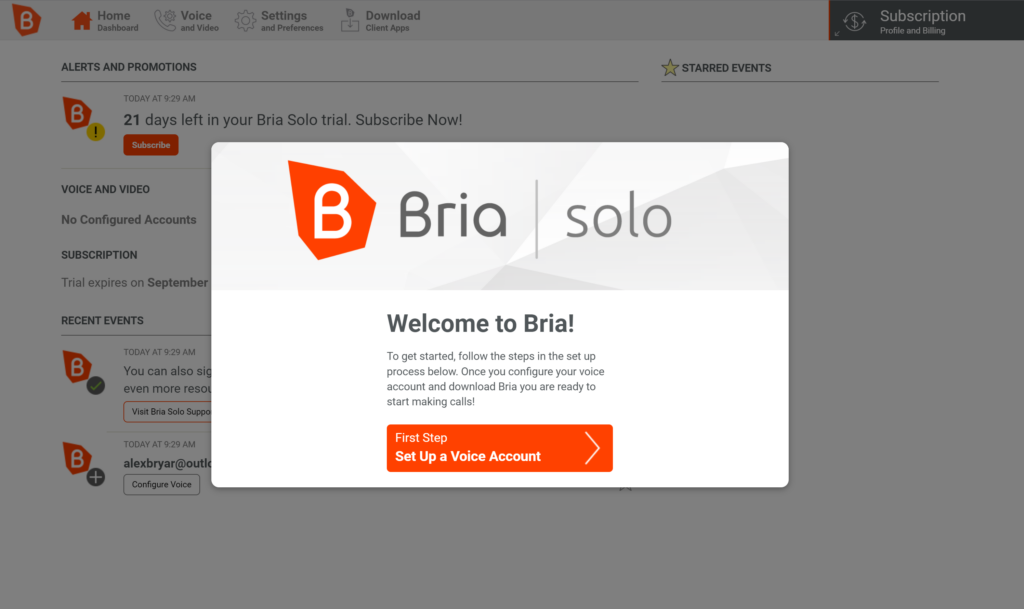
Step 2: Set up your voice account
Now you have to set up your voice account. Click on the orange button to do so and select Configure SIP settings. You will need to switch to your LiveAgent account to get the necessary data for the next step.
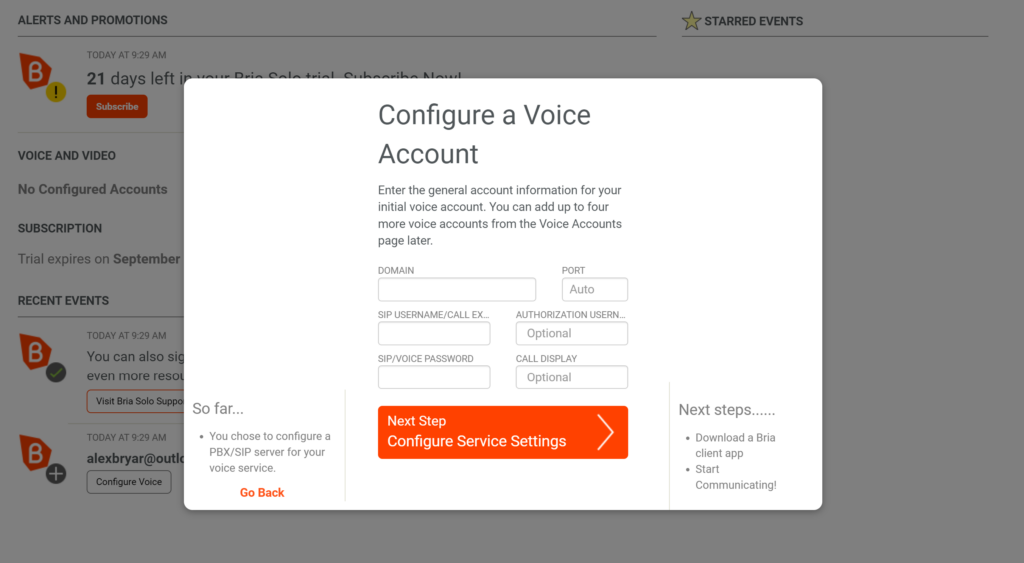
Step 3: Configure SIP settings in LiveAgent
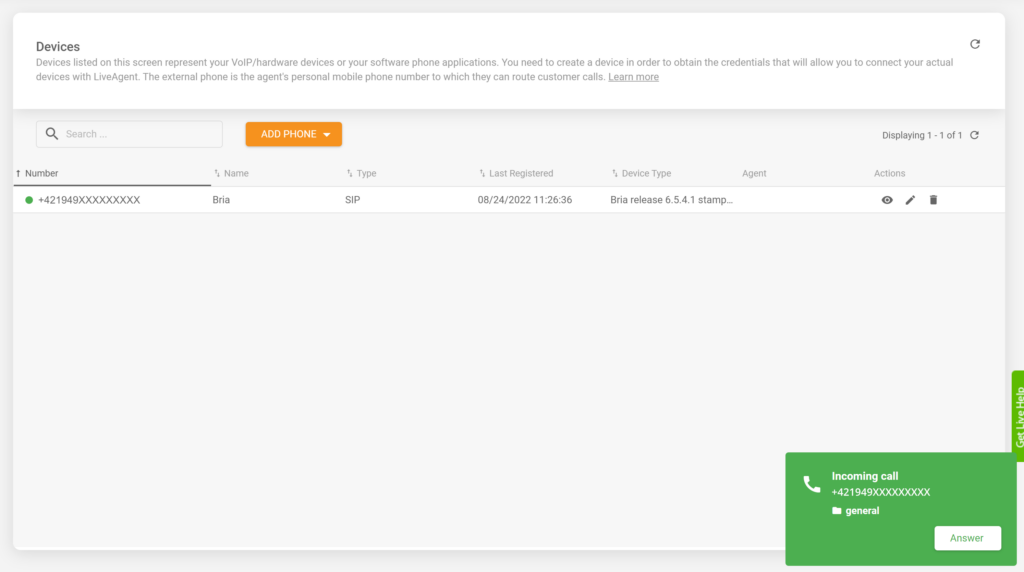
Open your LiveAgent app and go to Configuration > Call > Devices. Click on the create button and select SIP. Now put in your VoIP provider number and name this device. When done, click on the View button (eye icon) and use the data you see in the voice configuration of Bria from the previous step.
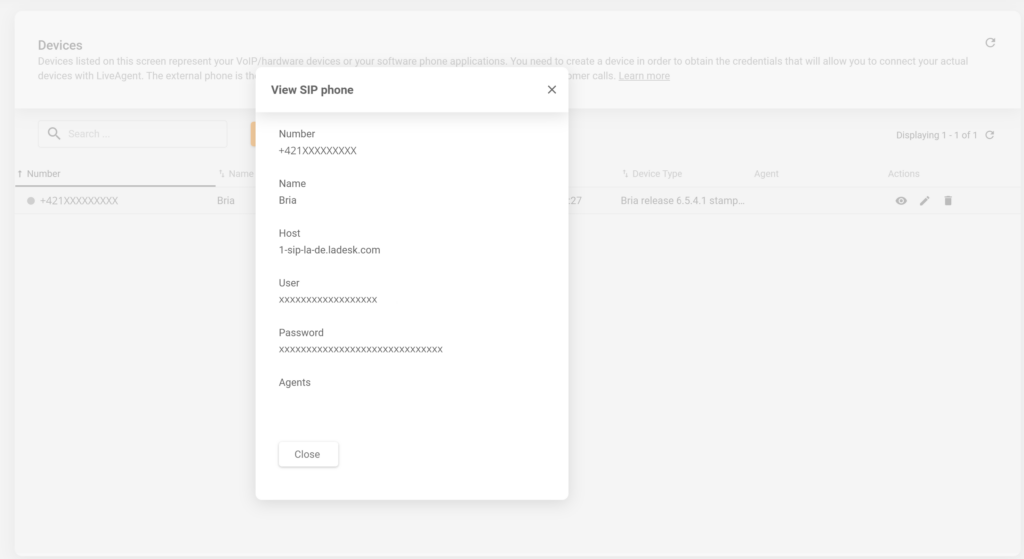
Step 4: Complete setup and download Bria
Now complete the setup and download Bria. The integration is finished and you can start answering calls directly in your LiveAgent dashboard. Paid Bria plans allow users to add more VoIP numbers into the configuration, so you can add more numbers for use in your LiveAgent call center.
LiveAgent’s call center works with the ticketing system to help you communicate faster and provide a better service. Start your free trial today!
LiveAgent's call center works with the ticketing system to help you communicate faster and provide a better service. Start your free trial today!
BlaBla Connect is an international calling app with VoIP services, offering affordable rates, free calls between users, and excellent support. It integrates sea...
Jira is a robust tool for bug, issue, and project tracking, integrated with LiveAgent for seamless task management. It offers native and Zapier integrations, sc...
Firmao is a flexible CRM platform for small businesses, offering email, telephony, invoicing, and project management. Integrated with LiveAgent, it enhances CRM...
Join our community of happy clients and provide excellent customer support with LiveAgent.
