



Finding the right inbound call center software can be a game-changer for your business, but with so many options, where do you start? We’ve done the heavy lifting for you by testing and ranking the fifteen best solutions on the market. Our team of experts has evaluated each one, focusing on performance, ease of use, and features that matter most.
In this article, you’ll find a comprehensible description of each software and our recommendations. Moreover, we will provide handy tips on what to focus on when looking for the right call center system. Make yourself comfortable, grab a cup of coffee or tea, and let yourself inspire.
Key Features of Inbound Call Centers
Inbound call centers thrive on advanced tools and systems designed to provide seamless customer support. Below are some of the critical features that set them apart:
Interactive Voice Response (IVR)
Interactive Voice Response (IVR) systems are essential for automating call routing. They allow customers to navigate through a menu of options, ensuring their inquiries are directed to the right department. This reduces waiting times and enhances the overall customer service experience.
Cloud-Based Solutions
With cloud-based solutions, businesses gain unparalleled flexibility. These systems support remote teams, ensuring consistent agent availability, even during peak hours or emergencies. Moreover, cloud-based calling enables uninterrupted communication, regardless of location.
Unlimited Calling
Many inbound call centers offer unlimited calling, ensuring businesses can handle high call volumes without incurring additional costs. This scalability is especially valuable for organizations with a large customer base that expects timely responses.
Advanced Features
Modern inbound call center software includes advanced features like call recording, automated workflows, and real-time monitoring. These tools provide actionable insights that improve operational efficiency and enhance the performance of customer service teams.
The 15 Best Inbound Call Center Software Ranked by Experts
1. LiveAgent – Best for Comprehensive Omnichannel Support
The LiveAgent call center is part of the LiveAgent omnichannel helpdesk family. It includes live chat, email, social media, and more. This tool is known mainly for its ease of use and robust ticketing system. It is an excellent choice for companies prioritizing responsive and well-rounded customer support.
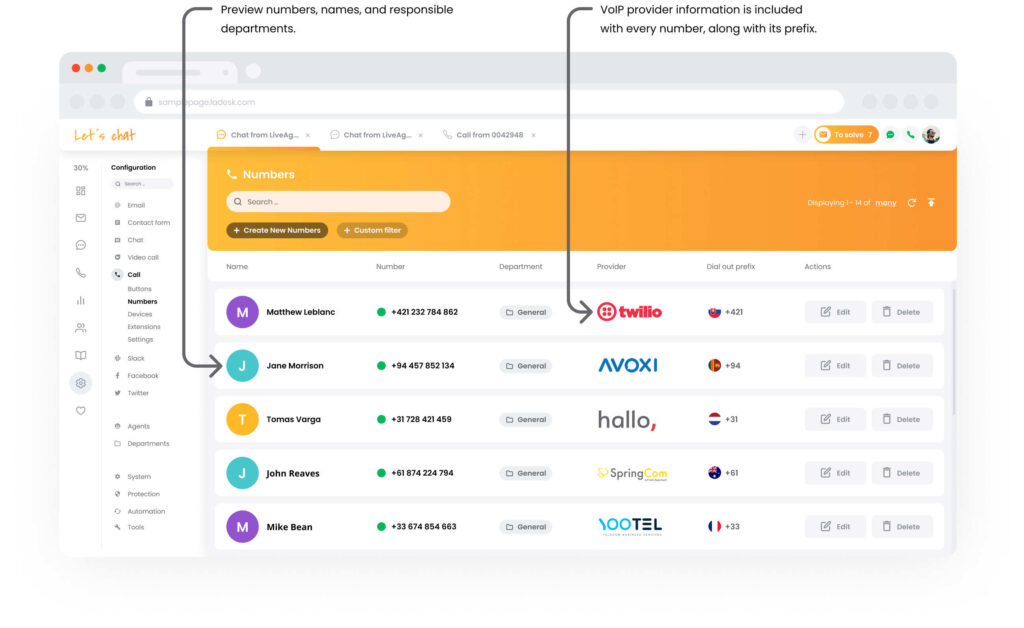
When using LiveAgent, there are several options for answering customer calls. You can do it through a browser, hardware/software phone, or the LivePhone app.
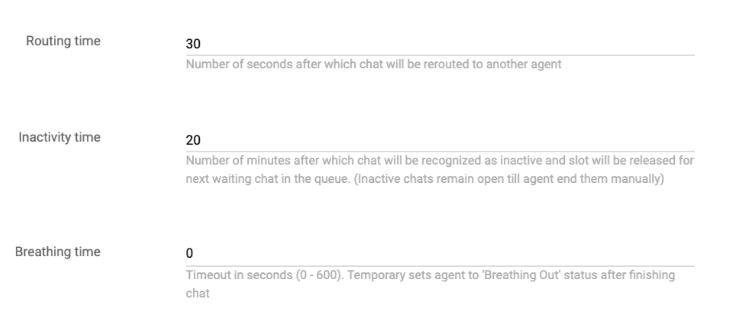
Let’s face it: call center agents are still human beings who need time to relax after a call or even take notes and summarize the content of a call. LiveAgent comes equipped with a great tool, breathing time, where you can set the time for your agents to rest. During this time, no call will be routed to this agent.
We especially like the LiveAgent team’s approach. There are many integrations, and more are still being added. They want to make this software as easy for the user as possible.
Why is LiveAgent the best inbound call center software for our staff?
The main reasons are its scalability, flexibility, and ease of use. Another big advantage is 24/7 support. In the context of call centers, LiveAgent allows you to create customized IVRs and modify them according to your needs.
Key features:
- Omni-channel support
- Built-in ticketing system with a unified inbox
- IVR with easy setup and great knowledge base articles
- Call button
- Call routing
- Call transferring
- Call holding
- Call recording
- AI call transcription
- Automatic call distribution
- Tags
- Notes
- Setting priorities
- Internal calls
What’s it like to use?
Using LiveAgent feels like stepping into a well-organized control center for customer support. The unified inbox keeps everything neatly in one place, making it easy to juggle multiple tasks without losing track.
The interface is intuitive, so new agents can quickly get the hang of things. The automated ticketing system ensures that nothing slips through the cracks, providing a seamless experience for agents and customers.
Moreover, the LiveAgent support team is kind, reliable, and always ready to assist you. Using this software is like having a gourmet meal at diner prices—exceptional quality without breaking the bank, and the support team serves it up perfectly every time!
Pricing:
- Small business plan: $15 per agent/month billed annually
- Medium business plan: $29 per agent/month billed annually
- Large business plan: $49 per agent/month billed annually
- Enterprise plan: $69 per agent/month billed annually
Pros & Cons:
Pros:
- Comprehensive feature set
- Omnichannel tool
- Affordable pricing
- Customizable ticketing system
- Intuitive, user-friendly interface
Cons:
- Can be slow to load, especially with large databases
- Support located overseas
2. Zendesk – Best for Large-Scale Enterprises
Zendesk call center is a cloud-based customer service platform that manages and streamlines customer support through voice interactions. It offers intelligent call routing system, IVR, call recording, and real-time analytics.
It also integrates with other communication channels, such as email, chat, and social media, providing a unified view of customer interactions. Zendesk’s call center is scalable, allowing businesses to manage customer calls efficiently and improve overall customer satisfaction.
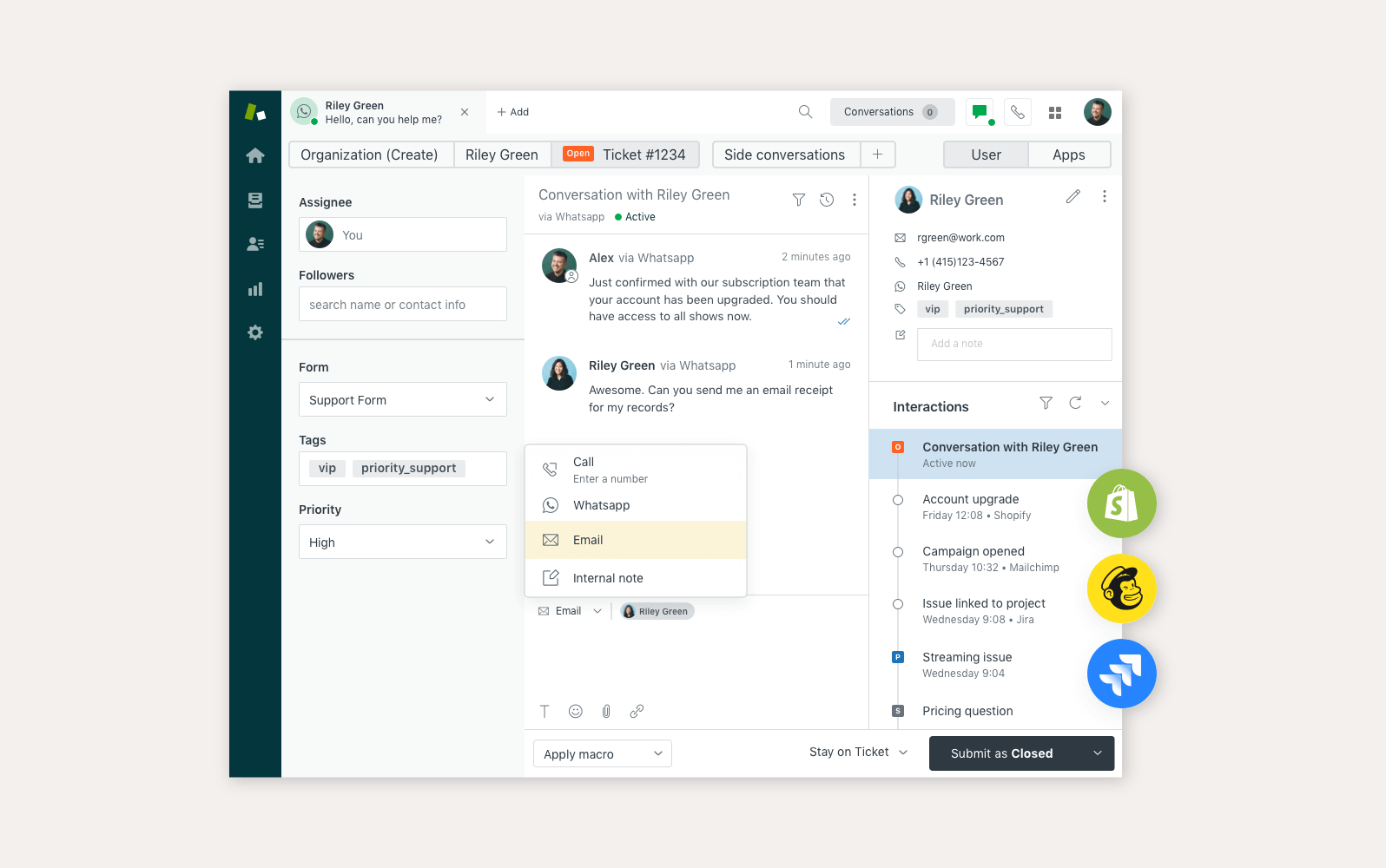
Zendesk stands out with a high level of personalization from the very beginning. Users get regular ticket updates, which may be handy. Regarding reporting, you can take advantage of Explore functionality or Talk Live.
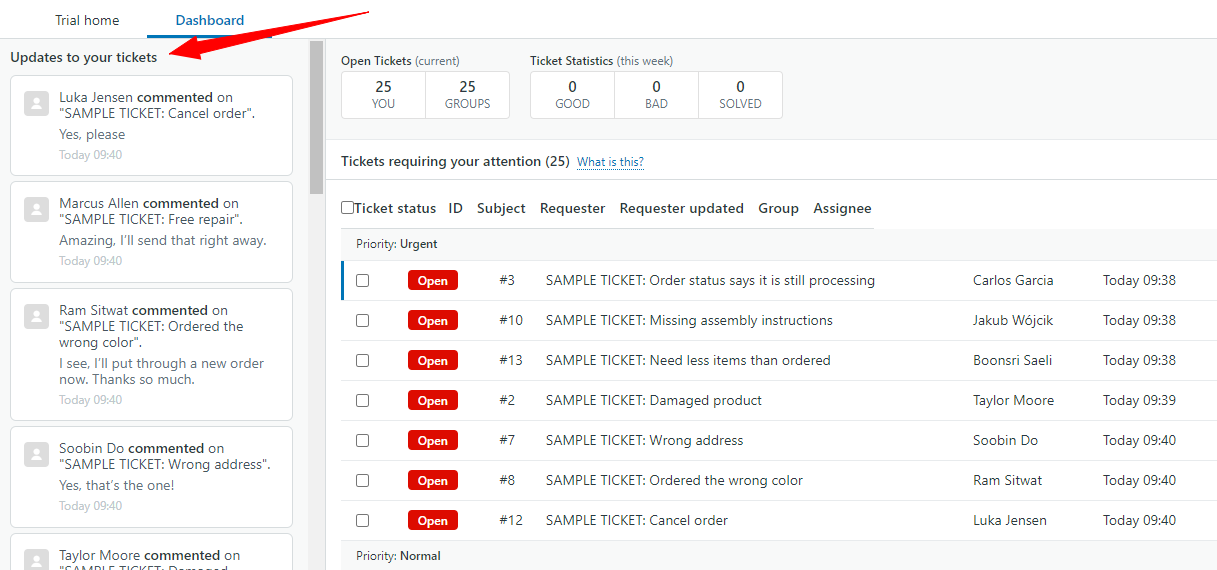
This platform’s strengths include its intuitive, personalized dashboards and excellent call quality. Zendesk also keeps in touch with its clients through regular updates or plan offers.
Reviewing other users’ reviews, we noticed that Zendesk sometimes has performance issues during peak periods. Many stated that moving from Zendesk to another provider is difficult.
Key features:
- Multichannel support
- Call routing
- Call recording
- AI-powered automation
- Customizable workflows
- Unified workspace
- Call recording and transcriptions
- Comprehensive reporting and analytics
- A large number of integrations
What’s it like to use?
Zendesk offers a sleek, user-friendly interface that makes managing customer interactions almost effortless. The platform is designed to scale with your business, meaning whether you’re handling a handful of queries or thousands, Zendesk adapts without a hitch.
The integrations with other tools are seamless, and the AI-powered automation feels like having an extra set of hands handling repetitive tasks in the background. Using Zendesk feels like driving a smooth, robust, and reliable luxury car.
Pricing:
- Suite Team: €55 per agent/month billed annually
- Suite Growth: €89 per agent/month billed annually
- Suite Professional: €115 per agent/month billed annually
- Suite Enterprise: need to contact the sales team
Pros & Cons:
Pros:
- User-friendly interface
- Well-structured reporting
- History tracking
Cons:
- Pricing
- High learning curve for some users
- Hard to move on to another software
3. CloudTalk – Best for Skills-Based Routing
CloudTalk is another cloud-based call center solution on our list. This call routing software impresses with its advanced routing and global coverage. We see it as an ideal option for businesses that handle high call volumes and need reliable performance across different regions.
CloudTalk’s ability to integrate with popular CRMs makes it a strong choice for teams looking to optimize their inbound call management and improve customer service globally. Unlike Zendesk, CloudTalk focuses only on call handling.
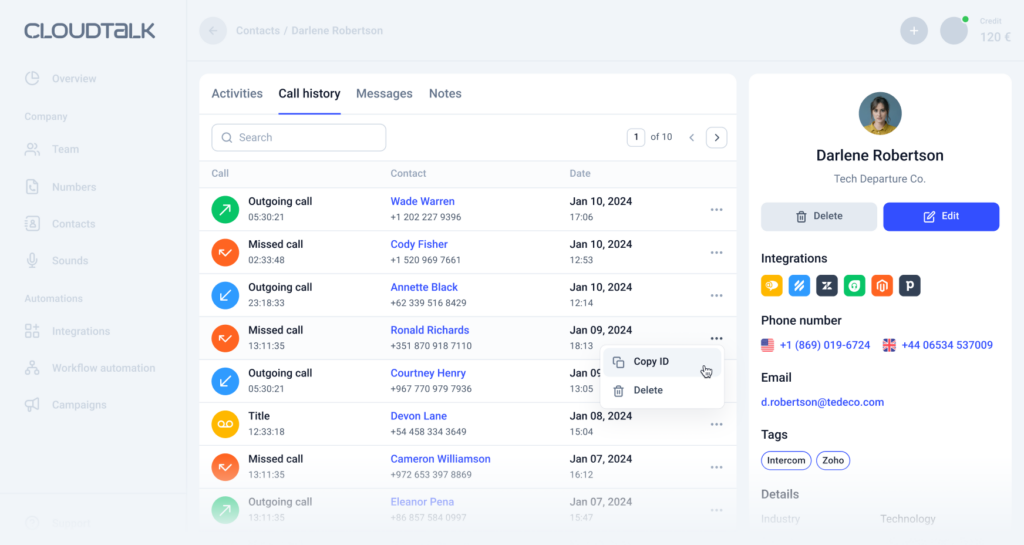
CloudTalk receives high marks for its robust call management features and ease of use, particularly in handling international call centers. We must highlight its intuitive interface, skills-based routing, and monitoring capabilities.
However, CloudTalk has been criticized for its limited integration options compared to competitors. Some users have mentioned that its reporting tools need more depth for more complex call center environments. Additionally, call recording features have occasionally been flagged for reliability issues.
Key features:
- Skills-based routing
- Voicemail
- Voicemail drop
- Three-way calling
- Imported/created extensions
- Smart dialer
- Power dialer
- Click-to-call
- Call transferring
What’s it like to use?
Using CloudTalk is like having a robust, global call center at your fingertips—mainly because it focuses only on calls. The platform excels at handling high call volumes efficiently, and its global number availability ensures that you can maintain a local presence no matter where your customers are.
The real-time call monitoring and analytics give managers deep insights into performance, making it easy to optimize operations. CloudTalk feels powerful yet approachable, offering advanced features without overwhelming the user.
Pricing:
- Starter plan: €25 per agent/month billed annually
- Essential plan: €30 per agent/month billed annually
- Expert plan: €50 per agent/month billed annually
- Custom plan: need to contact the sales team
Pros & Cons:
Pros:
- Strong call management features, like call queuing and real-time analytics
- Affordable pricing
- Integrates well with CRM tools like Salesforce and HubSpot
- Many AI-powered features
Cons:
- Occasional bugs and call drop issues
- VoIP call quality may vary by region
- Limited advanced reporting features
4. Zoho Desk – Best for Budget-Conscious Businesses with CRM Integration Needs
Zoho Desk is an efficient help desk software that integrates seamlessly with the broader Zoho ecosystem. It is particularly appealing for businesses already using Zoho products, as it allows for smooth workflow continuity.
Zoho Desk’s AI-driven tool, Zia, helps predict and resolve customer issues faster. It is a valuable asset for teams that prioritize proactive customer service. Its multichannel support ensures that all customer interactions are managed effectively from a single platform.
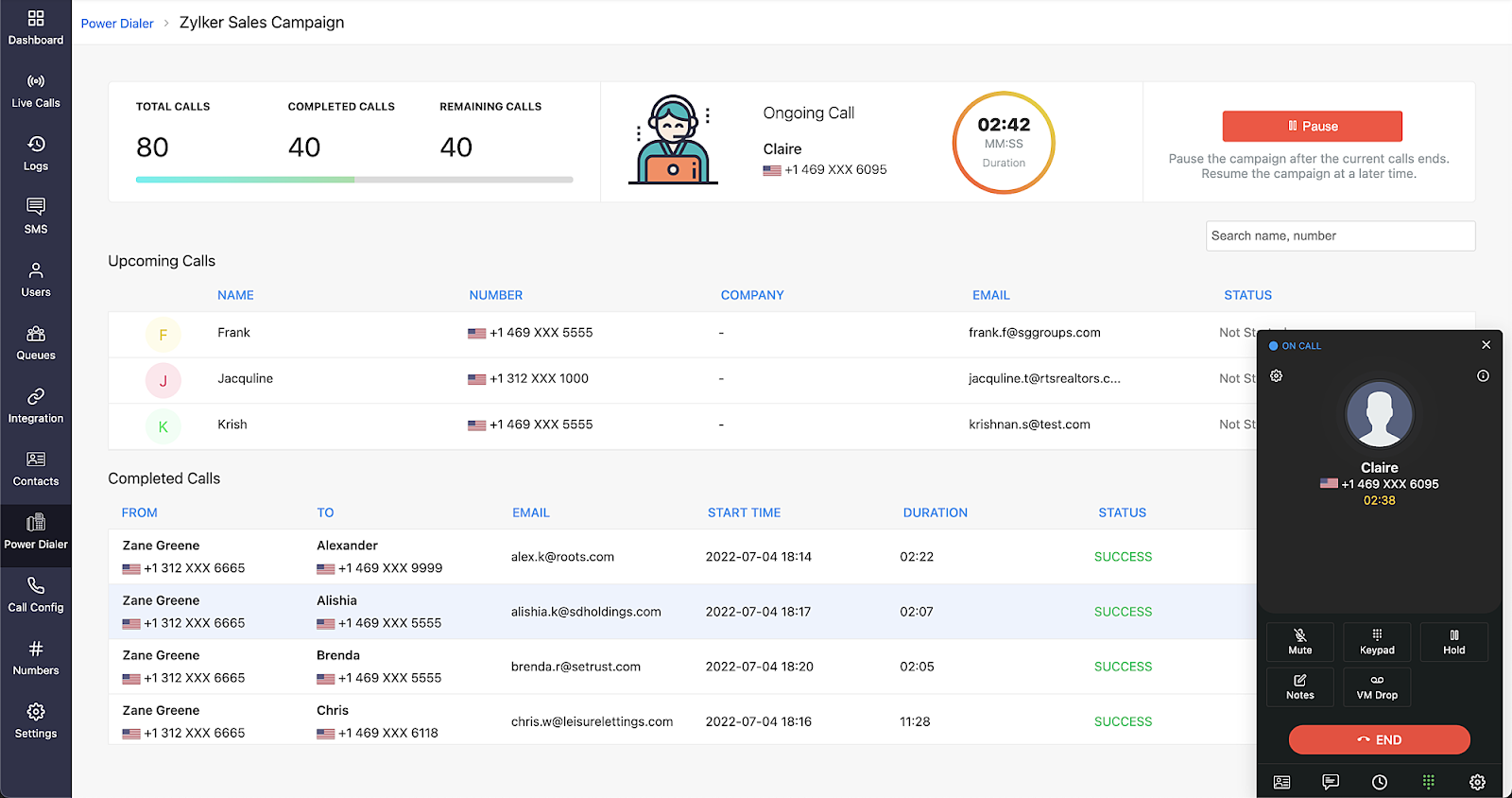
When talking about Zoho Desk, we must appreciate its cost-effectiveness, ease of setup, and strong automation capabilities. Thanks to the broader Zoho ecosystem, its call center is often a popular choice for businesses already using Zoho CRM or other Zoho products.
We found in reviews and verified on our own that Zoho Desk can lack some advanced telephony features compared to dedicated call center platforms like Aircall or RingCentral. The user interface, while functional, has also been flagged by some as outdated or not as polished as other solutions.
Key features:
- AI assistant Zia
- Performance dashboards
- Guided conversations
- Automated SLAs and escalations
- Customizable workflows
- Highly developed customer self-service
What’s it like to use?
We are in the customer care giant’s territory. Zoho Desk offers a cohesive and well-organized user experience, particularly for teams already using Zoho tools. The AI assistant Zia adds a layer of intelligence that helps predict and resolve issues before they escalate.
Customized workflows and multichannel support are designed to streamline operations so agents can focus only on delivering exceptional service. Zoho Desk feels like a natural extension of your team, helping you manage customer relationships more effectively.
Pricing:
- Standard plan: €14 per agent/month billed annually
- Professional plan: €23 per agent/month billed annually
- Enterprise plan: €40 per agent/month billed annually
Pros & Cons:
Pros:
- Affordable, great value for small businesses
- Highly customizable with detailed analytics and reports
- Integrates seamlessly with other Zoho products
- Strong ticket management and workflow automation
Cons:
- Overwhelming notification system, sometimes hard to manage
- Limited third-party integrations outside Zoho
- Confusing setup and navigation for new users
- Some find the interface cluttered and non-intuitive
5. Aircall – Best for Small Teams and Startups
Let’s look at Aircall, call center software designed for modern, agile teams. It offers an intuitive interface and quick setup process, making it a great choice for startups and growing businesses that need a scalable, cloud-based call center solution.
Aircall’s seamless integration with CRM and helpdesk tools, combined with its advanced call management features, ensures teams can easily deliver personalized customer service. It’s a powerful tool for businesses looking to enhance their inbound call management without the complexity.
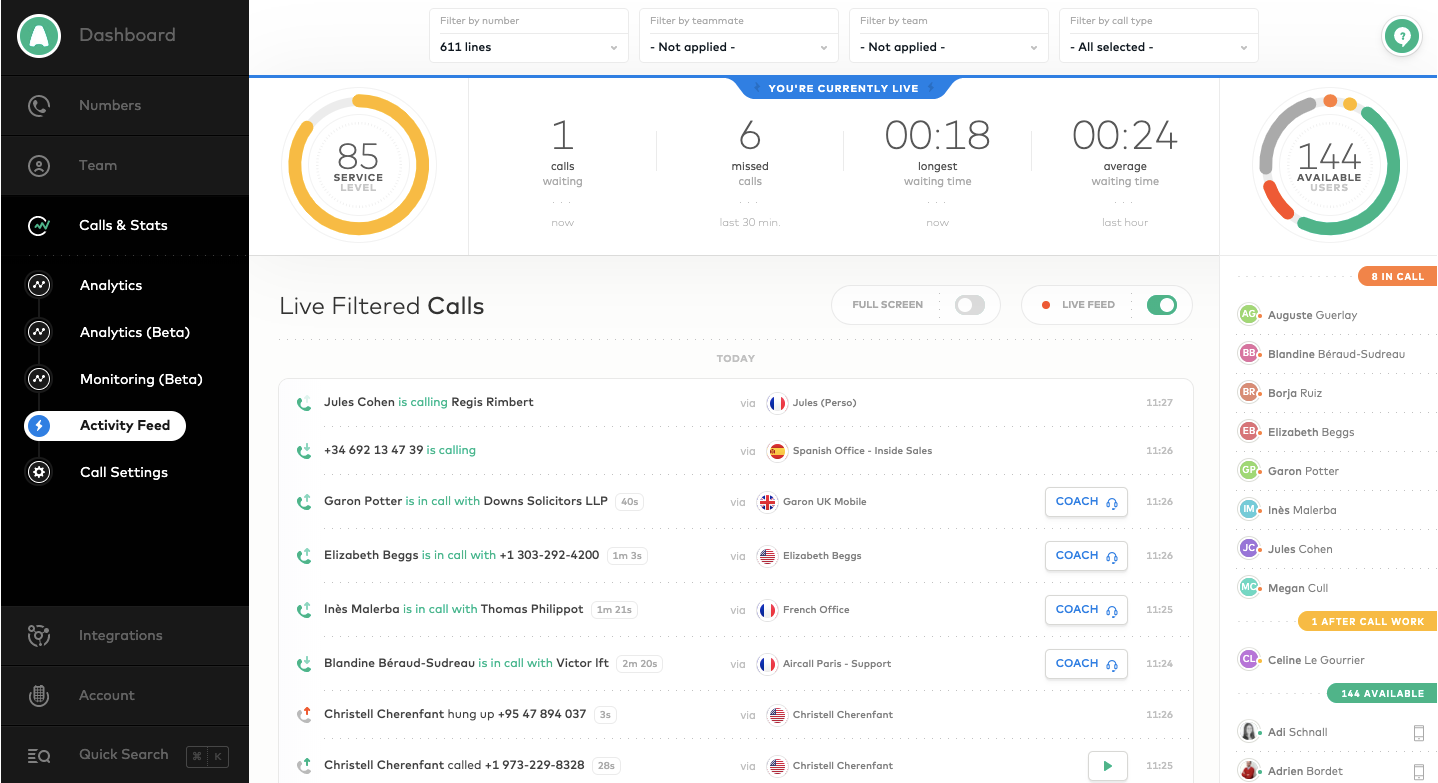
Moving on to the software’s capabilities, Aircall is highly regarded for its simplicity and ease of use, especially for small to medium-sized businesses needing a cloud-based phone system. We want to highlight its quick setup and seamless integration with CRMs like Salesforce and HubSpot, which makes it an excellent choice for sales and support teams.
Some users have noted that the mobile app could be improved for better usability, particularly for teams that rely heavily on remote work. Aircall has also been criticized for occasional call quality issues and a lack of advanced analytics.
Key features:
- Call routing
- Call monitoring
- Call queuing
- Call recording
- After-call work
- Easy CRM integration
- Blocklist numbers
What’s it like to use?
We think Aircall is designed to be user-friendly and quick to set up, making it ideal for fast-paced teams. The platform’s integration with popular CRMs ensures customer data is always at your fingertips, allowing personalized interactions.
Using Aircall feels like having a powerful, cloud-based phone system ready to scale with your business needs. The call recording and other essential features mentioned above are invaluable for training and quality control.
Pricing:
- Essentials plan: $30 per agent/month billed annually
- Professional plan: $50 per agent/month billed annually
- Custom plan: need to contact the sales team
Pros & Cons:
Pros:
- User-friendly interface
- Detailed analytics
- Seamless integrations
Cons:
- Limited customization
- Limited features for the price
- Mobile app limitations
- No offline access
6. HappyFox – Best for Automation and Reporting Tools
HappyFox is a user-friendly helpdesk solution that shines with its clean interface and strong automation features. It can be beneficial for businesses looking to improve response times and streamline support tasks. In addition to call center solutions, it also covers email, live chat, and social media communication.
Another advantage is a wide range of integrations and customizable workflows so agents can quickly resolve customer issues. Its intuitive design ensures that teams can hit the ground running with minimal training.
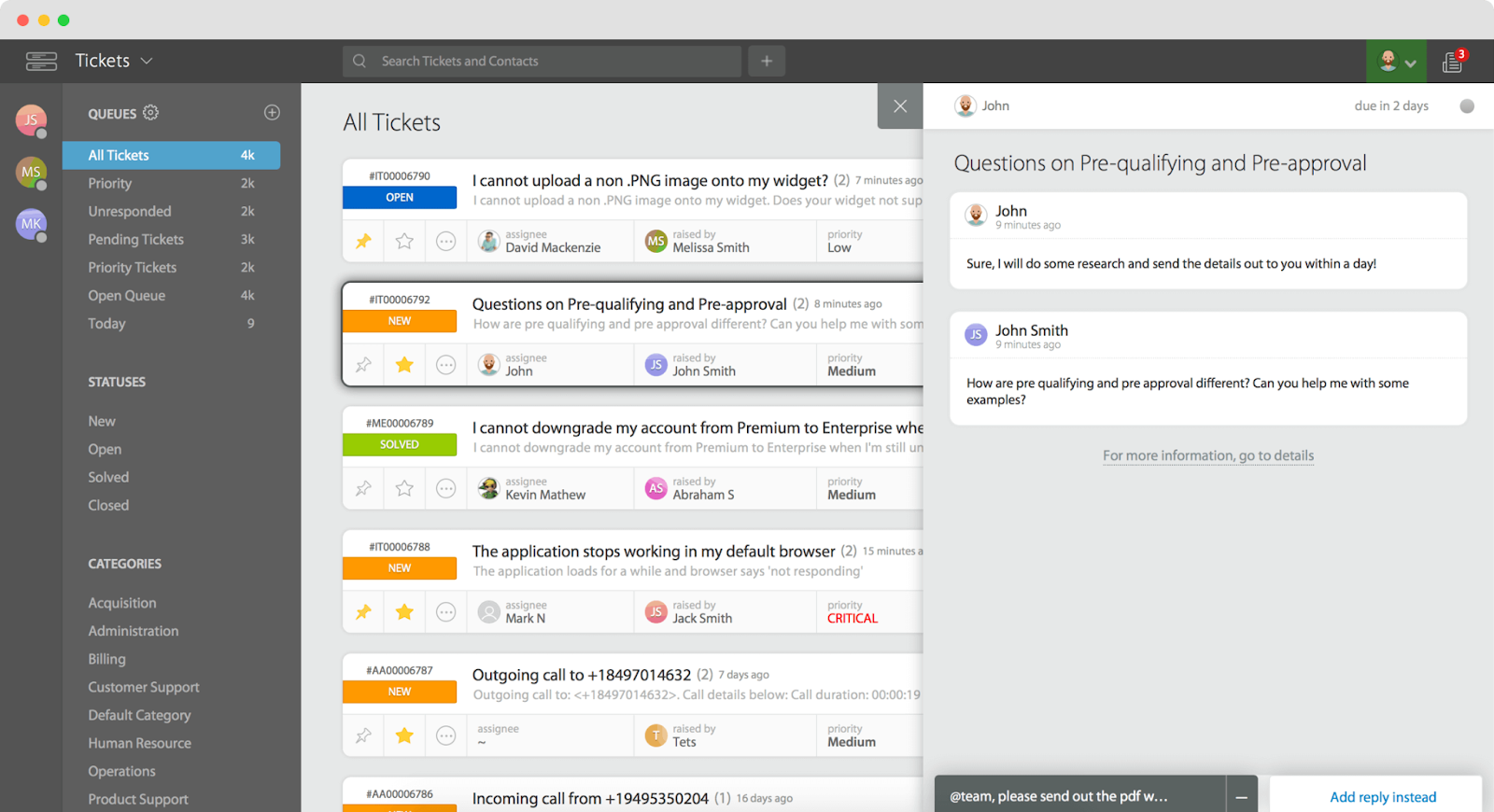
This software is lauded for its clean interface and powerful automation features. We appreciate how easy it is to configure automated workflows, which streamline support processes significantly. Its customizable reporting dashboards make it ideal for real-time tracking of team performance.
Some users have commented that the pricing can be higher than alternatives with similar feature sets.
Key features:
- Automated workflows
- SLA management
- Business intelligence tools (mainly in reporting)
- Customizable dashboards
- API access
- Real-time analytics
What’s it like to use?
HappyFox call center delivers a clean, straightforward interface that makes managing customer queries a breeze. The software’s robust automation features handle repetitive tasks behind the scenes, freeing agents to focus on more complex issues.
With HappyFox, managers can easily monitor their team’s progress thanks to the customizable dashboards, which provide a real-time snapshot of performance metrics. We think using HappyFox feels efficient and streamlined, with everything you need just a few clicks away.
Pricing:
- Basic plan: $9 per agent/month billed annually
- Team plan: $49 per agent/month billed annually
- Pro plan: $99 per agent/month billed annually
- Enterprise PRO plan: need to contact the sales team
Pros & Cons:
Pros:
- Modern and straightforward UI
- Great support
- Automated ticketing
- Custom workflows
Cons:
- Issues with exporting tickets
- Complex initial setup
- Pricing
7. Freshcaller – Best for Small to Medium-Sized Businesses
Freshcaller delivers a user-friendly interface with powerful support features, making it an excellent choice for teams that need to manage customer interactions efficiently. What we like most about Freshcaller is its ease of use—It is designed to help teams get up and running quickly without a steep learning curve.
Its robust ticketing system and AI-driven insights resolve calls swiftly, leading to higher satisfaction rates.
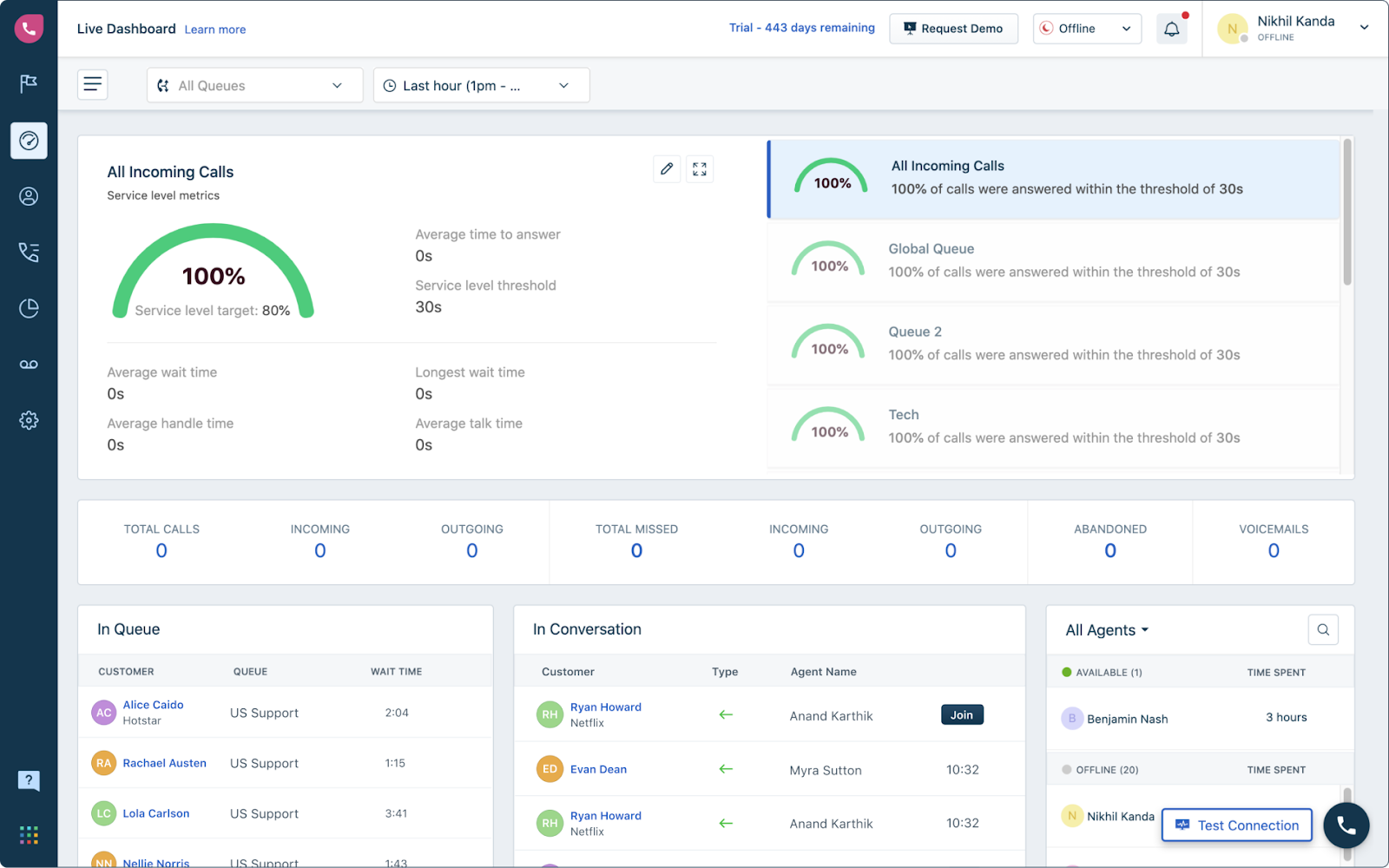
We have to emphasize Freshcaller’s simplicity and ease of use. We find it suitable for small—to medium-sized businesses. We love the integration of Freshcaller CRM for a unified customer view. Moreover, its AI-powered automation and intuitive interface allow teams to handle customer inquiries efficiently.
On the downside, some users feel the platform needs more scalability for larger enterprises, particularly in advanced customization. There are also occasional complaints about the reporting features being less customizable than other tools in the market.
Key features:
- Multi-level IVR
- Comprehensible reporting & analytics
- Service level monitoring
- Business hours
- Call recording
- Call routing
- Call workflows
- Routing automation
What’s it like to use?
Thanks to its intuitive design and powerful features, Freshcaller is a pleasure to use for most users. We have to agree.
The team inbox centralizes all customer communications, making collaboration smooth and efficient. Freshcaller feels like a well-oiled machine designed to help support teams operate at their best without getting bogged down by complex processes.
Pricing:
- Free plan
- Growth plan: €15 per agent/month billed annually
- Pro plan: €39 per agent/month billed annually
- Enterprise plan: €69 per agent/month billed annually
Pros & Cons:
Pros:
- Easy to setup and use
- Good integration with Freshworks suite
- Reliable call quality
- Feature-rich for call management
Cons:
- Limited SMS functionality
- Mobile app limitations
- Limited customization for call flows
8. Nextiva – Best for Unified Communications
Nextiva offers a comprehensive communication suite that includes everything from voice calls to video conferencing, making it a proper all-in-one solution. We like how it caters to businesses wanting to enhance customer communication without juggling multiple tools.
Nextiva is perfect for companies looking to centralize their communication efforts and improve overall efficiency.
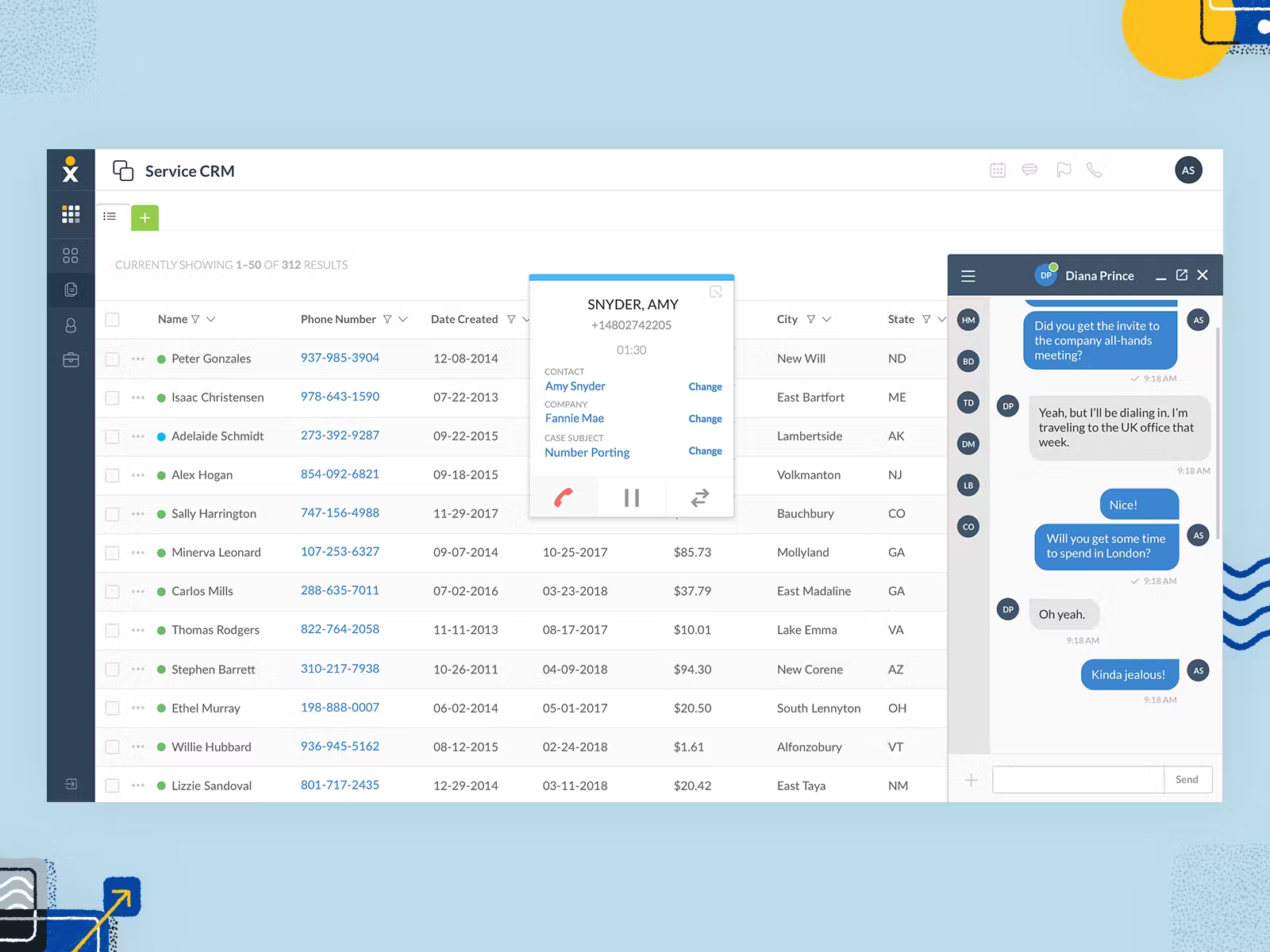
This call center software is well-regarded for its reliable VoIP phone system and advanced call-routing features. It is often a popular choice for businesses needing strong telephony solutions.
However, users have noted that while the platform offers comprehensive features, its analytics and reporting tools aren’t as detailed or intuitive as competitors. There have also been mentions of occasional call quality issues, particularly in regions with unstable internet connections.
Key features:
- Call routing
- Call center thresholds
- Call recording
- Automated call distribution
- Reliable VoIP phone system
What’s it like to use?
Nextiva offers a comprehensive communication suite that feels incredibly unified. Everything integrates seamlessly within the platform. The advanced call routing is particularly impressive, ensuring calls are directed to the right person every time.
The interface is clean and easy to navigate, making it simple for agents to manage customer interactions. Moreover, you can easily access your calendar, attach files, and use integrations to quickly share important information with colleagues or team members. Nextiva makes it feel like all your communication tools work harmoniously together.
Pricing - Small business plans:
- Digital: $20 per agent/month billed annually
- Core: $30 per agent/month billed annually
- Engage: $40 per agent/month billed annually
- Power Suite: $60 per agent/month billed annually
Pricing - Enterprise plans:
- Essential: $129 per agent/month
- Professional: $159 per agent/month
- Premium: $199 per agent/month
Pros & Cons:
Pros:
- Software’s reliability
- Scalability
- Great customer support
- Information sharing
Cons:
- Higher pricing
- Limited integrations
- High learning curve
- Occasional bugs
9. RingCentral – Best for Comprehensive VoIP and Communications Platform
Let’s move on to RingCentral, a versatile communication platform highly regarded for its reliability and ease of use. We recommend it for businesses looking for a cloud-based solution that seamlessly integrates voice, video, and messaging into one platform.
RingCentral’s robust collaboration features and mobile-friendly interface make it a standout choice for teams that need to stay connected and responsive, whether in the office or on the go.
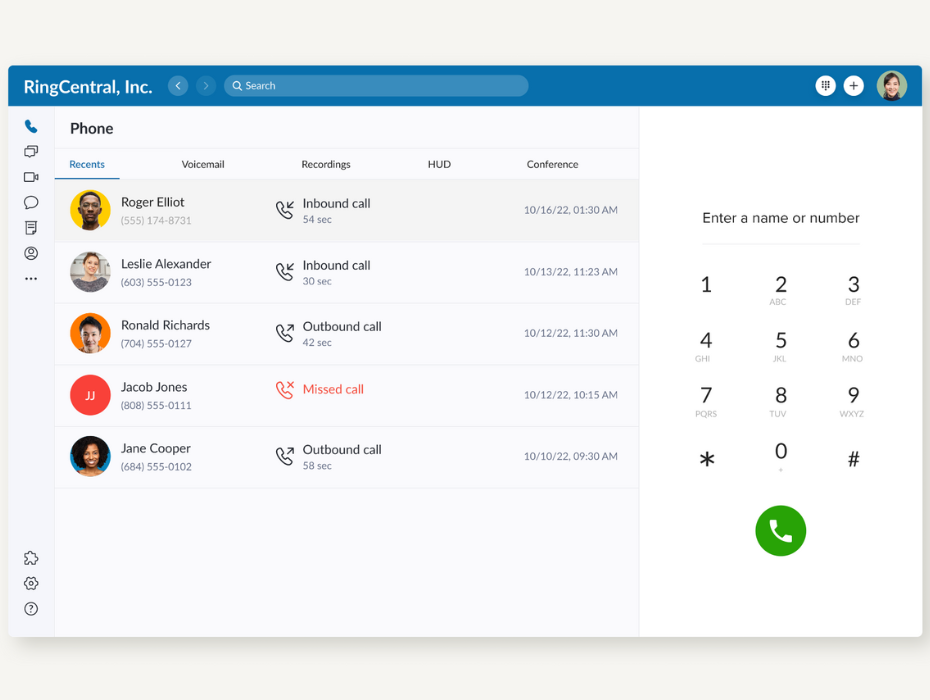
What about its capabilities? We have mentioned its versatility, but RingCentral has strong video conferencing, messaging, and VoIP services on one platform. Users highlight its reliable performance, especially for remote and hybrid work environments, and its seamless integrations with major CRM platforms.
On the other hand, some users mention that the customer support experience can be hit or miss, with longer response times than expected. Additionally, the pricing model can become expensive as businesses scale, and some users find the reporting features less robust than competitors like NICE CXone.
Key features:
- Real-time reporting
- Mobile-friendly interface
- AI-based sentiment analysis
- Power dialing
- Skills-based routing
- Omnichannel routing
- Workforce engagement management
- Integrations and APIs
What’s it like to use?
We believe RingCentral provides a smooth and reliable experience for managing all your communication needs. The platform’s seamless integration of voice, video, and messaging means you can switch between different modes of communication without any hiccups.
The mobile app is a standout feature, allowing agents to stay productive on the go. The platform’s simplicity and powerful features make using RingCentral feel like you’re always connected, no matter where you are.
Pricing:
- Core plan: $9.99 per agent/month billed annually
- Advanced plan: $25 per agent/month billed annually
- Ultra plan: $35 per agent/month billed annually
Pros & Cons:
Pros:
- Excellent integration with Microsoft Teams, Google Workspace, and Slack
- Scalable solution for small to enterprise-level teams
- High-quality call performance
- Mobile-friendly interface
Cons:
- Complex pricing structure, with additional costs for advanced features
- Mobile app lacks full desktop functionalities
- Limited support for third-party integrations at the basic level
- Customer support could be slow during peak times
10. Genesys Cloud – Best for Large Enterprises with Complex Needs
Genesys Cloud could be characterized as a comprehensive customer experience platform that excels at providing advanced features like AI-powered routing and omnichannel support. We find it particularly suited for large organizations that need a robust solution capable of managing complex customer interactions.
Genesys Cloud’s flexibility and scalability make it ideal for enterprises aiming to deliver personalized, efficient, and consistent customer experiences across multiple channels.
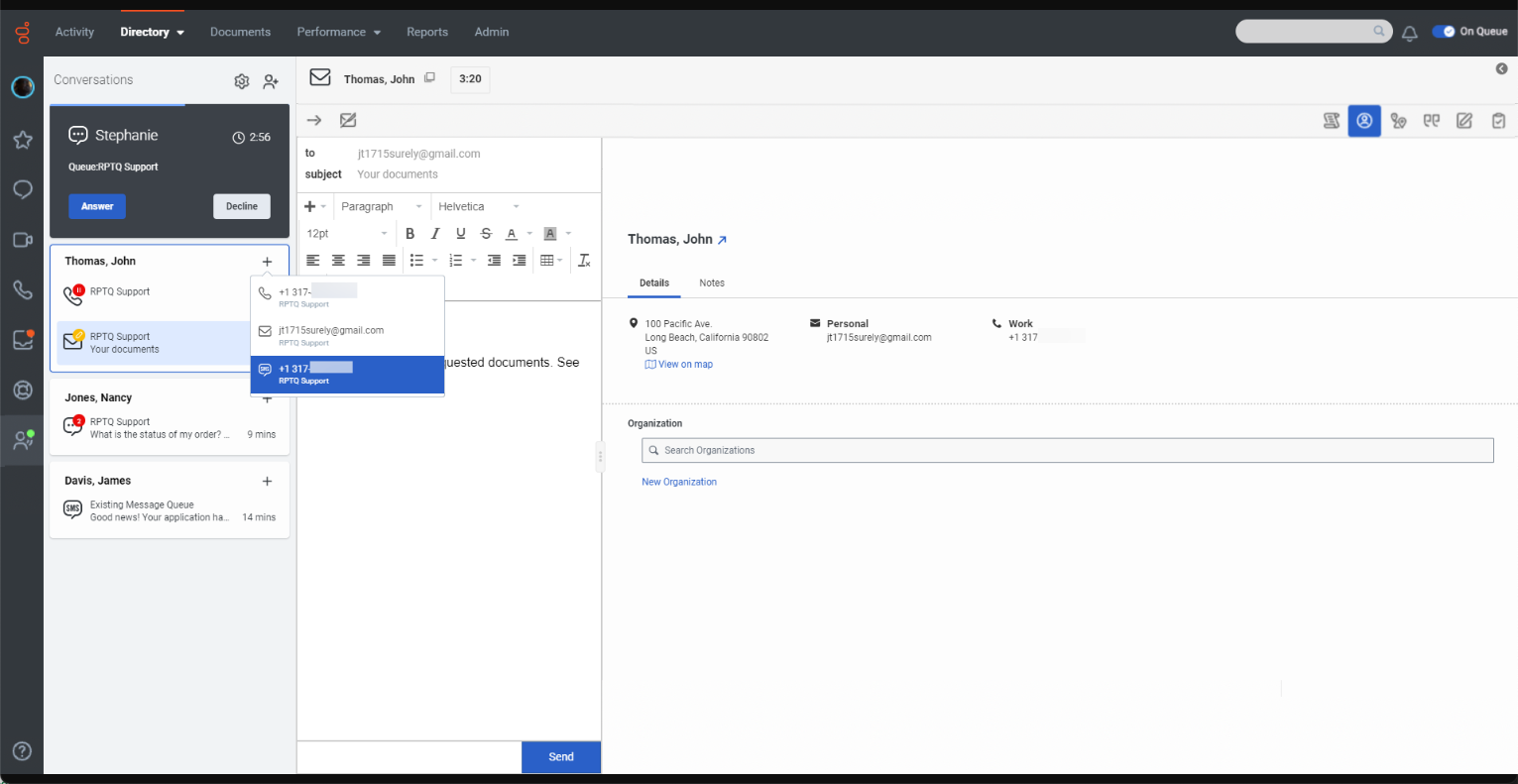
This solution is well-suited for large, complex contact centers. Users praise its AI-powered routing, omnichannel capabilities, and advanced analytics. The platform is highly customizable and excels at providing personalized customer journeys.
But let’s not forget that the complexity can be a double-edged sword, as some users report that it takes significant time and expertise to leverage its features fully. Additionally, smaller businesses or teams often find Genesys Cloud overkill for their needs, with pricing reflecting its enterprise-level capabilities.
Key features:
- Automatic call distribution
- Comprehensive analytics and reporting
- Predictive routing powered by AI
- Workforce optimization
- Text-to-speech integration
- Speech-enabled IVR
- Callback
What’s it like to use?
The first thing that came to our minds was that Genesys Cloud feels like having a sophisticated, enterprise-grade system. It provides a rich, omnichannel experience that is well-suited for large, complex organizations.
The AI-powered, predictive routing ensures that customers are always connected to the right agent, while the comprehensive analytics provide deep insights into every interaction. Despite its advanced capabilities, they try to keep the platform user-friendly.
Pricing:
- Genesys Cloud CX 1: $75 per agent/month billed annually
- Genesys Cloud CX 2: $115 per agent/month billed annually
- Genesys Cloud CX 3: $155 per agent/month billed annually
Pros & Cons:
Pros:
- A lot of AI-powered features
- Scalability
- Comprehensive reporting
- Helpful, responsive support
Cons:
- Time-consuming, complex setup
- Pricing
- Limited customization
- Steep learning curve
11. Twilio Flex – Best for Customizable Contact Center Solutions
Twilio Flex offers unparalleled customization, allowing businesses to build a call center that meets their exact specifications. We see it as the perfect solution for tech-savvy teams that want complete control over their customer support environment.
Thanks to its API-driven approach, Twilio Flex integrates seamlessly with existing systems and scales effortlessly as your business grows. It’s a powerful option for organizations looking to create a truly bespoke customer service experience.
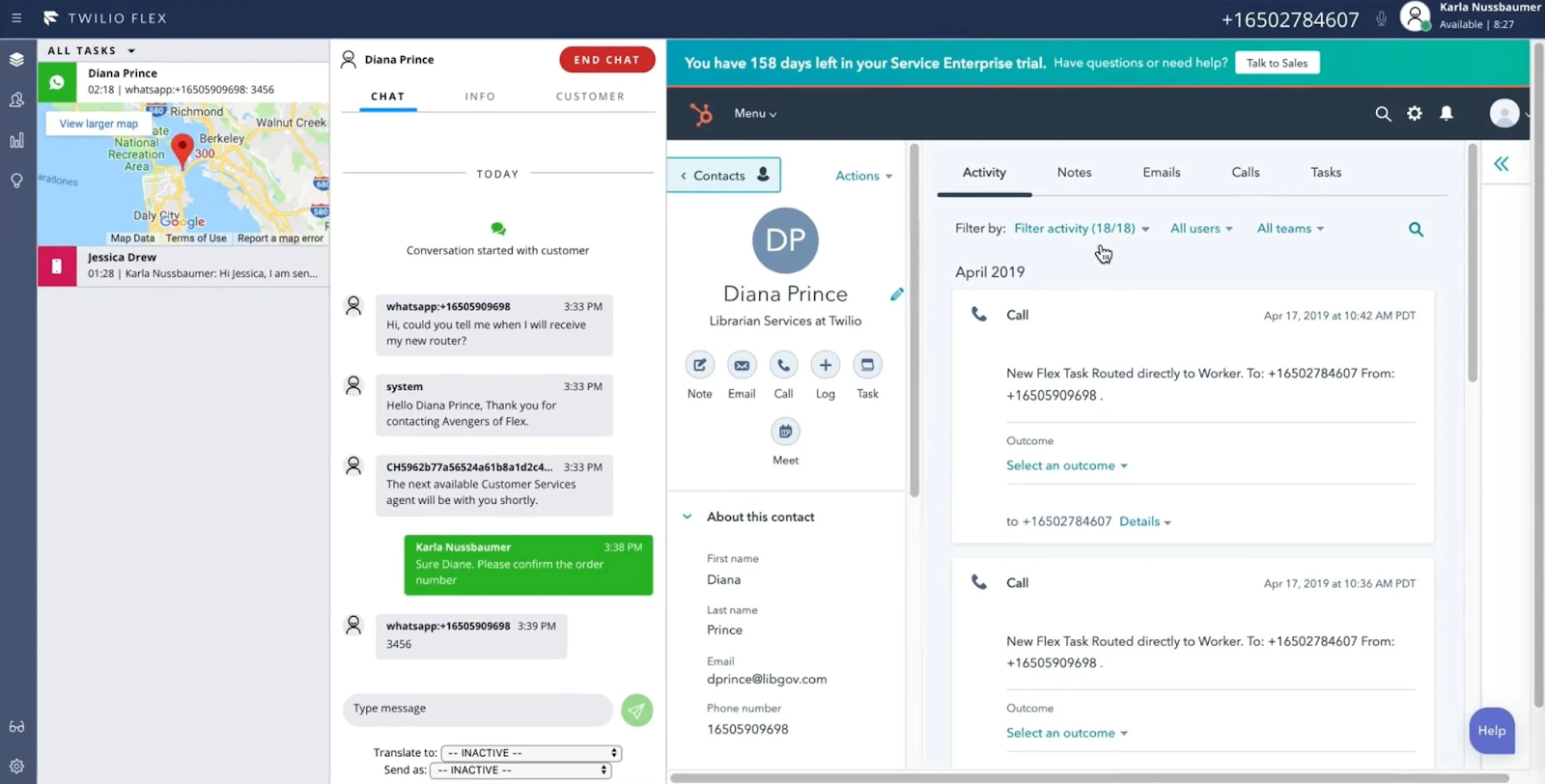
This tool stands out for its incredible flexibility and customization options. It is often a favorite for developers who want to build a bespoke contact center. We love how they can tailor every aspect of the customer experience and integrate with various third-party tools.
Despite this, non-technical users often find the platform too complex, requiring significant development resources to unlock its full potential. We also found feedback about the steep learning curve and higher costs associated with heavy customization.
Key features:
- Custom IVR
- Google Contact Center AI
- Intelligent routing
- Programmable interface
- Enhanced customer view
- Flexible routing
- Real-time reports
What’s it like to use?
Twilio Flex feels like a blank canvas on which you can create exactly what you need, offering an experience unlike any other.
It provides an adventure tailored to those who value customization and control. This highly flexible platform allows you to build a call center that aligns perfectly with your business’s needs. The programmable interface is a dream for developers, as it offers endless possibilities for customization.
Pricing:
- Per-hour pricing: $1.00 per active user hour
- Per-user pricing: $150 per named user/month
Pros & Cons:
Pros:
- Unusual pricing
- Developer-friendly solution
- Highly customizable, scalable
Cons:
- Pretty high per-user pricing
- No native out-of-the-box solution
- Developer dependent
- Steep learning curve
12. JustCall – Best for Startups and Small to Medium-Sized Businesses
JustCall made an impression of a straightforward and efficient cloud-based call center solution that’s easy to deploy and manage. Its features make it a solid choice for teams looking to improve customer engagement without the hassle of complex setups.
We recommend it for small to medium-sized businesses that need a reliable way to handle inbound calls and SMS communications.
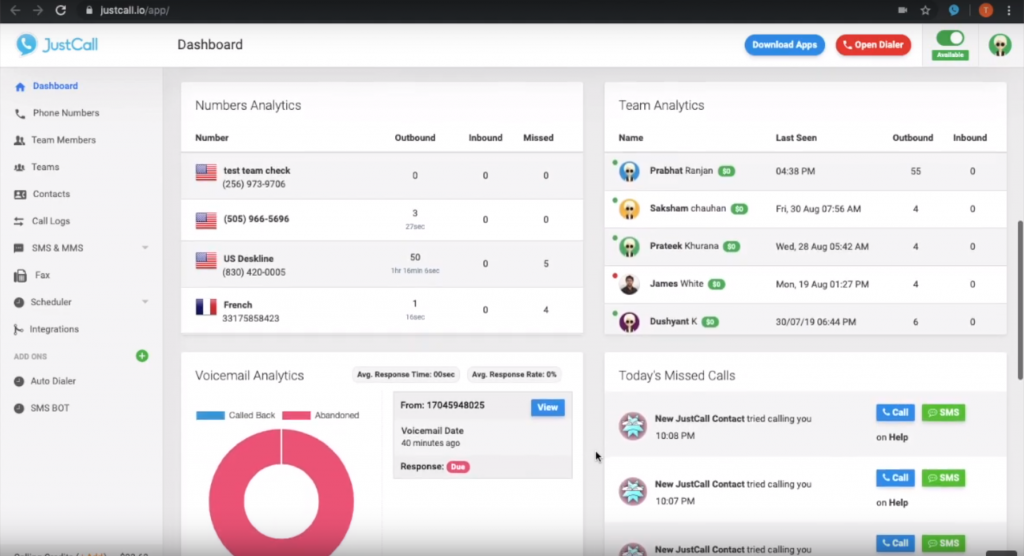
We want to highlight its ease of use and quick setup. We also appreciate its integration with popular CRM tools and reliable SMS and call features.
Some users have, however, pointed out that its call quality can occasionally suffer during high-traffic periods. Customization options are relatively limited compared to more robust solutions, which can be a drawback for businesses looking to tailor workflows extensively.
Key features:
- Efficient call management
- AI agent assistance
- Smart IVR
- Automated call-routing
- Call monitoring
- Call whispering
- Automated data sync
- Comprehensible, yet basic analytics and reporting
What’s it like to use?
We can tell that JustCall provides a straightforward, no-fuss experience. The platform is easy to deploy, and its core features, like click-to-call, are intuitive and effective.
Call recording, monitoring, and whispering are seamless, and tracking interactions and improving customer service are easy. JustCall feels reliable and efficient, offering all the essential tools you need without the complexity.
Pricing:
- Essentials plan: $19 per agent/month billed annually
- Team plan: $29 per agent/month billed annually
- Pro plan: $49 per agent/month billed annually
- Business plan: need to contact the sales team
Pros & Cons:
Pros:
- Ease of use
- Affordable pricing
- SMS integration
- Good for small businesses
Cons:
- Basic reporting
- Limited feature set
13. CallHippo – Best for Essential Call Center Needs with Affordability
Let’s take a closer look at CallHippo. This cost-effective, cloud-based solution provides all the essential call center features businesses need. We think it’s ideal for startups and small businesses looking for a budget-friendly option without sacrificing functionality.
CallHippo offers a range of features, including virtual numbers, call analytics and CRM integration; it is a practical choice for businesses that need a simple yet powerful tool to manage their customer communications.
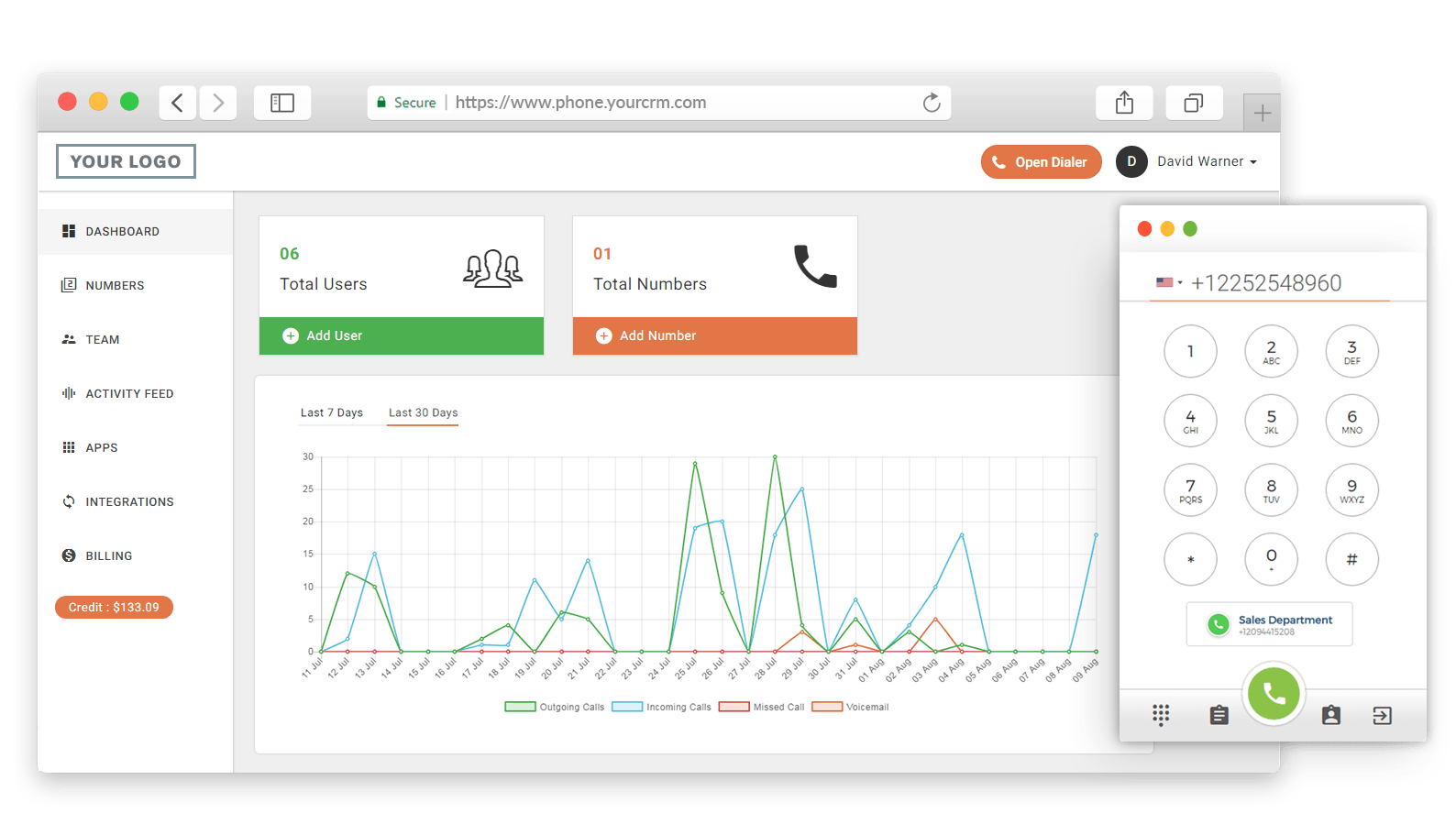
We agreed that this software is well-suited for small businesses and startups due to its affordability and simplicity. Its most significant advantages are its virtual phone number options and easy-to-navigate interface. The platform is known for being straightforward, easy to get up, and quick to run.
More advanced users find it lacks in-depth analytics and reporting tools, and the platform doesn’t offer the same level of customization or integrations as more robust solutions like Twilio Flex or Genesys Cloud. Also, some users report occasional reliability issues with call connections.
Key features:
- Call whispering
- Call routing
- Call screening
- Predictive dialer
- IVR
- Automatic call distribution
- Virtual phone numbers
- Smart DID routing
- Auto dialer
What’s it like to use?
CallHippo is simple yet effective. This call center provides an easy-to-navigate user experience, even for those new to call center software. The platform’s virtual numbers and IVR system make it easy to manage inbound calls efficiently, while the call queuing feature ensures that customers are never left waiting too long.
Using CallHippo feels like having a budget-friendly tool that delivers all the essentials, making it an excellent choice for startups and small businesses.
Pricing:
- Starter plan: €17 per agent/month billed annually
- Professional plan: €28 per agent/month billed annually
- Ultimate plan: €40 per agent/month billed annually
Pros & Cons:
Pros:
- Affordable pricing
- Easy to setup
- Multi-device access
Cons:
- Difficult to scale
- Lack of integrations compared to competitors
- Poor reporting
14. NICE CXone – Best for Advanced Analytics and AI
NICE CXone is a top-tier platform known for its robust analytics and AI-driven customer experience tools. It’s designed for enterprises leveraging data to optimize every aspect of customer interactions.
We particularly appreciate how NICE CXone offers deep insights into call center performance, which helps businesses identify trends and areas for improvement. Its comprehensive feature set makes it a go-to solution for organizations aiming to deliver exceptional, data-driven customer service.
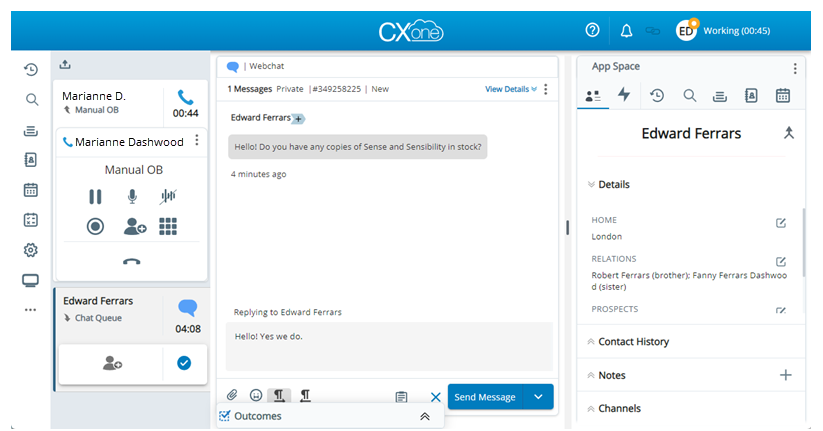
NICE CXone is widely considered an enterprise-grade powerhouse, particularly for its AI-driven insights and omnichannel routing capabilities. Users rave about its workforce management tools and the platform’s ability to handle high call volumes efficiently.
Its detailed analytics are highly praised since they provide deep insights into customer interactions and agent performance. However, reviewers have noted that the platform can be overly complex for smaller teams or those without dedicated IT staff.
The steep learning curve and premium pricing are often cited as drawbacks for businesses without the resources to maximize their capabilities.
Key features:
- Automatic call distribution system
- Call recording
- AI-driven agent assistance
- Workforce engagement management
- Customer journey orchestration
- Integrated third-party interaction channels
What’s it like to use?
NICE CXone feels like a high-tech command center for customer experience management. The platform’s AI-driven insights and omnichannel routing make it easy to deliver personalized service at scale.
The interface is sleek and packed with features yet remains user-friendly. It suits both seasoned professionals and newcomers. Workforce management tools optimize staffing, ensuring agents are always ready to provide top-tier service.
Overall, using NICE CXone feels like having a cutting-edge tool that gives you complete control over the customer journey.
Pricing - Interactions orchestration:
- Digital agent: $71 per agent/month
- Voice agent: $94 per agent/month
- Omnichannel agent: $110 per agent/month
Pricing - Orchestration, optimization and analytics:
- Essential suite: $135 per agent/month
- Core suite: $169 per agent/month
- Complete suite: $209 per agent/month
- CXone Mpower: $249 per agent/month
Pros & Cons:
Pros:
- Robust analytics with customizable dashboards
- Scalable for large businesses with complex needs
- Reliable call quality in most regions, with excellent agent management tools
Cons:
- Higher price point for smaller teams and businesses
- The learning curve can be steep for new users
- Occasional login and downtime issues
15. Deskpro – Best for a Flexible Ticketing System
Last but not least on our list is Deskpro. This tool stands out for its flexibility and customizable interface, which allows you to tailor the software to fit their specific workflows. This adaptability makes it a strong contender for organizations with unique support needs.
Deskpro also integrates various support channels—email, chat, voice, and social media—into a single platform, providing a unified experience for agents and customers. It’s particularly well-suited for teams that need a powerful yet flexible solution.
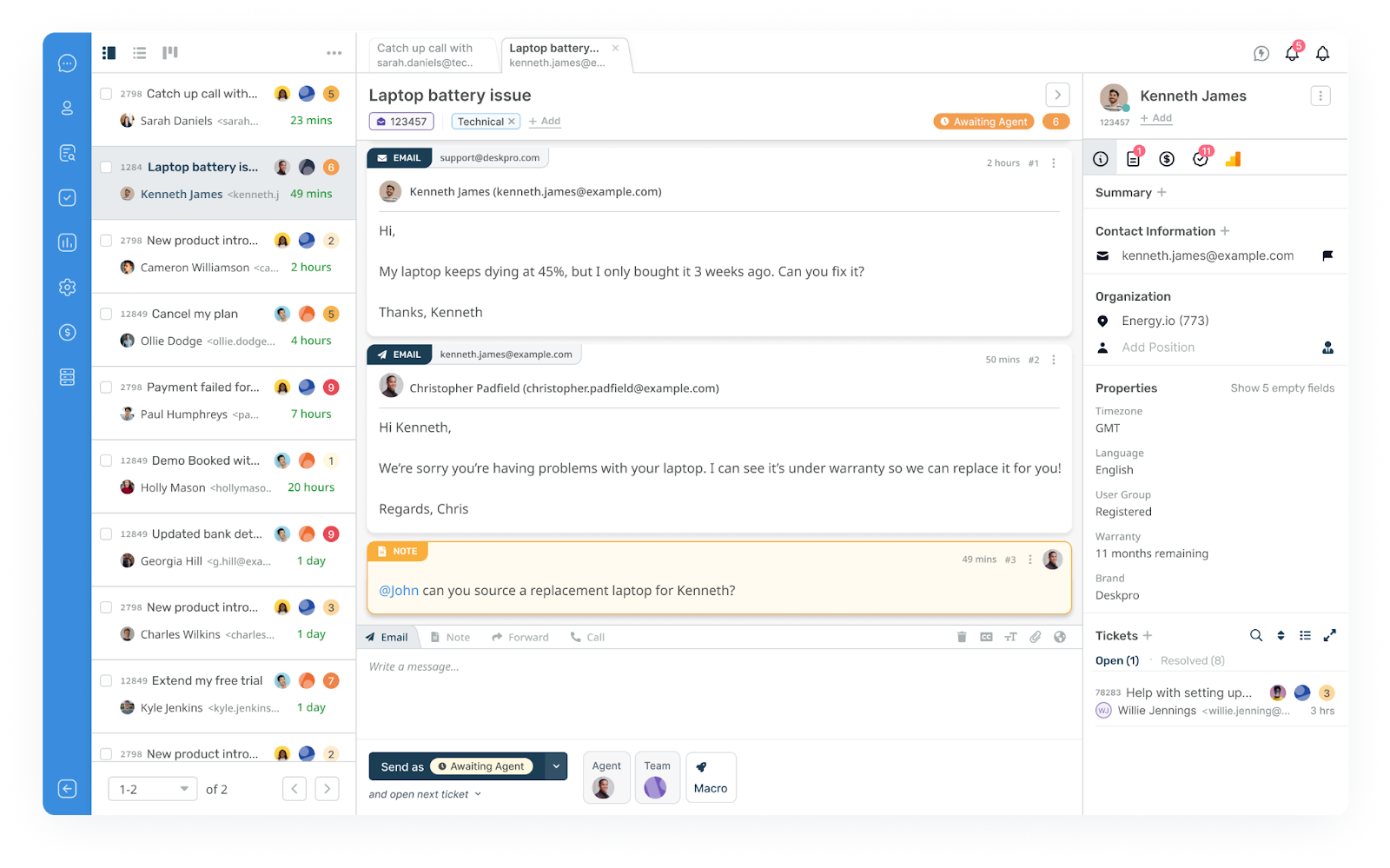
We believe Deskpro excels at offering a highly customizable and flexible helpdesk solution. We like its ability to support complex workflows, especially for businesses with specific or unusual requirements. Its multi-language support and robust ticketing system make it a great fit for global teams.
However, some users have noted that the platform can be overwhelming to set up initially, with a steep learning curve for less tech-savvy users. Additionally, while powerful, its user interface could benefit from a more modern, streamlined design to improve usability.
Key features:
- Customizable interface
- Call whispering
- Call listening
- Call barging
- Caller ID and history
- Click-to-call
- Detailed reports
What’s it like to use?
Using Deskpro is like starting with a blank paper sheet that will be adjusted to your wishes. The customizable interface allows you to tailor the platform to your workflow, perfect for teams with unique requirements.
Multi-language support makes it a go-to for global businesses, while the self-service portal empowers customers to help themselves, reducing the strain on support agents. Deskpro is flexible and robust, offering the tools you need while allowing you to shape the experience to your liking.
Pricing:
- Team plan: $29 per agent/month billed annually (min. 3 agents)
- Professional plan: $59 per agent/month billed annually (min. 10 agents)
- Enterprise plan: $99 per agent/month billed only annually (min. 25 agents)
Pros & Cons:
Pros:
- Multibrand & multi-language tool
- Great customer support
- User-friendly interface
Cons:
- Limited CRM module
- Hidden costs
- Steep learning curve
Comparison Chart of the Best 5 Inbound Call Center Software
| Software | Capterra Rating | Top Features | Free Trial | Free Version | Price Range |
|---|---|---|---|---|---|
| LiveAgent | 4.7 | Built-in ticketing system, Omni-channel support, AI call transcription | Yes | No | from $15 to $69 per agent/month billed annually |
| Zendesk | 4.4 | Unified workspace, AI-powered automation, Customizable workflows | Yes | No | from €55 to €115 per agent/month billed annually |
| CloudTalk | 4.4 | Smart & Power dialer, Voicemail drop, Three-way calling | Yes | No | from €25 to €50 per agent/month billed annually |
| Zoho Desk | 4.5 | AI assistant Zia, Guided conversations, Performance dashboards | Yes | No | from €14 to €40 per agent/month billed annually |
| Aircall | 4.3 | Easy CRM integration, After-call time, Call monitoring | Yes | No | from $30 to $50 per agent/month billed annually |
Choosing the Right Inbound Call Center Solution
Selecting the right inbound call center solution is crucial for businesses aiming to deliver exceptional customer service while maintaining efficiency. With so many center software options available, it’s important to consider various factors that align with your business needs. Modern inbound call center solutions come with robust features that enhance both agent productivity and customer satisfaction.
Key Features to Look For
When evaluating inbound call center software, businesses should prioritize advanced features like interactive voice response (IVR) and cloud-based calling capabilities. These tools streamline call routing, ensure unified communication across channels, and allow remote teams to manage customer interactions from anywhere. When selecting the best software, look for a comprehensive solution that supports multiple channels and integrates with your CRM.
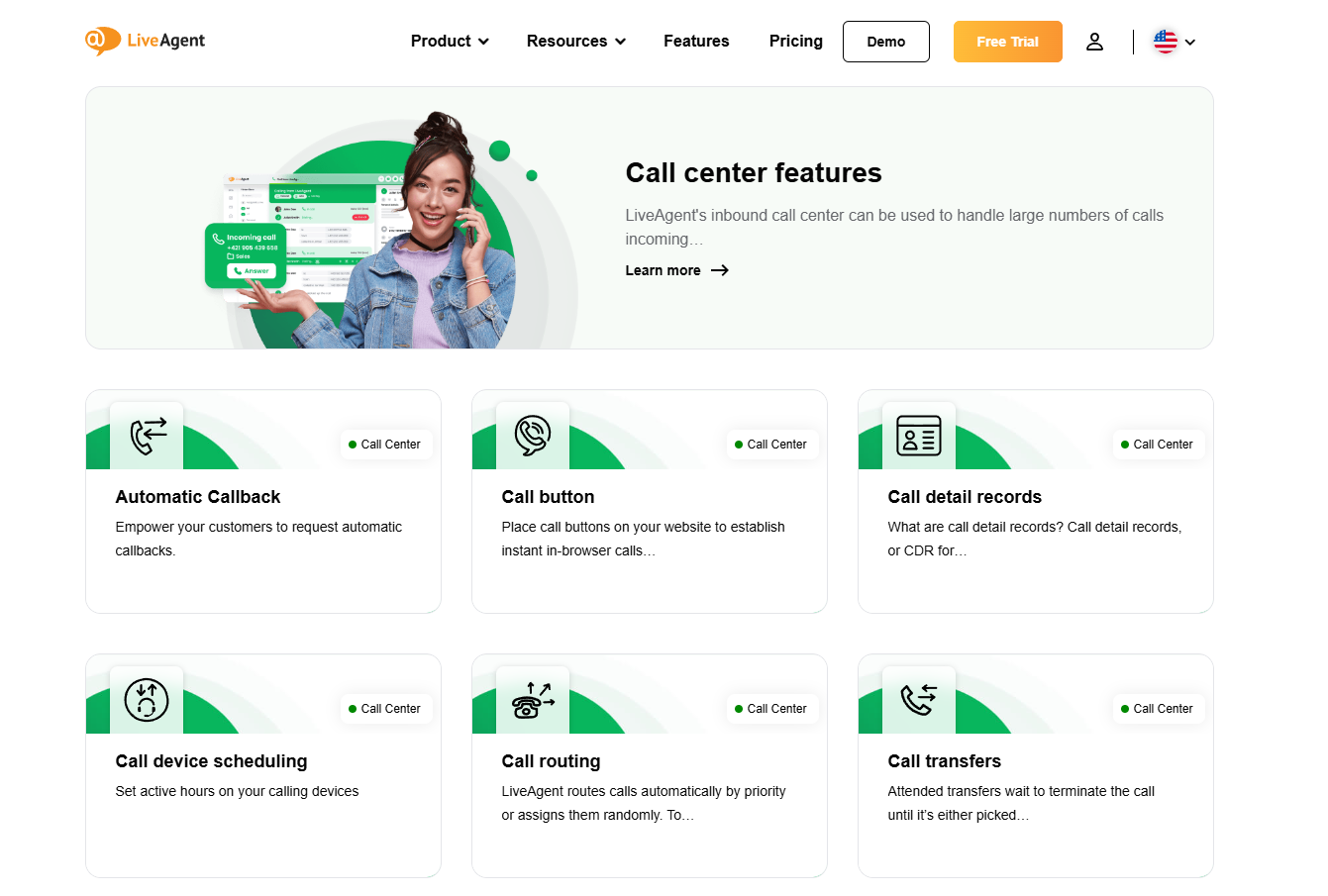
The right solution should provide automated responses to common queries, allowing agents to focus on more complex issues. Customer service teams will benefit from data-driven insights, which help improve agent efficiency and reduce resolution times. Look for a comprehensive solution that includes analytics, call management, and reporting tools.
Integration Capabilities
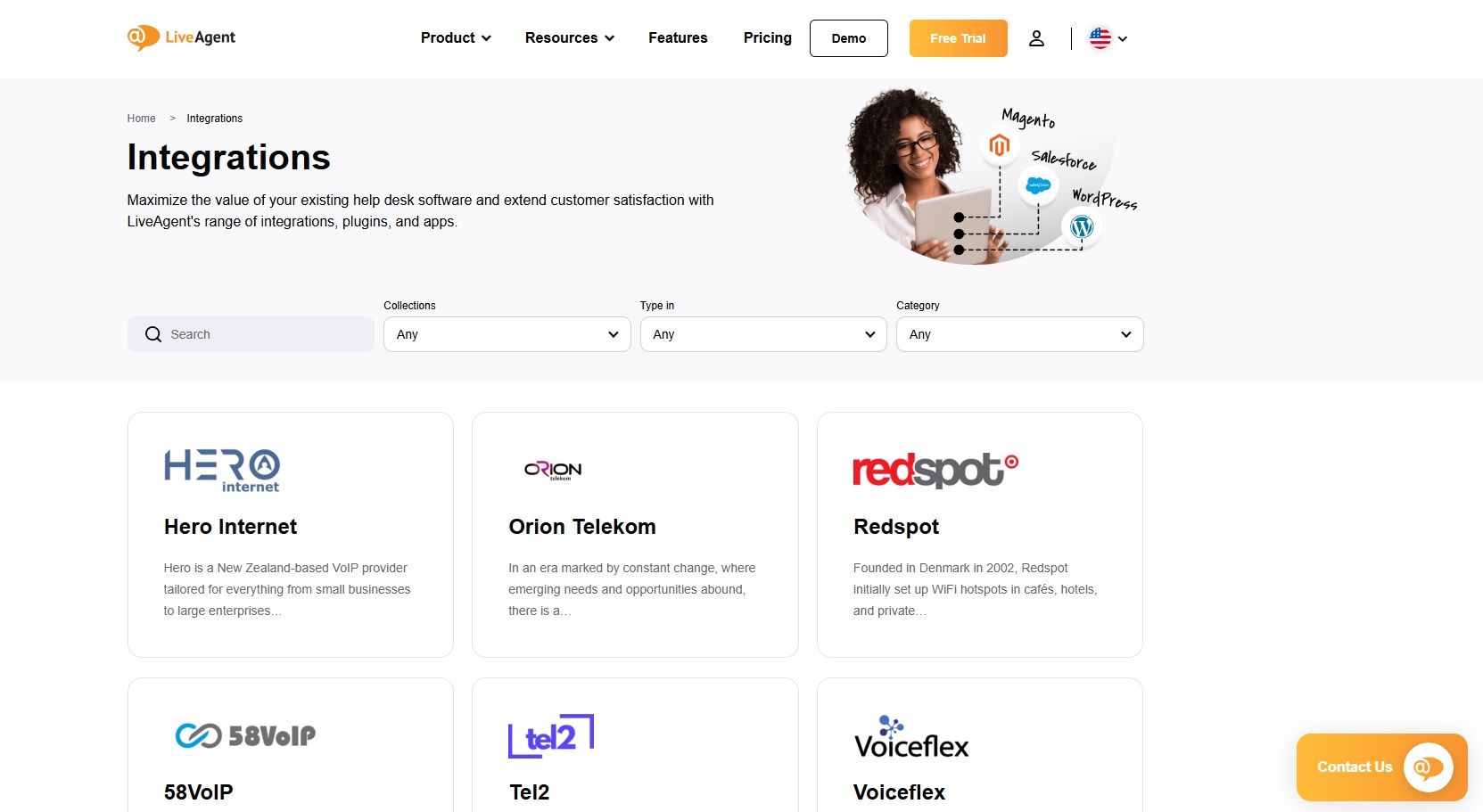
Another essential consideration when choosing a solution is the software’s integration capabilities. The ability to integrate seamlessly with customer relationship management (CRM) systems ensures a unified platform for tracking customer interactions and delivering personalized experiences. Cloud-based solutions that allow integration with external platforms and digital channels ensure that businesses can communicate with customers across multiple touchpoints, whether by phone, email, or social media.
User Interface and Agent Productivity
A user-friendly interface is critical to ensuring that agents can navigate the system with ease, boosting agent productivity. The interface should allow agents to quickly access customer profiles, manage complaint tickets, and track call statuses. A clean, intuitive design helps reduce errors and allows agents to spend more time assisting customers rather than navigating complex systems.
An intuitive platform makes it easier for agents to navigate, improving response times and overall efficiency.
Scalability and Support
The solution you choose should be scalable to accommodate growth. Whether you’re expanding your customer service team or handling a surge in outgoing calls for marketing campaigns, the software should support unlimited calling and easily scale with your needs. Opt for unified customer experience management solutions that streamline customer interactions across digital and voice channels.
Additionally, reliable customer support from the software provider ensures that technical issues are quickly addressed, minimizing downtime and disruption to your customer service operation.
Cost and ROI
While considering features and scalability, businesses must also evaluate the cost of ownership. Compare pricing plans and ensure that the solution delivers a strong return on investment (ROI) by improving operational efficiency and driving customer satisfaction.
Look for software that provides a 30-day free trial or flexible payment plans to test the system and assess its effectiveness before making a long-term commitment.
Technology That Powers Inbound Call Centers
Inbound call centers leverage cutting-edge technology to ensure seamless operations and superior customer service. Modern comprehensive solutions incorporate AI-driven features for enhanced performance. Look for robust features like AI-driven analytics, real-time call monitoring, and automated workflows.
With virtual call center software, businesses can manage customer interactions from anywhere, providing agents with the flexibility to work remotely while ensuring consistent service quality. Here are the key technologies driving their success:
Artificial Intelligence
Artificial Intelligence (AI) plays a pivotal role in modern call centers by automating repetitive tasks, such as call routing and issue categorization. AI also provides data-driven insights, helping managers optimize workflows and enhance agent efficiency.
These advancements result in faster responses to customer inquiries and fewer technical issues. Advanced systems capture customer preferences and behavior, allowing businesses to provide more personalized service.
Contact Center Software
Robust contact center software acts as a unified platform that integrates various tools and channels into a single interface. This ensures smooth communication across digital channels such as email, chat, and social media.
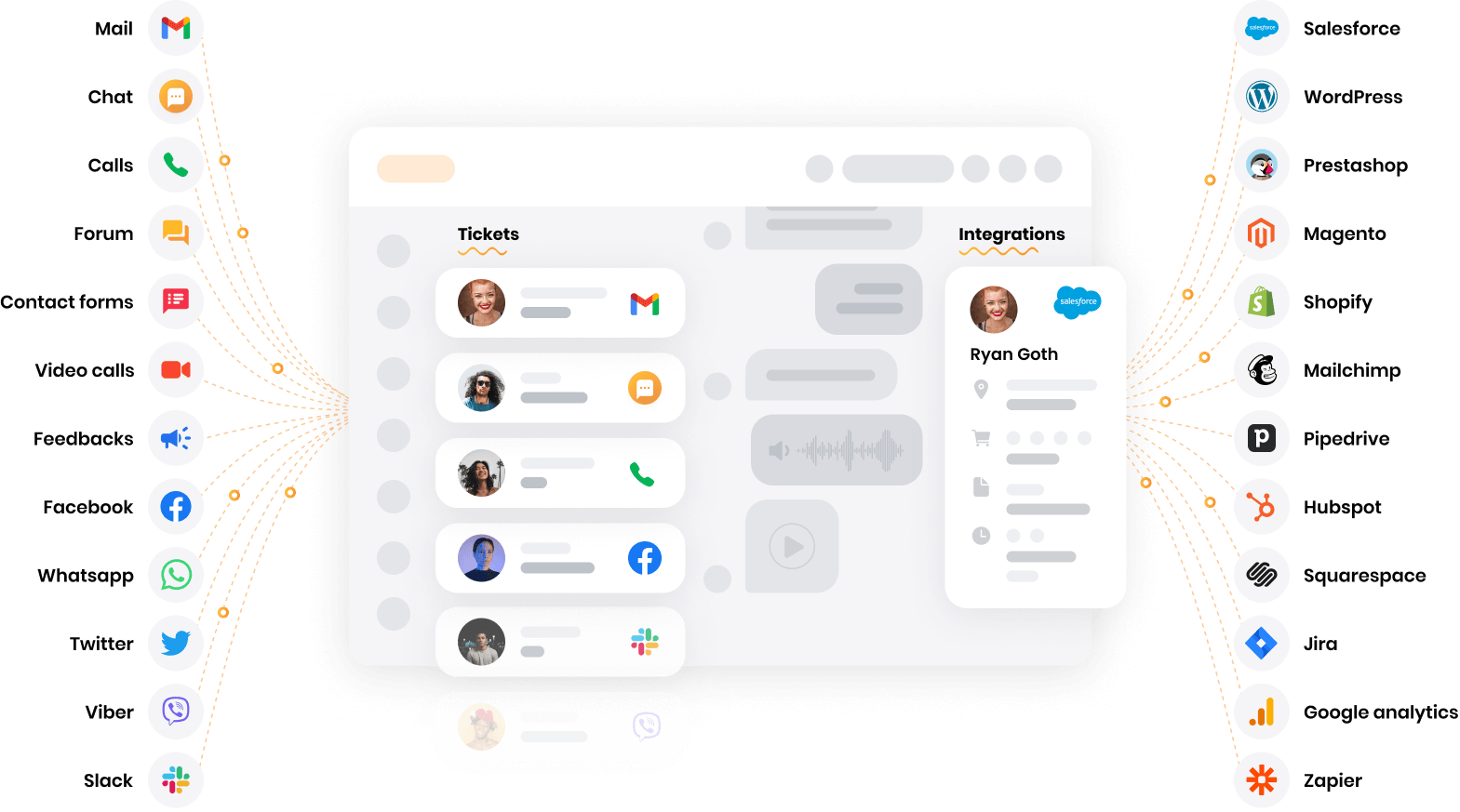
These platforms come equipped with valuable features, including real-time analytics, customizable dashboards, and seamless integrations with external platforms. A customer experience management platform can consolidate customer interactions across all touchpoints, providing a seamless experience.
Cloud-Based Calling
The rise of cloud-based calling has transformed inbound call centers by enabling scalability and reducing infrastructure costs. This technology supports remote teams and ensures consistent communication, even during unexpected surges in call volume.
Interactive Dashboards
An intuitive platform with interactive dashboards provides agents with a clear view of customer information and call metrics. A user-friendly user interface improves agent productivity by minimizing the time spent navigating complex systems.
Benefits of Using Inbound Call Center Software
Inbound call center software offers a variety of advantages that significantly improve service delivery and customer satisfaction. Efficient complaint resolution and quick response times lead to satisfied customers, building long-term loyalty. Here are the key benefits:
Exceptional Customer Experience
With the right tools in place, inbound call centers can provide an exceptional customer experience. Automated responses, efficient call routing, and self-service options empower customers to find answers quickly, reducing frustration and wait times. These improvements lead to better customer loyalty and higher satisfaction.
Personalized Experiences
Advanced inbound call center software allows businesses to deliver personalized experiences by providing agents with detailed customer profiles and interaction history. This ensures that each customer is treated as an individual, which plays a key role in increasing customer loyalty and fostering long-term relationships. Leveraging call center software allows businesses to track customer preferences and tailor interactions accordingly.
Improved Operational Efficiency
Cloud-based solutions and advanced features help improve operational efficiency by automating routine tasks and optimizing call handling. Real-time monitoring, customizable workflows, and AI-driven analytics provide managers with actionable insights, allowing them to streamline processes, reduce errors, and improve response times. Ensure your call center software identifies relevant customer information, allowing for more effective customer engagement.
Agent Support and Productivity
The user interface of modern call center software ensures that agents have all the tools they need to perform at their best. By offering features like call scripting, performance tracking, and real-time data, agent efficiency is maximized, allowing them to resolve customer inquiries more quickly and effectively.

Tracking agent performance through real-time metrics and analytics helps improve response times and identify areas for improvement.
A comprehensive solution combines everything from call routing to data analysis, ensuring consistent service. Also, a unified customer experience management system ensures consistent and personalized support, regardless of the channel.
Comparison Between Inbound and Outbound Call Centers
While inbound call centers focus on receiving and managing incoming customer calls, outbound call centers are tasked with initiating calls to customers for various purposes, such as sales, surveys, and follow-ups. Both types of call centers play important roles in customer engagement and overall business success, but they differ in their primary functions and the tools they rely on.
Inbound Call Centers: Focus on Customer Support
Inbound call centers are essential for handling customer inquiries and providing support. They utilize contact center software to manage incoming calls, chat messages, and emails, ensuring customers are connected with the right agents. These centers rely heavily on customer service teams equipped with cloud-based solutions to manage a wide range of customer interactions, from troubleshooting technical issues to answering product queries. Automated responses and interactive voice response (IVR) systems help route calls effectively, reducing wait times and improving the customer service experience.
Outbound Call Centers: Proactive Engagement
On the other hand, outbound call centers focus on making outgoing calls for sales, lead generation, and customer retention efforts. These centers are equipped with tools like CRM integration to maintain relevant customer profiles and identify customer preferences. Advanced features such as predictive dialing and customer experience management platforms help increase the efficiency of outbound campaigns by targeting the right customers with personalized experiences.
Integrating Both for Business Success
While the functions differ, integrating inbound call center software with outbound call center solutions can streamline operations and enhance both customer experience management and business efficiency. For instance, having a unified platform that supports both inbound and outbound communication allows businesses to maintain consistent interactions across digital channels.
This integration provides valuable features, such as access to actionable insights and comprehensive reporting tools, which enhance overall agent productivity and lead to better customer loyalty.
Investing in the right inbound call center software delivers a strong return on investment, improving efficiency and customer satisfaction.
Conclusion
To sum it up, selecting the right inbound call center solution can dramatically improve your customer support operations, enhance agent productivity, and increase overall customer satisfaction. Each reviewed solution offers unique features catering to different business sizes and needs, from basic to advanced. Ultimately, a well-managed inbound call center leads to satisfied customers and strengthens brand reputation.
Software like LiveAgent stands out for its feature-rich, easy-to-use platform that includes call recording, intelligent routing, and omnichannel support. Evaluate the return on investment (ROI) by considering how much time and money you can save with efficient call center software. Take the next step: discover how LiveAgent can streamline your call center operations. Try our call center for free for 30 days!