






Resolved Ticket
Learn what resolved tickets are, how to speed up resolution time, and improve customer support with LiveAgent's reliable ticketing system.
4 min read
Customer support
Ticketing
+1

The To Solve Button in LiveAgent alerts agents to high-priority, unresolved tickets tied to SLAs. It enhances customer satisfaction and efficiency by managing ticket priorities and time. Customizable settings ensure no tickets are overlooked.
The To Solve Button is a special LiveAgent function that notifies agents about high-priority tickets that need to be resolved. The tickets that show up in the To Solve Button have been unanswered for a long time or are tied to SLAs (service level agreements). At its core, the To Solve Button ensures no tickets are forgotten and no SLAs are missed.
The To Solve Button takes on the role of a task manager that calls attention to tickets that have been unanswered for a long time or are tied to SLAs. Businesses that use this functionality can benefit from:
LiveAgent combines excellent live chat, ticketing and automation that allow us to provide exceptional support to our customers.Peter Komornik, CEO at Slido

Start your free trial today and see results within days.
If you use LiveAgent’s customer service ticketing system (and have the right permissions), you can set up the To Solve Button according to your liking. For example, you can specify what you want to be notified about, including:
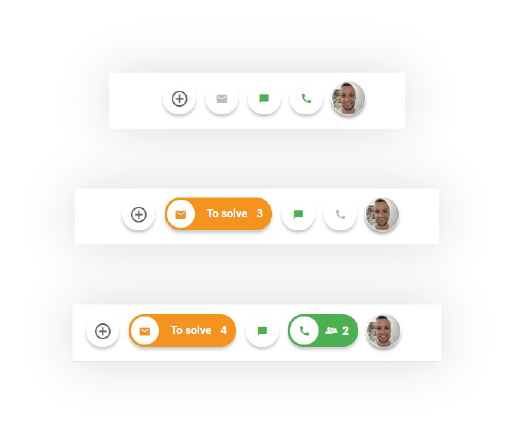
If you have the To Solve Button function turned on, the button (located next to your profile picture) will automatically notify you about the number of unanswered tickets that require your attention.
In addition to that, with an admin role, you can configure your To Solve button to showcase unanswered tickets in order of importance (ticket priority, time received, SLAs).
Once you click on the To Solve Button, the system will open up the ticket that has the highest priority. If you close the ticket without resolving it and click on the button again, the system will open up the same ticket again.
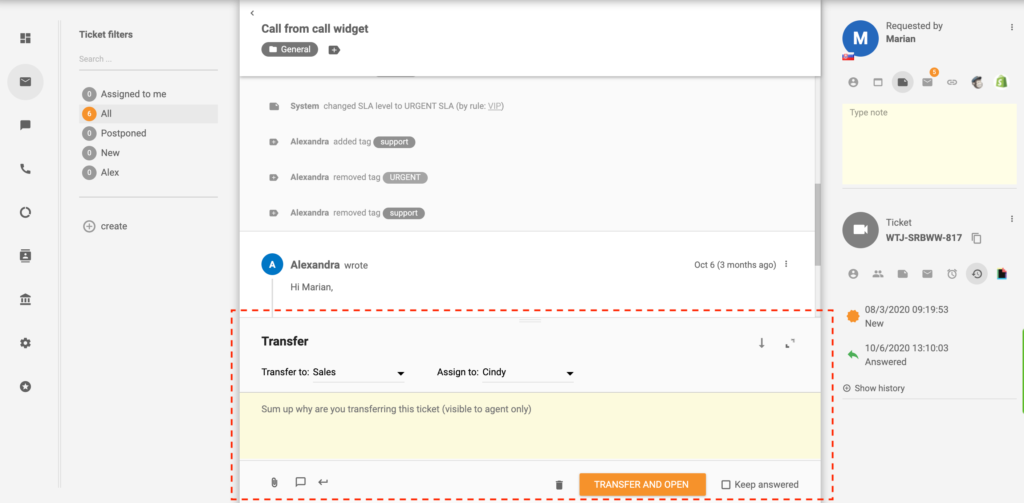
This mechanism is in place to ensure that the resolution of high-priority tickets isn’t delayed by agents skipping/cherry-picking tickets. However, if you don’t know how to answer a To Solve ticket, you can simply reassign it to a different department or agent.
The latest tips and deals delivered straight to your inbox.
The To Solve algorithm defines the order of tickets in the To Solve queue. The algorithm:
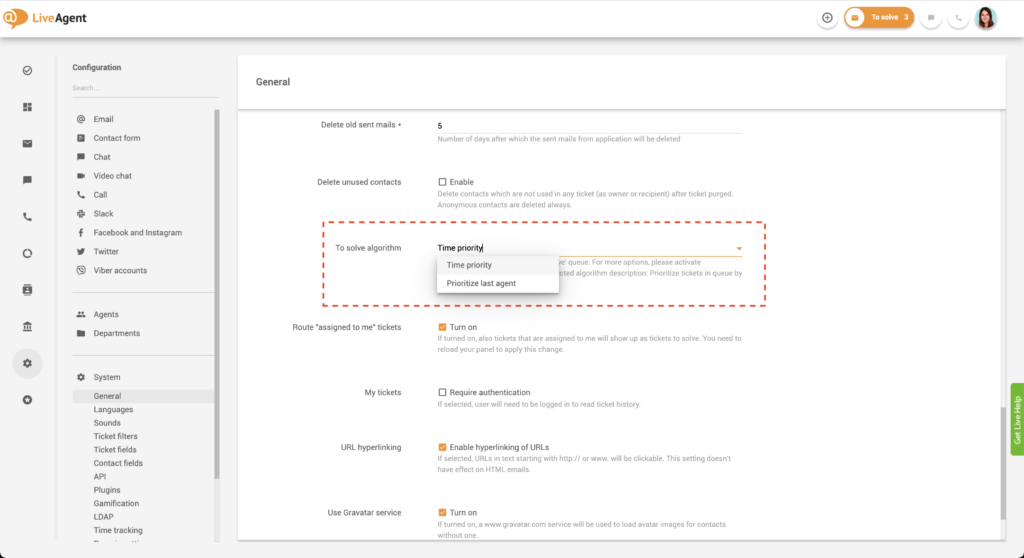
If you choose “Time priority”, tickets will be distributed amongst agents randomly. The oldest unanswered ticket will have the highest priority. If you have some SLA rules set up, these will be taken into account as well.
If you choose “Prioritize last agent” the system will route tickets to the agents that handled them last. Turning this setting on won’t change the order in the ticket queue.
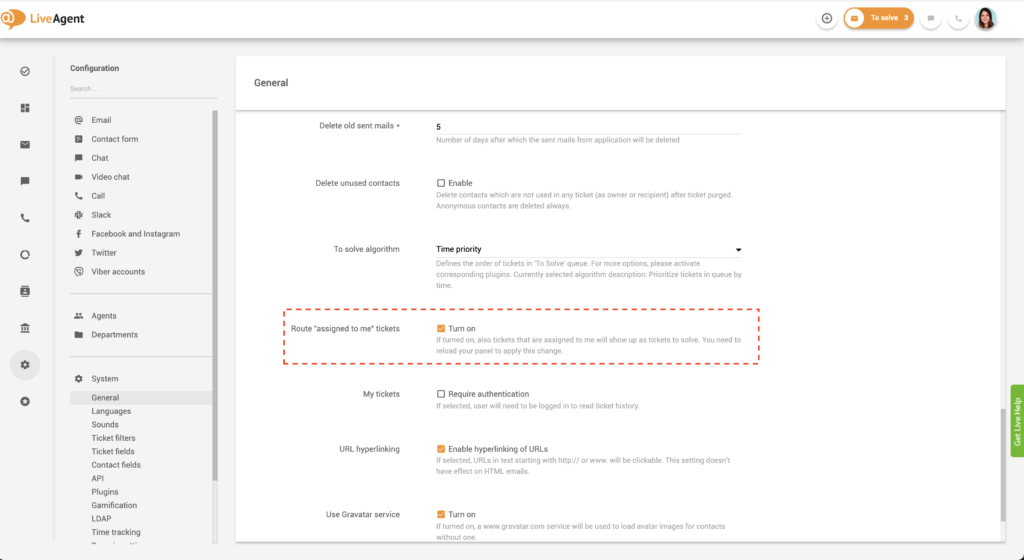
Please note, this setting works for agents only, not administrators.
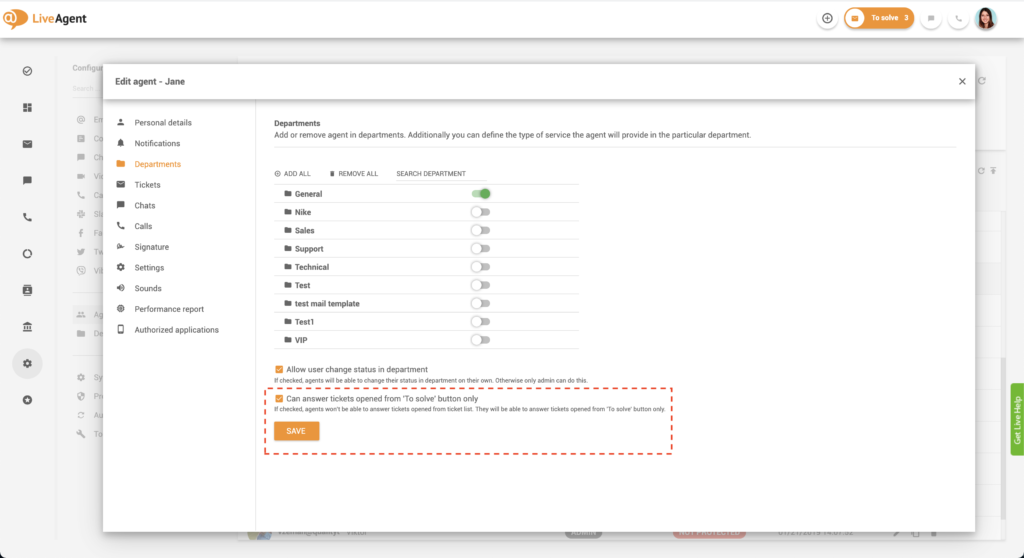
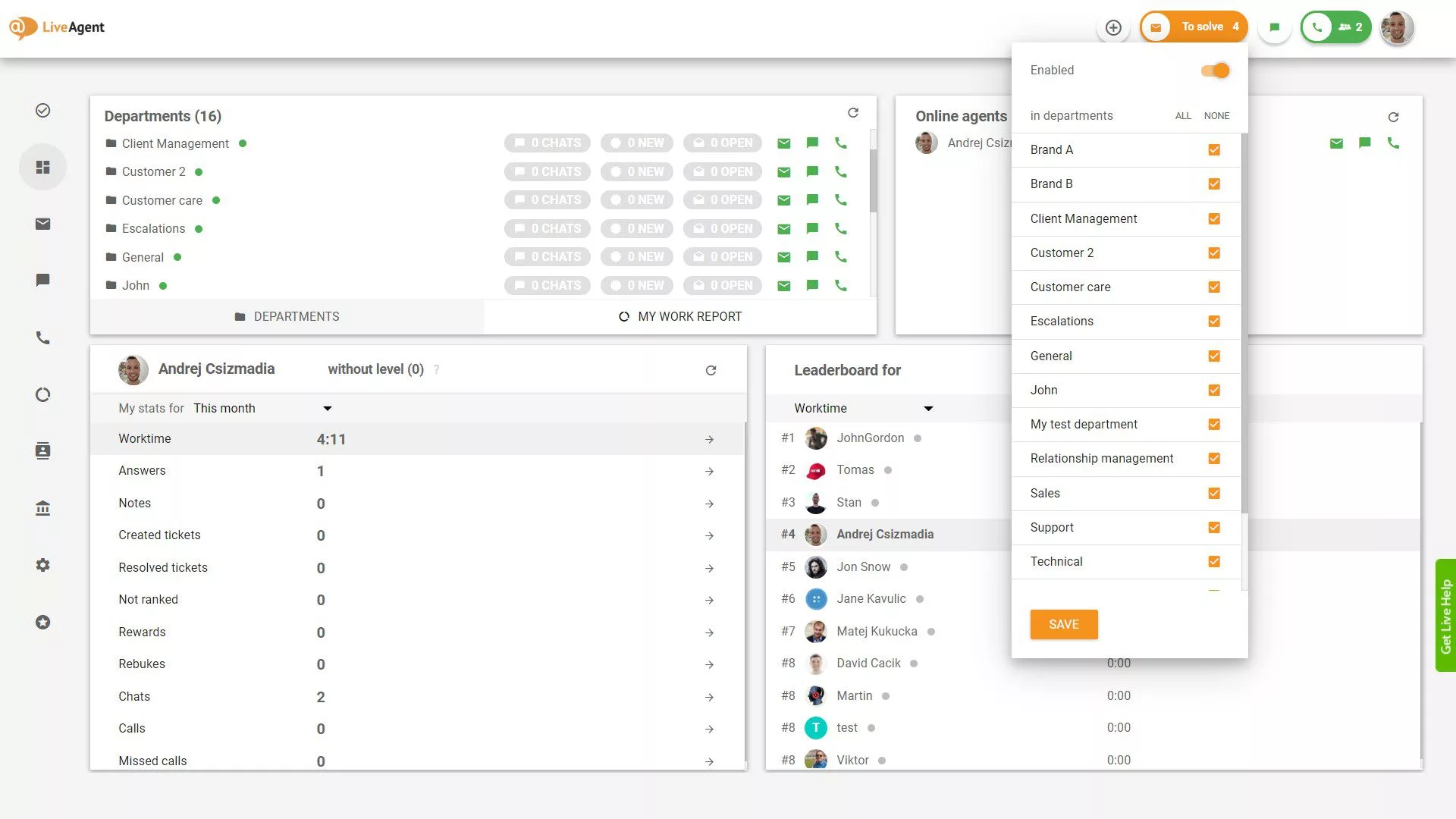
If you have SLAs in place, there’s a certain level of expectation. Your customers are paying extra for a better service experience, and thus don’t expect to be let down. If you consistently uphold your end of the agreement and meet your SLA deadlines, your customers will be satisfied. In turn, this will make your customers more loyal to your brand, resulting in years of good relations and a higher customer lifetime value.
As such, you should always strive to meet your SLA deadlines, and even exceed your customer’s expectations. Provide service as fast as possible, be knowledgeable, and provide a personalized, unforgettable experience. The best way to do this is to have a task manager like the To Solve Button in place. It will ensure all deadlines are met in addition to taking off stress from your agents’ shoulders.
Because the To Solve Button prioritizes tickets that need to be solved, your agents won’t have to analyze each ticket’s priority themselves. They can simply click on a button and get to work, which will save them tons of time, and increase their productivity. In addition to that, the feature can save you money. The less time your agents need for administrative work, the more time they have for resolving pending tickets.

Stay on top of all messages from your VIP clients with our To Solve Button feature. Try it today. No credit card is required. Start your 30-day free trial .
Stay on top of all messages from your VIP clients with our To Solve Button feature. Try it today. No credit card required.
Learn what resolved tickets are, how to speed up resolution time, and improve customer support with LiveAgent's reliable ticketing system.

Discover LiveAgent's multiple ticket tabs feature, enabling agents to handle multiple customer queries simultaneously for maximum efficiency. Opt for the 'To so...
Optimize customer support with help desk ticket priorities. Learn to manage urgency, improve response times, and enhance customer satisfaction!
Join our community of happy clients and provide excellent customer support with LiveAgent.

Cookie Consent
We use cookies to enhance your browsing experience and analyze our traffic. See our privacy policy.