



Time-Based Events
Discover how time-based events in LiveAgent automate tasks, boost workflow efficiency, and enhance customer satisfaction. Learn about time rules, automation, an...
4 min read
Customer support
Help Desk software
+1


Time rules in LiveAgent are time-based automation tools for tasks like help desk clean-up and email reminders. They enhance efficiency by automating repetitive tasks, reducing human error, and improving response times, thus saving time and costs.
Time rules are automation rules that aren’t action-triggered, but instead, time conditional that has high ticket volumes. They are most commonly used for help desk clean-up tasks, email reminders or follow-ups, resolving tickets that haven’t had any activity in a while or adding tags. The possibilities are endless.
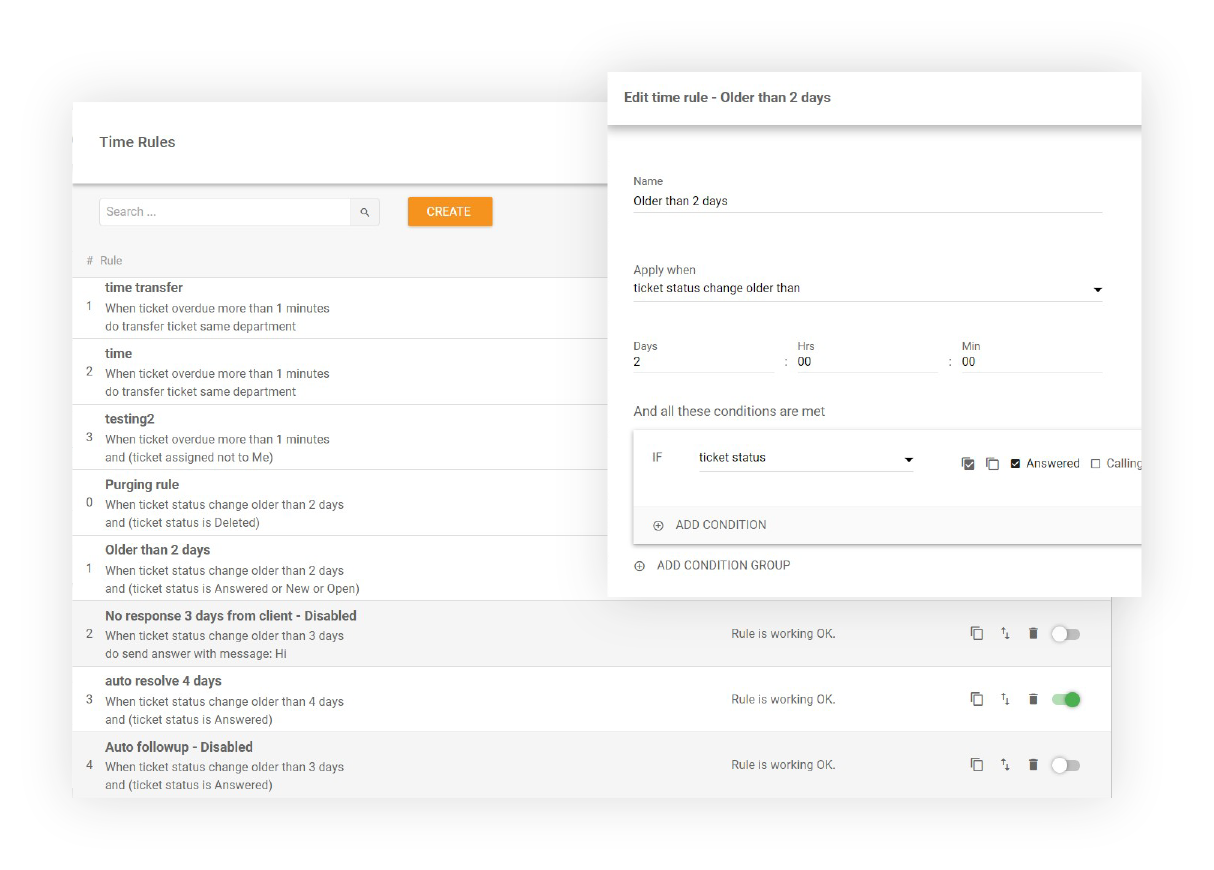
As a LiveAgent user, you can set up a time rule that will automatically send out a follow-up email 24 hours after your last interaction with a customer.
You can also set up a time rule that will automatically mark all tickets that haven’t been responded to in 10 days as resolved.
LiveAgent will automatically delete tickets marked as SPAM that are older than 90 days.
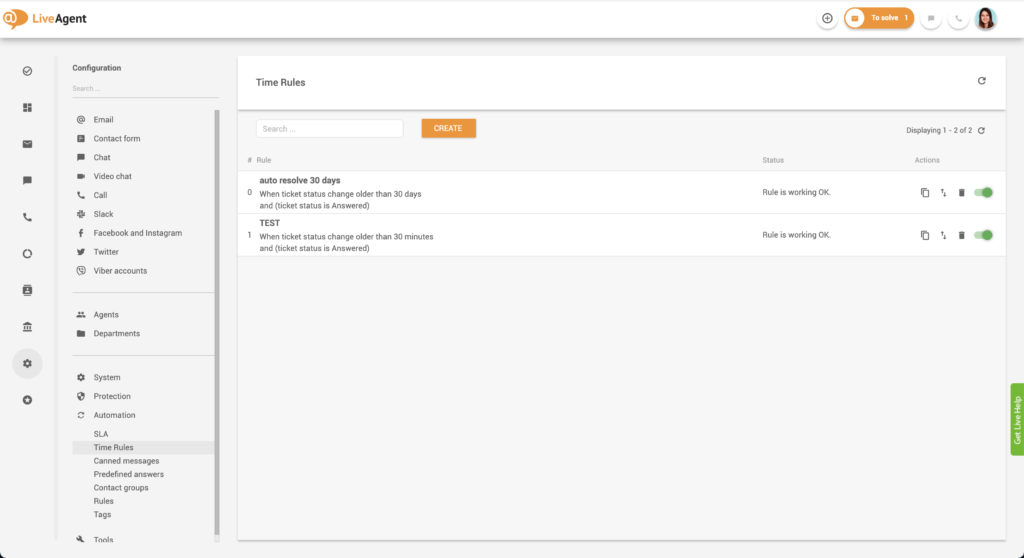
Once a time rule is set up, the system will automatically run periodic background checks in short intervals (usually one minute) and check if the conditions of the time rule are met. If they are, the rule is automatically executed.
Time rules can be extremely beneficial for any business that has high ticket volumes because they can relieve agent stress and execute mundane and repetitive tasks in a short amount of time. The main benefits of time rules are:
LiveAgent combines excellent live chat, ticketing and automation that allow us to provide exceptional support to our customers.Peter Komornik, CEO at Slido
Apart from time rules, LiveAgent users can take advantage of trigger-based automation rules and SLA (service level agreement) rules. You can pre-set these rules to best fit your business and make your service ticket management software efficient.
Action rules are basic action-triggered rules. LiveAgent users can set up a trigger and an action, and when the trigger conditions are met, the action is executed. For example, you can set up a rule that will automatically assign any ticket containing the words “billing” or “payment” to the billing department.
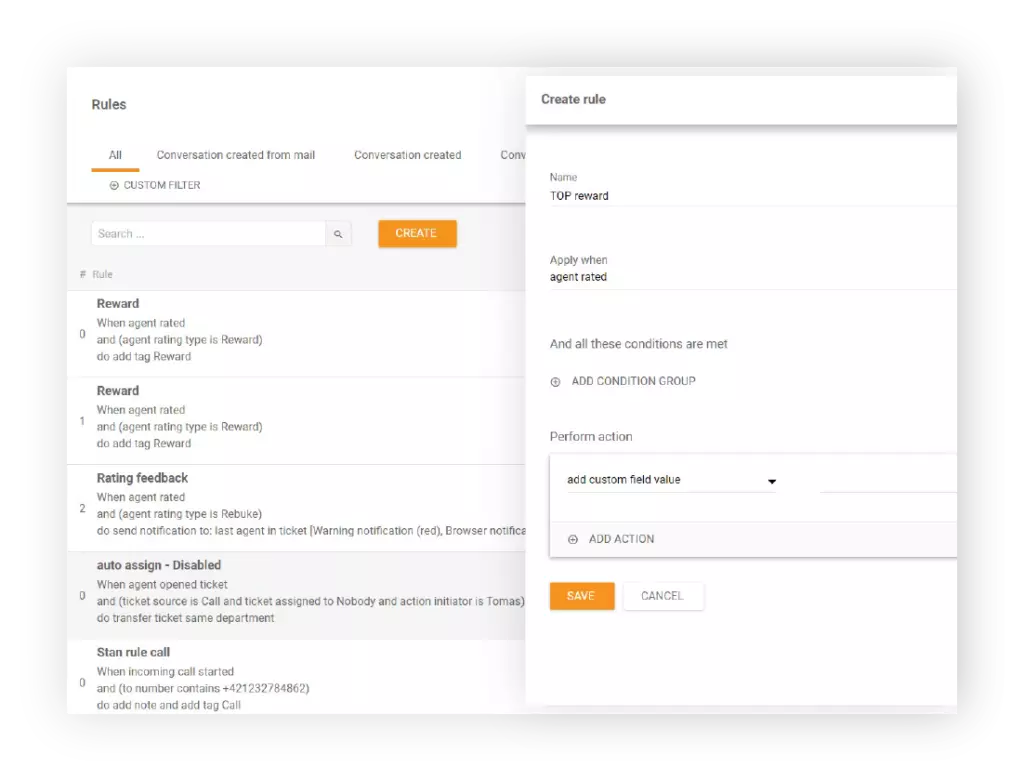
SLA rules can only be applied to the SLA setup and are bound to SLA levels. An example of an SLA rule could be to change the SLA level of a ticket or to stop other rules from being executed.
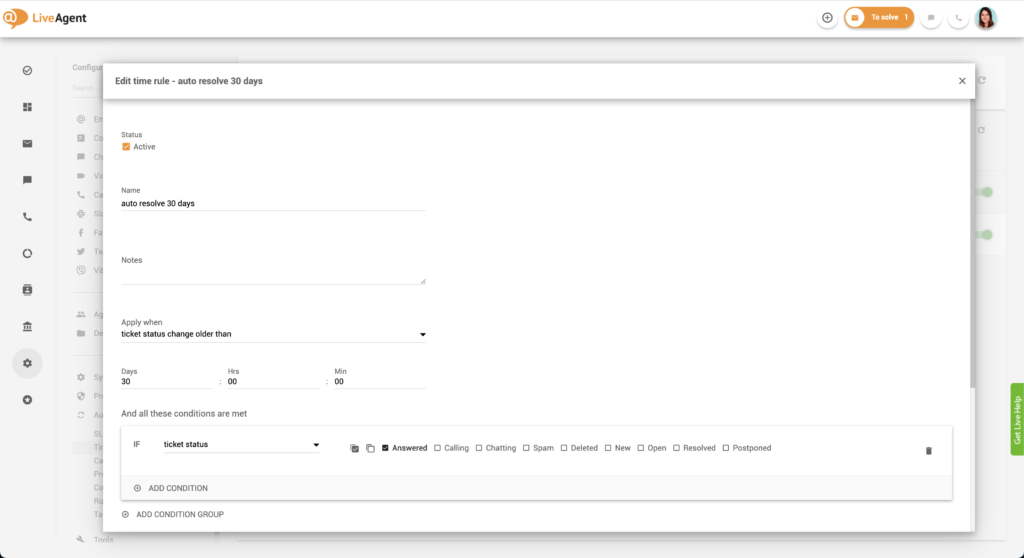
Time rules can be applied when:
If a rule is applied to a ticket, the change will be displayed in the detailed ticket view (to ensure clear responsibility for ticket handling.) Both admins and agents can see the changes to the ticket made with active time rules.

Automation is precise– humans are not. Can you imagine if your agents had to memorize which tickets they didn’t receive a response for and have to follow up on? Of course, it would be impossible which could create some awkward situations that could be detrimental to your business. In addition to that, having to remember when is a good time to follow up on each customer request can lead to quick agent burnout. Having automation rules in place that take care of these administrative tasks will free up your agents’ times and minds, enabling them to focus on more pressing tasks at hand. It will also ensure they’re not stressed and can be productive for longer periods of time.
Satisfied customers are the cornerstone of every business, as they affect recommendations, online reviews, word-of-mouth, and sales. As such, every business should strive to keep their customers happy with excellent service, fast response times, and a personalized approach.
Keeping your customers satisfied with time rules is easy, let the system follow up on each query, and your customers will feel valued and appreciated. It’s that easy!
Can you imagine having to follow up on each unanswered ticket manually? Not only would this be an extremely time-consuming task, but it would also be very expensive. Thankfully, help desk software like LiveAgent can execute countless time rules that will save your agents tons of time in the long run. Leave the logistics to us, so your agents can focus on what’s important — nurturing customer relationships.
To learn more about time rules, check out our knowledge base resources:
Save up to 15 hours of work each week with custom time rules. The possibilities are endless. Start your 30-day free trial today. No credit card required.
Save up to 15 hours of work each week with custom automation rules. The possibilities are endless.
Discover how time-based events in LiveAgent automate tasks, boost workflow efficiency, and enhance customer satisfaction. Learn about time rules, automation, an...

LiveAgent's automation rules streamline customer support by automating tasks like ticket transfers, tagging, and resolving issues. These rules, including action...

LiveAgent's time tracking tool enhances team productivity by monitoring ticket resolution time and providing insights for workflow optimization. Integrated with...
Join our community of happy clients and provide excellent customer support with LiveAgent.
