


SLA Log Report
LiveAgent's SLA Log Report tracks fulfilled and missed SLAs, sortable by various parameters and exportable to CSV, enhancing customer service efficiency. Availa...
2 min read
SLA
Reporting
+1

Monitor and track your team’s SLA compliance with LiveAgent’s reports. Set SLA levels, rules, and export data to CSV. Evaluate performance by department, agent, and date to ensure timely ticket responses and maintain service efficiency.
A Service Level Agreement (SLA) is an arrangement to meet targets for replying to tickets by your agents (support representatives) for providing help to your customers. An SLA compliance report tracks whether your team has met these agreed-upon targets.
Providing help based on service levels ensures that you’re delivering quantified and measurable service. It also provides a clearer view when issues appear, helping you identify performance gaps and areas for improvement.
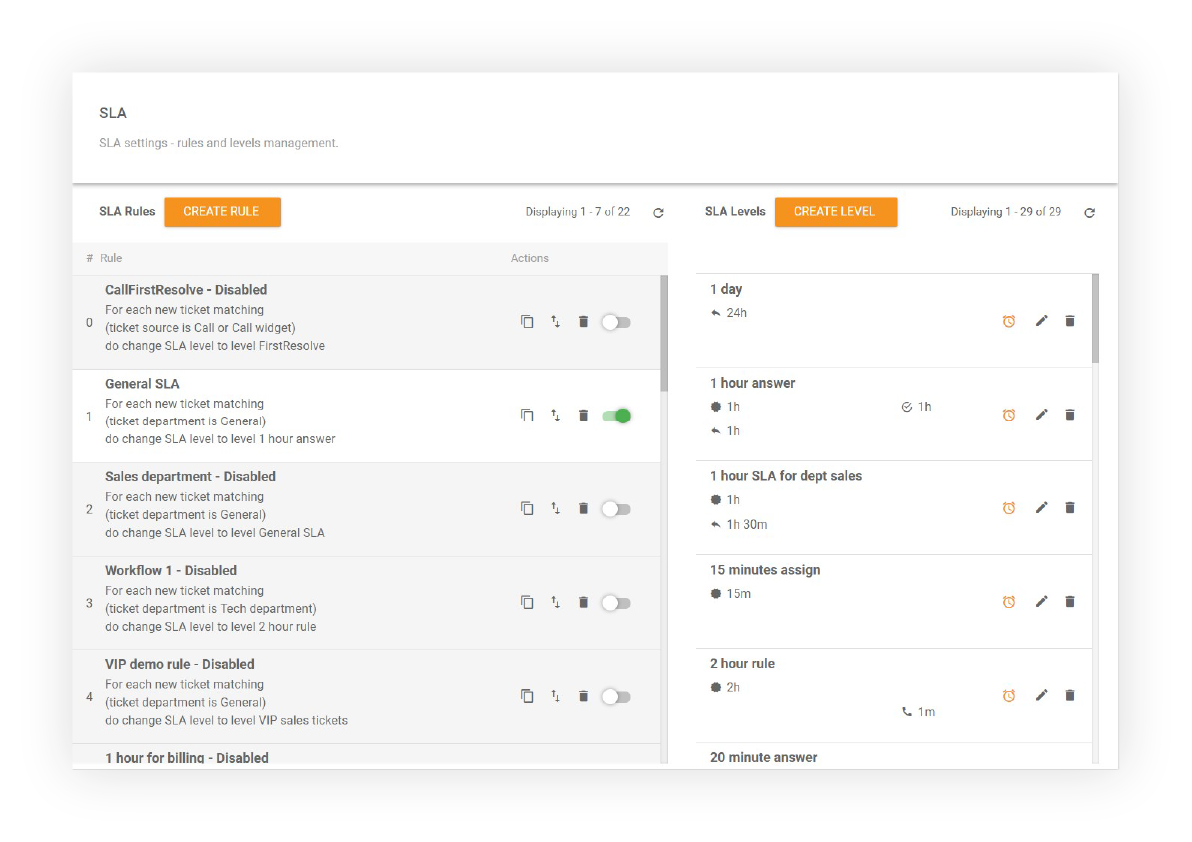
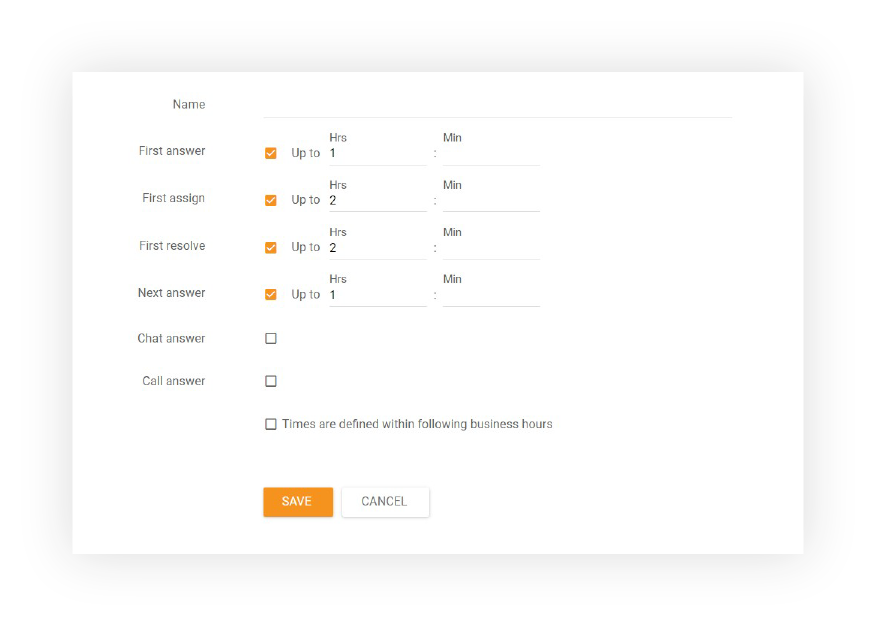
SLA Levels define the SLA response times that your support agents need to meet. When you create SLA levels in LiveAgent, you can define your business hours to exclude holidays or weekends, ensuring that response time targets are realistic and achievable.

Start your free trial today and see results within days.
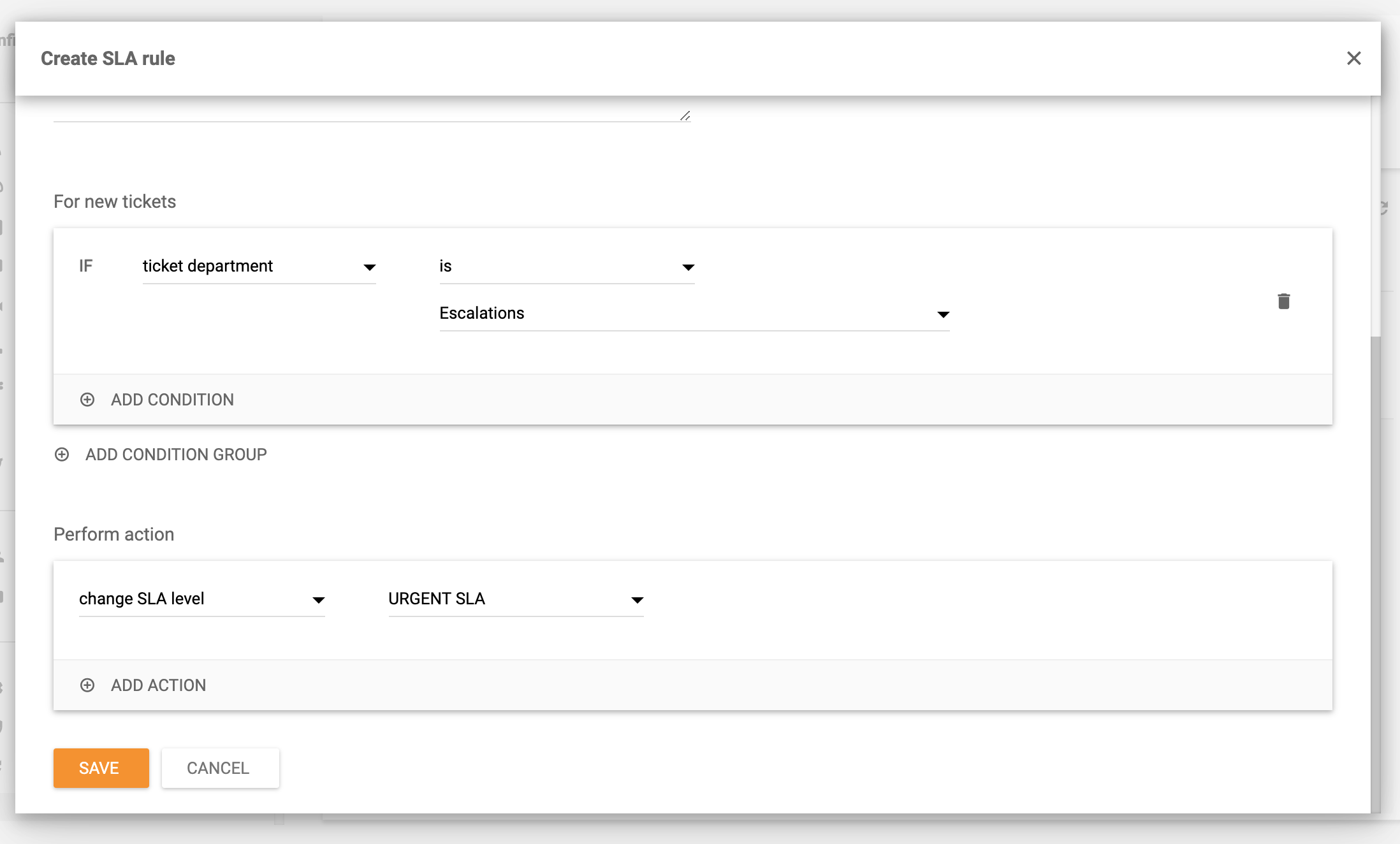
SLA Rules are automation rules that are executed when certain conditions are met. These rules can streamline agent workflow and override other existing rules if needed, allowing you to automatically assign appropriate SLA levels to tickets based on specific criteria.
SLA Rules can also be combined with automation rules to escalate tickets that are not marked as new, providing additional flexibility in managing your support workflow.
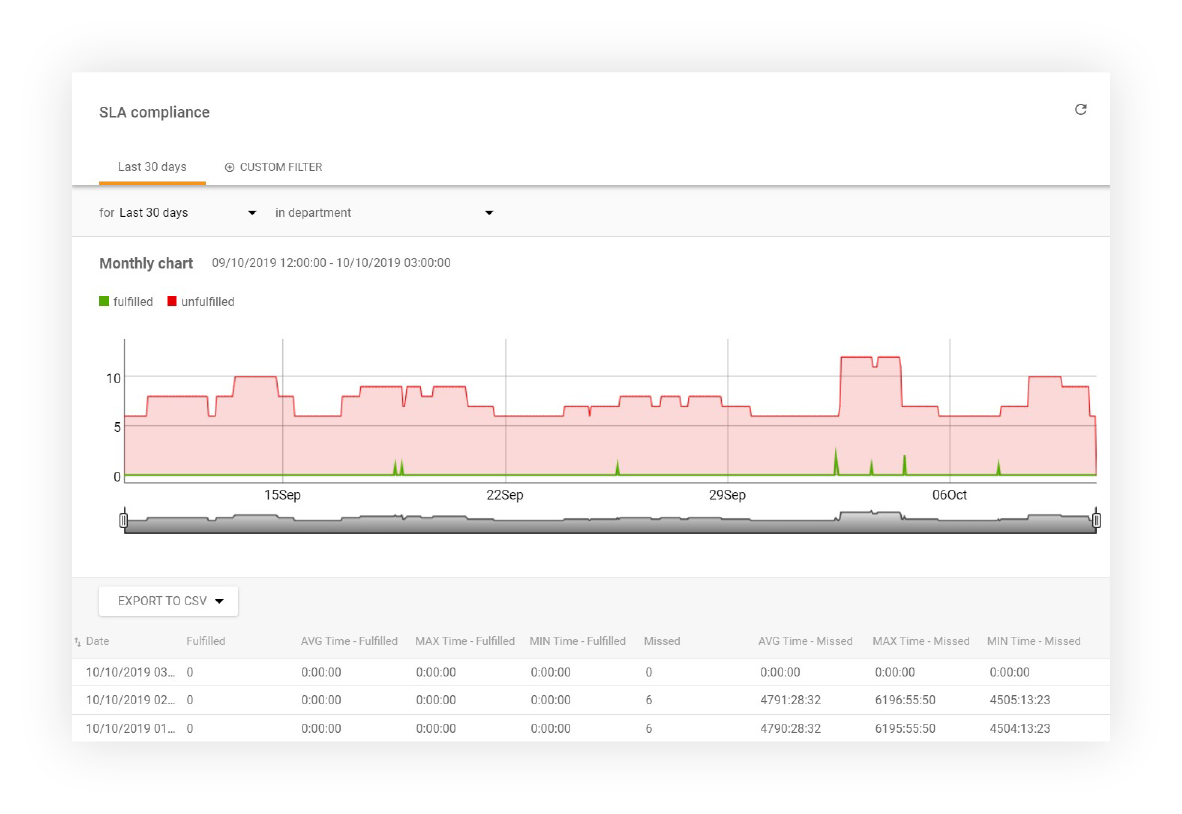
LiveAgent’s help desk software offers a comprehensive report of fulfilled and missed SLAs from a specific time range and department. Individual entries can be sorted by department, agent, and date. You can export the report to a CSV file for further analysis and sharing with your team.
The latest tips and deals delivered straight to your inbox.
Use the LiveAgent REST API to call values from SLA Compliance reports. This allows you to integrate compliance data into your own applications and dashboards for advanced analytics and custom reporting solutions.
LiveAgent also keeps detailed logs of all fulfilled and missed SLAs. The logs can be filtered by departments and by a specific time range. Individual entries can be sorted by requester, ticket ID, SLA start time, department, agent, due date, closed date, and SLA remaining/overdue time. All SLA logs can be exported into a CSV file as well.
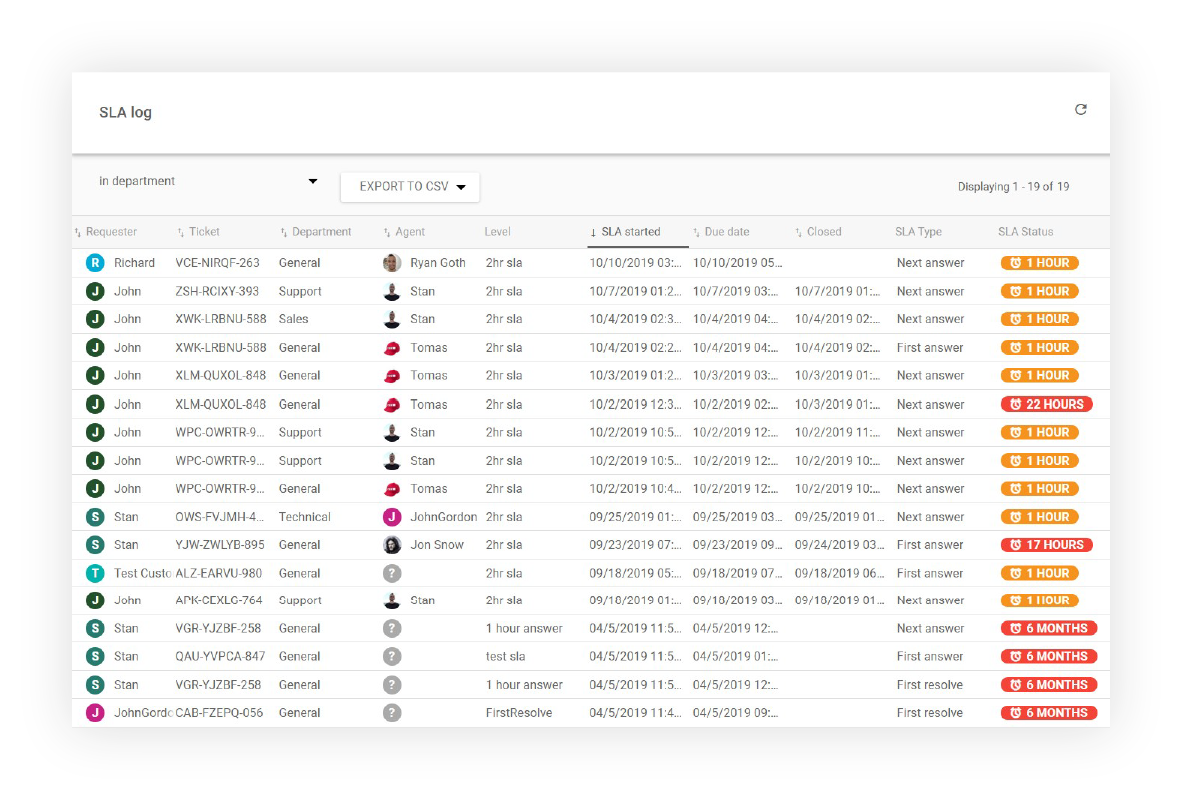
Use the LiveAgent REST API to call values from SLA Log reports. This enables you to access detailed SLA performance data programmatically for integration with your business intelligence and analytics platforms.
For more detailed information about SLA management and configuration, check out these resources:
LiveAgent's SLA Compliance Report allows you to track fulfilled and missed SLAs, ensuring timely support for your valuable customers.
LiveAgent's SLA Log Report tracks fulfilled and missed SLAs, sortable by various parameters and exportable to CSV, enhancing customer service efficiency. Availa...

Learn how Service Level Agreements (SLAs) can enhance customer service by setting measurable targets. Monitor compliance with LiveAgent's tools.
Learn about Service Level Agreements (SLAs) and their role in defining customer expectations and provider responsibilities. Discover how LiveAgent's SLAs boost ...
Join our community of happy clients and provide excellent customer support with LiveAgent.

Cookie Consent
We use cookies to enhance your browsing experience and analyze our traffic. See our privacy policy.