Valentine's Day promotion background
14.Feb - 13.Mar 2026

Valentine deal

AI UNLOCKED
For new and existing customers for 3 months
Performance report

Performance report

Performance report Analytics Reporting

What is a Performance Report?

A performance report is a report on the performance of an organization, group, or individual. Performance reports are routinely produced to identify areas of improvement within an organization or business.

Why should you create routine performance reports?

When you’re searching for reliable help desk support software, you should always check for its reporting capabilities. Performance reports can help you pinpoint the exact areas of your business that need improvement. Finding ’laggards" and areas that can be optimized is always great because it presents an opportunity to:

  • Improve your agent’s performance
  • Provide additional training to those that need it
  • Improve customer satisfaction, experience, and sales
  • Reallocate resources
  • Reinforce support channels
  • Find more cost-effective ways to solve problems
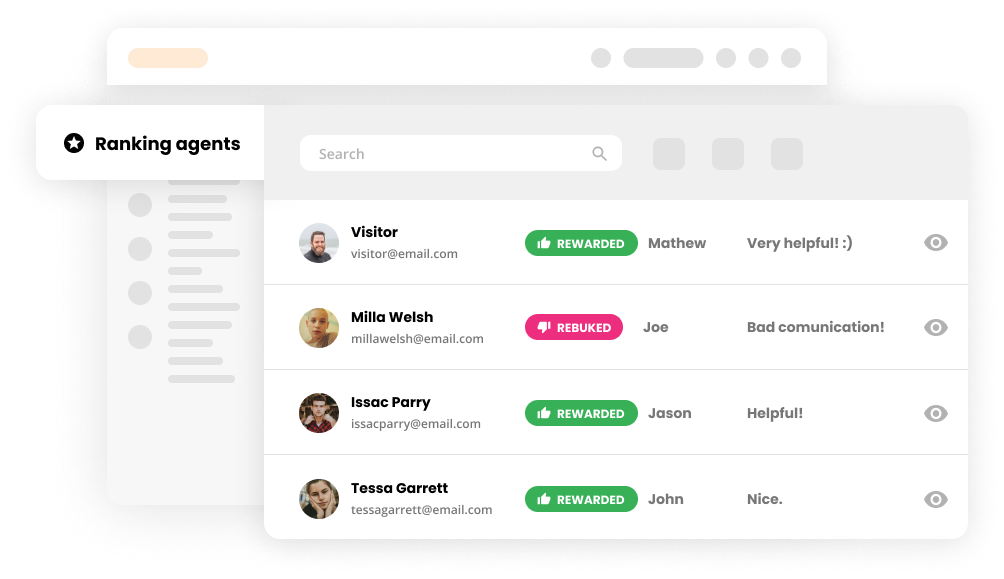
Agents ranking in performance report

In addition to that, performance reports can also showcase areas of your business that are thriving. This is important because:

  • You won’t have to overhaul your whole business/support strategy
  • You’ll be able to reward overachievers
  • Underperformers will be able to learn from overachievers
LiveAgent combines excellent live chat, ticketing and automation that allow us to provide exceptional support to our customers.

What does the LiveAgent performance report feature do?

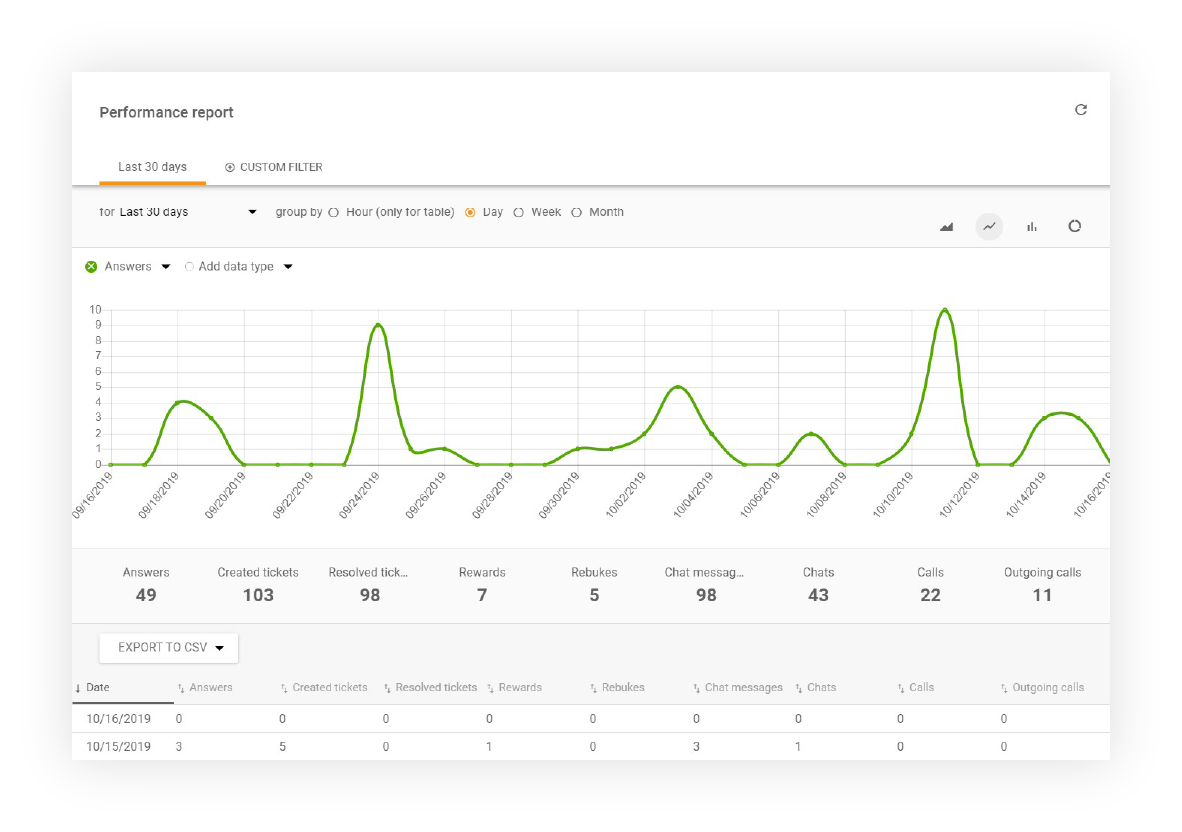
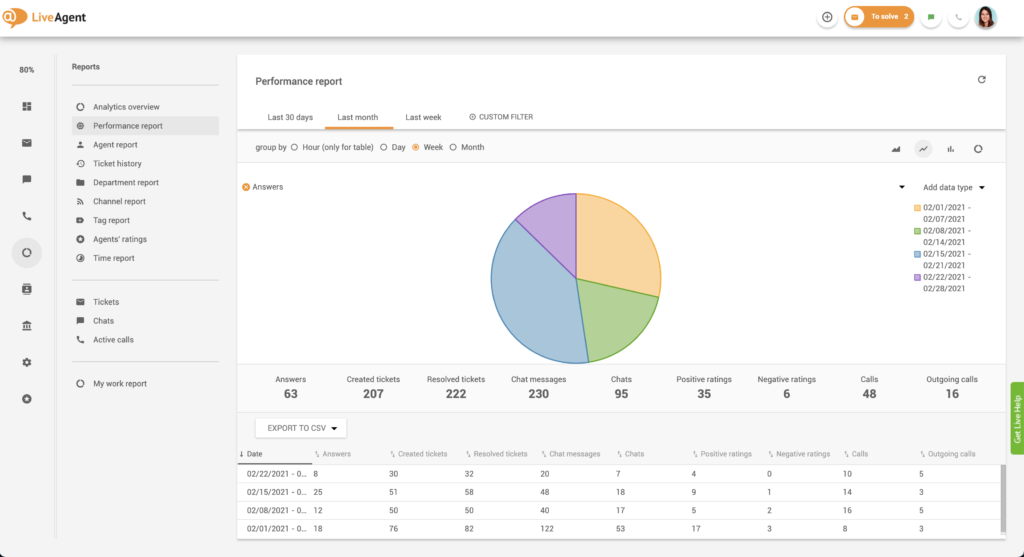
Performance reports showcase the performance of your support agents. Each performance report contains the total number of opened chats, resolved tickets, calls, and more. Performance reports can be displayed as graphs or charts and segmented by day, week, month, year, or even a custom date.

Performance report display

Discover who is the most productive, who prefers answering e-mails over live chats, and who delivers consistent results over time.

Performance report display options

You can filter your performance report results by:

  • Time
  • Department
  • Agent
  • Tag
Performance report filtering options

Each performance report can also be modified to showcase additional data including:

  • Date
  • Answers
  • New answer avg. time
  • Open answer avg. time
  • Calls
  • Outgoing calls
  • Missed calls
  • Call minutes
  • Chat messages
  • Chats
  • Missed chats
  • Chat pickup avg. time
  • Chat avg. time
  • Not reviewed
  • Not reviewed %
  • Positive ratings
  • Positive rating %
  • Negative ratings
  • Negative rating %
  • Incoming messages
  • Incoming calls
  • Finished calls
  • Incoming chats
  • Finished chats

Choosing how data is presented in performance reports

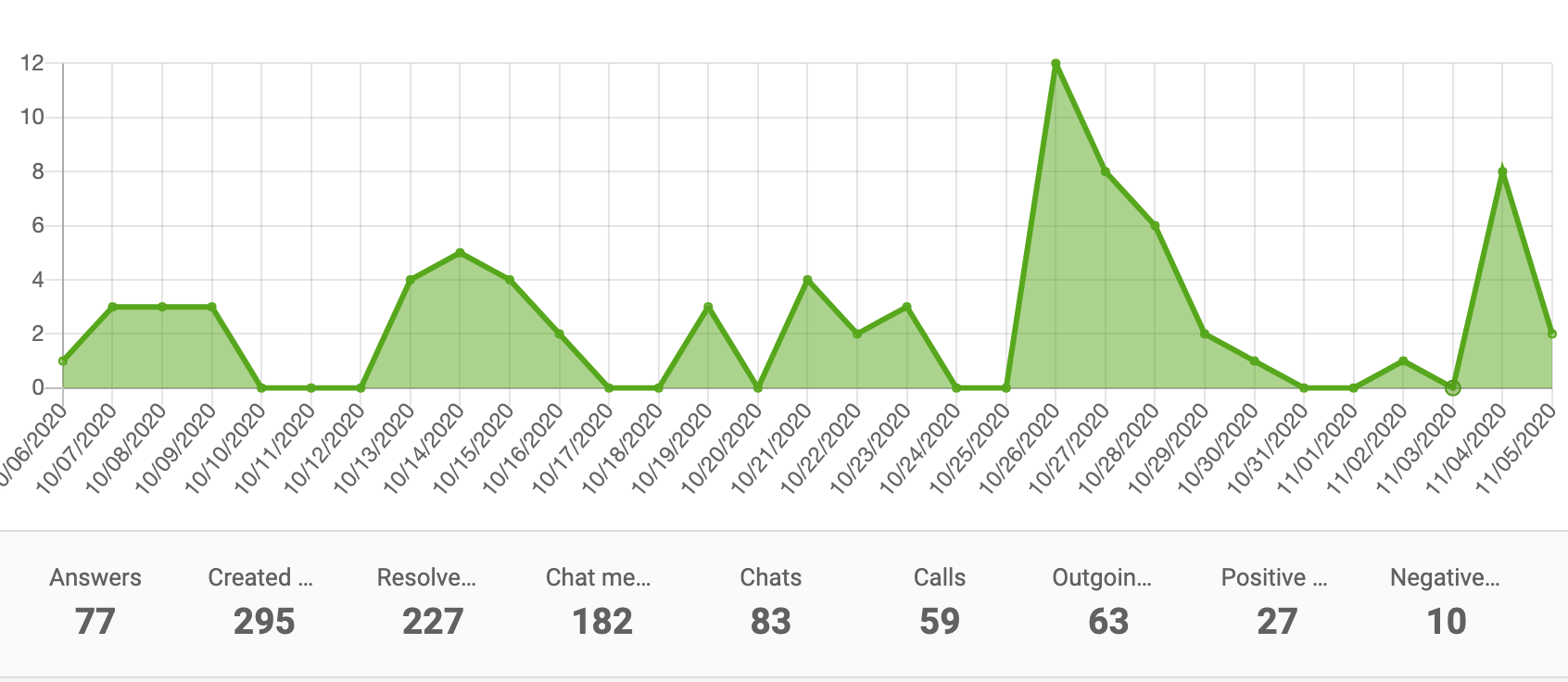
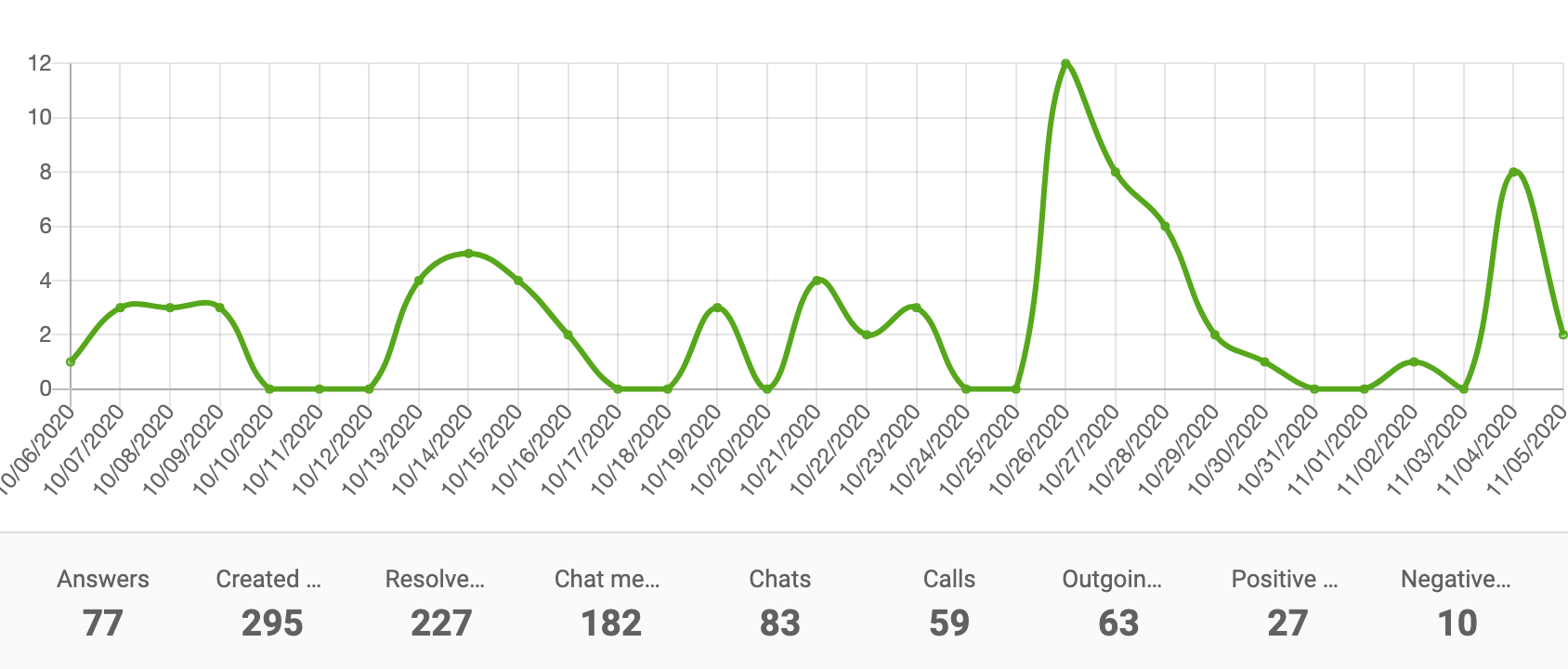
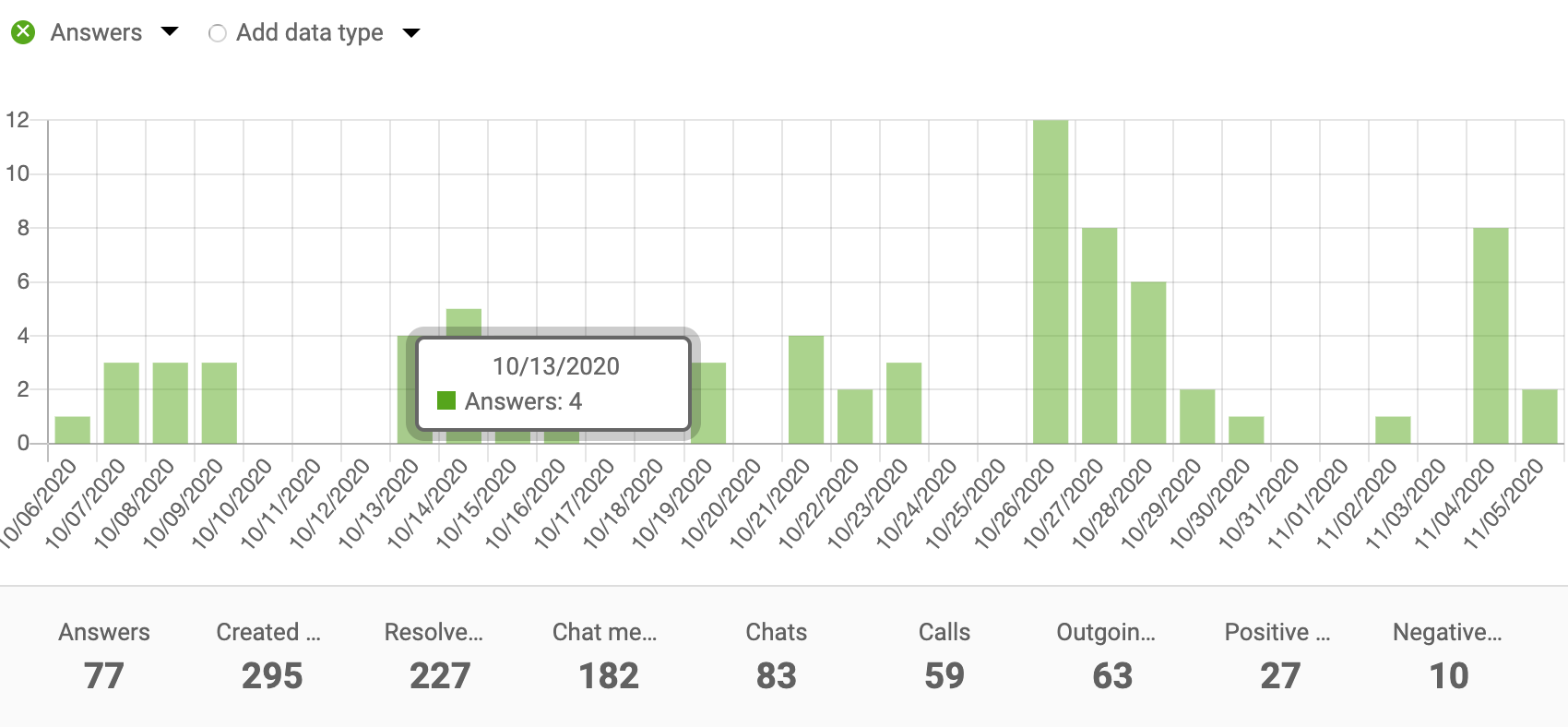
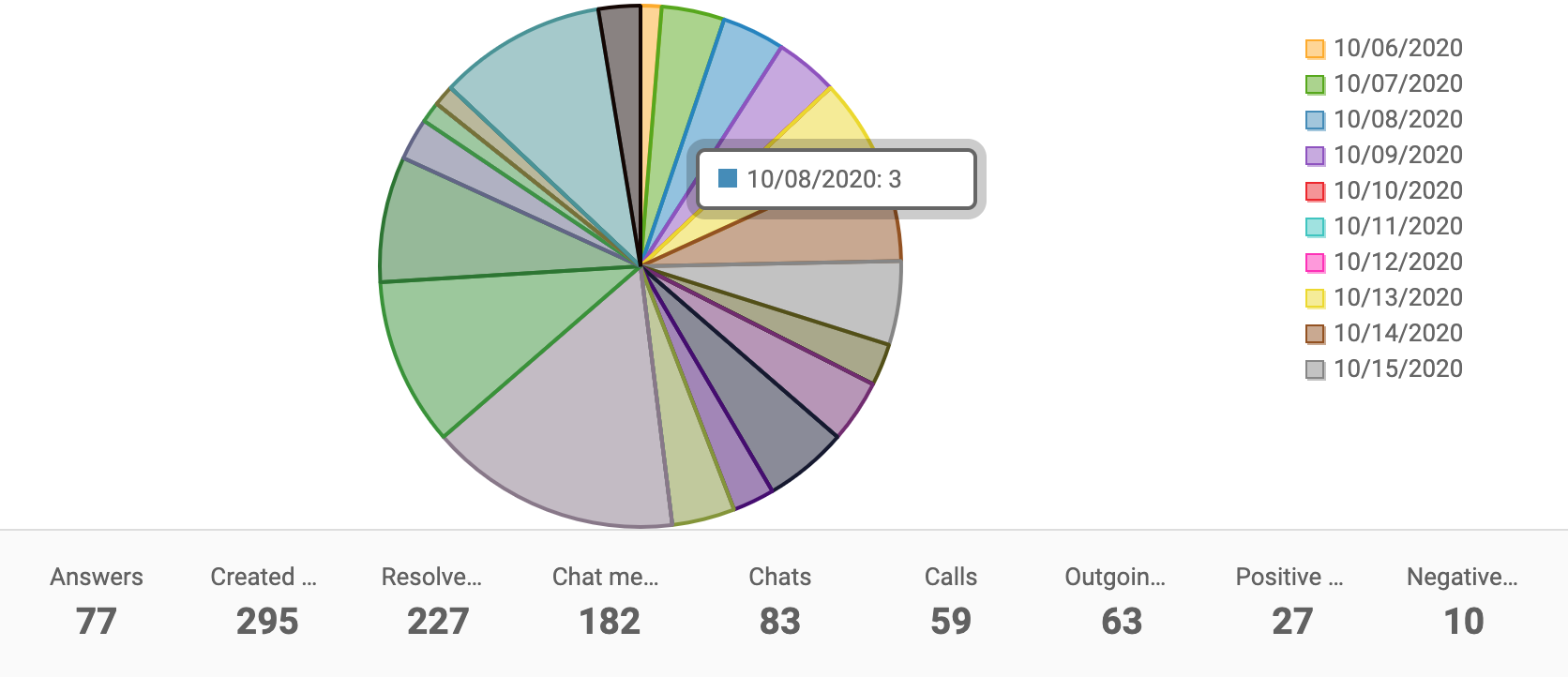
LiveAgent can present all the above-mentioned data in multiple formats, including area charts, line graphs, bar graphs, and pie charts. Moreover, all data can be exported into CSV files, making it easier to share with others.

Area chart performance report

Area chart

Line chart performance report

Line chart

Bar chart performance report

Bar chart

Pie chart performance report

Pie chart

How to find performance reports in LiveAgent

Performance reports are visible to administrators only. If you have the administrator role, you can find performance reports by clicking on Reports (circle icon) that’s in the left-hand menu (right between Calls and Customers) and selecting performance reports from the reports list.

How to find performance reports in LiveAgent

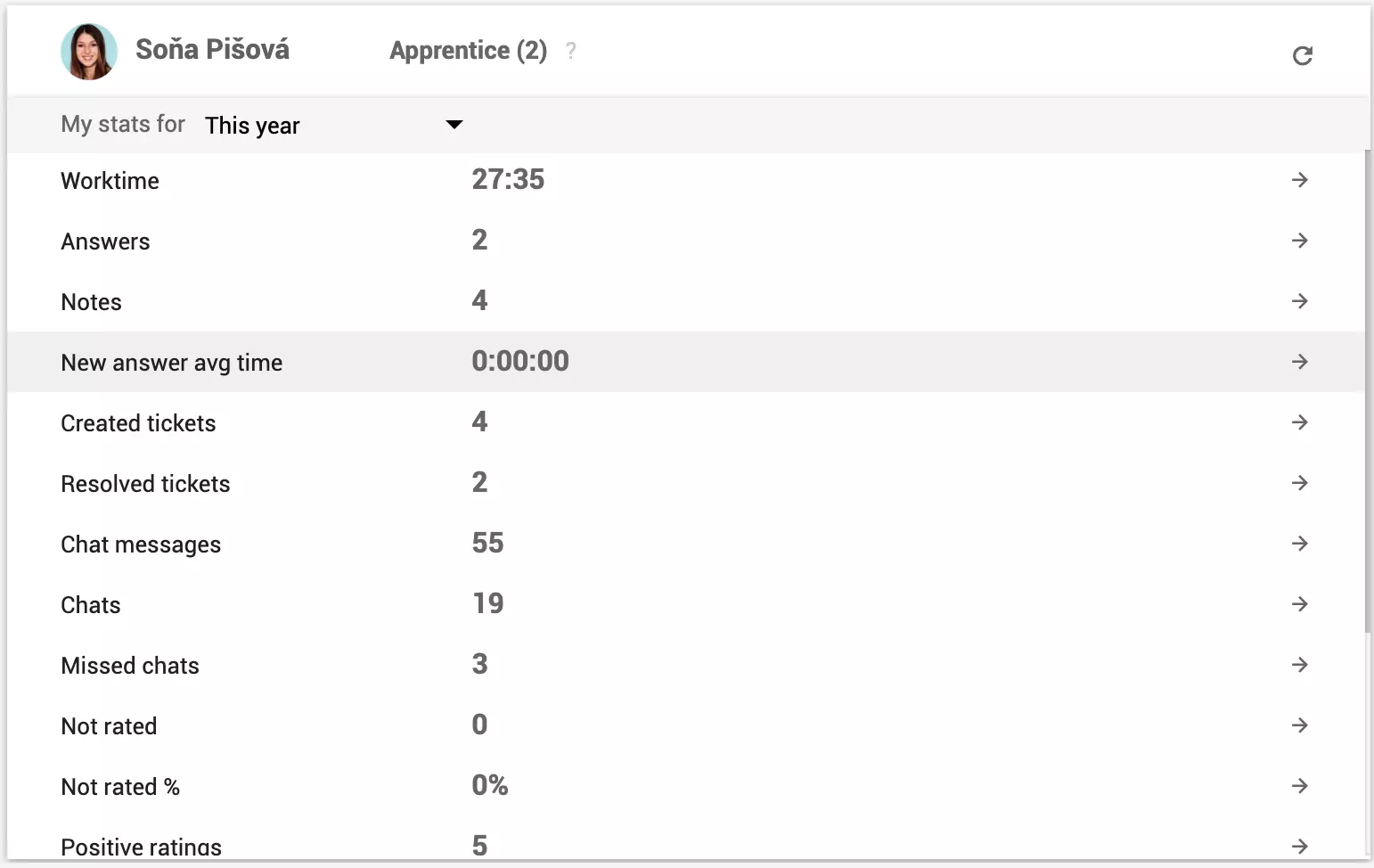
Please note, that all agents can see their personal statistics/performance reports upon logging into LiveAgent.

Personal agent stats visible outside of performance reports

Using performance reports with API

Use the LiveAgent REST API to manage call values in performance reports.

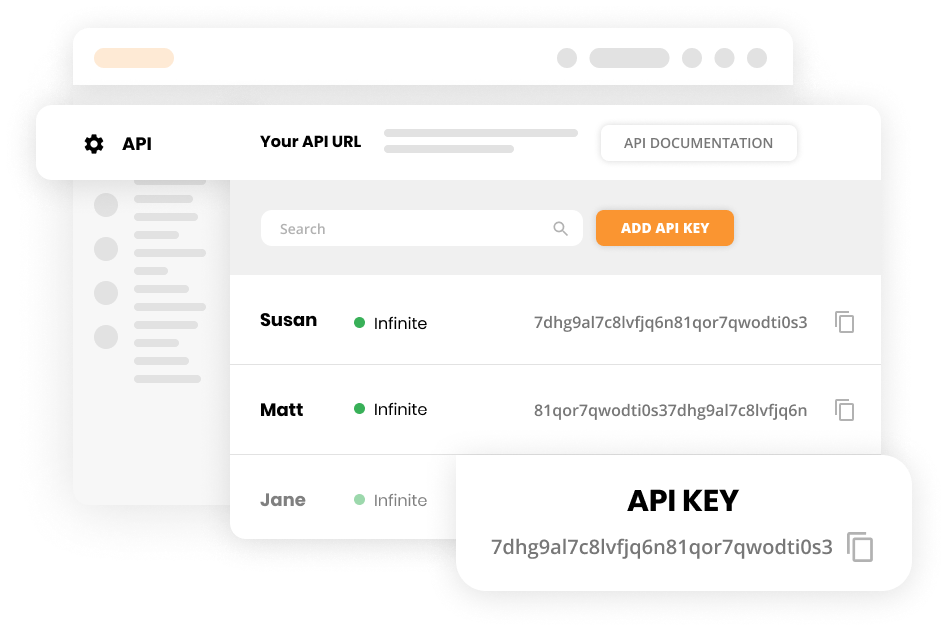
API integration for performance reports

Knowledge base resources

To learn more about the different types of reports available in our analytics dashboard please check out our knowledge base articles:

Ready to discover more about your business?

Start improving your support performance, sales, and customer satisfaction today with our free 30-day trial. No credit card required.

Frequently asked questions

How do you monitor agent performance?

You can monitor agent performance by analyzing performance reports, using customer satisfaction surveys, or implementing real-time monitoring tools. This helps you identify areas for improvement, track KPIs, measure customer satisfaction, and gives you insights to optimize agent productivity and enhance their performance.

What does the LiveAgent performance report feature do?

Performance reports showcase the performance of your support agents. Each performance report contains the total number of opened chats, resolved tickets, calls, and more. Performance reports can be displayed as graphs or charts and segmented by day, week, month, year, or even a custom date.

What are performance reports?

A performance report is a report on the performance of an organization, group, or individual. Performance reports are routinely produced to identify areas of improvement within an organization or business.

Why should you create routine performance reports?

Performance reports can help you pinpoint the exact areas of your business that need improvement.

Stand out from your competitors with a strong customer service culture

Handle all customer inquiries from one interface. Start improving your customer service with a free 30-day trial today!

Learn more

Agent Report Features

Agent Report Features

Get detailed insights into agent performance with LiveAgent's Agent report. Track work time, tickets, chats, calls, and more. Export data to CSV and use charts ...

3 min read
Reporting Analytics +1

Customer service reports features

Customer service reports features

Customer service reports offer insights into performance, improvement areas, and top-performing departments. Regular reviews ensure customer satisfaction and lo...

9 min read
Reporting Analytics +1
Ultimate guide for customer service reporting

Ultimate guide for customer service reporting

Customer service reports help businesses track trends, identify improvement areas, and make informed decisions by providing insights into customer preferences a...

11 min read
Customer Service Reporting

You will be in Good Hands!

Join our community of happy clients and provide excellent customer support with LiveAgent.

Post Affiliate Pro Dashboard - Campaign Manager Interface