



Website Visitor Tracking features
LiveAgent's website visitor tracking feature lets you see the URL your customer is on during chats, enhancing support by providing real-time insights. It allows...
5 min read
Live Chat
Visitor Tracking
+1

Track website visitors in real-time with LiveAgent’s Online Visitors feature. View visitor activities, locations, and referrers to enhance customer support and personalize interactions.
Are you tired of switching between interfaces to help your customers? Spending time searching between platforms can lower customer satisfaction and make your agents stressed out.
To provide exceptional customer service, you need to have the right tools for your agents. They are the first people the customers come into contact with. As a result, your agents create the brand image or, in other words, the customer perception of your company.
Your customer representatives have the power to either create long-lasting relationships or to lose customers to the competition.
LiveAgent is a complex help desk software that is user-friendly. It allows your agents to deal with all the customer inquiries from one place. The system has more than 170 features to help your agents provide a smooth CX. One of them is called Online visitors.
It is a section/feature of a LiveAgent where you can see all visitors online browsing your website on one screen. So, you can check what pages they are browsing and how much time they have spent there. Moreover, you can find out the visitors’ referrers, IP addresses, and countries to help prepare yourself before a Chat conversation.
A customer tracking program can be a valuable addition to your customer support toolkit, as it allows you to manage and track visitors to your website. By understanding their behavior, you can provide a more personalized and efficient support experience.
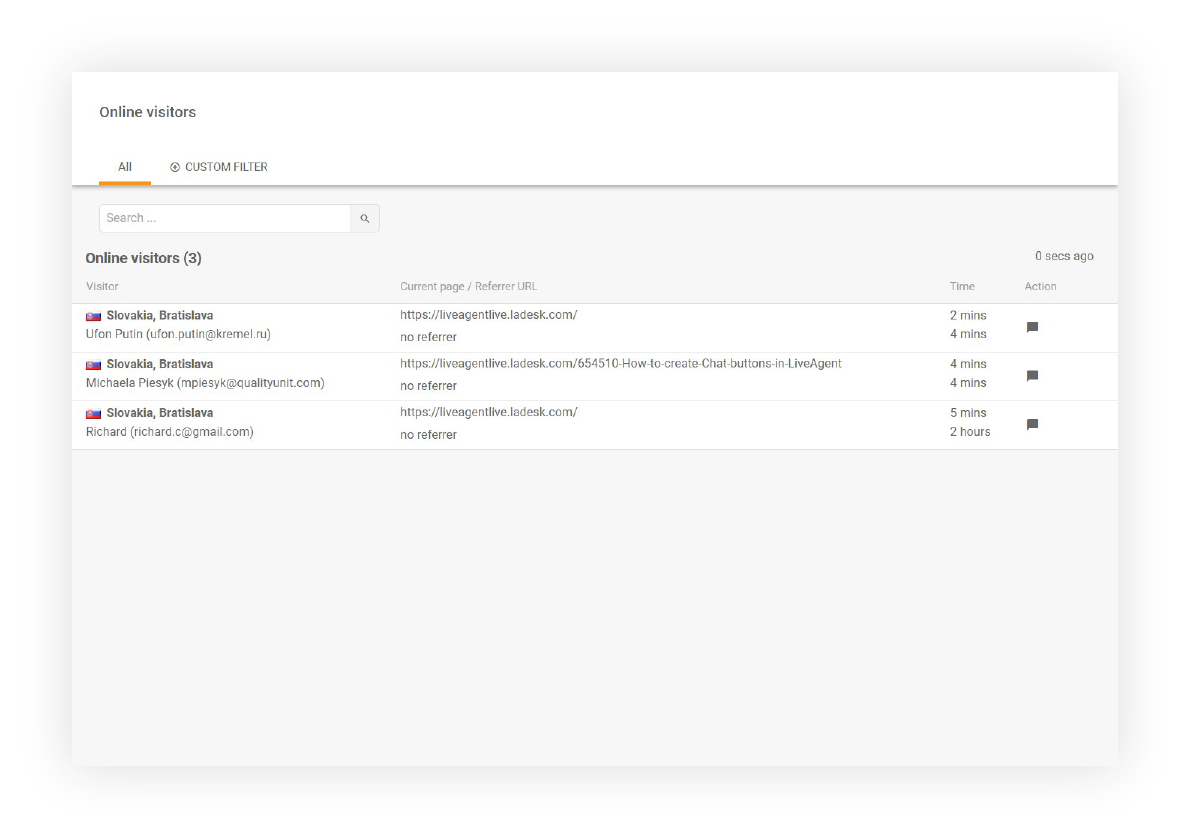
The online visitor tracking feature is somewhat similar to Google Analytics or other platforms that show you data about your website visitors. You do not need to switch platforms when you want to have a quick overview of your visitors online.
Moreover, the online visitors’ section is a great source of information for your agents before they start chatting with customers. Since you can use proactive invitations in LiveAgent, you can leverage this information later or immediately in the conversation to provide the best possible customer experience.
Your agents can manually invite them to chat by clicking on the Start Chat button. After that, you can choose the right chat window of an invitation from your dropdown list (chat invitation is displayed on the page the visitor is currently browsing).

The latest tips and deals delivered straight to your inbox.
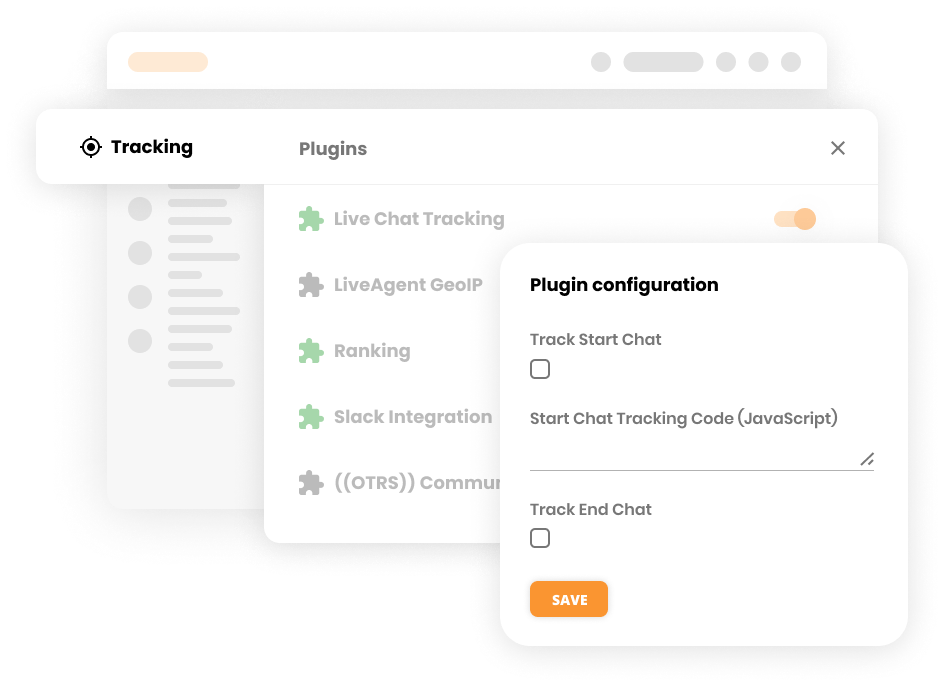
If you would like to track all the chat information in Google Analytics to see the impact of the live chat on your website, LiveAgent has a plugin that allows you to sync the chat information. This integration helps you understand how live chat contributes to your website’s performance and customer engagement.
Make sure your agents work effectively by setting up chat routing in LiveAgent. For instance, you can randomly assign agents or create an organized workflow. Thus, they can efficiently deal with customer chat inquiries.
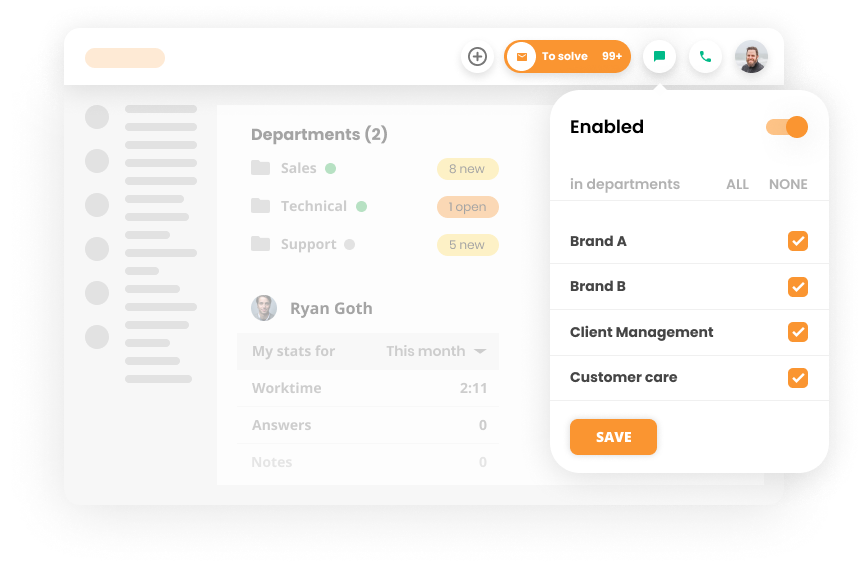
Learn more about Chat distribution options – LiveAgent.
This feature closely ties to Online visitors. It is an effective way to reach out to your visitors online and offer them help if needed.

Learn more about LiveAgent – Proactive chat invitations.
LiveAgent's website visitor tracking feature lets you see the URL your customer is on during chats, enhancing support by providing real-time insights. It allows...
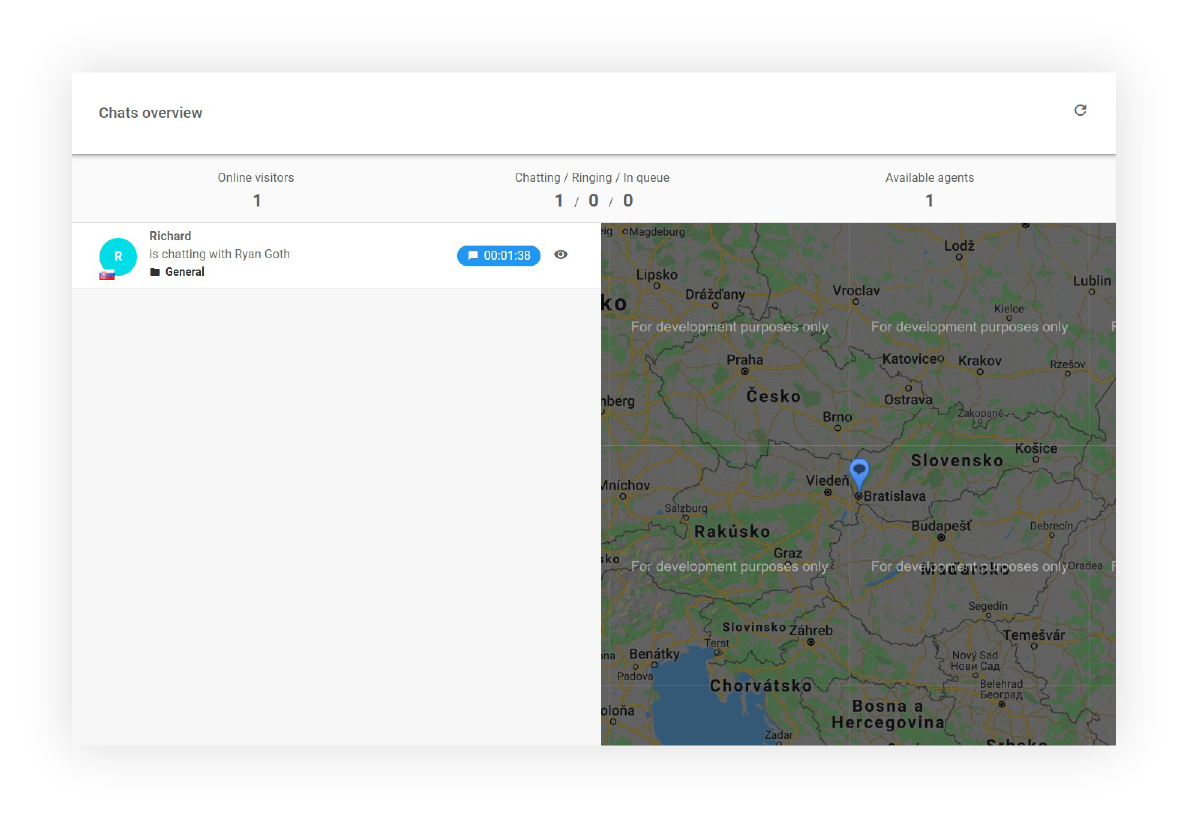
LiveAgent's Chats Overview feature offers insights into website visitors, including their location and current activity. It enables proactive customer engagemen...

Track customer behavior, boost sales, and improve satisfaction with LiveAgent's all-in-one customer tracking software. Free trial, no card needed!