


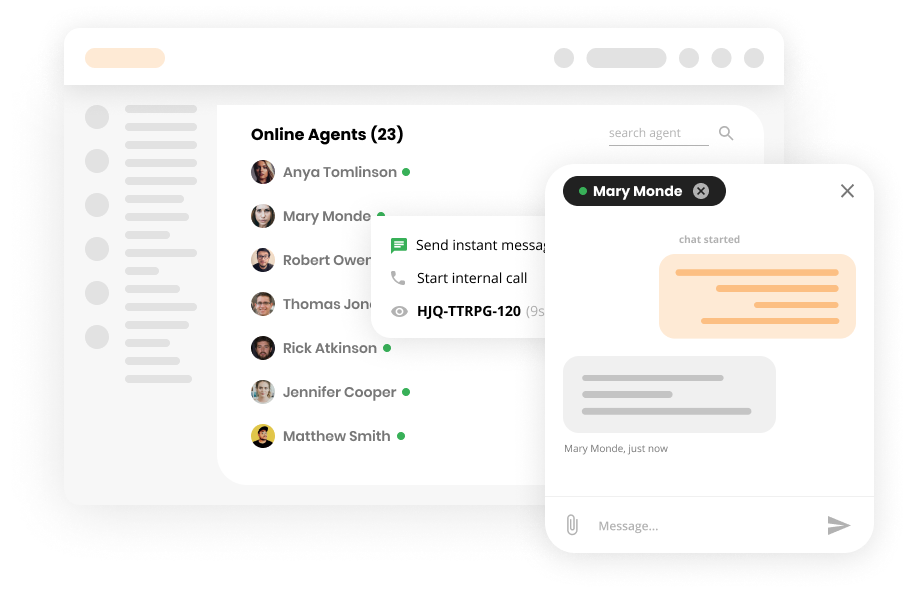
Internal Chat Features
Boost team collaboration with LiveAgent's internal chat! Share instant messages, attachments, and ticket links—all without third-party apps.
3 min read
Internal Chat
Communication
+1

Discover the benefits of help desk notes with LiveAgent! Explore different types, learn how to use them effectively, and enhance your customer service team’s efficiency. Sign up for a free trial today and transform your internal communication.
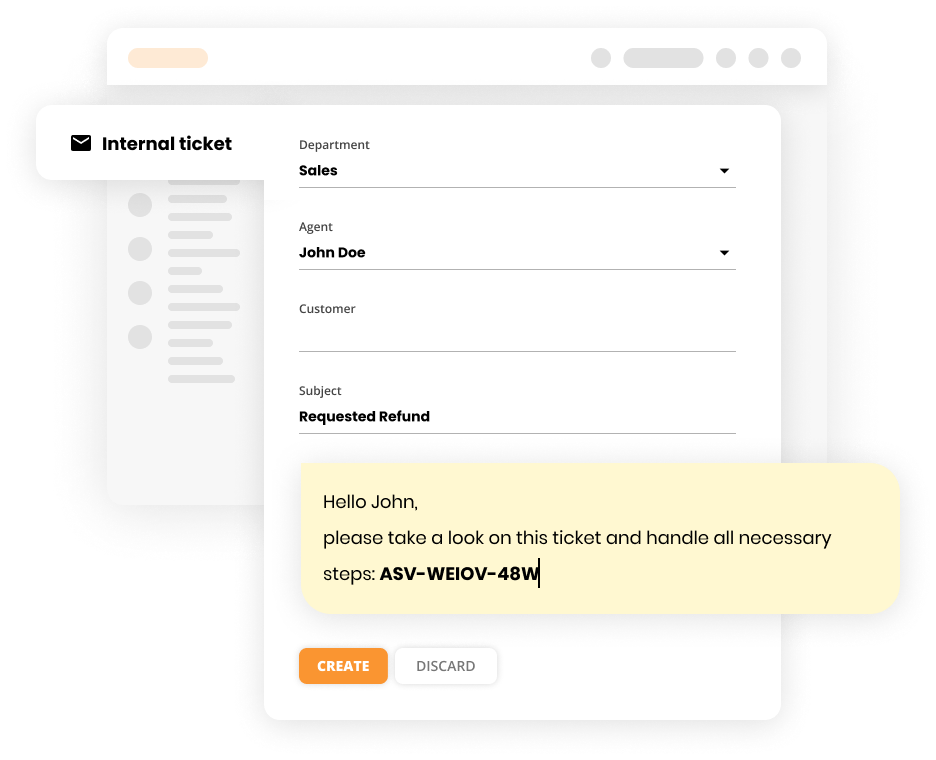
Internal notes in LiveAgent allow agents to store private information that is only visible to other support agents, not to customers. Internal notes can be added to existing tickets or used to create a new ticket, which was previously referred to as an “internal ticket.”
To better align with their functionality, we have updated the term to “internal notes.” These notes are crucial for keeping internal communications and tasks organized without exposing them to the customer.
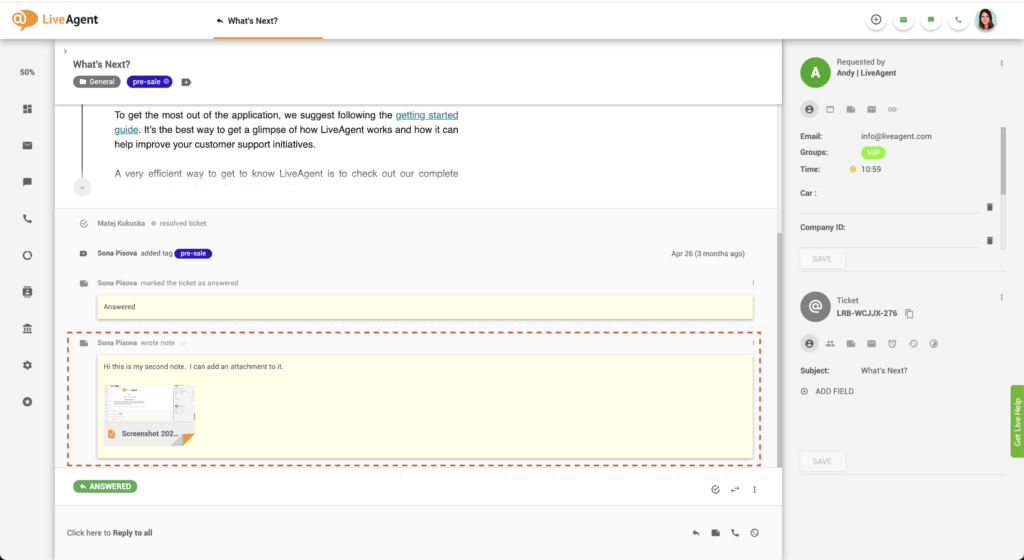
LiveAgent offers several types of notes that agents can use for various purposes. These can be broadly categorized into three sections:
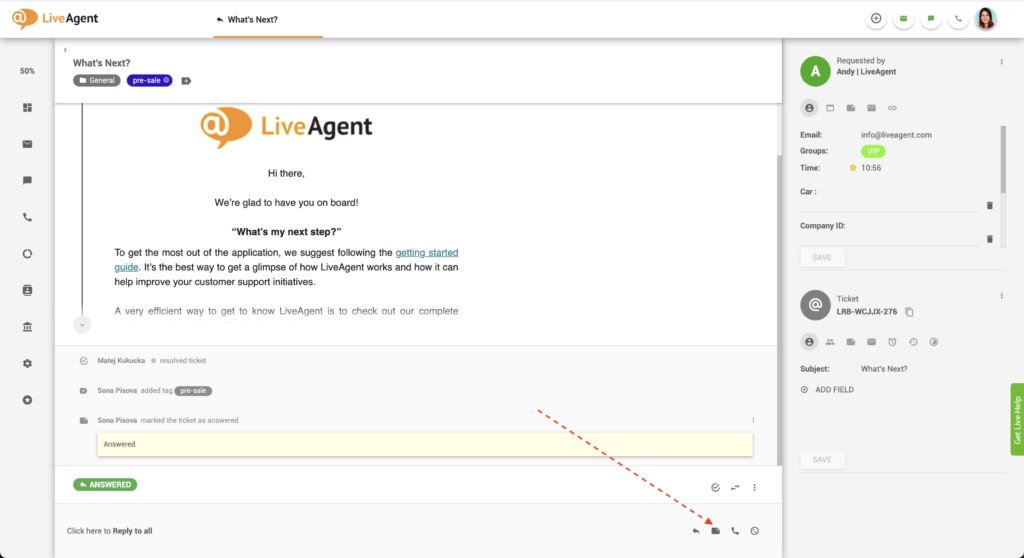
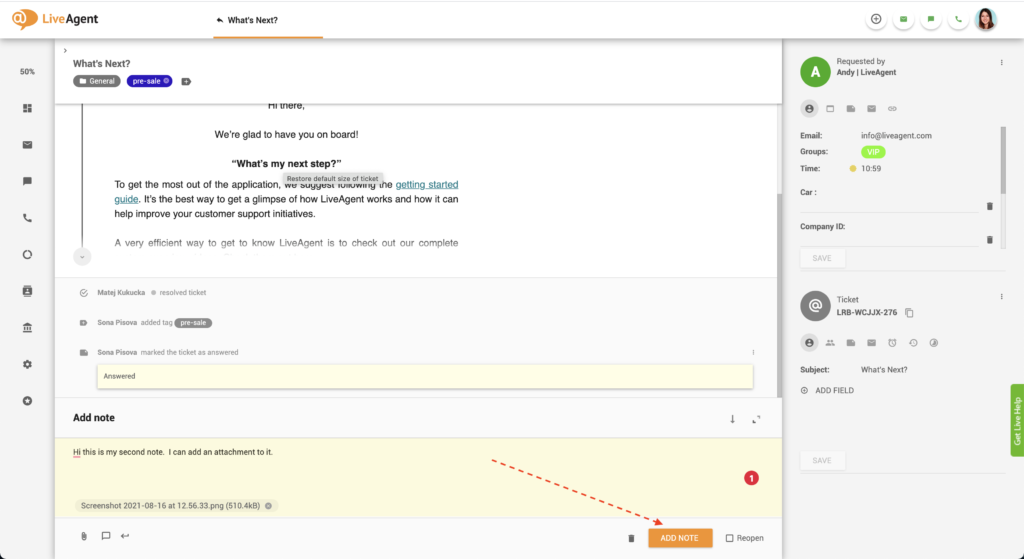
Inline ticket notes allow agents to summarize customer problems within the ticket, so other support agents won’t need to read through the full communication history. For example, if a customer explains an issue in multiple emails, the agent can add an inline note to summarize the problem. When transferring the ticket to another agent, such as a developer, the inline note provides a quick summary of the issue and what needs to be done.
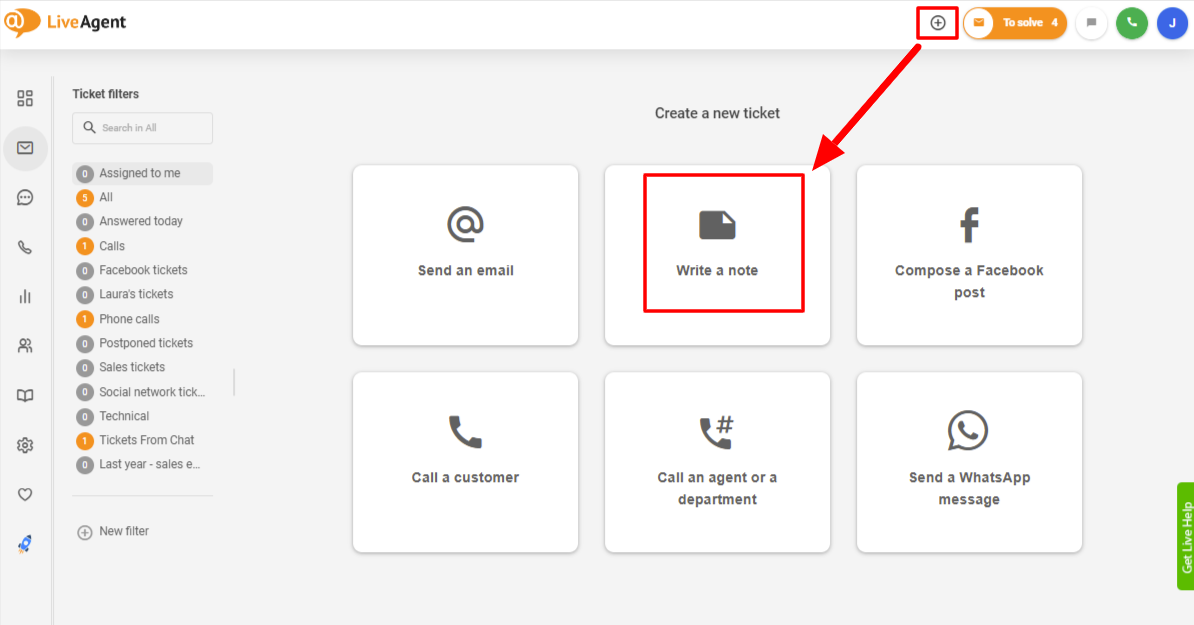
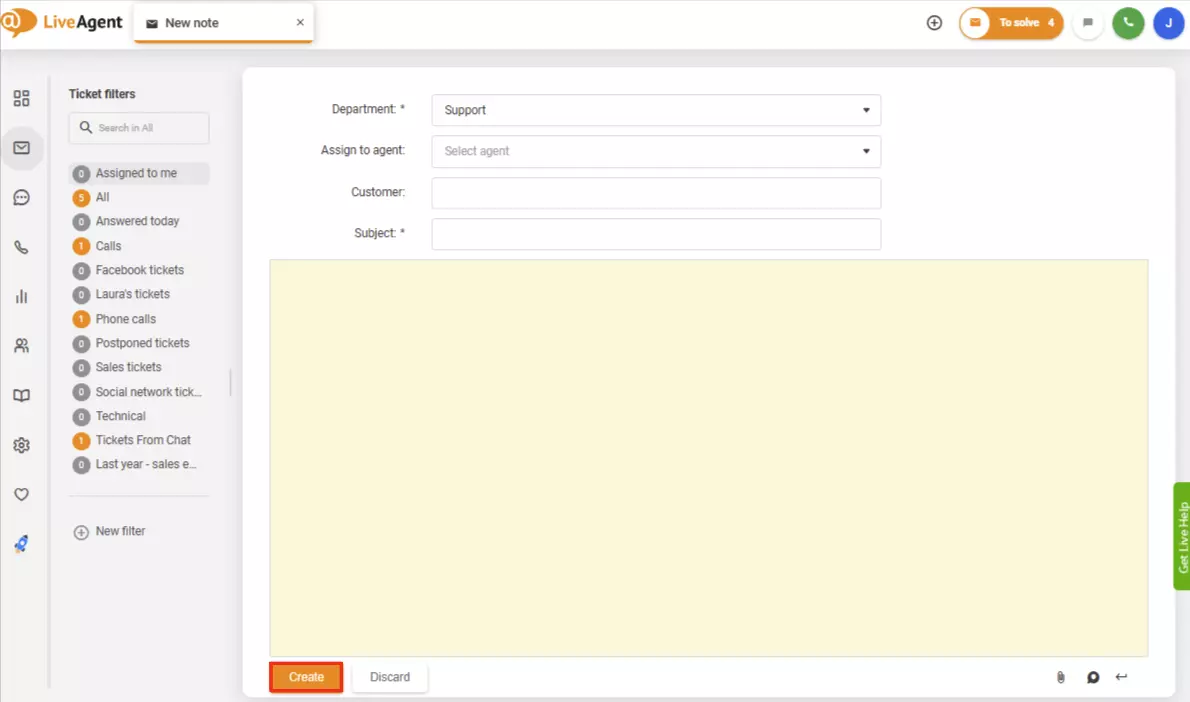
Additionally, an agent or admin can create a new ticket using an internal note to track an internal task that needs attention. This internal note would function like any other ticket but is used to manage internal processes rather than customer-facing issues.
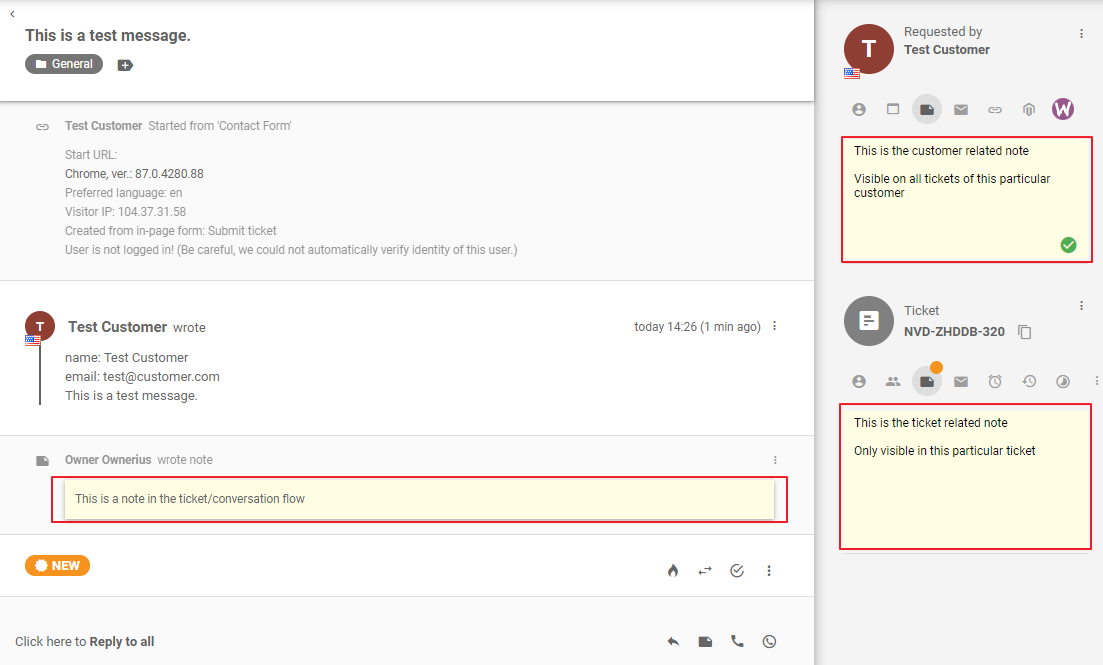
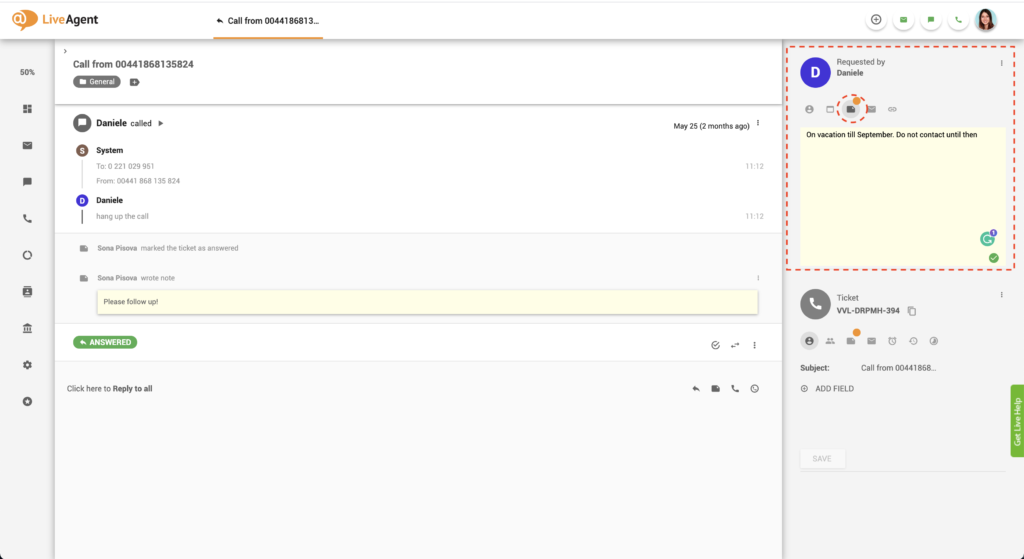
Customer notes provide agents with the ability to store information about a customer that is relevant across multiple tickets. These notes are useful for documenting any kind of customer-specific information that doesn’t need to be captured as a contact field.
For instance, if a customer has a custom setup or a temporary workaround that agents need to be aware of when troubleshooting, a customer note would ensure that any agent handling future tickets knows about these details and can manage expectations accordingly.

The latest tips and deals delivered straight to your inbox.
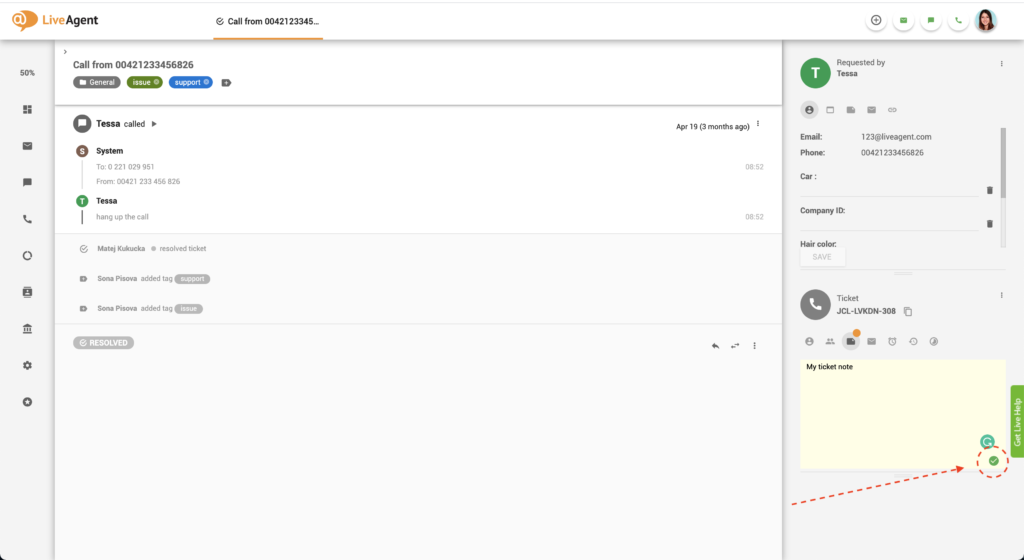
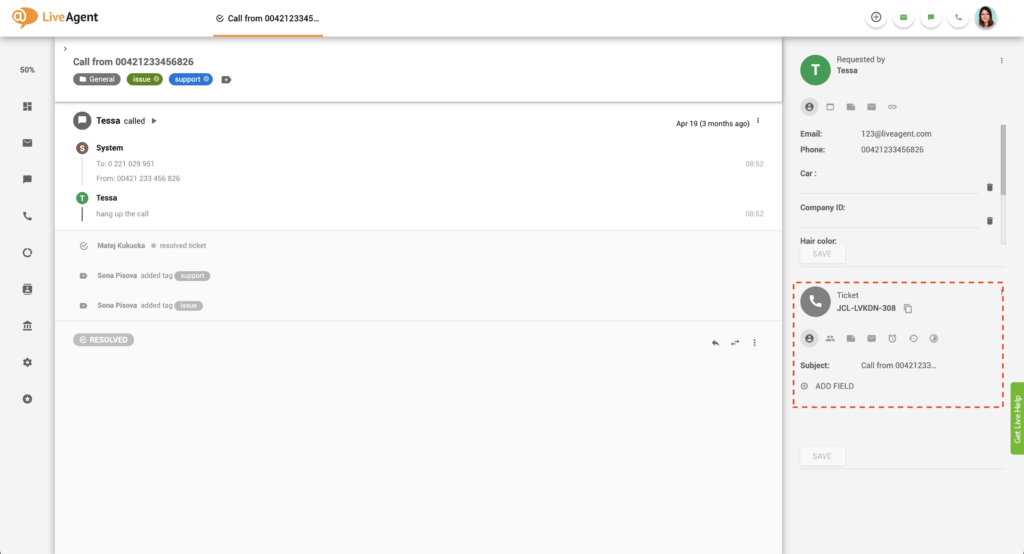
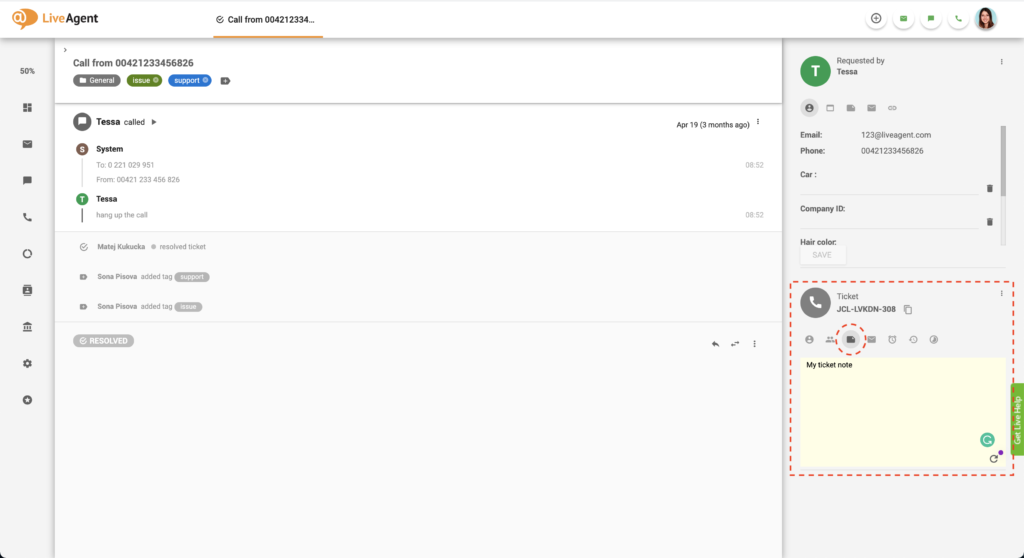
Ticket notes are designed for storing important contextual information about a specific ticket. While internal notes are added inline within the ticket communication thread, ticket notes are displayed as a free-text field in the sidebar, ensuring the information isn’t buried within the ticket history.
Ticket notes are particularly useful for sharing important details or internal comments that apply to the entire ticket, not just a specific part of it. For example, if an agent identifies a recurring issue within a ticket, they can document a specialized troubleshooting process in a ticket note. This allows anyone handling the ticket to follow the same procedure without confusion, even if they join midway through the process.
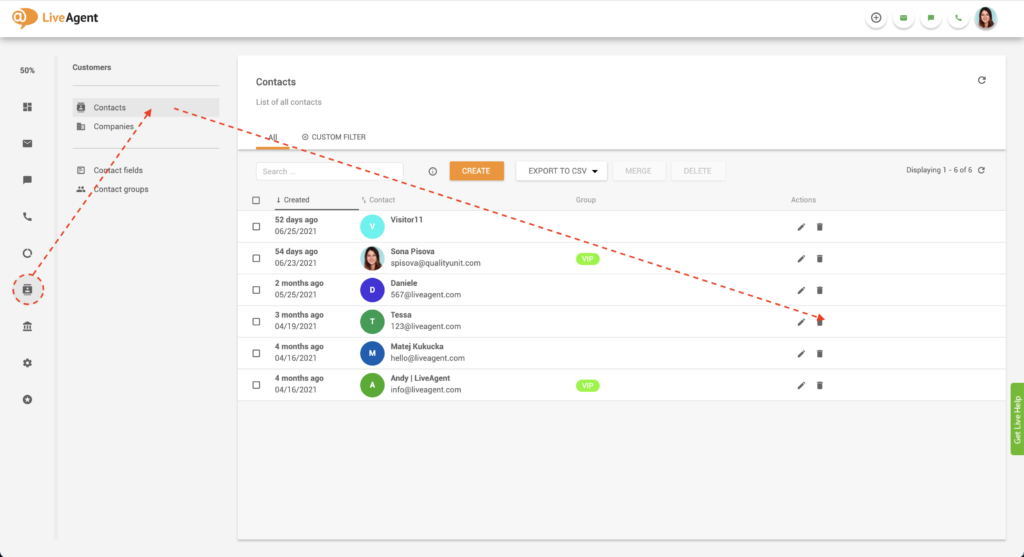
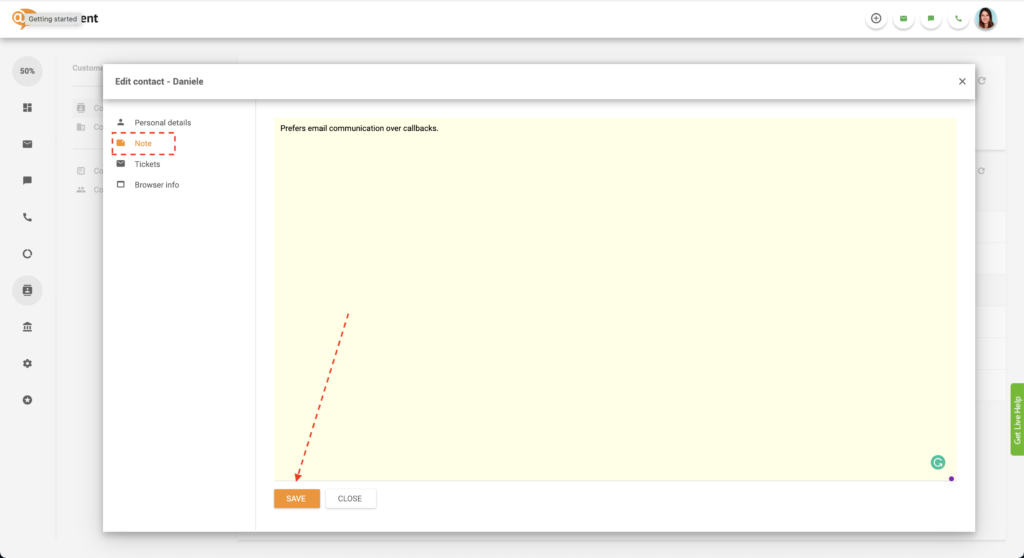
Alternatively, you can add a customer note inside the ticket view.
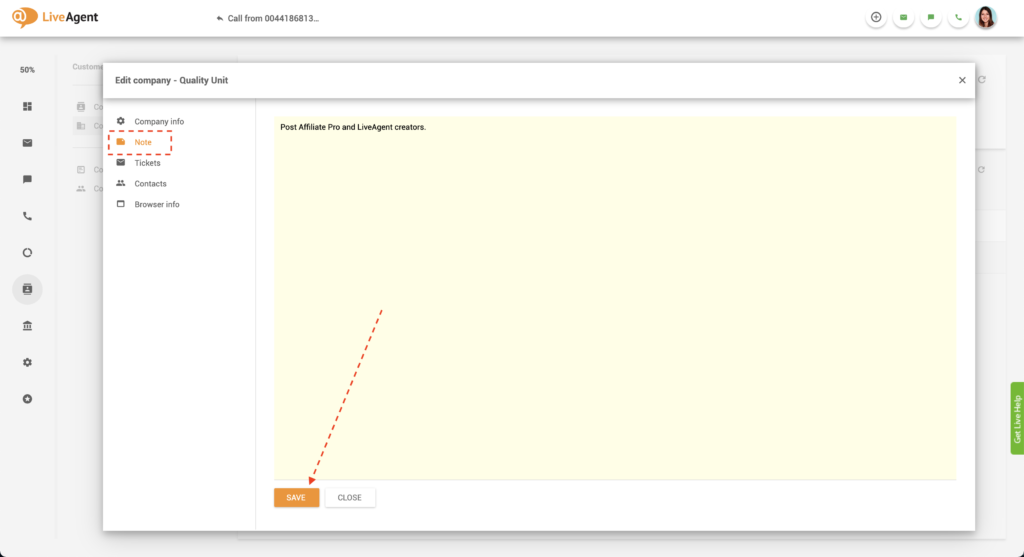
Help desk notes are helpful for all agents who want to provide personalized, knowledgeable, and quick support. They are a great source of information and can speed up ticket hand-offs between agents from different departments. Not only are they great for recording detailed information, but they can also serve as reminders and to-do lists.
Private notes are visible to help desk agents only. Customers, email recipients, or live chat users will not be able to see them at any point in time.
In LiveAgent’s customer support ticket system, notes are distinguished from ticket threads with their unique design that resembles a traditional yellow sticky note.
When you transfer a ticket that contains private notes, all the notes are kept intact and moved along with the ticket. Thus, the new agent responsible for resolving the ticket will be able to view all the notes, add new notes, and modify existing notes (apart from inline notes).
Currently, there is no way to remove, edit, or modify inline notes. This is because we deem it important to preserve ticket integrity. What do we mean by this? Let’s take a look at an example. Imagine creating an inline note that contains information about what should be done as the next step to achieve problem resolution. Then, you transfer the ticket to another agent or department. Unfortunately, they don’t read the inline ticket note properly, causing some customer dissatisfaction. If the support agent wanted to cover for themselves, they could edit the inline note and make it look like you provided the wrong information. By making inline notes non-modifiable and undeletable, all agents are forced to have integrity and take responsibility for their actions.
All other notes can be deleted, modified, and edited so all support agents can collaboratively collect new information about your clients and their issues. This is extremely important to achieve better customer satisfaction and provide better service experiences.
Create private notes and use them to store additional information about your clients. Alternatively, use notes as reminders for yourself or your colleagues. Try the private note feature today with our all-inclusive free 30-day trial. No credit card is required.
Boost team collaboration with LiveAgent's internal chat! Share instant messages, attachments, and ticket links—all without third-party apps.

See how AI turns long support ticket conversations into structured internal notes automatically, so agents get instant context on every handoff.

Learn about Ticket Details: key info like subject, notes & attachments for efficient ticket management. Boost support with LiveAgent—Try Free!