



LiveAgent Split Tickets Feature
Split tickets in LiveAgent let you duplicate and assign multi-issue tickets to different agents or departments. Try it free for 30 days!
2 min read
Ticket Management
Efficiency
+1

Combine duplicate tickets effortlessly with LiveAgent’s Merge Tickets feature. Streamline support, save time, and boost efficiency. Try Free!
Merging tickets means combining two or more tickets into one. Ticket merging is most commonly used when you receive two help desk support requests from the same end-user about the same issue. In many cases, duplicate tickets are merged to prevent confusion and ensure agent efficiency.

By merging two tickets, you combine their entire contents, including the private notes and tags associated with each ticket. Additionally, a merged ticket retains the ticket ID of the ticket it was merged into, whereas the original ticket is deleted. It prevents your customer support ticket system from getting cluttered.
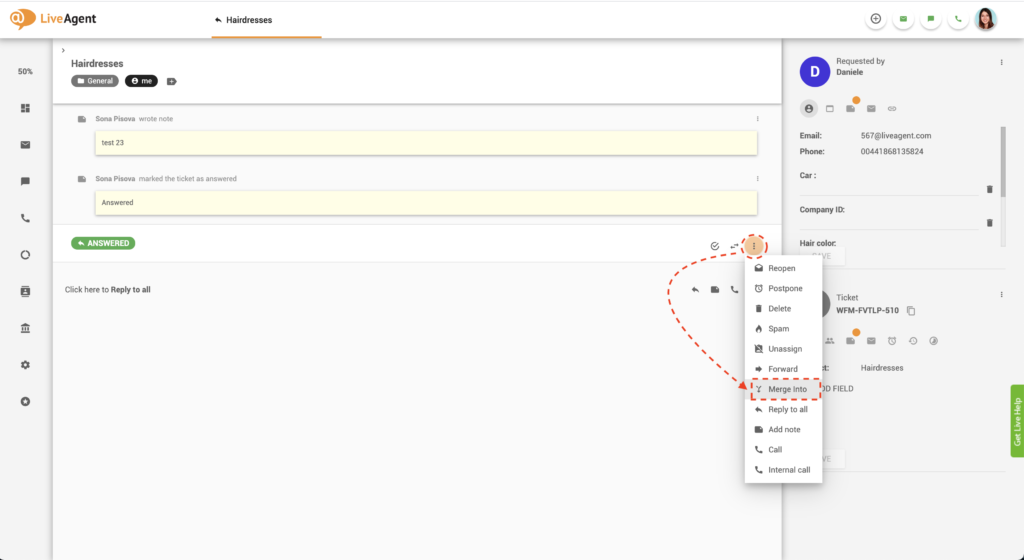
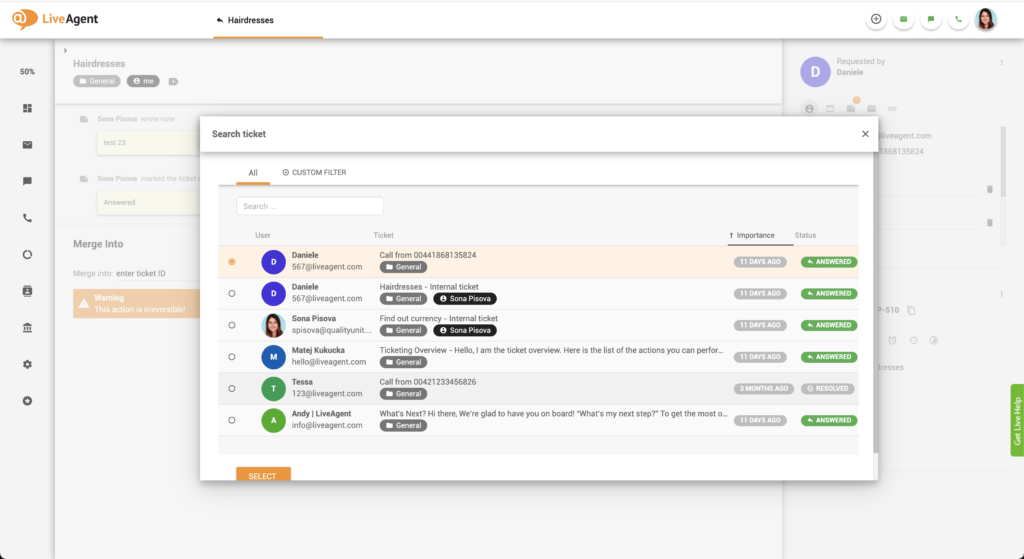
Optional: Check the merge tags and recipients checkbox.
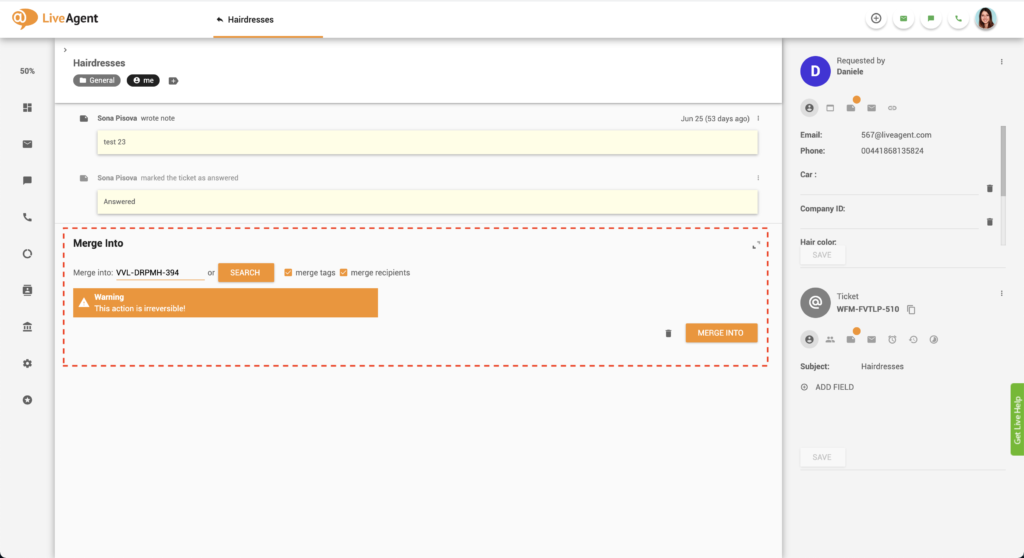
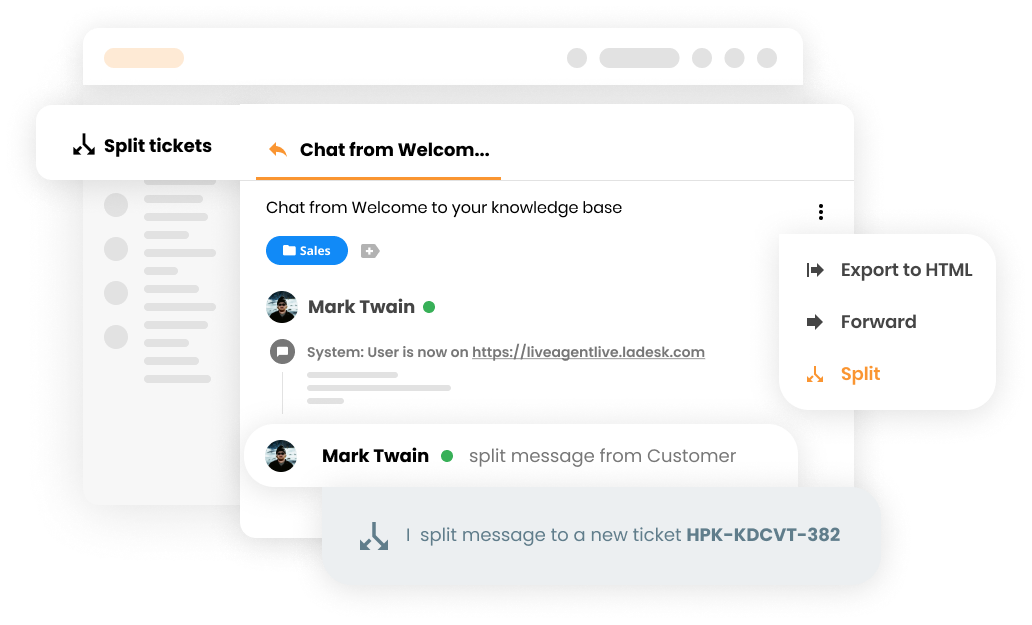
Ticket merging is irreversible, so make sure you only merge tickets when it’s necessary. Technically, if you needed to split a merged ticket in two, you could use the split ticket feature. However, this doesn’t achieve the desired result, as it doesn’t return the tickets to their original state. As a result, the ticket IDs would change, and the tickets would not be split in the same way they were pre-merge.

The latest tips and deals delivered straight to your inbox.
LiveAgent help desk software enables you to merge tickets from the following sources:
However, you cannot merge tickets from the knowledge base or social media. There are no other restrictions for ticket merging. Merging tickets from different end-users is possible as well.
Yes, you can merge tickets that are marked as opened, answered, postponed, and closed. The only tickets that cannot be merged are those that have been deleted.
When you merge two or more tickets into one, the entire ticket contents are joined together. This entails the whole ticket thread and ticket notes. You can also combine all ticket recipients and tags associated with the two tickets.
Once you click on the ‘Merge into’ button, the LiveAgent ticketing system merges the selected tickets. The original ticket is deleted, but the status of the newly merged ticket remains the same as it was before merging. You will notice that the system creates a message that lets you know that the tickets have been merged successfully. The system also provides you with a clickable ticket ID of the original (now deleted) ticket.
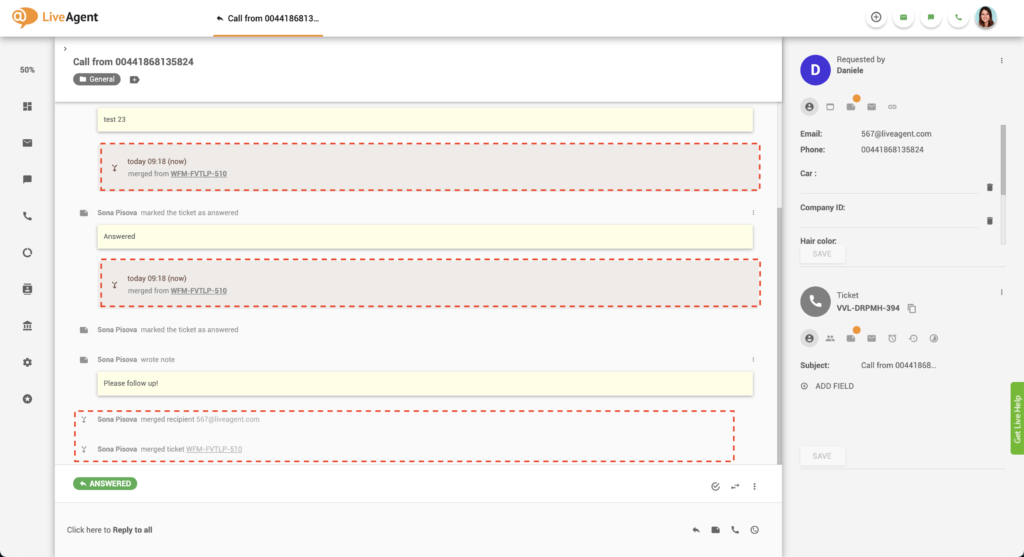
You can review the original ticket anytime by clicking on its ID, despite it being deleted. However, the ticket is blocked from any action, and cannot be ‘undeleted’ or purged from the system (not even with the ‘purge deleted tickets after x days" function). The original ticket will only be deleted if you delete the newly merged ticket.
Merging two or more tickets with similar contents into one can be highly beneficial to customers and agents alike.
Let’s say a customer submits two identical tickets but through different sources. For example, they send an email but don’t receive a quick response, so they start a live chat. Combining the two tickets will ensure that no agent will waste their time resolving the email ticket once the live chat ticket is resolved.
In this case, ticket merging will eliminate duplicate tasks, reduce the agent’s workload, and save precious time.
Merging tickets that are about the same issue can reduce confusion for both agents and customers. For example, imagine that again you receive two tickets about the same problem. Let’s say nobody notices the duplicate ticket, and so they’re not merged. You respond to one ticket, and the customer is satisfied. However, a few days later, a colleague of yours responds to the second ticket, confusing the customer. To make matters worse, they undo your work unknowingly.
As you can see, this can cause some misunderstandings and customer frustration.
Our last example of ticket merging showcases how the feature can reduce customer wait time and improve resolution times. Let’s assume that a single user submits three tickets that are all related to one issue. By merging the three tickets into one, it will be easier for all agents to resolve the problem. Instead of tabbing in and out of the different tickets, all the relevant information and content will be available in a single ticket thread. Therefore, a ticket merge will make it easier to resolve the tickets much quicker.
To learn more about ticket merging and other similar features, check out our knowledge base articles, relevant blog posts, academy posts, glossaries, and more.

Streamline your workflow with the merge ticket feature today. Discover just how easy it is to keep your help desk and customer requests organized. Try LiveAgent today with a free all-inclusive 30-day trial. No credit card is required.
Split tickets in LiveAgent let you duplicate and assign multi-issue tickets to different agents or departments. Try it free for 30 days!

Discover the power of efficient ticket management with LiveAgent. Streamline customer support by converting issues into tickets, enhancing response times, and b...
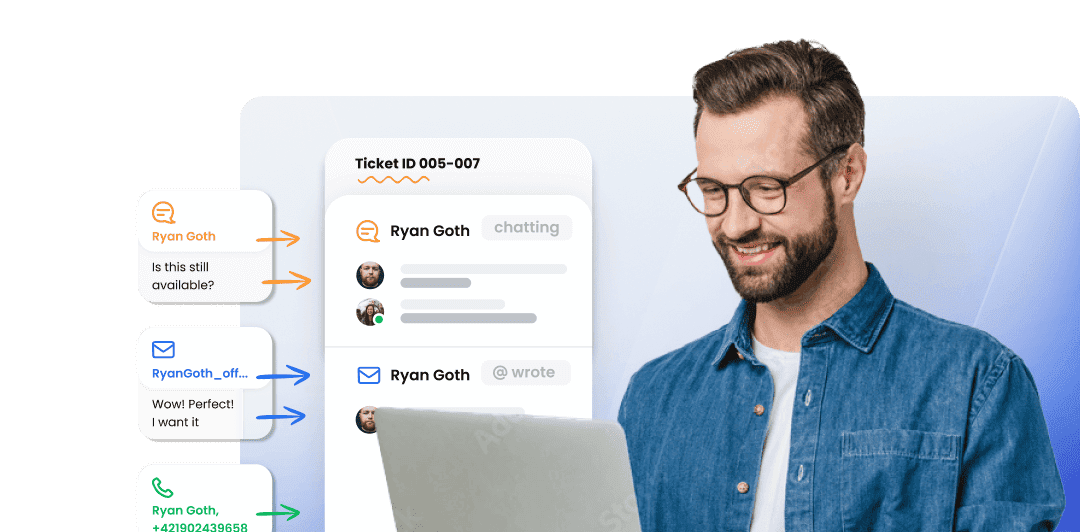
LiveAgent's ticketing system brings together essential ticketing feature elements such as mass actions, audit logs, and integrated communication channels, which...