



Real-time Chat Features
LiveAgent's real-time chat tool enhances customer interaction with instant responses, boosting satisfaction and conversions. Features include mobile chat, file ...
5 min read
Live Chat
Real-time Communication
+1


LiveAgent’s live chat software enhances customer service with real-time communication, customizable chat buttons, proactive invitations, and integration with external apps. It boosts satisfaction, reduces ticket volume, and increases engagement and sales.
Live chat is an essential component of customer interaction software that allows customers to communicate with customer support representatives in real-time. Customers can start a chat with you on your website, instead of having to call or send an email, making the interaction process more time efficient.
Live chat plugin is completely browser-based and doesn’t require users to download any software to start chatting. In today’s world, implementing live chat plugin is a must for any successful customer service strategy. Moreover, live chat plugin for WordPress is a feature that will make your website stand out among your competitors.
Live chat is an important communication channel for customer service because:
LiveAgent offers 15 live chat features that can help you improve your customer service efforts.
LiveAgent gives you the freedom to create your own chat button that can be placed anywhere on your website. Choose the button’s position, colors, animation, hover effect, mobile options, and Z index.
If you don’t feel like creating a button yourself, you can use one from our chat button gallery and customize it according to your liking.
We offer:
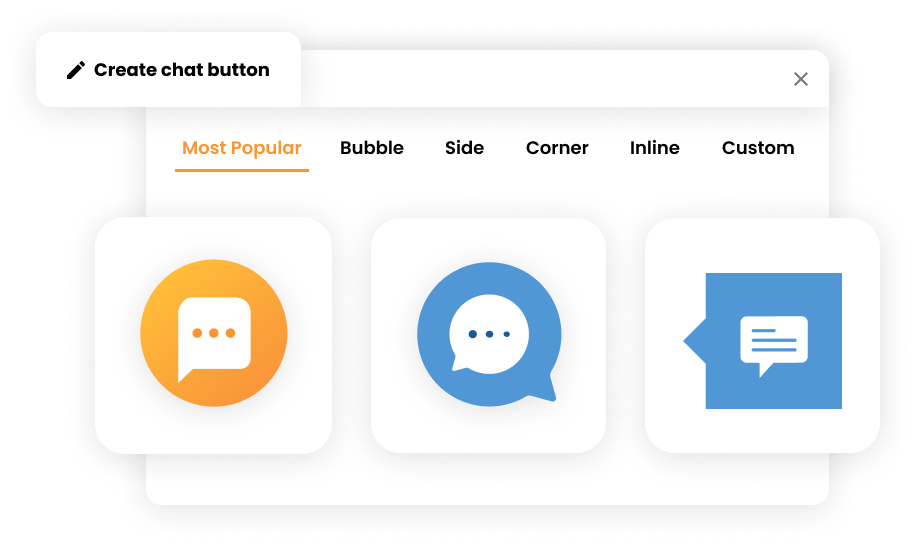
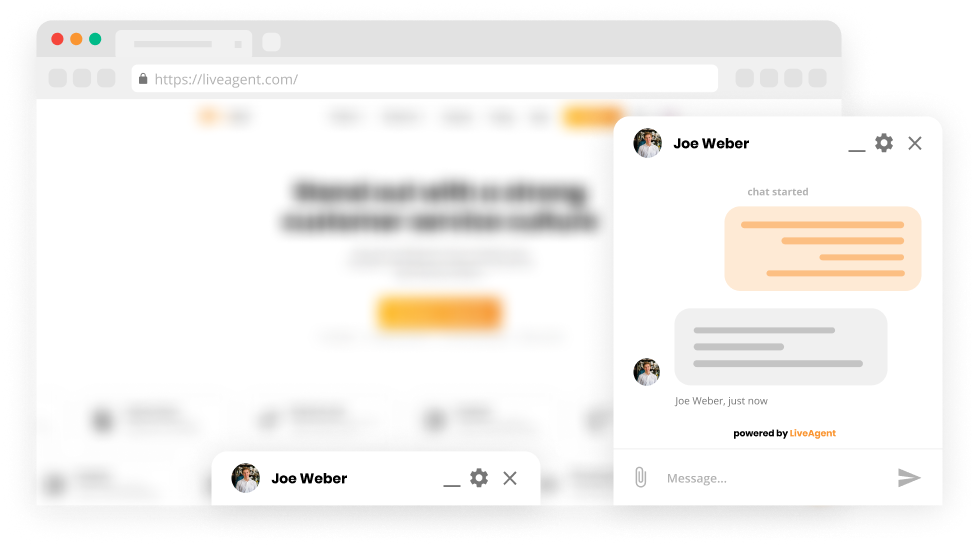
In addition to creating your own chat buttons, you can also design the chat window. You can alter the:

LiveAgent allows your website visitors to chat with you in real-time. When they click the website chat box on your website and send their initial chat message, your LiveAgent dashboard will start ringing to notify you that there’s a user waiting to chat with you.

If the website visitor tries to chat with you outside of business hours, the chat will be registered inside your LiveAgent dashboard in the form of a ticket, to which you can reply later through email.
Proactive invitations is a chat feature that allows you to reach out and offer help to customers that are currently browsing your website. You can place chat invitations on custom URLs on your website, such as the pricing or the FAQ page.
The proactive chat invitation buttons can be customized according to your liking, and can be also set up to display after a certain period of time has elapsed. For example, the proactive chat invitation can display if the user is viewing your pricing page for longer than 45 seconds.
LiveAgent offers a number of ready to go chat buttons that can be viewed in our chat button gallery. Simply choose the one you want, and embed the chat box on the website so your customers can start chatting with your support representatives.
Animations can influence where your website visitors focus their attention. Add animations to your chat buttons to attract their attention and increase engagement.

In addition to our regular website chat box gallery, LiveAgent offers a proactive chat button gallery as well. Choose from a number of styles and button positions, or create your own by writing your own HTML code.
LiveAgent offers proactive chat invitations in the following positions:

LiveAgent allows users to dock the live chat window while they browse your site. When a new message is received while the chat is docked, the user receives a notification. Chat windows can be docked to the left or right side of your site.
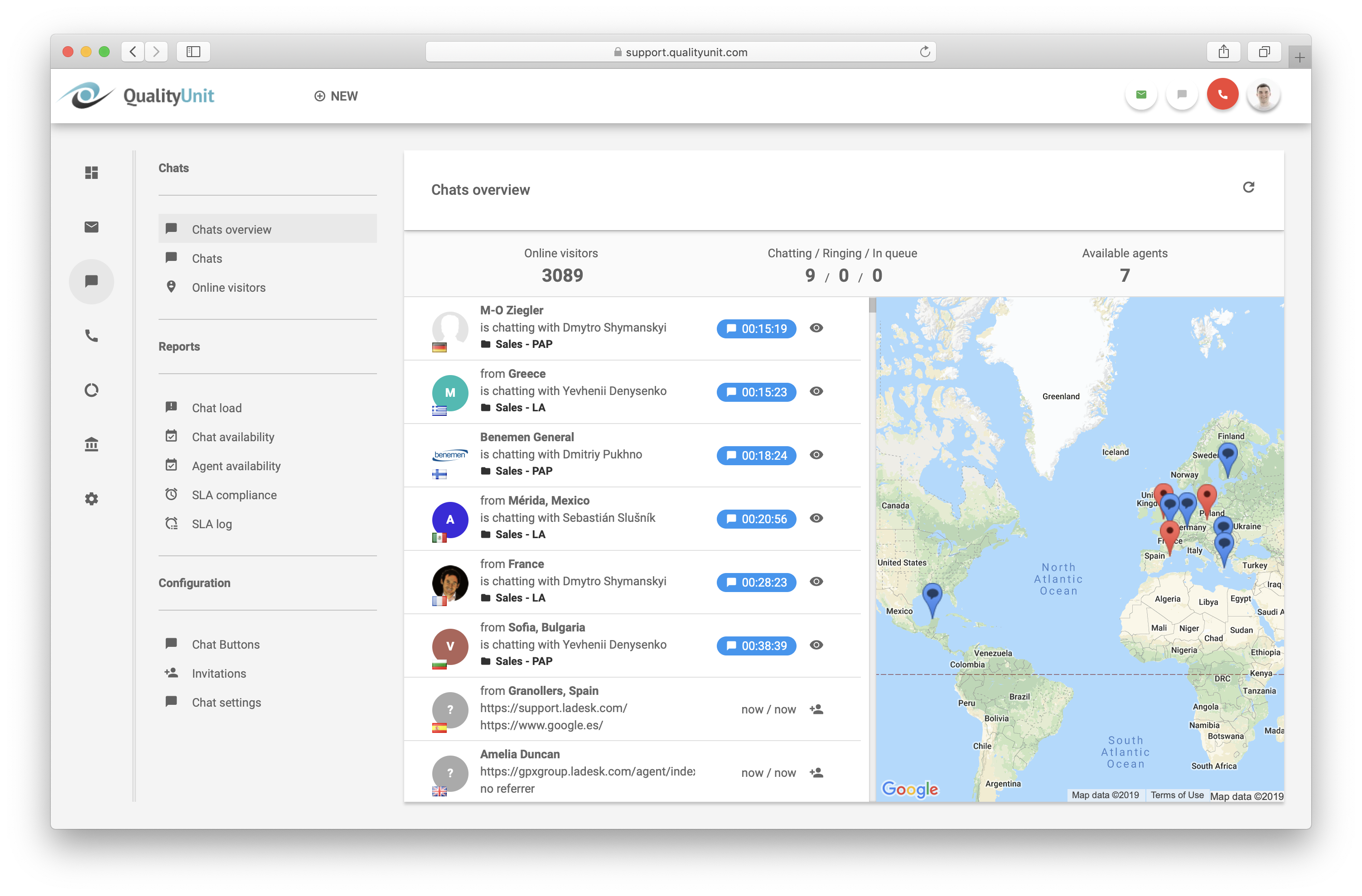
LiveAgent’s chats overview gives you a holistic view of all of your website visitors. This chat feature shows you where your website visitors are geographically located, what URLs of your site they’re browsing, and how long they’ve spent browsing each page.
The chats overview lets you see:
LiveAgent allows you to view all previous chats along with all current chats on one screen. If you’re searching for a specific chat, you can filter your search by tags, departments, dates, names, etc.
LiveAgent’s online visitors is a chat feature that allows you to monitor who’s browsing your site. Find out your visitor’s IP address, referrers, geographical locations, current URLs on your site, and the total amount of time they’ve spent browsing your site.
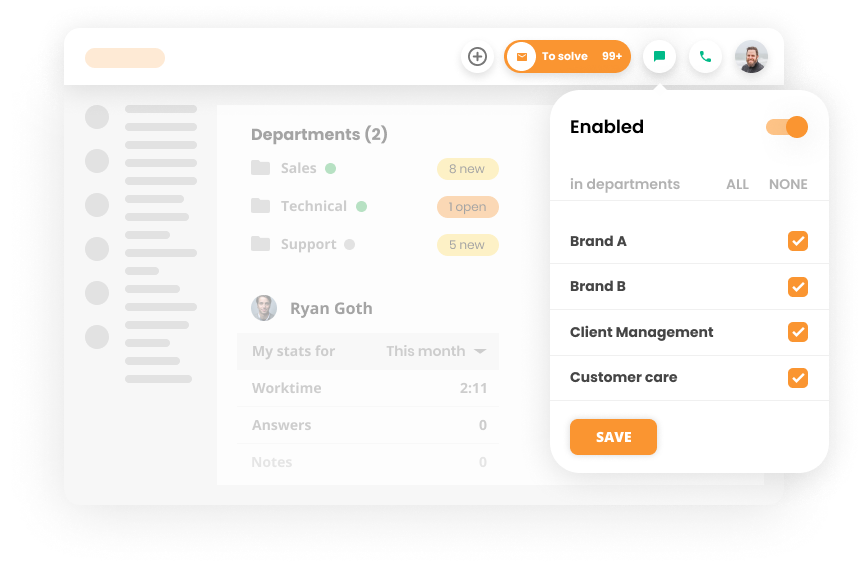
LiveAgent offers multiple chat distribution methods. The system can be set up to use:
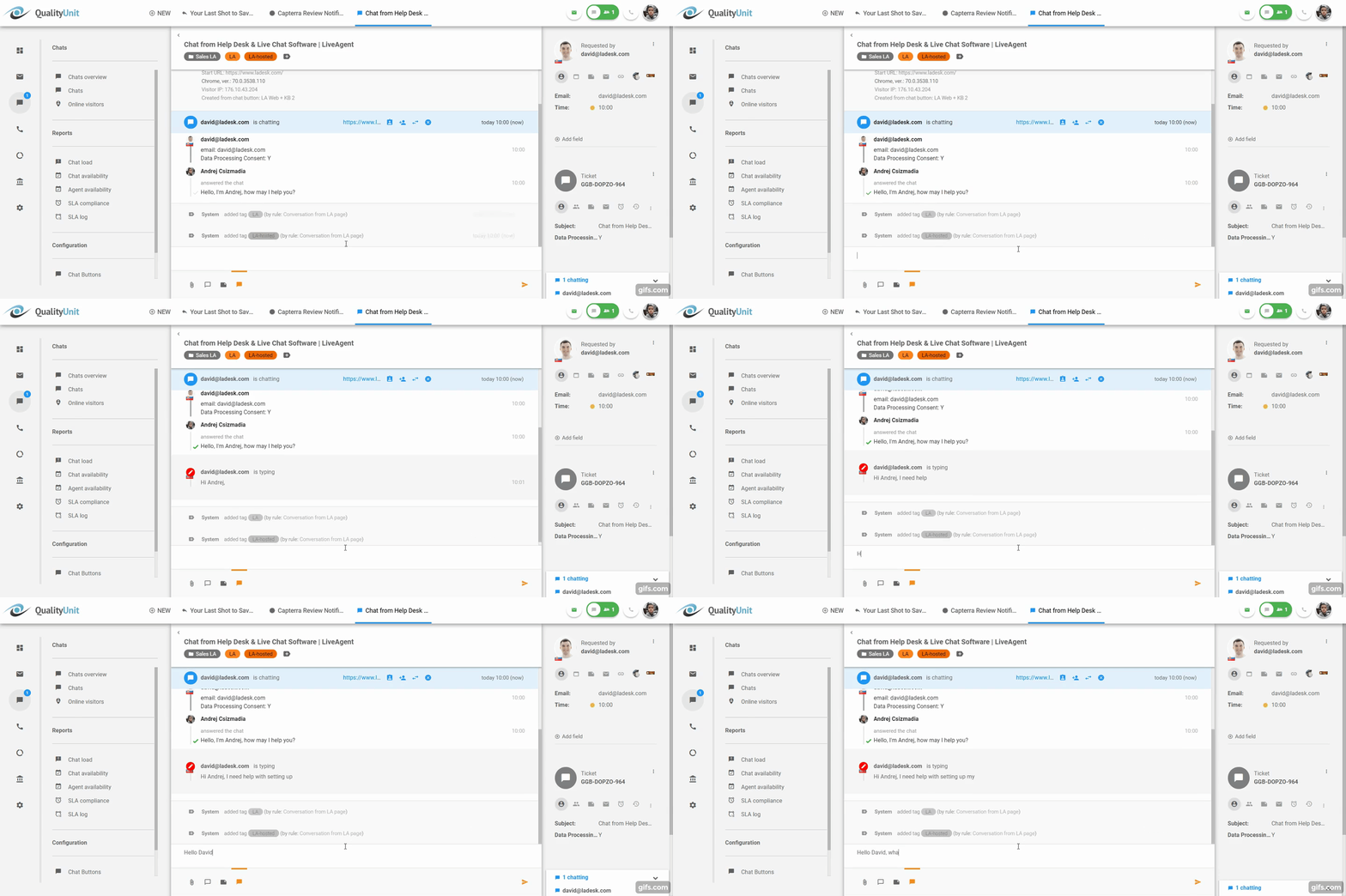
LiveAgent gives you a real-time view of what your customers are typing into the chat window. Before they even hit send, you can start looking up their order numbers, previous purchases, or previous tickets to provide even faster customer service.
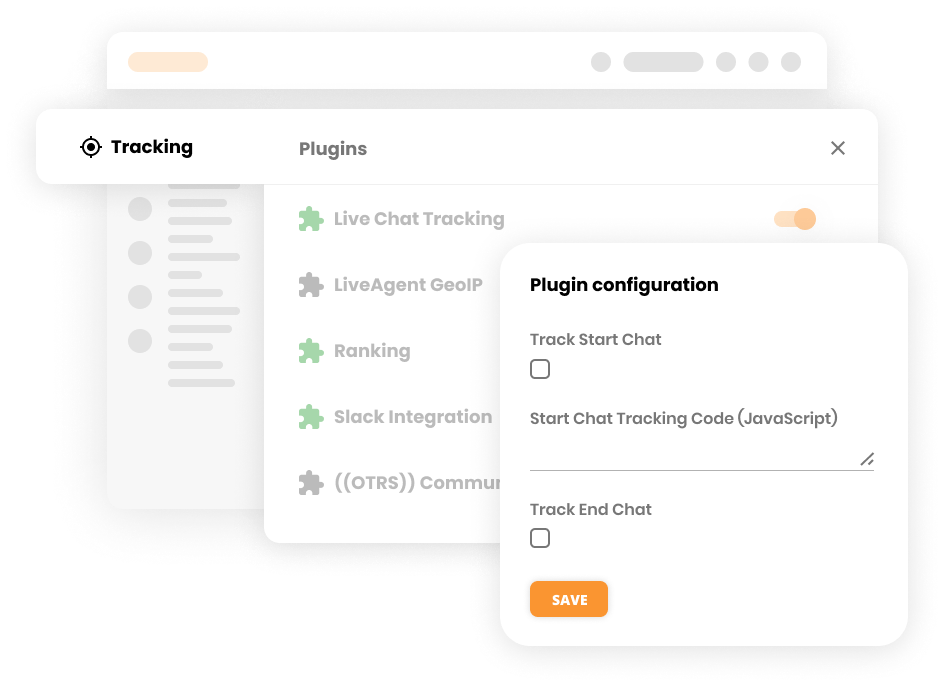
LiveAgent gives you the option to track events of live chat sessions in Google Analytics. You have the option to track:
LiveAgent offers a solution for when there are too many people waiting in queue to chat with you. By defining your max queue limit, your live chat button can automatically change its availability to offline or completely hide from your website. When the queue is back in the limit, the website chat box will appear automatically.
LiveAgent provides an internal chatting tool for your agents. The tool allows them to chat amongst each other without having to exit the LiveAgent dashboard, and without using any third-party applications. The chat is equipped with file-sharing options and allows users to send each other ticket IDs that are embedded as clickable links.
Agents can have multiple internal chats open at the same time.
LiveAgent lets you see what web pages your website visitors are browsing on your site. Each time your visitor opens a different page on your website, you’ll be notified.

Our universal inbox makes it easy to multitask. While you’re waiting for a new website chat response, you can focus on answering tickets from other channels directly from your centralized inbox.
The hybrid ticket stream allows you to follow your customer’s contact/problem resolution journey through different channels while staying in the same ticket thread. If a customer is referring to a previous conversation they’ve had with a different agent, you can easily look it up in the hybrid ticket thread.
LiveAgent offers a built-in CRM directly inside your universal inbox. While you’re chatting with a customer in real-time you can view their information, past tickets, purchases, and any other additional information that you’ve collected and recorded.
The CRM information can be edited and updated in real-time.
Tags allow you to search for past tickets faster. If a customer is referring to a past live chat about their subscription upgrade, you can easily search for the chat transcript by filtering your search with the ‘upgrade" tag.
Canned responses allow you to answer frequently asked questions in an instant. Agents have the ability to type up generic responses to FAQs and save them. If a customer they’re chatting with asks a general question, agents can answer with one click (by clicking on the canned response).
LiveAgent integrates with over 40 third-party applications such as MailChimp, PipeDrive, Braintree, Shopify, GoDaddy, Nicereply, and more. By integrating applications that you use daily with LiveAgent, you’ll be able to access these applications and take actions that you’d take within the apps.
For example, if you want to add a new deal to PipeDrive, you can do so while chatting with your customer in real-time. You simply have to open up their contact card within LiveAgent, and click on the PipeDrive icon which will allow you to add new deals or change existing deal values.
Integrating the apps you use daily with LiveAgent will ultimately save you time — think less clicking, less logging in, fewer tabs.
Having a chat box on the website improves customer satisfaction, which in turn, improves sales and retention. In addition, the website chat:
By giving your customers the option to contact your customer service immediately, you’re effectively decreasing the number of incoming ticket volumes. Live chats are generally resolved faster than phone calls and emails, and thus can prevent your customer support department from being swamped and overwhelmed by tickets.
Customers expect to find live chat on your website. Provide it, and reduce the amount of effort they have to put into contacting you. Placing a live chat button on your website is the easiest way. Why? Customers generally look for answers to their questions on your website, and when they can’t locate them, they turn to live chat.
As such, this is the lowest effort option. If the customer had to search further to find your contact information, open their email, send it, and wait for a response, they could easily become frustrated.
Using live chat software can improve customer engagement and sales. By using proactive live chat software and placing chat invitations in strategic places on your site, you can easily engage with your customers, offer help, and even upsell and cross-sell.
Did you know that customers that engage with a business on website chat are more likely to spend more and make repeat purchases?
Live chat is a software technology that allows customers to communicate with customer support representatives in real-time. Customers can start a chat with you on your website, instead of having to call or send an email, making the interaction process more time efficient.
Live chat is important because customers get almost immediate answers to their questions, it provides real-time help, requires no effort from the customer, meets customer expectations, gives you a competitive advantage, and is a low-cost solution that can improve sales, engagement, and retention.
Live chat decreases ticket volumes by resolving issues faster than phone calls and emails, lowers customer effort by providing the easiest contact method, and increases engagement and sales through proactive chat invitations and strategic placement on your website.
Yes, LiveAgent gives you complete freedom to create your own chat button. You can choose the button's position, colors, animation, hover effect, mobile options, and Z index. You can also use pre-designed buttons from the chat button gallery and customize them according to your needs.
Proactive chat invitations allow you to reach out and offer help to customers currently browsing your website. You can place chat invitations on custom URLs, such as pricing or FAQ pages, and set them to display after a certain period of time has elapsed.
LiveAgent offers multiple chat distribution methods including random assignment, pre-set priorities, ring to all, average utilization, and max utilization. Each method routes incoming chats to available agents based on different criteria to optimize response times and agent workload.
Discover LiveAgent's powerful features that streamline communication, increase efficiency, and boost customer satisfaction.
LiveAgent's real-time chat tool enhances customer interaction with instant responses, boosting satisfaction and conversions. Features include mobile chat, file ...

Live chat video is a cost-effective tool for real-time, personalized customer communication, enhancing satisfaction and conversion rates. It allows face-to-face...

Explore the top 13 ecommerce live chat software options for 2025 to enhance customer service, boost sales, and reduce cart abandonment. Get insights on features...
Join our community of happy clients and provide excellent customer support with LiveAgent.
