



Call Center Automation
Explore LiveAgent's call center automation for enhanced customer satisfaction and agent workflow. Features include IVR, automatic callback, call routing, CRM in...
4 min read
Call center automation
IVR
+2

Effortlessly manage calls with LiveAgent’s customizable IVR system. Improve customer satisfaction, reduce wait times & streamline support!
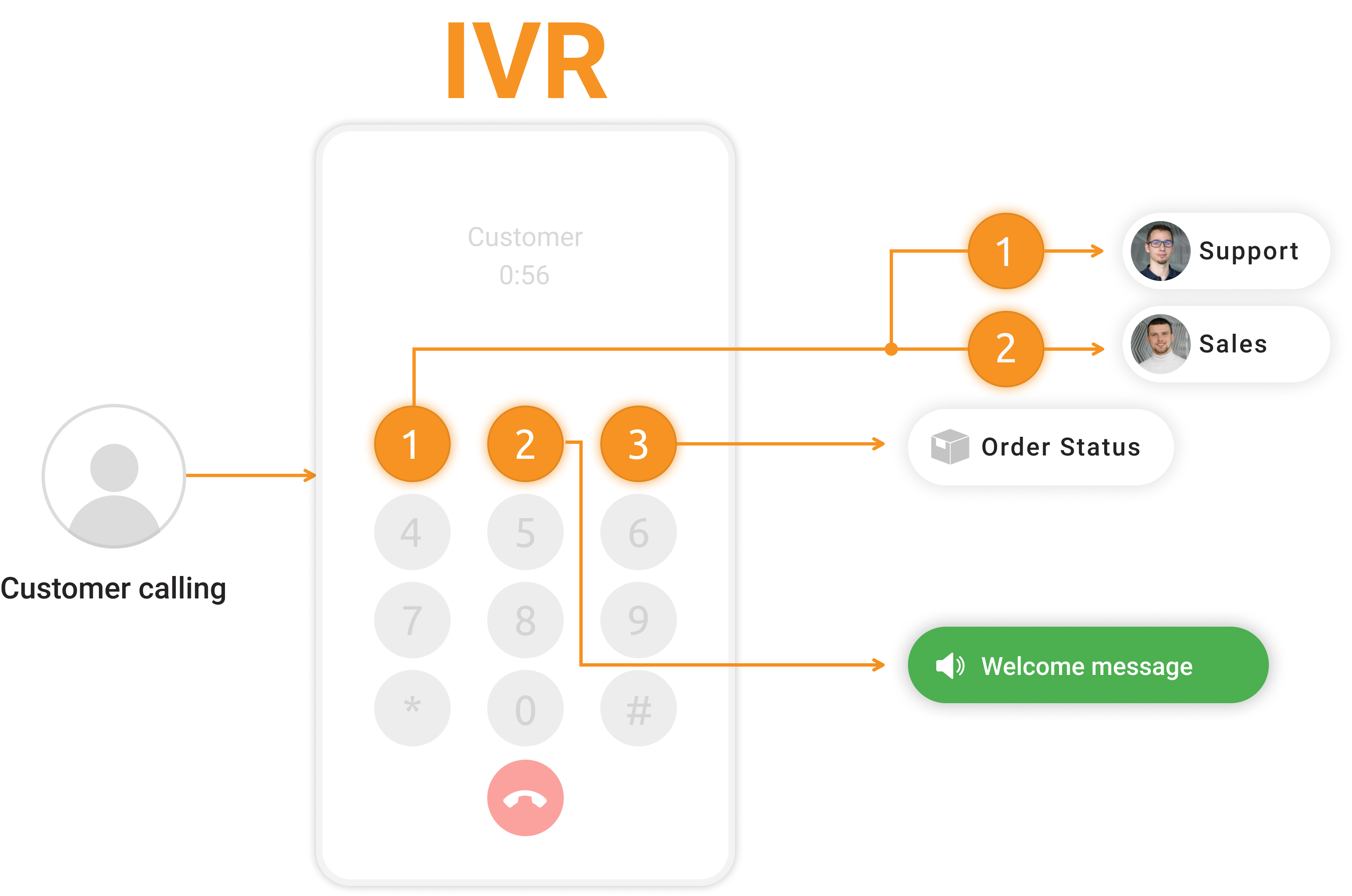
IVR is an abbreviation for Interactive Voice Response. Interactive voice response is an automated phone system that interacts with callers. The IVR system gathers information during the interaction and responds by executing an appropriate action, such as routing the caller to the correct agent/department or issuing a callback. Implementing callback solutions or IVR call routing within the IVR system can improve customer satisfaction by minimizing wait times and ensuring that their issues are addressed promptly.
Interactive Voice Response lets you route calls to proper departments or agents. When a customer wants to contact your support team, they encounter pre-recorded voice prompts. All they have to do is enter a few voice or key commands, and they are immediately redirected to the correct department of your support team.
For example, a typical IVR tree would take the customer to the expected department, like the Billing department, after the customer presses a specific number on their phone.
IVR allows your agents to work more efficiently and harness the full potential of your call center phone software.
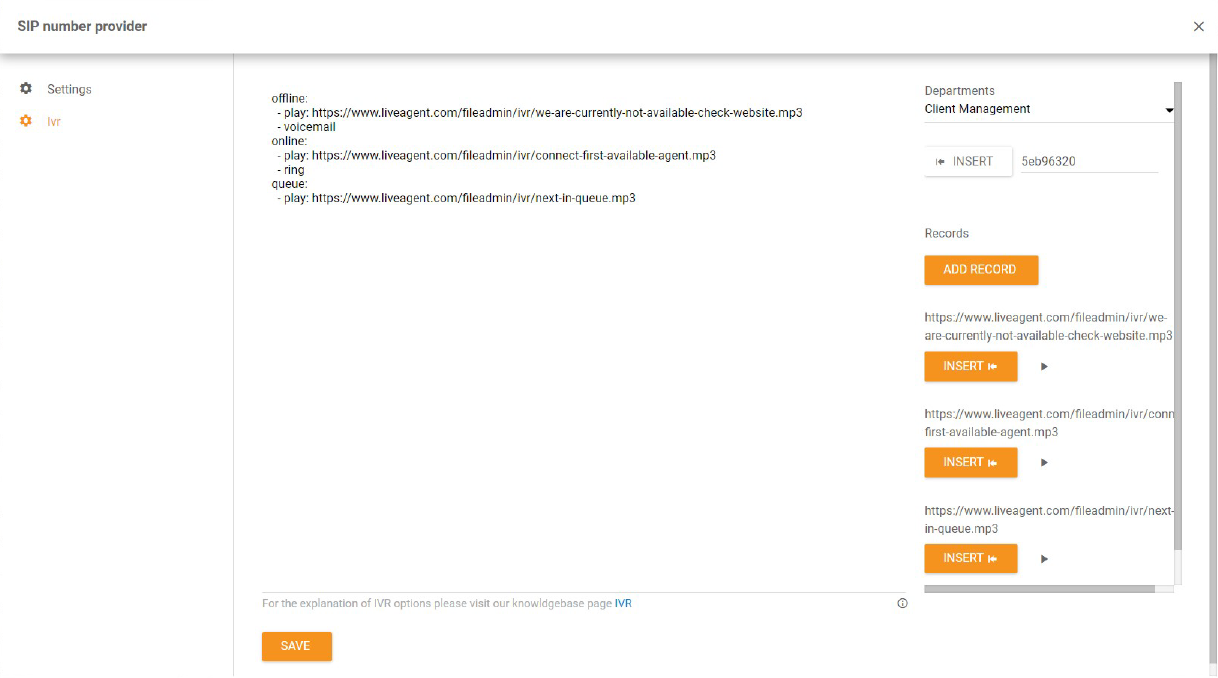
LiveAgent features a comprehensive IVR online designer tool where anyone can design their IVR trees, even if they have zero technical experience. Check out the video below to gain more insights.

Our tip: Record all Interactive Voice Response audio files directly in the IVR designer tool in LiveAgent. The tool lets you design/write your Interactive Voice Response tree from scratch, including recording or uploading your audio files into the tree.

The latest tips and deals delivered straight to your inbox.
IVR is a well-known customer support feature that can do wonders for your help desk. If your agents are feeling overwhelmed, customers cannot connect via phone, or simply if you want to make things more organized, IVR trees can do the trick. You can set them up, customize them, and figure out what works the best for you right away in LiveAgent.
See an IVR tree with two available department choices below. Customers can either choose the Sales department or Technical department.
Hello, you’ve reached [Company Name]. Please choose from the following menu options:
This saves customer’s and company representative’s time. No extra transfers are needed when a customer reaches the correct department immediately.
Moreover, you can record a custom sound for each automatic department transfer (play). Add music that is being played before a representative answers the call (online/play). If there is no available agent, a customer can also leave a voicemail (offline/voicemail).
start:
  - choice:
      1:
        name: Sales department
        play: http://www.example.com/sound-sales.mp3
        do:
            - transfer:
              to: salesDep
              if:
                online:
                  - play: http://www.example.com/welcome.mp3
                  - ring
                offline:
                  - play: http://www.example.com/voicemail.mp3
                  - voicemail
      2:
        name: Technical department
        play: http://www.example.com/welcome.mp3
        do:
            - transfer:
              to: techDep
              if:
                online:
                  - ring
                offline:
                  - play: http://www.example.com/voicemail.mp3
                  - voicemail
Creating a professional Interactive Voice Response message can seem like a daunting task at first. Don’t worry; we have created free customizable IVR scripts to get your business started right away.
Need more help with this feature? Check out these detailed guides:
Explore LiveAgent's call center automation for enhanced customer satisfaction and agent workflow. Features include IVR, automatic callback, call routing, CRM in...

Enhance customer satisfaction with LiveAgent's automated callback feature. Try a 14-day free trial to reduce call queues and boost productivity!

LiveAgent's automatic callback feature enhances customer satisfaction by allowing callers to request callbacks when lines are busy. It reduces abandoned call ra...
Cookie Consent
We use cookies to enhance your browsing experience and analyze our traffic. See our privacy policy.