






Knowledge Base Templates
Learn to create a self-service knowledge base with LiveAgent's templates, including guides, FAQs, and tutorials. Discover how to write effective knowledge base ...
7 min read
LiveAgent
Knowledge Base
+2

Boost team efficiency with LiveAgent’s Internal Knowledge Base! Organize company info, guides, & news. Try LiveAgent free for 30 days now!
A Knowledge Base is a collection of information about a particular subject. - Cambridge Dictionary
A knowledge base serves as a centralized repository of information that helps organizations manage and share knowledge efficiently. It’s a critical tool for any business looking to improve internal communication and employee productivity.
The internal knowledge base is essentially self-service for your employees. As implied, it is only displayed internally. Meaning, only your employees can view it. Internal KB (Knowledge Base) can be a source of important company information. It can also improve efficiency, performance, and employee knowledge.


Start your free trial today and see results within days.
The internal KB can include:
To keep your company knowledge base organized, simply create different categories for different topics. For instance, you could create different sections for the onboarding process, company news, and how-to guides. This will create a structure through which your employees can easily find whatever information they need.
Moreover, you can add a Forum and Suggestions/Feedback option for each category. Thus, each agent has access to the database of common questions and answers that have been asked by other agents. This greatly reduces the time it takes for each agent to solve their problem.
The latest tips and deals delivered straight to your inbox.
The internal KB is usually a part of more complex software, such as help desk software. In such a system, you can create both internal and external knowledge bases.
The first step is to log in to your LiveAgent account. If you do not have one, feel free to use our 30-day free trial.
After you log in, simply navigate to the Knowledge Base section as shown in the screenshot below.
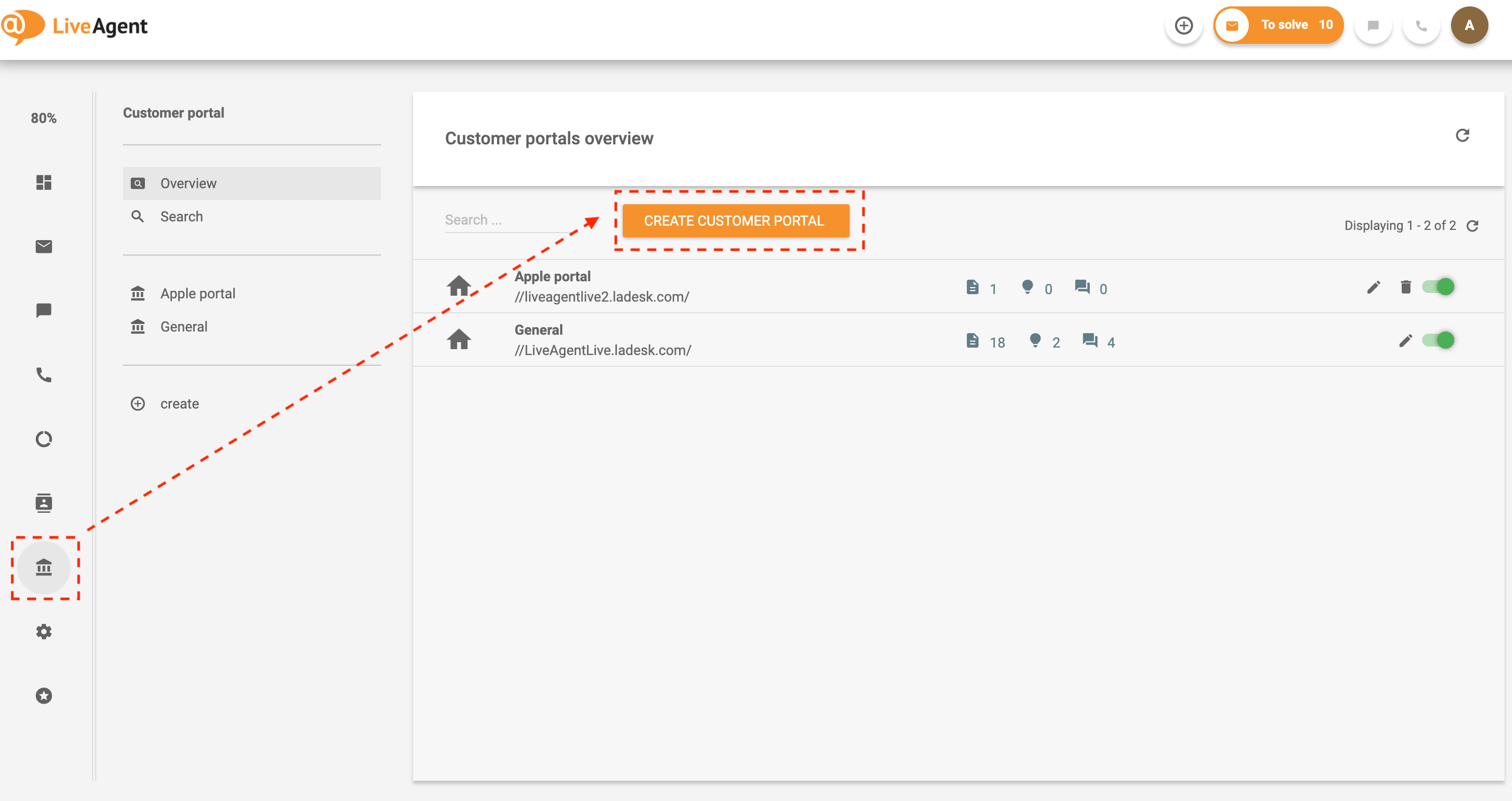
For improved organization, create categories based on your company’s needs and preferences. Click on create and fill in all the necessary details. Don’t forget to select the internal access if you want the information to be private and only accessible by members of your organization.
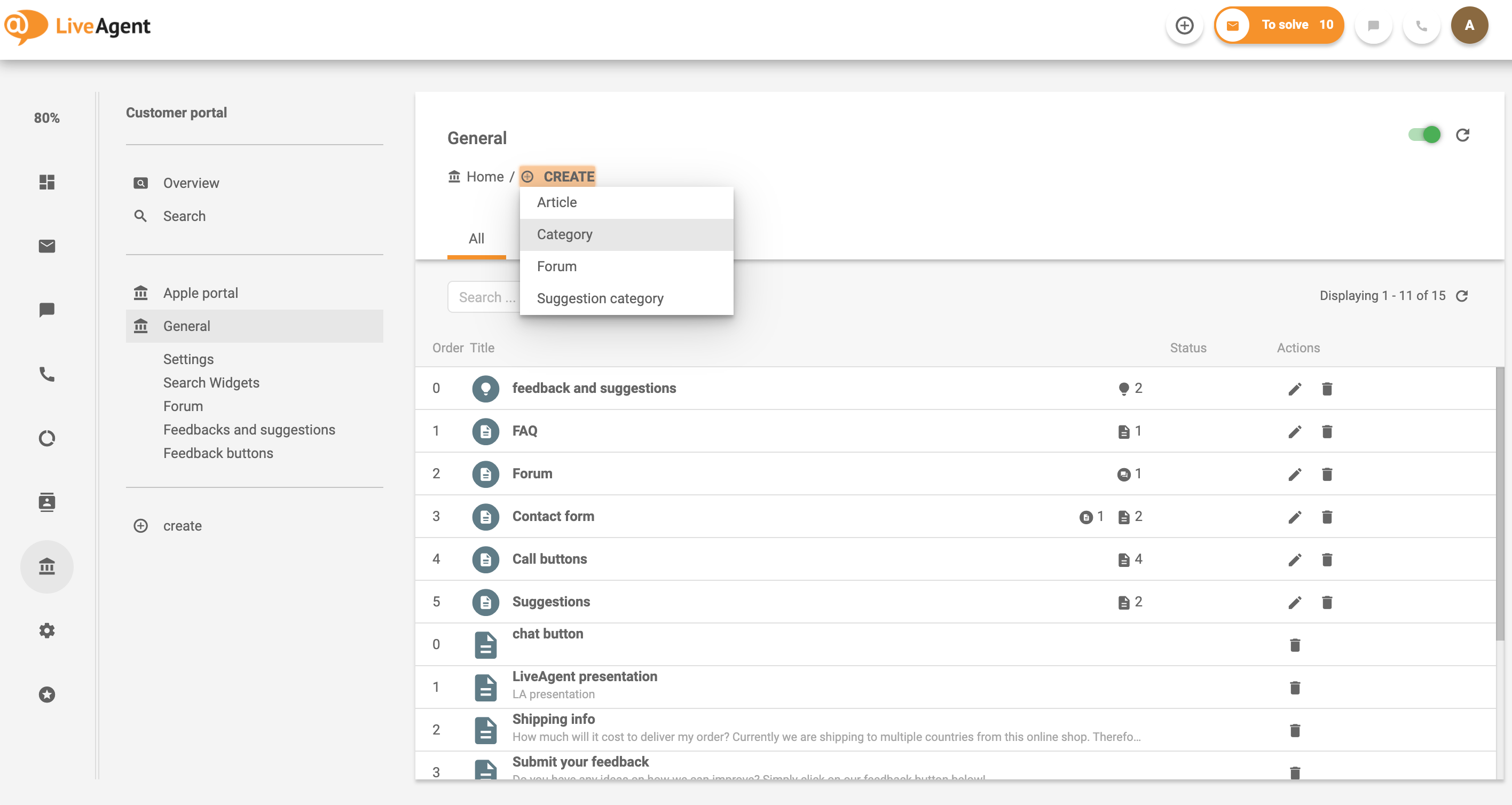
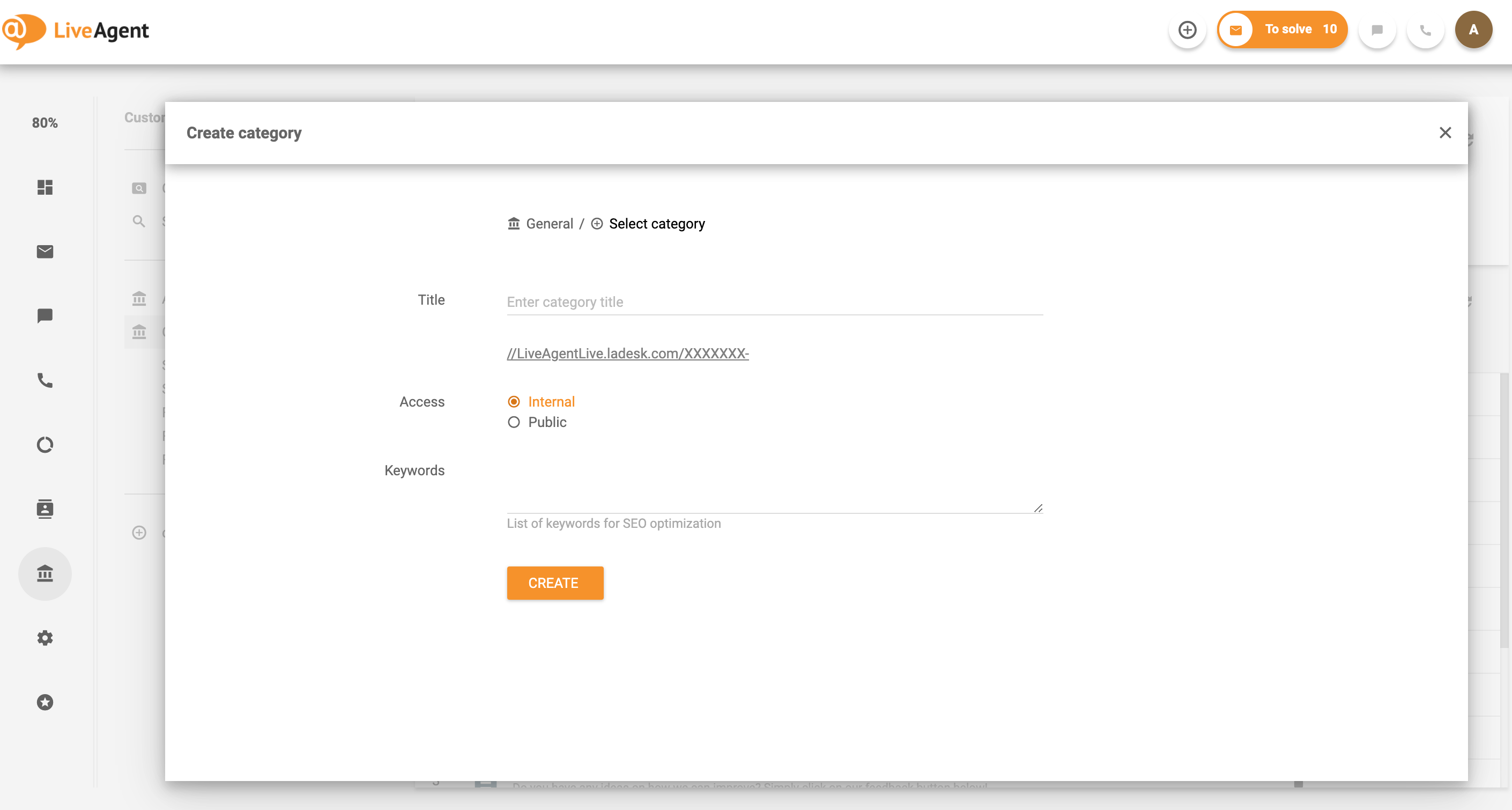
After you’ve created your categories, you can begin to build knowledge base content. You can create articles, Forums, or Suggestion categories.
If you have LiveAgent, read our in-depth Knowledge base guide or check out the video demo below.
The benefits include:
The onboarding process can be long and strenuous sometimes, especially if you do not have a proper management system. Your company has onboarded a new member of the customer service department. Thus, you need to ensure the employee is up to speed with the company information, training, and organizational structure.
More often than not, the amount of new information/knowledge is pretty stressful to remember for a new employee. Therefore, having an internal KB can ensure that the agent goes through the onboarding smoothly. All the information will be there, so the new agent can also go back and reflect on the internal information if needed.
Even an experienced senior customer service agent does not know all the answers. Sometimes there are brand updates, new promotions, or legal changes that the agent might not be aware of. When you’re in a bind and don’t know where to find the answer to your question there is only one place to go — the internal knowledge base. The internal knowledge base enables you to search for information quickly. As a result, all agents can provide prompt and quality customer service.
When selecting software for your internal knowledge base, follow these steps:
LiveAgent is a cloud-based help desk and customer support software that helps companies provide excellent customer service, monitor customer satisfaction, and reduce the overall cost of customer support.
To be more specific, the system displays all the customer service tickets in one place. Thus, emails, calls, social media inquiries, and live chats are all displayed in one interface and evenly distributed between your customer service agents. As a result, any company that uses help desk software can handle customer queries from different support channels in an efficient manner.

Want to know more? Check out all LiveAgent features.
Discover LiveAgent's powerful features that streamline communication, increase efficiency, and boost customer satisfaction.
Learn to create a self-service knowledge base with LiveAgent's templates, including guides, FAQs, and tutorials. Discover how to write effective knowledge base ...

Learn how to build an effective internal knowledge base in 2025 with this ultimate guide! Boost efficiency with expert tips and best practices.

Learn to create a knowledge base in 6 steps: choose the right software, organize content, and improve articles. Avoid common errors, enhance customer service, a...
Join our community of happy clients and provide excellent customer support with LiveAgent.

Cookie Consent
We use cookies to enhance your browsing experience and analyze our traffic. See our privacy policy.