



Tags features
Tags in LiveAgent help organize help desk tickets, enhancing agent efficiency and response times, leading to better customer satisfaction and revenue. They can ...
6 min read
Tags
Ticket Management
+1

Ticketing filters in LiveAgent help you quickly locate specific tickets by applying settings and rules to search queries. Enhance your ticket management and streamline customer support with custom filters.
Ticketing filters can be used to locate tickets within your help desk software. You can define ‘filters’ as settings, rules, or requirements that can be applied to a search query, so only tickets that match those conditions appear in your search results.
Ticketing filters are very much like any other filter that you use on the internet. For example, they’re comparable to Google search filters that help you find relevant Google search results or TripAdvisor filters that enable you to find the right hotel, restaurant, or activity based on your budget and other criteria.
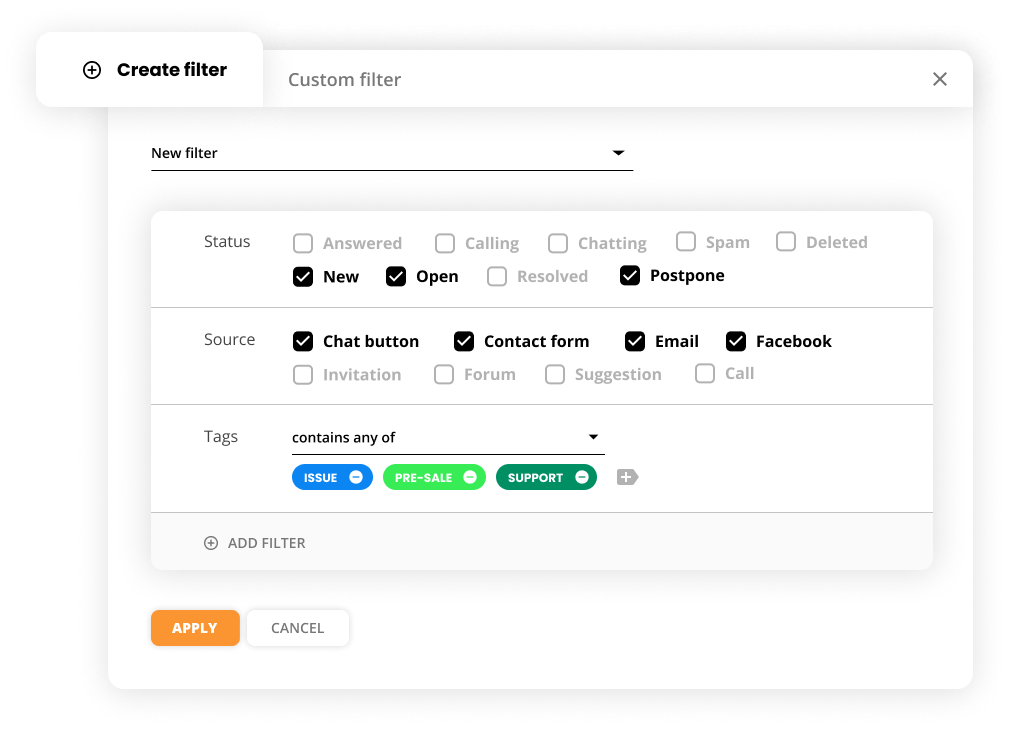
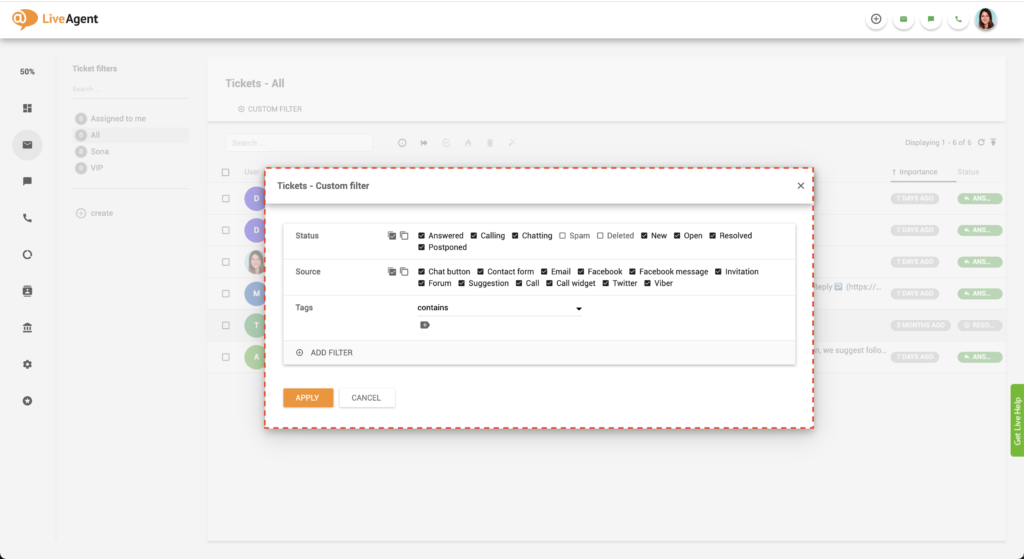
Using ticket filters in a ticketing tool can greatly enhance your ticket management process. These filters serve a practical purpose by helping you to track and find specific tickets. For instance, if you have a large number of tickets stored in your help desk software inbox, it can be difficult and time-consuming to scroll back and find a particular ticket. However, with the help of these filters, you can streamline this process and locate a specific ticket in just few seconds.
The more specific your filters are, the more accurate your results will be. For example, let’s say you’re looking for a ticket from a VIP customer called John. He’s been contacting your support department for years, so finding a particular ticket from him will be a bit difficult. However, you do remember that John submitted the ticket you’re after via live chat. You also remember that his question was technical.
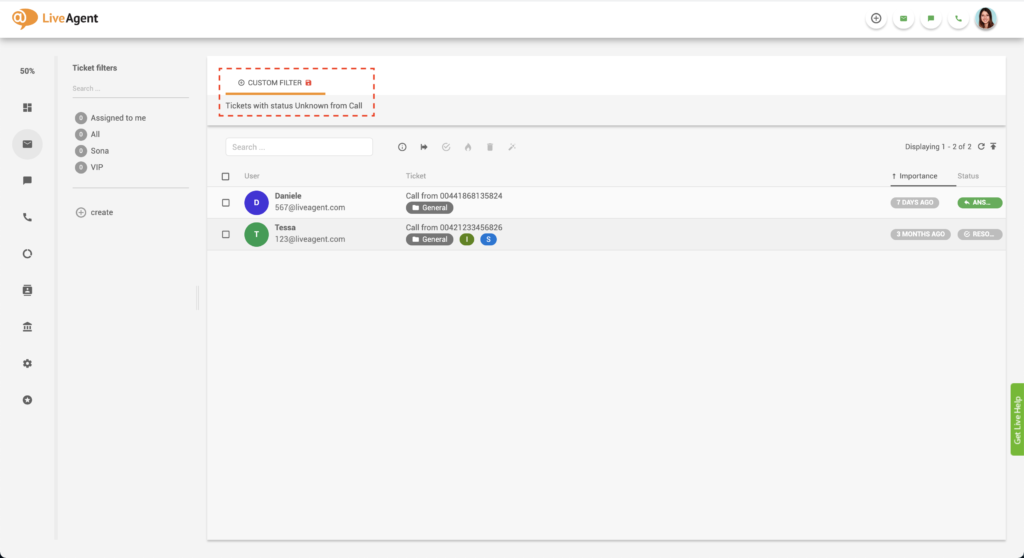
You can narrow your search by selecting the source of the ticket as live chat. Then, to narrow it down even further, you can choose a tag filter that contains a technical support tag.
Creating these filters in your service ticket software will narrow down your search significantly and make it much easier to locate the ticket you’re after.

Start your free trial today and see results within days.
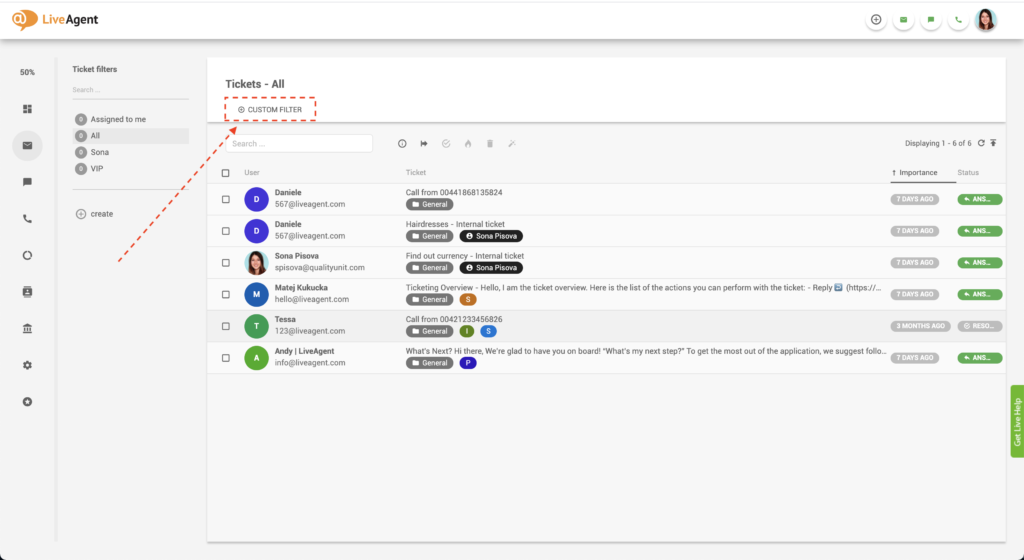
The latest tips and deals delivered straight to your inbox.
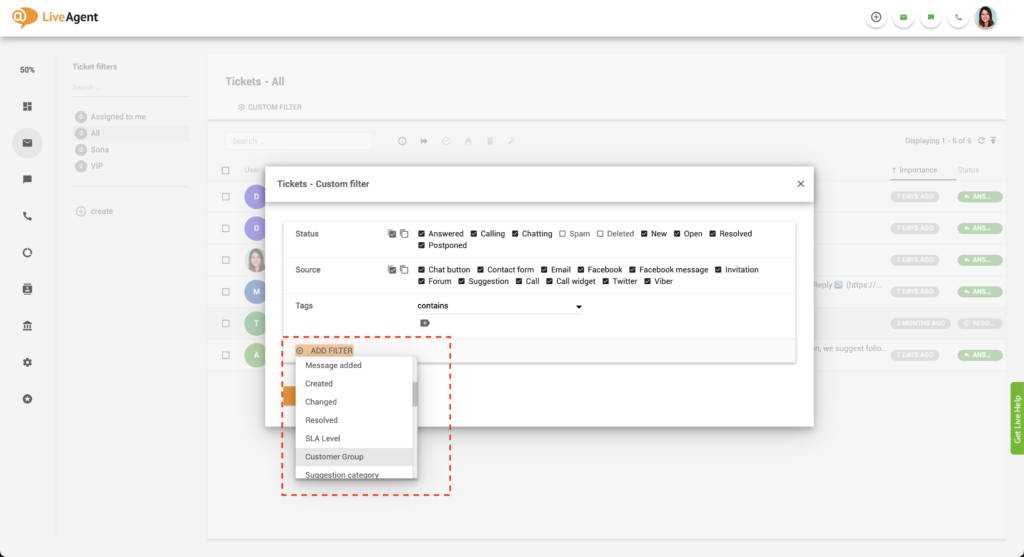
You can create your filter based on:
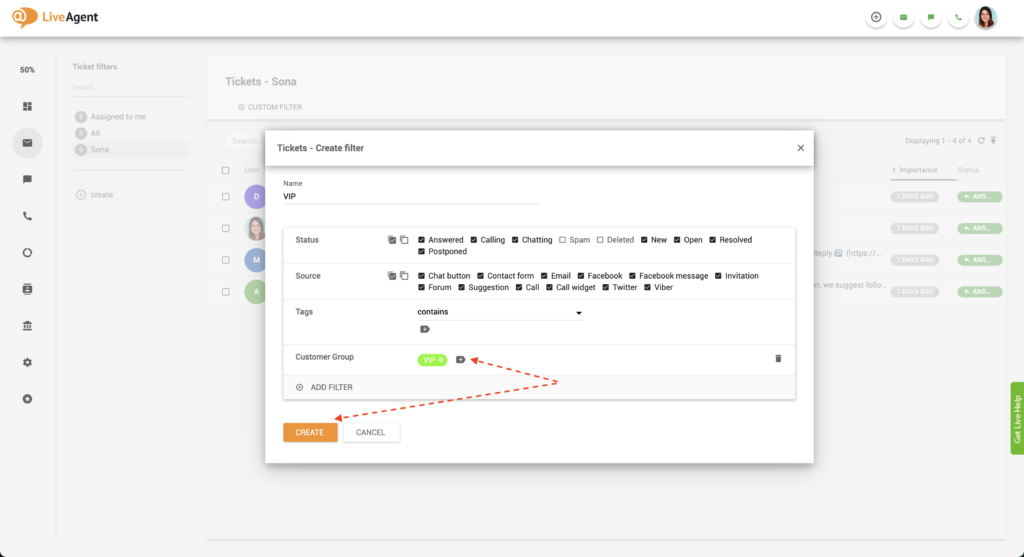
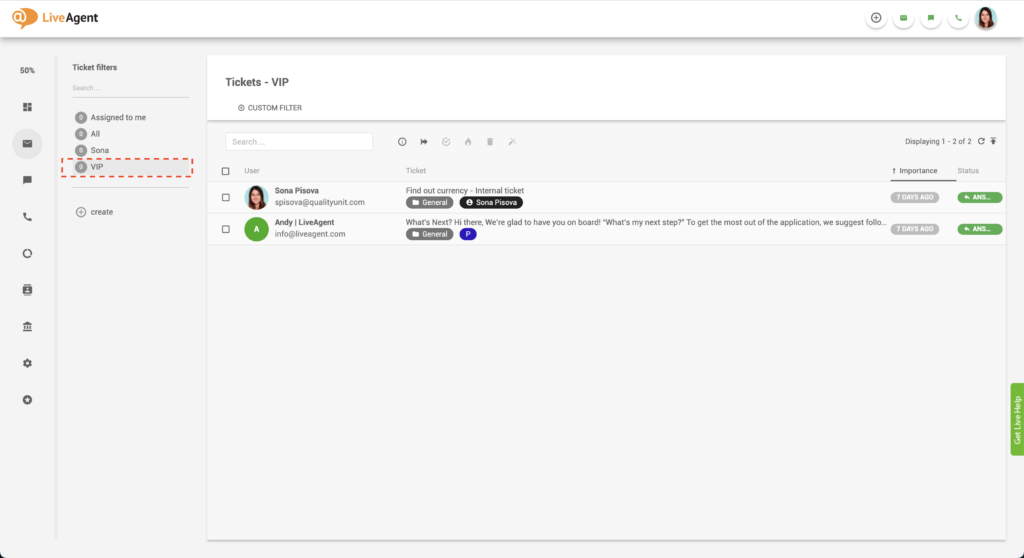
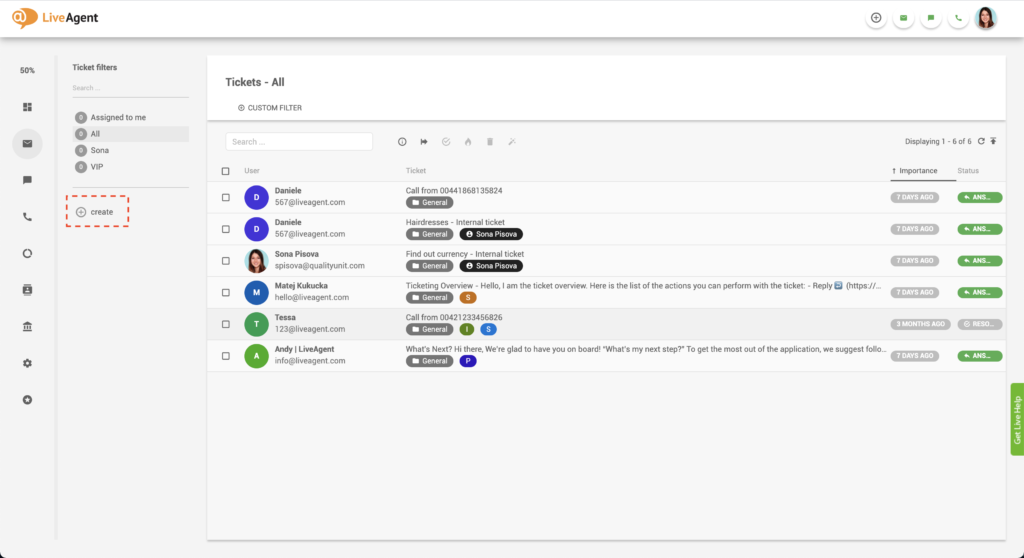
LiveAgent offers countless filter options.
Yes! LiveAgent help desk software can filter your tickets with an unlimited number of values.
Saved ticket filters are not updated in real-time. Therefore, the number of ‘Open’ and ‘New’ tickets displayed next to the filter name often does not reflect the number of tickets shown in the filter. However, once you click on the filter, the number is updated.
Filters are updated approximately every 2 seconds to every 10 minutes. This time is different for every saved ticket filter and depends on the filter’s conditions. For example, hidden filters will recompute only every 5 to 10 minutes. On the other hand, active filters with only a few Open and New tickets will update every 2 seconds. Active filters with 99+ tickets will update less often. Moreover, if you’ve created a complex search filter that takes at least 30 seconds to load the result, it will not be updated more often than every 32 seconds.
If you are the owner of your LiveAgent account, you have the option of creating global ticket filters. Global ticket filters define default ticket filters for all or specific agents. This setting ensures that your agents have a clear ticket overview and aren’t distracted by tickets assigned to other agents or departments.
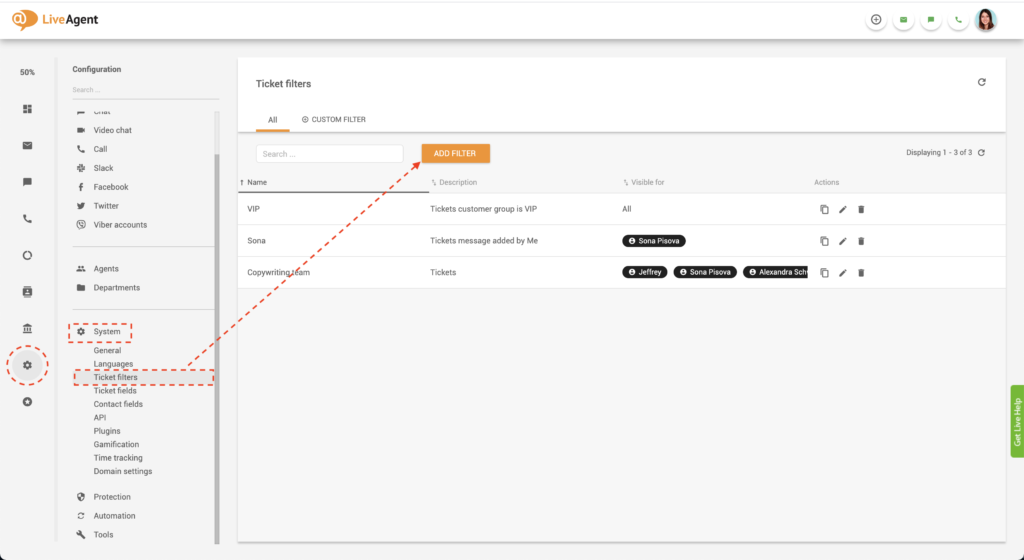
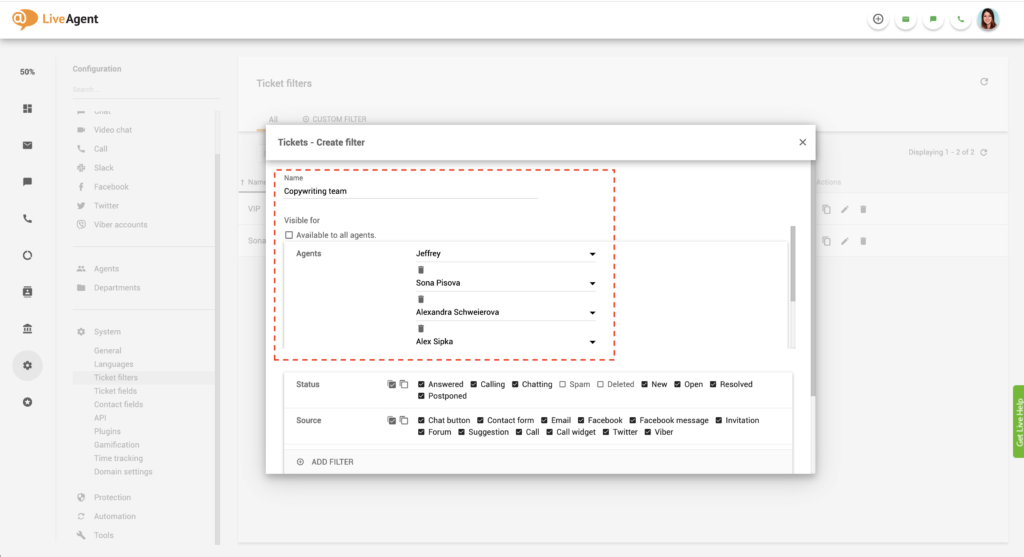
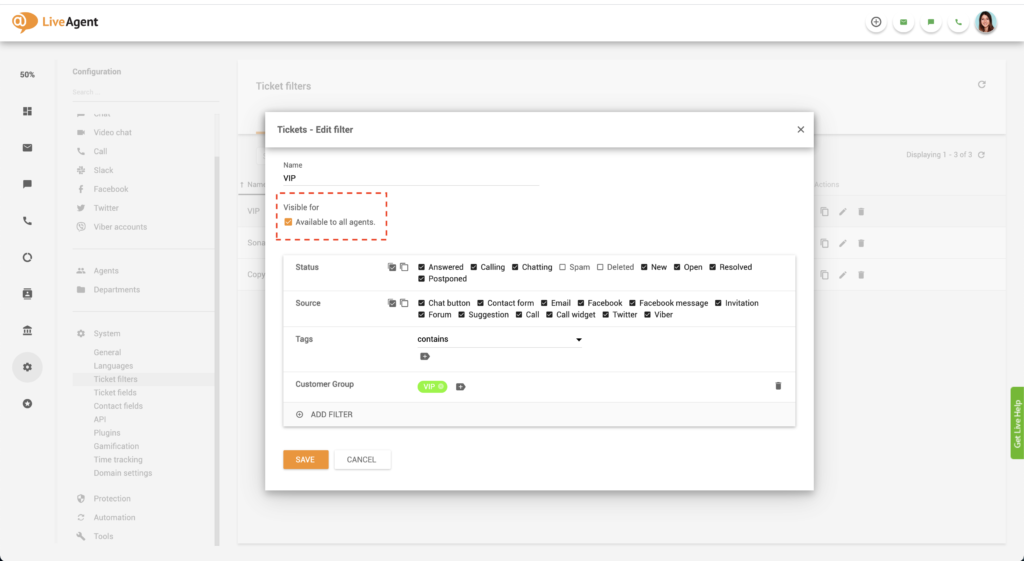
Let’s say one of your colleagues is going on vacation, and you’re tasked with covering for them while they’re away. One way to ensure you answer all tickets assigned to them would be by creating a filter containing all their tickets.
For our second example, let’s say you want to display all tickets created today because you’re looking for a specific query. Again, ticket filters enable you to do that with ease.

Filter tickets by channel, customer, or any other custom filter to make searching easier. Try it today for free. No credit card is required. Start your 30-day free trial today.
Discover LiveAgent's powerful features that streamline communication, increase efficiency, and boost customer satisfaction.
Tags in LiveAgent help organize help desk tickets, enhancing agent efficiency and response times, leading to better customer satisfaction and revenue. They can ...

LiveAgent's Tag Reports enhance support workflows by using tags to categorize tickets and create custom reports. Features include call tagging, customizable but...

Discover the power of efficient ticket management with LiveAgent. Streamline customer support by converting issues into tickets, enhancing response times, and b...
Join our community of happy clients and provide excellent customer support with LiveAgent.

Cookie Consent
We use cookies to enhance your browsing experience and analyze our traffic. See our privacy policy.