



Community Forum
Discover LiveAgent's Community Forum – a platform for customer interaction, self-service, peer support, and seamless problem-solving. Try free now!
3 min read
Customer support
Community Forum
+1

Discover how LiveAgent’s customer forums boost satisfaction and productivity with internal and public options. Create forums easily and enhance customer engagement, loyalty, and community building. Try LiveAgent’s forum software with a free trial today!
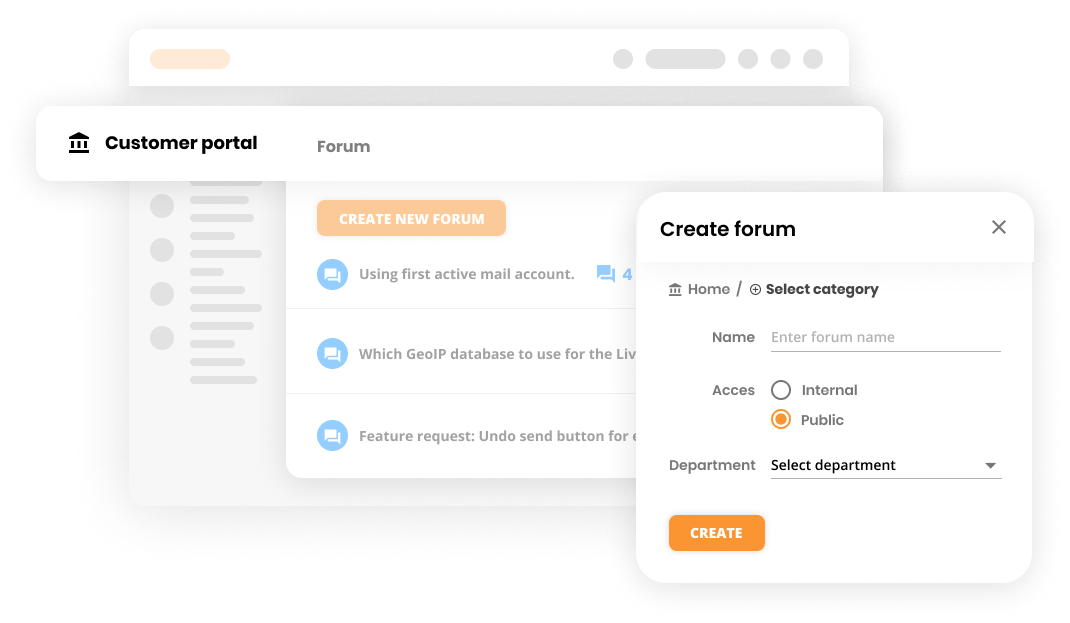
A customer forum is an online space for customers to discuss the company’s products, services, or preferences. LiveAgent is a complex help desk system that includes a forum platform that enables you to create, either public or internal forums.
A forum is an online platform or community where individuals can engage in discussions, ask questions, share opinions, and exchange information on various topics of interest. Users can create posts or threads, interact with other members through comments and replies, and access a wide range of topics and subtopics within the forum. It serves as a virtual space for open communication and collaboration among like-minded individuals.

Start your free trial today and see results within days.
LiveAgent provides help desk and knowledge base solutions that include forum software, which allows you to create 2 kinds of forums: internal and public.
The internal forum is pretty self-explanatory. It can be also defined as an agent forum, usually used to share work thoughts, information, and ideas. Essentially, it is a quick and effective way to communicate internally. The internal work discussions in an agent forum also create great suggestions for further internal knowledge base articles.
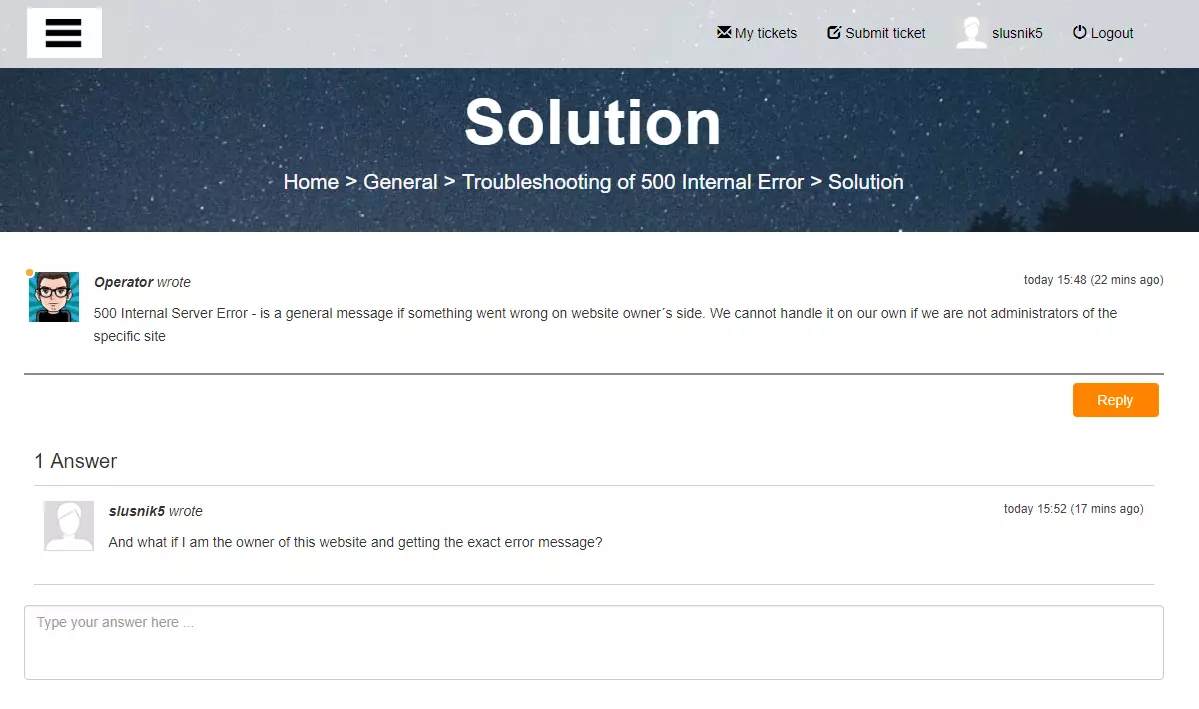
On the other hand, a public forum can be accessed by everyone including your customers. As such, it’s often called a customer forum. The forum enables them to share ideas, concerns, and information with each other. As a result, they can resolve their issues without having to contact your customer service agents. Because of this, forums can increase customer satisfaction as well as agent productivity.
To sum it up, the main difference between a public and an internal forum is that the content of the public forum is available to everyone. However, to use the forum, users have to register for an account.
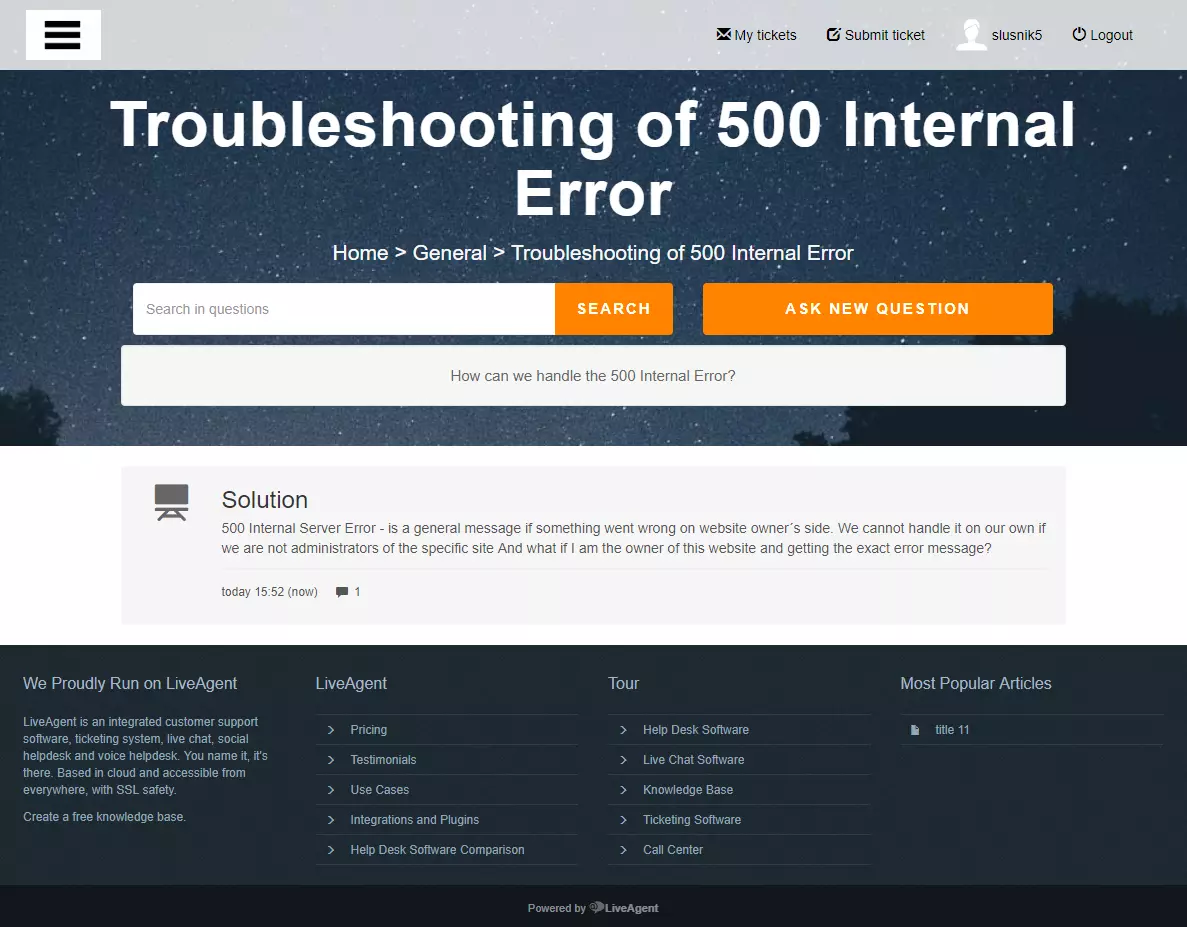
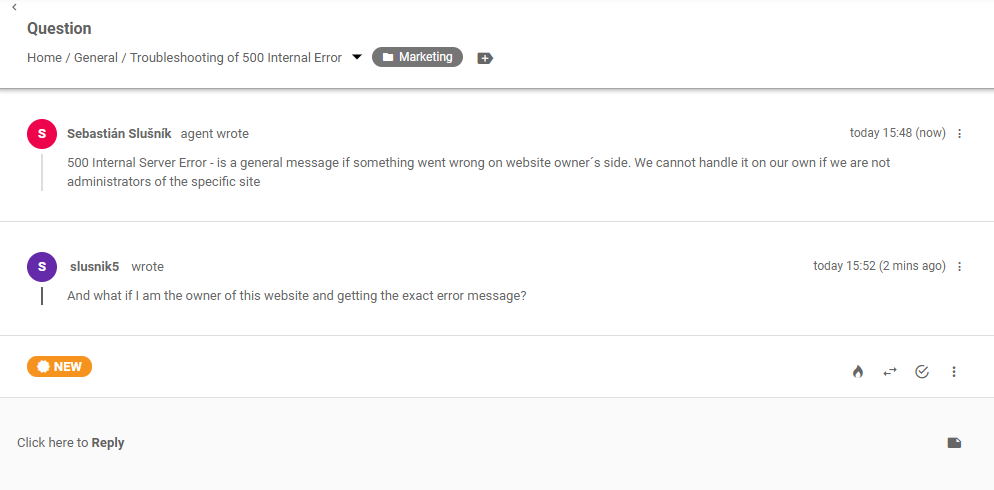
Whether you decide to create an internal or public forum, each forum can be assigned to a different department within your company in the community forum software. Thus, whenever there is a new question or a comment in a forum, the correct department will receive a ticket inside LiveAgent, which they can answer if necessary. By receiving these types of notifications, your agents can monitor customer forum discussions and step in when needed.
The latest tips and deals delivered straight to your inbox.
The first step is to log in to your LiveAgent account. If you do not have one, feel free to use our 30-day free trial.
Before you proceed to make a forum, we highly suggest you create categories. Categories allow you to organize the content of the forum.
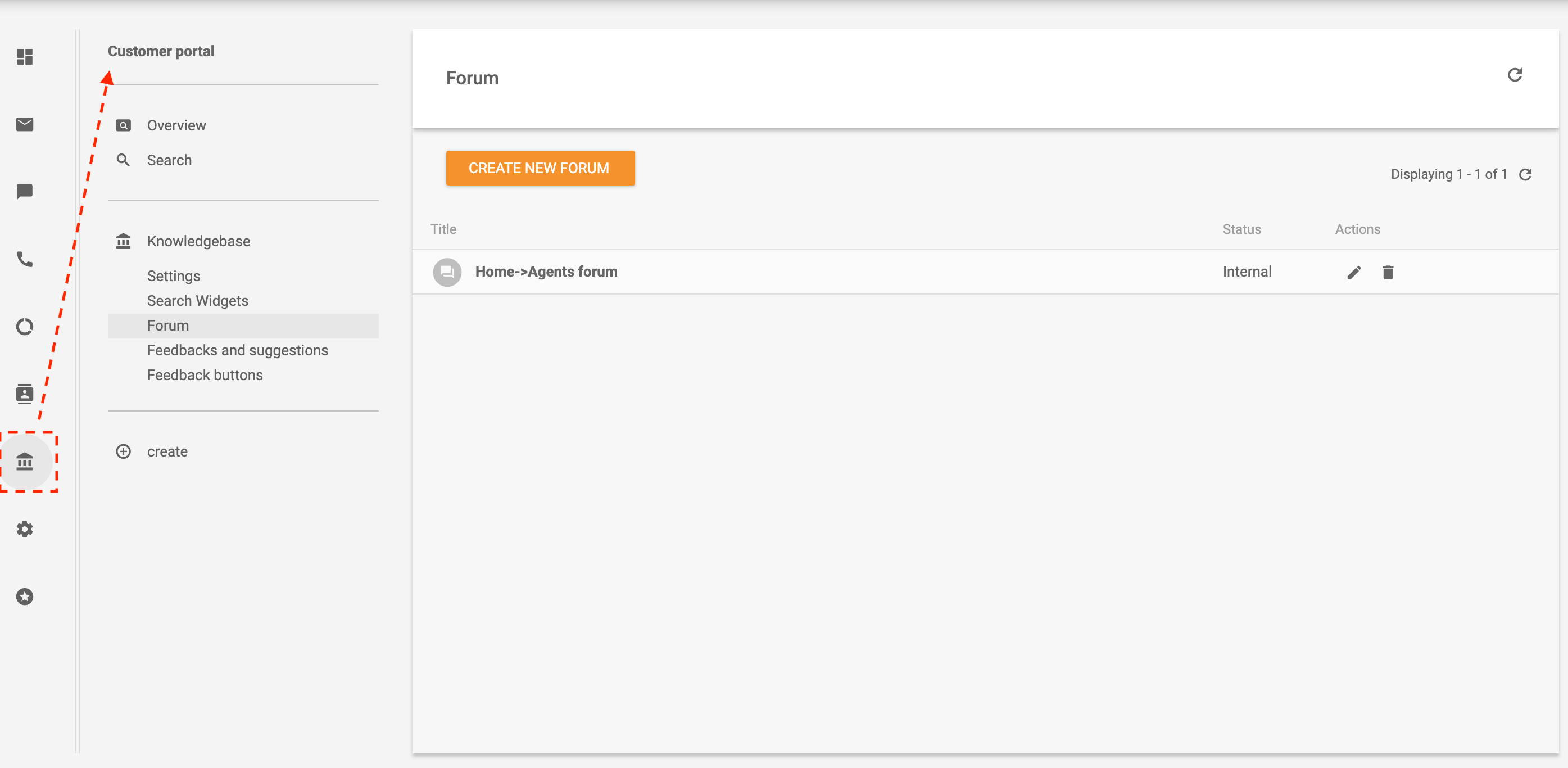
To make a new category, click on Knowledgebase - > Create. After that, you will see a dropdown menu. Choose a category and fill in a title, access, and keywords for search engine optimization.
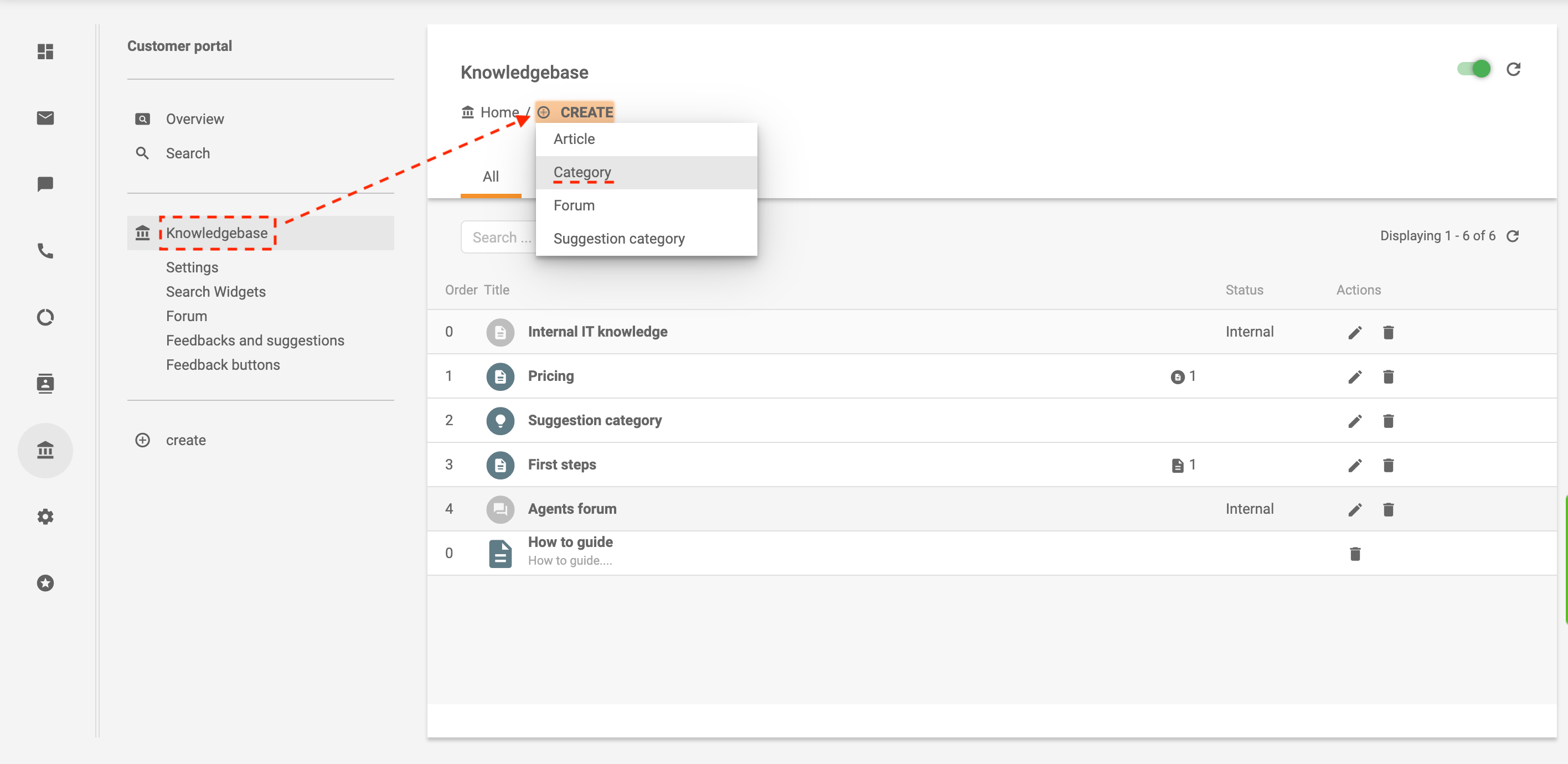
For instance, if you decide to make an internal forum about pricing, the category can be called Pricing information. Thus, the forum entries about pricing will be neatly organized in this category. Or on the other hand, you can create separate categories for each language if your brand operates multi-nationally.
Navigate to the Knowledgebase - > Forum and click on Create. Select the preferred category and fill in all the details.
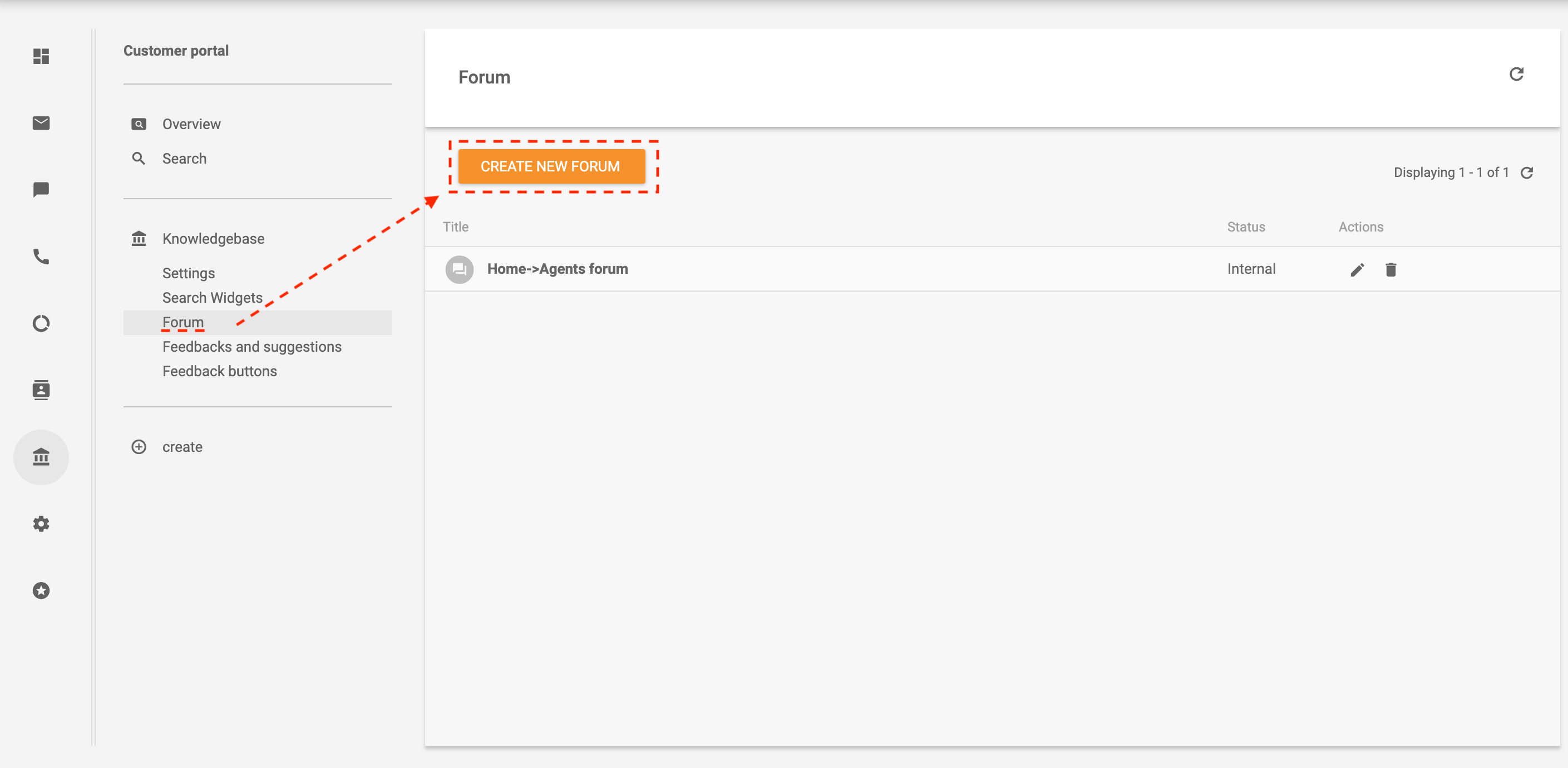
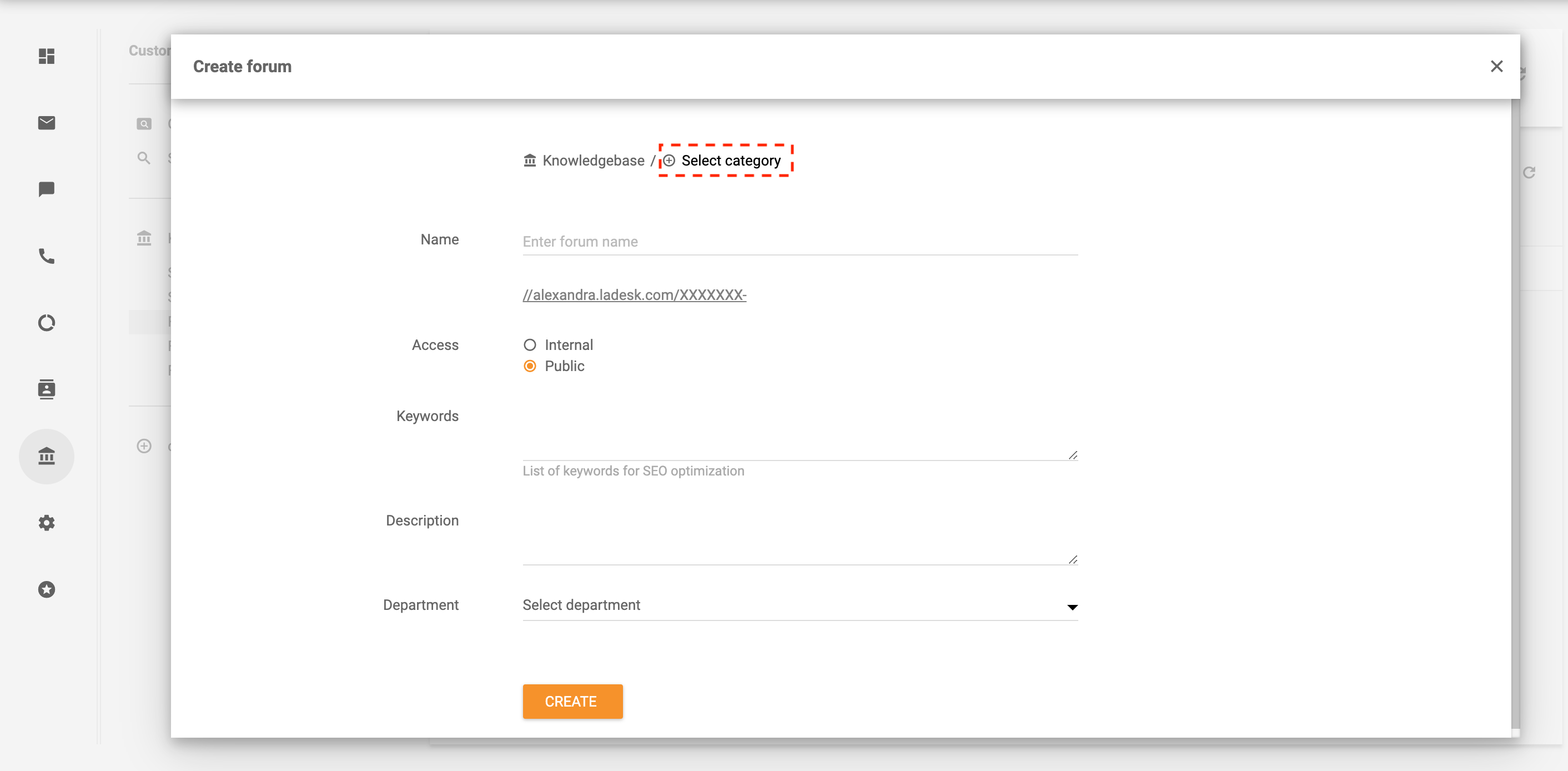
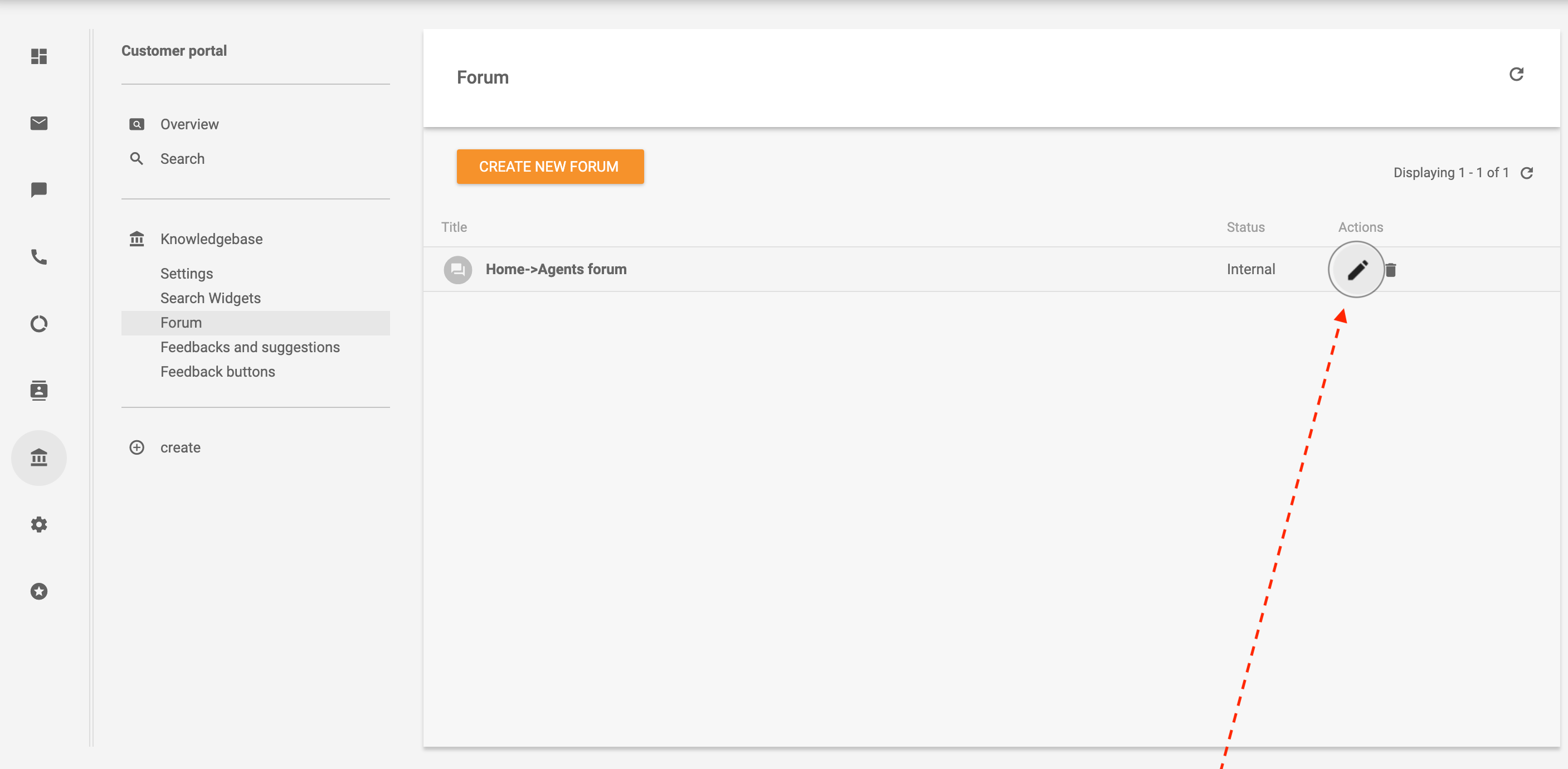
Once you have a forum, you can adjust the “actions” by clicking on the Edit button (the little pencil on the right-hand side.) The “actions” allow you to change/add additional information. For instance, you can change the department that is going to be responsible for handling forum inquiries.
To add more specification, navigate to Customer portal - > Knowledge base - > Forum -> Category - > Create a new topic.
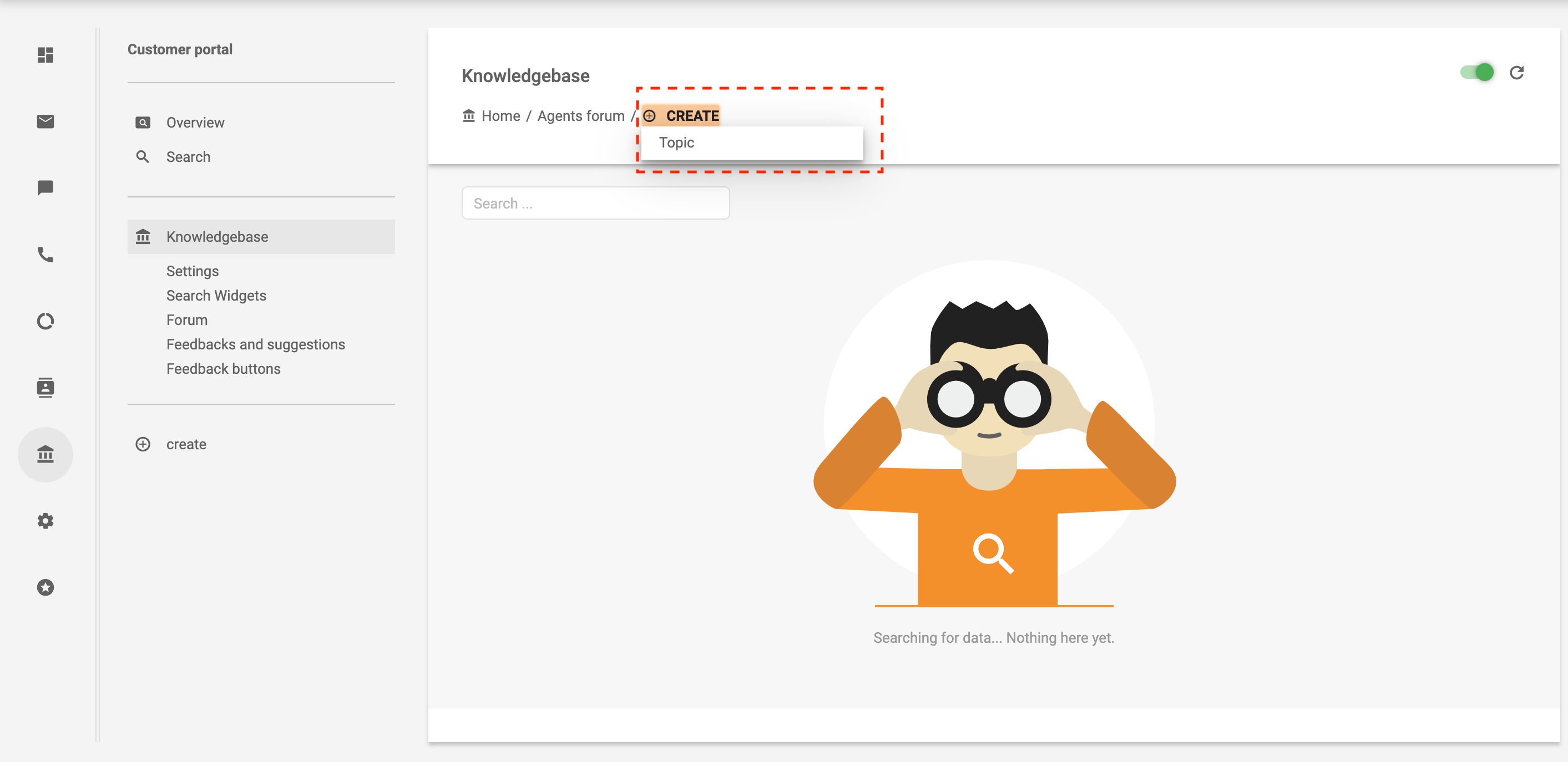
Adding topics keeps the content of the forum organized with a clear structure.
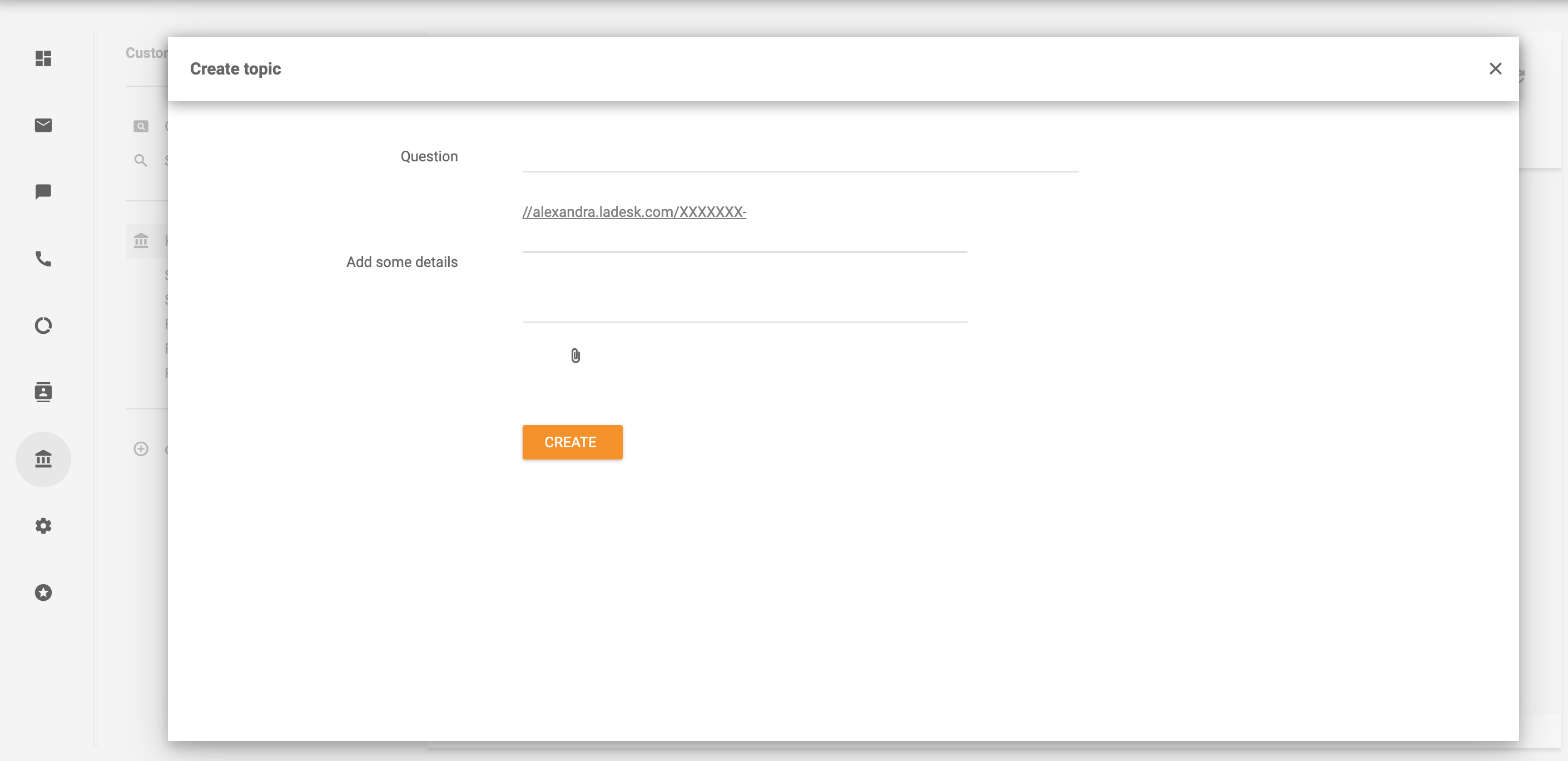
Now you can keep track of the topics, give recommendations, and solve issues easily.
In LiveAgent, you can easily customize the design of your whole customer portal, which also includes a forum. For instance, you can customize colors in themes, add a header, footer, logo, and title.
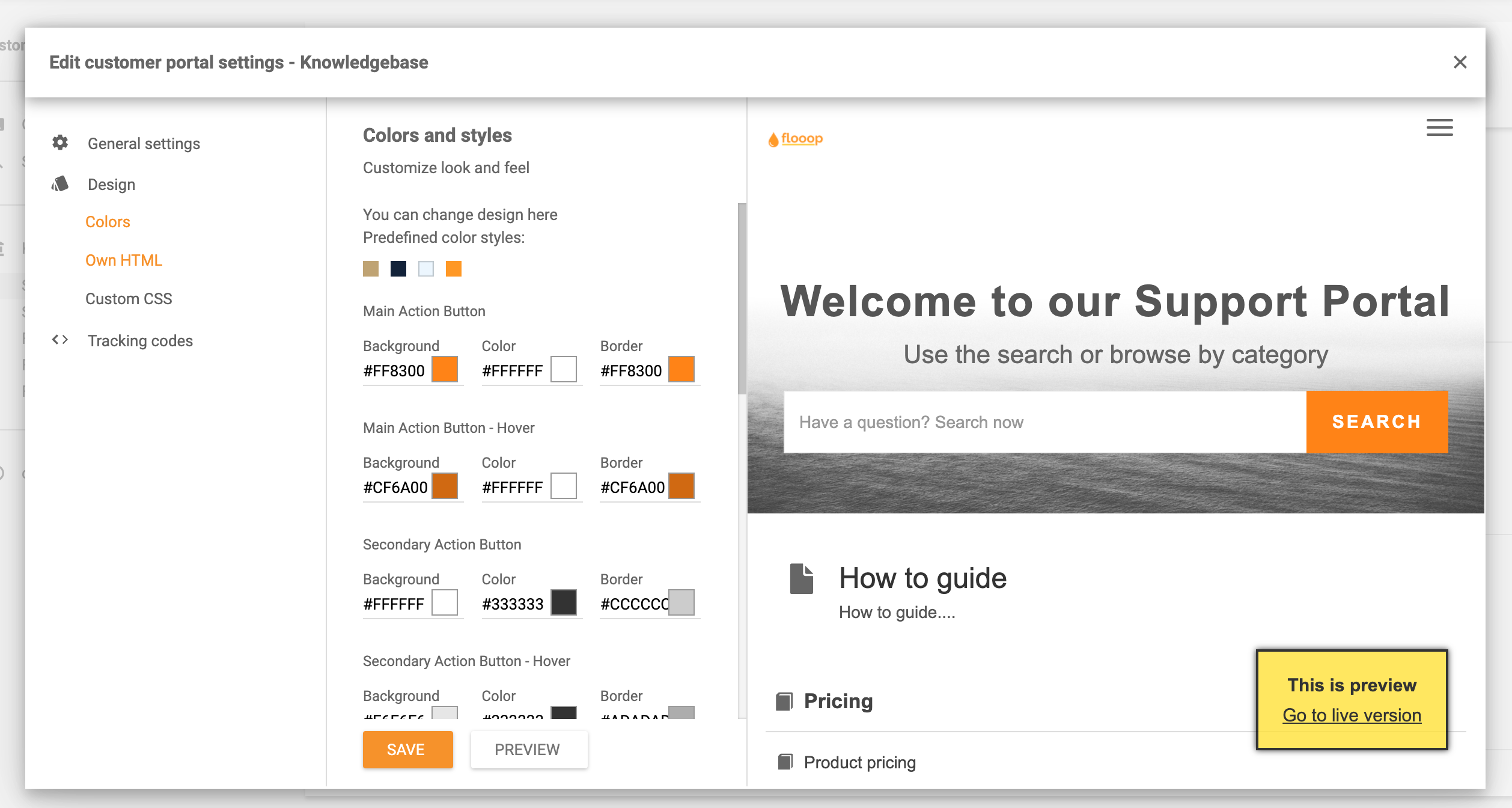
To learn more, check out our thorough Customer portal guide.
Creating a forum allows your clients to interact with each other and provide solutions based on their experiences. Due to this, they will be able to troubleshoot their issues and solve them without the agent’s assistance. As a result, agents will have more time to focus on other tasks. Moreover, it is a really convenient way for customers to share their thoughts, experiences, tips & tricks about the product/service.
A lot of customers like to share their thoughts about the products/services that they use. Allowing them to share their experiences or thoughts will make them feel heard, which creates a better bond and strengthens customer loyalty.
Customer forums allow your customers to share their ideas, thoughts, and tips freely and anonymously. Such a forum can create an online community around the industry your business is operating. It presents a welcoming place to ask questions without any pressure. Therefore, it can create a strong community around your business where even beginners can feel welcome to share their thoughts.
LiveAgent’s forum software creates a new ticket each time there’s new activity/changes in the message board. Therefore, agents get always notified and can answer all the pressing issues that might arise. For instance, answering product improvement inquiries and providing temporary alternative solutions is a great way to strengthen customer relationships as well as improve your business.
LiveAgent is a help desk solution that also provides community forum software. Community forum software allows your business to create an agent forum as well as a customer forum for improved customer loyalty, customer satisfaction, and agent performance.
However, LiveAgent offers a lot more than forum software. LiveAgent’s help desk system allows you to connect all the customer communication into one platform and efficiently respond to inquiries from one interface.

Discover LiveAgent's powerful features that streamline communication, increase efficiency, and boost customer satisfaction.
Discover LiveAgent's Community Forum – a platform for customer interaction, self-service, peer support, and seamless problem-solving. Try free now!
Join our community of happy clients and provide excellent customer support with LiveAgent.

Cookie Consent
We use cookies to enhance your browsing experience and analyze our traffic. See our privacy policy.