



Contacts - Help Desk Contact Management
Help desk contacts in LiveAgent store essential customer information for personalized marketing and service. Create custom fields to manage data like language p...
5 min read
Contacts
Customer Management
+1


LiveAgent’s companies feature helps organize and store company information in your help desk. Customize contact fields, group contacts, and view tickets easily. Enhance your workflow with a free trial.
The LiveAgent companies feature lets you gather and store information about companies and organizations in your help desk software. Whether you record basic contact information or delve deep with custom fields is entirely up to you.
For example, you can create custom contact fields containing the company’s customer ID, company anniversary, or other information. The possibilities are endless, so consider what company information is important to you, and don’t be afraid to get creative.
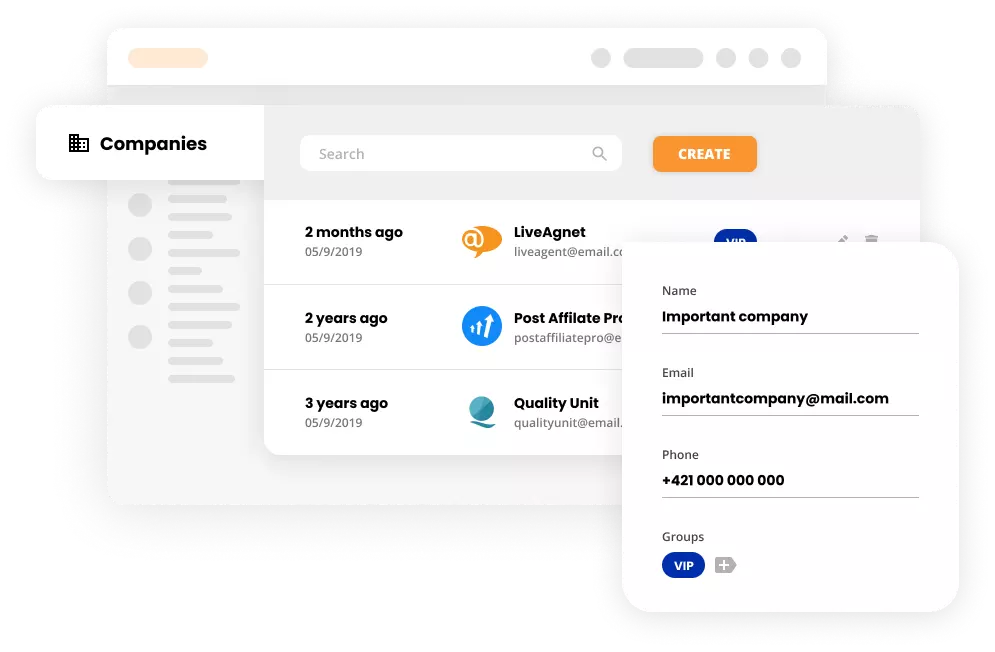
In addition to gathering information, company profiles are great for organizing your contacts. For example, if you work with multiple people from a single company, you can add their contact card to their company profile, so it’s easier for you to spot their tickets.
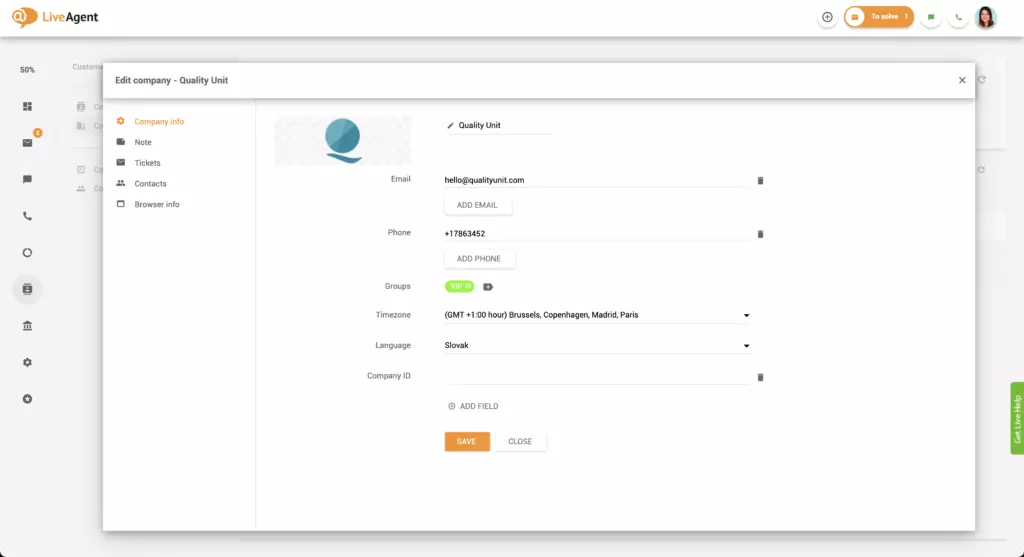
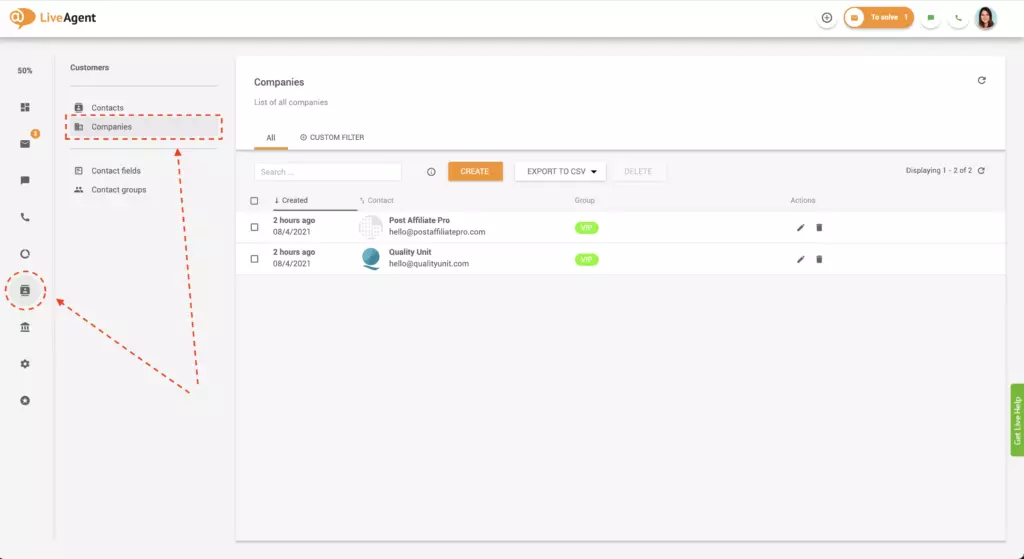
Optional: Click on Note to add a private note about the company. This note can contain a brief description of the company, what they do, who the C-level executives are, and so on.
Depending on your situation, follow instructions A or B.
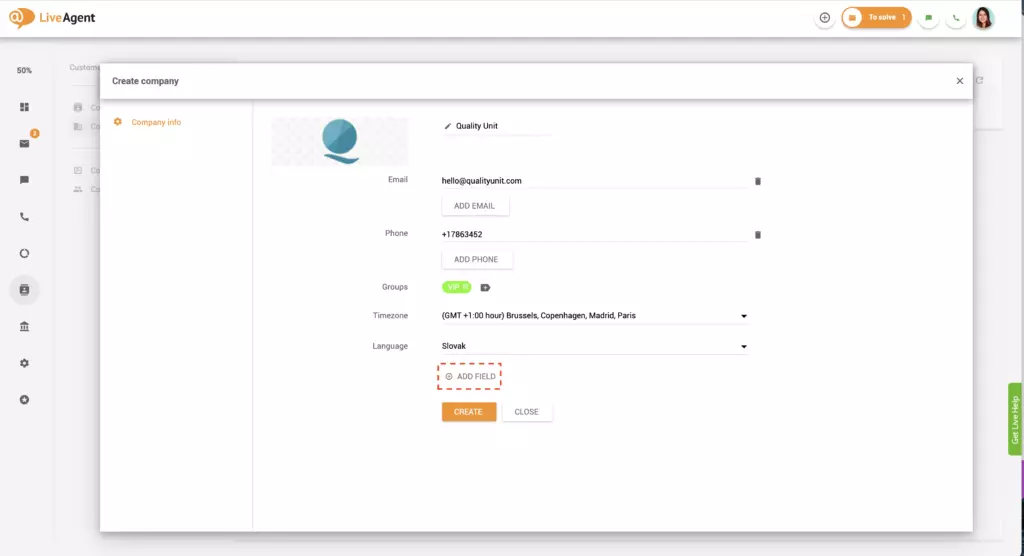
Optional: Click on the description and write a description for the custom contact field. The explanation can provide additional information regarding the contact field for you and your staff.
Optional: Click on Note to add a private note about the company. The note can include a few details about the company, what it does, who its top executives are, and so forth.
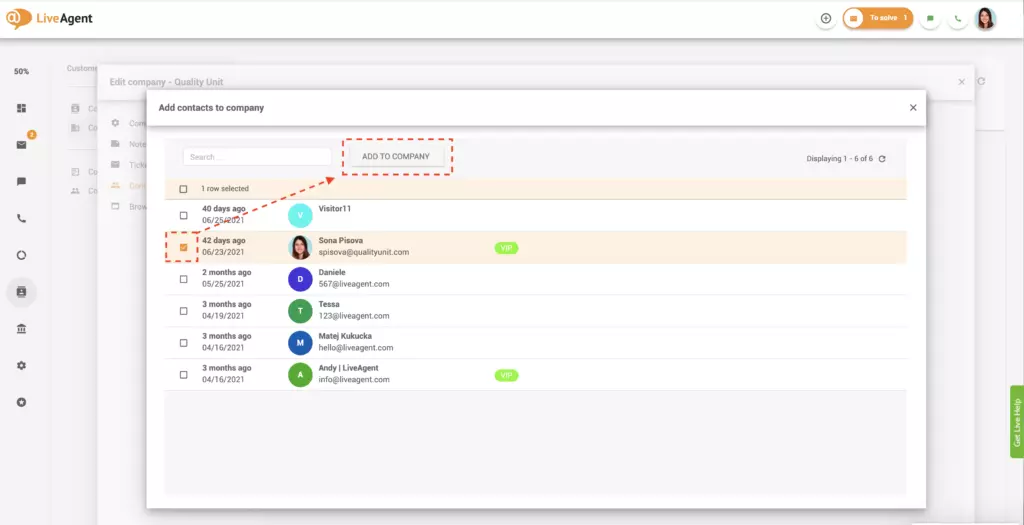
Adding contacts to companies is optional. However, the feature is incredibly beneficial. It can help you keep track of all messages from a single business which is especially useful if you communicate with multiple people within the same company.
Unfortunately, there is no way to add more than one company to a contact. However, if you want to change the company associated with the contact, you can delete the contact from the initial company’s contact list and add it to a new one.
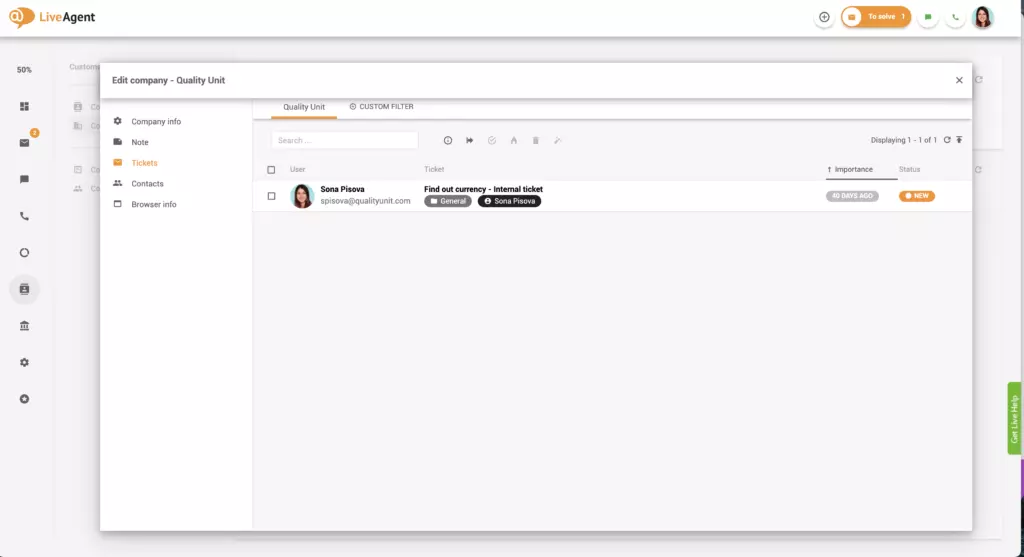
Organizing contacts into companies can improve your workflow. Doing so enables you to view all tickets from the company’s contacts with a single click, making it easier to filter and find specific tickets. To see all tickets from a particular company, please follow these steps.
Optional: To narrow the search even more, click on Custom Filter and select the ticket’s status, source, tags, or other custom filters.
Do you work with a large organization? Add each contact to a company to make their tickets stand out in your inbox. Try it today. No credit card is required. Start a 30-day free trial .
The LiveAgent companies feature lets you gather and store information about companies and organizations in your [help desk](https://www.liveagent.com/help-desk-software/) software.
In addition to basic information, help desk software like LiveAgent enables you to create custom contact fields to store unique information about companies, such as their company ID or subscription tier.
Adding contacts to companies is optional. However, the feature is incredibly beneficial. It can help you keep track of all messages from a single business which is especially useful if you communicate with multiple people within the same company.
Discover LiveAgent's powerful features that streamline communication, increase efficiency, and boost customer satisfaction.
Help desk contacts in LiveAgent store essential customer information for personalized marketing and service. Create custom fields to manage data like language p...
LiveAgent's contact fields store detailed information about contacts, like name, email, and job position. Create unlimited custom fields to enhance sales, marke...

Discover the importance of customer information for personalized experiences, improved service, and business growth. Start your free trial today!
Join our community of happy clients and provide excellent customer support with LiveAgent.
