LiveAgent’s Chats Overview feature offers insights into website visitors, including their location and current activity. It enables proactive customer engagement, improving sales and satisfaction, and is cost-effective and customer-preferred.
Live Chat
Visitor Tracking
Customer Engagement
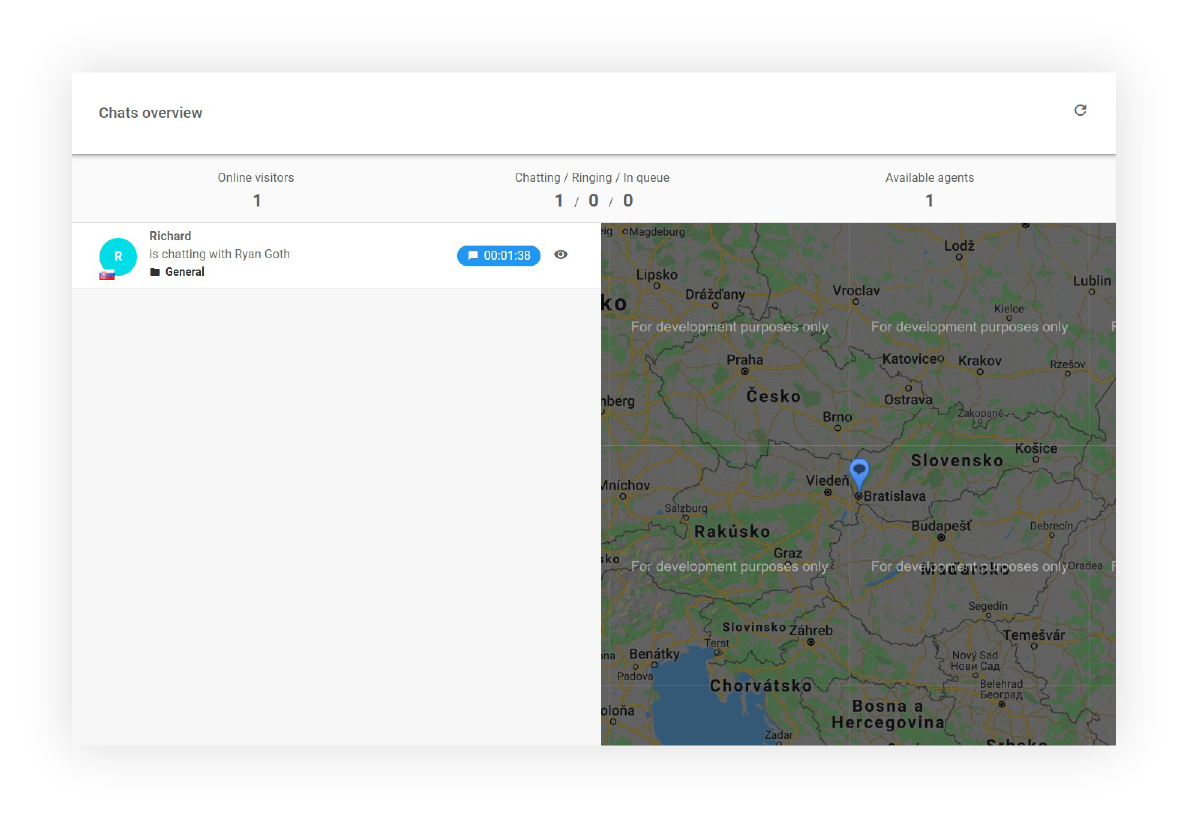
Chats overview is one of many great features of LiveAgent. It provides web visitor analytics and at the same time allows you to take an action.
For instance, you can view the visitor’s country, the URL he/she is browsing at the moment as well as how much time they’ve spent there. After that, you can proactively invite them to chat.
What information can you see in Chats Overview?
Online Visitors
Online visitors represent the number of visitors that are currently browsing your website. With this feature, you can easily reach out and let them know that you are ready to help them out if needed. Moreover, you can specifically tailor your message to each visitor’s needs.
The online visitors’ section in LiveAgent offers important, general information that can help you before reaching out. For example, if a visitor is currently on your pricing page for an extended period, this is a great opportunity to reach out and let them know you’re there if they need further information. This proactive but not annoying approach can significantly improve conversion rates.
Visitors in a Queue
Chats Overview also gives you the number of visitors waiting to chat with your customer service agents. As a result, you can easily detect if your support team has enough agents to deal with the number of visitors in the queue. This helps you manage workload and ensure no customer is left waiting too long.
Chatting Visitors
Another great feature of Chats Overview is that you are able to see the number of chatting visitors. This metric helps you understand current support load and agent utilization.
Available Agents
See how many agents are available to chat and quickly detect if you have enough employees on the shift. This feature closely ties to the visitors in a queue. These two metrics can give your manager an overview to promptly analyze a situation and then act accordingly.
Actual Webpage (URL) the Visitor is Browsing
Find out quickly and easily what URLs your visitors are currently browsing and how much time they’ve spent there. The more information your agents have, the better service and support they can provide.
Example: If a potential customer is at the checkout page for a long time, the proactive chat invitation can help your sales team to close the deal. On the other hand, your team can discover a reoccurring issue that customers experience throughout the customer journey. You can analyze these situations simply by navigating to Chats Overview in LiveAgent.
Referrer
Would you like to find out if the visitors are coming from a referrer? Chats Overview can tell you just that. For instance, if you have many visitors from a referrer where you provided a discount, you can proactively reach out and ask if they need more information about the offer.
Visitor’s Country
Learn where your visitors are coming from. The more you know about your customers and visitors, the better your customer service can be. This geographic information helps you provide localized support and understand your global customer base.
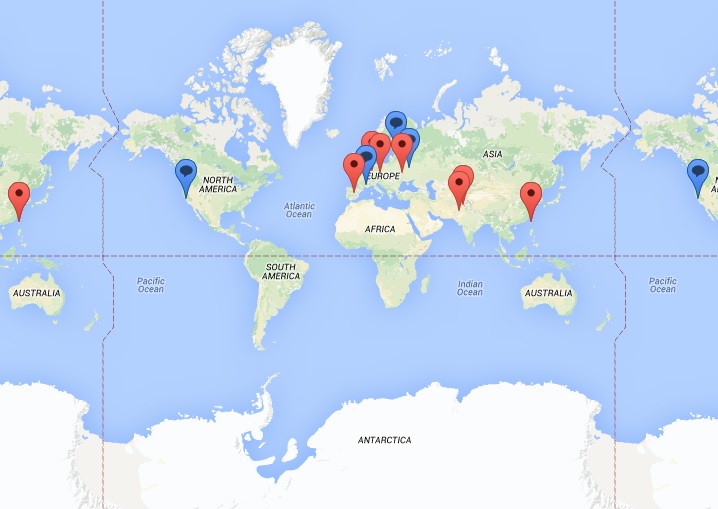
Map of Visitors
View online visitors browsing your website on the map (red mark) and visitors chatting with agents (blue mark). This visual representation gives you a quick geographic overview of your current customer engagement.
Note: Google started billing the usage of Maps Embedded API. Therefore, in order to have a properly displayed map of visitors, you will need to create a billing account on Google Maps Platform.
What are the Chats Overview functions?
Chats Overview provides several powerful functions to enhance your customer service operations:
See a current chat conversation between an agent and a visitor
Proactively invite a visitor to chat (chat invitation will be shown on the page visitor is browsing through)
Accept and start chatting with a visitor waiting in the queue
Business Benefits
Implementing Chats Overview in your customer service strategy delivers multiple benefits:
Customer service workflow efficiency - Streamline your support operations with real-time visibility
Customer satisfaction - Provide timely, proactive support that meets customer expectations
Saves time - Reduce response times and eliminate manual monitoring
Customer experience - Create personalized, responsive interactions that build loyalty
Real-Life Example
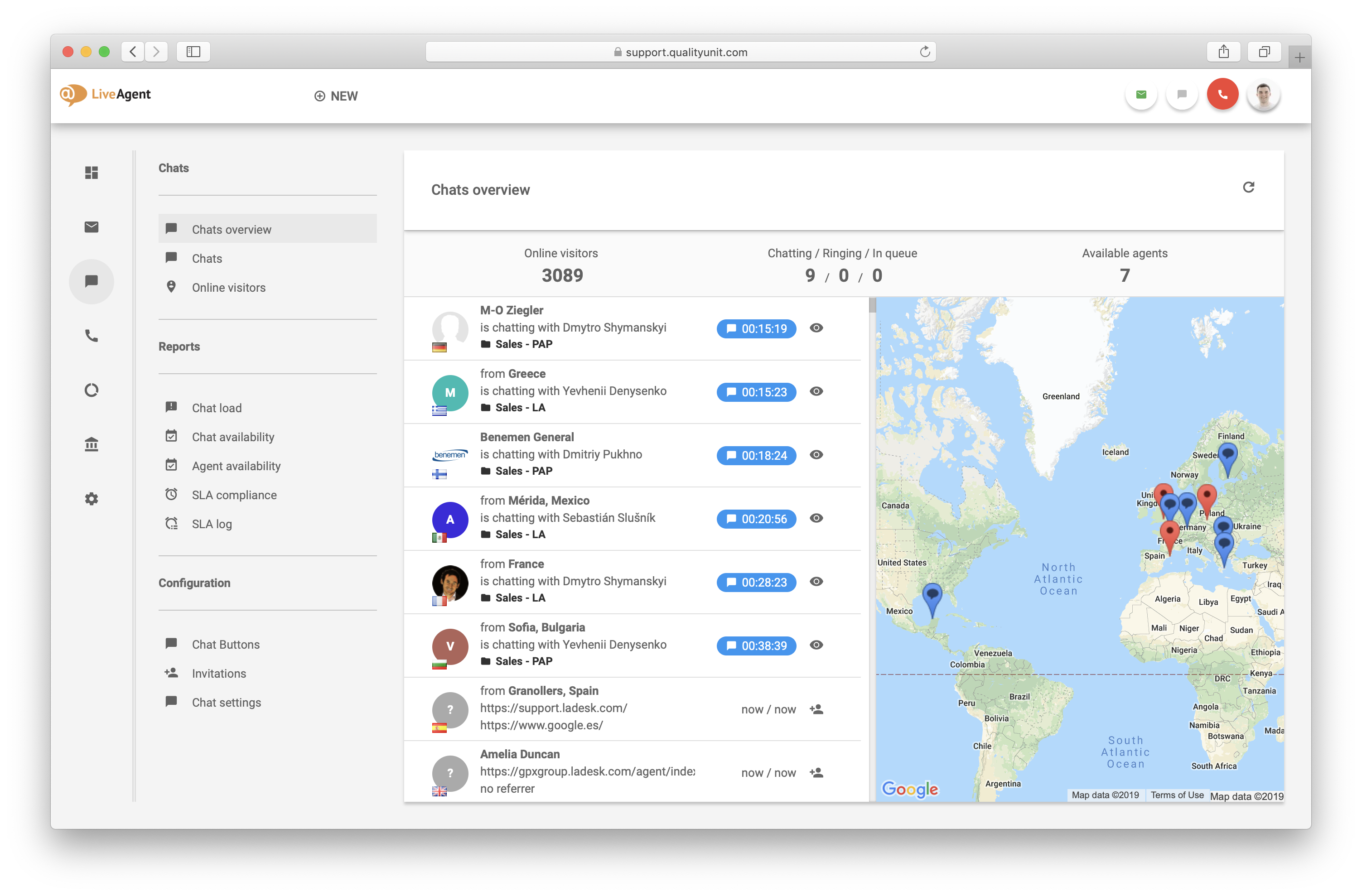
In the picture below, you can see there are 3,089 online visitors. There are a couple of agents chatting with visitors. For instance, an agent is chatting with customers from France and Germany at the same time.
You can also see what the agents are chatting about with the visitors by clicking on the eye button. Moreover, you can also click on the hand button to invite visitors to chat with you.
You can also see a visitor from Spain that is browsing the webpage at a specific URL. Under this information, there is a prior webpage from which the customer accessed your website. In this case, it is from Google Spain. However, if you take a look at another visitor, you can see that there is no such information. As a result, it will be displayed as NO REFERRER.
Join our newsletter
The latest tips and deals delivered straight to your inbox.
Chats Overview provides comprehensive information including online visitors, visitors in queue, chatting visitors, available agents, the URLs visitors are browsing, referrer information, visitor's country, and a map visualization of visitor locations.
You can use Chats Overview to proactively invite visitors to chat, monitor agent availability, identify pages that need improvement, and ensure no customer inquiry goes unanswered. This enables you to provide timely support and improve customer satisfaction.
Yes, Chats Overview displays the actual webpage (URL) that each visitor is currently browsing, along with how much time they've spent on that page. This helps you understand customer behavior and identify opportunities for proactive engagement.
Knowing where visitors came from helps you understand your traffic sources and enables targeted engagement. For example, if many visitors come from a referrer where you offered a discount, you can proactively reach out with relevant information about that offer.
Track website visitors in real-time with LiveAgent's Online Visitors feature. View visitor activities, locations, and referrers to enhance customer support and ...
LiveAgent's website visitor tracking feature lets you see the URL your customer is on during chats, enhancing support by providing real-time insights. It allows...
LiveAgent's chat embedded tracking lets businesses track live chat conversions in Google Analytics, offering insights into chat impacts on sales. It tracks chat...
3 min read
Live Chat
Analytics
+2
Cookie Consent We use cookies to enhance your browsing experience and analyze our traffic. See our privacy policy.