



Google Analytics
Integrate Google Analytics with LiveAgent to track live chat events, measure their impact on conversions, and enhance customer service. Activate Live Chat Track...
3 min read

LiveAgent’s chat embedded tracking lets businesses track live chat conversions in Google Analytics, offering insights into chat impacts on sales. It tracks chat sessions and messages, helping evaluate agents’ influence and customer behavior.
Would you like to view Google Analytics conversion data from your live chat? Well, it’s possible and easy to do with LiveAgent.
Live chat in LiveAgent has a robust amount of features. Chat embedded real-time visitor tracking allows your company website user tracking and conversions tracking from live chat, which can help you analyze the overall impact of the online button.
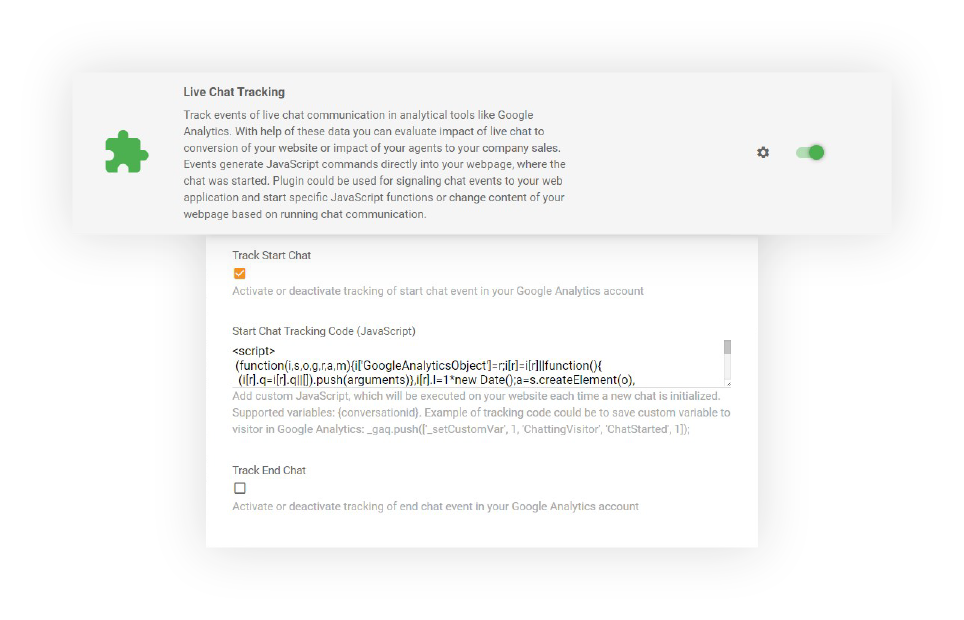
It is used for tracking events of live chat sessions in Google Analytics. You can also consider it an activity log example, as it provides insights into all the actions that have taken place. Thanks to the data, you can evaluate the impact of live chat on conversions on your website. Moreover, you can view your agents’ influence on sales.
With chat embedded tracking, you can monitor the following events:

Start your free trial today and see results within days.
Using LiveAgent’s online live chat software, you can simply navigate to plugins and activate Live Chat Tracking. After that, follow the easy instructions and view the website visitor analytics right away.
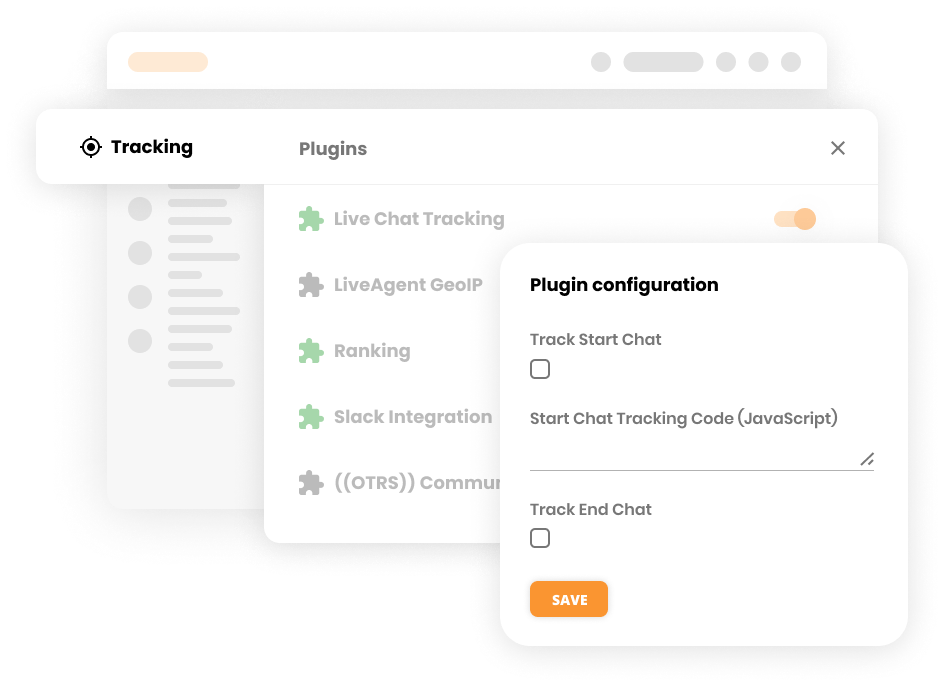
But to be specific, events generate JavaScript that commands directly into your webpage, where a chat started. A plugin could be used for:
Chat embedded tracking provides significant advantages for your business:
The latest tips and deals delivered straight to your inbox.
Get a quick overview of the customer issue in the chat history and prevent customer frustration. Moreover, you can analyze the problem faster and know who is responsible for each ticket.
Create an effective customer service workflow by setting up the max queue length in your live chat. This way, your customer service can efficiently deal with customer inquiries and they will not be overwhelmed. This also prevents a bad customer experience. By allowing this, the live chat will be shown only to a certain amount of people and the rest will receive an option to reach out via pre-chat form.
Provide the best customer service with the current URL of the live chat visitor feature. This feature in LiveAgent shows you the website the visitor is browsing at the moment. Thus, giving your agents more insights into what the customers are looking at and for. It also shows you if the visitor has switched to a different URL.

Ready to implement a live chat tracking plugin? Learn more details about tracking events in Google Analytics .
Don’t have a chat button? No worries, here is a step-by-step article for creating a chat button in LiveAgent .
Analyze the impact of your live chat in Google Analytics. Activate a free plugin in LiveAgent and start tracking right away!
Integrate Google Analytics with LiveAgent to track live chat events, measure their impact on conversions, and enhance customer service. Activate Live Chat Track...

Boost customer support with LiveAgent's advanced chat tool! Enjoy real-time communication, screen sharing, and a free 30-day trial today.

LiveAgent's website visitor tracking feature lets you see the URL your customer is on during chats, enhancing support by providing real-time insights. It allows...
Join our community of happy clients and provide excellent customer support with LiveAgent.

Cookie Consent
We use cookies to enhance your browsing experience and analyze our traffic. See our privacy policy.