


Supported call devices features
LiveAgent supports various call devices such as headsets, browsers, mobile apps, and hardware phones from leading brands. Try a 14-day free trial, no credit car...
3 min read
Call devices
Call center
+3


LiveAgent’s Call Device Scheduling automates agents’ call availability by allowing them to set specific times and dates. This feature enhances management and organization, and works with any calling device, such as softphones and SIP phones.
Device scheduling is a call center feature that allows agents to select times and dates of call availability. This feature will automatically turn call availability on and off particular devices according to selected times and dates. With Device scheduling, customer support agents don’t have to turn their availability on and off manually – the feature will do it automatically.
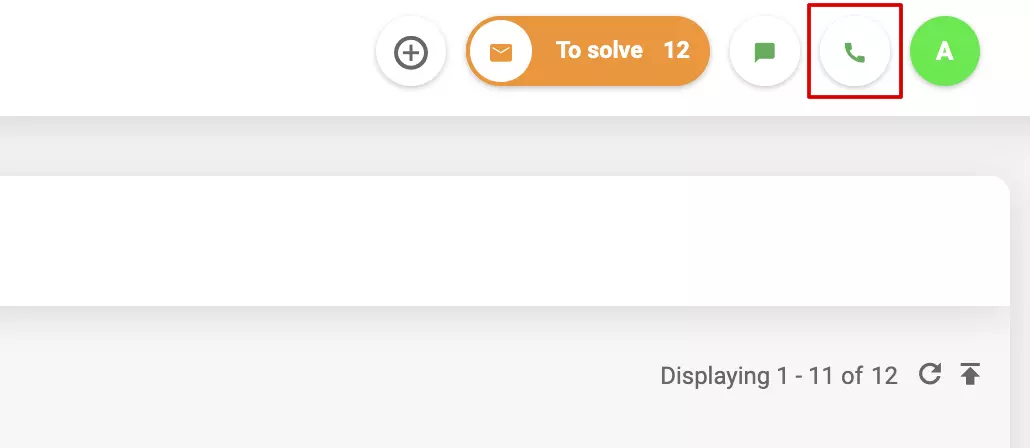
As a LiveAgent user, while in the app, you can click on the Voice Status options (the phone icon in the top right corner in LiveAgent) and activate the feature in the settings of a device of your selection. You can select different custom options on various devices if necessary. Once you activate this feature, your call availability will automatically change based on desired time of day and date. Customers won’t be able to contact you by phone outside of selected times and dates. This feature works for any connected calling device you choose – softphone, mobile device, SIP phone, and other.
Device scheduling takes care of agent call center shifts, so they don’t have to manually turn their availability on and off. This feature will automatically take care of agent availability, so they can focus on other tasks without fear that agents will miss their shifts or continue working long after the shift is over. Device scheduling can help prevent several operational issues such as missed calls, routing to unavailable agents, and more based on individual customer care call center specifics. This feature is also helpful for agents with multiple devices for use in different locations and conditions.
Device scheduling is important because it can improve call center management in multiple cases. First of all, it makes it easier to manage customer calls during device increases in an office or in cases where multiple devices are available for a single agent. Customer service agents with multiple devices can feel safe because they will only receive calls on the device that our scheduling feature sets as online. The phone calls in an entire organization will always route only to the correct person and only to online agents.
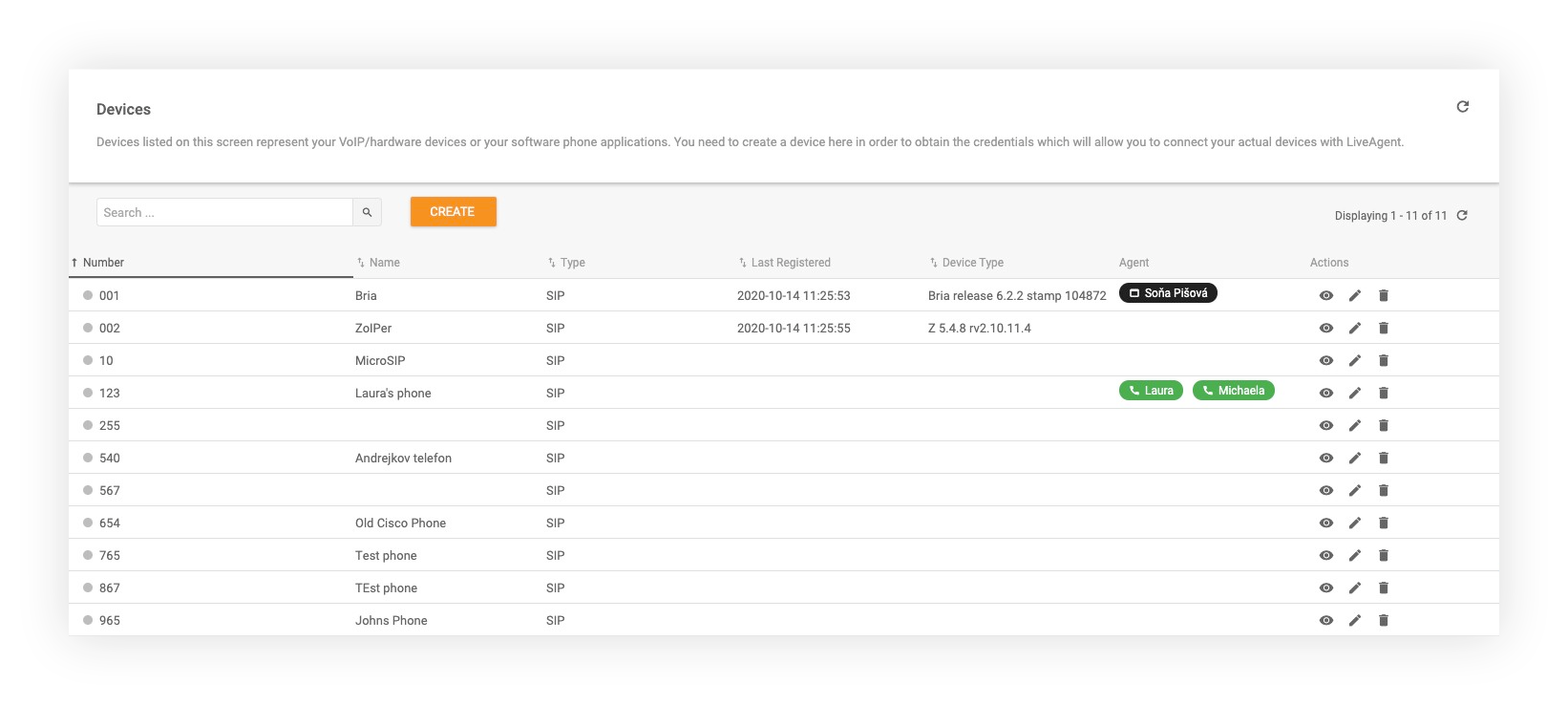
Activating this feature is easy and takes just a couple of minutes to complete. Note that you have to have a SIP device connected to be able to activate this feature.
Open your LiveAgent and click on Voice Status options (phone icon in the top right corner).
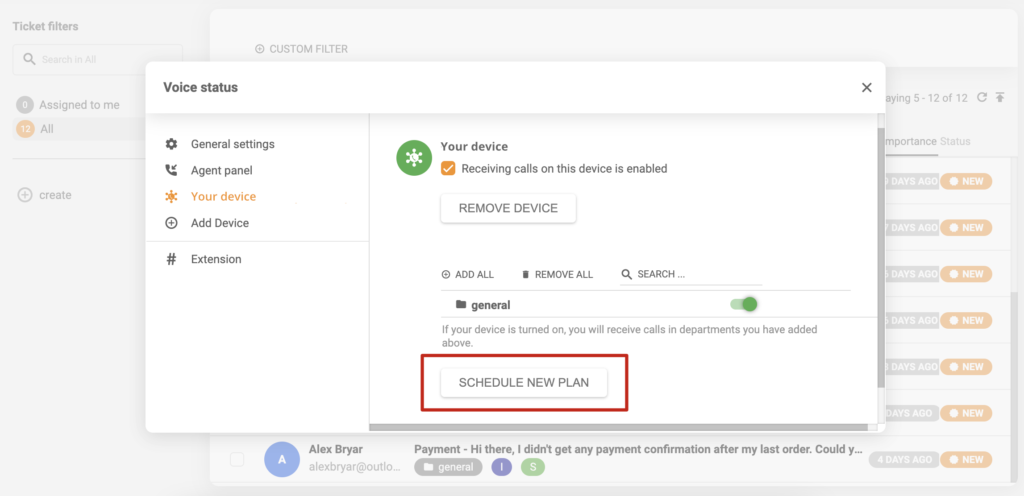
Select and click on the SIP device on which you want to set up device scheduling. Click the “Schedule new plan” button at the bottom of the window.
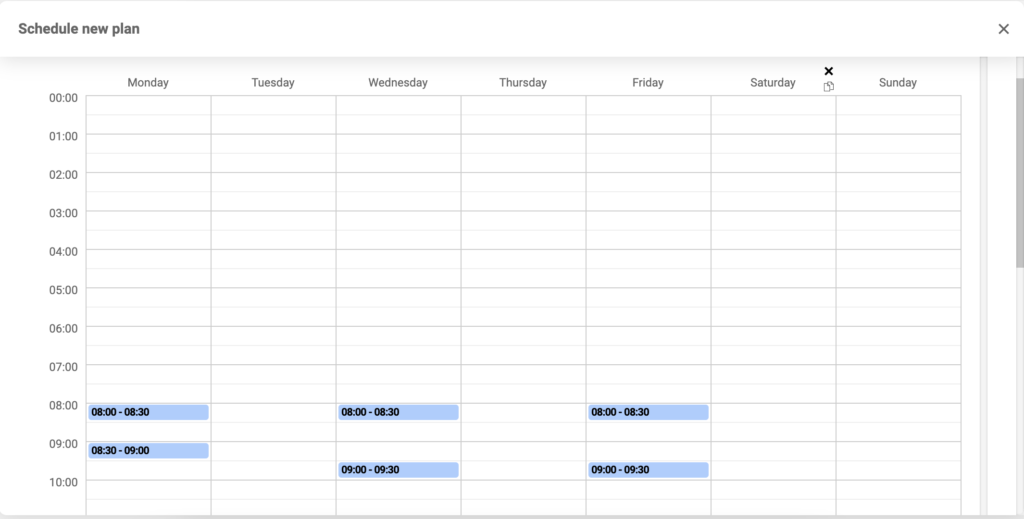
Choose times when you want the SIP device to turn on the call availability and click Save at the bottom of the window.
Transform your call center with LiveAgent’s call device scheduling feature. Automate agent availability, reduce missed calls, and improve operational efficiency. Start your 30-day free trial today—no credit card required.
Discover LiveAgent's powerful features that streamline communication, increase efficiency, and boost customer satisfaction.
LiveAgent supports various call devices such as headsets, browsers, mobile apps, and hardware phones from leading brands. Try a 14-day free trial, no credit car...
LiveAgent's call center streamlines operations with features like automatic call distribution, recording, and transfers. Easily set up a built-in system, connec...

RingCentral is a call center software offering voice, fax, text, conferencing, and web meetings. It integrates with LiveAgent via Zapier for enhanced call suppo...
Join our community of happy clients and provide excellent customer support with LiveAgent.
