



Customer Service Callback
Enhance customer satisfaction with LiveAgent's automated callback feature. Try a 14-day free trial to reduce call queues and boost productivity!
2 min read
Customer support
Call Center software
+1


LiveAgent’s automatic callback feature enhances customer satisfaction by allowing callers to request callbacks when lines are busy. It reduces abandoned call rates, increases agent productivity, and demonstrates commitment to excellent customer service.
The automatic callback feature is a computer telephony function that allows callers to request a callback if the line is busy, if there are no available agents to pick up their call, or if they simply want to be called back at a later time. This feature is part of LiveAgent’s call center solution. Additionally, the call back system allows businesses to efficiently manage high call volumes while keeping customers satisfied by offering the flexibility of a callback option.
As a LiveAgent VoIP call center software user, you can implement the callback function into your IVR menu. For example, your IVR menu could sound like this:
‘Press 1 for sales, press 2 for billing, press 3 for technical support, press 4 to request a callback."
Once the caller requests a callback, the call will be instantly terminated. However, LiveAgent will keep the caller’s phone number in the queue and trigger the automatic call back feature, which will dial the customer’s phone number when it reaches the front of the queue. This ensures that customers never feel forgotten, enhancing their experience with your automated call back service.
The call center call back feature provides significant benefits for both customers and agents. By allowing customers to request a callback rather than waiting on hold, you reduce frustration and increase overall customer satisfaction. The call back feature also ensures that no customer is left unattended, especially during high-demand periods.
Additionally, incorporating customer callback software into your call center operations shows your dedication to delivering outstanding customer support and contributes to a more effective communication process.
Benefits of implementing callbacks:
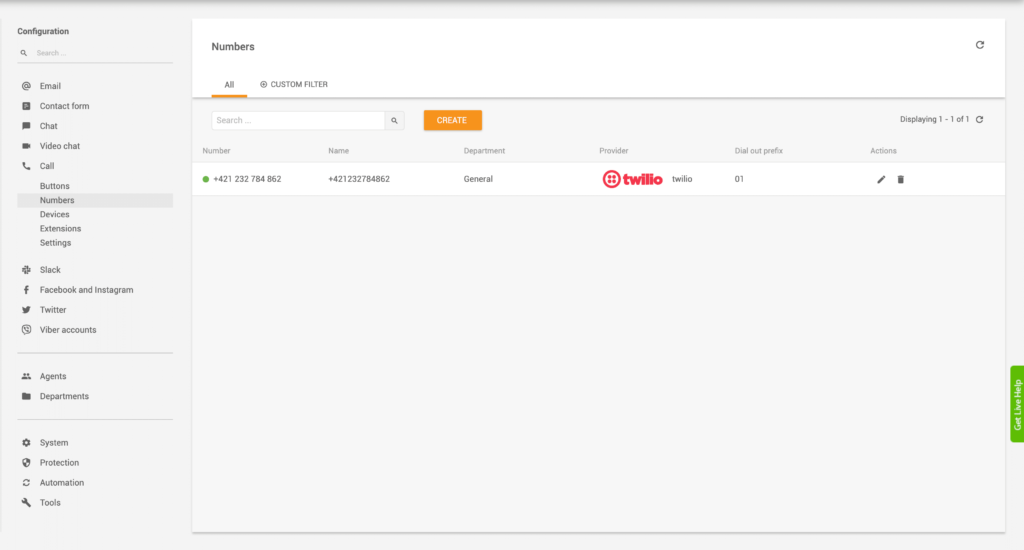
To implement the callback function into your IVR script, please follow these steps:
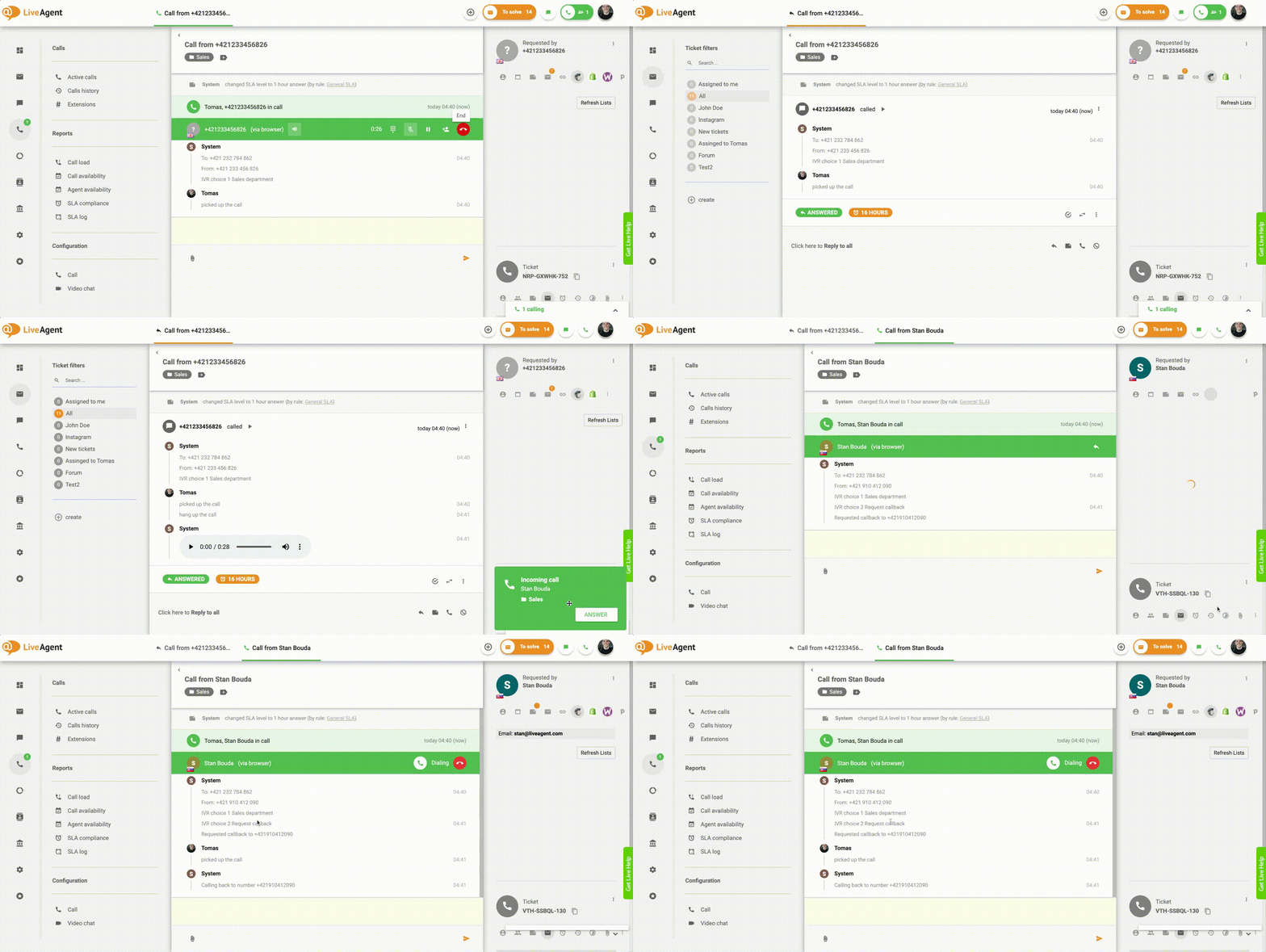
To ensure your IVR script runs correctly, please follow these steps:
If you were able to recreate these steps, it’s safe to say that your callback function works and is ready to be used by your customers.
As mentioned previously, having a callback option can significantly improve your customer’s satisfaction. The average customer is willing to wait on hold for up to 5 minutes. After 5 minutes pass, they tend to get frustrated, hang up, and try to call again. This often leads to further customer dissatisfaction which is often shared with others through social media channels such as Twitter.
Negative comments and reviews about long hold times and call queues can really shatter your customer service reputation. As such, providing an alternative solution such as the callback is a great compromise. The customer can hang up the call, carry on with their day, and rest assured that they’ll get a callback from your company.
It’s a win-win situation.
Some customers simply don’t have the patience to call you multiple times throughout the day to check if your call center is finally available to pick up their call. As a result, most customers will call, waiting on hold, and after their patience wears thin, hang up and give up on contacting customer service. Now, why is this bad? Because you’re missing out on tons of sales opportunities. As an example, imagine you’re in the SaaS industry. One of your loyal customers is interested in upgrading their subscription but is having trouble with the checkout process. They decide to give you a call but can’t reach you because of the long hold times. There’s no callback option. They wait on hold a while longer, but finally, give up and decide they don’t need to upgrade their subscription after all.
Implementing a callback feature can improve your contact center agent’s productivity. With the callback function activated, call center agents won’t have to dial out numbers that requested callbacks manually. Instead, the call center software can automatically dial the phone numbers that requested a callback and connect the callers with the contact center agents. This will save your call center agents a lot of time and effort in the long run.
LiveAgent enables you to track and monitor call statistics. Call reports can be a good indicator of how much your customer service has improved since implementing the callback option. Monitor the number of missed calls, abandoned calls, and dropped calls, as well as average wait times.
Having access to these statistics can help you make the right business decisions that will improve your customer service and in turn, increase customer satisfaction, loyalty, and lifetime customer value.
Check out our knowledge base article that outlines the entire integration process. Alternatively, contact our support agents via live chat, or email us at support@liveagent.com .
Discover LiveAgent's powerful features that streamline communication, increase efficiency, and boost customer satisfaction.
Enhance customer satisfaction with LiveAgent's automated callback feature. Try a 14-day free trial to reduce call queues and boost productivity!
Boost call center efficiency with phone dialers! Automate outbound calls, enhance agent productivity by 300%, and streamline operations.
Boost customer satisfaction with LiveAgent's automated callback software! Save time, reduce call abandonment, and improve support seamlessly.
Join our community of happy clients and provide excellent customer support with LiveAgent.
