
Valentine's Day promotion background
14.Feb - 13.Mar 2026

Valentine deal

AI UNLOCKED
For new and existing customers for 3 months
Audit Log

Audit Log

Audit Log Ticket Management Security

What is an Audit Log?

An audit log is a chronological set of records that provides documentary evidence of activities that have been undertaken by support agents. It serves as a comprehensive tracking system that monitors and records all significant actions within your help desk system.

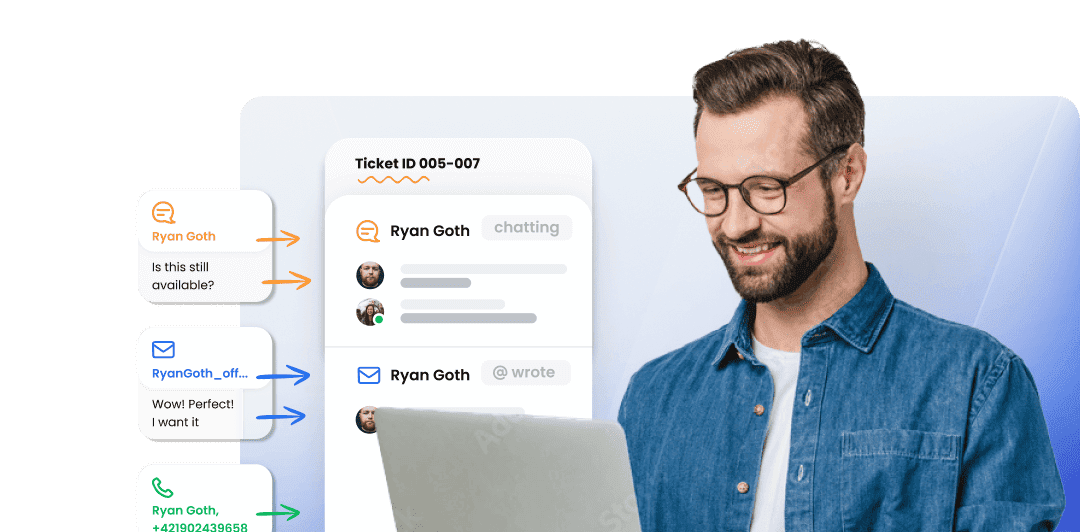
Audit log mockup showing tracked activities

Audit Log Automatically Tracks Actions Like

The audit log captures a wide range of activities to give you complete visibility into your support operations:

  • User – Changed State
  • User – Logged In
  • User – Logged Out
  • General Action
  • User – Viewing ticket
  • User – Left ticket
  • Ticket – Status
  • Ticket – Message
  • Ticket – Internal Message
  • Ticket – File
  • Ticket – Transfer
  • Ticket – System message
  • Ticket – Tags changed
  • Ticket – Voice message
  • Ticket – Note
  • Ticket – Ranking
  • Ticket – Split
  • Ticket – Other
  • Ticket – Call
  • Ticket – Chat
  • Ticket – Facebook
  • Ticket – Forward
  • Ticket – Knowledgebase
  • Ticket – Offline
  • Ticket – Tweet
  • Ticket – Split
  • Ticket – Tencent
  • Ticket – Weibo

Why is an Audit Log Valuable?

Implementing an audit log in your help desk system provides numerous benefits:

  • Enhanced Security – Track all user activities to identify and prevent unauthorized access or suspicious behavior
  • Compliance & Documentation – Maintain comprehensive records for regulatory compliance and audit purposes
  • Performance Monitoring – Monitor agent productivity and identify areas for improvement
  • Accountability – Create a transparent record of all actions taken within your support system
  • Issue Resolution – Quickly investigate problems by reviewing the chronological history of events
  • Quality Assurance – Review agent interactions and ensure adherence to support standards
  • Data Protection – Maintain evidence of data handling and security practices

Audit Log Custom Filter

Use custom filters to show only certain actions or select specific agents, departments, and time frames to retrieve the exact data you need.
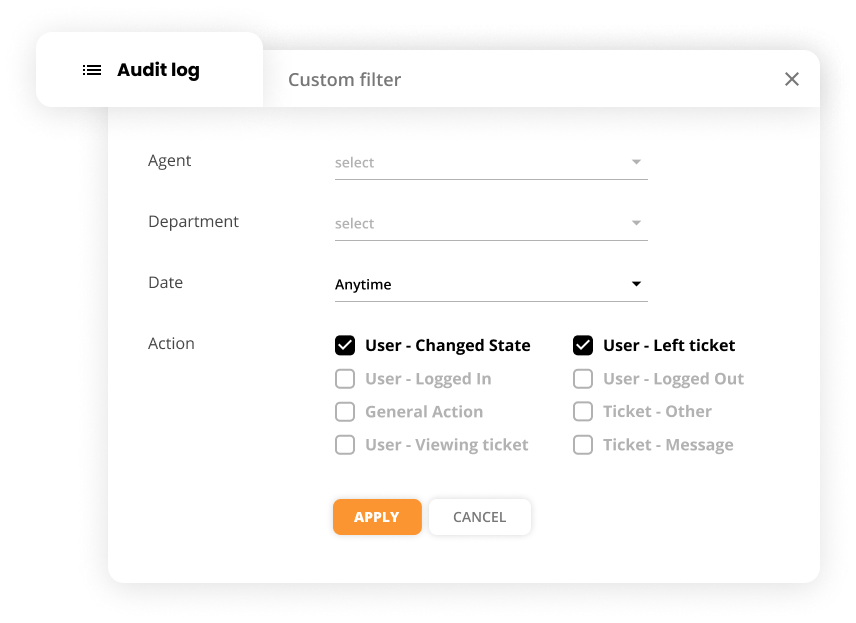
Audit log filter interface showing custom filtering options

Knowledge Base Resources

For more detailed information about using the audit log feature, visit our support documentation: Audit Log – Documentary Evidence of Activities

Frequently asked questions

What is an audit log?

An audit log is a chronological set of records that provides documentary evidence of activities that have been undertaken by support agents. It automatically tracks actions like user logins, ticket status changes, messages, and other important events.

What actions does the audit log track?

The audit log tracks various actions including user login/logout events, ticket status changes, messages, internal messages, file uploads, ticket transfers, tags changes, voice messages, notes, rankings, and many other support-related activities.

Can I filter audit log data?

Yes, you can use custom filters to show only certain actions, select specific agents, departments, or time frames to retrieve specific data from your audit log.

Why is an audit log important?

An audit log is important for security, compliance, performance monitoring, and accountability. It provides documentary evidence of all activities, helps identify suspicious behavior, and ensures transparency in your support operations.

Transform your customer support experience

Discover LiveAgent's powerful features that streamline communication, increase efficiency, and boost customer satisfaction.

Learn more

IT help desk audit checklist

IT help desk audit checklist

Optimize your IT help desk with our comprehensive audit checklist! Ensure top-notch performance, compliance, and customer satisfaction.

23 min read
Time Report Features

Time Report Features

LiveAgent's time tracking tool enhances team productivity by monitoring ticket resolution time and providing insights for workflow optimization. Integrated with...

3 min read
Reporting Analytics +2
SLA Log Report
SLA Log Report

SLA Log Report

LiveAgent's SLA Log Report tracks fulfilled and missed SLAs, sortable by various parameters and exportable to CSV, enhancing customer service efficiency. Availa...

2 min read
SLA Reporting +1

You will be in Good Hands!

Join our community of happy clients and provide excellent customer support with LiveAgent.

Post Affiliate Pro Dashboard - Campaign Manager Interface

